

Emulating PS2 these days seems simple enough. Most better smartphones can do it, as well as by extension, many Android-based handhelds out there. Not all of them, however, can do it well. In my eyes, many existing lineups like this you can find online propose hardware that’s way overkill if you just want to go through the upscaled PS2 catalog without breaking the bank. This is why I decided to make my own.
I took a lot of time to compare the current handhelds that make sense across the market, their screens, cooling, controls, practical user experience, and so on. This lineup of mine takes all of this into account, and goes beyond that, featuring devices that can be used for way more than playing games from the PS2 catalogue. If you’re looking for the most reasonable devices for handheld PS2 gaming in every price range, you’re in the right place!
You might also like: 13 Best Retro Handheld Emulator Consoles This Year – My Picks
This web portal is reader-supported, and is a part of the AliExpress Partner Program, Amazon Services LLC Associates Program and the eBay Partner Network. When you buy using links on our site, we may earn an affiliate commission.
The Short Answer: Which “Tier” Do You Need?
The Retroid Pocket 6 is currently one of the easiest starting points for a dedicated Android PS2 handheld. Its Snapdragon 8 Gen 2 gives NetherSX2 far more room than the Unisoc T820 devices near the bottom of this list. A close alternative to it, if you need even more processing power, would be the AYN Odin 2 Portal.
- For the phone route (no dedicated handheld): use a capable smartphone and a telescopic controller. Low-end standalone handhelds make too many PS2 compromises, so if you want to minimise your expenses, there is a high chance that your phone can do a much better job at PS2 emulation than a cheap dedicated device.
- For a few confirmed PS2 games with some exceptions: the RG476H, which is the true budget option on our list, works, but expect only native resolution (in most cases, no upscaling), and be prepared for tweaking per-game settings in titles that are more demanding and harder to run.
- For strong Android performance: start with the Retroid Pocket 6. Most playable games have room for 2x resolution on the Snapdragon 8 Gen 2. This tier gives you access to nearly the whole catalog of PS2 games (in practice pretty much all of them with tiny exceptions). The AYN Odin 2 Portal falls in this exact same category. These devices are in most cases the safest picks to go for with the highest price-to-quality ratio.
- For the fewest emulator problems, with the Linux/SteamOS experience: choose the Steam Deck. Native access to the main PCSX2 builds here can matter more than another step up in processing power on Android hardware. If you’re not afraid of some tinkering and you don’t mind the size or the price of the Deck, it’s among the best options out there for PS2 emulation and beyond.
The Best PS2 Handhelds Compared
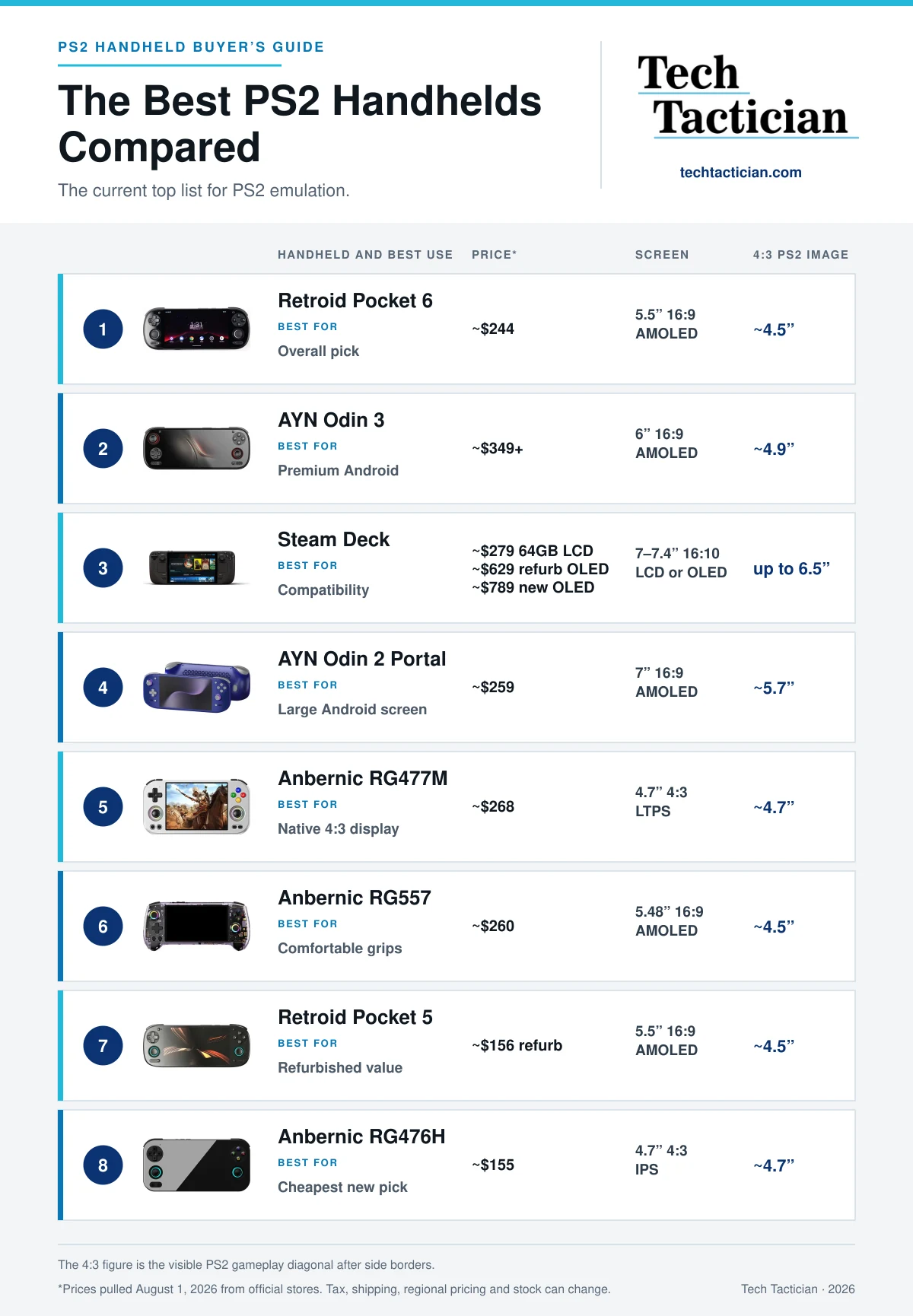
This ranking of mine of course, reflects my experience and data-backed view on the whole purchase value and user experience, not just raw processor speed. This is one of the reasons the Steam Deck has found its place in the third position, rather than being placed on the very top. With that said, let’s get a few other important things out of the way.
PS2 Emulators & Performance – Android vs. Linux
Android and SteamOS won’t offer you the same PS2 emulator experience. Android now relies mainly on NetherSX2, which is essentially a community patch for the discontinued AetherSX2 app. The new version of the software has updated the game database, controller support and widescreen files, but it still keeps the original emulator core.
The Steam Deck runs the actively developed PCSX2 desktop emulator. PCSX2 maintains a searchable public compatibility database with current test records showing which games run well and which don’t.
While there technically are some non-Android based handhelds that can run PS2 games with more or less bearable framerates, these are not the center of this guide. The only true Linux-based device on this list is the Steam Deck.
If you’re still interested in such handhelds that are capable of PS2 emulation you can check out, for instance, the Powkiddy RGB10MAX3 Pro, or the AYN Odin 2 running a custom ROCKNIX install instead of Android.
In practice, this means that the Deck can have an advantage in some of the more difficult-to-run games due to PCSX2’s more mature development and game-specific fixes, not simply raw processor speed.
Coming back to Android, new projects such as the ARMSX2 (an ARM64 compatible fork of PCSX2) are also active, but they are still in the relatively early stages of development.
As per usual, I would always advise getting your new handheld for the emulators, drivers and software available today or releasing in the very near future, rather than relying on developments that may or may not come many months ahead.
Of course, it goes without saying but it has to be mentioned here, to emulate PS2 games you will need the BIOS files dumped from your own PS2 hardware and game images made from discs you own, regardless of the emulation software or device you decide to use.
What Counts As Good PS2 Emulation Here?
When I call a handheld good for PS2 emulation, I mean it holds 100% game speed with clean audio and consistent frame pacing after it has warmed up. That, of course, does not mean every game must run at 60 FPS, as many PS2 games never did. An occasional per-game tweak is also normal. Such is the world of emulation, even when it comes to older hardware like the PS2.
Each one of the handhelds here can run most PS2 games you throw at them, and even upscale lighter games, but the RG476H (which, being our budget pick, is also a performance edge case) still needs to be judged game by game.
The Retroid Pocket 5 and Thor in the Lite version cover much more of the library, though harder games may need native resolution. This is not only about raw power, either.
On Android, Adreno GPUs generally have better driver support than Mali, while Adreno-specific Turnip builds can sometimes fix performance or graphical problems in more troublesome games. This is a reasonably well-known topic that goes beyond PS2 emulation. PCSX2 on the Steam Deck can also run some games that remain broken in NetherSX2 on Android.
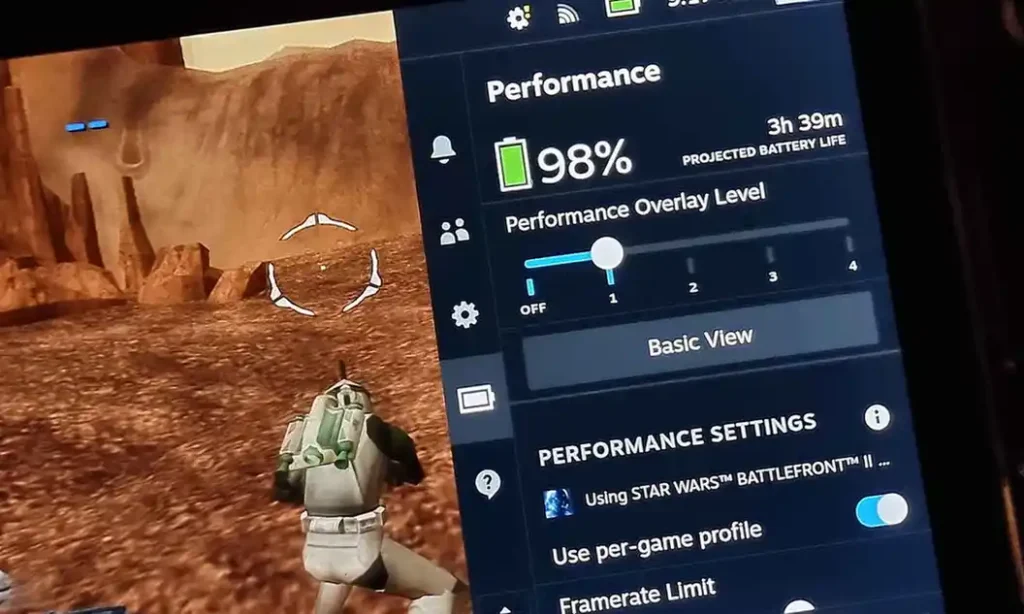
Battery life changes with the game, brightness and power settings. My original LCD Steam Deck, as you can see above, can squeeze out just about 3-4 hours from Battlefront II with maximum brightness, a 6W TDP limit and a 600 MHz GPU clock limit. Other Android-based handhelds on this list should mostly hover around the four-hour mark, with some per-device exceptions.
The original DualShock 2 also used pressure-sensitive face buttons in some games, including Metal Gear Solid 2 (and 3). This cannot be reproduced on any of the handhelds listed here, although PCSX2 does offer a pressure modifier in its settings.
8 Best Handhelds For PS2 Emulation In 2026
1. Retroid Pocket 6: Best PS2 Handheld For Most
- Strong PS2 performance in a compact shell
- The Adreno GPU is a good match for NetherSX2
- Quality controls and analog triggers
- Black bars on 4:3 games
- The availability can vary, even on the Retroid website
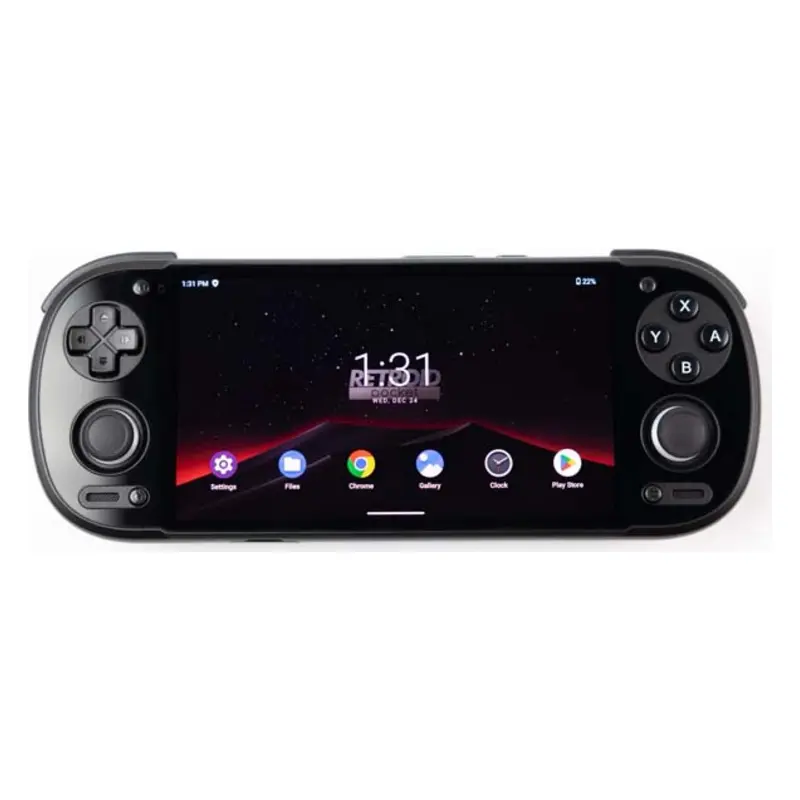
The Retroid Pocket 6 puts the Snapdragon 8 Gen 2 into a shell closer to a PS Vita than a handheld PC. This is the same direction the Anbernic RG VITA took, and I like it quite a lot. It is easy to carry, quick to just pick up, wake from sleep and play, and powerful enough with a lot of headroom for upscaling your games. Of course, it can also play a lot more demanding systems, even allowing for some Nintendo Switch emulation, or light PC gaming via GameNative.
The 5.5-inch 16:9 screen will show you your 4:3 PS2 titles at about 4.5 inches. NetherSX2 support and driver options for Adreno GPUs are also better than on Mali-based handhelds, and overall, it’s a solid pick that can do much more than PS2.
2. AYN Odin 3: Best Premium Android Handheld
- More power than PS2 emulation needs
- Comfortable analog-first control layout
- Large battery and active cooling
- Overkill for a PS2-only purchase
- A rather expensive pick
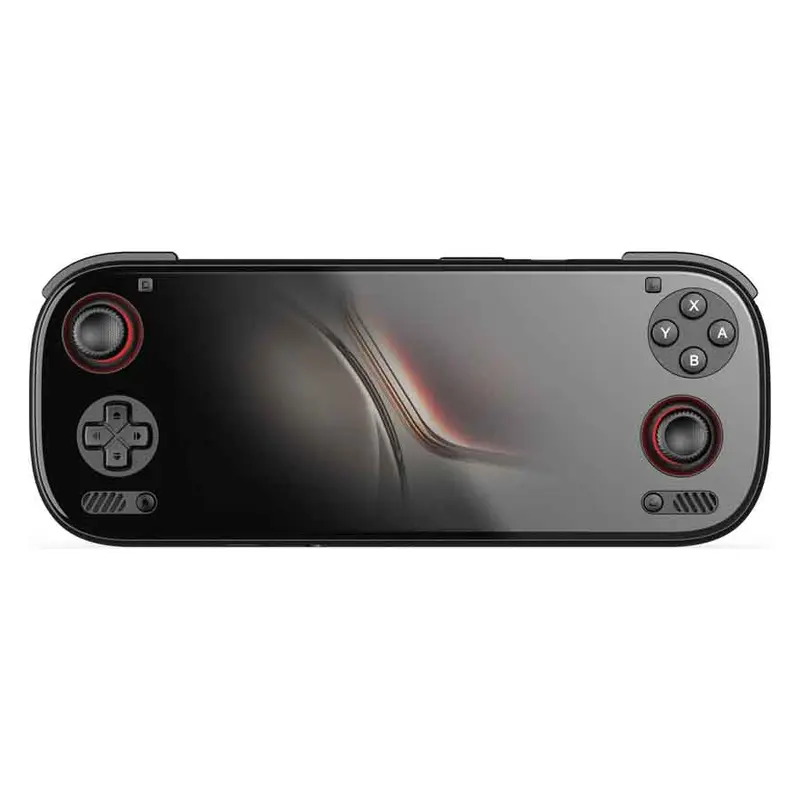
The AYN Odin 3 is the device I would look at if I wanted something larger, more powerful and more comfortable than the Pocket 6, and did not mind paying more for it. It has much more raw compute to offer than you actually need for PS2 emulation running on the Qualcomm Dragonwing Q8 chipset (based on Snapdragon 8 Elite). This gives you plenty of room for upscaling, but also more demanding systems and PC games emulation using GameHub or GameNative.
For PS2 alone, though, the Odin 3 will not suddenly unlock a new part of the catalogue. The software side is still the practical limit in games with emulator-related issues, and the well-supported Snapdragon 8 Gen 2 devices (like the Retroid Pocket 6) already have enough power for nearly everything the emulator can run well.
Get the Odin 3 if you want its more relaxed grip, bigger screen and the extra power for Switch V1, Android and PC games too. If you know that you’re going to be playing or emulating other more demanding platforms too, it’s probably the best pick on this list.
3. Steam Deck: Best PS2 Emulator Compatibility
- Runs the current PCSX2 desktop emulator with wide game support
- Largest 4:3 picture in this list
- Is essentially a full-fledged Linux-based PC
- New OLED models are expensive for PS2 alone
- Far larger and heavier than the Android picks
- Awkward to carry without a larger bag
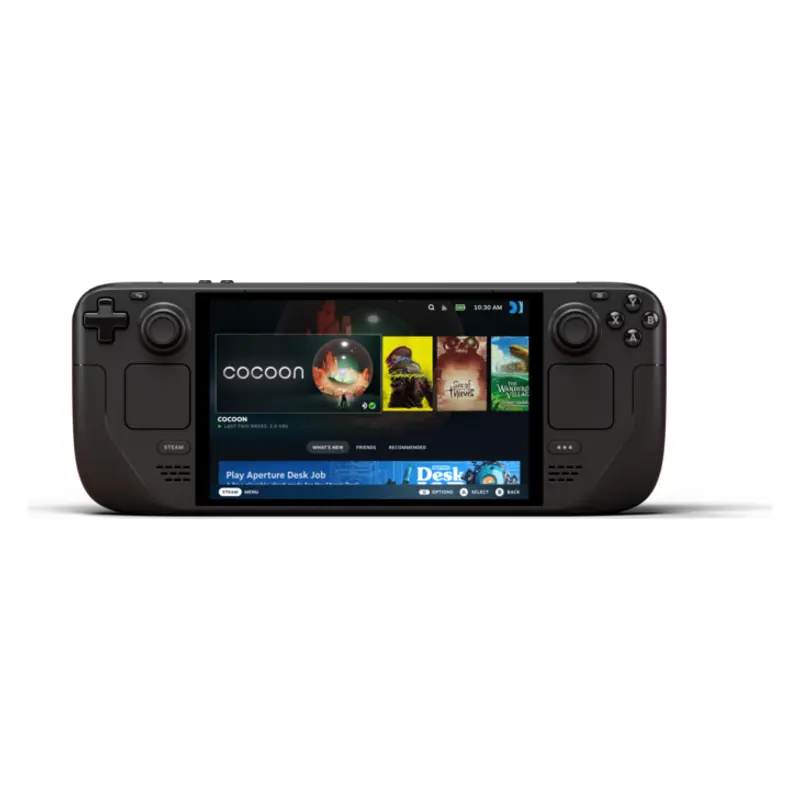
I have used my original Steam Deck for actual PS2 emulation for a while now, and it remains the device I trust the most. The reason is not just its processing power, which is of course nice to have on hand especially considering it’s a PC-gaming first machine.
The PCSX2 version you can install on the Steam Deck is still actively developed, has proper per-game fixes available for many titles, and gives you far more information when a particular title refuses to work correctly.
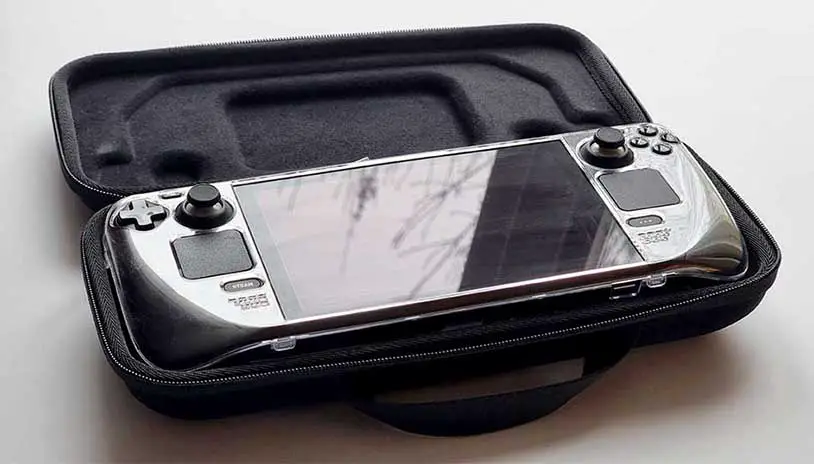
Setting it up through EmuDeck is reasonably straightforward and almost fully automatic, apart from supplying the BIOS files and game backups. Once your games and BIOS files are in place, you can still launch everything from the regular SteamOS interface and use it just like a console.
Its main issue here is simple. The Deck is huge next to the Android handhelds above it, and the new OLED prices are difficult to justify for PS2 alone. A refurbished or second-hand LCD model can make much more sense for an emulation-first purchase, and it gives you essentially the same PS2 performance as the OLED version would.
My own Steam Deck tests produced around 3.5 hours in Star Wars Battlefront II and 2.5 to 3 hours in Need for Speed Underground 2 when it comes to battery life, which is quite a reasonable result. See the full Steam Deck emulation battery test for the method and more systems.
4. AYN Odin 2 Portal: Best Large-Screen Android Pick
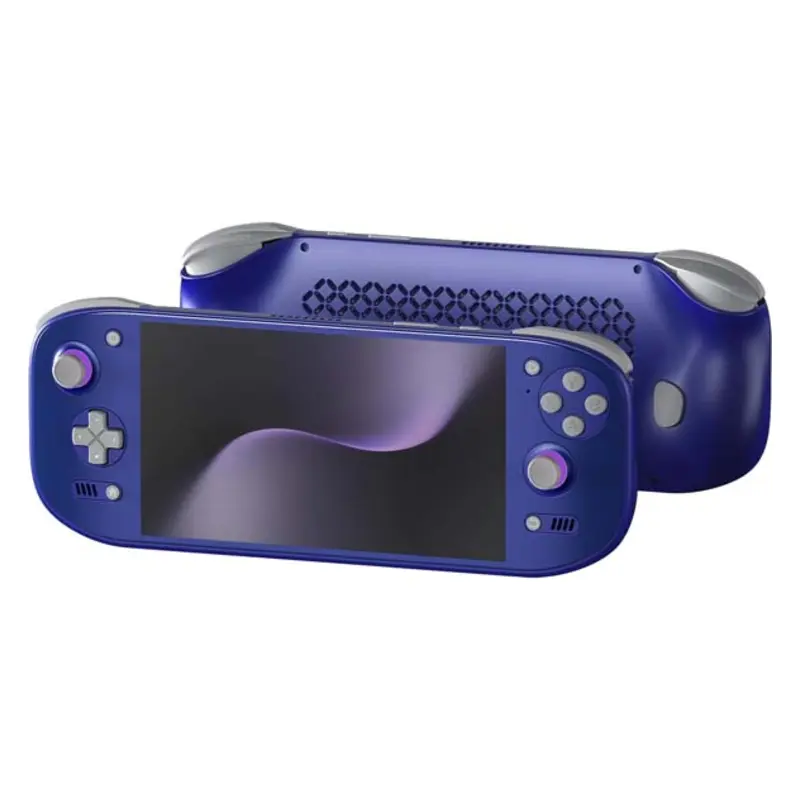
- Large 5.7-inch picture in 4:3 games
- Mature Snapdragon 8 Gen 2 driver support
- Comfortable grips and a large battery
- Less portable than the Pocket 6
- New base model stock can be limited
The Odin 2 Portal is the model I would choose if I wanted the Android experience on a screen closer to the Steam Deck in terms of its size. The large 7-inch AMOLED panel shows 4:3 games at about 5.7 inches, which can make a real difference in games with small text, and the proper grips on the back are much nicer for longer play sessions.
It uses the same well-supported Snapdragon 8 Gen 2 platform as the Pocket 6 and the stronger Thor models. Thus, you can expect almost exactly the same performance tier from it, with most games from the PS2 catalog playable and upscaled.
I still would not get it for carrying around every day. It is a device for the couch, bed or a larger bag, and that is exactly where it makes sense, at least coming from my experience with larger handhelds like this. You still get Android’s quick sleep and wake behavior, plus enough power to branch out into GameCube, Wii, Switch V1 and lighter PC games. A great pick if you don’t mind its size.
5. Anbernic RG477M: Best 4:3 PS2 Handheld
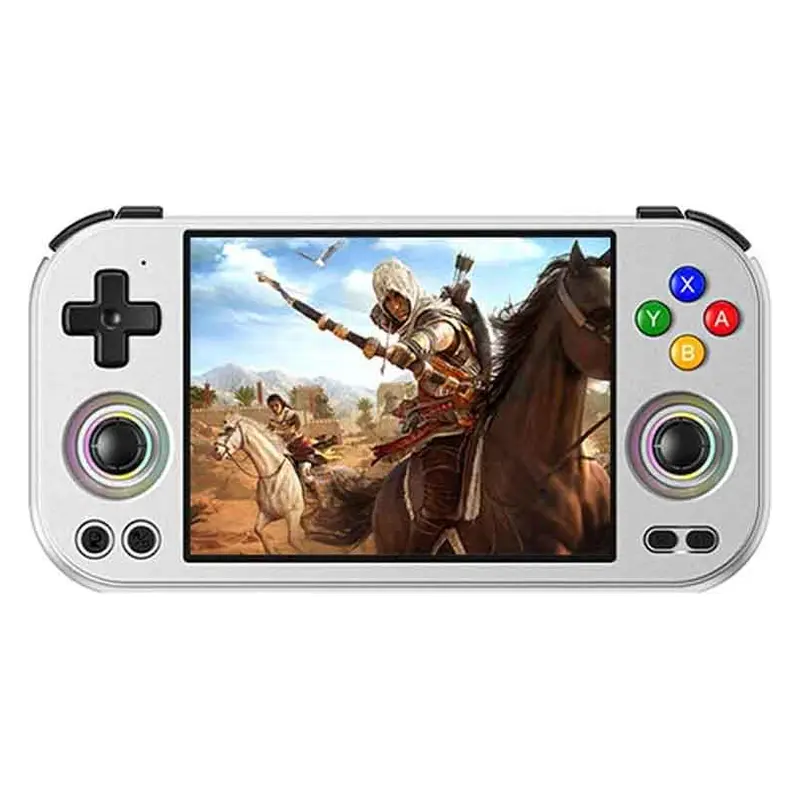
- 4:3 panel uses the full screen with PS2 titles
- Dimensity 8300 has good PS2 performance
- Sharp panel and premium metal body construction
- On the heavier side for its 4.7-inch size
- Mali graphics favor the older NetherSX2 builds
The Anbernic RG477M is the most interesting device here if you want PS2 games to use the whole screen without widescreen patches. It has a 4:3 LTPS LCD panel which is a natural fit for the console, and it works just as well for PS1, Dreamcast and many older home systems. This effectively eliminates the problem of black bars on the display.
The MediaTek Dimensity 8300 has enough power for very good PS2 performance, but the Mali GPU can make PS2 emulation a little less straightforward than the Snapdragon handhelds above it. For this one, you will want the older, classic NetherSX2 3668-based builds recommended for Mali devices. This is, once again, an emulator- and driver-derived difference, not a lack of raw processing power in the chipset.
This is also a rather heavy handheld for its size. I like the solid metal construction, but the low left stick is not what I would choose for hours of analog-heavy games. Get it for the 4:3 screen and the premium build & feel, not for better PS2 compatibility than the Pocket 6. With that said, let’s continue on.
6. Anbernic RG557: Great Pick For Comfort
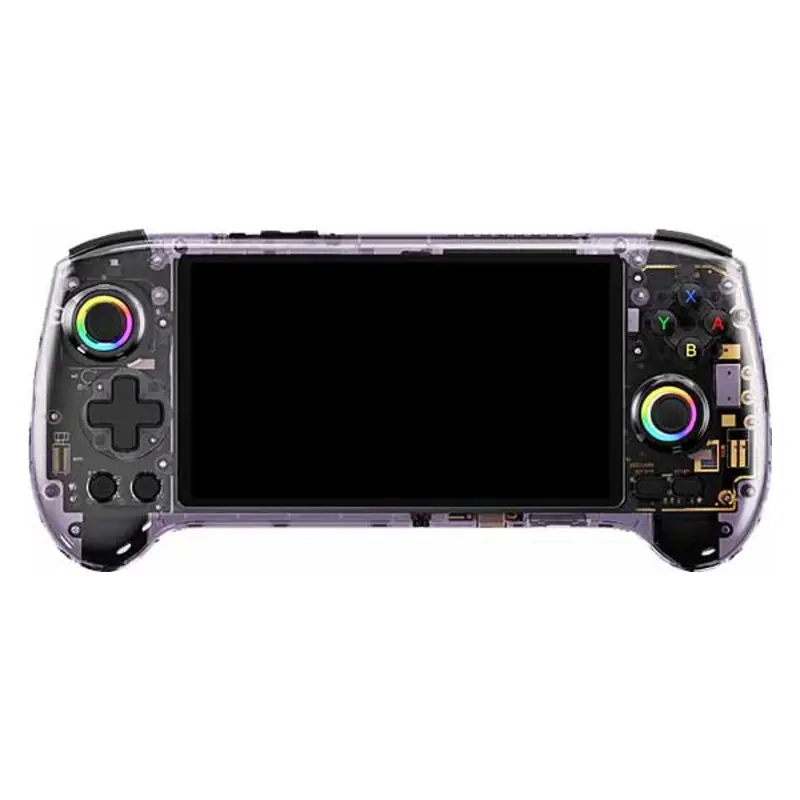
- Very convenient built-in grips
- High left stick suits 3D games
- Good Dimensity 8300 performance
- Mali GPU needs the older NetherSX2 base
- 4:3 picture is only about 4.5 inches
The Anbernic RG557 is the Anbernic model that can also tackle most of the PS2 catalog rather easily. It can also be noticeably less expensive than the Retroid Pocket 6 or the Odin 2 Portal, especially when it goes on sale. Its proper grips and high left analog stick in my experience suit 3D games much better than the retro-first control layout of the RG477M, and the plastic shell keeps it from being too heavy.
It uses the same MediaTek Dimensity 8300 chipset and will carry the exact same Mali-related issues. And once again, when you use the right emulator build, performance is strong enough for PS2, with plenty of room to upscale games that play nicely with NetherSX2.
Untouched 4:3 games will have black bars here, but widescreen patches can make good use of the AMOLED panel in supported titles. I would still pick the Pocket 6 for the better-supported Adreno GPU and the smaller shell. If, however, you want to save a few dollars, and you find the right offer (or AliExpress coupons) the RG557 will still be a solid choice.
7. Retroid Pocket 5: Best Refurbished/Second-Hand Pick
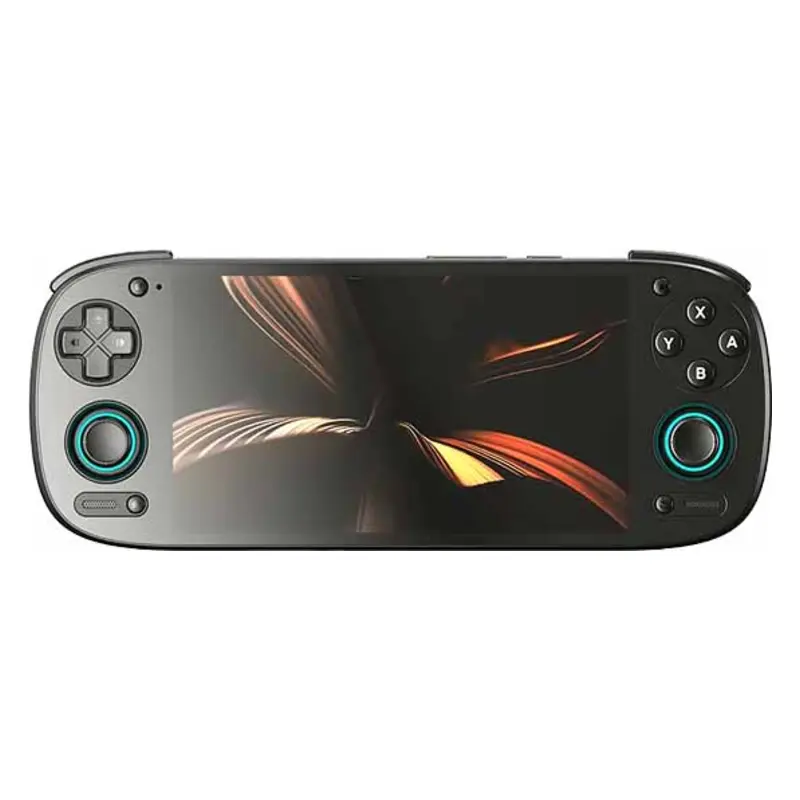
- Sharp 5.5-inch AMOLED screen
- Adreno GPU works well with NetherSX2
- Compact shell with active cooling
- Refurbished stock is inconsistent
- Hard games need more tuning than on the Pocket 6
The Retroid Pocket 5 is still a very capable PS2 handheld, but the Pocket 6 has changed the kind of purchase it is. I would now look for one used or refurbished, and only get it if the final price is clearly lower than what the newer model would cost me.
The Snapdragon 865 and its Adreno GPU remain a good match for NetherSX2. A large part of the catalogue will run well at 1.5x or 2x resolution here, but the harder games can bring you back to native resolution and tweaking per-game settings.
The screen is still excellent, and the whole device feels close to a PS Vita with small grips added to the back. If you buy one second-hand, check the battery, sticks, triggers and fan before you decide that the discount is actually worth it. If you’re able to find a good deal, this one is really worth trying out.
8. Anbernic RG476H: The Budget Pick
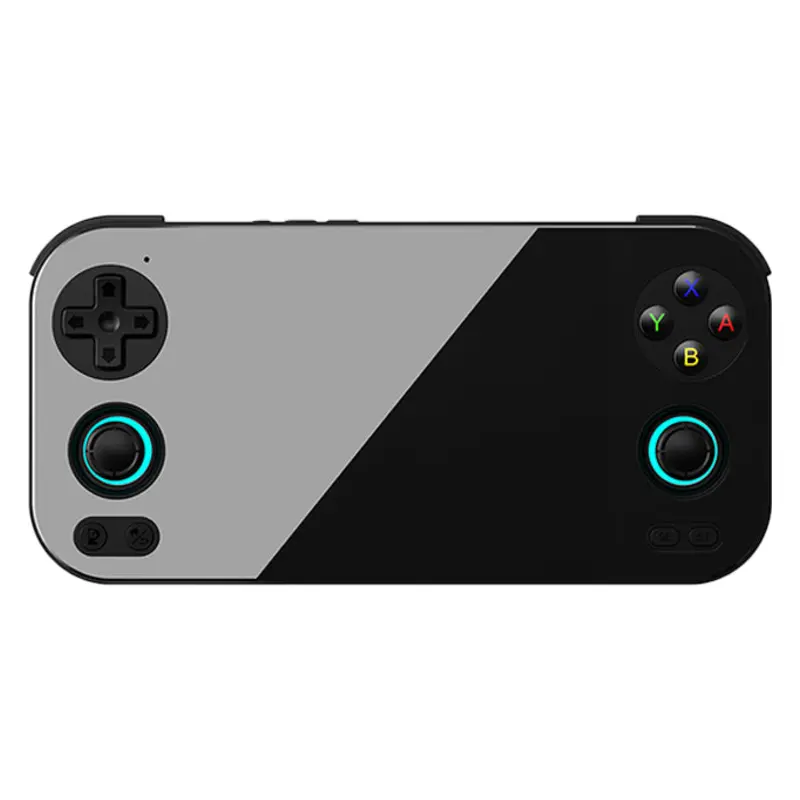
- Sharp 4.7-inch 4:3 display
- Hall sticks and analog triggers
- Active cooling helps sustained performance
- Demanding games need native resolution and tuning
- Not a full PS2 library device
The Anbernic RG476H is the lowest I would go for a dedicated PS2 handheld, and serves as the budget pick closing our list. Its 4:3 LTPS LCD screen is a great fit for the console’s 4:3 output, but the Unisoc T820 and Mali GPU make the actual game support far less consistent than the display might suggest.
Lighter games can run very well at native resolution, and some will even leave you a little room for upscaling. More demanding games often need the high-performance mode, manual settings and the faster fan profile. Some are simply not worth forcing onto the hardware. You can see how well it works in practice in this video here. It really is quite surprising.
I would get it for a list of PS2 games I had already checked, not necessarily for being able to play the whole console catalogue blind. Think of it as a great 4:3 retro handheld with some PS2 on top, and you’ll be more than content with what it can do. Now, time for a bonus I just couldn’t go without.
Bonus: AYN Thor As The Best Dual-Screen Pick
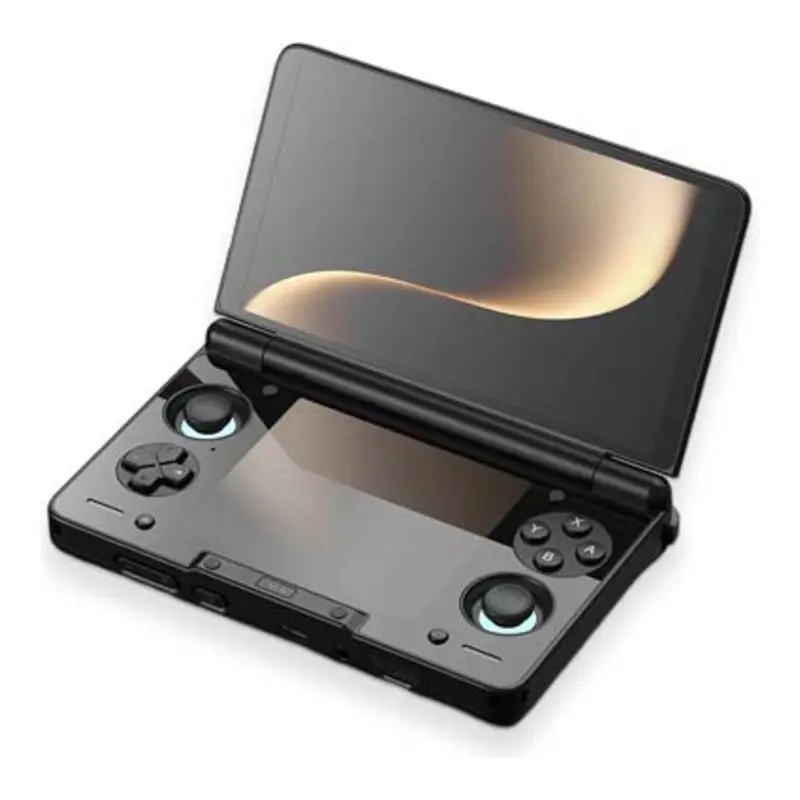
- Beautiful 6-inch 120Hz AMOLED main display
- Snapdragon 8 Gen 2 in the Base, Pro and Max models
- Clamshell protects both screens in a bag
- The second screen adds nothing to PS2 emulation
- Lite model drops to the older Snapdragon 865
- Less straightforward than a standard slab handheld
The AYN Thor is here as a bonus, as its second screen does not really improve PS2 emulation, but makes it a really fun choice if you plan to use the additional display for game guides, or… watching some YouTube videos or movies while you play. I wouldn’t be me if I didn’t include it here, as a big fan of this handheld.
I went for the Max model myself, but mostly for the clamshell design and the way it handles DS, 3DS, touch-heavy Android games, and quite a few extras that the second display has to offer. My full AYN Thor model guide covers every configuration, if you’re interested in that.
For PS2, the Base model is already the place I would start. It gives you the same Snapdragon 8 Gen 2 performance class as the Pocket 6 and Odin 2 Portal. The Lite version drops to the older Snapdragon 865 (the very same one the Retroid Pocket 5 uses), so if you don’t mind lower performance with more demanding systems and can skip out on most light PC gaming, you can save quite a lot going for it.
Honorable Mentions And The Phone Route
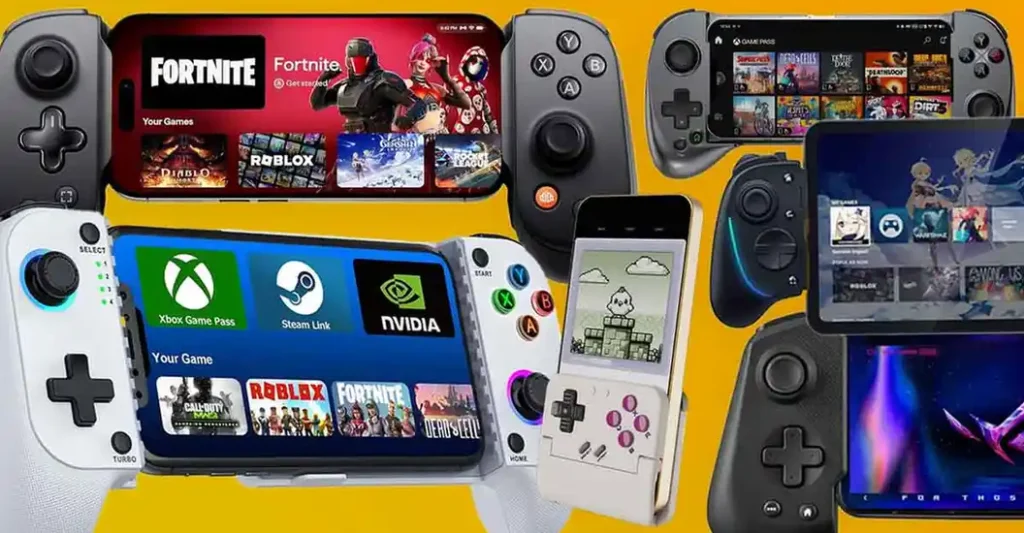
- Your current phone plus a controller: this is the most accessible route. A recent Snapdragon phone and a telescopic controller can, for some people, beat many simpler, entry-level dedicated handhelds. The GameSir X5 Lite is one of the compact examples I have personally tested and enjoyed.
- Retroid Pocket 4 Pro: a clean used unit can still make sense when it comes to upscaled PS2 gaming performance. Its smaller LCD, older Dimensity 1100 and limited new stock in the end made me keep it outside the main list.
- Retroid Flip 2: the clamshell protects its screen and gives you the Pocket 5 performance class. I would consider it if you prefer its form factor but don’t need a second display like the one on the AYN Thor.
- AYANEO Pocket Air Mini: its compact design is great, but the Helio G90T is not the strongest fit for a PS2-first purchase (many titles are hit-or-miss), so this still belongs with PSP and lighter systems.
Want a smaller system for Sony’s earlier handheld? My best PSP handhelds guide covers devices that do not need PS2-class hardware.
If I Were You – My Final Recommendations
If I were getting a handheld mainly for PS2 today and I didn’t already have my Steam Deck and AYN Thor, I would go for the Retroid Pocket 6.
It is small enough that I would actually be able to carry it in my backpack, fast enough that I would not spend every evening rebuilding game profiles, and its Adreno GPU is the safer Android choice. That combination in reality matters to me more than chasing the newest SoC like the Dragonwing chipset on the Odin 3.
For a big mixed library at home, I still trust PCSX2 on the Steam Deck most. It runs the games I care about well, but of course it isn’t remotely pocketable. If you’re interested in that instead, I would first look at Valve’s refurbished stock, and buy a new OLED only if I also wanted it for PC games. The Valve hardware prices are still rather steep.
You might also like: R36S vs. R36XX, R36Plus, Max, Ultra & Others – Models Explained