

Here are my first impressions on the AYN Thor, alongside all the things I think you should know about this handheld regardless of whether you’re still waiting for it to arrive, or are just considering getting it.
My black AYN Thor Max arrived two months and eleven days after I placed the order. You can see all of my proper hands-on experience with the device in the full first impressions video here. This short writeup covers all the topics from the video and then some more, including the OLED mura tests, hinge behavior, the very first boot, charging tests and observations, and pretty much everything I was able to check and address during my first few hours with the device.
For model differences, current ordering notes, and the earlier quality-control reports, see my AYN Thor buyer’s guide. The separate AYN Thor accessories guide I prepared covers all the useful gizmos I got for my Thor including the protective case, the ever-so-useful right-angle cable, a stylus, dock, and plenty of other useful things.
Lastly, my full AYN Thor OLED mura test contains all of the mura measurements, information and remarks that couldn’t fit in this short first contact article. So, if you’re interested, there are quite a lot of things for you to see here!
You might also like: 5 Best Dual-Screen Handhelds This Year – Compared (AYN Thor Alternatives)
Why you can trust us: We test all of our products according to the Tech Tactician consumer usability benchmark methodology which evaluates the product characteristics that matter to the user in day-to-day use.
This web portal is reader-supported, and is a part of the AliExpress Partner Program, Amazon Services LLC Associates Program and the eBay Partner Network. When you buy using links on our site, we may earn an affiliate commission.
The AYN Thor Max Unit Tested Here
I went for the black Max with 16GB of RAM and 512GB of storage. The Max model houses the Snapdragon 8 Gen 2, a 6-inch 1920 x 1080 AMOLED top screen with up to 120Hz refresh rate, and a 3.92-inch 1240 x 1080 AMOLED bottom screen at 60Hz. The battery is rated at 6000mAh (and honestly after my first day with the handheld I was really impressed by it).
AYN lists the whole device at 150 x 94 x 25.6mm and about 380g, which translates to a rather hefty brick resting in my hands as I’m writing these very words.
The Lite version, which might be a very tempting buy for some, considering the rising hardware prices, uses a Snapdragon 865. The Base, Pro, and Max models use the 8 Gen 2, then differ in memory and storage. AYN ships the Thor without any kind of emulation software pre-installed, which is a strategy different from for example the Anbernic RG Rotate that I recently had the pleasure of testing.
If you’re considering going for the Thor Lite, my PS2 handheld comparison goes into a bit more detail on why the Base already covers that system (and surprisingly many others) rather well. This video by Retro Game Corps is also a thing that might interest you in that regard, and help you save some money if you don’t really need that extra horsepower on hand.
What Comes in the AYN Thor Box?
Inside the retail box, the Thor sits tightly in a shaped foam tray. Inside the handheld, the second foam piece lodged between the top display and the controls protects the lower glass and the buttons. The box has two built-in magnets and a small hoop (its function largely unknown), and the whole unboxing experience does feel reasonably premium.
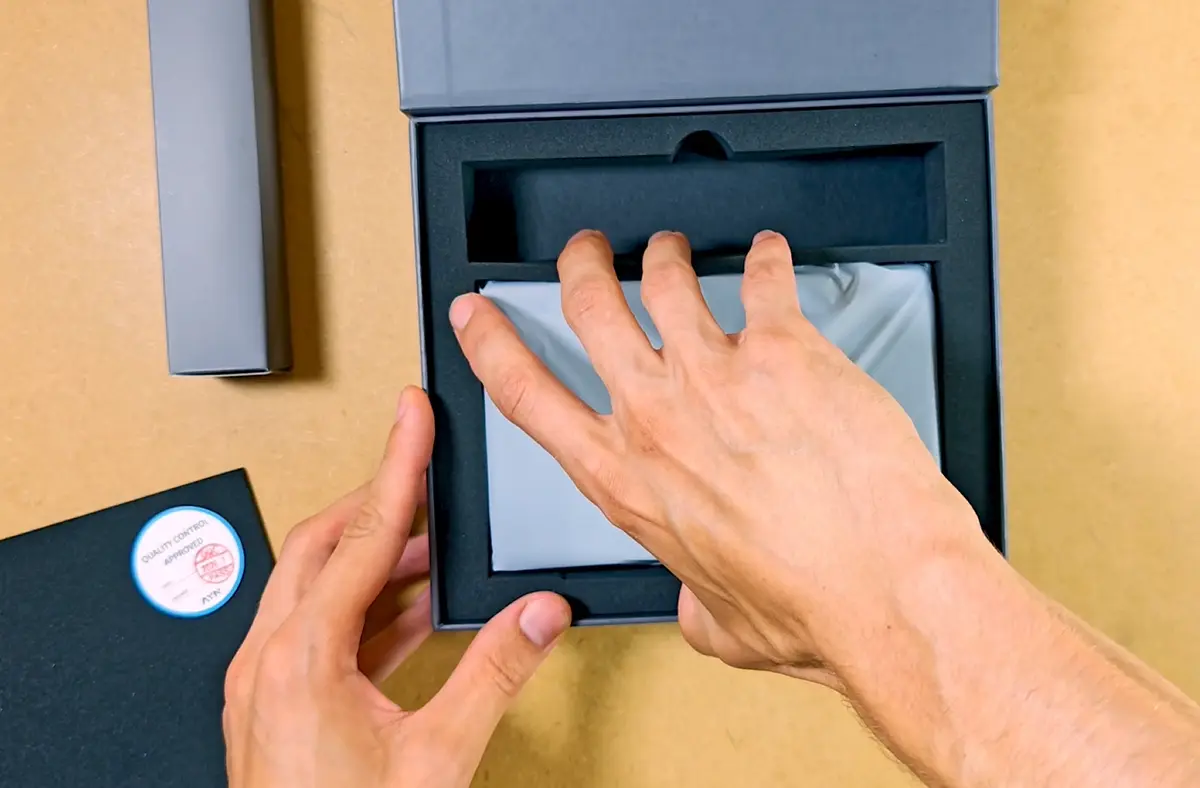
The box also contains three printed cards with the specifications of all Thor models, safety notes, and a bilingual control map printed on. A short AYN-branded USB-C to USB-C cable sits in its own box, in a separate compartment.
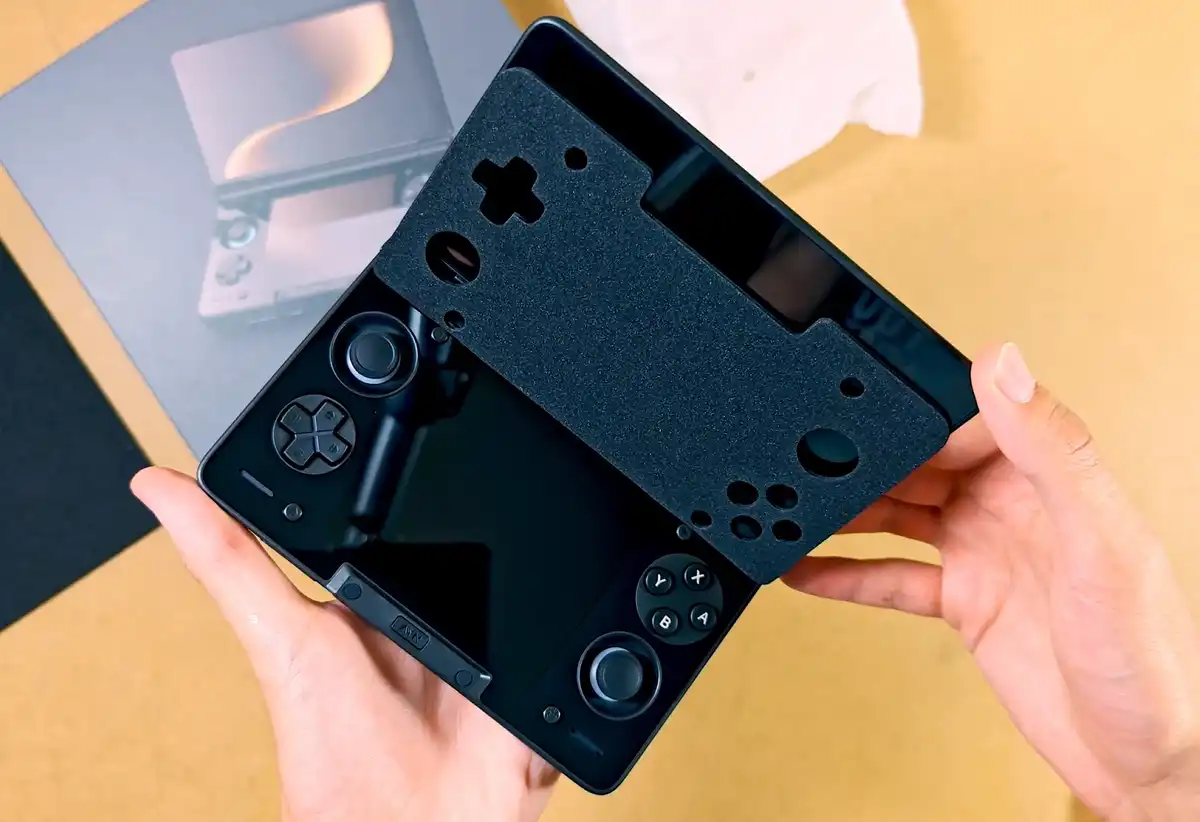
The Thor does not come with a charger, which these days shouldn’t really be a surprise. The only thing you get is the charging cable. This, however, is not a real problem, as you can charge the handheld using the vast majority of reputable USB Power Delivery compliant chargers that support the Thor’s requested profile. More on that later.
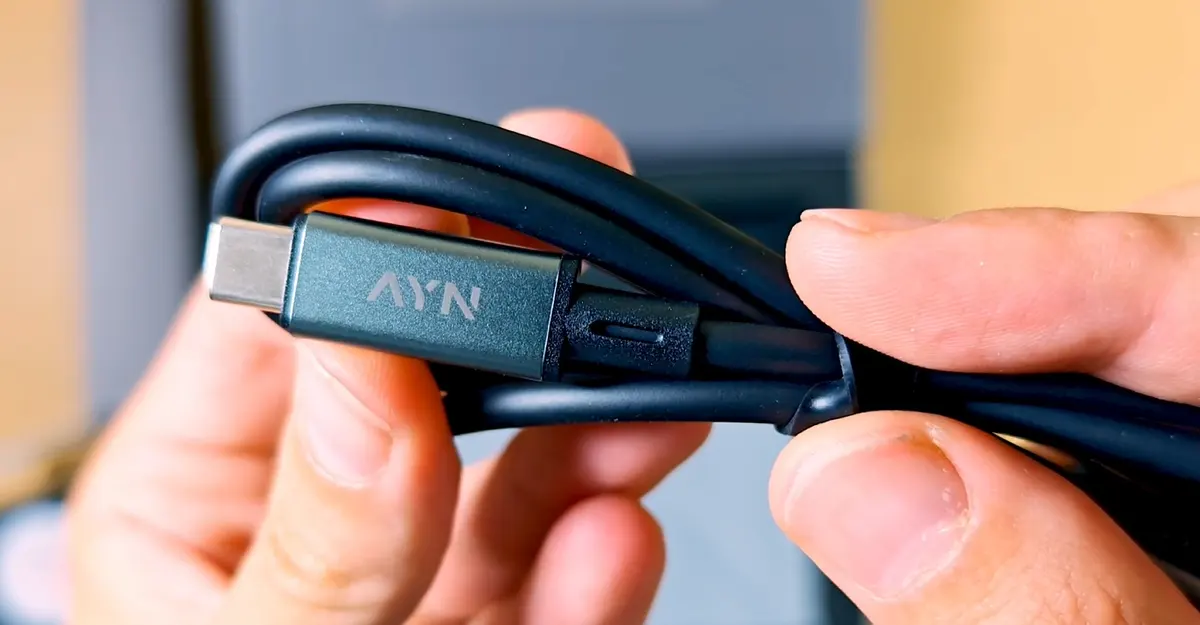
The included cable is enough to start with, although a longer 90-degree angled cable is in my eyes a far more comfortable solution for the bed or sofa gaming scenarios. This is especially useful considering the fact that the Thor does support charge separation.
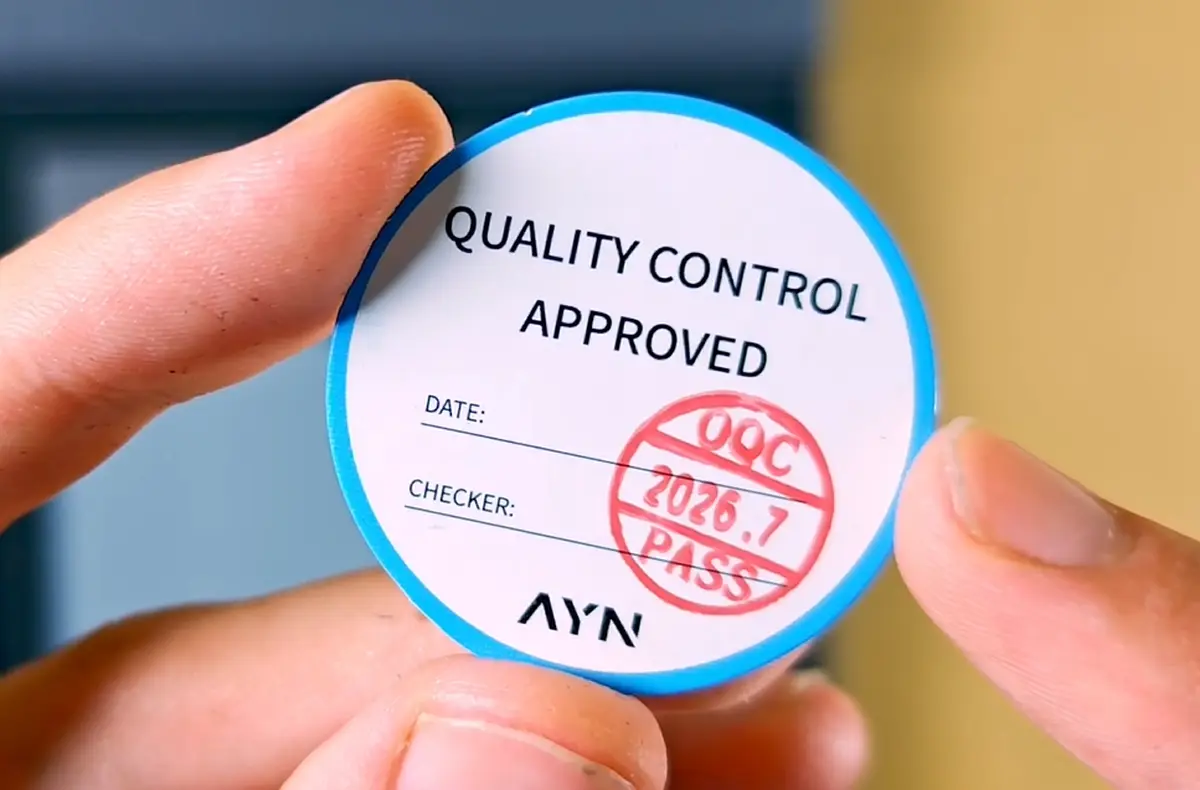
The quality-control sticker on my handheld was dated July 2026, which is the same month the order was shipped. A sticker, however, cannot really prove every part passed a careful inspection (after all, as I learned after recording the video my Thor came with a busted speaker).
The Glossy Black Thor Is, As Expected, Very Reflective
The first physical impression is glass. And a lot of it. The top AMOLED display beautifully disappears into the top part of the handheld when it’s switched off. The lower screen sits inside one uniform continuous glossy panel around the sticks and buttons.
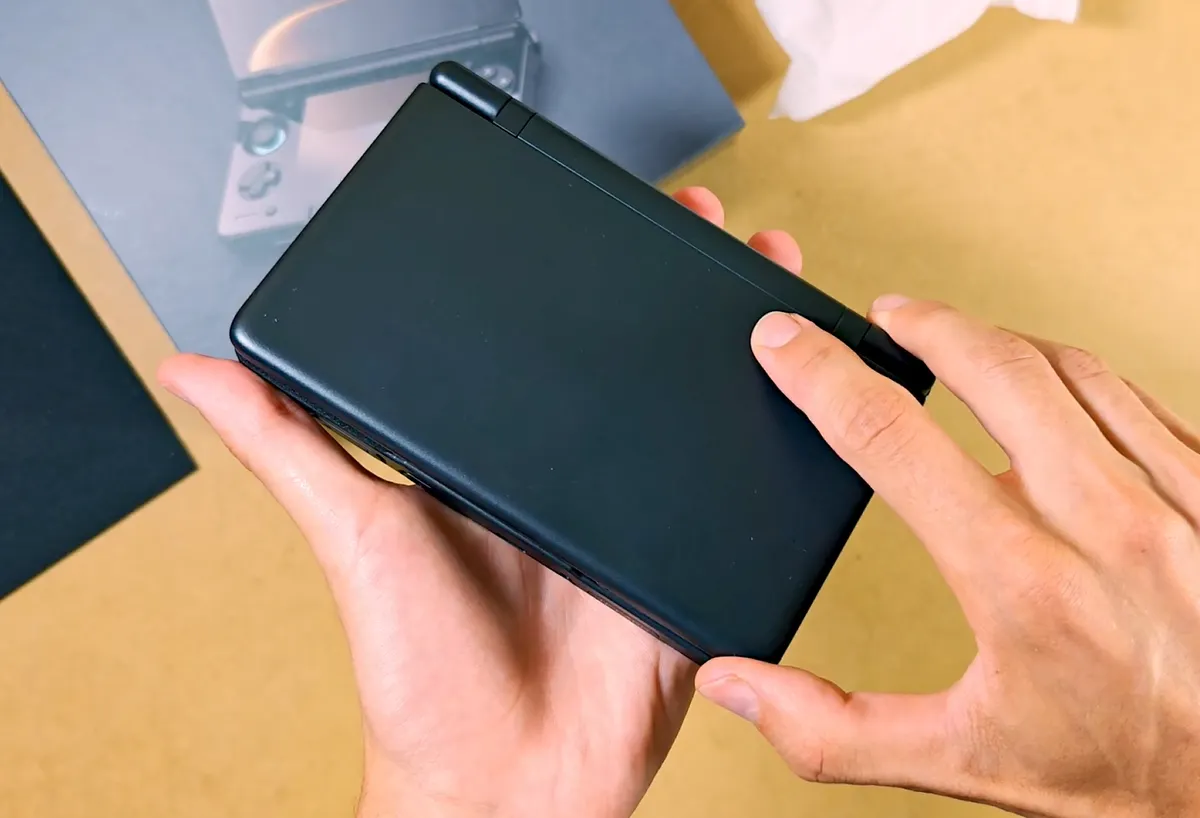
While this all-glass design really does give the Thor a premium look, it also means that dust and fingerprints will show on the front panels much more easily. Another small issue is the reflections that can be visible all throughout the video, alongside my humble visage accompanying them.
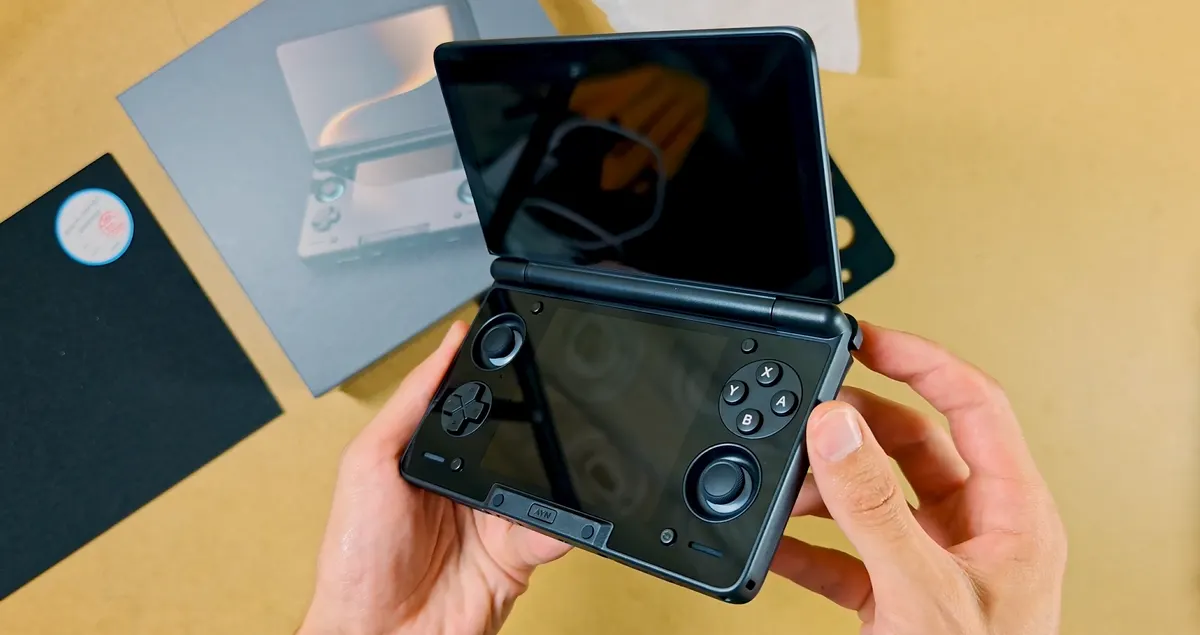
I know these tend to bother many people, but for me they aren’t really a huge problem, considering that in pretty much all conditions other than bright sunlight or studio lights they are really not that noticeable or annoying.
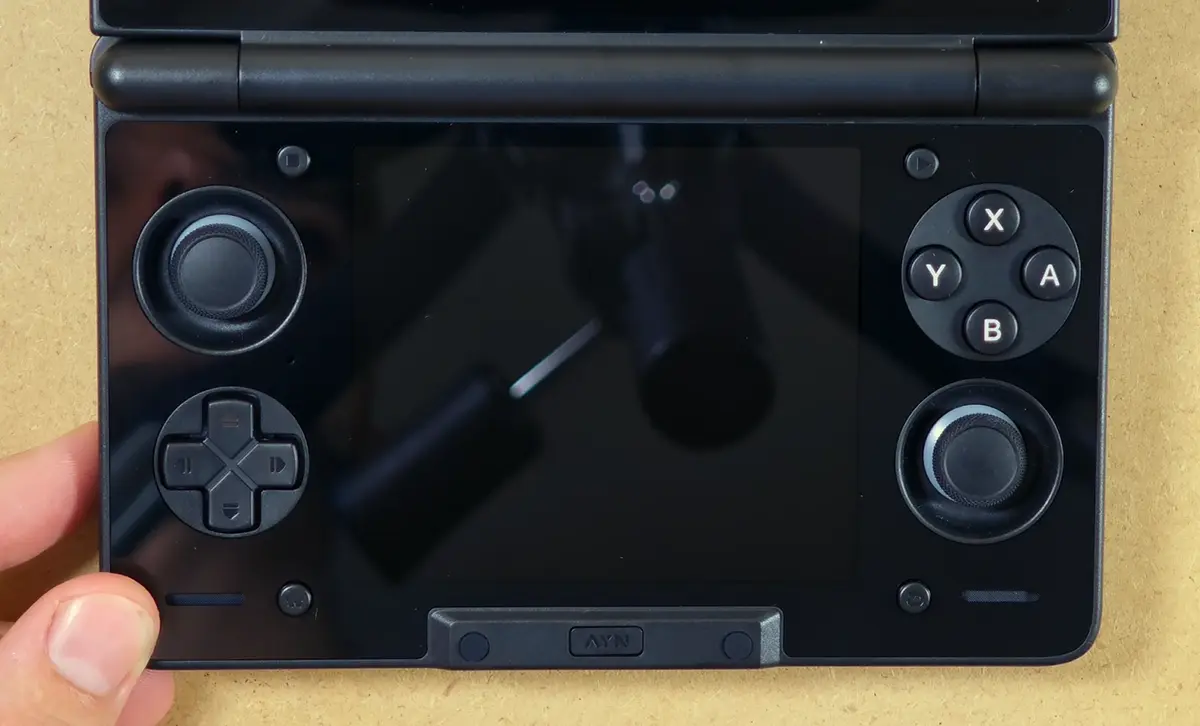
A matte film such as this one by SakuraRetroModding, that was recommended to me by many people, can reduce glare by a lot, as well as hide some smudges. In doing so, it also adds a specific fine surface texture to the screen and softens the image.
This is a no-go for me, considering I do want to get the most out of the OLED display contrast and color range at all times. Still, this is largely a matter of personal preference.
Before proceeding further, I’ve quickly brought out my old GPD XD, for the sake of size comparison (the handheld is very close to the original Nintendo DS when it comes to its size).
As you can see, the Thor is much more chunky and thick than the XD (and thus, the original NDS), partially due to its active cooling system, stacked bumper/trigger layout, and larger battery.
Buttons, D-Pad, Sticks and Triggers
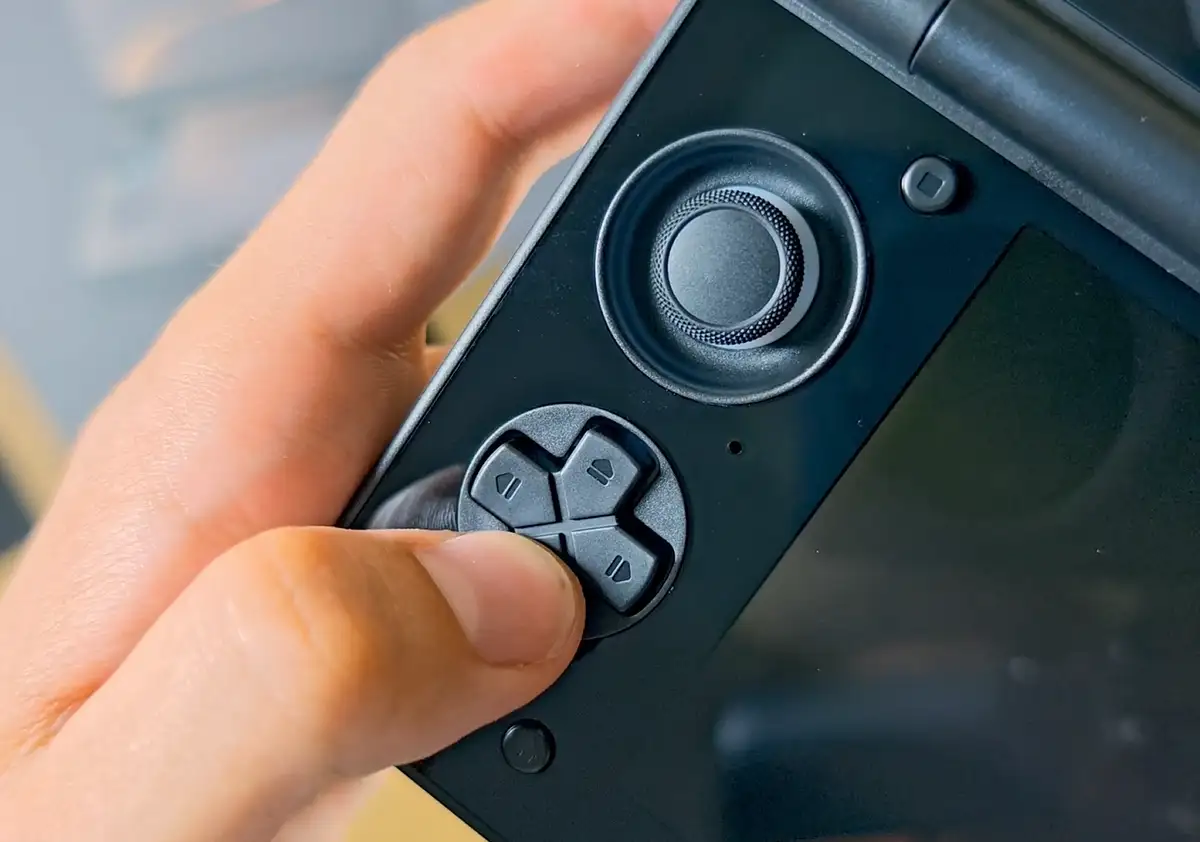
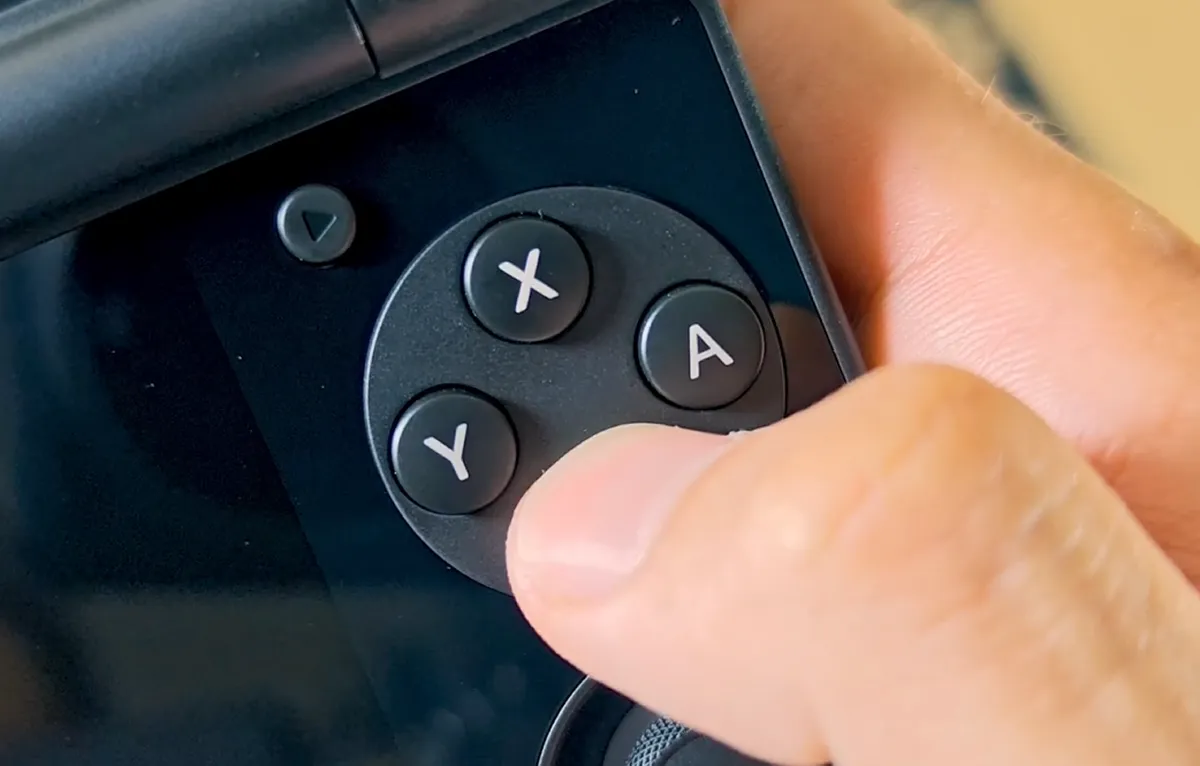
The controls made a good first impression on me. The Hall sticks move smoothly. ABXY has a clean, conventional press. The compact D-pad has a distinct, pleasant click and feels very close to the one on my original PS Vita.
Both the Start/Select and Home/Back Android buttons are small but easily accessible, and the AYN button on the very bottom is clicky but muted by its rubber covering.
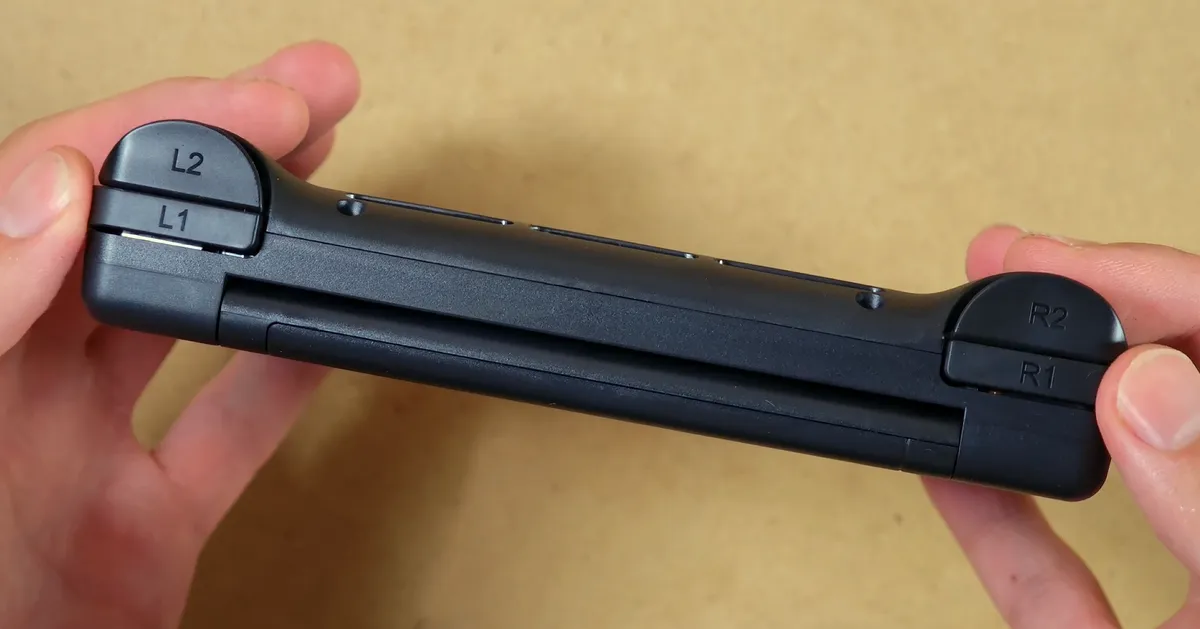
L1 and R1 are sharp and clicky. The analog L2 and R2 triggers have very short travel, and are very narrow, which, from what I’ve seen, bothers some people but for me isn’t really an issue. The analog sticks when pressed in are also pretty loud, but still within reason.
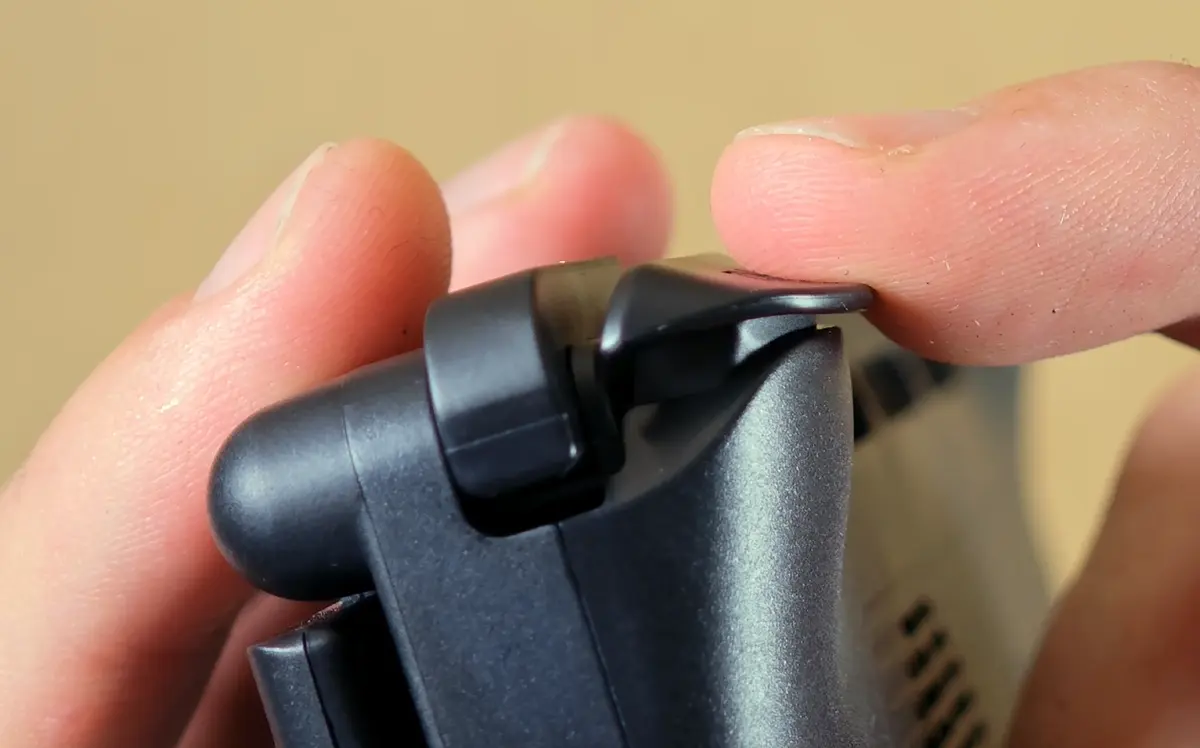
Overall, without getting into technicalities, the controls feel very good, and the only issue I have with them for now is the very clicky bumpers. As all of the other buttons either have a very quiet click to them (Start/Select, the Android buttons), or are practically silent, it makes the shoulder buttons stick out quite a bit here.
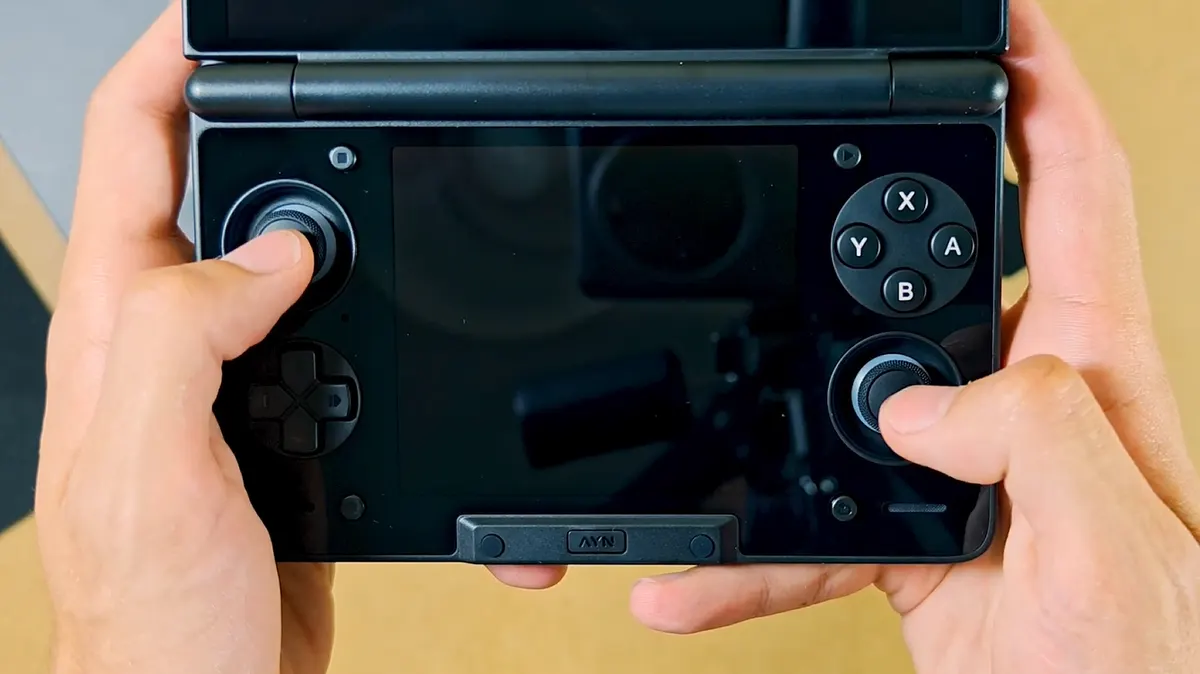
My smaller hands fit the bare Thor better than I anticipated, considering many harsh opinions that I’ve seen online about the overall device’s ergonomics. Still I do realize that a 30-something-minute setup session cannot really tell me much about the overall final comfort rating here, so stay tuned for more info in the full review.
The Display Gap, From Up Close
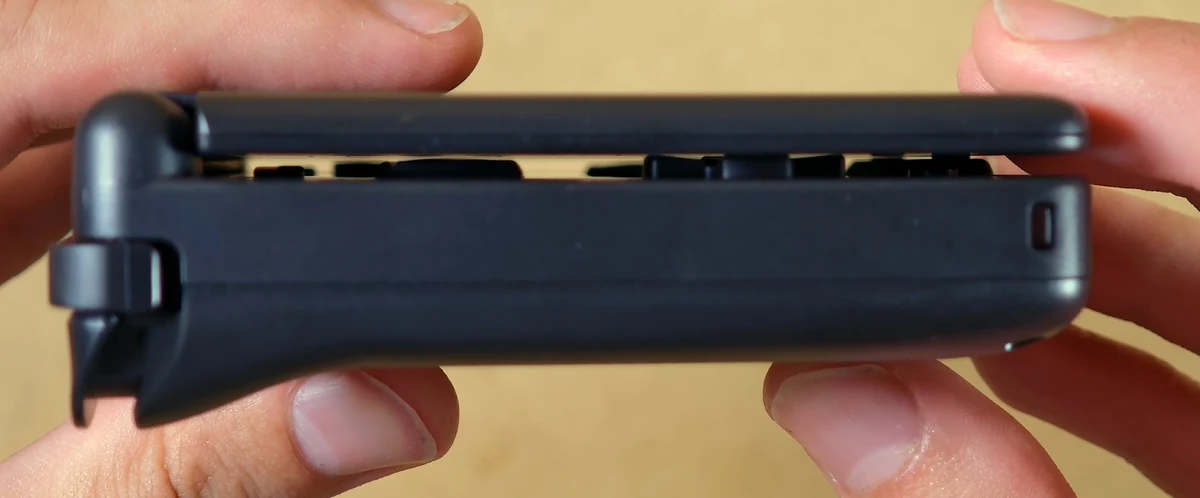
There is an ever so small gap between the analog sticks and face buttons and the upper screen. The D-pad sits closest to the display, as you can see in the image above, but there still is a tiny bit of space between the controls and the screen.
The top part of the handheld can flex inward on the edges if you press it down, as shown below (look on the left side). While it does take a rather firm push, far beyond a light touch, it’s there.
In a tightly packed backpack without any additional protection I would be cautious both about unwanted dust or dirt getting in there and potentially scratching the glass, as well as a lot of uneven pressure being applied on the lid and the top display.
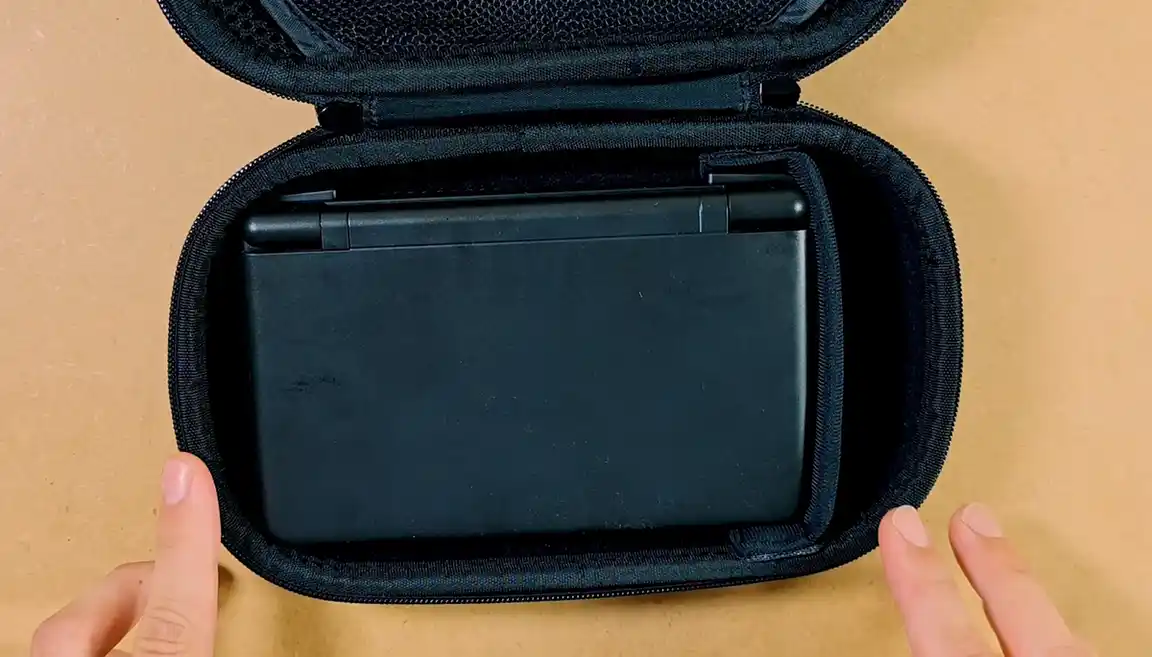
Although the two-piece TPU shell reduces the flex across the entire front gap almost entirely, I really think that a structured case like the one I currently use (in the image above) is pretty much a must-have with the Thor.
The Hinge, and Available Positions
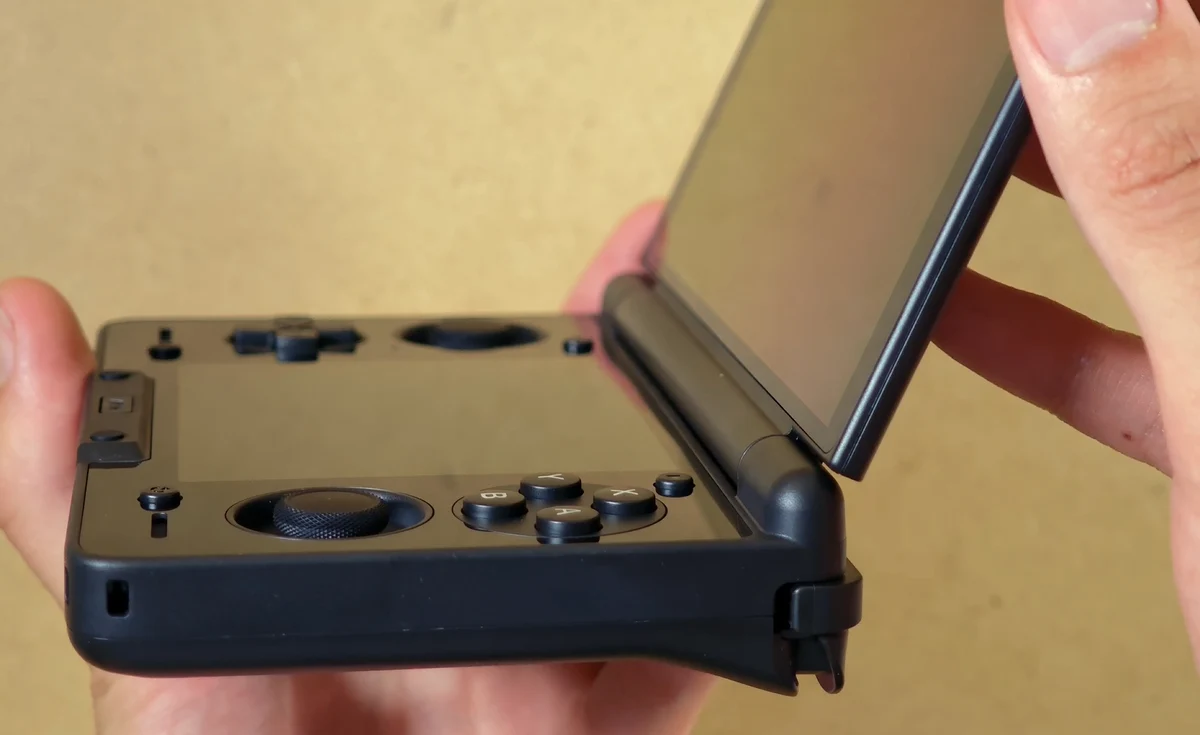
The hinge feels firm and can hold three different angles, including the fully open, 180-degree position. It does not lock at an exact 90 degrees. Although technically you can position the display at the 90-degree position without locking it, it will snap to the closest locked position if you move it around.
The mechanism doesn’t feel overly tight, and if you want to, you can open it using just your thumb with a firm grip. During my first hour with the Thor, I had a brief moment where the hinge started to make a loud click every time the console was opened, exactly as showcased here.
The issue went away after a few minutes and a few times opening and closing the handheld. Only the test of time will show how long it will hold out. Fingers crossed.
Ports, microSD Access, and the Front Edge
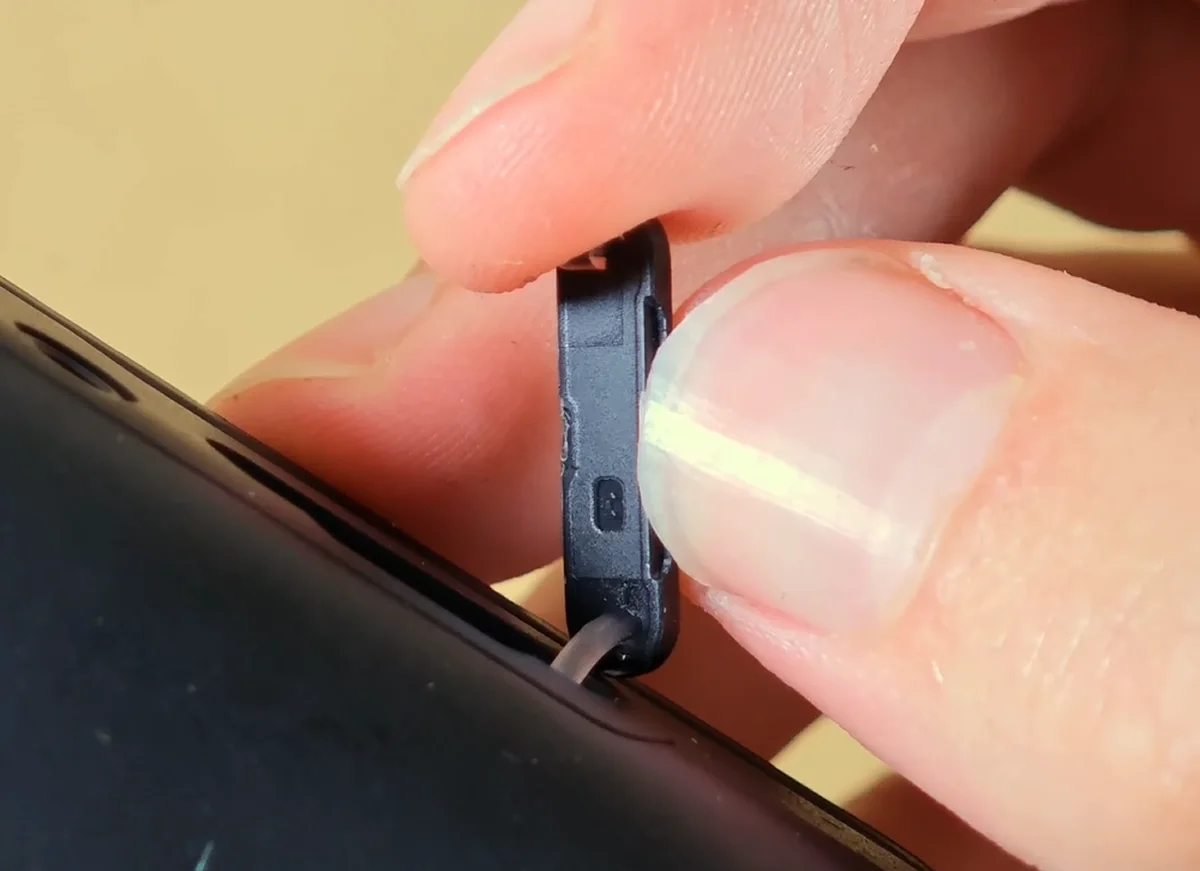
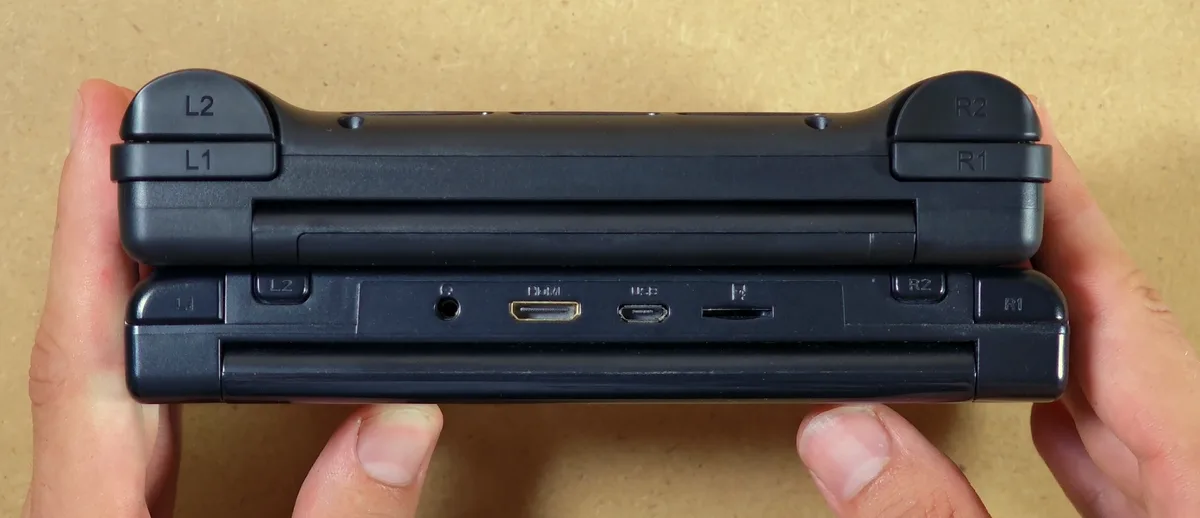
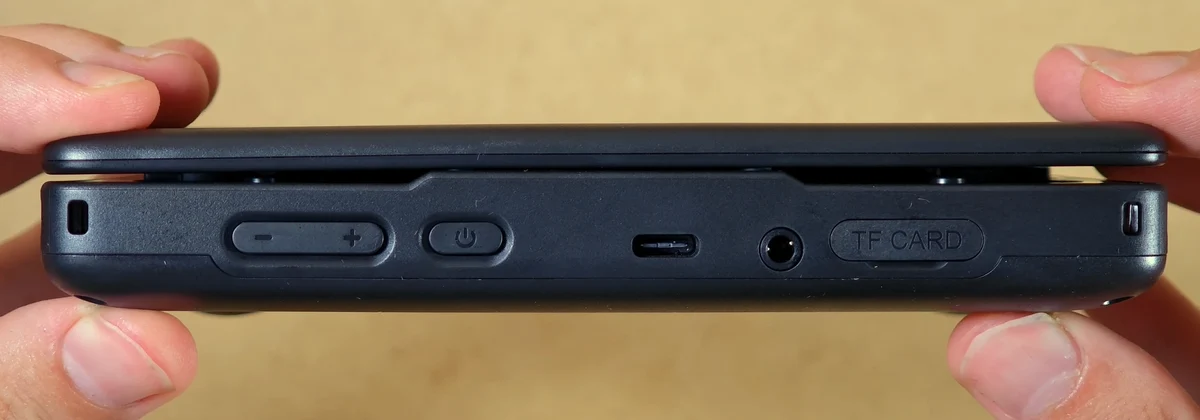
On the front edge of the Thor you can find the power button, the volume rocker, a 3.5mm audio jack, the covered microSD slot, the USB-C port, and the lanyard loop. The TF card slot is protected with a simple plastic lid, to keep the dust away.
As this is an Android handheld, you can add your microSD card at any point after your initial setup. Starting on internal storage is sensible if you have not settled on your game library size just yet. I decided to go without external storage during my initial setup/testing period.
You might also like: 4 Cheap MicroSD Cards from AliExpress – Speed & Capacity Tests
The Front-Facing Speakers, and The First Problem
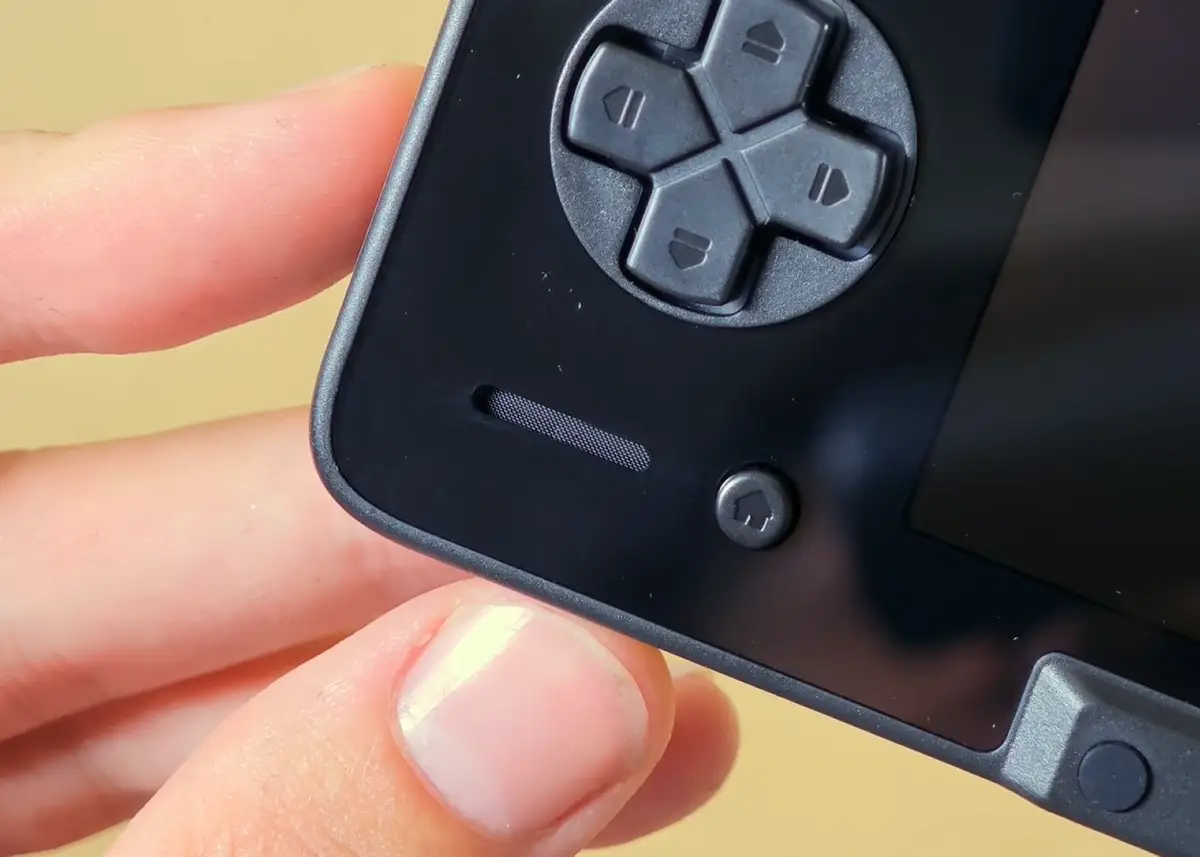
The stereo speaker openings face the user, a much better position than the downward-firing design found on some handhelds. Newer firmware includes EQ presets, which can improve the stock audio tuning (which quite honestly is really subpar).
A fix that I found to be much more practical is using JamesDSP. This fixes pretty much all issues with the default, out-of-the-box configuration of the audio equalization on the Thor. On my list it’s among the very first things you should do after you do your initial setup.
The speakers are positioned in a way that doesn’t let you easily block them with your hands. My only point of criticism here would be their loudness. While on the max setting it is loud enough for most intents and purposes, I would like to have at least a little bit more leeway here.
This is most probably a simple hardware limitation and cannot really be reliably fixed using JamesDSP, which can only raise the overall speaker loudness using digital methods without actually delivering more power to the speaker itself.
Sadly, right after recording my initial impressions of the Thor I realized that the left speaker on my unit has a rather unpleasant buzz to it on pretty much all loudness levels above 50%. The right speaker in comparison sounded completely clear.
After some quick online research I found a few other people also having the very same issue. I’ve already received a message back from AYN about the replacement parts, so in my final review I will address this issue once again, once I go through with the replacement.
First Boot – Without a Google Account
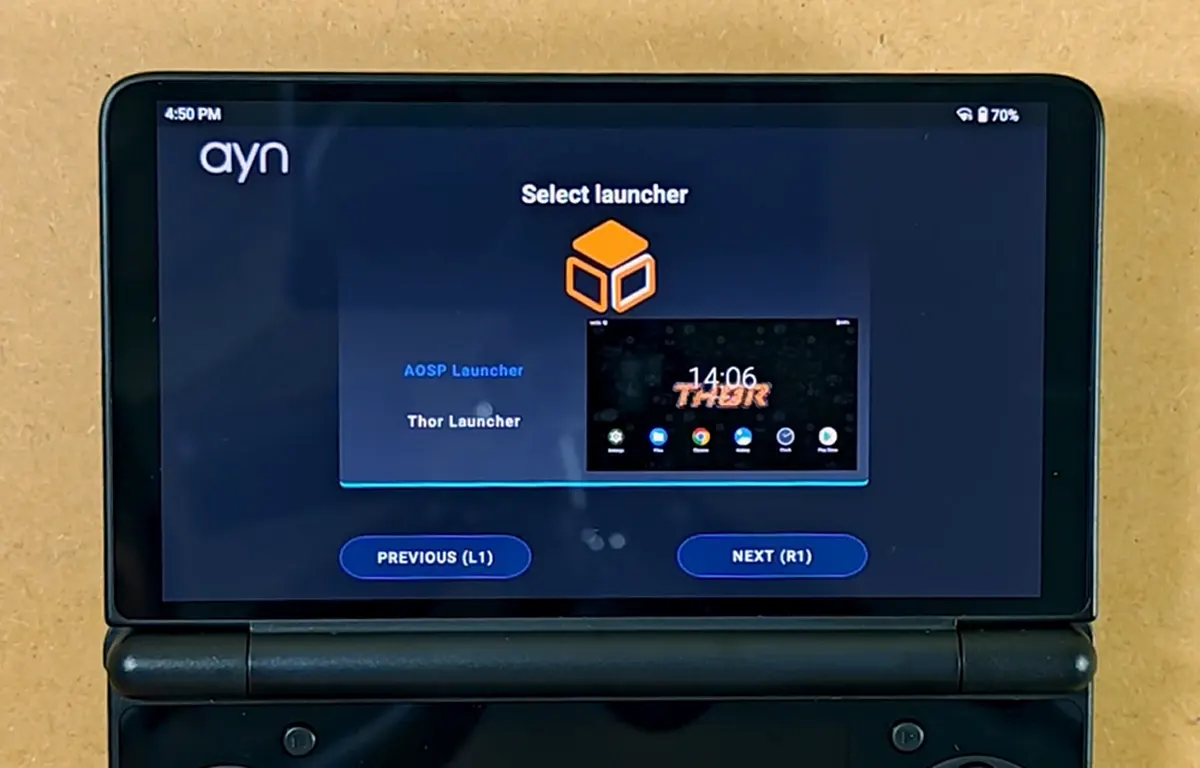
The initial setup wizard asks for language, Wi-Fi, time zone, launcher, and Android navigation style of your choice. You do not have to sign in to Google during this process.
The Thor can reach the desktop and run local apps without a Google account, which is always a nice option to have. Google Play of course needs an account later on, if you choose to use it.
I chose AOSP Launcher and three-button navigation for the first pass. Both choices can be changed later. AOSP is the “default” Android launcher choice here. Thor Launcher is meant to give the device a more console-like home screen once your games are organized.
Still I do find that the community-developed options like Cocoon or RetroHrai can be the better choices here, especially if you’re into customizing your game launcher experience.
Update the Firmware Before Building the Setup
Check the system updater after first boot. While your handheld should come with the newest version installed, there is also a possibility of it having arrived with outdated firmware especially after new versions roll out.
Version 1.0.0.360 added custom fan curves, a stronger smart-fan profile, an 80% charge limit which is a great thing to have in the stock firmware, as well as an anti-image retention mechanism for both displays.
The newer version 1.0.0.372 added the OLED Ultra Black Mode, to help you combat the dreaded mura that we’re going to talk more about down below. Finally, version 1.0.0.377 added lower-screen themes and EQ presets.
The Thor OTA changelog on the AYN Thor subreddit keeps the release notes in one place, if you ever want to know what the latest firmware version is.
60Hz and 120Hz on the Top Screen
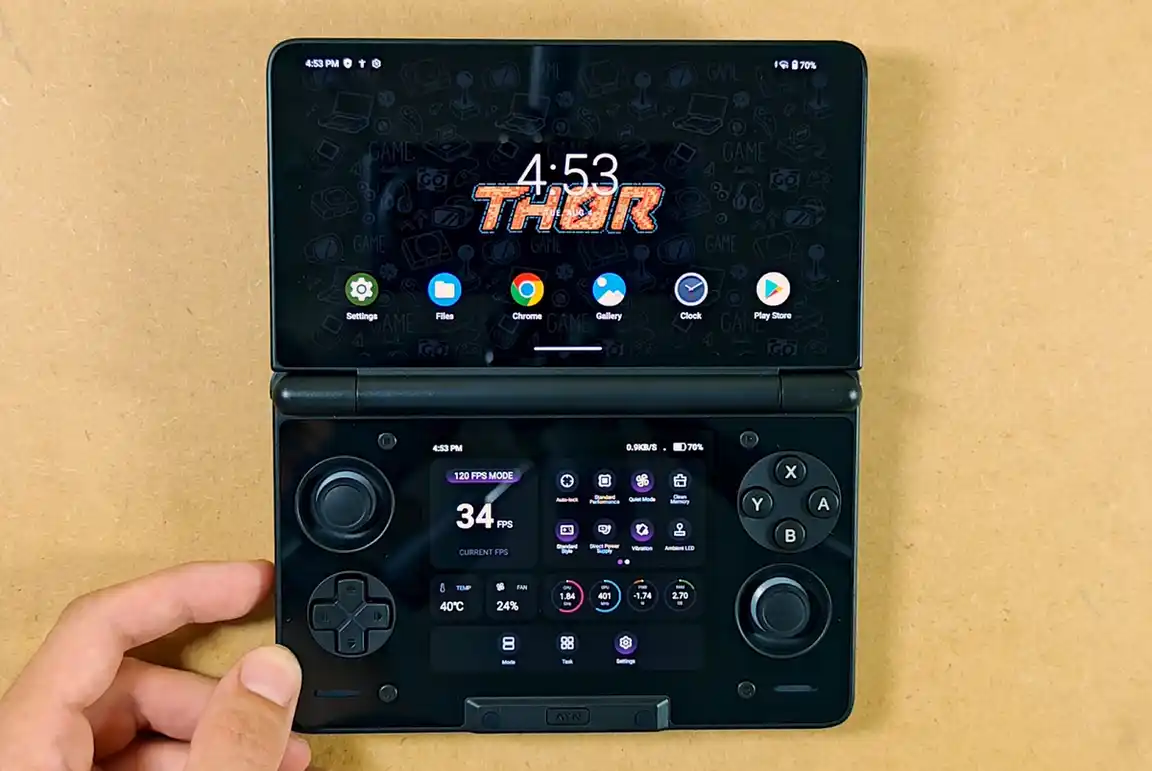
The top panel supports a 120Hz refresh rate after enabling the “120 FPS mode” from the bottom display. The bottom panel runs at fixed 60Hz.
As things are now, having the 120Hz mode active will produce significant and easily noticeable tearing on the lower screen. Setting the top panel to 60Hz keeps both panels on the same refresh cadence and removes the tearing effect completely.
This, as far as my knowledge goes, is an issue with the way Android handles two displays with varying refresh rate capabilities. There is some hope that some workaround fixes for that could be developed in the future.
Use 120Hz for Android games and interfaces that benefit from it. Switch to 60Hz for DS and 3DS emulation. This seems to be the only way to go about it for now.
The Mura Effect on The AYN Thor
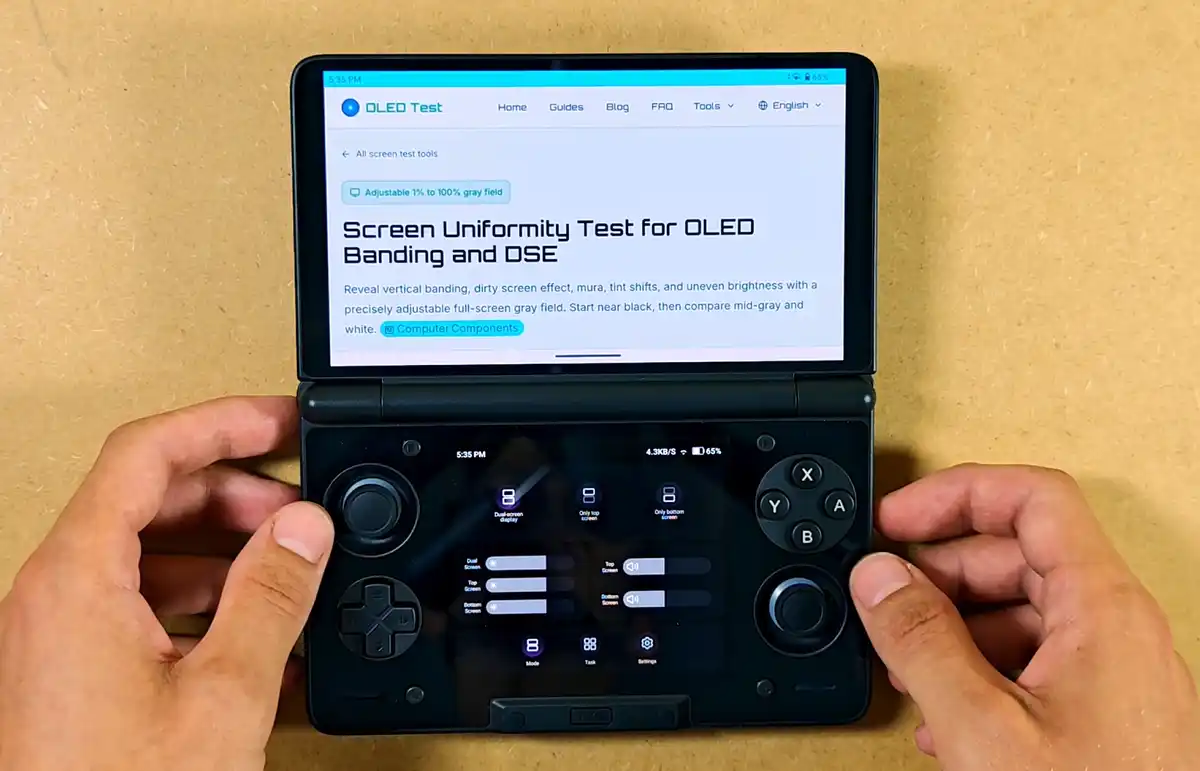
Let’s get to the part that according to my findings causes a lot of stress for many people either deciding on getting their Thor, or waiting for their handheld to arrive. And that is the mura effect, which is a known issue that can affect OLED displays.
The top display on my unit does show visible mura on very dark gray content at low brightness. The pattern is regular, with more pronounced discoloration on the right side, as well as two distinct darker spots.
In practice, in my case the effect is nearly invisible in daily use, although if I was actively looking for it when gaming at night with the screen brightness level all the way down I would be able to notice it on the top display on mostly dark grey uniform backgrounds.
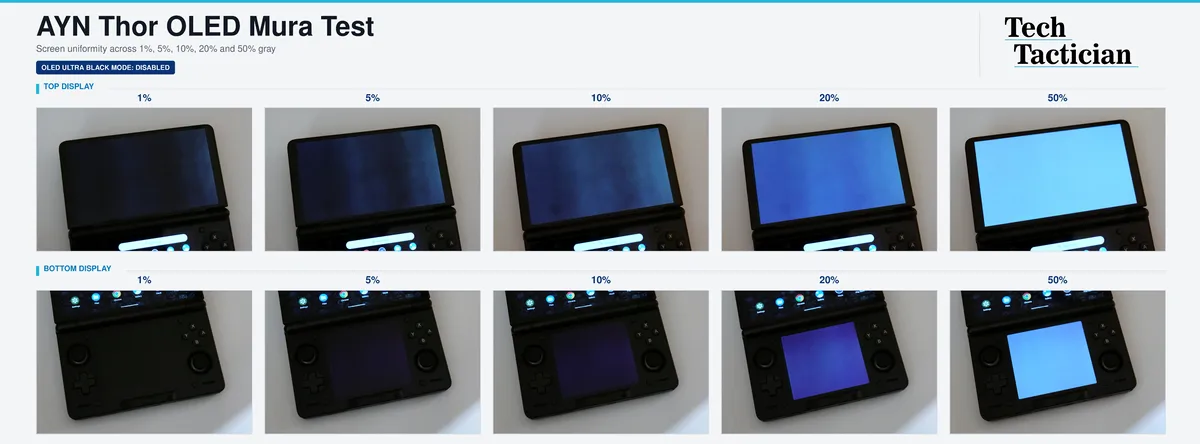
The lower panel turned out to be much cleaner, although it also does show some ever so slight uneven purple hue discoloration.
An important thing here is that the camera makes the pattern look much harsher than it is in reality. Raising the ISO and using a slow shutter is pretty much the only way to make the mura visible on the images, so there is no real good way of making it visible on the photos without overemphasizing it. Just a thing to keep in mind.
If you want to take a closer look, you can access all the test images used here in full resolution here, over on Google Drive.
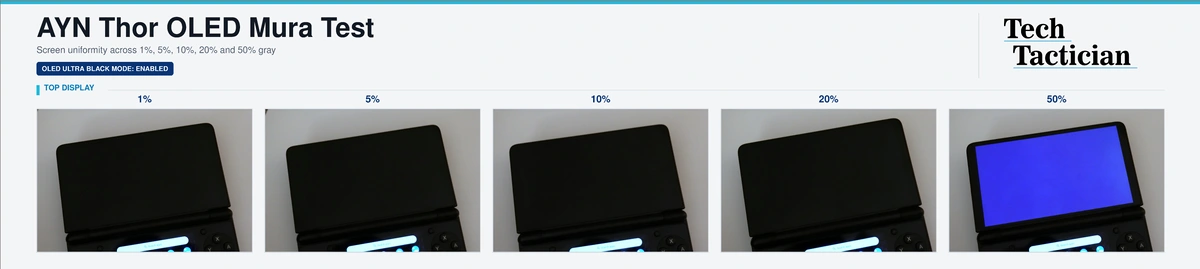
The OLED Ultra Black Mode available in the Thor’s settings menu can remove most of the visible pattern by changing the way the handheld renders near-black backgrounds. It darkens the first gray steps and shifts color and contrast of the top display, so it happens at the cost of near-black detail and accurate color representation.
It’s also important to keep in mind that the top and bottom screens on the AYN Thor have slightly different color characteristics out of the box, so the same image opened on both displays might look a little bit different on each of the screens. Not a major issue, but a useful thing to know if things like that bother you a lot.
My full AYN Thor mura test that you can see here explains the full testing procedure, compares both modes in-depth and goes into the drawbacks of combating mura on the software level, shows some more community examples of the effect on different Thor units, as well as explains a few more things about the mura effect on devices such as the PS Vita or Steam Deck OLED. If you want to know more, be sure to give it a quick read.
Charging Test & the Battery
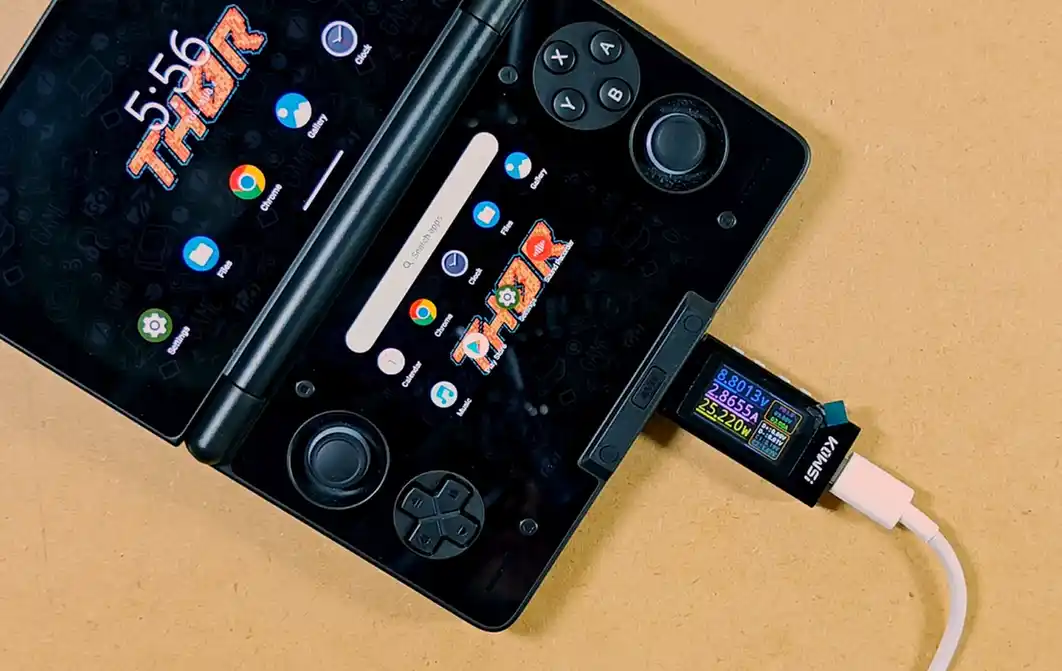
The Thor’s 6000mAh battery really impressed me during my first day with the handheld. One of the first things I did was enable the native 80% charging limit as well as the 5V 2A limit, which is what I do on most of my handhelds where these options are available to prolong their functional battery life.
The most battery drain I noticed was during compute-intensive tasks, such as downloading (and playing) large games via GameNative, or emulating any heavier systems like the Wii. Other than that both the normal-use and idle battery drain were surprisingly good.
As things are now I really do think that I can easily leave the Thor for a few days without it losing a significant portion of juice, at least with just a standard emulator setup going on, with background activity disabled for most additional applications.
A generic Xiaomi 67W USB-PD charger I picked up for the test supplied a steady ~25W to the Thor during my quick initial test with the charge separation mode disabled. AYN rates charging at 27W, so the measured result was exactly where you would expect it to be. The measurement tool identified USB Power Delivery 3.0 as the active charging protocol.
You can also charge the Thor using a power bank, and if it’s powerful enough (like this 30W one from Anker that will let you recharge the Thor quite a few times), you can also make use of the charge separation mode this way. Pretty neat.
By the way you can get this exact USB-C power tester dongle for about $20 here, over on Amazon. It’s a must have if you own more than one handheld, especially if you’re anxious about using third-party chargers with your retro devices.
You might also like: GameNative – Steam, Epic Games & GOG on Android
What to Prepare Before the Thor Arrives
Here are a few things that I had stashed while waiting for my Thor to arrive, and that I strongly recommend you prepare for yourself too.
- Your own game backups and required BIOS files: The Thor, naturally, comes without any games bundled with it. Prepare all your game backups and save files beforehand to save some time. Organize legal files in different folders by system, preparing to move over to a microSD card or the internal storage.
- Knowledge about the emulators you want to use: AYN ships without any pre-installed emulation software. Do some basic research on the emulators for the systems you want to play to speed up the installation and configuration process once your handheld arrives.
- A storage plan: internal storage is fine at first. Add a microSD card after you know the real size of your library. Purchasing one ahead of time is always a good idea.
- A USB-PD charger: The Thor comes without its own power adapter. A regular 30W or stronger PD charger will work here without any trouble, so if you want to have a separate charging device for it different from your phone charger, you can arrange it before the console hits your doorstep.
- An account decision: Google sign-in can be skipped, but if you want to use the Google Play Services on the Thor it’s always a good security practice to create a separate Google account for this purpose.
And that’s pretty much it!
My First Hands-On Verdict
The Thor has really lived up to the hype, at least in my eyes, for the limited amount of time I got to spend with it up until now. The AMOLED displays look great, the controls are of great quality, and the ergonomics are much better than I expected.
My only issue with the handheld for now is pretty much the only thing that was truly wrong with my unit, that is the busted left speaker. I already got the positive response from AYN, so I will keep you updated once I receive my replacement parts.
I really do think that the Thor is still very much worth getting, albeit at a rather steep price, especially when you count in the tariffs and the shipping costs, depending on where you live. All in all, I hope to explore this neat device even more, and I’ll see you in some time once I do just that. Until then, stay tuned!
Next, see the 12 AYN Thor accessories worth getting, or go straight to the full OLED mura test and Ultra Black comparison.