

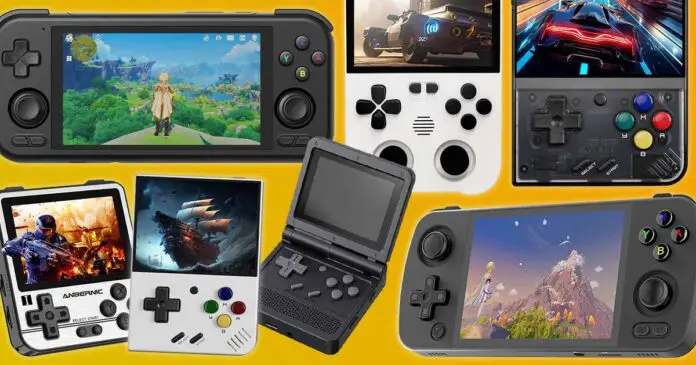
Here is my personal list of the top 13 retro handhelds this year, ranging from cheap Linux-based pocket consoles all the way up to the much more powerful Android handhelds that can take on PS2, GameCube, Wii, 3DS, lighter Switch titles and even some PC games through compatible emulator apps like GameNative.
Major updates:
– June 18, 2026 – Reworked and rebuilt the ranking to better reflect the current handheld market, added the AYN Odin 3, AYN Thor, Retroid Pocket Flip 2 and Anbernic RG477M and moved a few older favorites lower where they make more sense as of now.
– March 23, 2026 – Refreshed the list to add the Retroid Pocket 6, replaced the now discontinued Odin 2 Base with the Odin 2 Portal, and tightened a few outdated recommendations.
This web portal is reader-supported, and is a part of the Aliexpress Partner Program, Amazon Services LLC Associates Program and the eBay Partner Network. When you buy using links on our site, we may earn an affiliate commission!
If you’re looking for horizontal handhelds only, you might also be interested in this! – 13 Best Horizontal Retro Handhelds (16:9 & 4:3)
How I Picked These Devices In Particular
This is not meant to be a sterile spec-sheet list. In this ranking I focus on devices that are in my eyes still highly relevant and backed either by my hands-on reviews or by the experiences and reports of the retro gaming community.
All of the devices are what I would actually consider buying or recommending to someone who asks me which handheld to pick today. If you have no prior experience with retro handhelds and you’re looking to get your first device, this is a great place to start!
What Can Retro Handhelds Really Do?
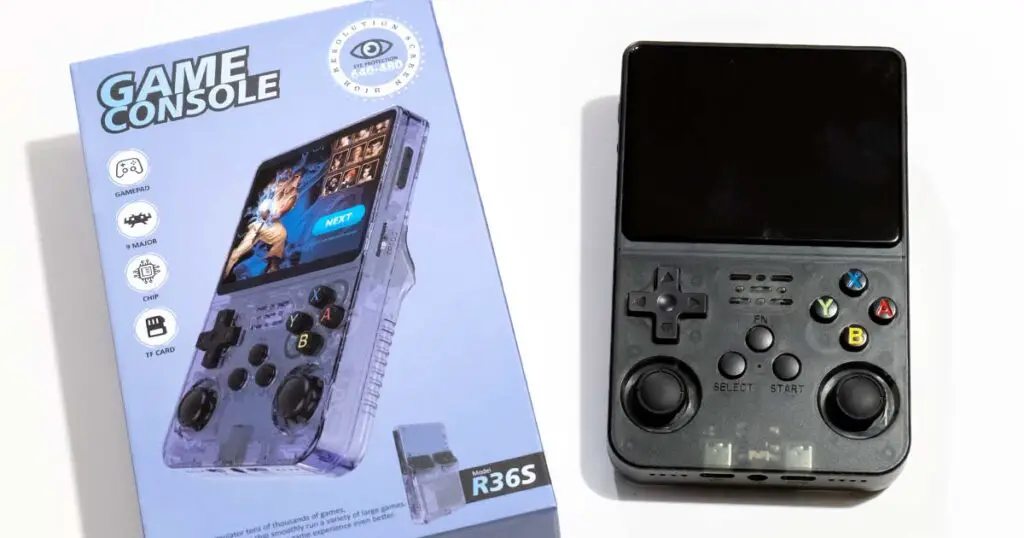
Handheld emulators can do a lot, both in terms of retro gaming and their bonus features that you might not have been aware of when clicking on this article. The features that are present on most retro handheld models, even the most basic ones include (to name a few):
- Quick saves and quick loads, game save slots, fast-forward function, all easily accessible using simple button shortcuts.
- Extensive set of physical controls compatible out-of-the-box with tens of different emulated consoles, with the possibility of almost unrestricted input buttons customization within the software.
- Long hours of battery life – especially when it comes to emulating older systems.
- Firmware made specifically for emulation, which most of the time has tons of well-thought quality-of-life features, with many devices having the option of easily sideloading custom 3rd party community made firmware options.
- On the more powerful Android models: game streaming, Android games, HDMI/USB-C video output, Bluetooth controllers, cloud saves, and more advanced emulator apps.
And that’s certainly not all! Depending on your chosen model, you might have even more features on hand, especially with the higher end devices. There are a few reasons why retro handhelds are getting popular lately, and there’s also more than one reason why I’ve started collecting them.
Is An Emulator Handheld Worth It If You Already Have a Smartphone?
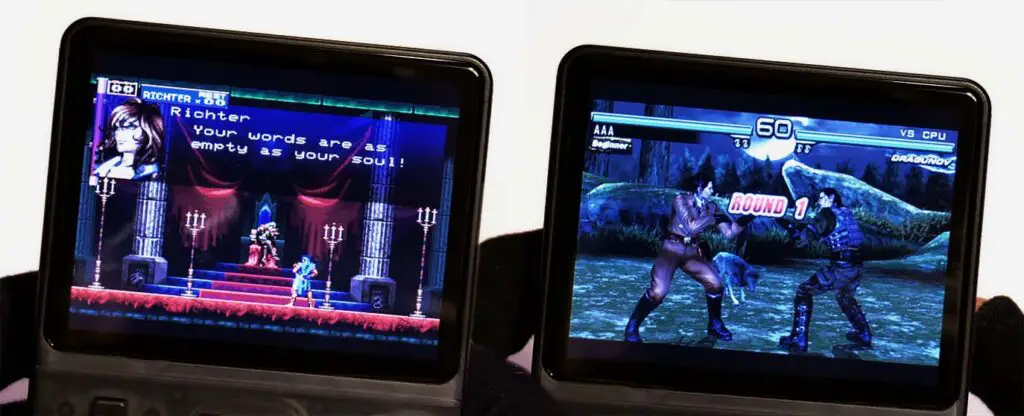
This is a question I get very often. And the straightforward answer would be that it really depends on a few factors: Do you like having physical controls on hand? Do you like the thought of having a separate pocketable device for some on-the-go gaming that is different from your phone?
While the need for physical controls might be partially satiated by telescopic clip-on controllers like this that can be attached to your smartphone or tablet, for more benefits you’ll likely need to turn to pocket emulators.
For me, having a small emulator device on me when I’m traveling or in commute is really great not only because of the “cool factor”. Having the ability to make use of button layouts which resemble the actual handhelds and controllers from the olden days, carrying a device with a battery separate from the one in my smartphone, having almost instant access to hundreds of different games without cluttering my phone’s memory, and being able to play without being distracted by notifications are only a few things from the top of my head.
If these sound good to you, plus you don’t like to use external controllers for your smartphone, or suffer using the overlay on-screen display controls, then if I were you I wouldn’t think twice before getting myself a brand new emulator handheld. The only question now is: which one to choose? Well, here is a list of the top retro handheld devices available this year, hand-picked and reviewed by me for your convenience!
You might also like:
- Are Handheld Retro Emulators Worth It? – Here Is My Take
- 14 Best Clip-On Controllers for Retro Mobile Gaming (Android/iPhone)
1. Retroid Pocket 6

- Snapdragon 8 Gen 2 performance in a PS Vita-like form factor.
- 5.5-inch 1080p 120Hz AMOLED display.
- 6000mAh battery, Hall-effect sticks and analog triggers.
- Great pick for PS2, GameCube, Wii, PSP and many lighter Switch/PC titles.
- Higher price than the older RP5 and RP4 Pro.
- Active cooling means fan noise is possible under heavy load.
- 16:9 screen is not always ideal for older 4:3 systems.
The Retroid Pocket 6 is exactly the sort of upgrade we all wanted to see after the RP5. It keeps the same sleek horizontal idea, but moves up to the Snapdragon 8 Gen 2, adds a 5.5-inch full HD 120Hz OLED panel, and bumps the battery up to 6000mAh. That makes it one of the absolute best Android-based retro handhelds in this size class right now.
It handles practically everything up to the PS2 and GameCube era with ease, and it can even take on many lighter Nintendo Switch titles. Some lighter PC games will also run on the RP6 with the use of apps like Winlator or GameNative. Of course, not everything from the newer libraries will be a perfect one-click experience, but the raw performance is now far beyond what we used to call “high-end” in the budget handheld space just a few years ago.
If you only care about Game Boy, SNES, Genesis and PS1, this is obviously overkill. But if you want one compact Android handheld that can stay with you for a while, the Retroid Pocket 6 is in my eyes the safest new all-rounder on this list.
2. R36S Retro Handheld
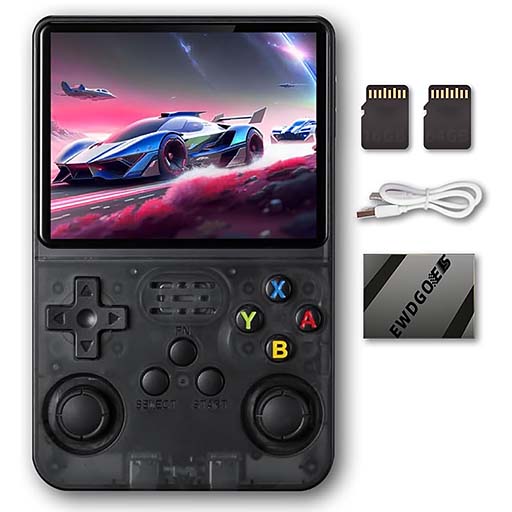
- Excellent screen quality for the money.
- Emulates systems up to PS1 and some lighter PSP.
- The analog sticks are a pleasure to use.
- Replaceable battery and very strong community support.
- Performs best around the PS1 console generation.
- Certainly won’t fit in all pockets.
- Somewhat stiff controls, depending on your expectations.
The R36S is still one of my favorite handhelds on this list, and the one I still personally use as my pocket “daily driver” for my on-the-go retro gaming sessions. You can see my full hands-on review of this device here. This little console is powerful enough to pretty much run all systems up to PS1 without any trouble, and it can even tackle some PSP games like Tekken 5: Dark Resurrection.
As an affordable Linux handheld that is easy to throw into a bag, relatively easy to tweak and fun to use, the R36S still makes a lot of sense, even a few years after its initial release.
With good community support, ArkOS/dArkOS-style firmware options and the kind of price that lets you forgive a few rough edges, this is definitely one of the first handhelds you should consider when planning to purchase a cheaper emulation device this year.
If you’re interested in a horizontal layout version of this handheld, you might be interested in this: R36H Hands-On Review – Is It Still Worth It?
Note: Over the years, the R36S has been plagued with a wave of copycats making very convincing clones of the handheld with different specifications and performance. If you want to learn how to avoid these, give my R36S master guide a quick read.
3. AYN Odin 3
- Qualcomm Dragonwing Q8-class performance.
- Better raw performance than the Retroid Pocket 6.
- 6-inch full HD 120Hz OLED display.
- Huge 8000mAh battery.
- Excellent choice for heavier Android emulation and long sessions.
- Costs more than the Retroid Pocket 6.
- Newer chip support can take time to mature in some emulator setups.
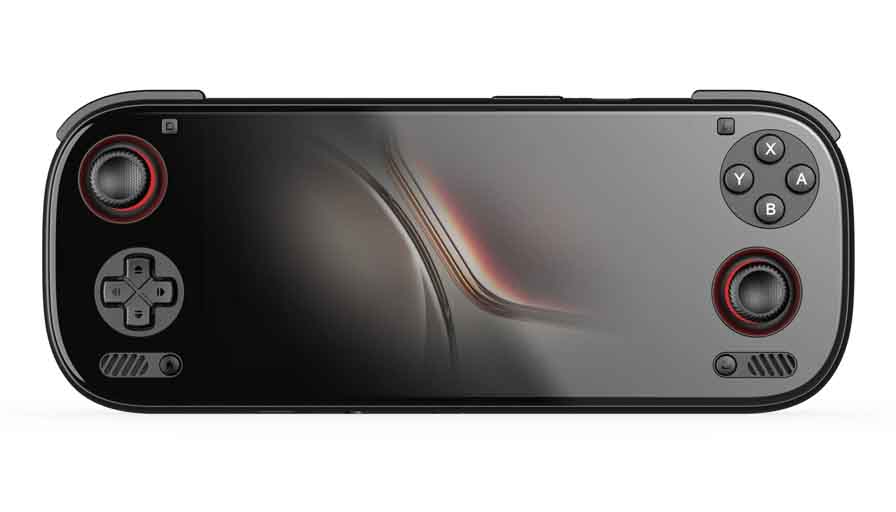
The AYN Odin 3 is the device I would look at if I wanted to go beyond the Retroid Pocket 6 class and did not mind paying more for a larger, more premium Android handheld. It uses a Qualcomm Dragonwing Q8 chip (based on the Qualcomm Snapdragon 8 Elite), runs Android 15, has a 6-inch 120Hz OLED screen, Hall sticks, a proper ergonomic grip and a very large 8000mAh battery.
In real-world terms, this is the kind of handheld you buy when you want lots of power in reserve. PS2, GameCube, Wii, PSP and 3DS are not really the question anymore, rather, the more interesting part is how far you can push newer systems, Android games, streaming, and PC title compatibility through x86 hardware emulation apps.
As always, compatibility will depend on the game and the emulator, but the hardware headroom here is really something to look at. As the drivers for the chipset mature, the Odin 3 is likely to get even more popular in the upcoming months.
4. AYN Thor
- Dual AMOLED displays in a clamshell form factor.
- Base/Pro/Max models use Snapdragon 8 Gen 2.
- Great fit for Nintendo DS, 3DS and touch-heavy systems.
- 6000mAh battery and Hall-effect sticks.
- More niche than a normal single-screen handheld.
- Second screen adds complexity and some overhead.
- Not everyone will want a larger clamshell.
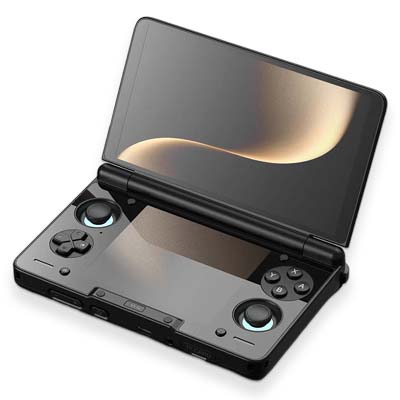
The AYN Thor is probably the most fun device to talk about in this whole update, as it’s not just another horizontal Android handheld with a better chip inside. It is a clamshell with a 6-inch AMOLED top screen and a smaller AMOLED touch display below it, which makes it one of the most natural modern choices for Nintendo DS and 3DS-style emulation.
The Lite version uses the more dated Snapdragon 865 hardware, while the Base, Pro and Max versions move up to the Snapdragon 8 Gen 2. That means the stronger Thor models sit very close to the Retroid Pocket 6/Odin 2 Portal performance class, but with a form factor that feels completely different in the hands.
Would I recommend it to everyone over a normal Retroid Pocket 6? Not really. If you mostly play PSP, PS2, GameCube and widescreen Android games, a single-screen handheld is simpler. But if you love dual-screen systems, touch-screen layouts, clamshells and the idea of something that feels a little bit special, the AYN Thor absolutely deserves its own place here.
Want to know more? Check out my pre-purchase Thor checklist I prepared before ordering my unit: AYN Thor Buyer’s Notes – Model Comparison & Early Issues
5. AYN Odin 2 Portal

- Snapdragon 8 Gen 2 performance, great for PS2, GameCube, Wii, Nintendo Switch and PC emulation.
- Big 7-inch 1080p AMOLED display.
- A massive 8000mAh battery.
- Very comfortable for longer gaming sessions.
- Much larger and heavier than the Retroid Pocket 5 and RP6.
- Not nearly as pocketable as most handhelds on this list.
- Odin 3 now exists if you want the newer high-end option.
If you’re looking for an alternative to the Retroid Pocket devices, the AYN Odin 2 Portal is still one of the easiest big-screen Android handhelds to recommend. It keeps the same Snapdragon 8 Gen 2 class of performance as RP6 and AYN Thor, but pairs it with a larger 7-inch 1080p 120Hz AMOLED display and a 8000mAh battery.
In comparison to the RP6, the Odin 2 Portal is less about pocketability and more about going big on gameplay comfort and screen size. It is a fantastic pick for long sessions with PS2, GameCube, Wii and lighter Nintendo Switch and PC titles, especially when a large OLED panel matters for you just as much as performance.
The Odin 3 is now the more exciting high-end device on paper, but I wouldn’t call the Portal obsolete just yet. Mature 8 Gen 2 chipset support, a huge display and a big battery are still a very strong combination, especially if you want something that feels almost like a dedicated portable console for the couch, bed, hotel room or long travel days.
6. Retroid Pocket Flip 2
- Clamshell design with a 5.5-inch 1080p AMOLED display.
- Snapdragon 865 version is very capable for the price.
- 5000mAh battery, Hall-effect sticks and analog triggers.
- Much simpler than a dual-screen handheld like the Thor.
- More expensive than cheaper Linux clamshells.
- No second screen, so DS/3DS layouts are less natural than on Thor.
- The hinge design is always something to treat with care.
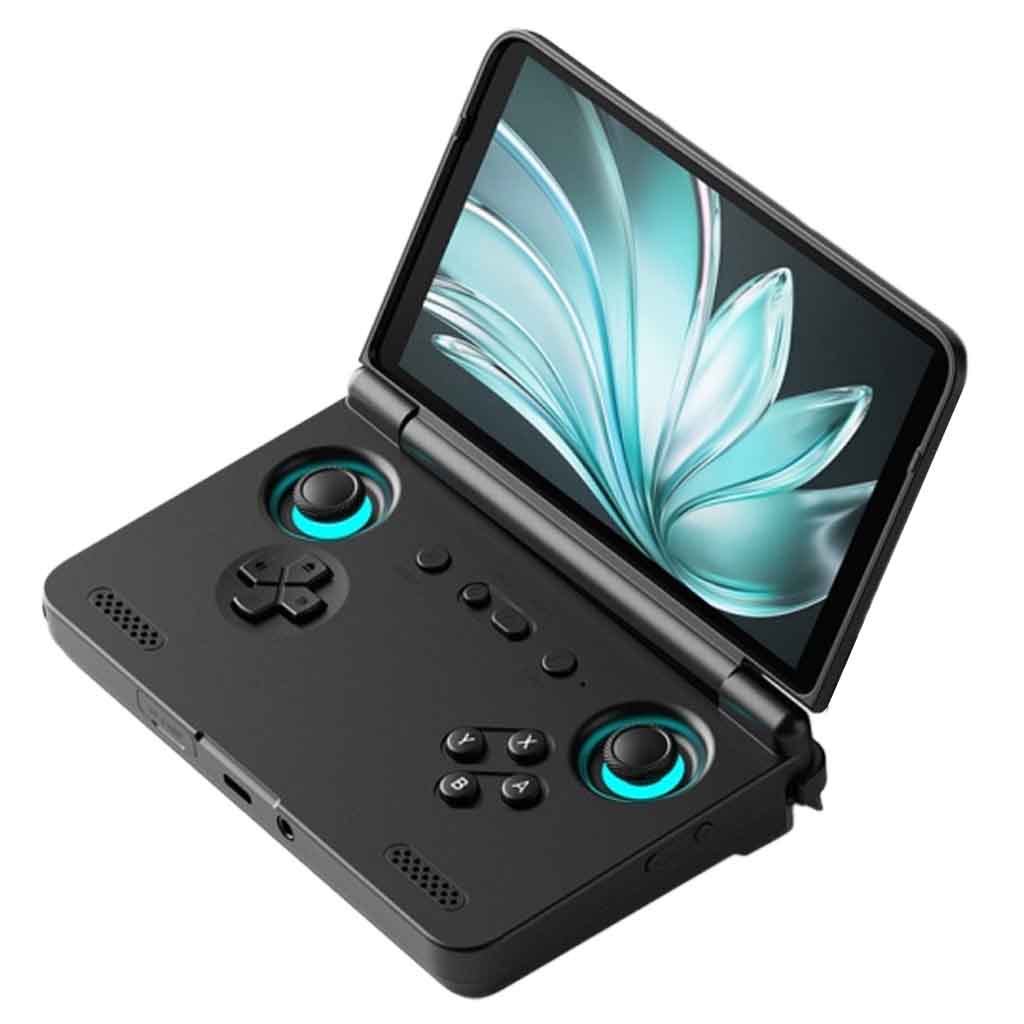
The Retroid Pocket Flip 2 can be the cleaner choice if you like clamshell handhelds, but the AYN Thor feels like too much of a novelty device. Instead of going dual-screen, the Flip 2 keeps things more traditional with one 5.5-inch 1080p AMOLED display, Android 13, active cooling, a 5000mAh battery, Hall-effect sticks and analog triggers. Its form factor is very similar to the now almost archaic GPD XD.
The more powerful Snapdragon 865 version is the one that interests me most (the Flip also comes in a Mediatek Dimensity 1100 variant), as performance-wise it sits in a very nice spot for Android emulation without getting too expensive.
If you feel like you’d enjoy playing PSP, Dreamcast, N64, GameCube, PS2 titles and Android games in a foldable shell, this might just be a choice for you. Still, no dual display setup in a clamshell like this will make you miss out on the convenient NDS/3DS emulation experience.
7. Powkiddy V90S
- Much more powerful than the Powkiddy V90.
- Great quality display and very good build quality overall.
- One of the more affordable clamshells at its performance level.
- Loses some portability due to it being larger than the V90.
- No 3.5mm headphone jack, only USB-C audio output.
- You can’t lock the hinge in the 180-degree position.
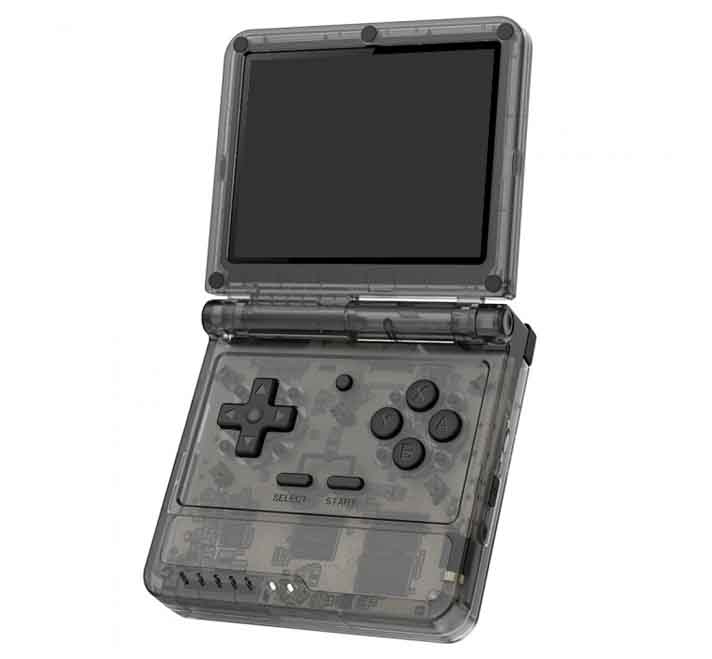
The Powkiddy V90S is a more niche device being a direct upgrade of the V90, with much more powerful hardware, significantly better emulation performance and a larger battery, and running Batocera as its main OS. It tackles the N64, Dreamcast and PSP games with very good performance, while still retaining a reasonably portable clamshell form factor.
If you want to learn more about this one, I have recently done a full hands-on review, so you can take a closer look at this budget clamshell, similar in spirit to devices like the Anbernic RG35XXSP and the Miyoo Mini Flip. It really is an interesting option, especially considering its current price, although it’s nowhere near as powerful as the previously listed contenders.
8. Miyoo Mini Plus
- Larger shell and screen than the original Miyoo Mini.
- Built-in Wi-Fi module.
- Excellent Onion OS support.
- Great for classic systems up to PS1.
- Pretty much the same guts as the original Miyoo Mini.
- No real jump in performance compared to the smaller model.
- For some people it may still be too small for longer gaming sessions.
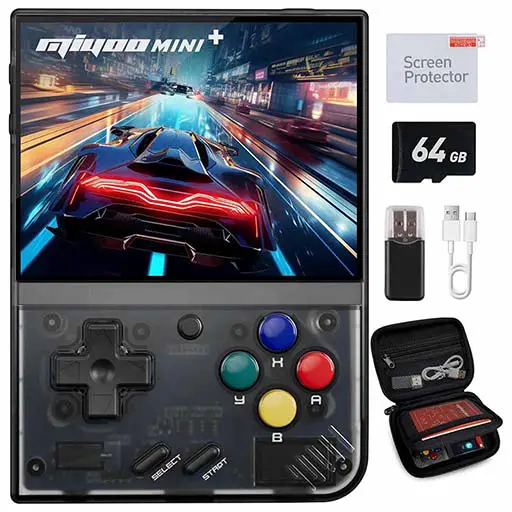
As promised, here is the Miyoo Mini Plus, which is the successor of the original Miyoo Mini, with a larger screen, larger battery and a built-in Wi-Fi chip allowing for multiplayer gameplay and easier firmware updates. While being a little bit bigger than the original Mini it still retains its ergonomics, and is a real beast when it comes to emulating classic consoles, once again up to the PS1 era.
The Onion OS custom UI is also available for this model, which makes it even more appealing. You can check out my full hands-on review of the Miyoo Mini Plus here!
If you’re wondering if it’s better to choose the Plus over the standard Miyoo Mini, it’s best to think about how you’re going to handle the console. If you need a device that will fit inside your pocket with no trouble and you can go with the smaller form factor, pick the earlier version. Otherwise, you can safely go with the Plus model, as the overall experience and performance is about the same on the two.
If you want to know more about all the Miyoo models (and you really should), I’ve prepared a full guide to all the Miyoo Mini models including the info about Onion OS, battery replacement, and much more.
9. TRIMUI Brick
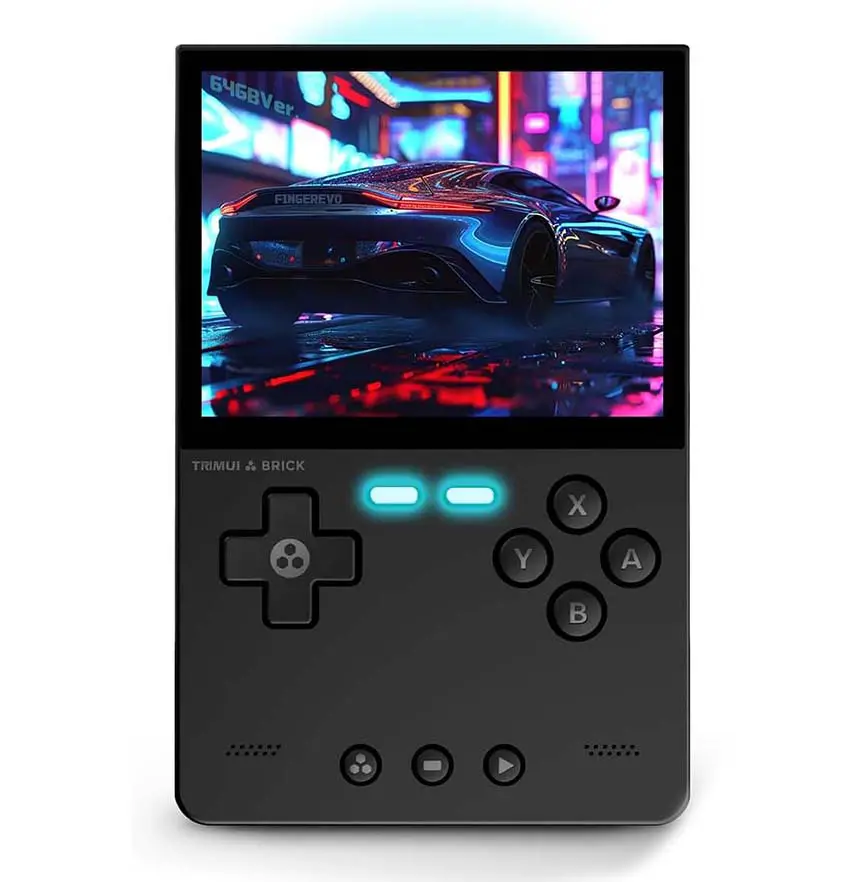
- Pretty interesting minimalistic shell design.
- Great stock OS and MinUI as a CFW option.
- Features front LED buttons and a rear light bar.
- Doesn’t go past the Dreamcast/N64/PS1 era in a comfortable way.
- Not really a raw-performance upgrade over similarly priced alternatives.
The TRIMUI Brick is a neat little device in a way similar to the Miyoo Mini Plus. While it doesn’t really do much more than MM+ in terms of sheer emulation power, as it can only emulate retro systems up to the Dreamcast/N64/PS1 era while struggling with some more graphically advanced titles, for me it does stand out when it comes to its design.
The outer shell of the TRIMUI Brick has a modern and minimalistic feel to it, the shoulder buttons are replaceable and you can swap between the ones that come with the device or install custom ones, and it also features two front LEDs, as well as a rear backlight panel. With some custom software installed, you can fully control these lights if you want to.
Overall, it’s a nice alternative to the MM+, both if you prefer a different OS, want the ability to play at least some Dreamcast and N64 titles, and are a fan of the funkier case design on the Brick.
10. Anbernic RG477M
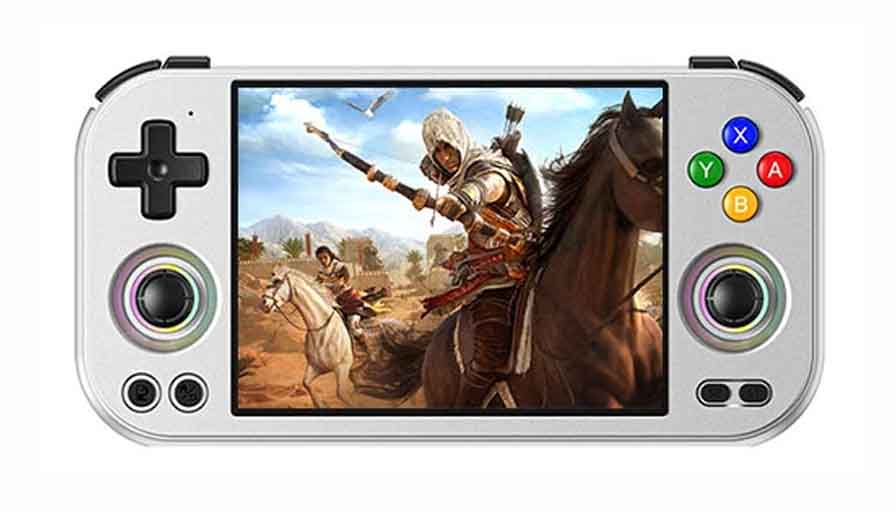
- Dimensity 8300 performance in a premium metal shell.
- 4.7-inch 1280×960 120Hz 4:3 display.
- Great screen ratio for older retro systems.
- More modern and capable than the older RG405M.
- Metal body can add weight.
- Not as cheap as simpler Linux handhelds.
The Anbernic RG477M is the device that has replaced the older RG405M on this list. The RG477M is much more interesting, combining a 4.7-inch 1280×960 120Hz 4:3 display, a Dimensity 8300 processor, a premium metal shell and enough power for far more than the usual PS1/SNES/GBA library.
The 4:3 screen is the part I like most here, as it makes the device feel properly made for older systems instead of simply stretching a phone-style display into a handheld shell. It’s a great fit both for retro gaming, and many Android games.
If you want a small, cheap, simple device, this is not the one I would choose. But if you like Anbernic’s metal builds, want an Android-based handheld, and care about a screen ratio, the RG477M earns its spot.
11. Retroid Pocket 5
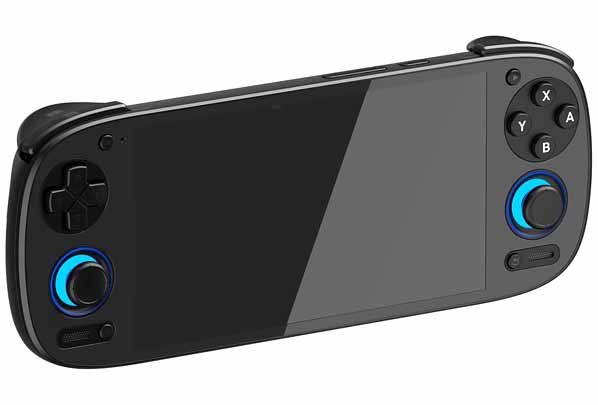
- Fantastic performance for many PS2/GameCube titles and lighter Switch games.
- Large 5.5-inch 1080p OLED display.
- Hall-effect analog sticks and analog triggers.
- 5000mAh battery.
- Active cooling means some noticeable fan noise under heavy load.
- Not as compelling unless the price is clearly lower than the RP6.
The Retroid Pocket 5 is the official successor of the RP4 Pro which aside from a significant shell upgrade adding more comfortable back grips, offers a full HD (1080p) 5.5-inch OLED display, analog triggers and better performance when it comes to last-gen consoles like the Nintendo Switch. It runs on the Snapdragon 865 chipset, much like the Snapdragon variant of Retroid Flip 2, and the Lite version of AYN Thor.
This is still one of the better all-round retro handhelds you can get, especially thanks to its OLED screen and the more manageable size in comparison with the Odin lineup.
I would not buy the RP5 at a price too close to the RP6. But if you find it discounted, used in good condition, or simply prefer its design, it remains a very capable handheld that can do a lot more than the cheaper Linux consoles present on this list.
12. Retroid Pocket 4 Pro
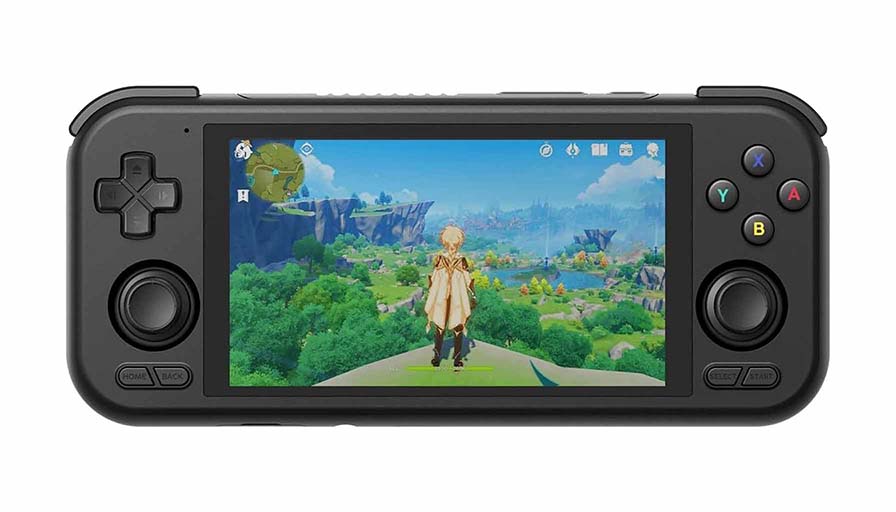
- Very strong performance for its size and age.
- Can run lots of PS2 and GameCube games with the right settings.
- High-quality controls and 5000mAh battery.
- No OLED display like the RP5/RP6.
- Less powerful than the newer Retroid models.
- Only makes the most sense today if the price is right.
Retroid Pocket 4 Pro offers a 5000mAh battery, a 4.7 inch, 750×1334 display, and is still a reasonable quality pocket emulator to consider if you find it at a lower price. It’s also based on an Android operating system, and it can run virtually every game from the basic retro consoles, with its MediaTek Dimensity 1100 being able to handle a lot of PS2, GameCube and even some simpler Nintendo Switch titles.
A while ago, this was one of the strongest value picks on this list when it came to performance. Now, the RP4 Pro is still worth considering, but mostly as a discounted or used option below the RP5 and RP6. If the price difference is small, I would move up to one of the newer models.
13. XU10 Handheld
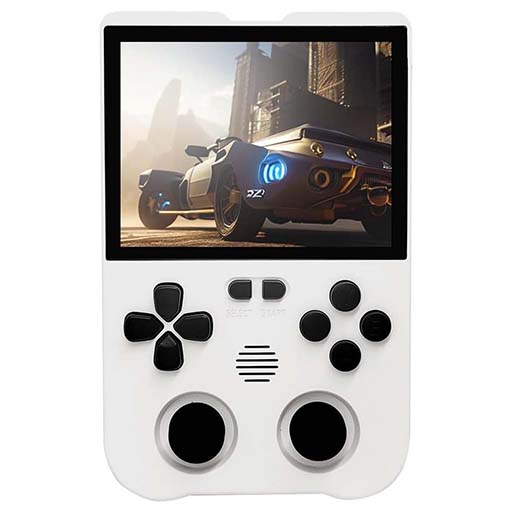
- Very similar to the R36S.
- Sleek and modern shell design.
- High quality input buttons.
- Its size makes it semi-portable at best in my eyes.
- Its default OS might be a little bit clunky here and there.
- Harder to recommend over the R36S unless you really prefer its shell.
The XU10 is a console which is nowadays most commonly compared to the R36S. And for a good reason. In terms of performance these two consoles are nearly the same, and when it comes to their design and ergonomics, it’s really the question of personal preference, as they both feature almost identical control layouts.
The only thing that I would say is a little bit off on the XU10 is its default OS, which doesn’t really shine in comparison with the ArkOS on the R36S and even the default operating system of the Miyoo Mini. The good news is that this one now does have a few interesting community firmware options, which makes it a more interesting buy than it used to be.
Still, I would treat it as an R36S alternative rather than a must-buy on its own. If the shape, buttons or current price speak to you more, go for it. Otherwise the R36S remains the easier recommendation in this little budget category. Their performance remains pretty much close to the same.
Which Ones Do I Use?
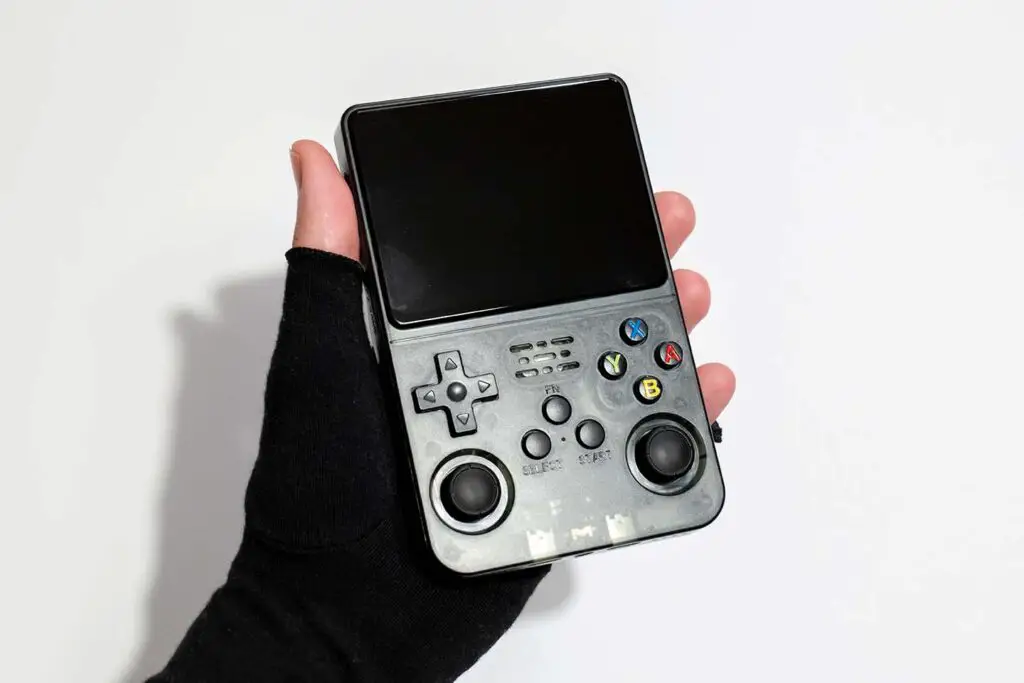
As I’ve already mentioned quite a few times, from all the consoles listed here, I have often used both the R36S Handheld, which is for me a clear winner when it comes to cheap pocket retro gaming up to PS1, and the Powkiddy V90S which I keep as my spare portable emulator for on-the-go use. With that said, there are also a few special devices I need to mention here that are just wonderful when it comes to emulation performance and can handle much newer systems.
These devices are my Steam Deck (the very first generation), the Miyoo Mini Plus that I use interchangeably with the R36S, and my old PS Vita which I have modded to use it with all sorts of emulators and homebrew applications. If you’re searching for a device from this very list with similar top-notch emulation performance, you’d be best off getting the Retroid Pocket 6, the AYN Odin 3, or the AYN Odin 2 Portal for the bigger OLED screen and battery.
Besides that, there are many other devices available on today’s market, however all of those listed here are the ones I can personally get behind, or that I would seriously consider when picking the perfect set of handheld emulators for me. Hope I was able to help you out at least a bit! Until next time!
You might also like: 8 Best Mini PCs For Emulation – Here Are My Choices