

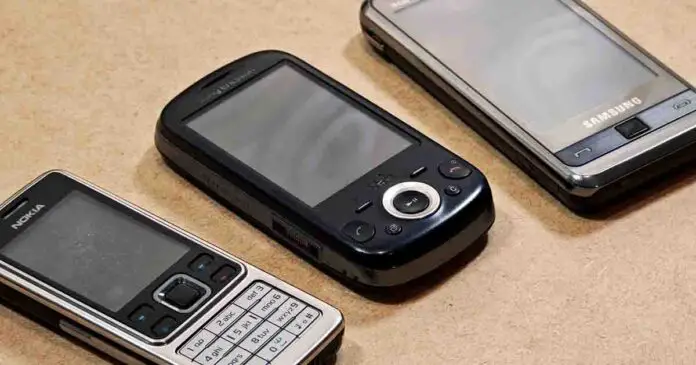
If you’ve ever wondered what is the absolute best retro phone for playing old mobile Java games, then I’m way ahead of you. I’ve analyzed quite a few models from the past, including a few mobile phones that I owned (and quite enjoyed) in my teenage years, and evaluated them further when it comes to their capabilities for playing J2ME titles in a way that can be considered enjoyable, even though we’re talking about hardware that in some cases is way over a decade old.
If you want a quick answer, if I were you I would find a Sony Ericsson Zylo or a Sony Ericsson W995 second-hand, in a good state, and make sure that you can find a good battery replacement for it (or that its battery is in a reasonably good state). These phones give you sharp 240×320 displays, the last and most refined generation of Sony Ericsson’s Java platform, support for the 3D engine many Java games were built on, and are overall one of the best choices you can rely on for a quality J2ME retro gaming experience, at least in my eyes. If you also want native Symbian and N-Gage games, go for a Nokia N95 or an N86 instead.
This web portal is reader-supported, and is a part of the Amazon Services LLC Associates Program, AliExpress Partner Program, and the eBay Partner Network. When you buy using links on our site, we may earn an affiliate commission!
You might also like: Play Old Mobile Java Games On Your PC – FreeJ2ME Emulator Setup
Java vs. Symbian, and What it Means for You Today
There is a high chance that you’ve arrived here with only a vague idea of what type of firmware the phones from the past decades actually ran, or that you much like me in my teenage years, thought that most “Java-compatible” phones are equally capable. This calls for a quick refresher.
J2ME (Java ME) used to be, in short, the closest thing old phones had to a common game format. Games came as .jar files (sometimes with a small .jad file next to them), and almost every phone from the mid-2000s could run them. The main catch is that developers made a separate version of each game for every popular screen resolution, and often also for specific brands, which is why you’ll see the same title in a “240×320”, “176×220” or “Sony Ericsson K800” version in the archives.
Symbian, on the other hand, was a full operating system, and Java was just one part of it. Nokia’s smartphones from the N and E series for instance ran Symbian S60, which can run Java games and also native Symbian games and apps (.sis and .sisx files).
Nokia’s regular feature phones ran the Series 40 interface built on top of the Nokia OS, where Java was the only way to install games. Sony Ericsson’s non-smartphones, finally, ran their own system with a Java engine Sony Ericsson called the Java Platform, numbered from JP-1 up to JP-8.
This distinction is very important here. Many 3D Java games were built on the Mascot Capsule engine, which Sony Ericsson supported on its Java platforms from JP-3 up, while Nokia phones generally used only the standard JSR-184 3D API. In practice, some 3D games simply won’t start on a Nokia, no matter how powerful it is. That’s the main reason why the Sony Ericsson phones lead my list for Java games, and the Nokias lead it for everything Symbian.
And then there was N-Gage 2.0. It was Nokia’s proprietary gaming platform for its S60 phones, launched in April 2008 with the ever-so-famous N95, N95 8GB and N81 among the first supported models, and later the N86 too. Only 49 games were ever released for it, the online services ended in 2010, and on March 31, 2011 Nokia shut down its DRM activation service. Nowadays, it’s more of a curiosity rather than something you would be buying an older phone for if you’re not a hardcore fan of the small collection of preserved N-Gage content.
Is Any Old Phone With J2ME Support Alright?
Yes, but at the same time not really. Older phones like the original Motorola Razr V3 for example, while they can run most J2ME games and applets compatible with them, are oftentimes neither powerful, nor convenient enough to be considered “good” picks for retro mobile Java gaming. Computing power isn’t the only factor here. The other ones are for example inbuilt memory capacity and the presence or absence of a microSD card slot. The Razr V3, for instance, has a 176×220 main screen, only about 5.5 MB of built-in memory, and no memory card slot at all.
If you care about more complex titles with 3D graphics or more demanding games at all, it’s best to aim at phones that are a little bit better equipped than your average phone from the early 2000s. Of course, if you have an older device in working condition on hand, it certainly might be worth giving it a try when it comes to its mobile gaming capabilities. If, however, you’d like a device that (provided you get it in good condition) can be very much reliable when it comes to J2ME gaming, here are the devices that I would recommend.
My Best Choices When It Comes to Phones for Retro J2ME Gaming
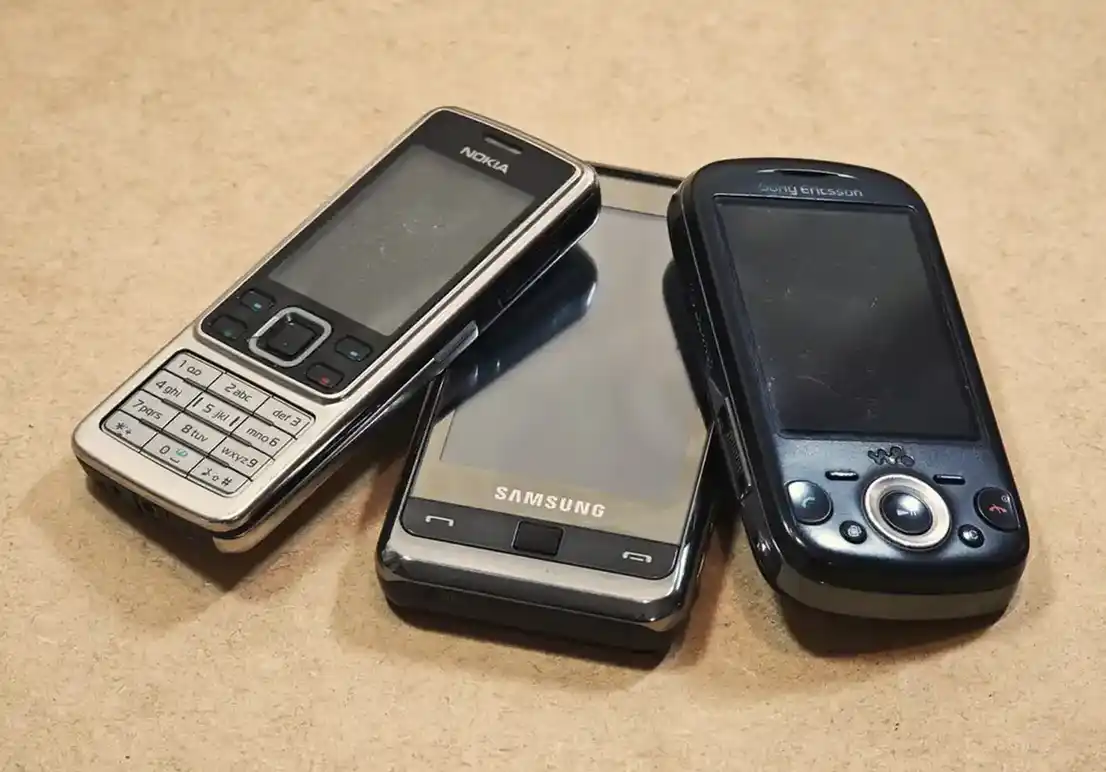
Here are the phones I’d pick today, in order. I’ve used most of these, or their close siblings, back in the day when my friends and I were swapping phones and games all the time. Here, I picked them not only judging how powerful they are, but also by how easy it is to live with them today. The main factors I looked at were the screen resolution, the memory card they take, the charger they need, and how easy it is to find a “new” battery for them.
1. Sony Ericsson Zylo (W20i)
- Runs Java games with decent performance and supports Mascot Capsule 3D titles
- Has a microSD card slot (up to 16GB)
- Motion controls for games that use them
- Proprietary Fast Port charger and no 3.5mm headphone plug
- The backplate material gets sticky over the years
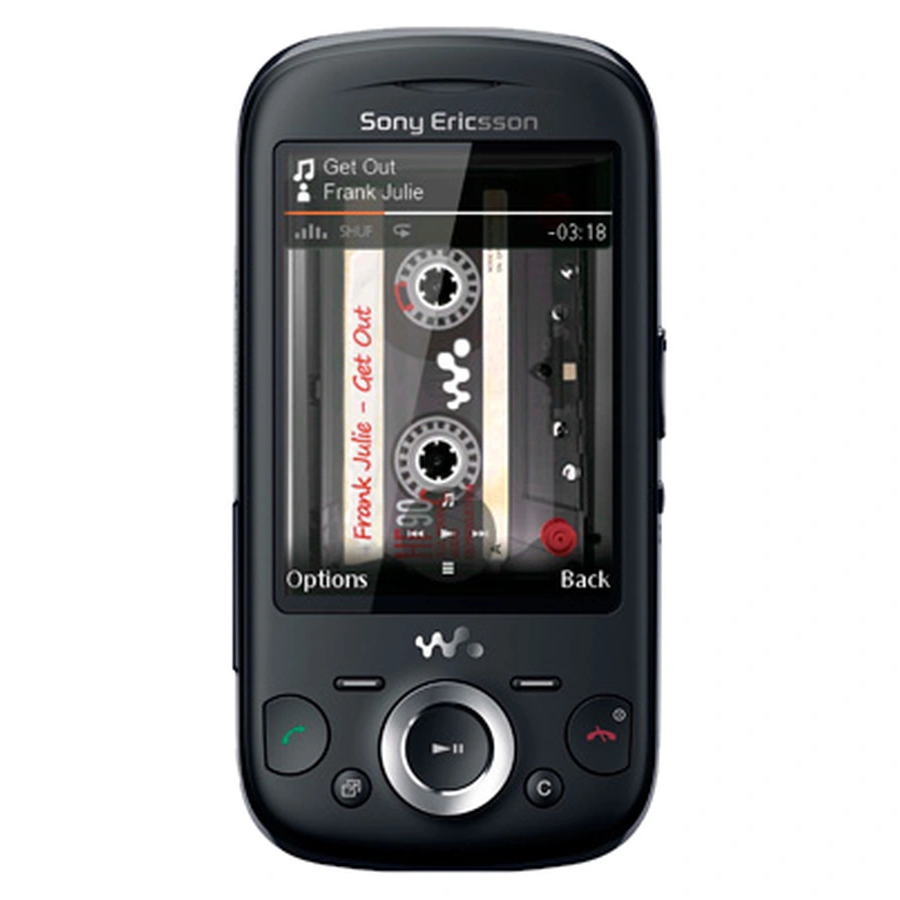
The Sony Ericsson W20i Zylo is where my heart is, and I still have mine right here, fully functional, but nevertheless quite worn. It’s a very late Sony Ericsson Walkman slider back from 2010 running JP-8.5, the last and most refined version of the Sony Ericsson Java Platform. In my experience, most Java games run fast and smooth on it, and the 2.6-inch 240×320 screen is the sweet spot for the largest part of the J2ME library.
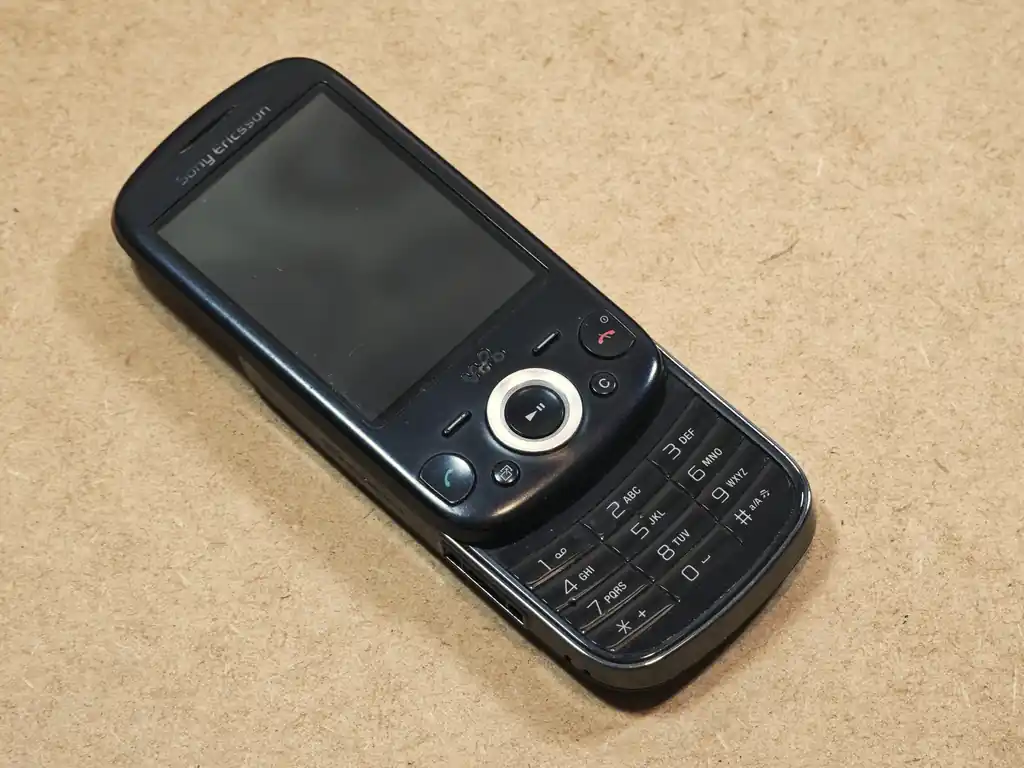
It also has a built-in motion sensor, which some games can use for tilt controls. Sony Ericsson even shipped the Zylo with LocoRoco preinstalled, a mobile version of the PSP classic that you control by tilting the phone. On top of that, it takes regular microSD cards which you can still buy anywhere, unlike the Memory Stick Micro cards many other Sony Ericsson phones use.
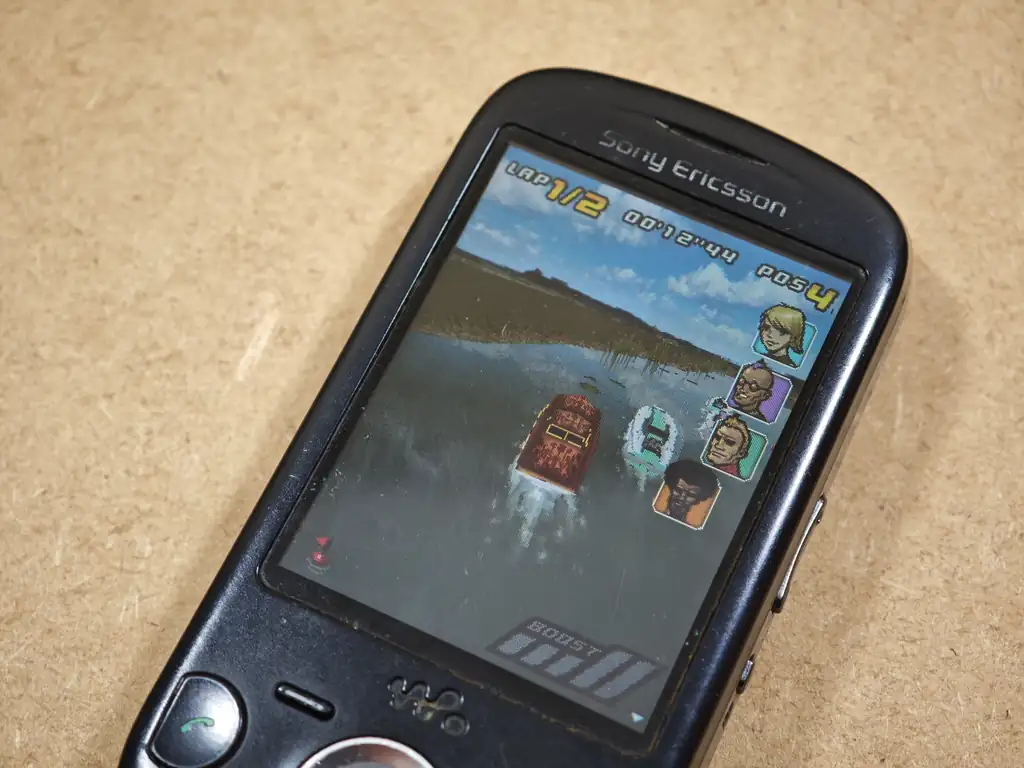
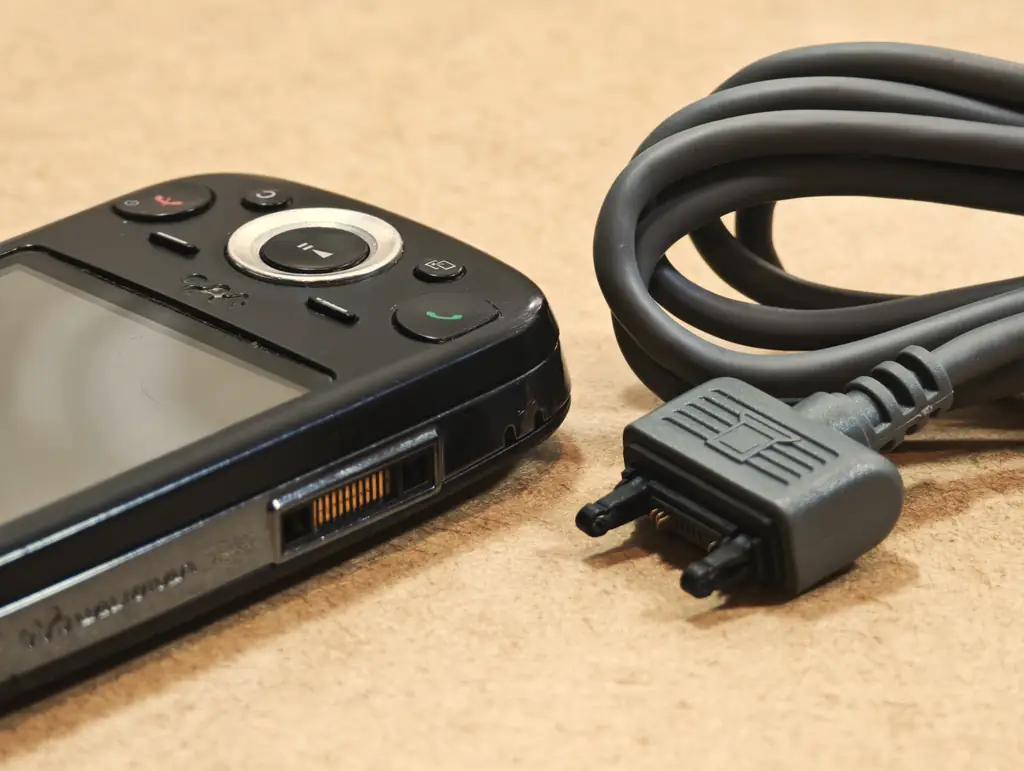
The downsides? It charges through Sony Ericsson’s proprietary Fast Port connector, which is also where the headphones go, as there is no 3.5 mm jack. Make sure the charger comes with the phone, or order a compatible charger or a USB-A to Fast Port adapter cable like this one separately.
And one more thing. The W20i won’t get past the “Insert SIM” screen without a SIM card in the slot, even if you only want to play games in flight mode. Any old SIM will do, even an inactive one, so make sure you have one on hand before you get it. This is actually the case with many phones from that era, especially the Sony Ericsson ones.
2. Sony Ericsson W995
- Excellent Java performance and 3D support
- Accelerometer and a 3.5 mm headphone jack
- Great as a retro music player too (with limited memory options)
- Uses Memory Stick Micro (M2) cards, which are getting hard to find
- Proprietary Fast Port charger
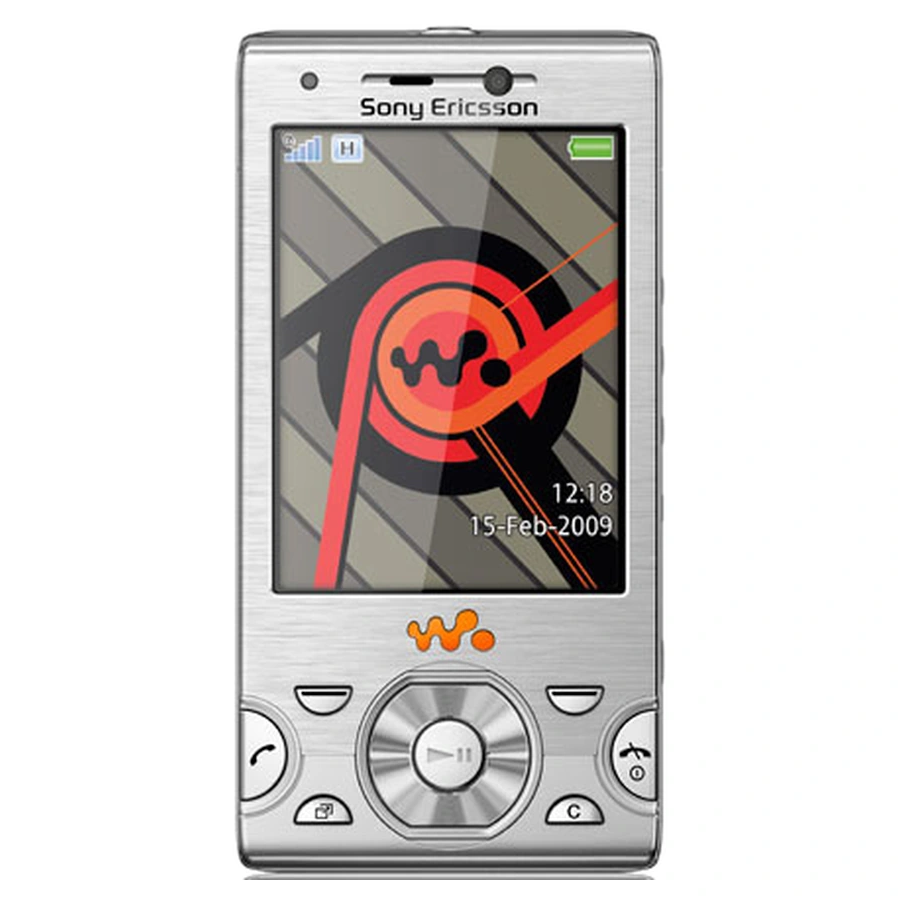
The Sony Ericsson W995 is the flagship sibling of the Zylo, released one year earlier, in 2009, with JP-8.4. It has the same 2.6-inch 240×320 screen size, an accelerometer, and something the Zylo lacks: a real 3.5 mm headphone jack. If you were considering getting yourself a DAP before, and you’d like a phone that doubles as a retro Walkman music player, this is the one.
The main thing to keep in mind here is the memory card. The W995 doesn’t feature a microSD card slot and only takes Memory Stick Micro (M2) cards, a proprietary Sony-specific format that is no longer produced. Used M2 cards are still around (for instance here, over on eBay), and many W995 units come with one, but I’d check that the listing includes a card before buying. Other than that, it’s a very solid pick if you want great performance in a convenient form factor and the Fast Port on the Zylo bothers you a lot. And just like the Zylo, it needs a SIM card inside (an inactive one is fine) to get past the “Insert SIM” screen.
You might also like: Best Digital Audio Players (DAPs) – Full Buyer’s Guide
3. Nokia N95 (and N95 8GB)
- Runs Java and native Symbian games
- Supports N-Gage 2.0 games
- Dedicated media buttons and a 3.5 mm jack
- It’s very bulky
- Doesn’t support Mascot Capsule 3D games
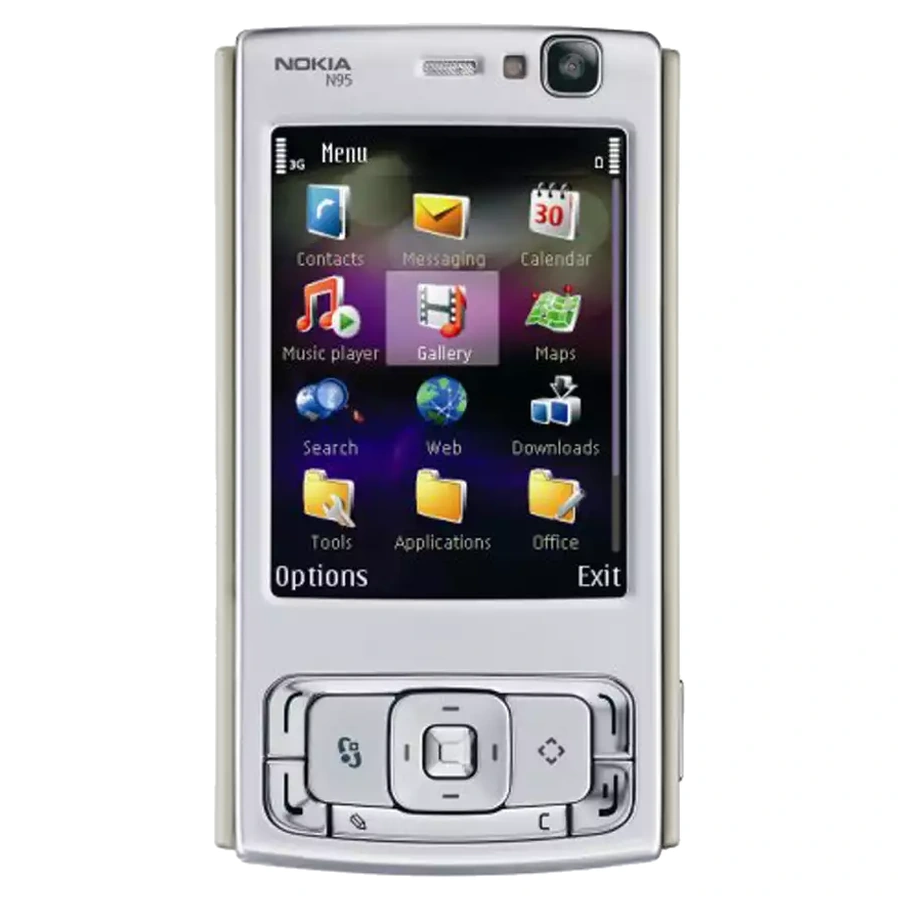
And let me add right away: there are two versions of the Nokia N95, one with a microSD slot, and the second, without. The second version, the N95 8GB, only has 8GB of built-in memory (which certainly was a lot at the time), but which can potentially be too little for you if you want to hold a lot of files on it, or use it as a more “serious” retro media player device. On the other hand, it has a slightly larger 2.8-inch screen and a bigger battery.
The N95, overall, is among the most commonly recommended “powerhouses” for mobile gaming of its time, and it should handle most of the Java titles you throw at it, as well as the native Symbian games made for S60. It’s a reasonably safe bet if you want to run most of the popular titles without much trouble. Just remember that Mascot Capsule 3D games made for Sony Ericsson phones are generally off-limits for it. Nokia phones are also a bit more forgiving without a SIM card, as they let you use several functions without one, with some menu items greyed out. Still, an old SIM at hand doesn’t hurt.
And when it comes to media playback, it also features a large 240×320 display much like most other devices listed here, a 3.5 mm jack, and dedicated media buttons on its two-way slider (which is, by the way, extremely satisfying to use on units that aren’t that worn out yet). Its camera, while of course by today’s standards mainly a novelty, can also be quite fun for taking some “retro” digital images. All in all, if you don’t mind its rather bulky design, it’s a good pick if you also care about the “Symbian-exclusive” game catalogue.
4. Nokia N86
- Technically the best display on this list
- Plenty of storage for games and music
- Java, Symbian and N-Gage 2.0 support
- No Mascot Capsule 3D support
- Much less common on the second-hand market
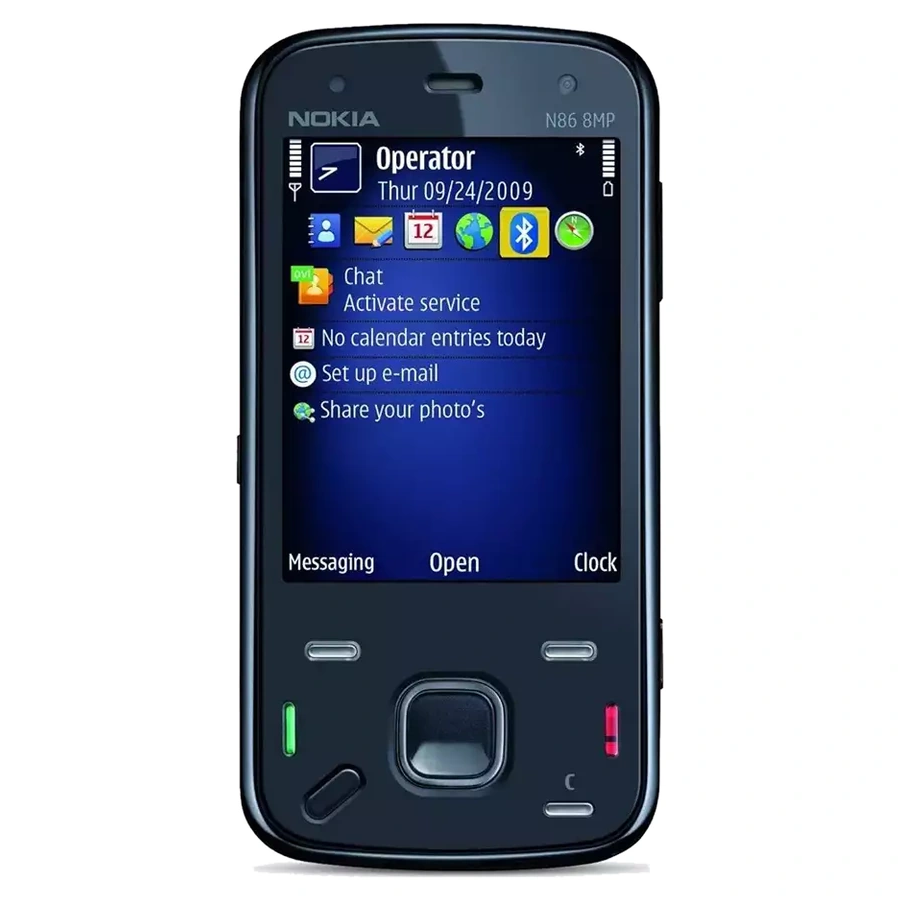
The Nokia N86 came out in 2009, and in many ways it can be called a refined version of the N95. It has a 2.6-inch 240×320 AMOLED screen, which looks noticeably better than the LCDs of that time, 8GB of built-in storage out of the box and a microSD slot on top of that, so storage is never a problem.
It runs a newer version of Symbian S60 so it can handle both Java and Symbian games and applications, has an accelerometer, a 3.5 mm jack and media keys on the slider. It was also one of the phones supported by N-Gage 2.0. The same Java limitation as on the N95 applies here – no Mascot Capsule support. In a sense, if you’re going for an “all-in-one” device, this is one of the best choices, provided of course you can find it on the second-hand market in a reasonably good condition. These units are slowly becoming, at least in my experience, pretty hard to come by. As with the N95, you can use it without a SIM card, with some functions greyed out.
5. Sony Ericsson K800i
- No slider or hinge to wear out
- Fairly common on the second-hand market
- Older Java platform than the Zylo and W995
- M2 card and Fast Port charger
- Smaller 2-inch screen
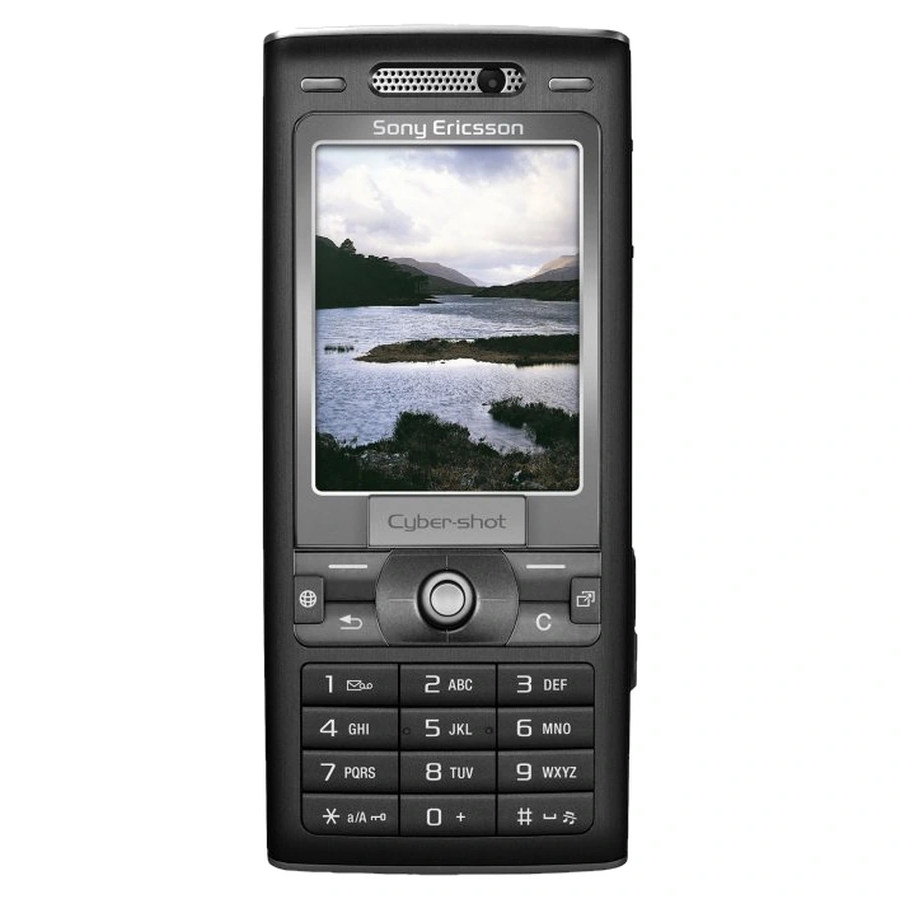
The Sony Ericsson K800i is the somewhat older classic Sony Ericsson phone from 2006, and it was a really popular device back then. It runs JP-7, so it’s a step behind the Zylo and W995, but a huge number of 240×320 games were made and tested with Sony Ericsson’s K-series phones in mind. As a candybar format phone it has no slider or hinge that could wear out over the years, which can, in a way be considered a bonus when it comes to devices these old.
Its 2-inch screen is on the smaller side despite its high resolution (for the past standards), and it uses both the M2 memory card and the Fast Port charger, so no microSD expansions here, and a possible trip to dongle town inbound if yours arrives without a bundled charger. Still, if you find one in good shape, it’s a great, sturdy Java gaming phone that can easily bring you into most J2ME experiences you throw at it. Expect it to ask for a SIM card at startup too, just like the Zylo.
6. Sony Ericsson K630i
- Runs 176×220 games at their native resolution
- Fast JP-8 Java platform in a cheap phone
- Low-resolution screen for 240×320 games
- M2 card and Fast Port charger
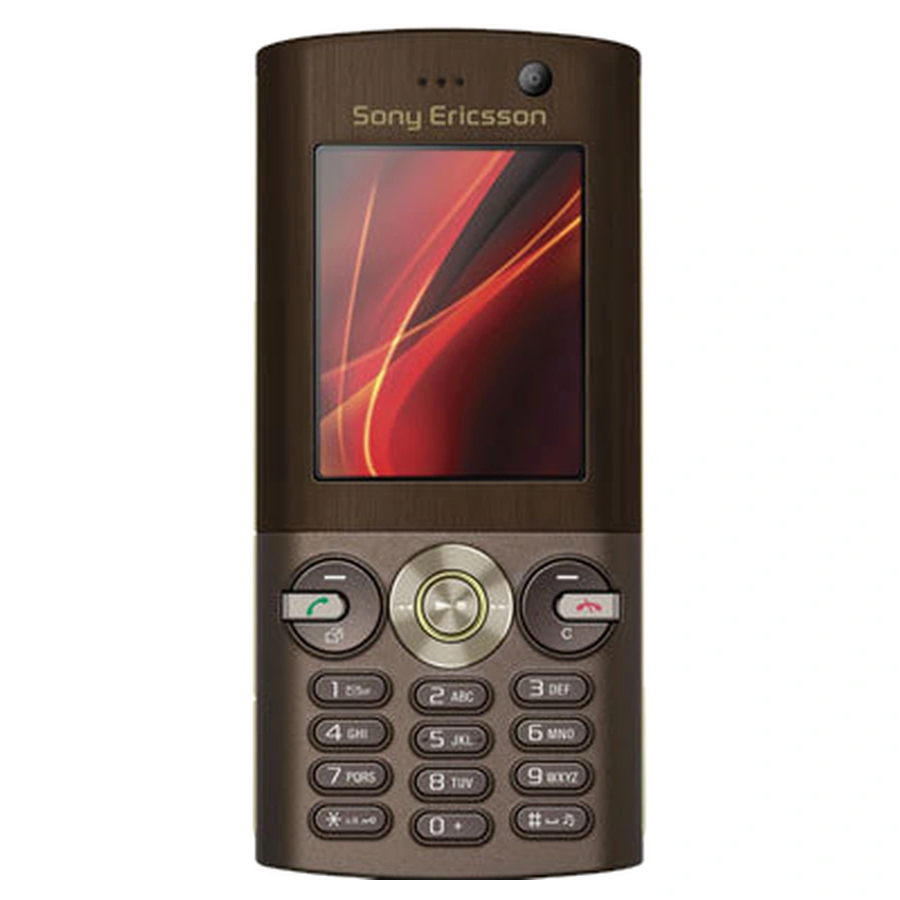
The Sony Ericsson K630i has made it to this list for a specific reason, and that reason is, it has a small 2-inch 176×220 screen. Some games were never ported to higher resolutions, and older 176×220 releases often look odd or don’t fit on 240×320 phones looming in one of the display’s corners when you attempt to run them. The K630i runs them at their native resolution, and it does so on the fast JP-8 platform.
Like the other Sony Ericsson phones from that time however, it only takes M2 cards and charges through Fast Port. On the second-hand market it’s also usually cheaper than the flagship devices, which makes it a nice second phone for the lower-resolution part of your library. If you find it for a good price (and in good shape), in my eyes it’s very much worth picking up. It will also want a SIM card inside before it lets you past the startup screen.
7. Nokia 6300
- Cheap and relatively easy to find
- Built for Nokia Series 40 game versions
- Common BL-4C battery inside
- Only about 8 MB of built-in memory
- Struggles with big 3D games and has no Mascot Capsule support
- Small 2-inch screen
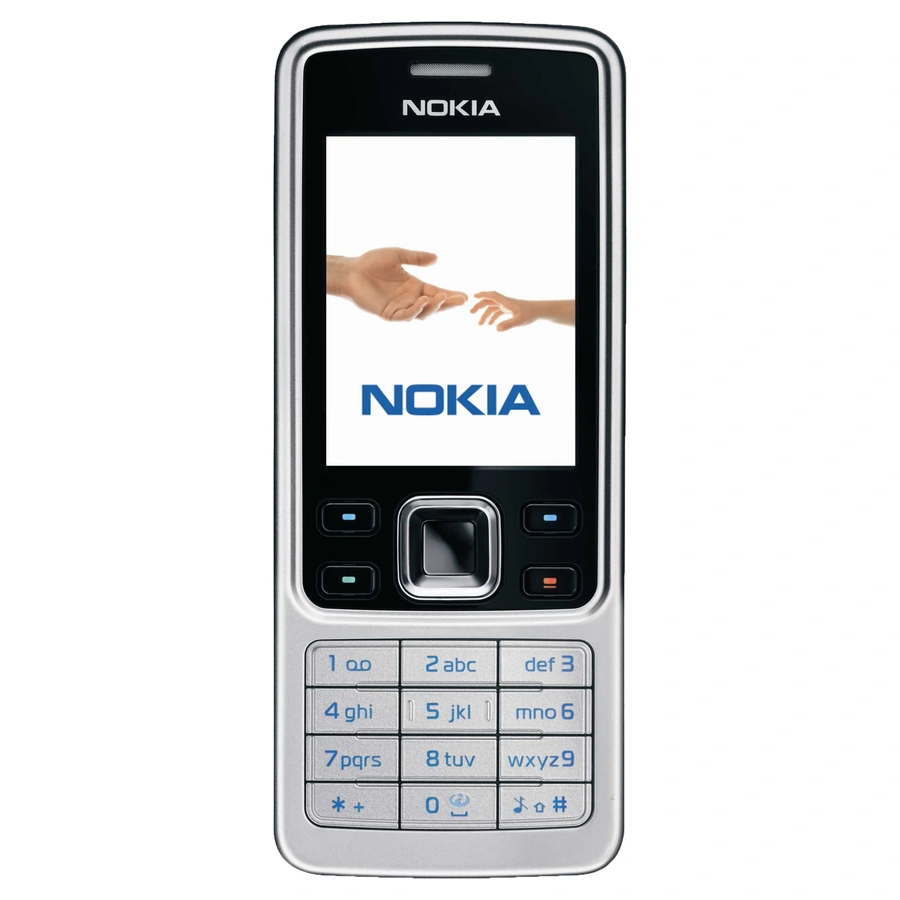
If you’re looking for something cheaper (by today’s standards of course), the Nokia 6300 might be an interesting place to start. It’s a slim steel candybar from 2007 running Nokia’s Series 40 mentioned in the beginning of this article, with a 2-inch 240×320 screen, a microSD slot and the very common BL-4C battery. Many games had their dedicated Nokia Series 40 versions available, and Nokia’s own S40 games, like Bounce Tales, were made for this very platform.
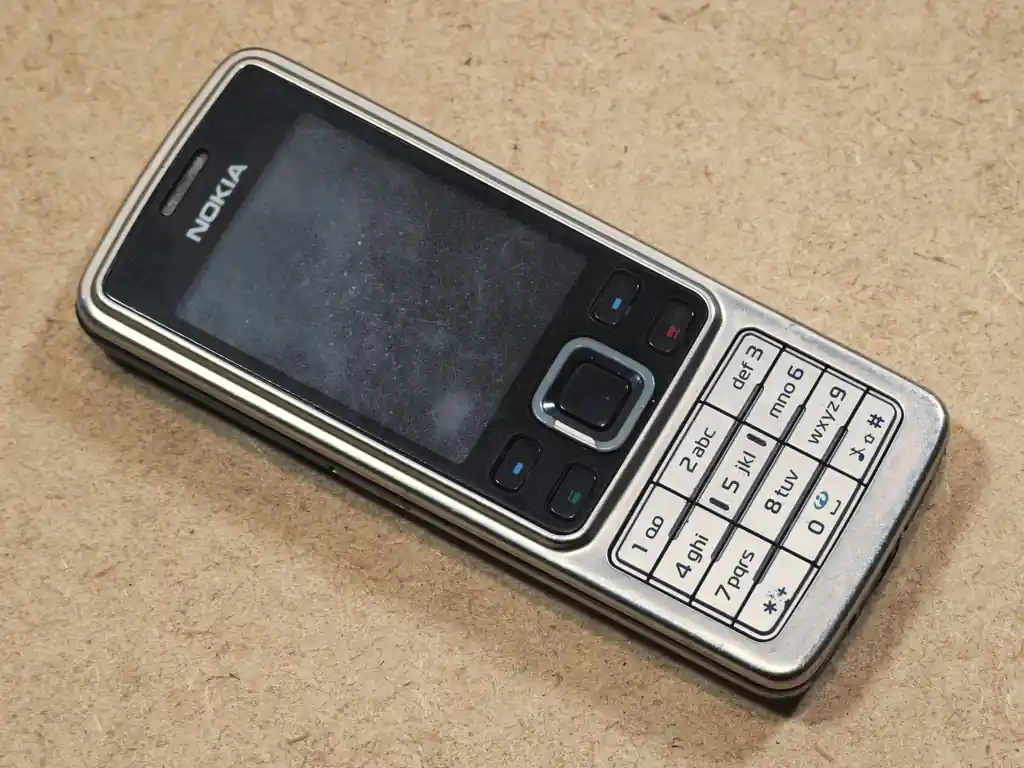
Keep its limits in mind though, as it’s not really a “first-pick” device by any of my measures at least. It only has about 8 MB of built-in memory, it runs Java only (no Symbian), it has no Mascot Capsule support, and it will struggle with larger and more demanding 3D titles of that time. For 2D classics, it’s a great, cheap and very tough little phone. If you want the absolute best however, you might want to scroll back up. Like the other Nokias here, it lets you use several functions without a SIM card inside.
A Checklist – If Another Model Has Caught Your Eye
The second-hand market is shrinking day by day, as more and more devices go out of commission. Quite understandably, in your region, there might not be any of the devices mentioned above left. If you have a specific model in mind, I would advise you to check the following things (aside from the second-hand buying tips you can find at the end of this guide):
- Screen resolution – 240×320 is the most common resolution for the later and better J2ME games. 176×220 and 128×160 phones run older and simpler versions. Games made for one resolution often don’t scale well to another or will refuse to display in full at all, so check what your favorite titles were released in (and which archived versions of them you have access to).
- Java platform and 3D support – check which Java version the phone runs (for Sony Ericsson, the JP number) as I’ve mentioned in the very beginning, and whether it supports JSR-184 and Mascot Capsule 3D if you care about 3D games.
- Memory and the card slot – older phones were often released with only a few megabytes of built-in memory for small personal files, messages and contacts. A microSD slot is the easiest option today. Memory Stick Micro (M2) works, but the cards are no longer made, and can become much more expensive than they already are as times go by.
- Mechanical parts – sliders, flip hinges and the flex cables inside them wear out with use. Sliding phones are cool and feel really great to use, but do make sure that the slider or hinge moves without any underlying grit, and that the screen doesn’t flicker when you open and close it.
- Charger and connector – check what the phone charges with. Sony Ericsson’s Fast Port, Nokia’s thin 2 mm round plug, or mini or micro USB. If a charger doesn’t come with your second-hand device, look for replacements, or USB-A adapters.
- Battery availability – look up the battery model that your chosen phone uses and check if replacements are still sold. This is one of the most important checks to do if you’re planning to go for a reasonably unknown model.
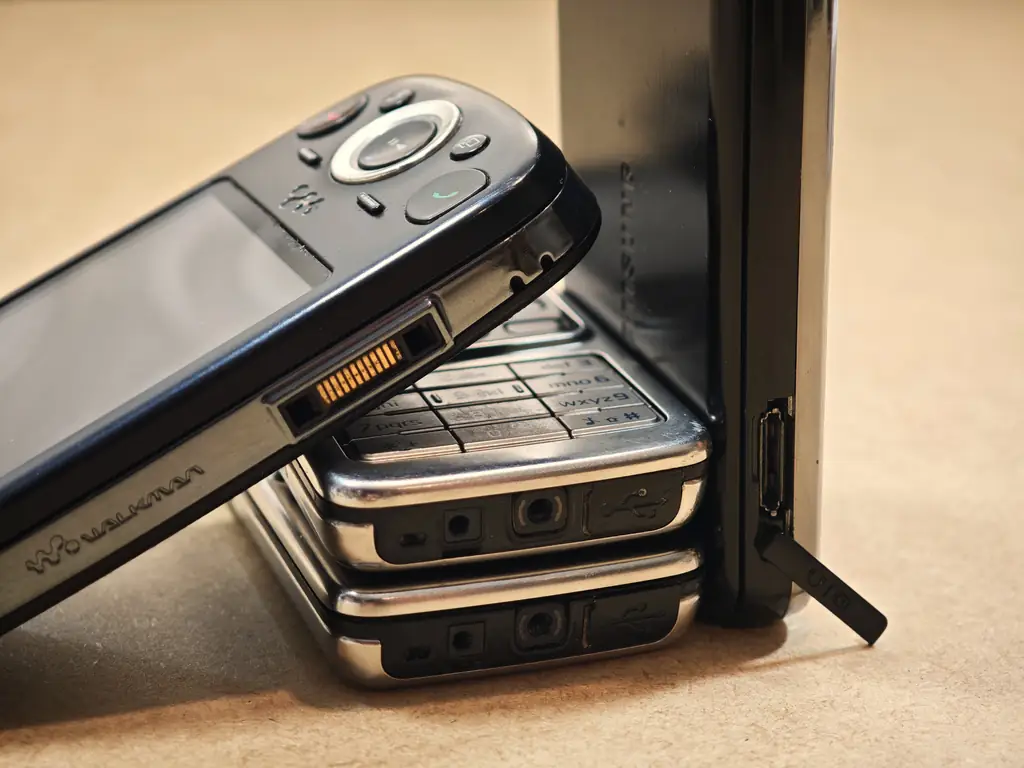
And now, since you’re still here, let’s quickly talk about getting games onto these phones, and some other options you have.
How to Get Games Onto an Old Phone
Depending on the phone, there are usually a few ways to install a .jar file and play your desired game or run an app. Here are the ones that still work today:
- Memory card – copy the .jar file to the phone’s memory card using a card reader (or an adapter for M2 cards), then find it in the phone’s file manager and open it to install.
- USB cable – most of the phones on this list can show up as a USB drive (“Mass storage” on Nokia, “File transfer” on Sony Ericsson), so you can copy files to them just like you would copy files to a regular flash drive.
- Bluetooth – send the .jar file from your PC or Android phone. This is the old way to do this, and also the way people used to share such files including the games back in the day. The old phone will receive it as a message and usually offer to install it right away.
Old dedicated PC suites from Nokia and Sony Ericsson can also do this, but they’re Windows-only, hard to get running today, and offer virtually no advantages over the classic file transfer methods, so I’d stick with the options above. If you’re wondering where to find the game archives themselves these days, I’ve got a whole list for that: Places to Find & Play Old J2ME Java Mobile Games.
What About Newer Phones and Dumbphones?
Yes, there is no point in pretending that: a) J2ME emulation isn’t a thing, b) there don’t already exist dumbphones capable of running J2ME experiences giving you a good set of physical controls.
One of such devices is the Qin F25 by Duoqin, which runs Android 14 and combines a 3.54-inch touchscreen with a physical keypad. With the J2ME Loader emulator installed, phones like this can run most Java games with real buttons, and J2ME Loader even supports many of the Mascot Capsule 3D games mentioned above.
Keep in mind that this doesn’t apply to all new keypad phones. KaiOS phones, for one, don’t include a J2ME runtime at all, and Nokia’s current Series 30+ feature phones can’t install Java games either. If you want a modern “dumbphone” for Java games, make sure that it runs Android.
And if you don’t need a phone at all, you can play the same games on your computer or a retro handheld. I’ve covered both here: Play Old Mobile Java Games On Your PC – FreeJ2ME Emulator Setup and How To Play Old Mobile Java Games on Miyoo Mini.
What About The Touchscreen Phones Like Samsung Omnia?
The original Samsung Omnia was one of the more fun devices I owned (and still own to this day). The main difference between it and the devices mentioned above is that, much like many other devices of this type, it runs Windows Mobile (6.1 in this case) instead of being a feature phone or a Symbian device. While you can play Java games on an Omnia, you will also be able to run some Windows Mobile-specific applets and games on it.
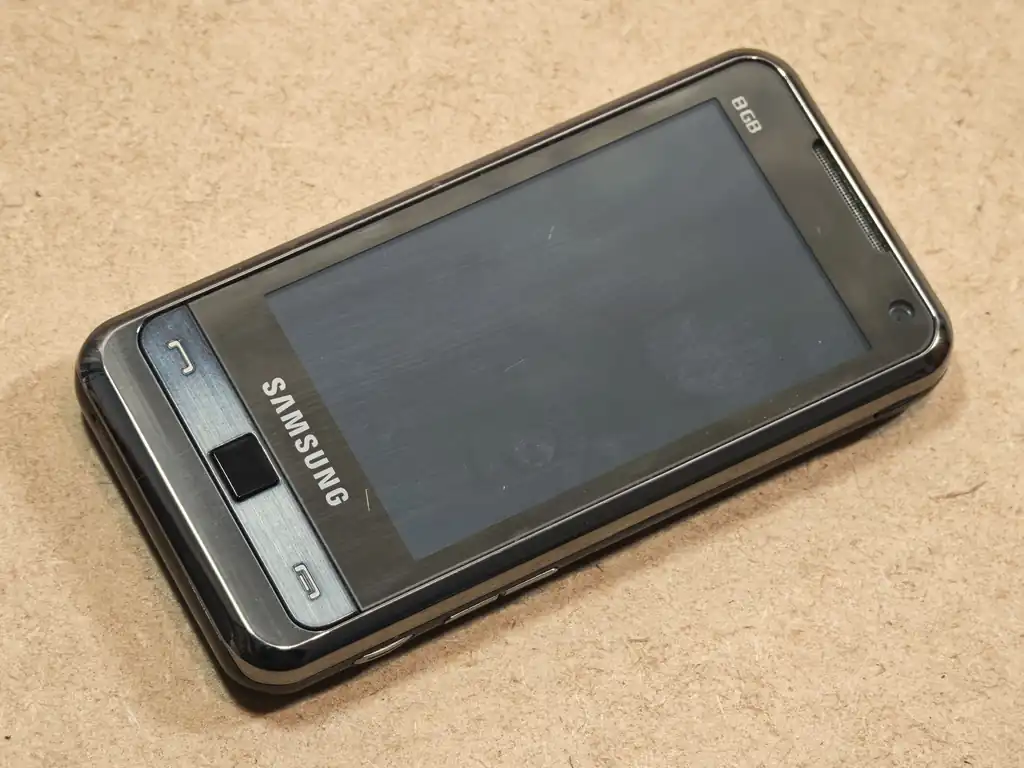
Keep in mind that devices with the early resistive touch displays without a full set of physical buttons won’t be as nice to use with “classic” Java games as the more “standard” phones. In case of the first Omnia for instance, some Java games will be playable using on-screen controls. Some won’t be compatible with it at all. Of course, all the usual .jar file screen resolution requirements apply here too, and the Omnia’s 240×400 screen isn’t a resolution most Java games were made for, so you will often end up with a stripe of empty space underneath the main play area.
Other early touchscreen phones like the popular Samsung GT-S5230 (sold as the Samsung Avila, Star and Tocco Lite) can be a good choice as well, keeping in mind that many of the hardware-related points mentioned above apply. It runs Samsung’s own feature phone software with Java support, has a 3-inch 240×400 resistive screen, an accelerometer and a microSD slot.
An older touchscreen phone can be fun to own and use in its own way, but I wouldn’t necessarily say that it’s the best way to experience most non-touch-native classic J2ME titles.
AliExpress Old Mobile Phone Refurbs – Are They Worth a Penny?
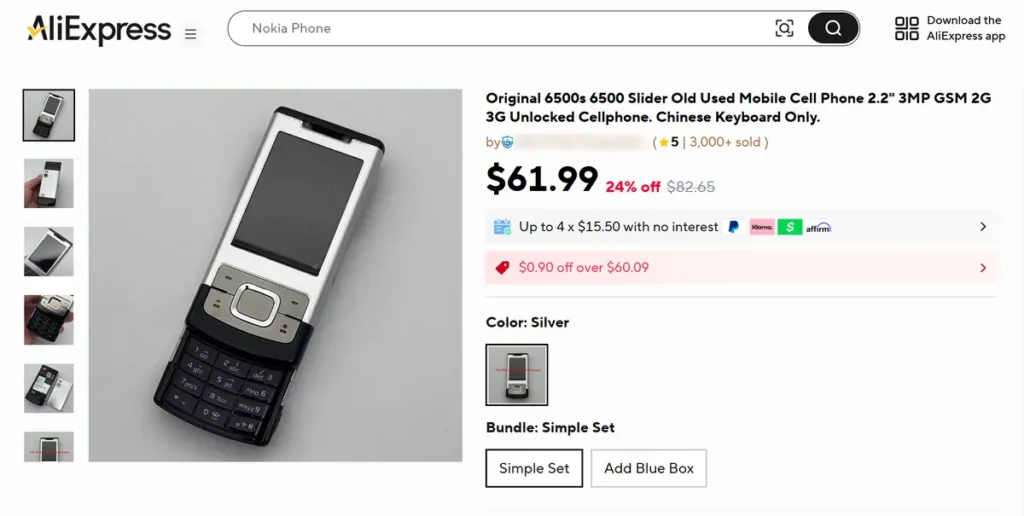
Almost everyone who begins their search for older phones like these sooner or later comes across the offers of refurbished phones from the past decades, often available on Chinese platforms like AliExpress or Temu. I, myself, have seen many advertised listings of this kind when browsing for different models in the past weeks. You can see an example listing I’m talking about in the image above.
When it comes to the refurbished models coming from various Chinese resellers, as you might have guessed, the experience is hit-or-miss. There have been reports of such devices arriving in working condition but with some parts swapped with non-original replacements. These parts can vary from the backplate to different internal components. This is, in a way, understandable, as the original parts are in many cases long gone, and these retailers want to repair and sell the largest amount of old hardware like this regardless.
So, while it’s perfectly possible that you will get a working phone, there is no telling in what actual state it will be, or which parts will be swapped for aftermarket ones. The question here is mainly whether you trust the particular seller or not. The trust, of course, will depend on the level of transparency in the product listings, which, in my honest experience with many AliExpress sellers, was mediocre at best.
While I wouldn’t necessarily demonize buying these, it’s your call on whether you prefer this over looking for used devices in other kinds of online marketplaces. As far as my knowledge goes, these can very well be a viable option when it comes to some of the more popular models, if sold at a good price.
In The End, It All Comes Down to Availability (And The State of Used Devices)
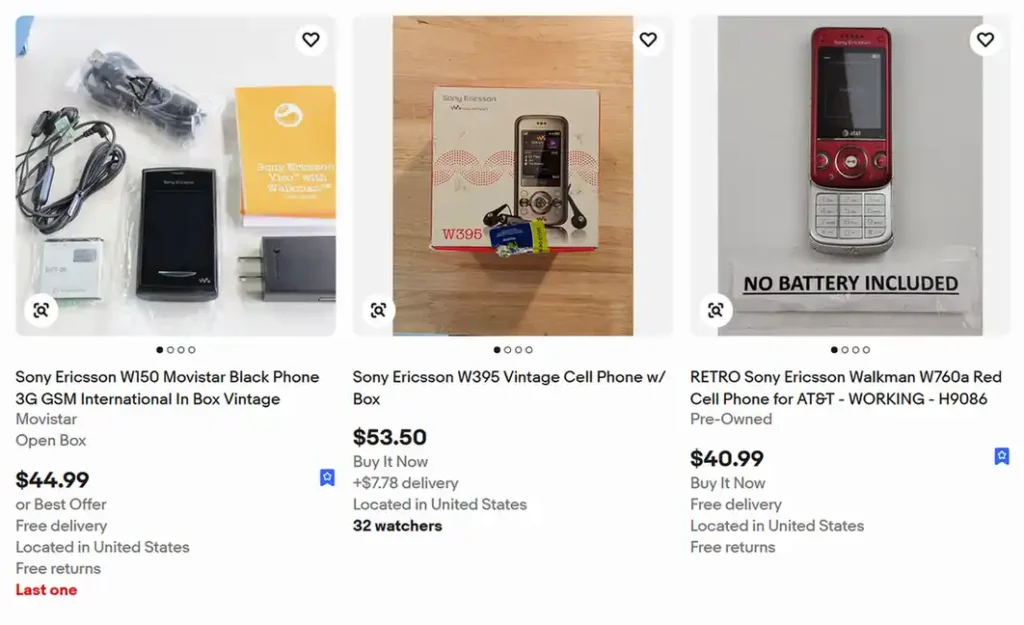
In my eyes, the best phone for J2ME gaming is in the end the one you can actually find in good shape, in your region, for a reasonable price. Prices for the more popular models like the N95 or K800i vary a lot depending on the condition and on whether the original box and charger are included, while less known models can still be found quite cheap. Besides eBay, it’s worth checking your local second-hand marketplaces, where these phones often show up in drawer clear-outs.
What to Look Out For in Older Second-Hand Phones
There are a few simple rules that can help you immensely when looking for a retro mobile phone to play J2ME games on, and they are quite different from the tips you would use when searching for more modern devices. Here is the gist of it:
- Always keep in mind the charging standard the phone uses. Many older devices (like the Sony Ericsson Zylo) feature proprietary connectors that are not compatible with modern chargers without appropriate adapters. Make sure that the listing you’re purchasing the phone from includes the charger. Otherwise, make sure you can get the charger from another place.
- Remember that the batteries age. Unfortunate, but true. Even devices sold as refurbished or new-old stock will in the vast majority of cases feature batteries that are potentially over a decade old. Before you settle on a model, do your research online and check if the replacements are available and reasonably affordable. The good thing about old phones is that most had easily replaceable batteries, the worse is that the supply of viable replacements is shrinking as years go by. And if the battery in the photos looks swollen, don’t charge it at all.
- The overall state of the phone is most often the reflection of its technical “well-being”. Deep scratches, a cracked housing or worn-off keypad labels usually mean the phone was dropped and used hard, and that the slider, the keypad or the charging port may be worn out too. A phone that was kept in a drawer in good shape is a much safer bet.
- Have an old SIM card ready. Many phones from that era, Sony Ericsson ones in particular, won’t let you past the “Insert SIM” screen without a SIM card inside, even if you only want to play games offline. An old, inactive SIM is usually enough, so dig one out of a drawer before your phone arrives.
- Ask about the security code. Some phones were left with a phone lock or a security code set by the previous owner. Make sure the seller confirms the phone isn’t locked. Otherwise you might be stuck with a device that you cannot really use without a factory reset (and these aren’t always that trivial to do).
- And lastly, as already mentioned above, unidentified refurbs can have unoriginal parts present. With some lesser-known resellers, it can be hard to know what actually arrives in your package and how well it will really work (and, for how long).
And that’s pretty much it! If you’re interested in finding some of the old classics to play on your new old phone, check out my list of Places to Find & Play Old J2ME Java Mobile Games. Thanks for reading, and see you next time!