

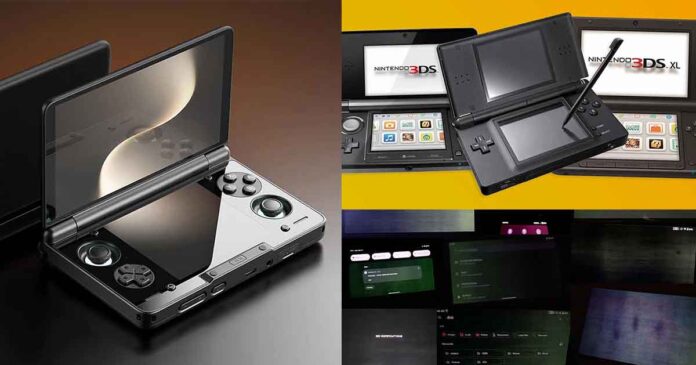
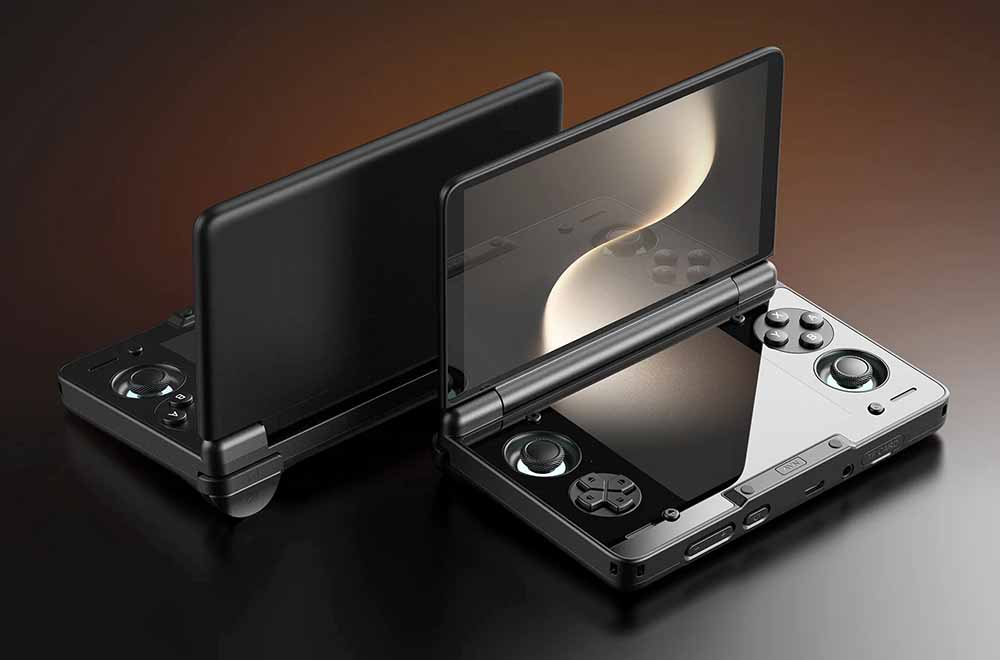
So, I’ve just ordered a brand new AYN Thor Max, and while waiting for my unit, I figured I’d share with you all the things that I’ve learned along the way when preparing for the purchase (and at one point strongly considering getting the Odin 3 instead). Let’s get to it.
You might also like: Hands-On With The AYN Thor – Mura, Hinge, and The Controls
This web portal is reader-supported, and is a part of the AliExpress Partner Program, Amazon Services LLC Associates Program and the eBay Partner Network. When you buy using links on our site, we may earn an affiliate commission!
First – Quick Specs Table (AYN Thor Lite, Base, Pro & Max)
| Specs |
|---|
Comparison of the Four Thor Models – RAM & Storage
The specs table above is useful, but it also shows one important thing about the Thor lineup. The Lite is the only odd one out with the Snapdragon 865, while the Base, Pro and Max all move up to the Snapdragon 8 Gen 2 platform, which is, in most contexts, capable enough to provide great emulation performance up to Nintendo Switch, and even some PC games.
For context and performance comparison, the Xiaomi 14 is based around a Snapdragon 8 Gen 3 platform, which is roughly ~25-30% more powerful than its predecessor. I’ve done some practical GameNative PC game performance tests for this chipset, so you can judge for yourself how well it works for emulation purposes.
It’s also important to mention here that the Lite model is much more capable than many people think. This video review by Retro Game Corps showcases this very well, but in short, a surprising number of compatible Wii U, Switch and PS2 titles will work here, and it will still allow you to tackle some less complex PC titles.
What also changes between the higher models is RAM and storage. While for me the preferable pick is the Max version, with 512GB of internal storage and 16GB of RAM, both the Base and the Pro models also make perfect sense for their price.
As many people mention, with the rising prices of microSD cards and the general price per GB of storage on the Thor, getting a model with more storage on board is almost always a good idea if you plan to purchase a large microSD card in the future.
(Seriously, just take a look at how much a reasonably fast 1TB microSD from SanDisk costs these days).
Also, one of the most commonly asked questions about the different versions of AYN Thor is: how much RAM do you really need. The answer is simple. 8GB is enough for nearly everything including Switch emulation, and 12GB and 16GB can be equally useful when getting into PC games emulation via GameHub or GameNative. That’s pretty much it.
When it comes to storage, I feel like 512GB on the Max is a reasonable pick if you plan to dabble in PC game emulation, while 256GB on the Pro can be perfectly serviceable if you’re not hoarding ROMs or game ISOs, and you don’t plan on installing many larger PC titles on the device at one time.
The 1TB Max model also exists, however it mostly makes sense if you really do keep a lot of large game files on the device at one time, and you don’t want to rely on microSD storage.
You can use microSD cards with the Thor, but generally even the fastest cards will not come close to the internal UFS 3.1 memory bandwidth (on paper up to 2,100 MB/s for sequential reads and up to 1,200 MB/s for sequential writes).
Most microSD cards, even premium UHS-II models capping out at 300 MB/s, are roughly 7 times slower, and cutting-edge microSD Express cards topping out at 985 MB/s still fall short of UFS 3.1 speeds and will bottleneck down to 104 MB/s without a compatible host reader.
While in a vast majority of cases this won’t really matter to you, in certain situations, like when maxing out your Wi-Fi connection when downloading large games, or loading Switch or PC titles with large texture files into memory, this can save you a few seconds here and there. For legacy systems and consoles, this won’t matter at all. That’s the realistic take.
You might also like: GameNative – Steam, Epic Games & GOG on Android
AYN Thor vs. AYN Odin 3 – A Hard Decision?
This was the part that for me made the purchase decision somewhat harder than I expected. Of course, the Thor and the Odin 3 are fundamentally different devices, with the first making use of the already very powerful Snapdragon 8 Gen 2, and the latter having the much newer and noticeably stronger Dragonwing Q8 SoC on board (based on the Snapdragon 8 Elite).
A closer alternative to the Thor in terms of raw compute power would be the AYN Odin 2 Portal, which uses the same Snapdragon 8 Gen 2 platform. But at that point, it is not only a matter of power anymore, but also price, form factor and what you actually want the device for.
The Odin 3 simply has more headroom, which allows for better upscaling, playing more graphically demanding Android games, more stable Switch emulation, and more power for PC games. If you’re in the market for the most capable device when it comes to raw compute, and you want to get a “future-proof” handheld without preferring a clamshell body, the Odin 3 is a solid pick.
So I personally came to the conclusion that if I simply wanted the fastest standard Android handheld, the Odin 3 would win rather easily. If, however, I specifically want two screens, a clamshell body, and a device that actually feels different from the usual handheld “slab”, then Thor is a much better pick. That brought me full circle and reassured me of my initial decision, that is going straight for the AYN Thor Max 512GB.
Will the Thor replace my Steam Deck? In a sense, I’m pretty sure it will. Not when it comes to higher-end PC gaming of course, but for filling the gap left by not having portable and pocketable device capable enough for light PC title emulation. At least that’s how I see it.
Thor Alternatives – Other Dual-Screen Handhelds
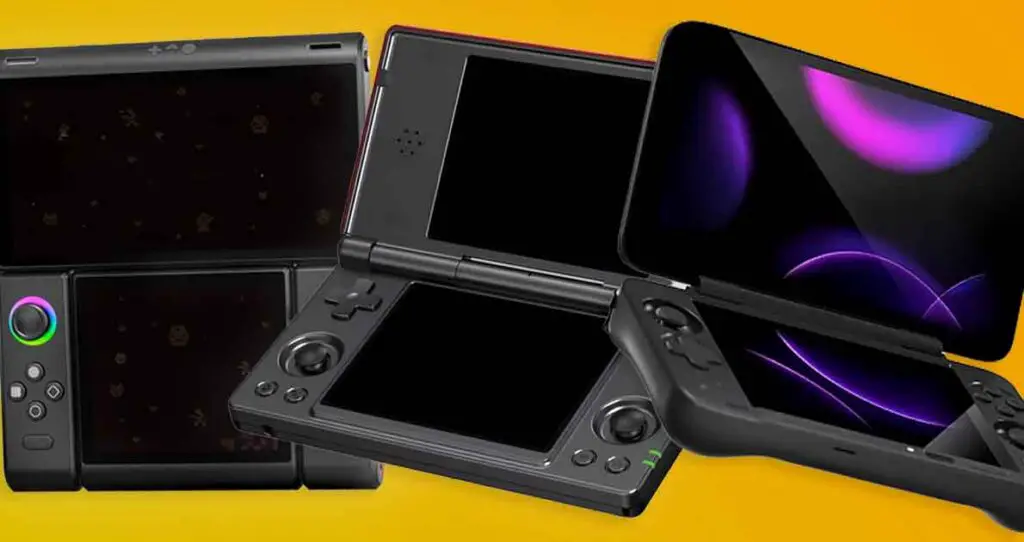
There are only a few dual-screen Android devices that can be easily considered as alternatives to the AYN Thor. Here are the most popular and relevant ones available at this point in time.
The AYANEO Pocket DS is the handheld that arguably makes the most sense as a direct alternative to the AYN Thor. It’s visibly bigger, featuring a larger 7-inch 165Hz OLED top screen and a 5-inch LCD bottom screen. It’s also based around the more recent Snapdragon G3x Gen 2 and features an 8,000 mAh battery. It’s much heavier and more sturdy than the Thor with its 540g partially aluminum body. This, of course, makes it much less pocketable.
The ANBERNIC RG DS is the much cheaper, DS-focused route. It features a RK3568 chipset, 3GB of RAM, 32GB of storage and a 4,000 mAh battery. Its dual 4:3-ish screens make it best suited for playing Nintendo DS games via DraStic. The 3DS emulation is generally not attainable with these specs, but if you take into account its much more affordable price, it’s not a bad choice for emulating systems up to PS1, including the N64.
Although the MagicX Zero 40 is not really a dual-screen device, as it features a single tall 4-inch 800×480 vertical display, it can also be considered a valid affordable device for NDS emulation. It’s built around the Allwinner A133P, 2GB RAM and 4,300 mAh battery, which make it a device very similar to the RG DS in terms of the power it has. This also means that handling 3DS games is not really possible on this device.
So, in conclusion, if you’re on a tight budget and you’re looking for a simple Android-based handheld to be able to comfortably enjoy NDS games alongside PS1-era systems and some N64 titles, the RG DS and the MagicX Zero 40 are reasonable options to consider. If, however, you’re looking for a direct rival to the AYN Thor, the AYANEO Pocket DS is the device you’re going to want to look at.
Then, there is also the much more expensive and experimental modular handheld called the OneXSugar Sugar 1. Its parts can be rearranged to fit both the regular horizontal control layout, and a dual-screen NDS-like setup. It’s also an option worth checking out if that sounds interesting to you.
The Most Common Thor Issues – Hinge Marks, OLED Mura and Fan Noise
The three main issues with the Thor reported by people who are receiving their units are: the “lightsaber” fan noise when moving the device around as the fan is spinning, the mura effect which is widely known from the OLED versions of Steam Deck, and small cracks appearing near the hinge area.
Before we proceed, let’s clear some things out. There is always kind of a negative review bias when it comes to products such as these, as people are much more likely to seek help with the problems they encounter, rather than report that their device doesn’t have any issues at all. Still, all three of these being referenced repeatedly on the AYN Thor subreddit for me, as a customer, make them worth at least giving some thought before making a purchase. After all, we’re talking about a device that costs way over $200 here.
The Hinge Crack Marks
The supposed cracks forming around the front hinge curve are exactly the kind of thing people worry about with any clamshell handheld. On the official AYN Discord and the subreddit this is explained as a result of how the mold for the shell is constructed, which is somewhat reassuring.
With that said, there have also been reports, albeit not many, of actual hinge cracks appearing on the device’s hinge. Because of that, this is still worth taking into account if you’re worried about the device’s longevity. As always, only time will tell how well the hinge behaves after many cycles of opening and closing the lid. After I receive the Thor and use it for a while, I’ll be happy to report back on this.
You might also like: MagicX One 35: The Sub-$100 Android Retro Handheld
The OLED Mura
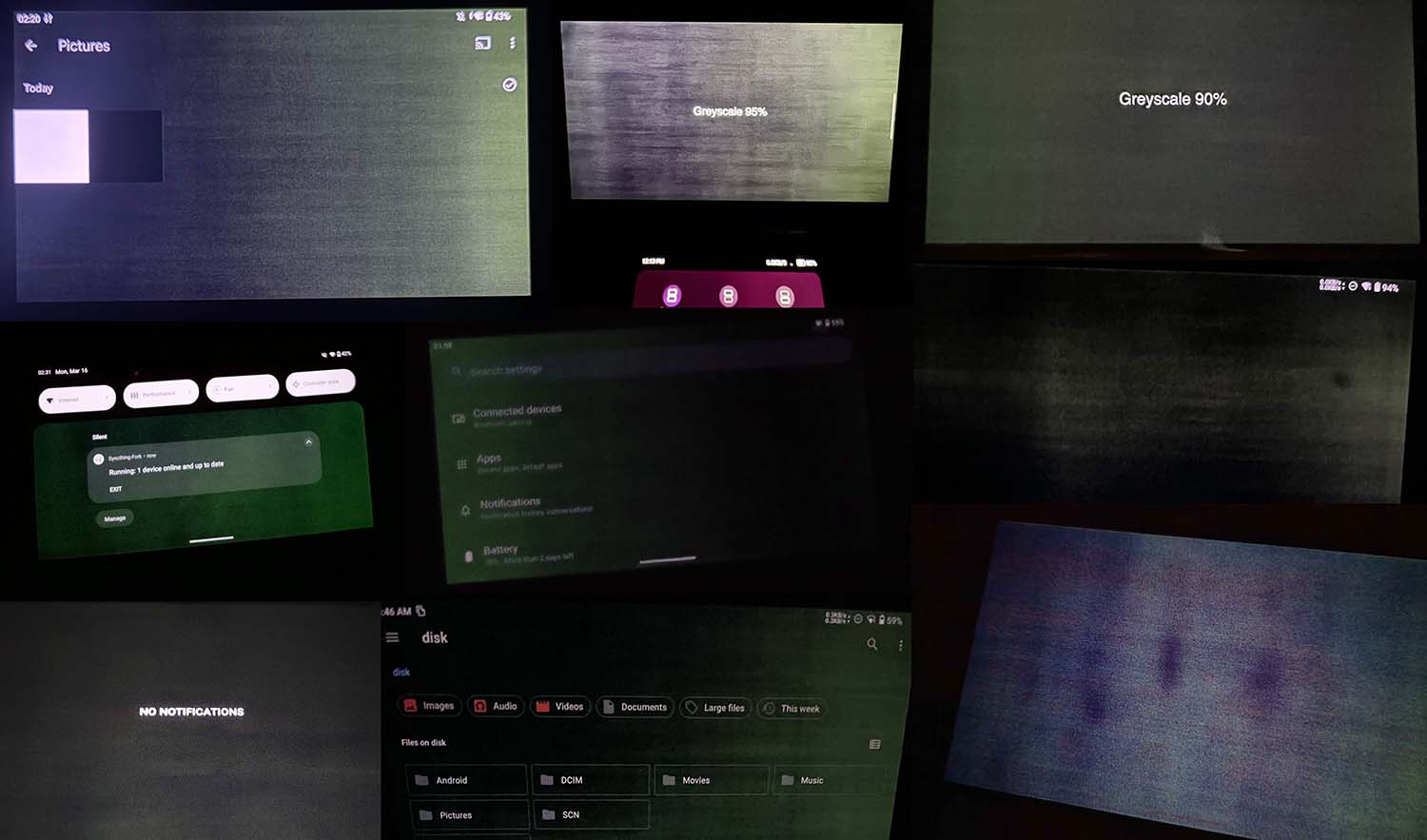
The OLED mura issue is much less predictable, albeit also much more straightforward. Mura on OLED panels, especially cheaper ones, mostly comes down to your luck. Simplifying things a bit, mura is display discoloration or “spotting”, mostly visible at lower brightness levels in near-black/dark gray/low-brightness scenes. Depending on its severity, this effect can be more or less annoying to look at when using the handheld at night.
In the image above I’ve compiled a set of existing examples of varying degrees of the mura effect on both the AYN Thor and Odin 3, sourced from user posts on the AYN Discord channel.
Keep in mind that most mura effect examples that you can see on the attached photos are visible only in complete darkness, on low display brightness levels, and can be much exaggerated by the smartphone camera autoexposure settings.
OLED mura used to be a pretty widespread issue on the original PlayStation Vita back in the day. On the Thor, as user data shows, it can affect either of the displays. Although there is a mode you can activate in the settings designed to combat some parts of the mura issue, there is no real way to get rid of it completely without replacing the screen.
At times, mura that makes the device unusable could be the basis for a screen or unit replacement, but in the vast majority of cases the effect will be present on an OLED display to some extent, especially if we’re talking about cheaper panels like these. This issue seems to also affect the Odin 3, which makes use of the very same main display as the Thor.
It’s also important to mention here that aside from the mura, the two displays on the Thor do seem to have differing color characteristics, particularly when it comes to the displayed color temperature and tint.
Fan Noise Issues
The last issue that’s been reported quite often is the “lightsaber” noise issue with the device’s fan. Some units, when shaken about, will make the buzzing noise likely caused by the centrifugal force moving the fan blades too close to the fan’s chassis. While there have been reports of successful fan replacements that partially or fully mitigated the issue, this is another thing to keep in mind.
Even though there is no real data telling us how many devices actually do end up having these issues in relation to the units in perfect condition, following the AYN Thor subreddit and Discord channel it’s clear that this does seem to repeat on different units.
The good thing is that as far as I know AYN is able to send out replacement parts for the Thor should any problems arise. This, however, means that you have to do the fixes yourself, rather than rely on AYN to do any kind of service repairs for you. Sending your device back to China for warranty repairs can get really convoluted, so if you’re up for some tinkering this might be a better option after all.
My Expectations, To Revisit Later
With the most common issues out of the way, let’s get to the more optimistic part, that is a few things that I expect to be able to do on a dual-screen handheld like this. And there are quite a lot of these.
Only time will tell if I end up doing at least a few of them on a regular basis during my attempt to consolidate my Xiaomi Pad 5, second smartphone I carry around and the Steam Deck into one device that I’ll actually use daily.
Among the few most interesting things I’m eager to try are (starting with the very obvious ones):
- Nintendo DS and 3DS games in the correct stacked layout, without squeezing both screens onto one display.
- Playing an RPG or slower game on the top screen while keeping a guide, map, walkthrough or notes open on the bottom.
- YouTube or a video guide on the lower screen when playing a game up top.
- Using the second display for simple idle games while watching some movies on the main screen.
- Android multitasking like using Discord, browsing the internet or controlling music playback on the bottom while the main app stays up top.
- Using the device as a neat pocket OLED movie player with a built-in kickstand.
- Emulator setup work done using both displays, because having settings or file tools open separately could be genuinely useful.
- Frontend/launcher experiments, especially as dual-screen launchers like Cocoon and RetroHrai mature over time.
You can easily use this list to see if a dual-screen handheld is something that might actually interest you and be useful to you in the long run. There are a lot of possibilities here!
So, The Conclusion Is…
I would be lying if I said that I’m not worried about the QC issues, but I still think that this handheld could turn out to be one of the more interesting ones that I own.
Knowing that the AYN Thor Max 512GB is a device that as of the time of writing this article costs more than $400 (I assume mainly to the rising prices of both RAM and storage chips), normally I would expect that I wouldn’t have to worry about my unit getting to me with any defects. But as always, we will see.
Once my Thor arrives I’ll be sure to test everything out, including recording the button and fan sounds for you, as well as addressing all of the info I wasn’t able to deduce from the existing reviews. The moment that’s done, the review will be linked here. That’s it for now!
You might also like: Powkiddy V90S vs. Miyoo Mini Plus – Hands-On Comparison