

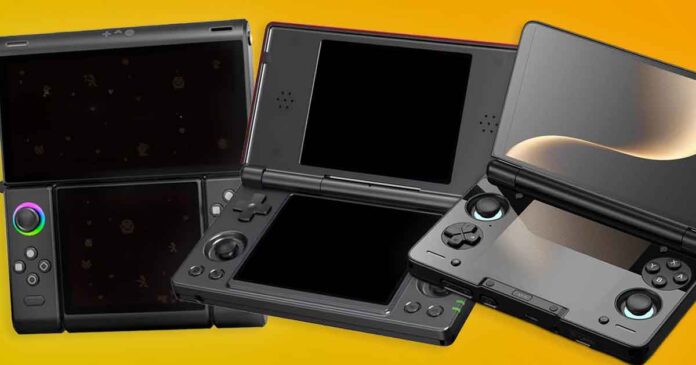
Dual-screen handhelds have finally come into the spotlight in recent months. These kind of devices can be very useful for Nintendo DS and 3DS emulation, Android games and multitasking. At the same time, they can be interesting simply because of their clamshell form factor. Here are the top five devices I think are the most relevant ones to consider this year.
You might also like: 13 Best Horizontal Retro Handhelds This Year (16:9, 4:3, 3:2)
This web portal is reader-supported, and is a part of the AliExpress Partner Program, Amazon Services LLC Associates Program and the eBay Partner Network. When you buy using links on our site, we may earn an affiliate commission!
TL;DR – My Top Picks
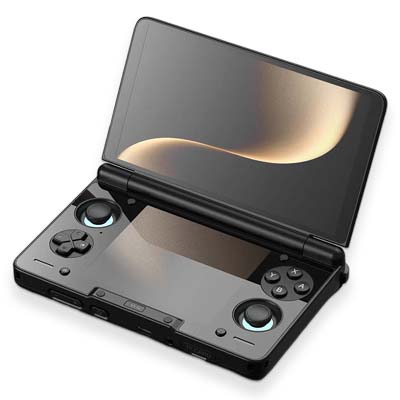
The Current State of Dual-Screen Emulation Devices
Quite a few Android handhelds with two displays have hit the market recently, despite the idea of dual-screen Android devices still being relatively fresh. These kinds of devices can be really great not only for NDS and 3DS emulation, but also for many less-obvious but fun multitasking workflows.
Emulating Nintendo DS is an easy task which doesn’t require a lot of compute. That’s why it’s not something you should be worried about at all on any of the devices listed here. On the other hand, Nintendo 3DS emulation is much less accessible on lower-end devices. Both a powerful chipset and the right emulator settings matter a lot in that regard.
That is why, in this context, the AYN Thor and AYANEO Pocket DS are the easiest devices to recommend right away. Their Snapdragon chips are more than enough for the 3DS, and they can even tackle the emulation of some simpler PC games via software like GameNative. The ANBERNIC RG DS, on the other hand, is much cheaper, but its RK3568 chip makes it more of a DS nostalgia device than a real 3DS machine.
Aside from these two, the transformable OneXSugar Sugar 1, and the MagicX Zero 40 with a vertical display, both of which are described in more detail below, there aren’t really many other options here.
If I wanted to be one hundred percent exact here, the Retroid Dual Screen Add-on also exists as an alternative to “traditional” dual-screen devices, and it is a relatively clever option if you already own a compatible Retroid or USB-C DisplayPort handheld. Besides that, that’s really it.
Advantages Over Original Hardware (NDS & 3DS)
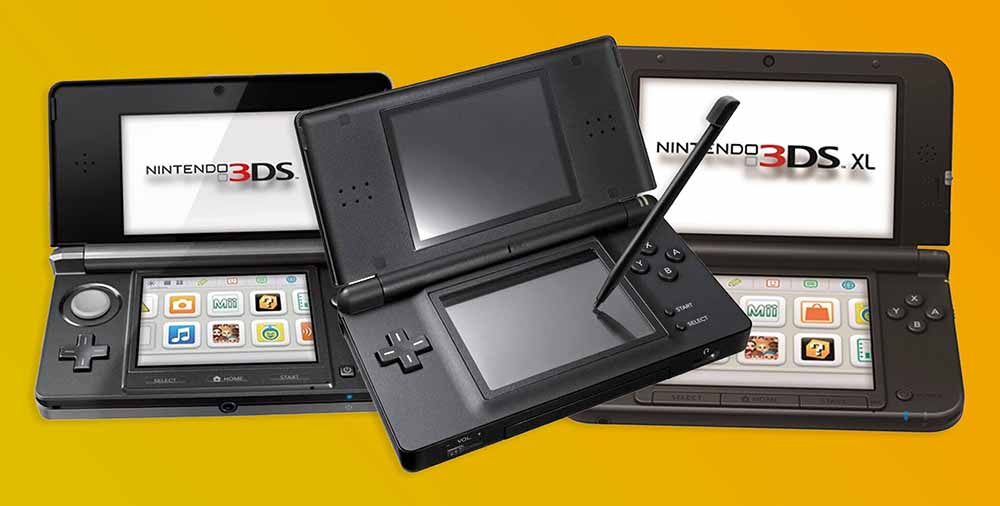
You might rightfully ask what real advantages these newer dual-screen Android-based systems would give you over the original consoles like the Nintendo DS, or 3DS/XL.
The main reasons why you might want to consider getting a dual-screen device like one of those mentioned below over their “original” counterparts are as follows:
- More power for more demanding systems emulation – the newer chipsets in the Android-based handhelds can in most cases easily handle game emulation up to systems like the PS1 or PS2, and some of them can even venture into the area of the more demanding Switch and PC games with the right optimizations in place. This also means that the Android-based options let you emulate a much wider roster of systems than the NDS or 3DS would ever be able to.
- The price of new units – even with the storage and RAM chip prices rising, many of the dual-screen Android handhelds are still priced reasonably enough to be taken into account as an alternative to the much less powerful second-hand or refurbished NDS & 3DS units. You can check the eBay prices of the used 3DS handhelds yourself.
- Customization & configuration possibilities – Android-based handhelds, while they come with a set of their own quirks, are in general much more customizable than devices such as the modded NDS, 3DS, or even the PS Vita.
These are only a few things that can make these kinds of handhelds much more appealing than their still relevant but dated predecessors.
Do You Really Need Two Displays? – Use Cases & Considerations
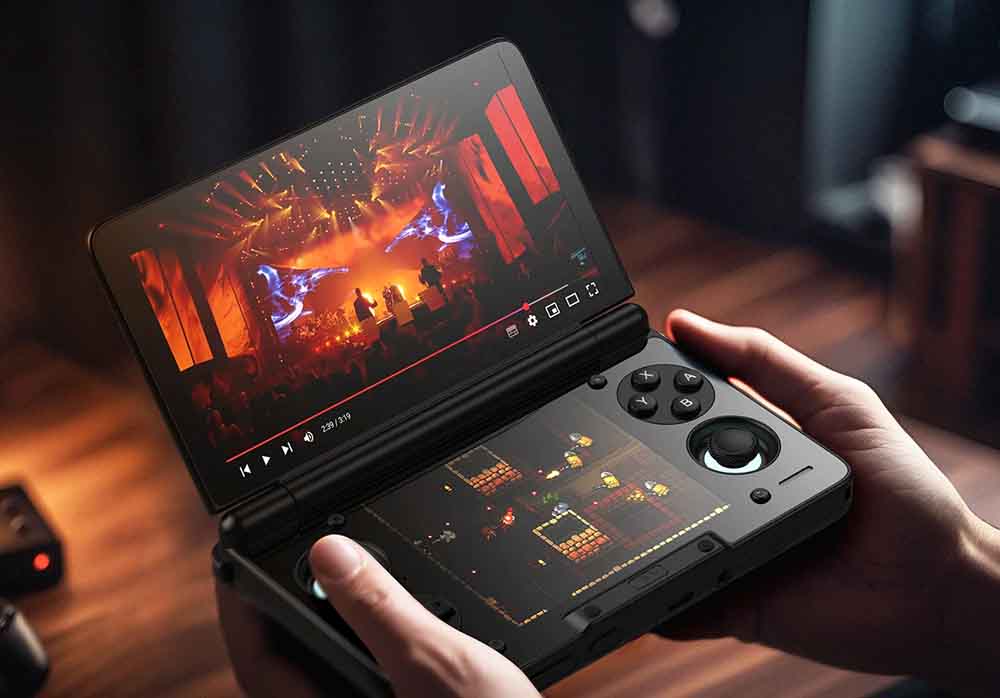
You can certainly benefit from having access to two displays if you play a lot of DS/3DS games. Use cases such as game guides or game maps on a second screen, or Android multitasking while gaming are also quite interesting here. For some people, being able to watch some YouTube videos or walkthroughs when gaming is also an added bonus.
The fact is you don’t need two displays for PSP, PS1, Dreamcast, GameCube, PS2, or most Android games. For those, a good single-screen handheld is usually cheaper, simpler, and more comfortable. Still, dual-screen systems can have a lot of unobvious and fun uses.
The second screen also costs you battery life if you decide to use it at all times, as well as some setup time, especially if you want to customize both your chosen launcher and apps to work well with it.
If you just want an affordable Android handheld that works fast, and you’re sure that you won’t benefit much from either dual-screen NDS/3DS emulation or multitasking, you could start with a regular horizontal device like the AYN Odin 3 or the Retroid Pocket 6 instead.
One more practical note: buy the no-card or clean version when possible and use your own legally dumped games and BIOS files. Preloaded cards are inconsistent, often messy, and not something I would base a buying decision on.
You might also like: 13 Best Retro Handheld Emulator Consoles This Year – My Personal Picks
What To Choose If You’re Not Sure
Here is the list of the 5 most relevant and worthwhile devices if you’re looking to get into the dual-screen Android handheld experience. While the choice isn’t as broad as with regular horizontal/vertical handhelds, the following options can still be very much worth considering depending on your go-to use cases.
1. AYN Thor
- Best price-to-performance pick here.
- Two AMOLED touchscreens.
- Snapdragon 8 Gen 2 models have real 3DS/PS2 headroom.
- Compact clamshell with Hall sticks.
- Lite model is much weaker than the 8 Gen 2 versions.
- Android emulation setup still takes work.
- Compact body is not as relaxed as larger gripped handhelds.
This is the pick I would point most of you to first, and the one I went for myself. The AYN Thor is on average and in most configurations, cheaper than the AYANEO Pocket DS, much more powerful than the ANBERNIC RG DS, and less gimmicky than the ONEXSUGAR Sugar 1, all of which are up next below. For DS and 3DS, even the least expensive Lite version of the Thor is more than enough.
For PS2, GameCube, PSP, and more demanding Android games, as well as some basic PC game emulation using apps like GameNative, the more capable Base/Pro/Max models with the Snapdragon 8 Gen 2 give you even more power in the convenient dual-AMOLED clamshell form factor. Overall, aside from the hype, it's one of the most reasonable and versatile handhelds on this list.
2. AYANEO Pocket DS
- Large 7-inch OLED top display.
- 5-inch 4:3 lower screen fits retro layouts well.
- 8000mAh battery and active cooling.
- More expensive than AYN Thor.
- Larger and less pocketable.
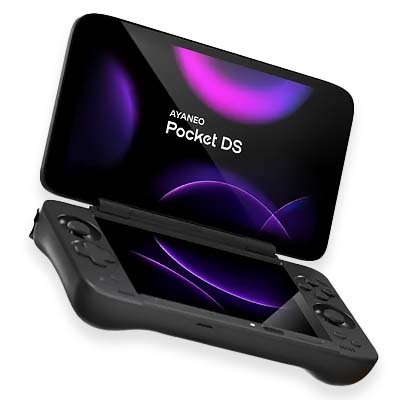
The AYANEO Pocket DS is the "premium DS replacement" option here. The 7-inch OLED top screen is great both for upscaled DS & 3DS and for Android games, streaming, and widescreen systems. The 5-inch 4:3 bottom screen is an LCD display here.
The Pocket DS is heavier and bulkier than the AYN Thor, which already is already only barely pocketable, depending on your pocket size and comfort expectations. In short, this might not be the best option if you value the smaller-size clamshell form factor.
When it comes to emulation power, both the Thor (rocking the Snapdragon 8 Gen 2) and the Pocket DS (based around the Snapdragon G3x Gen 2) come relatively close, with no real point in getting one over the other for the difference in power alone.
3. ANBERNIC RG DS
- Cheapest true two-screen handheld here.
- Two matching 4:3 touchscreens.
- microSD expansion up to 2TB.
- Looks and feels closer to the classic DS idea.
- RK3568 is weak for this category.
- Not a serious 3DS pick.
- Only 3GB RAM and 32GB internal storage.
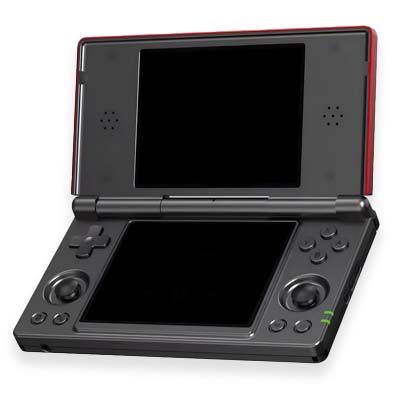
ANBERNIC RG DS is the budget Android-based option for dual-screen NDS emulation. It has two real displays, a proper clamshell, touch input on both displays, and a price that is much easier to justify than the premium models. Where it's lacking is raw compute.
The RK3568 chipset inside of the RG DS is fine for emulating a whole lot of retro handhelds up to the PS1, NDS, and lighter N64, Dreamcast, or PSP titles, but it cannot really handle 3DS games. With that said, it's still a device very much worth recommending if you're on a tight budget, and you know what to expect from it in terms of performance.
4. OneXSugar Sugar 1
- Most flexible hardware design here.
- Strong Android and emulation performance.
- Dual OLED screens look great.
- Real multi-use potential.
- Very expensive compared with Thor.
- Heavier and less ergonomic than it looks.
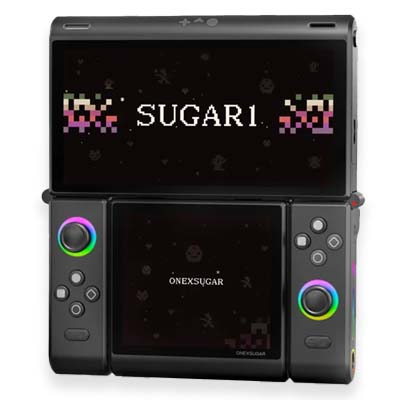
The OneXSugar Sugar 1 is one of the most unique devices on this list, but not the easiest recommendation. This transformable handheld can work like a DS-style handheld, a single-screen horizontal handheld, or a small tabletop setup depending on how you fold and rotate it.
Instead of detaching like Nintendo Joy-Cons, the controller grips flip and rotate on built-in hinges, while a clever magnetic D-pad can be rearranged over the buttons as you wish. This wild, folding design is the main characteristic of this device.
It is also pretty expensive, heavier than its main competitors, and more dependent on software polish than a "regular" clamshell. If you like experimental hardware and want something different, it might be an interesting option to consider. For me, it's not really that viable of a choice considering its overall price.
5. Bonus: MagicX Zero 40
- Very cheap compared with true dual-screen devices.
- Interesting form factor for stacked DS screens.
- Very useful for TATE arcade games.
- Not actually dual-screen.
- Relatively weak hardware and only 2GB of RAM.
- Not fit for 3DS emulation.
- The no-TF card variant requires manual firmware flashing.
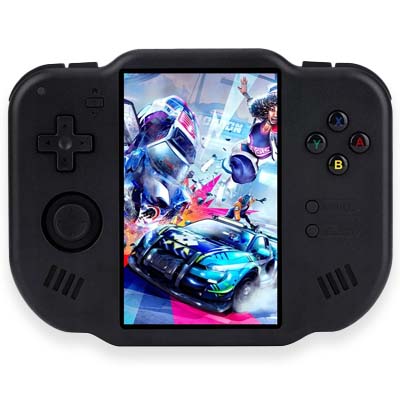
You got me. The MagicX Zero 40 is not a dual-screen handheld at all. But consider this. Its tall vertical display is perfect for playing NDS games with a classy on-screen overlay divider in the middle of the screen, which it is configured to do out of the box. It's also, as of the time of writing this roundup, the most affordable DS-first handheld on this list.
Still, keep in mind that it's not powerful enough to play games from the 3DS catalogue. You can, however, easily use it for Nintendo DS, vertical arcade games (which is a very good use case for it), and casual retro play. Skip it if you want a real clamshell, 3DS performance, or a smaller and more sleek device.
If you like this kind of vertical layout, you might also enjoy my hands-on review of the MagicX One 35. This is an unusual device designed in a similar spirit and can be used both in vertical and horizontal modes, featuring two D-pads, and two sets of trigger buttons!
That's It! - Hopefully With More To Come
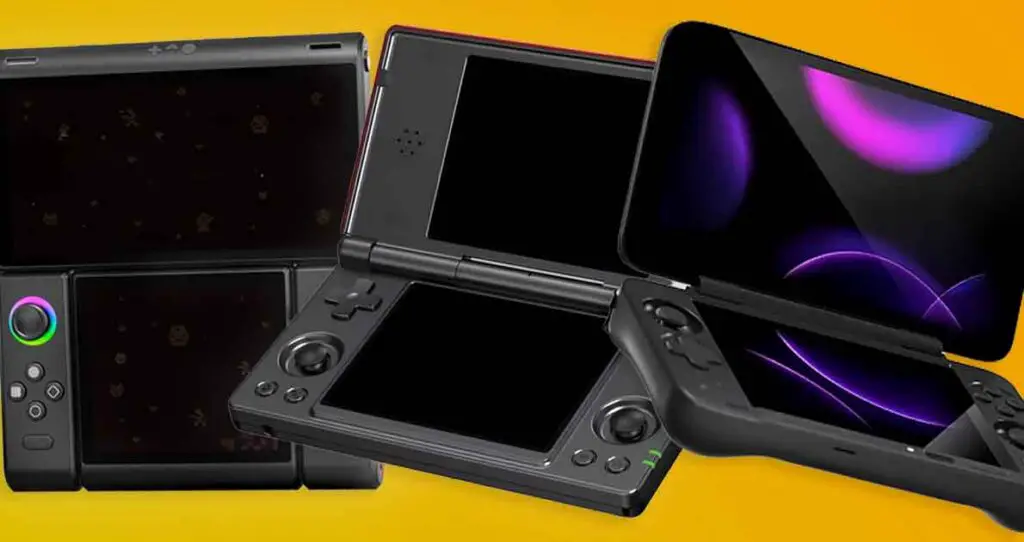
This list is short, as the dual-screen handheld emulator category is still relatively young. Apart from these handhelds and the Retroid Dual Screen Add-on, there are not many practical two-display options available out there.
Of course, the original NDS & 3DS hardware is still a viable option. Just as with a modified PlayStation Vita, you can mod these consoles to do your bidding rather easily. They won't be able to tackle any games from newer consoles such as Nintendo Switch or PC games, and they won't give you any of Android's quality-of-life features.
Speaking of the Vita, it's pretty useful even today: Buying a Used PS Vita for Homebrew - What You Need To Know
The refurbished versions of NDS and 3DS handhelds can still be found in many places online such as AliExpress. Second-hand units are also widely available over on eBay, in various conditions. Their Price, however, is pretty steep for what they are.
As the AYN Thor and AYANEO Pocket DS from our list here can venture into the lower-end PC gaming emulation territory, emulate Switch games without any trouble, come with high-quality displays and many conveniences (and quirks) of the Android OS, for me, they are the better choice today if you don't really yearn for that original hardware nostalgia.
Which one did I choose? Well, I went with the AYN Thor Max model, mainly because of its relatively pocketable form factor, as well as the fact that it has enough power to tackle some simpler PC titles via GameNative. That's what in my eyes makes it one of the most interesting contenders on this list.
If you want to learn more about AYN Thor, my expectations for it and some buyer tips, this is a good starting point: AYN Thor Buyer's Notes - Model Comparison & Early Issues