

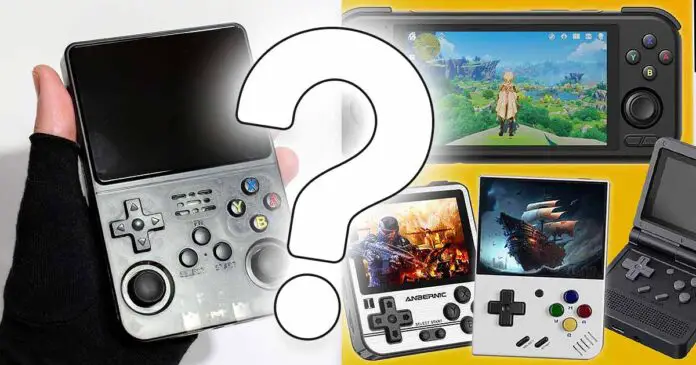
Yes, handheld retro emulators are still worth it – but not for everyone, and not for the same reasons they were worth it a few years ago. Your phone is probably more powerful. A cheap tablet with a controller can do a lot. A Steam Deck can do even more. And yet, after using devices like the R36S, Miyoo Mini Plus, Powkiddy V90S, MagicX One 35, Steam Deck and a modded PS Vita, I still think that a dedicated retro handheld can be one of the most enjoyable ways to play old games on the go.
The important part is knowing what kind of handheld you are actually getting, what systems you realistically want to emulate, how much setup work you are willing to do, and whether you want a simple, dedicated gaming device or something even more novel and interesting than that. So, instead of simply saying “yes, buy one”, let’s go through the whole thing properly, with neat visuals to go along each of the points made.
Check out also: 13 Best Retro Handheld Emulator Consoles This Year – My Personal Picks
Major updates:
June 19, 2026 – Full article overhaul, data updates, new recommendations, images & more!
This web portal is reader-supported, and is a part of the AliExpress Partner Program, Amazon Services LLC Associates Program and the eBay Partner Network. When you buy using links on our site, we may earn an affiliate commission!
My Quick Verdict – Are Retro Handhelds Worth It?
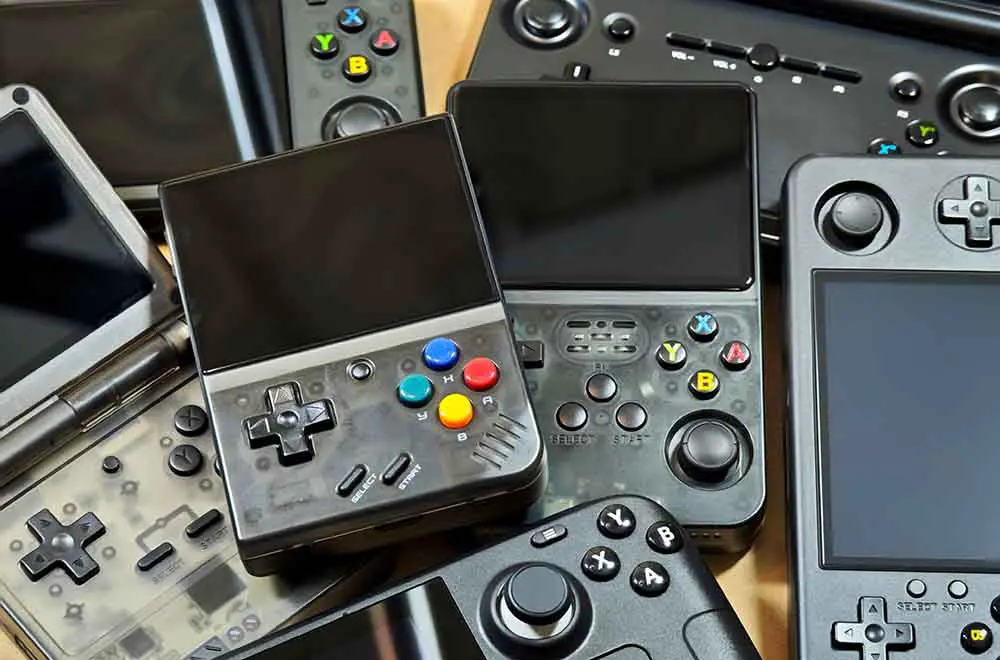
For me, yes, they are absolutely worth it, but I would split that answer into three smaller ones:
- A cheap Linux handheld is worth it if you mostly want Game Boy, GBA, SNES, Genesis, arcade games and PS1 in a simple, portable device.
- A better Android handheld is worth it if you want PSP, Dreamcast, GameCube, PS2, 3DS, streaming, Android games and some extra features like PC gaming via apps like GameNative.
- Your phone with a controller may be the smarter choice if you do not want another gadget, already have a powerful phone, and do not mind attaching a telescopic controller like the GameSir X5 Lite whenever you want to play.
That last point is very important. A dedicated handheld is not automatically better than your smartphone. It is simply better at being a tiny, focused, distraction-free gaming machine. And for some people, including me, that difference is bigger than it sounds. This is a similar direction that people take with many modern digital audio players.
| What you need | My take |
|---|---|
| You mostly play GB/GBA/SNES/PS1 | Yes, a budget handheld makes a lot of sense. |
| You want PS2/GameCube/3DS (and up) | Yes, but skip the weakest models and look at Android-based handhelds instead. |
| You already have a strong phone and a good controller | Maybe not. You might already have the better setup. |
| You hate setup, files, SD cards and emulator menus | Careful here. Many if not most retro handhelds do require manual setup. |
| You want one device for more modern, graphically intense PC games too | Consider a Steam Deck or another handheld PC instead. |
Three Devices – Three Categories
Before we get deeper into the pros and cons, I want to show you three examples that in my opinion partly explain why this category is so interesting.
These are not the only devices worth buying, but they represent the three most common routes that you can take when getting your first handheld: cheap and simple, beginner-friendly and polished, or more powerful and Android-based.
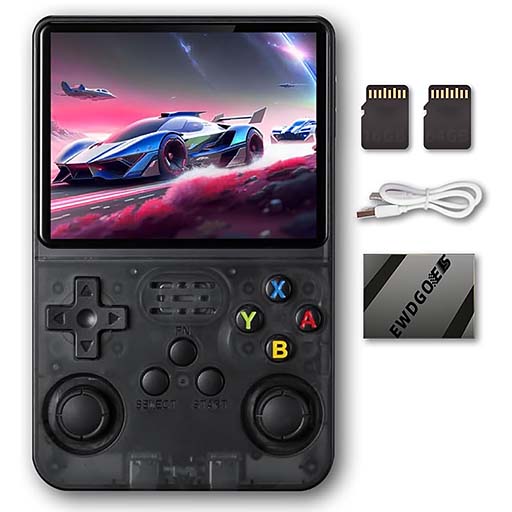
- Great value if you mainly play older systems.
- Remarkably strong community support and custom firmware options.
- Convenient controls, replaceable battery and a very solid screen for the price.
- Clone units are a real thing, so buying carefully matters.
- Not a good choice if PSP, PS2 or GameCube are your targets.
- Requires some manual setup if you want custom firmware.
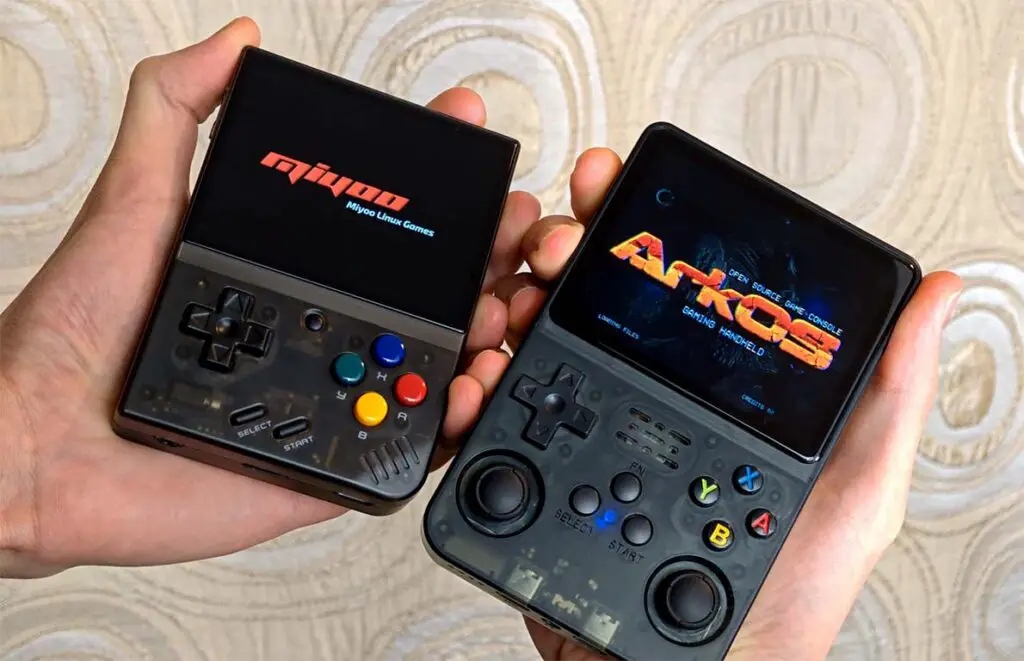
The R36S is the device that really got me into the whole ordeal in the first place. It is not perfect, it is not a “premium” product, and it is certainly not the most powerful thing in the room. But when you can pick up a small Linux handheld, turn it on, and jump into PS1, GBA, SNES, Genesis, arcade titles and lots of other older systems without touching your phone at all, the appeal becomes very clear, at least in my eyes.
My R36S is still the handheld I use reasonably often, even though nowadays I have much more powerful hardware on hand. It’s one of the top picks when it comes to basic retro handhelds for a reason.
I’ve done a whole extensive write up on the R36S, the clone devices, and its custom firmware options. If you’re interested, you can check it out here: R36S Setup Guide: Clone Check, dArkOSRE, SD Cards & Charging
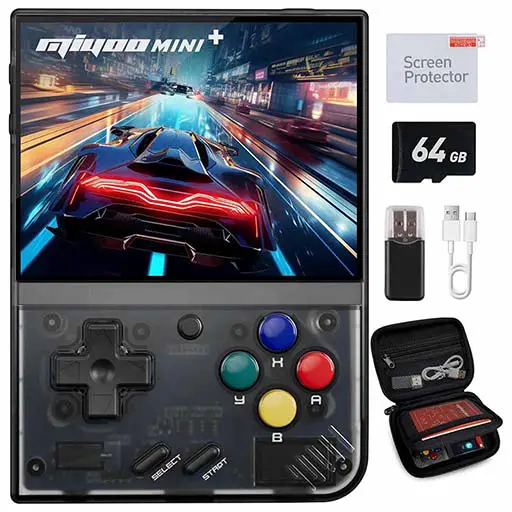
- Excellent Onion OS support.
- Very comfortable for classic 2D systems and PS1.
- Still one of the easiest retro handhelds to recommend to beginners.
- No analog sticks.
- Not made for N64, Dreamcast, PSP or newer systems.
- Relatively small form factor can get tiring during longer sessions.
The Miyoo Mini Plus is another great example here. This one shows that raw performance is not everything. A device with a good shell, a nice screen, great quality controls that are a pleasure to use, and a very active online community can feel better day-to-day than something slightly faster but more annoying to use.
If someone asked me for a first retro handheld for old 2D games and titles up to (including) PS1 for a person that has never touched any of this stuff before, this would still be near the top of my shortlist. And if you’re willing to get into the Onion OS custom UI, your overall experience with it can get even better.
If you want to know more about the Miyoo handhelds, you might want to take a look at this: Miyoo Mini Full Starter Guide: V1-V4 and Plus, Onion UI, Settings & Battery

- Far more capable than the cheap Linux handhelds.
- Great fit for PSP, Android games, and even some lighter Switch & PC titles.
- AMOLED screen, analog triggers, active cooling and modern Android flexibility.
- The price reflects the quality.
- Android emulators setup can take time if you want everything neat.
- Overkill if all you want is Game Boy and SNES.
Then there are devices like the Retroid Pocket 6. This is where the question stops being “is this better than an old Game Boy-style emulator?” and becomes “do I want a small Android gaming machine with controls attached?” There are many more great devices in this category, such as the AYN Thor with its NDS-like clamshell design, which is one of my recent favorites.
These much more powerful handhelds are much closer to a phone-with-controller idea, but they still keep the dedicated-device advantage: built-in controls, active cooling, a gaming-first shape, and a setup you do not have to dismantle every time someone calls you. The ability to play games from newer systems such as the 3DS, PS2, and even some Nintendo Switch & PC titles is what makes Android-based retro handhelds very appealing.
Retro Handheld vs. Smartphone – Which One Makes More Sense?
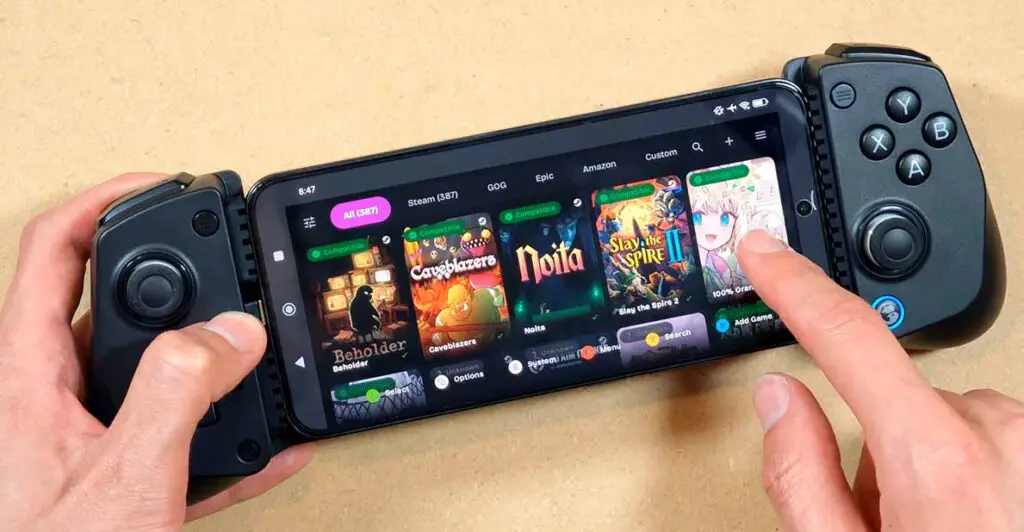
This is probably the main question many people have. Your smartphone is already in your pocket. It has a good screen, a powerful chip, plenty of emulators, cloud saves, Bluetooth, Wi-Fi and a battery you already charge every day. Add a decent telescopic controller and you can build a surprisingly strong retro gaming setup without buying a dedicated handheld at all.
So why bother with a separate console? For me it’s mainly about separation, comfort and intent.
Why A Dedicated Handheld Can Be Better
- No notifications popping up while you are in the middle of a boss fight or a puzzle.
- No phone battery anxiety when you are away from home.
- Physical controls are always attached, so you do not have to mount a controller, pair anything or remove your phone case.
- Many smaller handhelds have 4:3 or 3:2 screens, which can fit older systems better than a wide phone display.
- The whole device is mentally assigned to gaming, which makes it easier to actually play instead of checking messages.
- Less wear on your smartphone’s battery, as prolonged higher-end emulation and gaming on mobile devices can really affect your overall battery health and longevity.
That last one might sound silly until you experience it. The moment I turn on the Miyoo Mini Plus or the R36S, I know what I am there to do. I am not checking mail, not scrolling anything, not looking at notifications or anticipating them to come up in the background. It is a tiny console, and that simplicity, at least for me, is part of the charm.
When Your Phone Might Be The Better Choice
On the other hand, I would not pretend that a dedicated handheld wins every comparison. It doesn’t.
- A modern phone will often have much more raw power than a cheap retro handheld.
- A well-performing smartphone plus a good controller can often be better for PSP, Android games, game streaming and some PC game compatibility layers.
- If you decide to use your smartphone for emulation, you won’t have to keep track of app/software updates on two different devices at a time.
- If you only play once in a while, buying another device can simply be unnecessary.
This is why I also keep testing phone controllers. If that route sounds more sensible to you, check out my list of the best clip-on controllers for Android and iPhone. For some people, that can be a much better purchase.
The Main Benefits Of A Retro Handheld
Here are the reasons that for me are the main advantages that a dedicated retro handheld can give you over simply using your phone for emulation.
1. Your Phone Battery Stays Out Of It
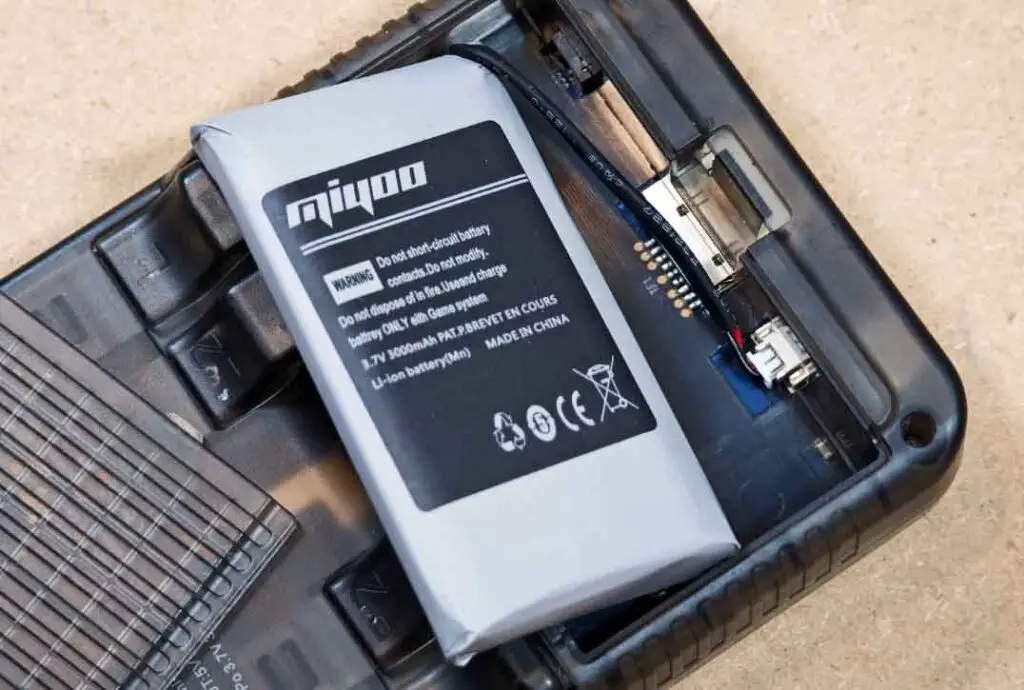
This is still one of the biggest practical advantages for me. When I am out, I want my phone to remain a phone. I need it for maps, messages, payments, calls, photos and all the other boring but important things. Burning through its battery because I wanted to replay a few PS1 or GBA games during a commute is not ideal.
A small handheld solves that problem. It has its own battery, its own storage, its own controls and its own little library. If it ever runs low, my phone is still fine.
Another nice thing is that many cheaper handhelds (mostly non-Android ones) use standardized batteries that are relatively easy to replace compared with modern sealed phones. I have written guides about battery replacement in handhelds such as the R36S, V90S, and the Miyoo Mini.
Replaceable batteries are what was taken away from us when it comes to most smartphones, so it’s very nice to see that some handheld manufacturers let the users do their battery maintenance by themselves.
2. Real Buttons Change The Whole Feeling
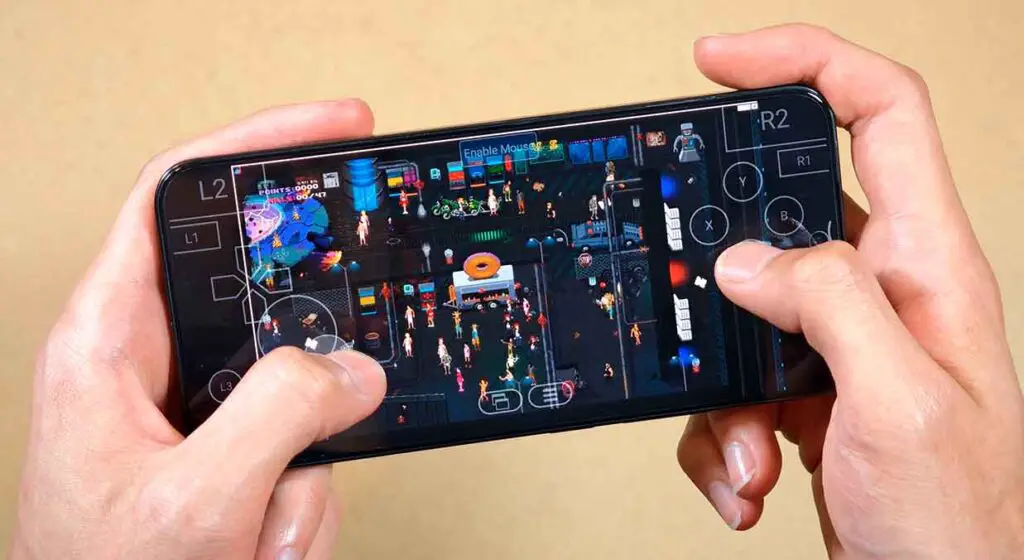
Touchscreen overlays, like the one you can see above in GameNative, are fine for slow games, menu-heavy games and occasional use. They are definitely not my favorite way to play platformers, fighting games, action RPGs, racing games or anything that expects you to feel where the controls are without looking. And they take up a lot of screen real estate.
With physical buttons, you get physical feedback, easier access to button combinations, a proper D-pad which is essential for pretty much any dynamic arcade game, and with many handhelds, quality analog sticks. Even on budget devices, that can make a massive difference.
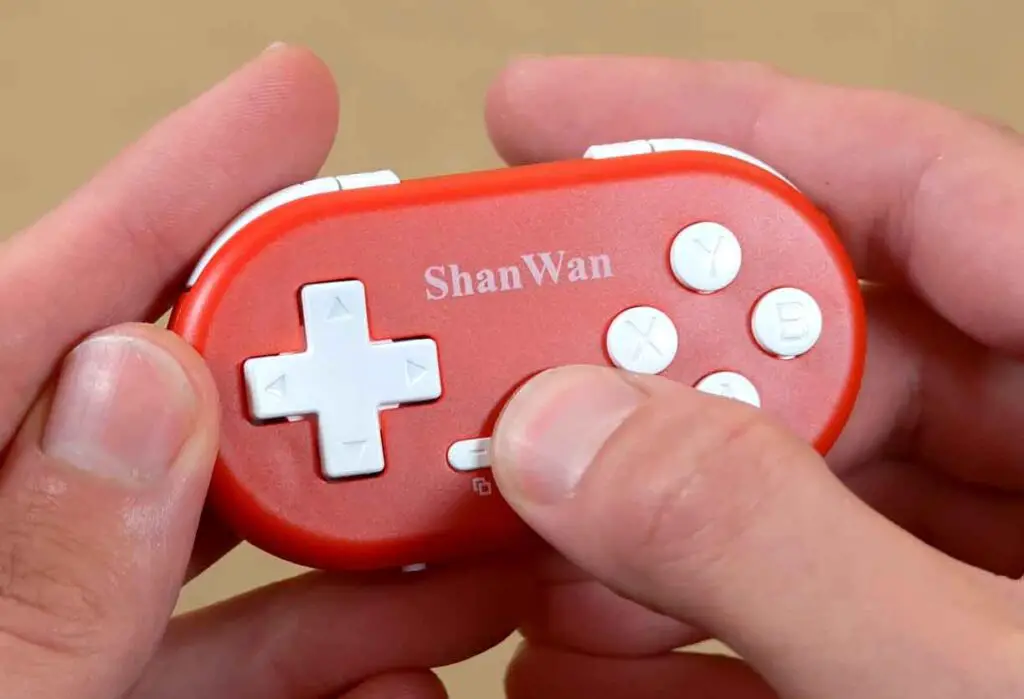
This becomes an even more pronounced problem in games with complex, visually tight user interfaces, which is common in retro PC emulation. In those cases, you really don’t want to sacrifice on-screen space for anything other than the game itself.
Could a phone controller, either a telescopic one, or a pocket one like the ShanWan Q36 shown on the image above solve this? Yes. But then you are turning your phone into a small handheld every time you want to play. It’s a give and take.
3. Save States, Fast-Forward, Filters And Hotkeys Are Actually Useful
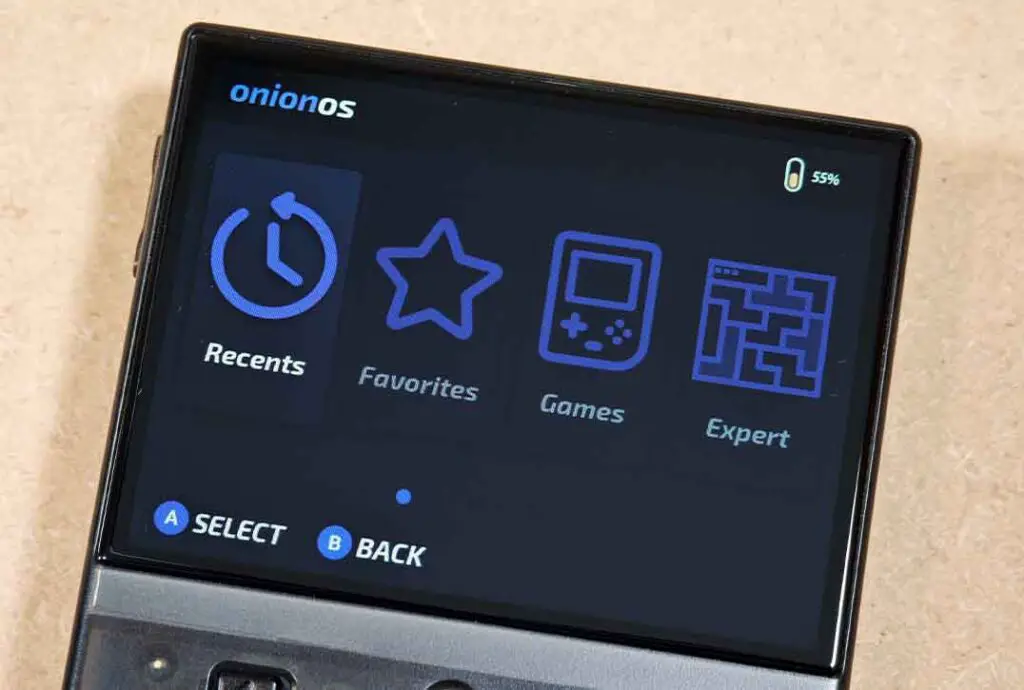
A big part of retro emulation is not just playing old games. It is playing them in a way that fits your current life. Save states, quick loading, fast-forward, rewind in some emulators, screen scaling, shaders, per-game settings and hotkey shortcuts can make old games much easier to enjoy in short bursts.
Regardless of how much setup I had to do, if I can’t simply jump in and out of a particular game I choose on the go, the whole point of having a pocket emulation device loses all its meaning. Luckily, most decent retro handhelds give you more than enough tools to manage your time and gaming experience well.
This is where firmware and community support matter. Onion OS on the Miyoo Mini Plus, ArkOS-style setups on R36S-type devices, Batocera-based systems and Android frontends on more expensive handhelds can all change the experience dramatically.
If you want to see how much these shortcuts can change the experience, I have a few separate guides to R36S hotkeys and shortcuts, and for Miyoo Mini Onion OS tricks. After reading those you can get an idea of what’s possible on the most affordable hardware available out there.
4. A Small Handheld Can Feel Like A Toy – In The Best Way
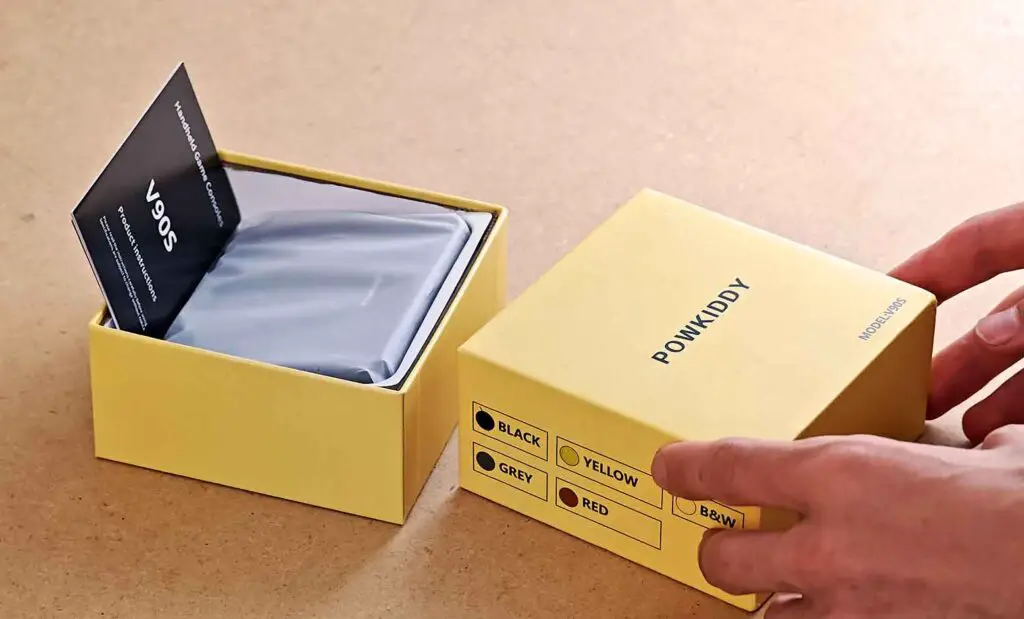
This is harder to quantify, and might be a thing that matters just for me, but I still think it matters. A retro handheld has that unique gadget charm that phones slowly lost for me.
A Miyoo Mini Plus, Powkiddy V90S, RG280V, AYN Odin 3 or Thor feels like something you want to pick up, test, configure and carry around just because it is fun. Not only that, but each new device that comes out, in my view, has much more “soul” poured into it than the countless amount of brick-like smartphones that get released every quarter.
I wrote a more reflective note on this on my personal site, which is my take on the current state of the “Retro” Handhelds and “Mobile” Gaming. The short version is that these devices are not only about performance. They are also about their particular appeal of having a small, dedicated object for one type of media.
Once again, for a very similar reason some people still like using digital audio players with music files stored locally, instead of sticking with streaming services used on their smartphones. There is just something satisfying about that.
You might also like: 20 Best Digital Audio Players (DAPs) This Year – Full Guide
The Downsides Nobody Should Ignore
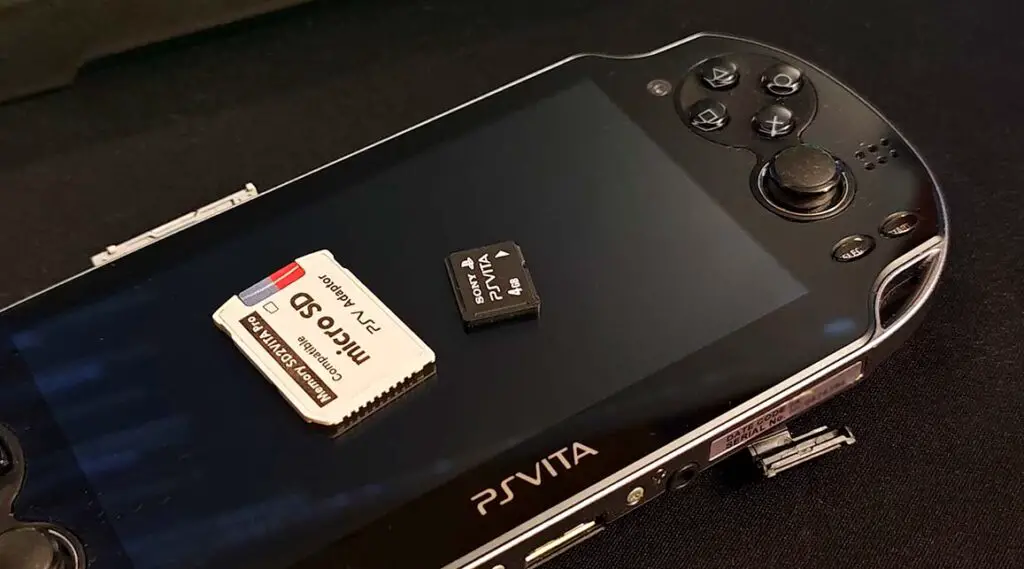
Now for the part that many quick recommendation guides skip. These devices are fun, but they are not always clean, polished consumer products in the Nintendo/Sony/Valve sense. Some are much closer to hobbyist gadgets that happen to be surprisingly usable. And that’s where some usual problems may stem from.
1. Setup Can Be Annoying
If you buy a handheld and expect everything to be perfectly configured, and moreover, configured and up-to-date forever, you may be disappointed. Many devices benefit from installing or updating custom firmware, modifying stock software settings, changing emulator cores, mapping controls, setting or correcting hotkeys and fixing various small quality-of-life issues before being truly pleasant to use.
This, of course, varies from device to device, with many of the cheaper Linux-based handhelds having more custom firmware options and less intuitive setup workflows, and Android-based devices being easier to set up, but oftentimes coming without pre-configured emulation software on board.
I personally enjoy this part, at least up to a point. But if you hate tinkering, it can get tiring reasonably quickly, depending on the device that you picked. This is partly why beginner-friendly devices like the Miyoo Mini Plus are so popular.
With that said, if you’re not tech savvy, in many cases you can still use many of these devices to a decent extent without much initial setup. This will once again largely depend on the particular handheld you’ll get.
2. Pre-Loaded Games Are A Messy Topic
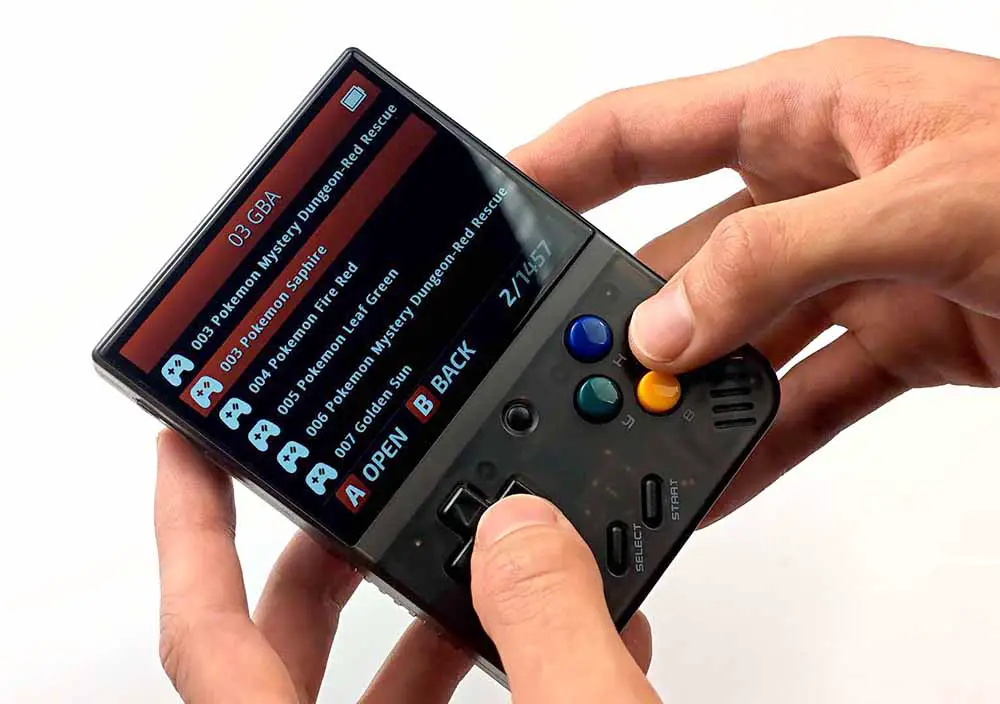
A lot of retro handheld listings proudly advertise thousands of included games. That may sound convenient, but it also comes with two problems.
First, the quality of those game libraries/ROM dumps is often chaotic, with duplicates, strange names, bad dumps, hacks and missing box art.
Second, the legal side of pre-loaded copyrighted games is not something I would treat casually.
Emulation itself is not the same thing as piracy, however. The safer route is to always use your own legally sourced game files, public-domain homebrew, fan-made projects where allowed, or official collections and backups that you have the right to use.
In short: don’t rely on pre-loaded game files. Dump your own ROMs, or source your games in a legal manner before emulating them on your handheld. If you want to do things the safe way, this can be a bit of a process.
3. Quality Control Varies A Lot
Especially on cheaper devices. Things like suspiciously behaving hinges, stiff buttons, screens with small defects – all of these are rare, but can happen to you even if you’re ordering a brand new device. And depending on where you’re ordering from, returns can get tricky.
While more well-known manufacturers or resellers tend to have rather customer-friendly refund and warranty policies, you often cannot say the same thing about consoles purchased on AliExpress (although refunds are also possible there to some extent).
Moreover, some less popular listings can use misleading photos. Some models get cloned and you’ll get sent a clone instead of the original (we’re looking at you, R36S). Some sellers swap parts, cards or firmware without telling you much. This is just a part of the game, but once again, mostly with cheaper devices purchased from random AliExpress and Temu sellers.
This is why I prefer buying (and recommending) devices that already have a real user community around them. If a model has guides, firmware options, teardown photos, replacement parts, troubleshooting threads and hands-on reviews, it’s a sign that when official support fails you in any way, you can try and rely on the community members to help you out.
4. It Is Very Easy To Buy The Wrong Tier
The most common mistake is buying a cheap handheld either while going in blind without prior knowledge, and expecting it to run everything. A $40-60 Linux device is usually fantastic for older systems, but it is not a magic PS2/GameCube/Switch machine.
On the other side, buying a powerful Android-based handheld just to play Pokemon Emerald and Super Mario World may be complete overkill.
Pick the device around the games you want to play and your particular use case, not around the hype, raw specs, or the longest system list in the product description. This might sound simple, but I couldn’t help mentioning it.
What Can Handheld Retro Emulators Actually Run?
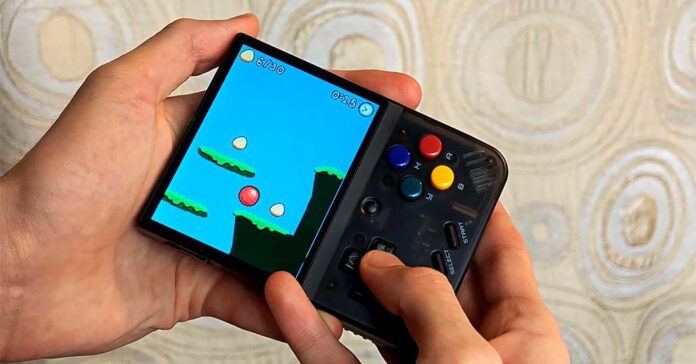
This is where many product listings get too optimistic. The phrase “supports PSP” can mean anything from “runs a few light PSP games with frame skip” to “runs most of the library upscaled and comfortably”. These are not the same thing.
| Device class | Realistic expectation | Examples |
|---|---|---|
| Very cheap, less popular handhelds | NES, Game Boy, Genesis, some SNES/GBA depending on the device | Data Frog SF2000-style devices |
| Better known budget Linux handhelds | GB/GBC/GBA, NES, SNES, Genesis, arcade, PS1, sometimes lighter N64/Dreamcast/PSP | R36S, Miyoo Mini Plus, Powkiddy V10, RG35XX-style devices |
| Stronger budget clamshells/small handhelds | PS1 plus more realistic N64, Dreamcast and PSP attempts, depending on model and settings | Powkiddy V90S, Miyoo Mini Flip, RG35XXSP-type devices |
| Android handhelds | PSP, Dreamcast, N64, Android games, streaming, and often GameCube/PS2/3DS with the right device | Retroid Pocket 6, Retroid Pocket 5, AYN Thor, Odin-style devices |
| Handheld PCs | Modern PC gaming, more demanding emulation, Steam libraries, larger size and higher price | Steam Deck, ROG Ally, Legion Go-style devices |
The table above is intentionally broad, because every system has easy and hard games. Some SNES titles are more demanding than you would expect. Some PSP games are surprisingly light. Some PS2 games are easy, while others are widely known from being notoriously hard to run even on reasonably strong hardware.
The rule of thumb is rather simple: buy one tier above the system you care about most. If you really care about PS1, a cheap Linux device is fine. If you really care about PSP, I would rather look at a 16:9 Android handheld. If you really care about PS2, do not buy the cheapest device that merely mentions PS2 in the listing.
Use either actual hands-on reviews or YouTube game test videos where you can actually see how well a game runs on your chosen handheld to get the gist of what the performance really is like. Written reviews can only tell you so much.
You might also like: 9 Best Handheld Emulators to Play PSP Games
Linux-Based vs. Android-Based Handhelds – Which One Should You Pick?
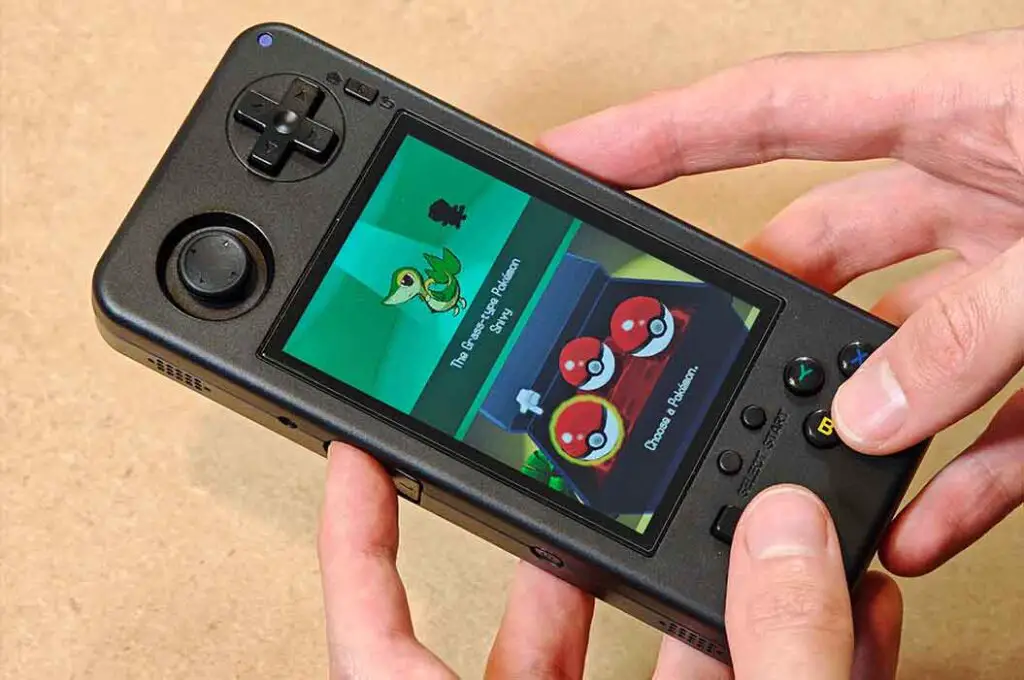
This is one of the most useful ways to split the market, and simultaneously one of the first choices you’ll be making when considering your first device.
Linux-Based Retro Handhelds
These are the classic emulation devices that often come with different custom firmware or custom UI options prepared by the community. Simple menus, microSD card storage, community firmware, fast boot times, relatively small screens and usually very reasonable prices are what characterizes this category best. They are often the best fit for older systems.
- Best for: beginners, old 2D systems, PS1, pocket use, lower prices.
- Generally not suited for: Android games, heavier 3D emulation, streaming-focused use, people who don’t feel comfortable with basic tinkering.
Android-Based Retro Handhelds
Android handhelds are closer to small gaming tablets with dedicated controls. They can run Android apps just like your smartphone, make use of streaming apps, modern emulators, custom frontends/launchers and sometimes PC game compatibility tools like Winlator, GameHub or GameNative. They are in general much more flexible than any given handheld in the Linux category in the lower price ranges.
- Best for: PSP, GameCube, PS2, 3DS, Android games, game streaming, and more advanced users. Switch emulation and basic PC titles (when it comes to more capable devices in this category).
- Generally not suited for: people who want the cheapest possible handheld or a dead-simple “game select menu -> gameplay” pipeline out-of-the-box, with no Android setup steps involved.
I personally like both categories, but for different reasons. A Miyoo Mini Plus is the device I would grab for ten minutes of GBA or PS1. An Android handheld like Retroid, Odin or Thor is what I would consider if I wanted a more capable machine for heavier systems and experimentation.
You might also like: GameNative – Steam, Epic Games & GOG on Android Guide
What Kind Of Retro Handheld Should You Get?
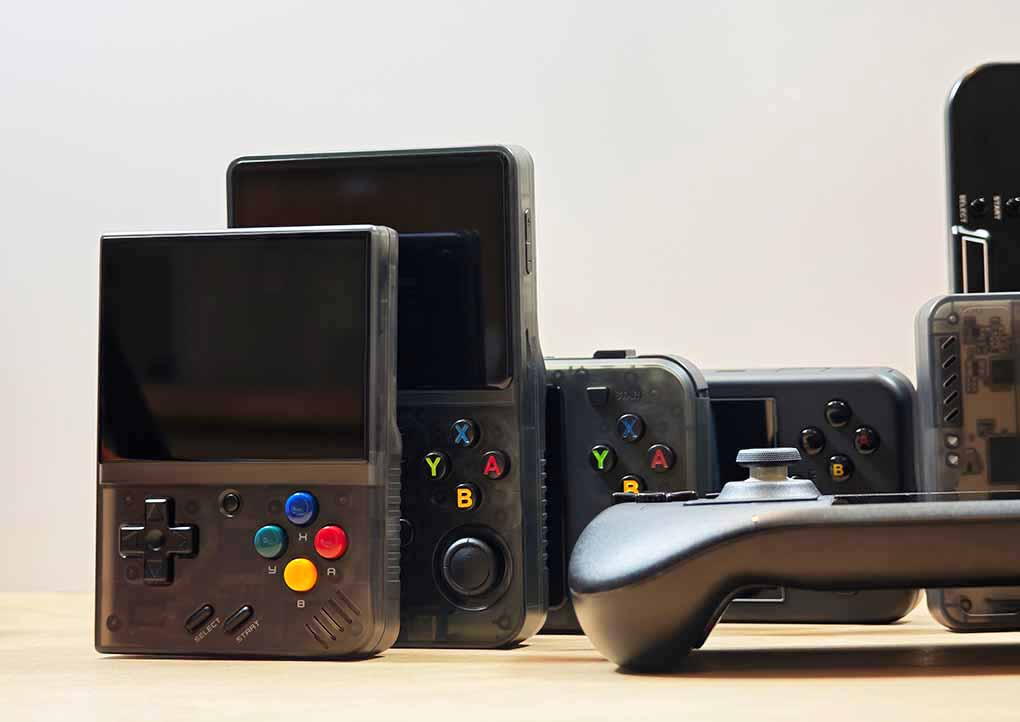
If you are completely new to all this, your first decision should be based on the kind of experience you want.
► If You Want A Cheap First Handheld (Up To PS1)
Look at devices like the R36S, Miyoo Mini Plus, RG35XX-style handhelds, Powkiddy V10, TRIMUI Brick or other well-supported budget models. These are great for the old libraries most people associate with retro gaming in the first place.
This is the route I would suggest if you are mostly curious and don’t want to spend too much. Many devices in the sub-$75 price range perform exceptionally when it comes to systems up to PS1, and some of them even venture into the N64/Dreamcast area with reasonable performance.
► If You Want More Power (PS2 And Up)
If PSP, GameCube, PS2, 3DS or Android games are important to you, I would skip the tiny budget devices and go straight to a modern Android handheld. Retroid Pocket 6, Retroid Pocket 5, AYN Thor, Odin 2 Portal, Odin 3 and similar devices are in a different performance class from the cheap Linux handhelds.
More powerful Android handhelds can also oftentimes handle Nintendo Switch emulation & PC Games via GameHub or GameNative (of course when it comes to simpler, less graphically advanced titles). Other than that, a great perk of those is of course them letting you install almost any Android app you like.
Just remember that Android handhelds are also less charmingly simple. You gain power, but in some cases you also gain setup complexity, when the emulation software doesn’t come pre-installed.
► If You Want A Clamshell-Like Body (Pocketability-First Approach)
A clamshell handheld can be a great idea. The screen and buttons are protected when the device is closed, and the whole thing feels much more throw-in-the-bag friendly depending on the exact model you’ll go for.
I still like the charm of the slightly underpowered Powkiddy V90, but today I would more seriously consider something like the Powkiddy V90S, Miyoo Mini Flip, Anbernic RG35XXSP, Retroid Pocket Flip 2 or, if you want to go high-end and dual-screen, the AYN Thor, or a selection of more sophisticated dual-screen solutions.
For a more complete ranking of some of my favorite devices you can get these days, check my latest proposed lineup here: 13 Best Retro Handheld Emulator Consoles This Year
Final Verdict – Is It Truly Worth It?
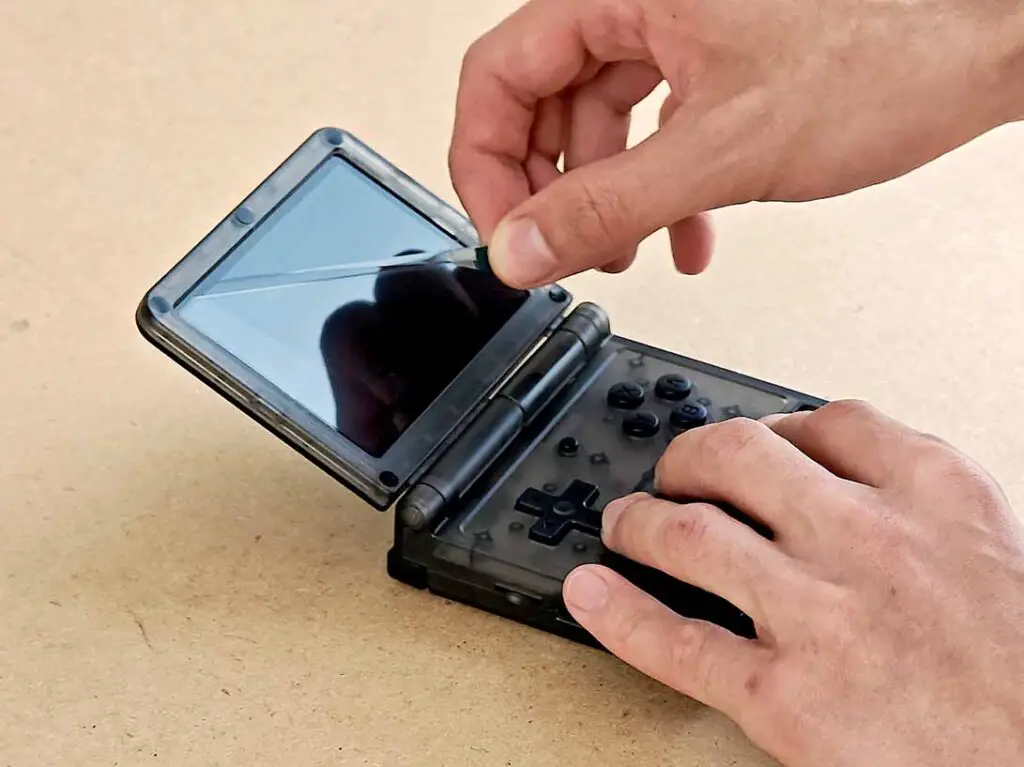
So, are handheld retro emulators worth it? Once again, for me, absolutely. Not because they replace a smartphone, a Steam Deck, a modded PS Vita, a Nintendo Switch or original hardware. They are worth it because they can give your old games a dedicated little home, with real controls, a separate battery, quick access and a completely different feeling from installing and launching yet another app on your phone.
At the same time, I would not recommend buying one blindly. The best retro handheld for you will depend on what you want to play, how much you want to spend, how much setup you can tolerate, and whether you care more about pocketability, emulation power, or simply nostalgia.
If you mostly want classic 2D systems and PS1, most budget handhelds have got you covered. If you’re interested in PSP, PS2, GameCube, 3DS and Android games, and perhaps some Switch & PC titles, you should look at stronger Android handhelds. If you already use and enjoy your phone-controller setup, you might not need a separate device at all.
But if you are like me, and you like small dedicated gadgets that make retro gaming easily accessible and are often able to fit in your pocket, then yes – this whole category is still very much worth exploring.
Next read: 13 Best Retro Handheld Emulator Consoles This Year – My Personal Picks
You might also like: Miyoo Mini Plus vs. R36S Comparison – I Tested Both