

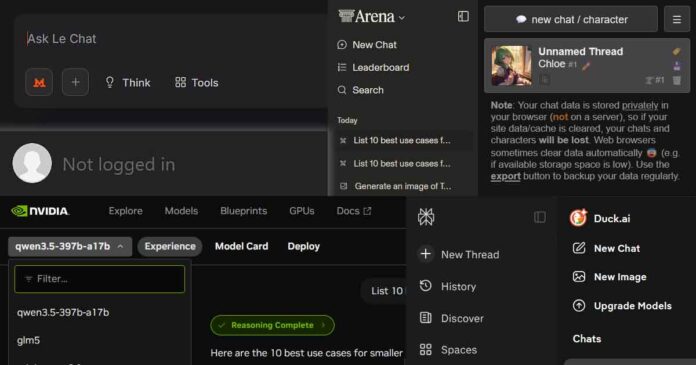
Here are all of the best and most useful websites where you can chat with AI assistants for free and without creating any kind of account, albeit with some limitations. The limits you will face include message and image generation quotas for users that are not logged in, as well as lack of access to some of the features hidden behind the login wall. Let me show you the best AI tools online that you can make good use of without paying a dime.
If you’re looking for free local & private solutions instead, here are great places to start:
- Beginner’s Guide To Local LLMs – How To Get Started Today
- List of Best Free Local LLM Inference Software
This list focuses on websites you can open in a normal browser and start chatting immediately (no account creation required to begin), plus the real-world limits and privacy knobs each one exposes. Access to features in said tools can depend on the country and region you’re in. Mind that some of the listed sites enforce anonymous usage limits using browser/session identifiers (cookies/local storage), so your limits may reset if you restart your session and clear your browser data. Enjoy!
Important note: The service login walls, guest-mode feature access, limits, model availability, and privacy controls are changing quickly. The information in this article was re-checked against available public documentation and live product pages on September 28, 2026. Because many of these services use region-based rollouts, A/B tests, browser/session identifiers, and dynamic quotas, your exact no-login experience may differ from what is described here.
Quick Picks – My Personal Favorites
- Best for data privacy: Duck.ai
- Most features without login: Microsoft Copilot (Web)
- Best for web search with sources: Perplexity.ai
- Great for trying out different models: NVIDIA NIM models
1) Duck.ai (DuckDuckGo AI Chat)
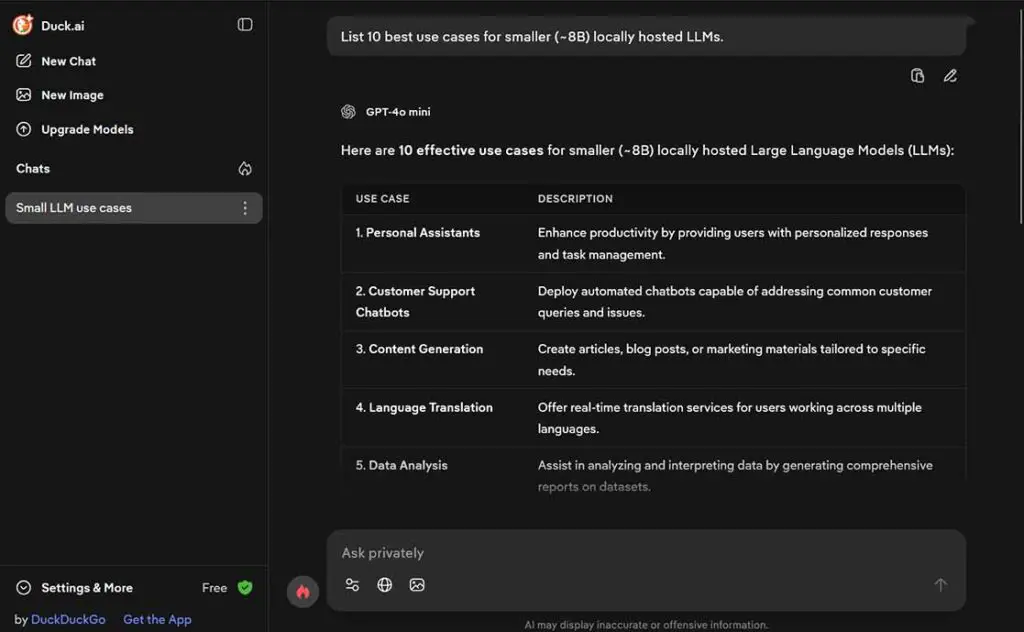
Duck.ai is one of the strongest privacy-focused guest chat options on this list, and it has expanded since this article was first written. The free tier now lists more selectable models, with higher limits available to Duck.ai Plus/Pro subscribers. Duck.ai now also supports basic image creation and voice/dictation features.
DuckDuckGo openly claims that it doesn’t store your prompts/outputs on its servers, saves recent chats locally on your device, strips identifying metadata like IP before forwarding your prompts, and has agreements with model providers that restrict training and require Zero Data Retention, meaning prompts and responses are deleted immediately after a reply, with limited short-term, legal, and safety exceptions.
- What you can do without login (with limits):
- Get access to basic text chat & web search
- Switch between different available models
- Upload images and PDFs, and generate images
- Use the voice chat/dictation functionality
- What you can’t do without login: “Login” isn’t the gate here, the usage limits are. You can hit a daily cap, although in my direct experience it’s not that easy to do
- Limits that matter: Daily usage limit – subscribers get higher limits. The amount of allowed messages per day is not disclosed, but feels reasonably high in practice, and the limit is pretty hard to hit during casual use
- Privacy reality: Local device data storage by default, providers get de-identified requests, DuckDuckGo claims that providers cannot use the content to train their models, and must use Zero Data Retention, with limited short-term, legal, and safety exceptions.
2) ChatGPT (Guest Chat + Search)
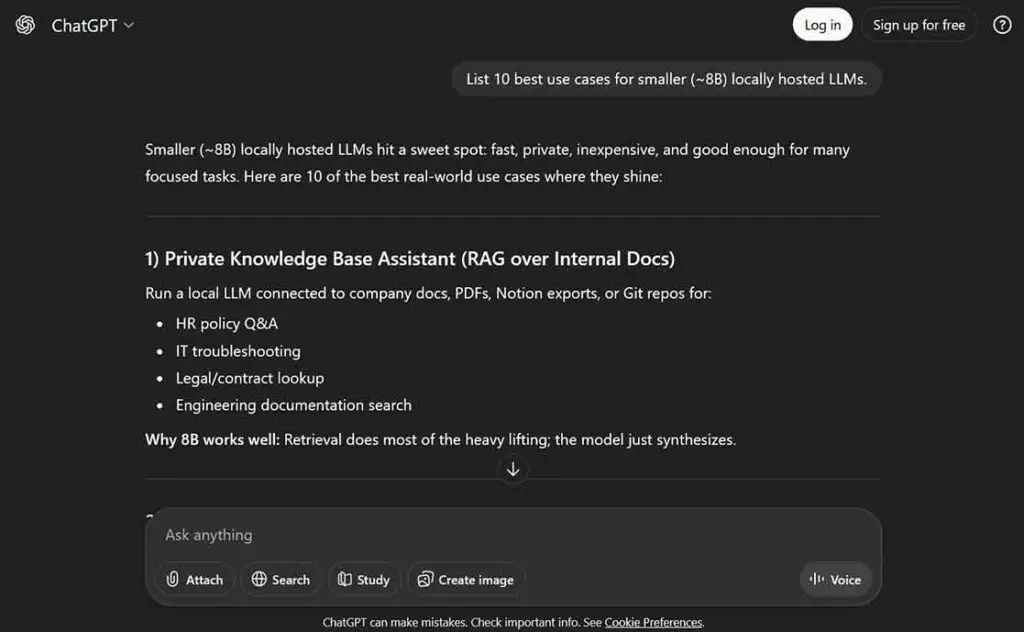
OpenAI has made ChatGPT usable without an account in supported regions, and even expanded ChatGPT Search so it doesn’t require sign-in. That makes it one of the easiest “open a tab, ask a question” options with predictable guest-mode tradeoffs. Still, there are many features that you are locked out of if you don’t have an account.
- What you can do without login (with limits):
- Utilize the basic text chat
- Use ChatGPT’s web search experience
- Upload images
- What you can’t do without login: Choose between different OpenAI models, using features like conversation history, chat personalization, uploading files other than images, custom GPT access, full interactive voice mode, and image generation
- Limits that matter: The message limits are dynamic, and change depending on server load and service demand
- Privacy reality: OpenAI says signed-out users can choose whether chats are used to help improve models via Data Controls. Guest chats are not saved as normal chat history. If you start a new chat, the existing guest chat is no longer accessible unless you sign in or create an account. Ads may appear for users on Free and Go plans in supported ad-test regions, while Plus, Pro, Business, Enterprise, and Edu are ad-free.
3) Google.ai & Gemini
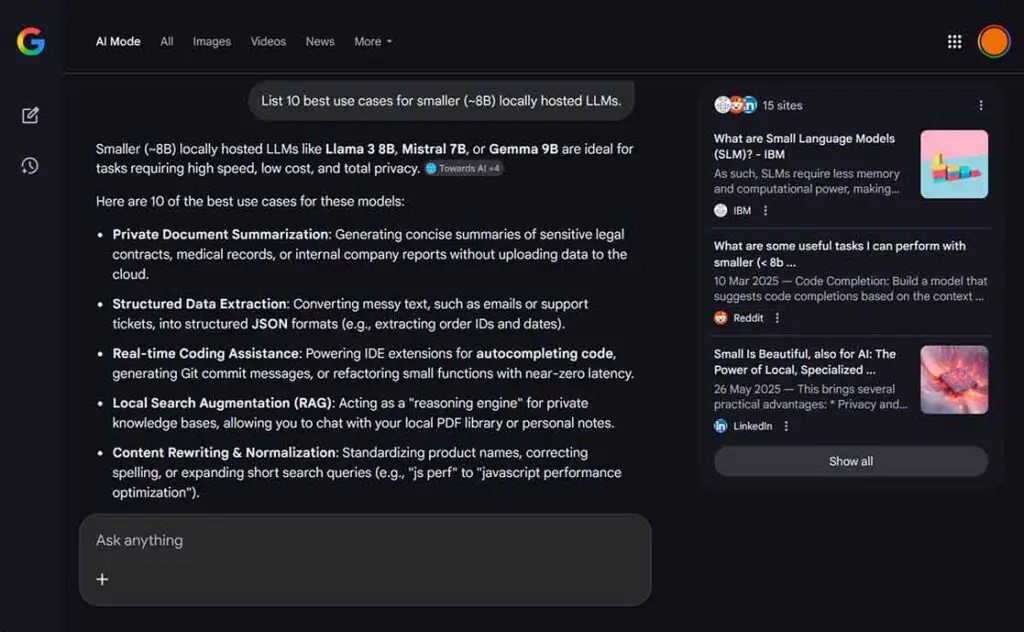
Google, as you probably already know, introduced the “AI Mode” in its search engine, which you can access for free, without logging in, and with virtually no limits. It’s important to note that Google Search’s AI Mode is different from the Gemini assistant (although you can also use it without an account, to a similar extent) and very different from the Gemini models available in Google AI Studio. It’s a simple tool for browsing the web with the aid of an LLM, in a sense very similar to what Perplexity.ai has to offer, albeit with less extensive citation features.
- What you can do without login:
- Text-based interactions based around Google web search
- Image import and analysis, with some restraints on allowed content
- What you can’t do without login: No past chat history, no personalized responses, no tools other than simple text/image/document search, and no integrations that rely on connected Google services
- Limits that matter: Google’s AI search mode has no meaningful limits on user requests. If you need controls like “temporary chat”, model switching, or deeper integrations, you have to log in and utilize Gemini either via the Gemini Assistant app, or Google AI Studio
- Privacy reality: Your interactions and content are processed under Google’s broader data practices. For signed-out Gemini use, Google says the Google Privacy Policy applies rather than the Gemini Apps Privacy Notice, and your data is not associated with a Google Account. Signed-out Google Search activity can still be associated with your browser or device
4) Baidu Wenxin / ERNIE
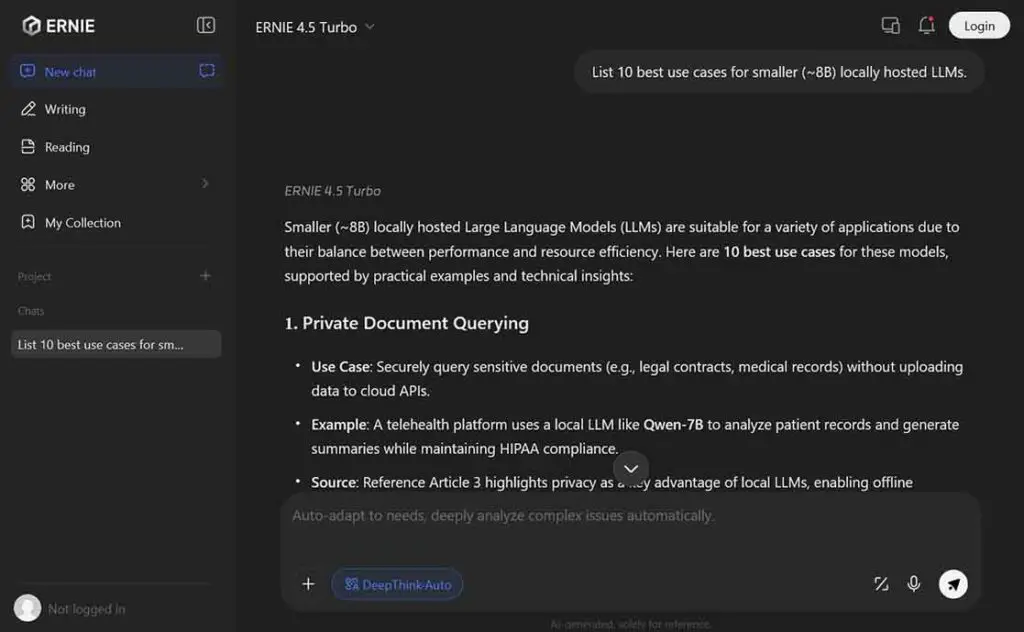
Baidu Wenxin is Baidu’s consumer AI assistant, built on Baidu’s ERNIE/Wenxin model family. It’s positioned as a Chinese competitor to major assistants like ChatGPT and Gemini. Much like Google and OpenAI, Baidu also lets you access its Ernie-family models via a convenient web interface, and the best thing is, it doesn’t require you to register for an account to make use of its basic features.
- What you can do without login (with limits):
- Basic text chat with image upload
- Generate images
- What you can’t do without login: Most of the features like switching between all model versions, utilizing custom prompts and accessing modes other than basic chat require you to have an account
- Limits that matter: Like many other companies on this list, Baidu doesn’t consistently publish clear public quotas for consumer chat usage, so in practice you should assume dynamic rate limits (busy-hour slowdowns, request caps, temporary blocks) even when the product is generally free to use in guest mode
- Privacy reality: If you’re outside of China, treat Wenxin usage as cross-border data processing. Baidu’s international privacy disclosure explicitly says that your personal data may be transferred to other countries/regions where Baidu or affiliates operate, and that some information may be stored on servers in China, where legal protections can differ from US/EU jurisdiction
5) NVIDIA NIM Models
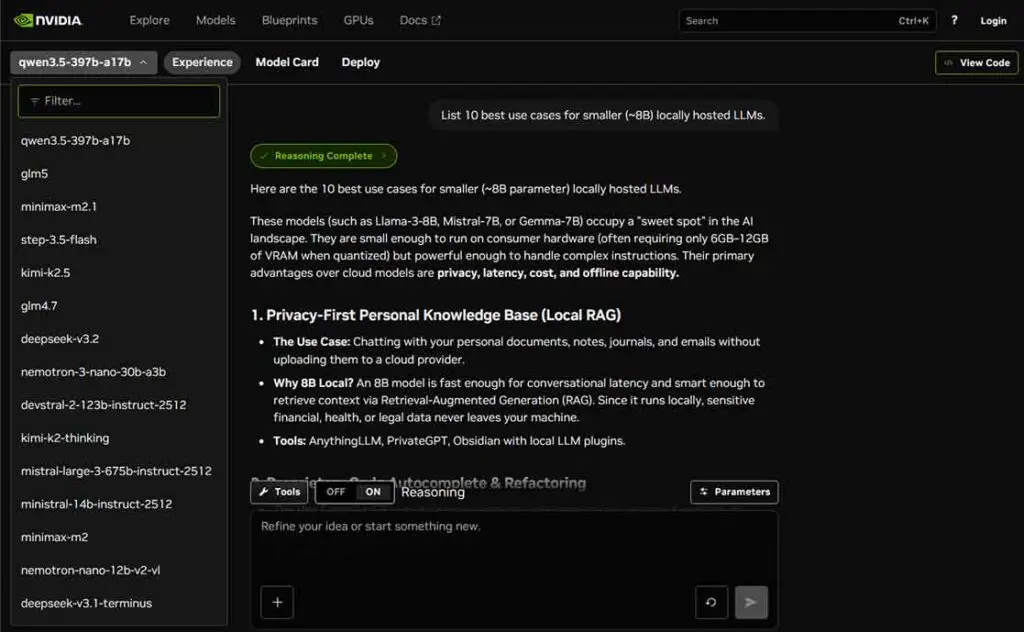
NVIDIA NIM model pages (NVIDIA Inference Microservices) let you experiment with models in a browser-based trial experience. While there are limits on the model requests, and your queries can often end up in long queues, it’s one of the better places to test a dozen popular LLMs from one place. The list of available models here is very long, and different models will have different limitations in terms of their availability and queue length.
- What you can do without login (with limits):
- Test a large collection of large language models including those optimized by NVIDIA.
- Import images & videos for the models to see
- Modify inference parameters such as Temperature, Top P, and Presence Penalty (may differ from model to model)
- What you can’t do without login: Skip the waiting queues for free use and generate an API key for programmatic access
- Limits that matter: Queue length and rate limits for requests change dynamically depending on the model and service load
- Privacy reality: NVIDIA records NIM trial inputs and outputs and may use them to improve its products and AI models. Usage data is also logged for security, fraud, and abuse monitoring.
6) Perchance (AI Character Chat / Generator Ecosystem)
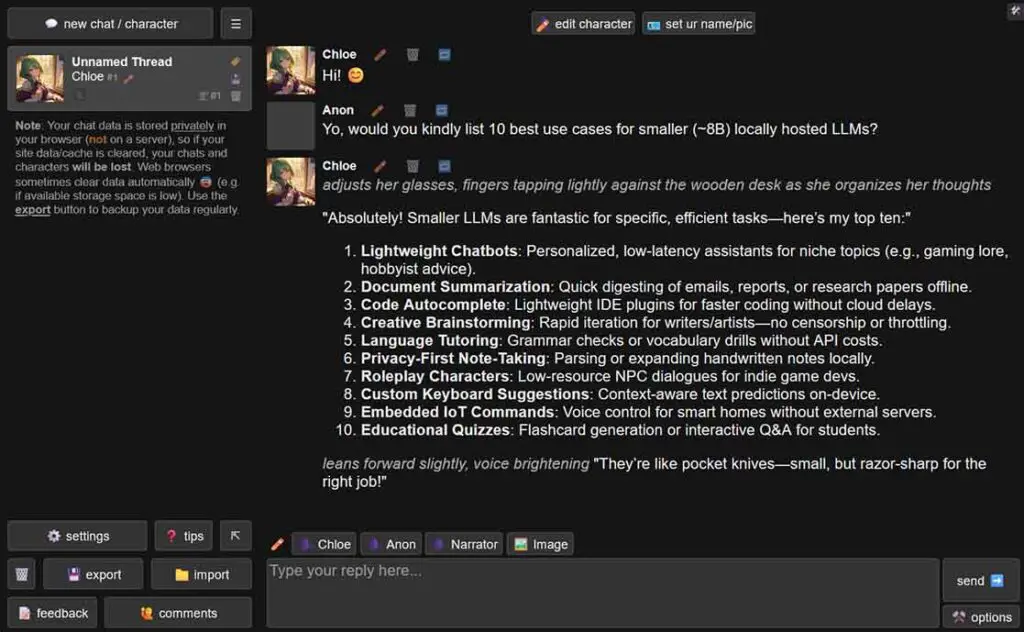
Perchance.org has a lot of free-access AI tools to offer, including a great implementation of an AI character chat, and lots of other useful tools including AI image generators and text generation tools. There are a lot of neat applets you can explore on the site, and the project has an active community of people creating new content for it. This service is also great for those looking for a free character.ai alternative that doesn’t require you to log in.
- What you can do without login:
- Use AI chat/roleplay, as well as a dozen other tools (including image generators) without signing up
- What you can’t do without login: No real limitations without being logged in.
- Limits that matter: The site markets unlimited use, but limits/throttling may apply in certain conditions
- Privacy reality: Perchance states that its AI text plugin does not store chat data on its server, but share links may include a chat snapshot, so always treat them as potentially readable by anyone who gets the link
You might also like: Character.ai Offline & Without Filter? – Free And Local Alternatives
Bonus: Arena.ai (formerly LM Arena / Chatbot Arena)
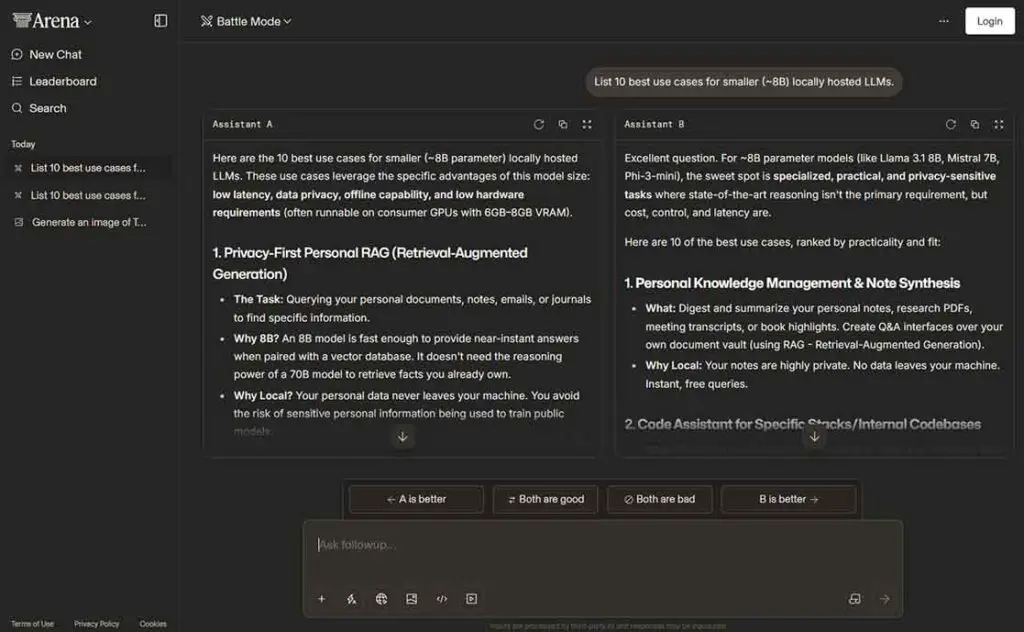
LM Arena (now known as Arena AI) is less of an “assistant” and more of a live benchmark designed to help users compare outputs of different models given the same prompt input. The model comparison is done by voting, and so all of your conversations/prompts and model interaction data may be used, shared, evaluated, and voted on to create the model rankings. If used for model output quality evaluation, the tool is entirely free, with per-model rate limits applied.
- What you can do without login:
- Enter prompts in Battle Mode and compare model outputs
- Vote on the content you get
- What you can’t do without login: Logged in users get higher rate limits, as well as the ability to save their conversation data. Generating images is now also available only after you register an account. Arena.ai isn’t really limited by sign-in status for its core comparison workflow. Remember though, that this tool is made specifically for model comparison, not for data privacy
- Limits that matter: Some models may be rate-limited or rotated depending on demand and availability. There is also a daily usage limit that resets after 24 hours
- Privacy reality: LM Arena warns you right in its prompt input box that all of your conversations/prompts may be used and/or shared because of the nature of the tool and its main designation. Assume prompts and responses may be reviewed, shared, or used in evaluation datasets as per the platform’s notices and terms
You might also be interested in: ChatGPT Ads Are Rolling Out – Here Is How They Work (So Far)