

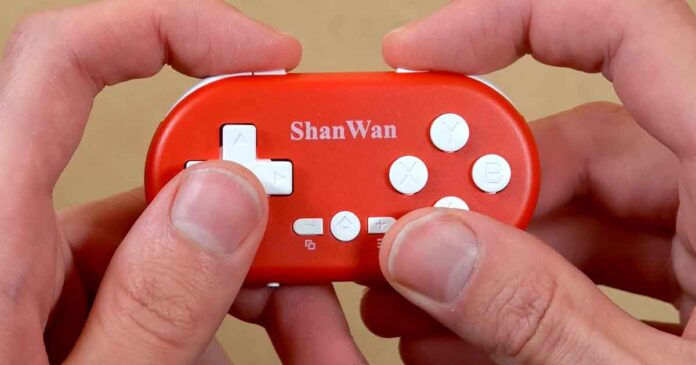
The ShanWan Q36 mini wireless controller, also known as the Q36XDV, is one of the main alternatives to the 8BitDo Zero 2. After using it for a while, I’ve come to the conclusion that it’s much more pleasant to use and actually far more useful than you might expect from seeing it in various online listings without trying it out. Let me share my experience with this tiny device.
You might also like: 14 Best Clip-On Controllers for Retro Mobile Gaming This Year (Android/iPhone)
Why you can trust us: We test all of our products according to the Tech Tactician consumer usability benchmark methodology which evaluates all of the product characteristics that matter to the user in day-to-day use.
This web portal is reader-supported, and is a part of the AliExpress Partner Program, Amazon Services LLC Associates Program and the eBay Partner Network. When you buy using links on our site, we may earn an affiliate commission!
First, The Specs
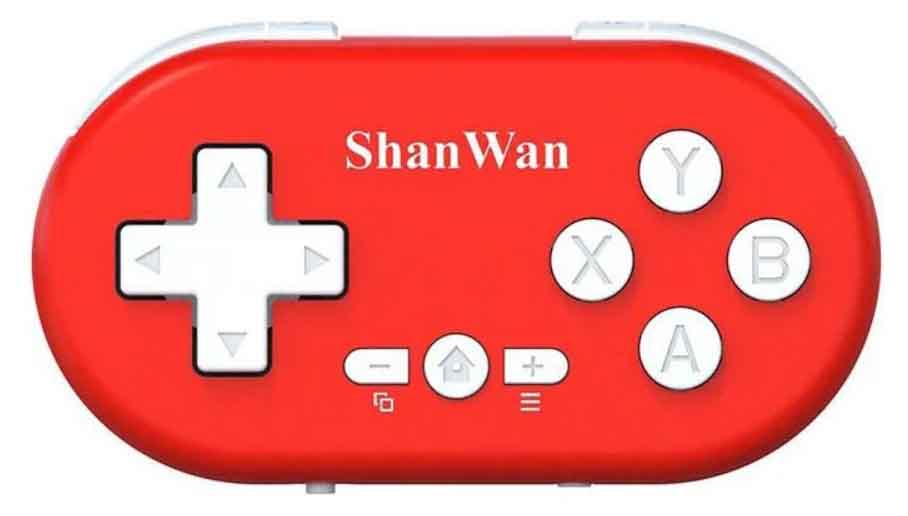
A small wireless controller for simple PC and mobile games, Android emulation, Anki-style flashcards, and basic media control.
| Model Name | ShanWan Q36 / Q36XDV mini Bluetooth controller |
| Connection | Bluetooth wireless; USB-C for charging on the tested unit |
| Platforms | Windows, Android, iOS |
| Compatibility | Android 9.0+, iOS 13.0+, Windows 10+ |
| Modes | X-Input, Android HID, ShootingPlus for Android |
| Buttons | D-pad, A/B/X/Y, Home, View, Menu, L/L2 and R/R2 shoulder buttons |
| Battery | 180 mAh rechargeable battery; manual claims 30-day standby |
| Charging | DC 5 V / 500 mA via USB-C |
| Working Voltage | 3.7V |
| Working / Sleep Current | <30 mA / <5 µA |
| Wireless Range | Up to 8 m |
| Size / Weight | About 2.83 x 1.57 x 0.55 in / ~30 g |
| Included In Box | Controller, wrist strap, English/Chinese manual |
| Best For | 2D games, card games, retro emulation, flashcards, music control, shortcut control |
What You Get Inside The box
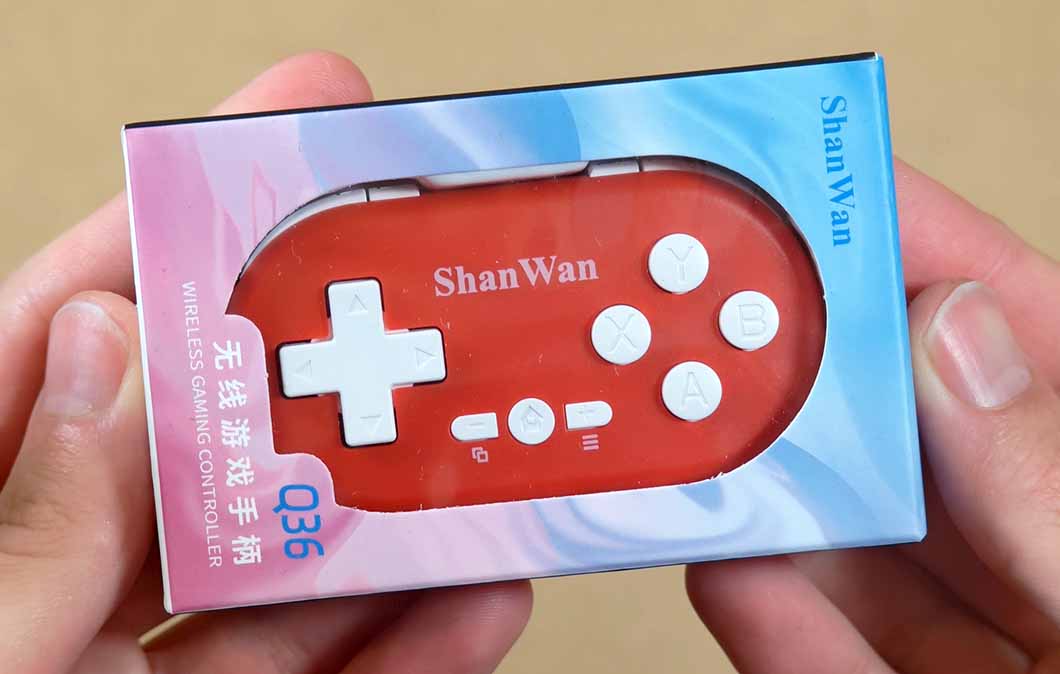
Inside the box you can find the controller itself, alongside a black wrist strap that you can attach to the device, and a user manual available in English and Chinese.
The manual is more useful than expected, and translated rather well. It explains the X/D/V switch, the Bluetooth names used in each mode (the device identifies itself differently in each mode), the LED indicator states, sleep behavior, charging behavior, and the basic specs.
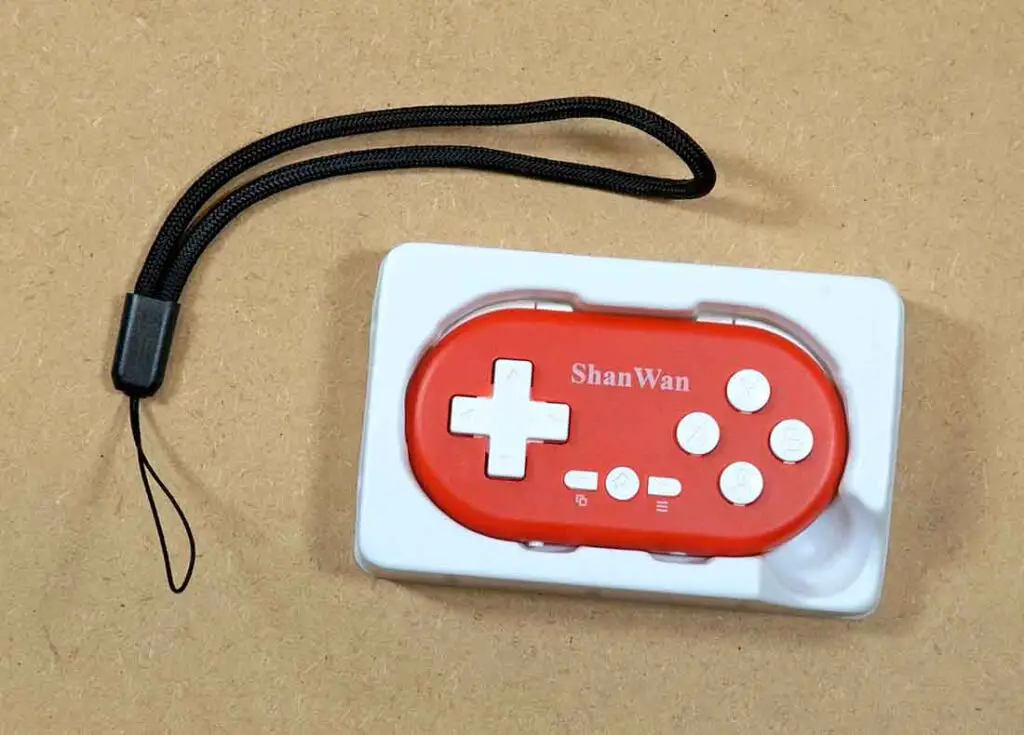
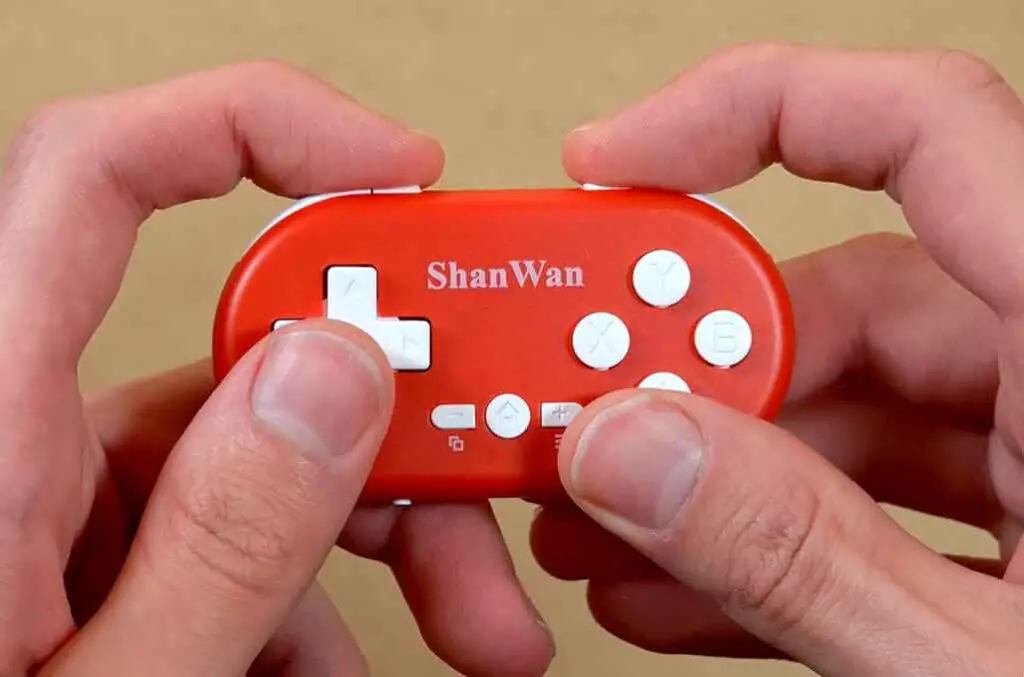
My first impression was that the buttons felt much better than I anticipated, and also that the controller, despite being very light, feels reasonably sturdy for its size.
Of course, for people with larger hands, the Q36 might not be the best choice out there. Even with the reasonably good button layout, the device may be too small for some people to use comfortably during longer retro-gaming sessions. Also, the Start/Select and Home buttons in the middle are very tiny, and can at times be hard to reliably press.
Device Setup & All Available Modes
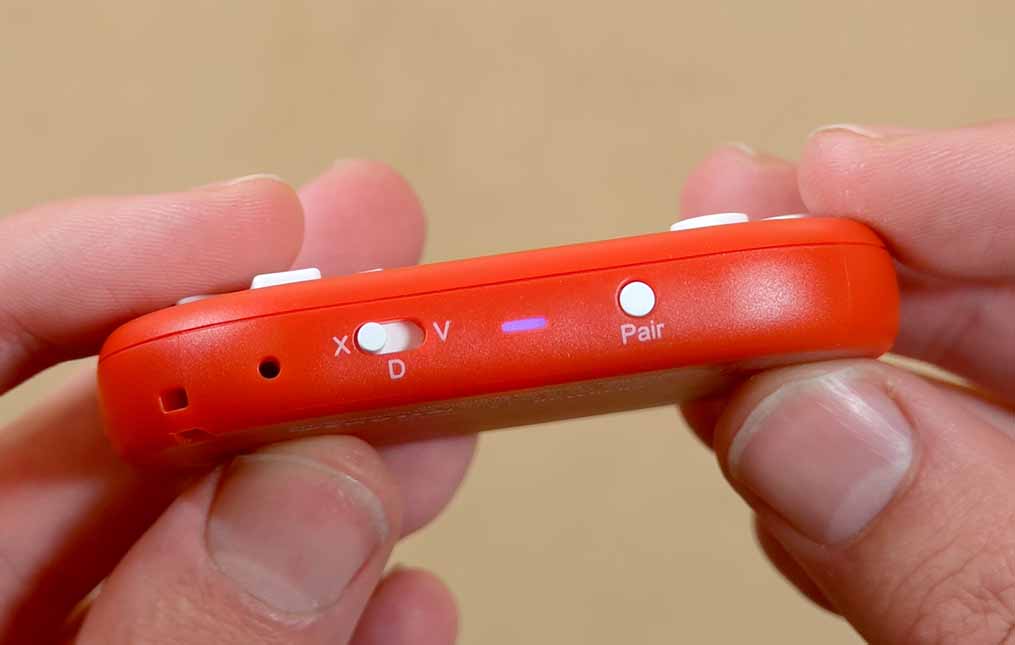
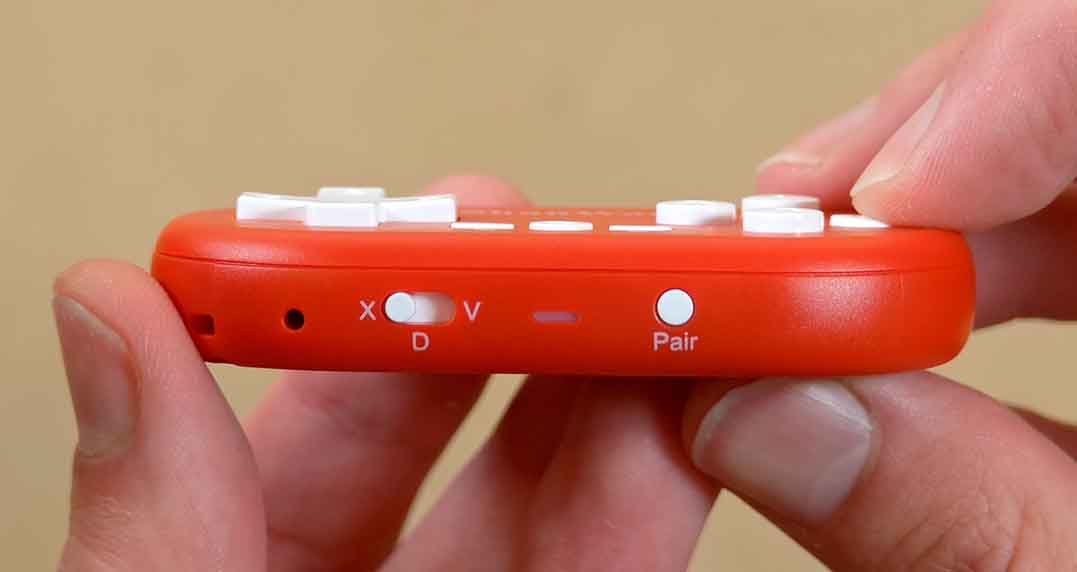
To connect the ShanWan Q36 to pretty much any compatible device, you simply need to press the “Pair” button once, and then pair it just like you would with any other controller on your system. For most gaming-related purposes, you will use the very first mode labeled “X” on the bottom toggle switch.
In pairing mode, the LED on the bottom will blink quickly, then become steady once the connection succeeds. Pressing Pair again powers the controller off, which also cancels pairing. Later on, if you want to reconnect to the previously paired device in the currently selected mode, simply press the middle “Home” button, and the controller will attempt to connect to known paired devices automatically.
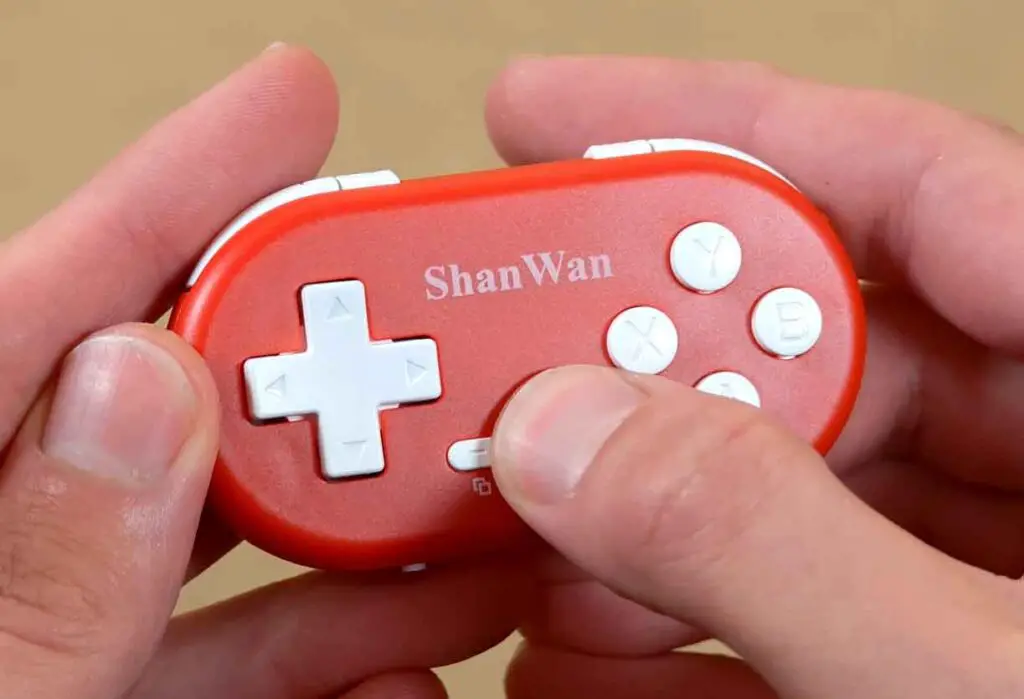
Remember that the controller is designed to pair with devices using Android 9.0, iOS 13.0 and Windows 10 at minimum. Older OS versions are not guaranteed to work here.
For Windows, iOS, and general Android use cases, you will connect the controller in the first mode named “X-INPUT”. This mode makes the controller appear to compatible devices under the Bluetooth name “XBOX Wireless Controller”. During my tests, it worked flawlessly with both Windows and Android. According to the instruction manual, it should also work with iOS.
If you’re only interested in using this controller for simple modern or retro gaming on your PC or your smartphone, you can stop right here. The next two modes are very neat bonuses which greatly extend the feature set of this controller and make it even more worth considering for its price.
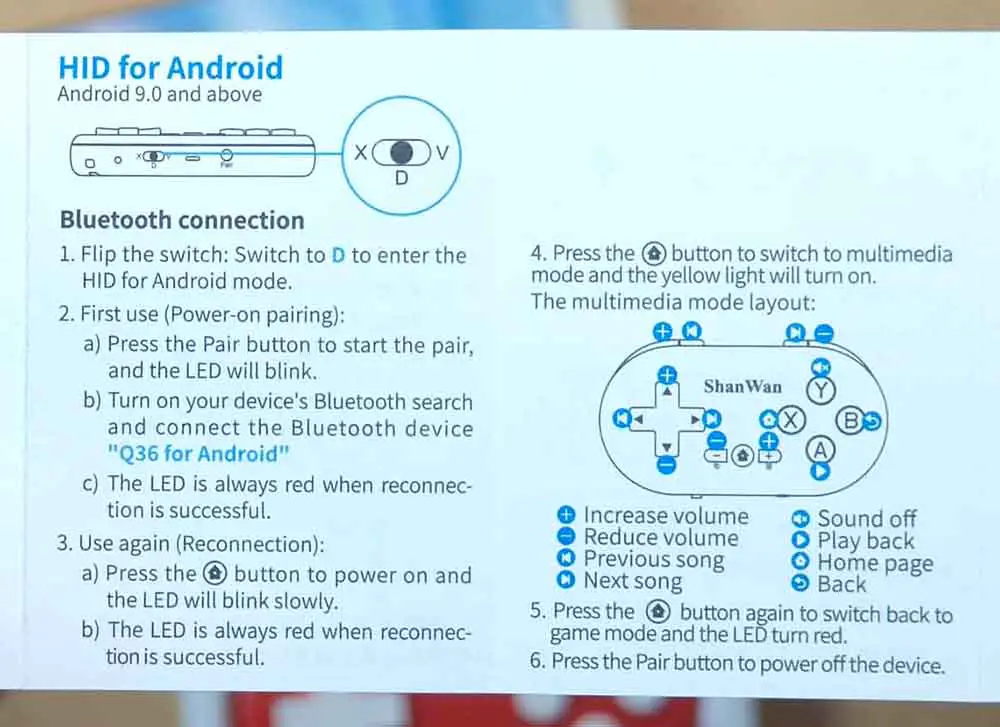
For the second mode, which is the “HID for Android” mode, move the switch to the second position labeled “D”. This one makes the device show up as “Q36 for Android”. This mode essentially allows you to use the controller as a remote, to control the media playing on your phone (like music or videos). Take a look at the right side of the image above to get the gist of how it works. Sadly, this mode doesn’t work with iOS.
The third, and potentially the most mysterious mode is the “ShootingPlus on Android”. It has to do with a custom app that can further extend the features of this small device. To access this mode, move the switch to “V” and pair with the controller which will now be called “ShanWan Q36”. Anticipating your question: no, the ShanWan ShootingPlus app is never required to use the controller in the first two modes.
The ShanWan ShootingPlus App
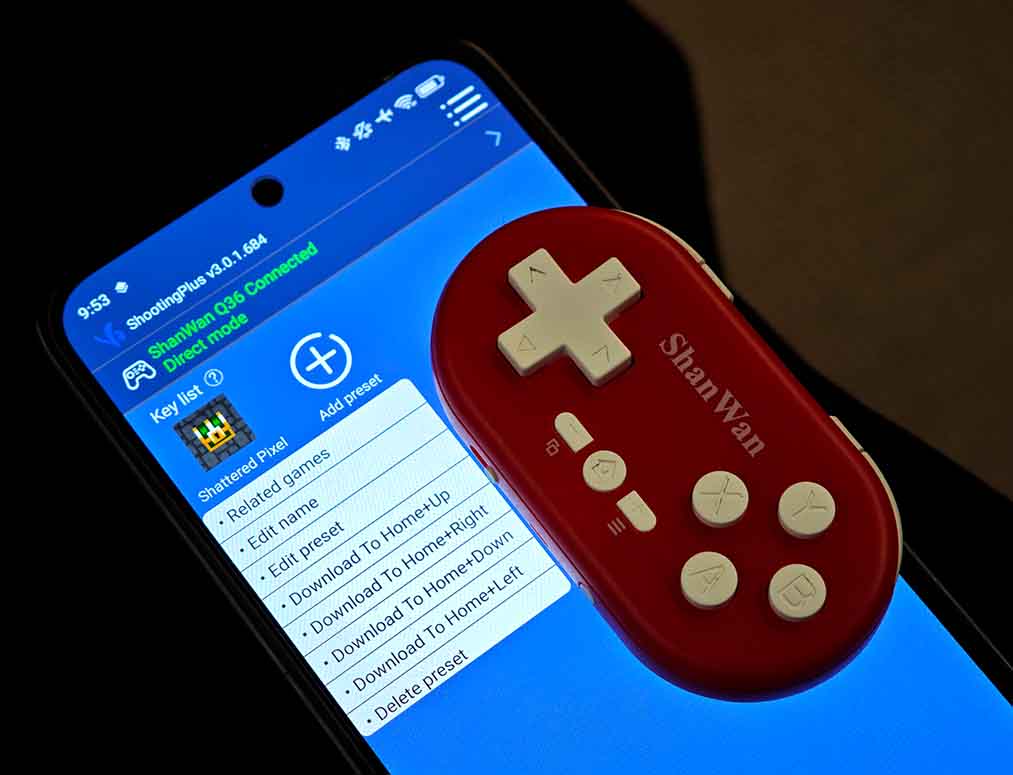
The ShanWan Q36 used in the “V” mode paired with the ShootingPlus app available on the Google Play and the Apple App Store allows you to map custom on-screen buttons to separate physical buttons on your controller. This lets you use the Q36 with various touchscreen games that normally do not support native controller input.
Despite a large number of negative reviews of the ShootingPlus app, I was able to test out button mapping without much trouble. Still, the app is quite buggy, and at times unintuitive. I think the rather vague translation of some menu items and options adds to the general confusion here.
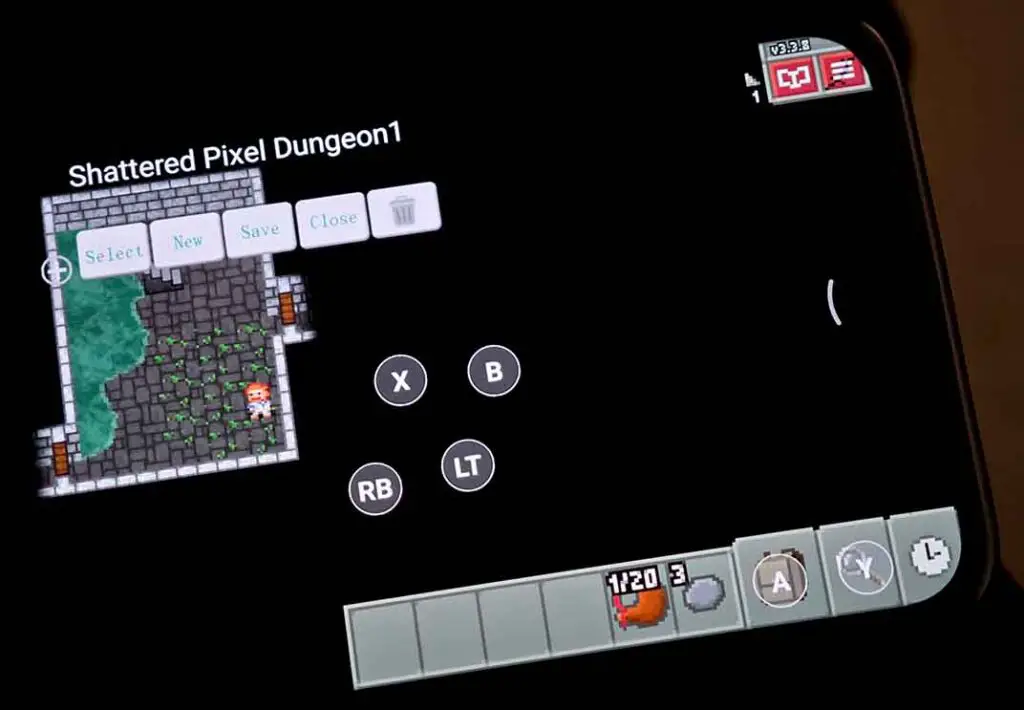
While it’s a great option to have, I wouldn’t say that using it is the best experience I’ve had when it comes to Android touch controls customization, and I can’t vouch for it being reliable in the long term.
Using the app, you can create per-game presets and shortcuts, and modify button maps for each game. That’s pretty much it. Aside from the additional controller test utility and a few advanced options, I didn’t find the app very useful. Luckily, using it is fully optional.
Build Quality and The Buttons
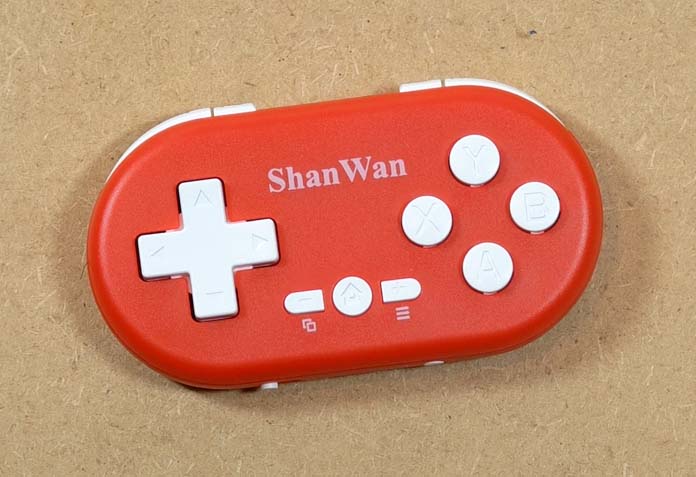
The buttons on the ShanWan Q36, as I already mentioned, are very pleasant to use, although they clearly are not the highest-quality controls I’ve used.
The face buttons are quiet and not overly tight. None of the controls wobble, rattle, or move around even when the device is shaken about. The D-pad is concave in the middle, which makes it very nice to pivot your finger around in the analog stick emulation mode.
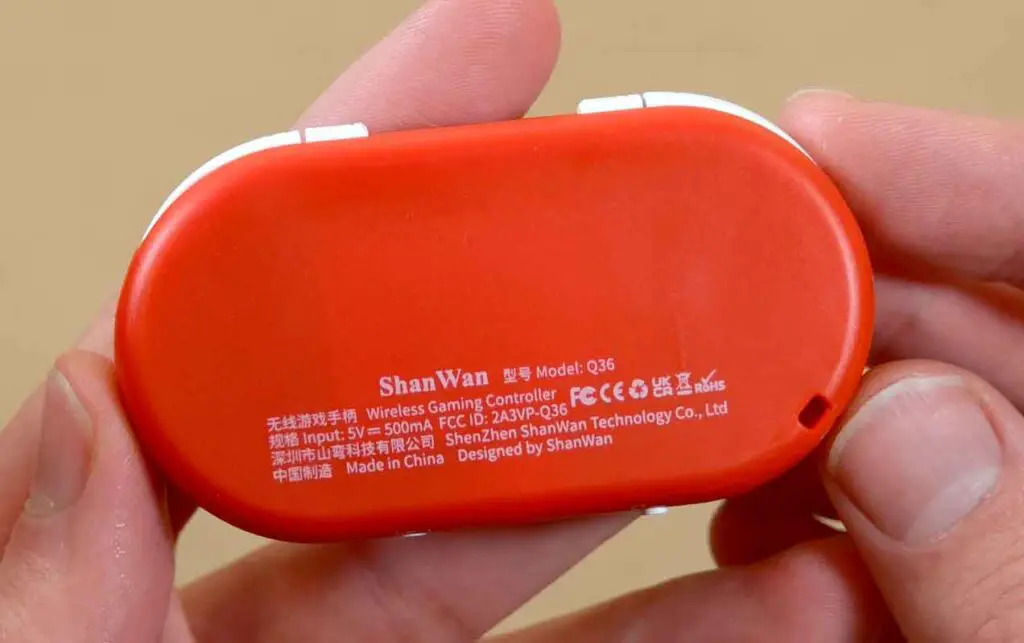
Overall, it’s good enough for menu navigation, card games, and retro games where you do not need precise analog movement. The back of the controller is plain and mostly flat, with rounded edges.
In my experience, this device has a bit of fidget-toy satisfaction to it. That might sound like a strange compliment, but for a device that can double as a flashcard remote or media clicker, button feel really does matter.
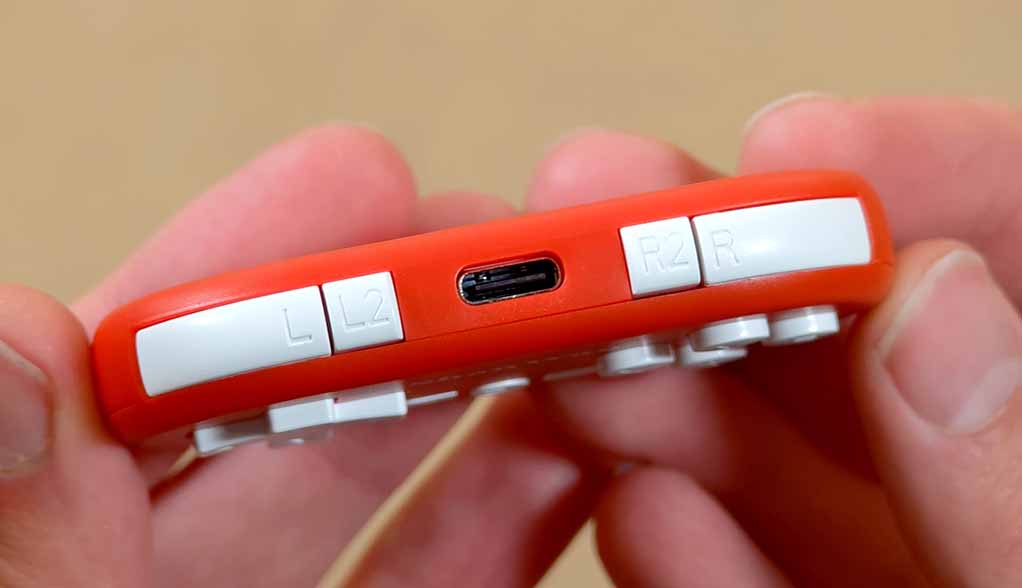
The shoulder buttons, although they might seem small (especially the L2/R2 buttons), are also very enjoyable to use. Once again, this might not be the case for those of you with larger hands or fingers. Having the L2/R2 buttons in place is a great advantage of this controller over the 8BitDo Zero 2, which only features two shoulder buttons total.
Overall, the ergonomics of the Q36 are very much on point from my standpoint, if you take into account what this device is really meant for. Speaking of that, let’s get to the practical tests.
Practical Usage Tests (And Some Retro Gaming)
On Windows, the Q36 behaved, as expected, like a small Xbox-style controller in X-Input mode. Of course, this means that no additional software like DS4Windows is required for it to work. Pairing was fast, reconnection was fast, and I did not notice practical lag in the games I used it with. The Bluetooth connection was very much reliable throughout all of my tests.
The first thing I did with the Q36 was play a good amount of Slay the Spire 2. To my surprise, the experience was much better than I anticipated, perhaps maybe due to the fact that it features really simple controls.
With that said, if you decide to play a game that requires you to use the full set of controls including the bumper buttons in a more aggressive manner, I wouldn’t bet on long-lasting gaming sessions being as comfortable as on larger “mini” devices like the 8Bitdo SN30 Pro.
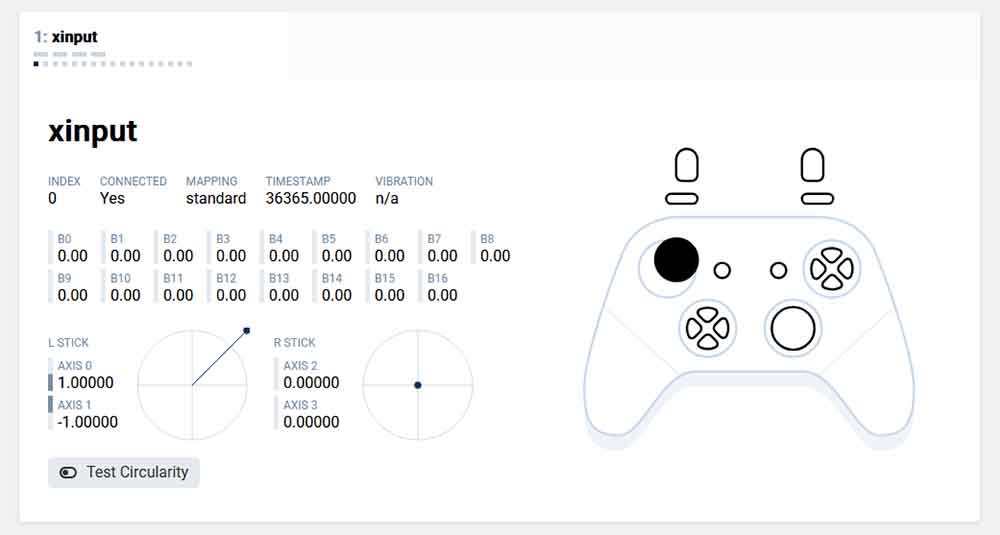
This is also a good time to reveal another great feature of this controller. Holding the “-” / View button and the Home button, then releasing both, switches the D-pad to left-stick emulation. A very useful feature on a pocket device missing real analog sticks.
If you have large hands, want analog sticks, or play action-heavy games, this might not be the best small-size controller to recommend. But for turn-based games, deck-builders, menus, emulators, and simple 2D retro games, the size is less of a problem than it may seem.
Upon leaving it with no user inputs, the controller correctly goes into the light sleep mode after 1 minute of use still being able to wake up at the first button press, and then into deep sleep after 15 minutes.
On Android, I tested the Q36 with RetroArch and it also worked exactly as I had hoped: pair it, remap it if needed and play. This is, in my opinion, one of the best use cases for the Q36. Older handheld games and simple 2D titles are a better match for this controller than modern games built around analog sticks.
Flashcards, Anki, Media Control, and Other Non-Gaming Uses
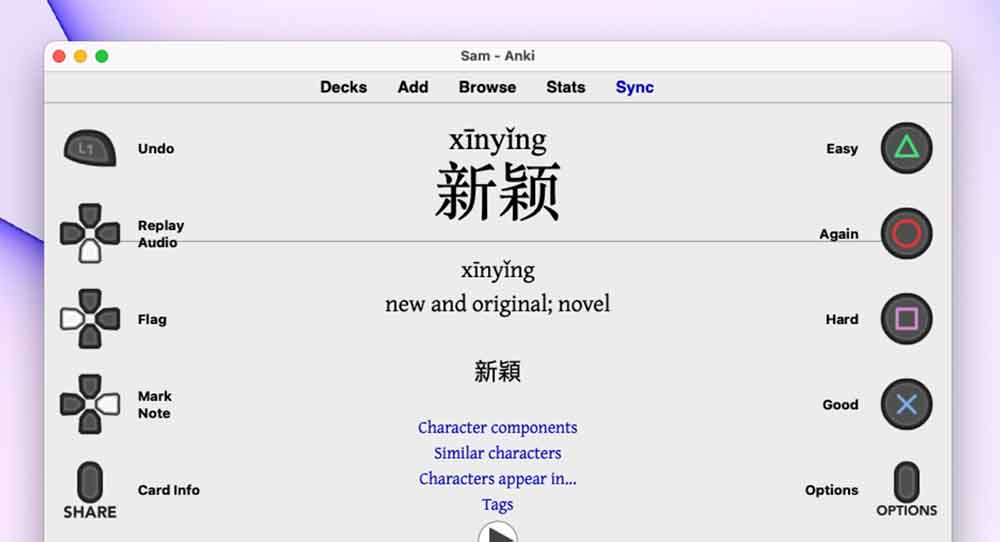
The Q36 is also even more interesting when you stop thinking of it only as a gamepad. Tiny Bluetooth controllers like this are commonly used as flashcard remotes, media remotes, drawing shortcut pads, and sometimes, e-book reader page-turners. The Q36 fits that category very well being small, having several buttons, and being able to switch between different input modes.
For Anki on desktop, the cleanest route is usually to pair the controller, then map its inputs through an add-on or remapping tool. Contanki is a good starting point for the desktop application, as it adds gamepad support directly to the software.
The media-control mode is more straightforward. The manual shows a multimedia layout with volume, previous/next, play/pause, mute, home, and back controls. This is a good use case if your phone, tablet, or PC is across the room and you want a tiny playback remote.
As an e-reader page-turner, I would treat it as device-dependent. If your reading app or e-reader accepts Bluetooth keyboard, media, or gamepad inputs, the Q36 may be useful. If your e-reader only supports Bluetooth audio or limited accessories, do not assume it will work.
You might also like: PocketBook Verse Pro – Hands-On Review
ShanWan Q36 vs. 8BitDo Zero 2 – The Main Alternative
One obvious alternative to this controller is the 8BitDo Zero 2, which the ShanWan Q36 is likely to be modeled after.
| Category | ShanWan Q36 / Q36XDV | 8BitDo Zero 2 |
| Best reason to get it | USB-C, more shoulder inputs, very low price, simple physical mode switch | Better-known brand, more setup guides, stronger community knowledge |
| Port | USB-C | Micro-USB / USB-C on newer units |
| Buttons | D-pad, ABXY, Home/View/Menu, L/L2 and R/R2 | D-pad, ABXY, Start/Select, L/R |
| Modes | X-input (Xbox controller), Android HID (media remote) and third app-dependent operation mode available | Switch, Windows/XInput, Android/DInput, macOS, and Keyboard modes available |
| Anki use | Usable, but expect mapping and less documentation | Much more documented for Anki flashcard setups |
| Gaming use | Great for simple 2D games and Android emulation | The exact same |
| Main weakness | Less long-term reputation and less documentation/community support | Fewer shoulder inputs |
My thoughts: buy the Q36 if you want the cheapest tiny controller with USB-C and extra buttons. Buy the Zero 2 if you care more about guides, brand reputation, and established Anki workflows, as well as Nintendo Switch compatibility.
My Final Verdict
The ShanWan Q36 works and feels much better than it looks. The controller pairs fast, works with little to no perceivable latency, and makes sense for many niche applications aside from retro gaming.
For the price, I like it a lot. It’s small, useful, much cheaper than the 8BitDo Zero 2, and much less annoying than I expected a controller of this caliber to be. If you’re in the market for it, I wouldn’t think twice before getting it for yourself.
Check our other controller reviews, such as: Data Frog PS4 Wireless Bluetooth Controller Clone – Hands-On Review & Test