

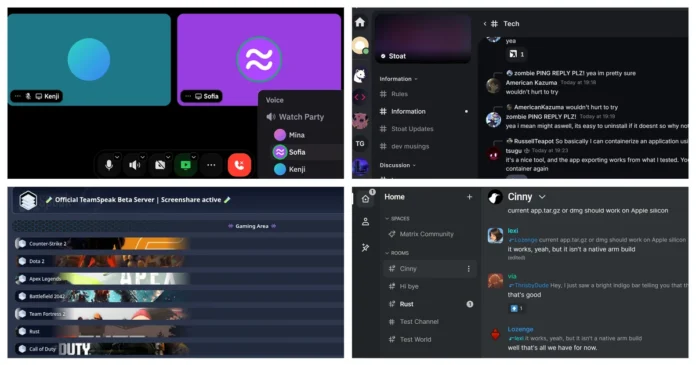
When Discord announced that every account would be treated as a teen until proven otherwise, a lot of people started seriously thinking about moving on to other services. Searches for Discord alternatives understandably jumped by thousands of percent overnight, and the apps everybody rushed to promptly buckled under the load. Nine months later, it’s much clearer which of them held up. This is why only now, after quite a bit of research, I’ve put together this master guide that you should definitely go through, even if your friends aren’t necessarily keen on migrating just yet (we all know how it is). Enjoy!
In short, if you’re in a hurry: Fluxer is the closest thing to Discord right now, both in terms of features and looks, Stoat (formerly Revolt) is the open-source look-alike that has been around the longest, Matrix with a Discord-style client such as Cinny or Commet is the choice if you want to own your server and keep chats end-to-end encrypted, and TeamSpeak 6 or Mumble are still the answer for groups that mostly talk while they play. None of them asks for an ID or a face scan when you sign up. None of them is a complete one-to-one replacement either, and you will want to know why before you move a whole community.
And I’ll be honest with you, I still use Discord with my friends almost exclusively. Getting a whole group to switch is hard when everyone is used to the app. Aside from privacy concerns, one of the more prominent reasons to jump away from Discord is still the arbitrary paywalls. Free users can only stream at 720p and 30 fps, with 1440p and source resolution reserved for Nitro, and even after Discord raised the free upload limit to 20 MB in August 2026, sharing a short gameplay clip (or a longer saved reel from Instagram or TikTok) very often means compressing it first. That is one of the places where many of the alternatives below are more generous.
To put this rather detailed guide together, I read through all of Discord’s public technical write-ups on its age system and its documentation, the policies, docs and roadmaps of every app listed below, nearly every post and comment in the r/DiscordAlternatives subreddit, which came down to about 900 posts and almost 12,000 comments, and close to 1,400 posts about Discord alternatives from various other online communities. So, without further ado, let’s get to it.
You might also like: Best Private Messaging Apps – Signal, Telegram & Alternatives
-
 1
-
 2
-
 3
Best for ownershipMatrix(Cinny, Commet, Element)Open source · Federated · EncryptedRead more below ↓
-
 4
-
 5
-
 6
-
 7
-
 8
What Changes Discord Actually Introduced in 2026
The February announcement and what really launched in the end are, as you might already know, two different things. On February 9, 2026, Discord stated it would roll out “teen-by-default” settings worldwide from early March, with adults asked to prove their age with a face scan or an ID to switch them off. After the initial large-scale backlash, it pushed the global rollout to the second half of 2026, promised more ways to verify, required that any face scanning happen entirely on your device, and dropped Persona, a vendor it had previously tested in the UK.
What actually started on September 22, 2026 is a bit different. Every account is now classified as adult, teen or “unconfirmed” by a machine-learning model, and Discord published an unusually detailed explanation of how it works (it’s really worth giving a quick read). Under the hood, it relies on an XGBoost model, and the signal Discord calls the most predictive is a 32-number fingerprint of where your account sits in Discord’s social graph that is calculated by a separate graph-embedding system.
This includes the servers you’re in, the games you play and the people you’re connected to. On top of that it looks at account age, Nitro history, whether your email and phone are verified, activity counts such as servers owned and messages sent, server categories guessed from server names and descriptions, and even your operating system, browser and hardware. Discord officially states that it doesn’t read message content, uploaded media, usernames or bios.
Discord also states that over 90% of users will never be asked to confirm anything at all. If you land in the teen or unconfirmed group, you keep your account, servers, friends, DMs and voice chat, but sensitive images stay blurred, age-restricted servers and channels are locked, messages from strangers go to a separate request inbox, and you can’t speak on Stage voice channels. New accounts start as unconfirmed until the model has enough data to go on, and you can check your own status under “User Settings -> Account Status”.
For what it’s worth, my own roughly 10-year-old account landed in the adult group without me having to do anything. So did most of my friends. And, if your group never used age-restricted servers in the first place, even the teen mode changes very little in day-to-day use, which is a big reason so many people stayed put and haven’t migrated at all.
If you do want to go through the verification, Discord lists seven ways to do it, and with each of them, Discord itself only receives a “teen” or “adult” result back:
- Apple App Store age range, shared with one tap.
- Google Play age range, also shared with one tap.
- Credit card, through k-ID and Stripe, with a small temporary charge that is refunded within 14 business days. Debit and prepaid cards don’t count, and Stripe keeps the last four digits and the payment record.
- Google Wallet, using a digital ID pass.
- Video selfie for facial age estimation, processed on your device (probably the most convenient way to go about it).
- ID scan plus a selfie, checked by Veratad, one of k-ID’s partners, and deleted after the check.
- AgeKey, a reusable passkey stored on your device.
So why do many people still not trust it? Mostly because of 2025. Back then, attackers got into a third-party customer support system that Discord used, and around 70,000 users’ government ID photos were exposed, many of them sent in by people appealing an age decision. Discord says that vendor was never part of its age checks and that it no longer works with it, but the “trust us, this time the IDs get deleted” promise is understandably hard for some to believe after that incident.
To be fair to Discord, there’s one thing it now does arguably better than most of the apps below. Since May 2026, every Discord voice and video call is end-to-end encrypted with its open-source DAVE protocol, built on the same MLS standard used for RCS messaging. Text messages, however, are still not end-to-end encrypted, and Discord says it has no plans to change that. And that’s pretty much it.
Related: Google Private ID Photo Age Verification – All You Need To Know
What The 12,000 Reddit Comments Say
r/DiscordAlternatives is basically a 2026 phenomenon. The subreddit existed since 2020, but it had 4 posts in January 2026, 53 in February and then between 78 and 160 every month after that. Using the full archive of the subreddit (downloaded through the Arctic Shift Reddit archive) and a few simple Python scripts, I counted how often each app is mentioned by name across all the comments and posts. It gives a decent picture of what people are actually trying, though it’s worth keeping in mind that a mention of a tool isn’t always a recommendation.
Which apps r/DiscordAlternatives talked about most
Comments mentioning each app by name, out of 11,974 comments and 878 posts in the subreddit’s full archive (2020 to November 21, 2026)
Covered in this guide Not covered
- Matrix (all clients)794 58 posts
- Fluxer715 34 posts
- Armada437 22 posts
- Rift257 12 posts
- Stoat (Revolt)220 32 posts
- Root149 19 posts
- TeamSpeak102 20 posts
- Signal90 21 posts
- Guilded (shut down)57 14 posts
- GameVox54 9 posts
- Mumble23 7 posts
Two things stand out here. First, the top list is rather short, with Fluxer, Matrix, Stoat, Root and TeamSpeak at the top, and Mumble far more popular outside the subreddit than inside it. Second, a big share of the mentions is about the small, new, often heavily AI-assisted projects such as Armada and Rift, and a lot of those comments are arguments about how much of these projects was allegedly written mostly by AI, rather than actual reviews. That’s the quick picture in numbers.
Note: Remember Guilded? It was the “closest thing to Discord” in plenty of 2023 threads. Roblox shut it down on December 19, 2025, and everything on it became inaccessible apart from what server owners exported in time. A new home is only as permanent as the company behind it, which is another point in favor of open source and self-hosting.
The Catch – Most Alternatives Exist Under the Same Laws
Discord didn’t invent age checks out of nowhere, and moving to a smaller app doesn’t take you outside the laws behind them. The UK’s Online Safety Act has been enforced since July 25, 2025, Brazil’s Digital ECA since March 17, 2026, Australia has its own rules, and a growing list of US states have passed age-verification laws. Any company running a central service for people in those places has to deal with them, and some of the alternatives are closer to that line than their fans assume.
Matrix.org is the clearest example. The biggest public Matrix server is run from the UK, its terms say you must be 18 or older with a verified email, and when Discord users started arriving, the Matrix project lead wrote that public Matrix servers will have to uphold age-verification laws too, with a paid Premium account as one possible way to prove your age. A US-based Matrix provider responded by telling Discord refugees not to register on matrix.org at all and to pick a server outside the UK instead. Matrix is federated, so that’s an easy fix, but it’s worth knowing before you sign up on the default server.
Stoat is run by Revolt Platforms Ltd, a company in England. Today it only asks for your birthday during sign-up or when you open age-restricted content, and nothing more. Several regulars on r/DiscordAlternatives still point to the UK base as the reason they won’t move a large community there.
Fluxer has published the most detailed answer I’ve seen anywhere. Its regional restrictions page goes through the laws one by one. Fluxer is completely unavailable in Mississippi because of HB 1126, which would require ID checks for every user, while in the UK and Brazil only age-restricted communities and media are locked, unless you share an 18+ result from Apple or Google. Fluxer says it never accepts an ID, a selfie or a face scan, and where a law demands one, it blocks or limits that region instead.
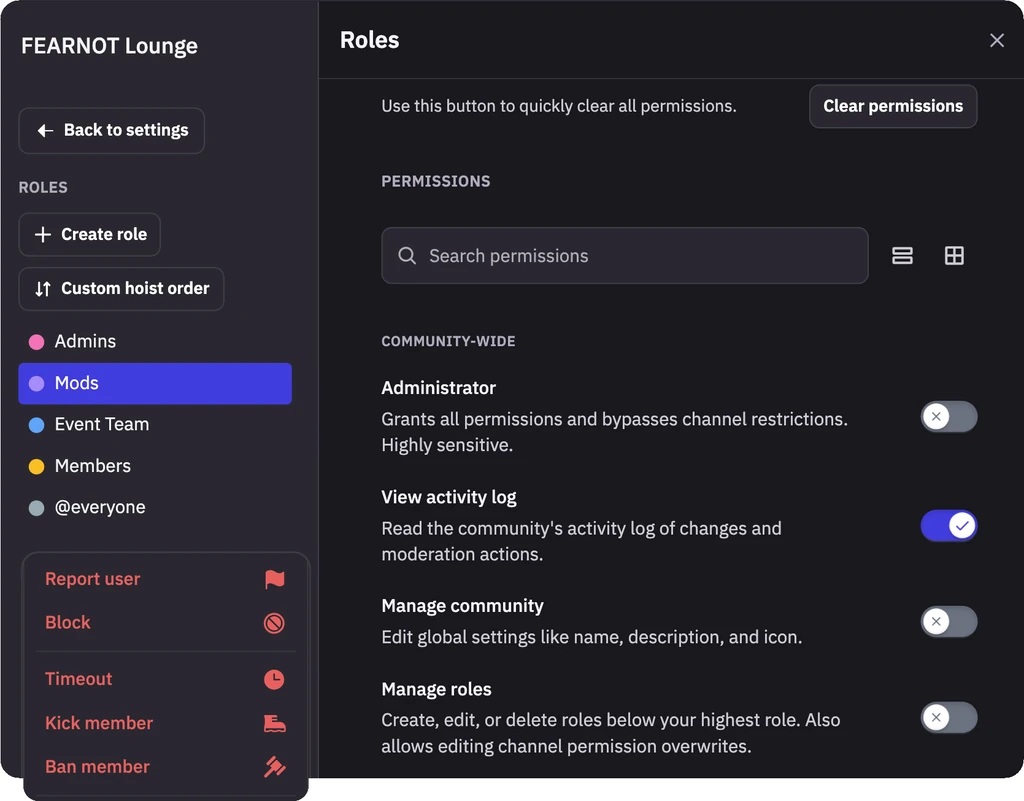
The only setup nobody can switch to ID checks over your head is a server you run yourself, or one run by someone you trust in a country you’re comfortable with. That is why self-hosting comes up so much in this list, as Fluxer, Stoat, Matrix, TeamSpeak and Mumble can all run on your own hardware or a cheap VPS.
Discord Alternatives Compared
Here’s how the eight picks below line up on the features that will matter most for you when you leave Discord, with Discord itself at the bottom, for reference. The table was last updated in November 2026.
Swipe the table sideways to see all columns.
| App | Open source | Self-host | End-to-end encryption | Screen share | Phone apps | Sign-up needs |
|---|---|---|---|---|---|---|
| Fluxer | Yes | Yes | Not yetCalls planned 2026, DMs 2027 | 720p30 free4K60 paid | AndroidiOS in review | Email, date of birth |
| Stoat | Yes | Yes | No | 720p30 | AndroidiOS in TestFlight | Email, birthday when needed |
| Matrix | Yes | Yes | Yes | YesElement Call | YesDepends on client | Set by servermatrix.org: email, 18+ |
| TeamSpeak 6 | No | YesBeta license | No | Yes | Older TS3 apps | No ID checks |
| Root | No | No | Not stated | Yes | Android, iOS | Email, 16+ |
| GameVox | No | Yes | Not stated | 1080p30 free4K60 paid | Android, iOS | Username, password |
| Mumble | Yes | Yes | No | No | Third-party only | Nothing |
| Signal | Yes | No | Yes | Desktop only | Android, iOS | Phone number |
| Discord | No | No | Calls only | Yes | Android, iOS | Email or phone; age check for some |
8 Best Discord Alternatives Today – My Picks in Detail
1. Fluxer – The Closest Thing to Discord As of Now
- Feels the most like Discord, down to server templates
- Official apps connect to self-hosted instances
- Very frequent updates
- No end-to-end encryption yet
- Young project, outages during growth spurts
- Data sits in the US until the planned move to Sweden
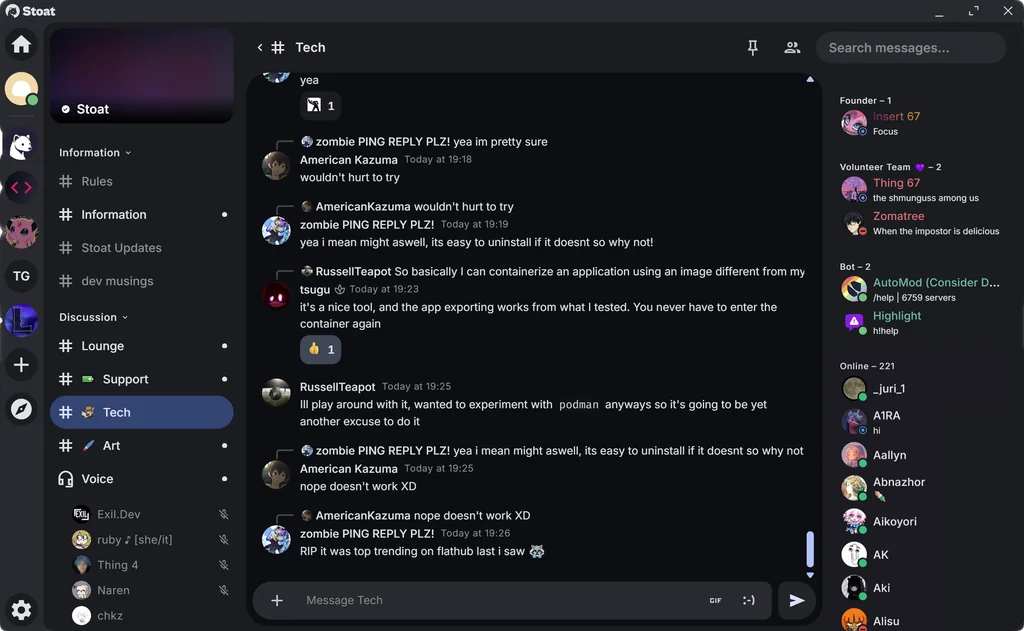
If you want your friends to open the app and immediately know where everything is, Fluxer is the project you should look at. It’s pretty much the most recommended app over on r/DiscordAlternatives, for plenty of good reasons. When it comes to its UI, communities, text and voice channels, roles, permissions, custom emoji, threads and forum channels all sit roughly where a Discord user would expect them. It even lets you import a Discord server template, so your channels, roles and permissions can all come across in one go.
Fluxer is also very new. It was built by a Swedish student, Hampus Kraft, went public in January 2026 and grew from 125,000 users on its main server in March to more than 500,000 registered accounts by October (!). That growth came with growing pains, including overloaded servers after a viral post about the service back in March 2026. In June the apps became fully open source under AGPLv3, and since then you can run your own instance with Docker or rootless Podman on a machine with at least 4 GB of RAM and a domain name.
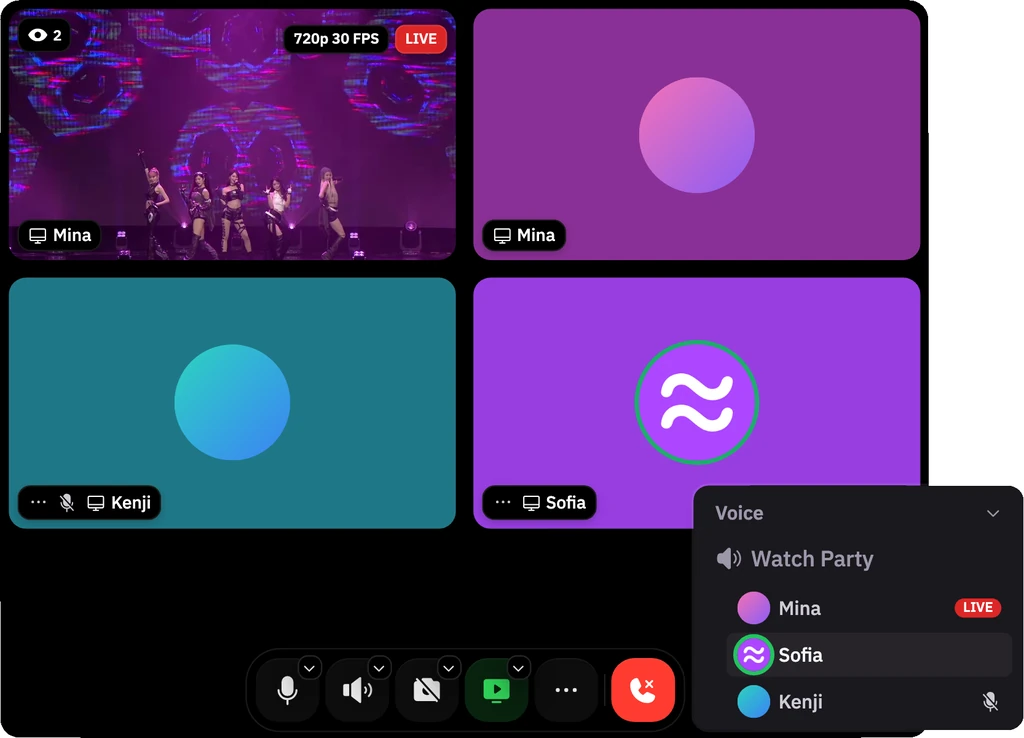
Pricing is refreshingly simple, at least in my eyes. The free tier gets 25 MB uploads and 720p30 screen sharing, while the optional Plutonium subscription, paid monthly or yearly, raises that to 500 MB uploads and up to 4K60 streaming. Fluxer says it has no venture capital or outside investors and lives off subscriptions, a community “Operator Pass” and donations.
Still, nothing on Fluxer is end-to-end encrypted yet. The 2026 roadmap of the software promises encrypted calls this year with no unencrypted fallback, and encrypted DMs and group DMs in a stable release in the first half of 2027, together with federation between instances (separate Fluxer servers being able to talk to each other, much like email providers do).
Data is stored in the US for now, with a move to Fluxer’s own hardware in Sweden planned by the end of 2026. Android got its first stable release on November 8, and the iOS app was sent to Apple for review, with a launch expected in late November or early December.
2. Stoat (formerly Revolt) – The Open-Source Veteran
- Discord-style servers, roles and bots
- No paid tier today
- Data stored mainly in the EU
- UK-based, so the Online Safety Act applies
- Official apps don’t connect to self-hosted servers
- Slower development than Fluxer
Stoat has been going the “open-source Discord” way since 2021, back when it was called Revolt. It was renamed in October 2025 after a trademark cease-and-desist, and it passed half a million registered accounts back in October 2024, when Discord was blocked in Turkey and Russia.
Back then Stoat had no push notifications and no screen sharing. Both arrived in the July 17, 2026 update, together with video calls. Video and screen sharing now work in voice channels, DMs and group chats, with no limit on how many cameras or streams are on at once, and push notifications work on Android, the web and desktop. Screen sharing runs at 720p30 for now, which Stoat calls temporary, and sharing sound on Linux with Wayland is still in the early stages of support.
Stoat is free and has no paid tier at all, with the project being entirely funded by donations, at least for now. Stoat stores data mainly in the EU, needs less memory to self-host (2 vCPUs and 2 GB to start), but its official apps only connect to Stoat’s own servers. Uploads are capped at 20 MB, much like in Discord itself, and end-to-end encryption is only at the planning stage, with an MLS-based design opened for discussion.
Being perfectly honest, Stoat might just be the safer long-term bet on paper, and a bit of a slower one in practice. It has years of history, a simple no-subscription model and a lightweight Rust backend, but its development moves slower than Fluxer’s, its iOS app is still in testing, and the UK base is a real consideration if privacy issues connected with enforced age checks are why you’re leaving Discord in the first place.
3. Matrix (Cinny, Commet, Element) – Best for Truly Owning Your Server
- Nobody can force an ID check on a server you run
- End-to-end encryption by default
- Bridges let you keep a foot in Discord
- Its own project lead says no client is a full Discord replacement yet
- Choosing a server and a client confuses newcomers
- Homeserver storage grows with federated media
Matrix is an open network rather than a single app, and that’s both its biggest strength and the reason people often bounce off it. The easiest way to think about it is essentially traditional email. You pick a server (called a homeserver) and an app (a client), and then you can talk to people on any other server. Run your own homeserver, and nobody else decides what your community has to verify, scan or pay for. Messages, files and calls are end-to-end encrypted by default.
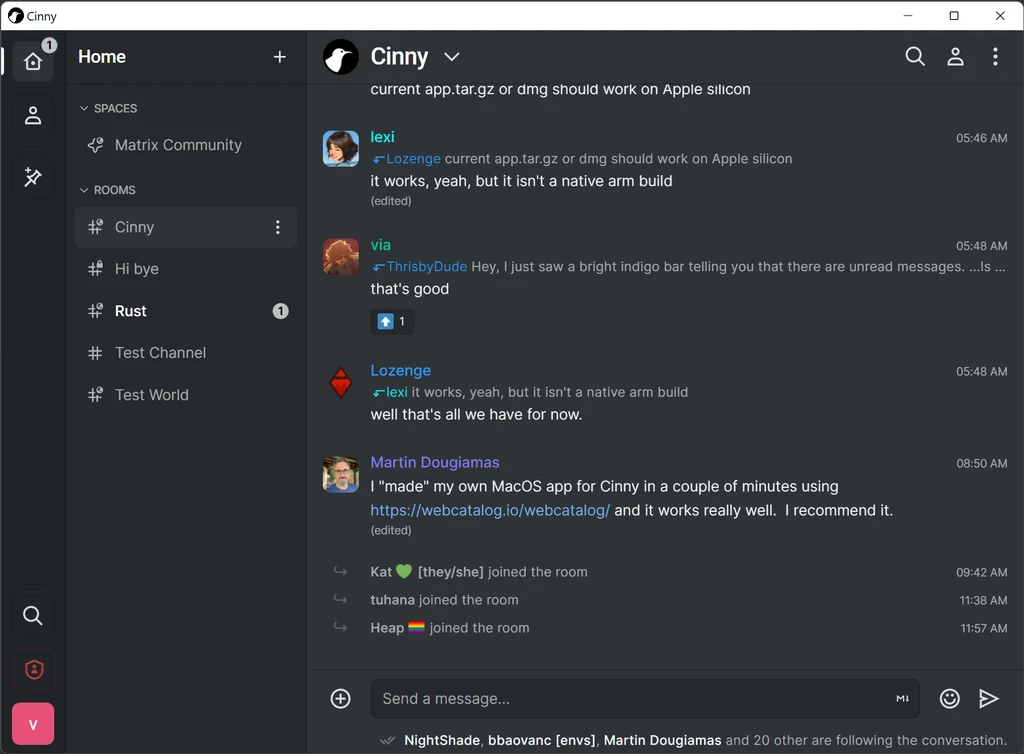
The main “catch” is that the default app, Element, looks much more like Slack or WhatsApp than Discord. For a Discord feel, you can use Cinny (an alternative Matrix client), which adds in voice and video rooms inside spaces, Commet (another great option here), which adds spaces, custom emoji and GIF search on Windows, Linux and Android (macOS and iOS are planned), and Sable, a web client for Matrix that’s also worth a look. Group calls run on Element Call, which supports screen sharing and, according to Element’s own tests, can handle up to 500 participants on one standard server.
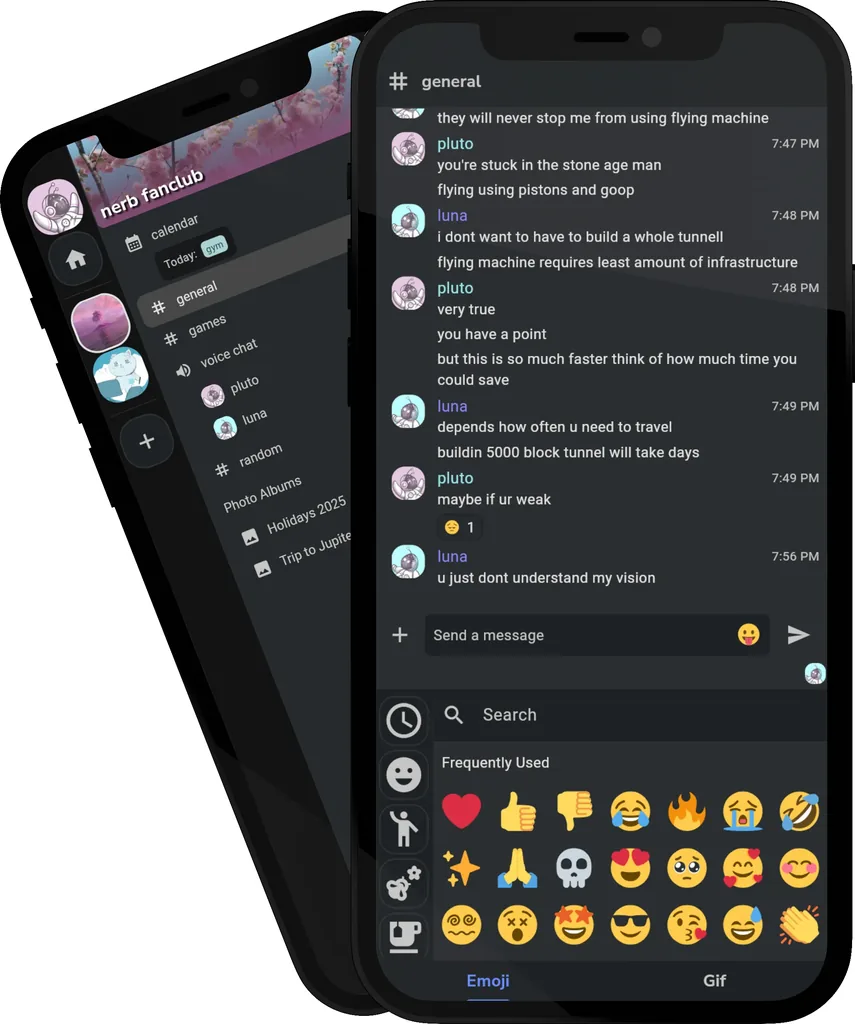
After learning more about Matrix overall, I’ve come to really appreciate that the developers are honest about the feature gap between their platform and Discord. In its welcome post for Discord users, the project lead has admitted that no Matrix client is a full drop-in replacement for Discord yet, and that game streaming, push-to-talk, voice channels, custom emoji and richer moderation hadn’t been prioritized, partly because Element’s funding comes from public-sector deployments.
The limitations here are simple. Picking a server and a client can confuse some less tech-savvy users, and a self-hosted homeserver can eat a lot of storage as it also caches media from other servers, so it requires the host to set a reliable media retention policy early on. Deleting a message in the Matrix ecosystem is also less final than it might seem. The Matrix project itself says there is no way to enforce a redaction over federation, so a copy can survive on other servers in the room.
Hint: if you join a public server rather than running your own, you can pick one outside the UK, for the reasons covered above. The community-run server list at joinmatrix.org is a good place to start if you’d like to try it out.
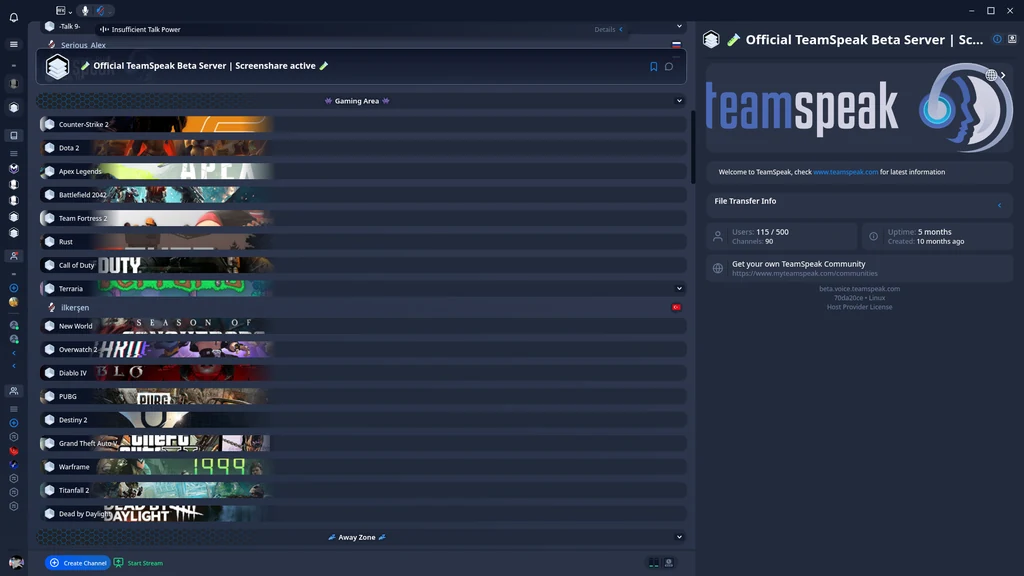
4. TeamSpeak 6 – Best for Voice-First Gaming Groups
- Excellent, low-latency voice
- You can run your own server
- Familiar to a lot of PC gamers
- TS6 server license is still a renewing beta
- Final pricing hasn’t been announced
- Text and community features are thinner than Discord’s
If your group mostly hangs out in voice while gaming, TeamSpeak is still one of the most battle-tested options out there, if you don’t mind it being closed source, and its interface being a bit different from what Discord has to offer. TeamSpeak 6 modernises the old “classic” client with screen sharing, persistent chat and a “Communities” option where TeamSpeak hosts the server for you. Having last used TeamSpeak back in around 2014, I was quite surprised to see how much it has changed and matured since then.
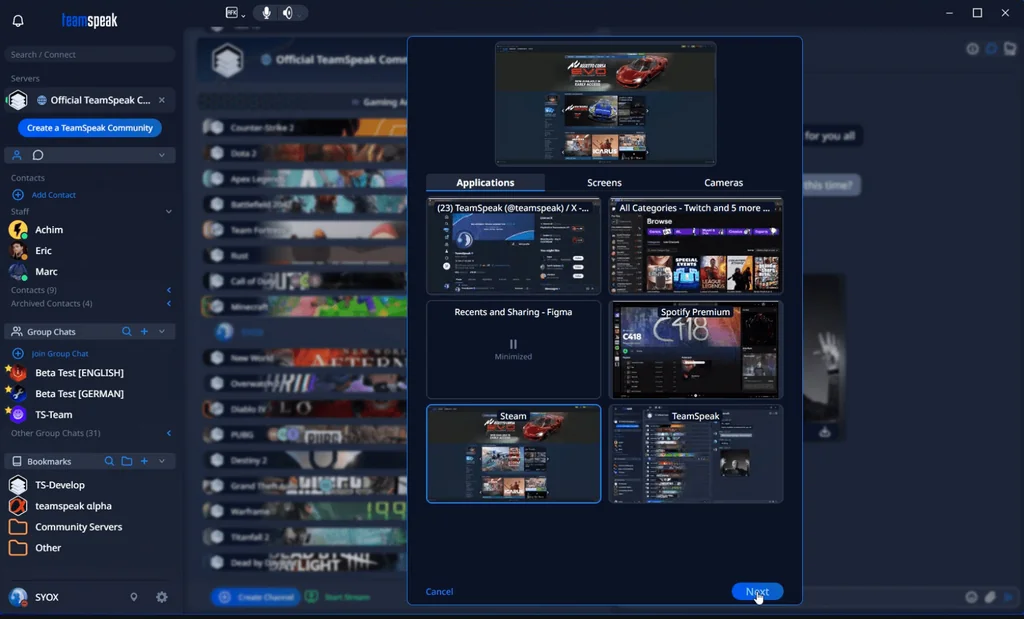
The TeamSpeak 6 server is free to download and comes with a 32-slot beta license that runs for about two months at a time and gets renewed with each server update. You can’t buy a bigger license yet (as of the time of writing), final pricing hasn’t been announced, and old TeamSpeak 3 licenses, unfortunately, don’t carry over. If you’d rather not host it yourself, TeamSpeak can host a private server for you, which PC Gamer looked into in February, but that comes with a yearly fee.
5. Root – The Polished, but Closed-Source Option
- The most finished-feeling newcomer
- Imports Discord channels, roles and permissions
- Says it doesn’t sell data or train AI on it
- Closed source and VC-funded, like Discord was
- No self-hosting
- Data processed in the US
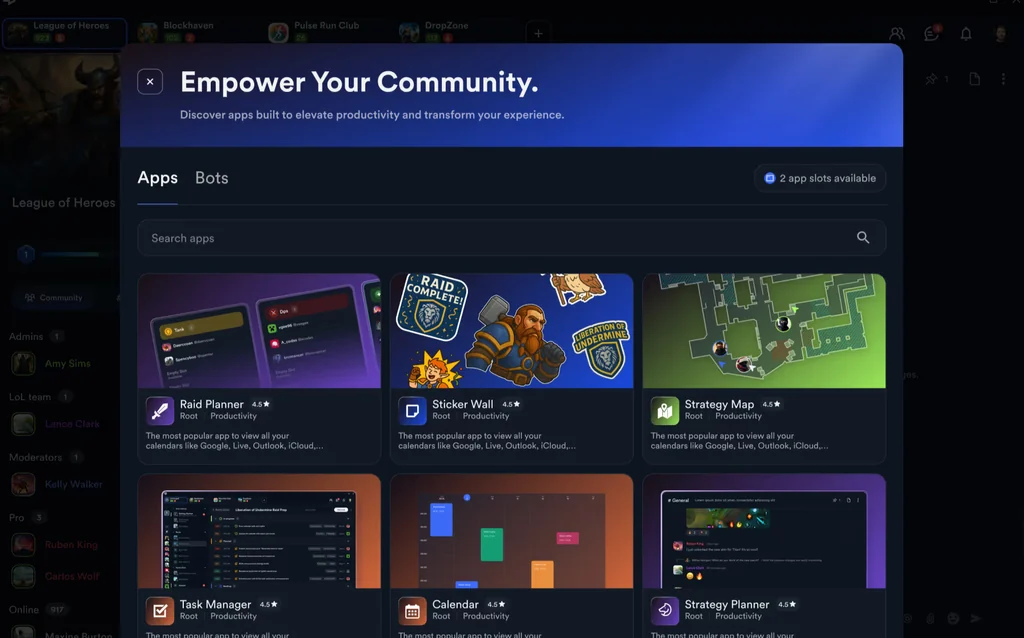
Root is one of the better-polished closed-source Discord alternatives out there, but it’s also the one most likely to make privacy-centered users a bit skeptical. It’s developed by Root Communications, Inc., a US company that raised a $9 million seed round led by Konvoy Ventures back in June 2025. Besides voice, video, chat and screen sharing, it has a JavaScript SDK for apps that run inside a community, and it can import an existing Discord server template just like Fluxer, which is a huge perk if you want to be able to quickly migrate your existing server to it with all your channels, topics, roles and permissions (messages, members, bots and icons still don’t come across).
Root’s privacy policy states that it doesn’t sell user data, doesn’t use it to train AI, and doesn’t record calls, as well as that data is processed in the US. Users must be at least 16. As for now, it’s also entirely free to use. Still, with all this, the software is not open source or self-hosted, and it’s VC-backed, which is pretty much how Discord started out too. Just a thing to keep in mind.
6. GameVox – Closed-Source, Reasonable Free Tier
- 500 MB uploads on the free tier
- No email, phone or date of birth needed
- Discord-style servers and soundboard
- Still in open beta, closed source
- Early reviewers hit broken video and audio
- Swear-word filter in text chat
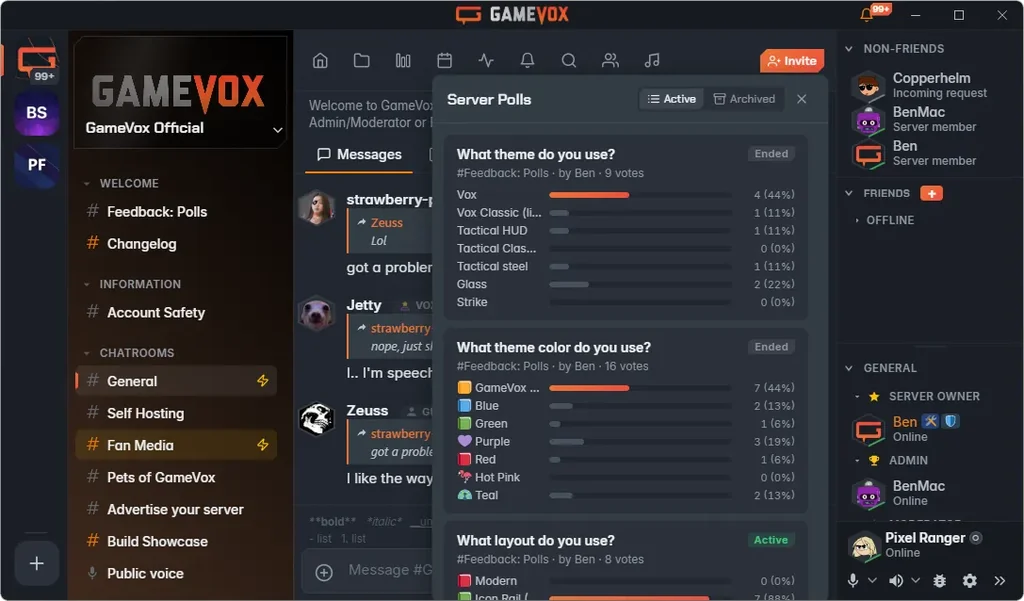
For a good while I was wondering whether to put this one on this list as well, but in the end, I caved in. GameVox, from LightSpeed Gaming, goes after gamers with a free tier with features that cost money over on Discord. Free users get larger 500 MB uploads and 1080p30 screen sharing, while paid “Diamond” servers raise that to 10 GB and 4K60, and a monthly “Voxium” upgrade covers your own profile and voice. Signing up needs only a username and a password, with no email, phone number, date of birth or ID required. The desktop apps use the system’s web view instead of Electron, which Discord relies on, so they should be lighter on your PC’s resources.
The software is still in an open beta. It is quite rough around the edges, and its interface is visibly different from what you already know from Discord. With that said, I still think it’s important to mention here, as it is one of the “Discord-spirited” contenders that can just as well be considered as a viable alternative if you don’t mind it being a closed-source project.
7. Mumble – Best Free, Self-Hosted Voice Chat
- Nothing to sign up for, nothing to verify
- Very light on server resources
- Positional audio for games
- No screen sharing or video
- Official iOS app unmaintained since 2017
- Dated interface
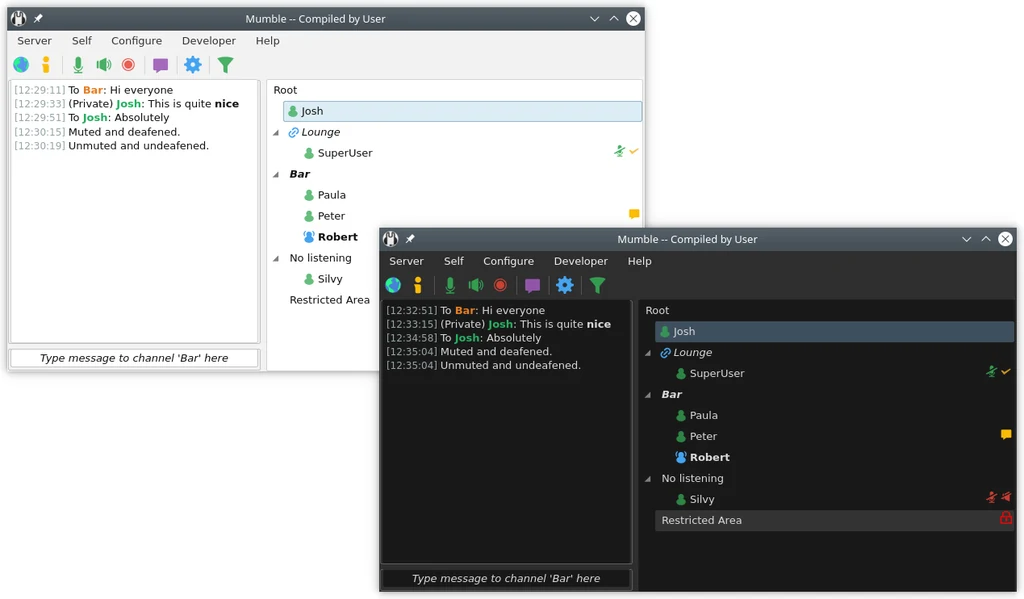
Mumble is the free, open-source voice server that, like TeamSpeak, has been around for quite some time now. There’s no company, no account and no sign-up here. Your client creates a certificate that identifies you, and you join a server by its address – that’s it. Voice is low latency, positional audio puts your friends’ voices where their characters stand in supported games with the proximity chat feature, and a server can run on very modest hardware, even a Raspberry Pi. The “raw” interface and general user experience in Mumble is also far from what you might know from Discord itself, as you can see in the screenshot below.
The deal breaker for many can however be that Mumble has no screen sharing or video at all, and its text chat is rather basic, resembling classic IRC chats much more than a “Discord-like” extended chatting interface. Mobile isn’t its strong point either, as the official iOS app hasn’t been updated since 2017, and on Android you’ll need to rely on third-party clients such as Mumla. Also worth knowing, since “encrypted” gets thrown around a lot, is that Mumble encrypts everything between you and the server, but it’s not end-to-end encrypted, so whoever runs the server is a direct part of the trust chain and in charge of keeping your conversations safe.
8. Signal – Best for Small Friend Groups
- End-to-end encrypted chats and calls
- Group calls with up to 75 people
- No ads, non-profit
- No servers, channels or roles
- Needs a phone number to register
- Screen sharing only from the desktop app
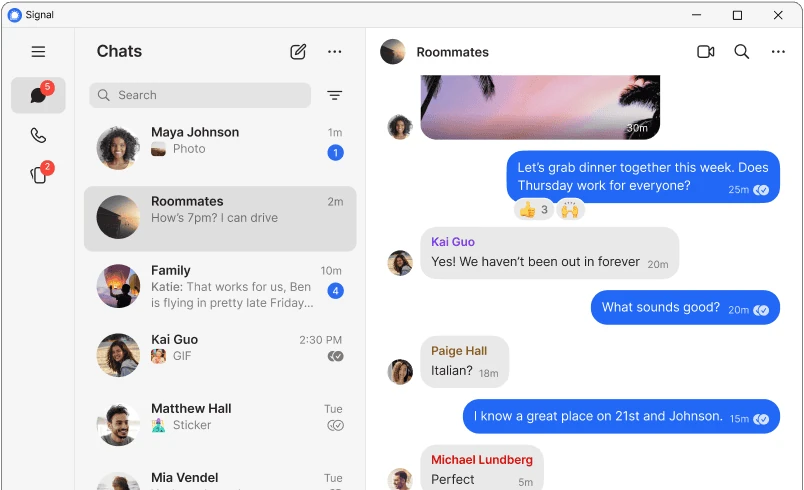
I know what you are likely going to say, but consider this. If your “server” is really five friends and a voice call, you may not need a Discord replacement at all. Signal has no servers, channels or roles, but everything in it is end-to-end encrypted, group calls can hold up to 75 people, and you can share your screen from the desktop app. The trade-off is that registration needs a phone number, though usernames let you avoid showing it to others, much akin to Telegram.
If privacy comes first for you, Signal would by my standards be one of the top options to consider. While it won’t offer you the extended media sharing or community building options that Discord and many of its alternatives above have, it’s a perfectly viable way of managing a closed circle of friends and keeping in touch, albeit of course a little bit less “gamer-friendly”.
I go much deeper into Signal, Threema, SimpleX and other private messengers in my guide to the Best Private Messaging Apps – Signal, Telegram & Alternatives.
What About the Other Projects Out There
Since February, dozens of small projects have launched to catch Discord refugees, including Armada (built on Nostr), Rift, Echo, Yapin and Hollow. Many of them are built largely with AI coding tools by a single developer and are still in very early development, so I haven’t covered them in detail here. Before trusting one with your community, always check whether its source code is public, who runs the servers, how old the project is, and whether any encryption it advertises has been reviewed by someone independent.
Among the lesser-known alternatives, Orwell is the newest one that I personally think is worth watching. It’s a European, open-source project by a Portuguese developer that launched on October 28, 2026, with end-to-end encrypted text, voice and video, no email or phone number, and roles and permissions inside invite-only communities. It only runs in the browser, sends no notifications when it’s closed, had around 700 accounts in mid-November and is entirely funded by its creator. Check it out when you have the chance.
How To Move a Discord Server Without Losing People (A Nearly Impossible Feat)
The technical part is the easy part. The hard part is getting people to come along. With that said, here is how to export your server template if you want to later be able to import it in software like Fluxer or Root.
To move your server’s structure, do the following:
- In Discord, open “Server Settings -> Server Template” and generate a template link.
- In Fluxer, create a new community and choose “Import Discord template”, or paste the link into Root when creating a server. Your channels, categories, roles and permissions will come across.
- Re-upload your custom emoji and stickers by hand – these won’t carry over automatically.
- Optionally, create an invite link that never expires, and pin it in your Discord server’s announcement channel. Even if not many people join it initially, you can use (or even advertise) it as a backup server solution.
Keep in mind that your message history won’t carry over either. As far as I know, no app on this list can officially import it, and Fluxer even explicitly asks people not to bulk-copy messages, even from a server they own, saying it goes against Discord’s ToS.
Community tools such as disco-reaper can technically copy whole servers, messages included, to Fluxer or Stoat, but they’re unofficial and go against Discord’s ToS. Use them at your own risk.
Running both side by side at first is often better than a hard switch, and bridges make that a lot easier. Matrix has mature Discord bridges such as mautrix-discord, and Fluxer lists and acknowledges existing community bridges (that it doesn’t officially endorse).
Note: some bridges log in as your own Discord account rather than as a bot, which Discord’s rules on self-bots don’t allow, so read the bridge’s documentation before connecting (and therefore risking) your main account.
So Which One Should You Pick?
So, to finish up, a short summary, before you go about your business. Pick Fluxer if you want the least painful move for a typical Discord server and can live with a young project that isn’t end-to-end encrypted yet. Pick Stoat if you prefer a longer track record and no subscriptions, and the UK base doesn’t bother you. Pick Matrix with Cinny or Commet if owning your server and encrypted chats matter to you more than polish (and you’re certain that you can handle the server setup yourself).
Pick TeamSpeak 6 or Mumble if voice is the whole point, with Mumble the free, no-account choice and TeamSpeak the one with screen sharing. Root and GameVox are worth a look for features, as long as you’re comfortable with closed source and, in Root’s case, venture money. And if your group is small and you’re 100% privacy oriented, Signal might just be all you need.
Whatever you choose, I would always keep an eye on who runs the servers and where. That decides, much more than any feature list, whether you end up moving again in a couple of years. Phew, that was a long one. Thank you for reading, and see you next time!