

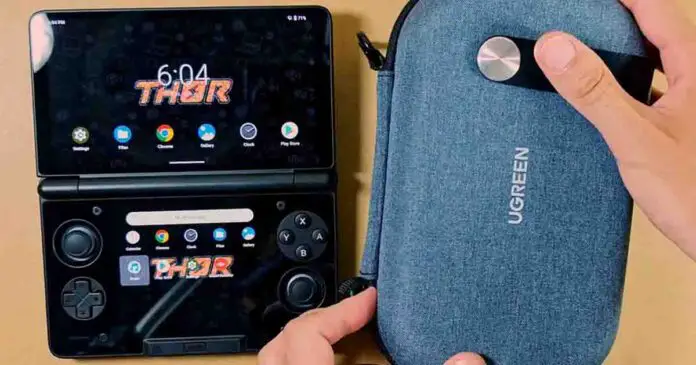
My first few days with the AYN Thor have proven that I got the right accessories for it during the more than two-month wait. This makes me quite happy. In fact happy enough to share with you some of that joy with a list of the very best functional gadgets you can get for your brand new dual-screen handheld while you’re waiting for it to arrive.
You might also like: AYN Thor Buyer’s Notes – Model Comparison & Early Issues
Why you can trust us: We test all of our products according to the Tech Tactician consumer usability benchmark methodology which evaluates the product characteristics that matter to the user in day-to-day use.
This web portal is reader-supported, and is a part of the AliExpress Partner Program, Amazon Services LLC Associates Program and the eBay Partner Network. When you buy using links on our site, we may earn an affiliate commission.
12 AYN Thor Accessories Worth Buying
1. A Right-Angle USB-C Cable
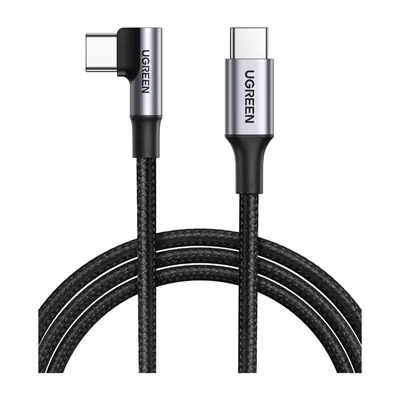
This cable is, if I’m being honest, one of the absolute best accessories I’ve got for the device. One of the absolute best features of the AYN Thor is its charging separation capability. When turned on, it will make your Thor pull in power straight from the charger with effectively no strain being put on the battery.
If you’re like me and you game a lot in bed, making use of this feature is a great way of prolonging the battery’s lifespan. But the issue is that the USB-C charging port on the Thor faces downwards, effectively preventing you from comfortably resting the device on your stomach while you’re lying down when the cable is plugged in.
This is exactly where a charging cable with a 90-degree connector can help immensely. I picked a longer one from Ugreen mainly because I’ve already been using a few of the exact same cables for my other handhelds, including my Steam Deck, and with their braided design and profiled connector they are both very sturdy and easy to quickly plug in and remove.
And not only that, but you can also use it for charging virtually any other handheld or laptop, as it supports fast charging for up to 100 watts (the Thor maxes out at 27W charging input). Just a great thing to have overall.
One small note: this one does not carry video data, so for all your docking purposes you want to keep another, full-feature USB-C cable on hand.
2. A Tempered Glass Screen Protector
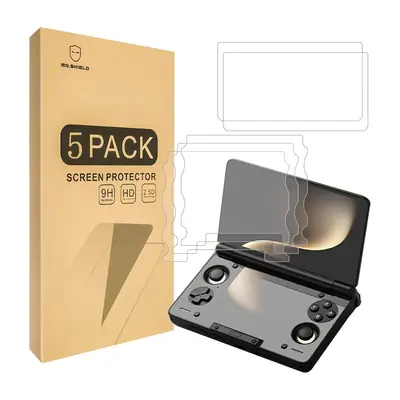
If you’re looking for an alternative to the official AYN screen protector, the Mr.Shield set contains three lower and two upper pieces made from glossy 9H-rated glass. The lower display receives far more contact from fingers and a stylus, so that is the piece that in my opinion should be prioritized when it comes to additional screen protection, especially if you play a lot of stylus-heavy titles.
The upper screen protector needs a small note here. AYN’s own Thor protector listing warns that the upper piece of a glass protector can prevent the handheld from fully closing. There may not be enough clearance between the buttons and the top display for an upper glass screen protector.
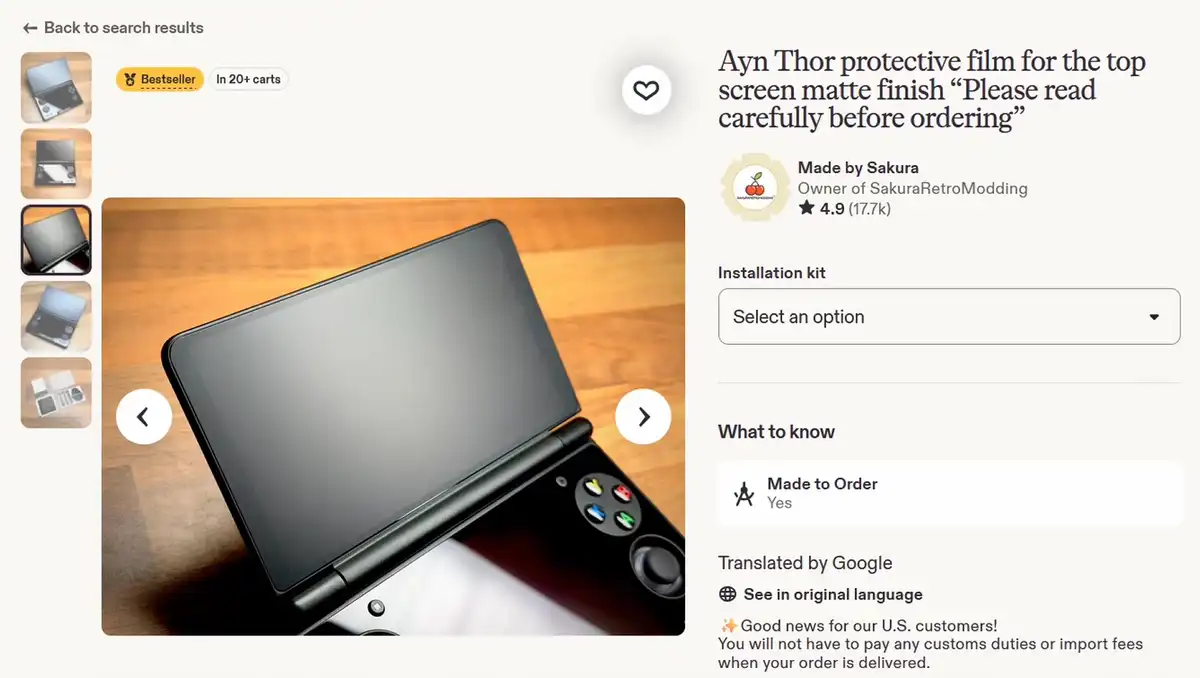
Applying only the lower piece gives the touch surface some scratch protection without adding glass beneath the upper half. Applying both can protect both displays, but it does narrow the space inside the closed clamshell, so do this at your own risk. Also, keep in mind that some glass protectors can reduce touch and stylus response on the lower panel.
If you prefer matte protectors that get rid of the Thor’s reflective surface at the cost of image clarity, one of the most popular options out there is the SakuraRetroModding matte Thor film available for both the top and bottom displays.
3. The UGREEN Carry Case
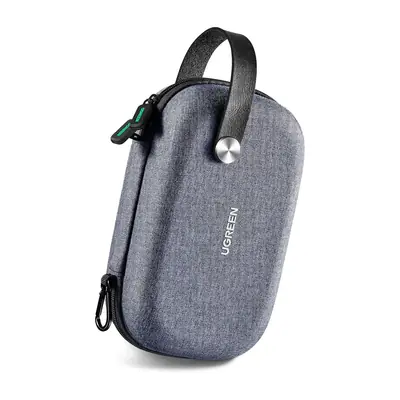
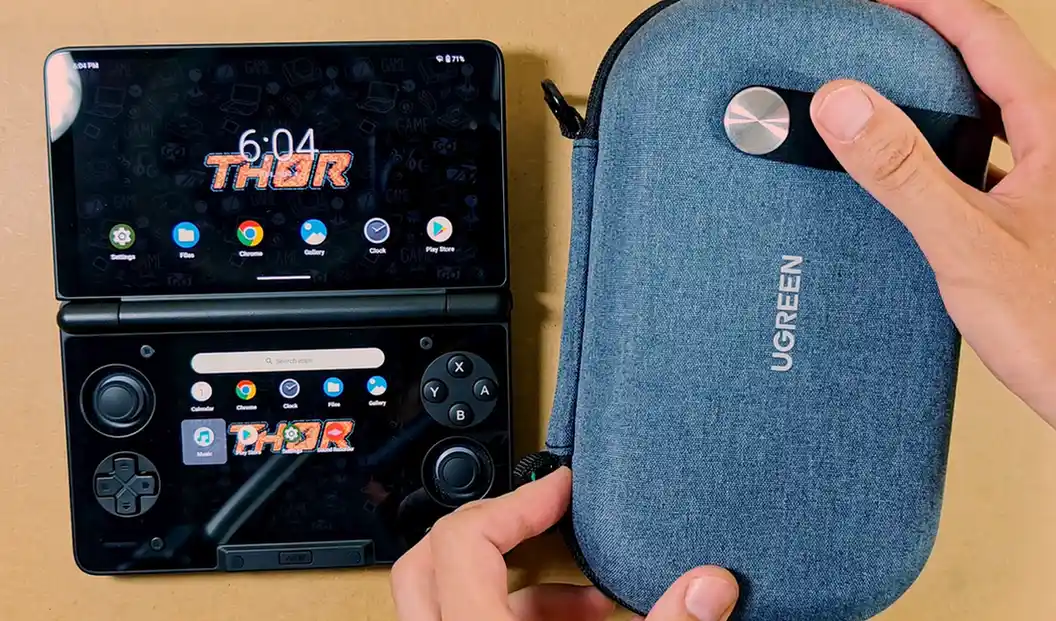
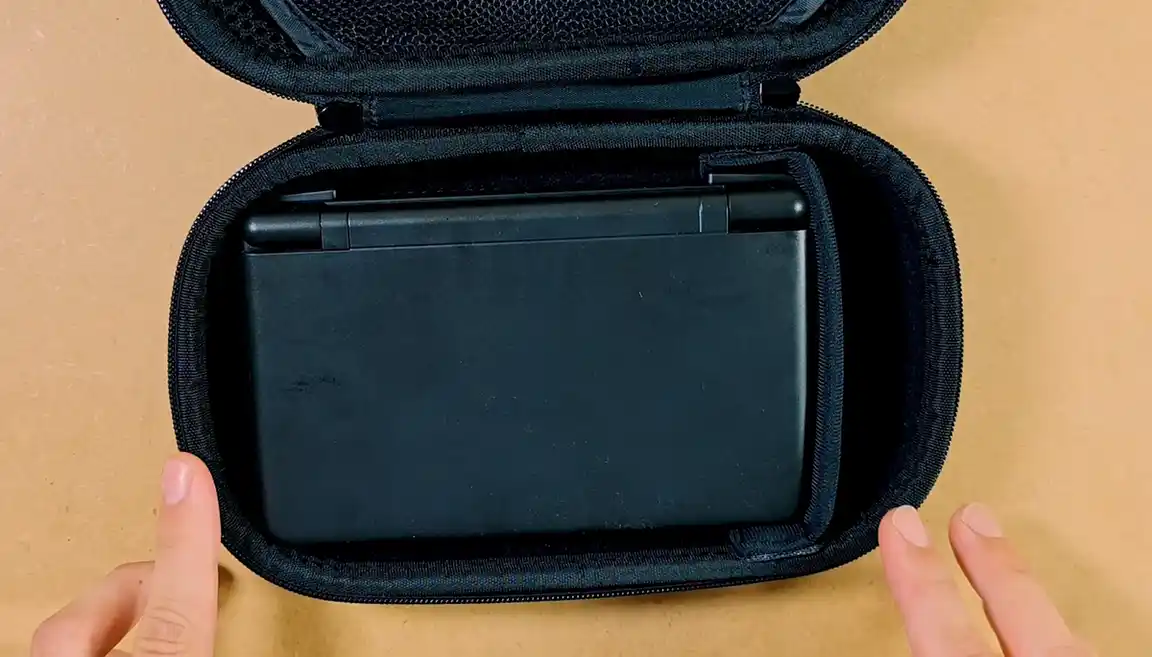
This is hands-down my best find yet. UGREEN sells this one as a simple electronics organizer, but the closed Thor fits its lower section perfectly. The listed internal space is about 7.6 x 4.4 x 2.2 inches.
An adjustable velcro divider in the main compartment lets you close the small gap beside the handheld so that it doesn’t slide around (as you can see below), at the same time creating a narrow space perfect for storing, for one, a charging cable.
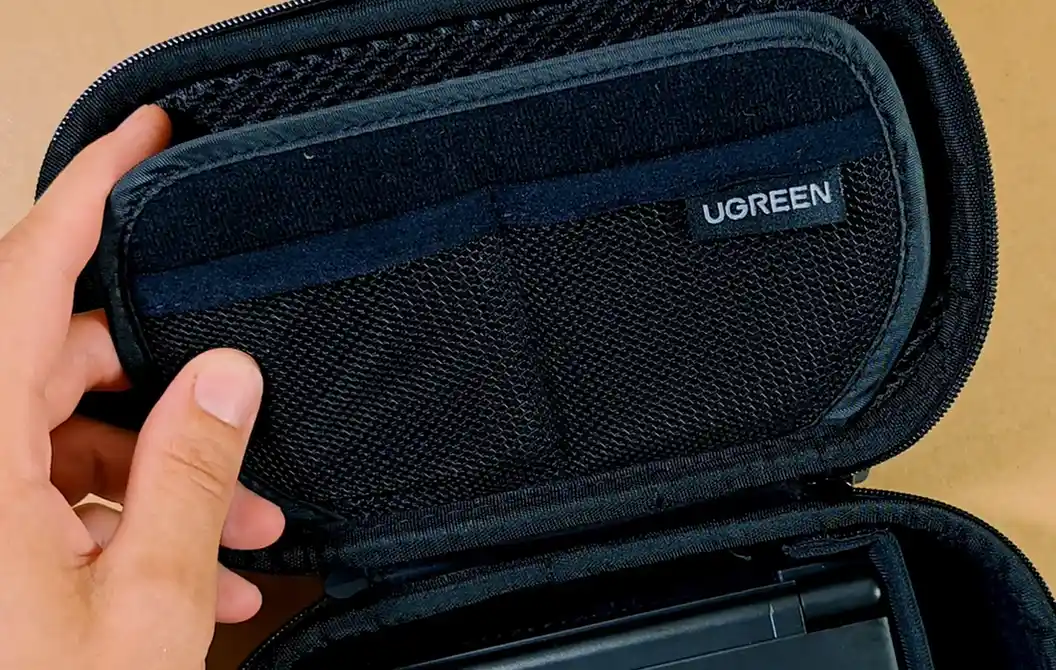
A padded flap sits between the Thor and two mesh pockets, which further protects the top of the handheld from getting scratched or damaged in transit. This flap has three additional pockets, one on the top and two on the bottom. You can use these to store things like microSD cards or other smaller items.
The woven outer shell of the case is stiff enough for backpack use. It is not waterproof or crush-proof, but it’s enough for putting a few things over it and not worrying about the Thor getting squashed under them.
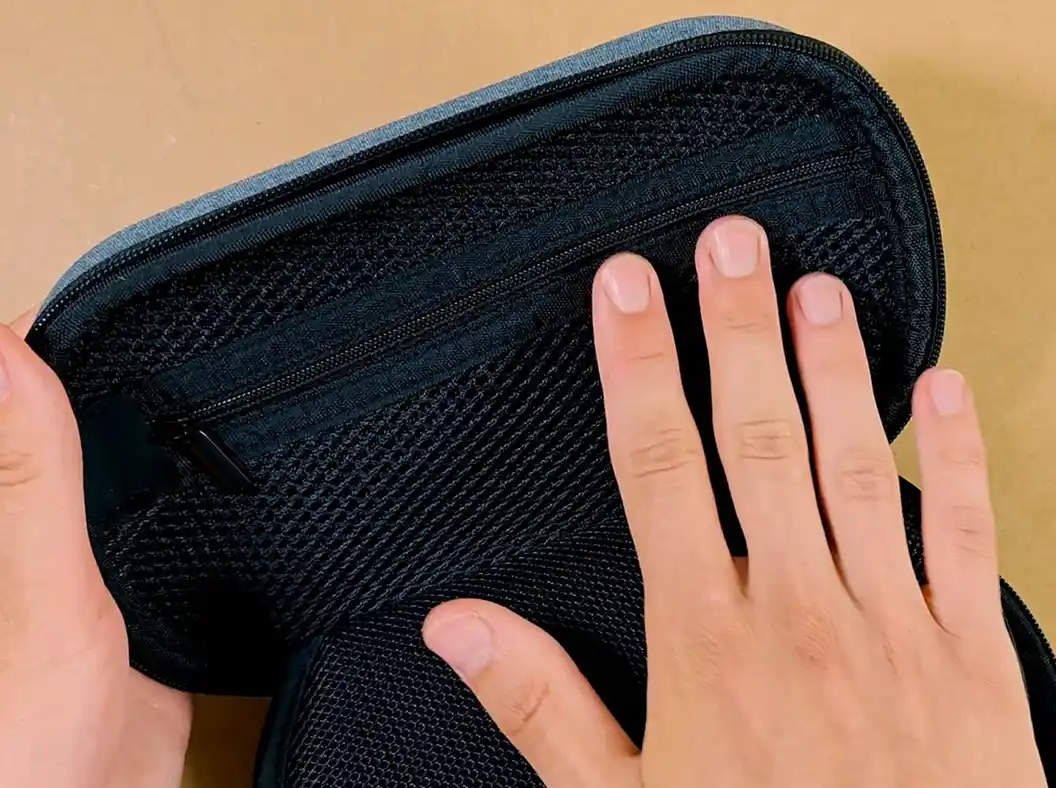
The opposite half of the case has a larger zipped compartment which is spacious enough to fit a smaller smartphone in it. And with that, we end up with two large compartments, one of them with a divider, and three small pockets on the divider.
The cherry on top is the fake-leather carrying strap and a carabiner attachment. It’s a perfect fit for the Thor overall, and I’m really glad that I picked it up. Once again, you can check it out here.
4. A Simple Stylus (Fiber, Disc Tip, or 2-in-1)
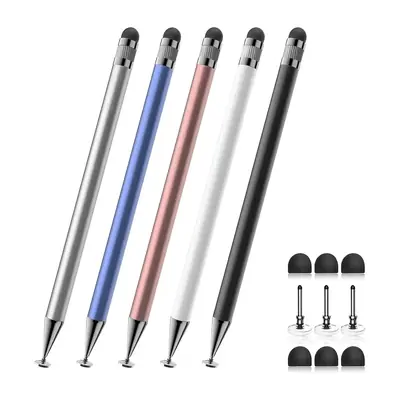
Android file managers, emulator menus, and DS touch targets can become tiny on the smaller 3.92-inch bottom panel. A passive capacitive stylus can be really helpful here.
Quite frankly, using a stylus on an NDS/3DS-inspired handheld just feels right. Even if you haven’t owned any of the original consoles before, it’s still worth trying out.
There are a few different types of styluses you can try out:
- Rubber or fiber tip: the cheap universal stylus pack is a great starting point if you don’t want to splash out on a simple accessory like this.
- Clear disc tip: the Bopomofo set you can see above is a great choice if you’re not sure which type you want to choose. It has a fiber tip on one side and a disc on the other.
Or, if you want to really up your stylus style game, the elago aluminum stylus looks exactly like a stylus that should have been bundled with the black Thor by default. It has a heavier body and a replaceable rubber tip, and is one of the slickest styluses I have ever used. Another easy recommendation.
5. Transparent AYN Thor TPU Shell
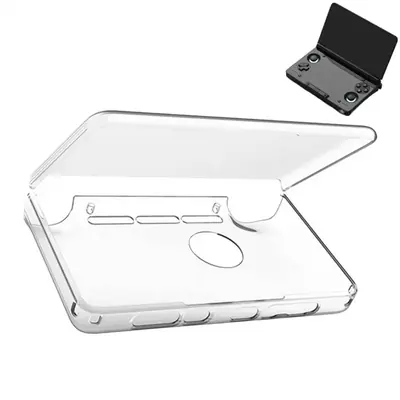
Both the original TPU shell sold by AYN and the aftermarket replacements like the one you can see above clip over the lid and base as two separate pieces.
The TPU shell adds grip, takes fingerprints in place of the Thor’s body, and entirely removes the front edge flex and the outer gap between the display and the controls that many people have an issue with.
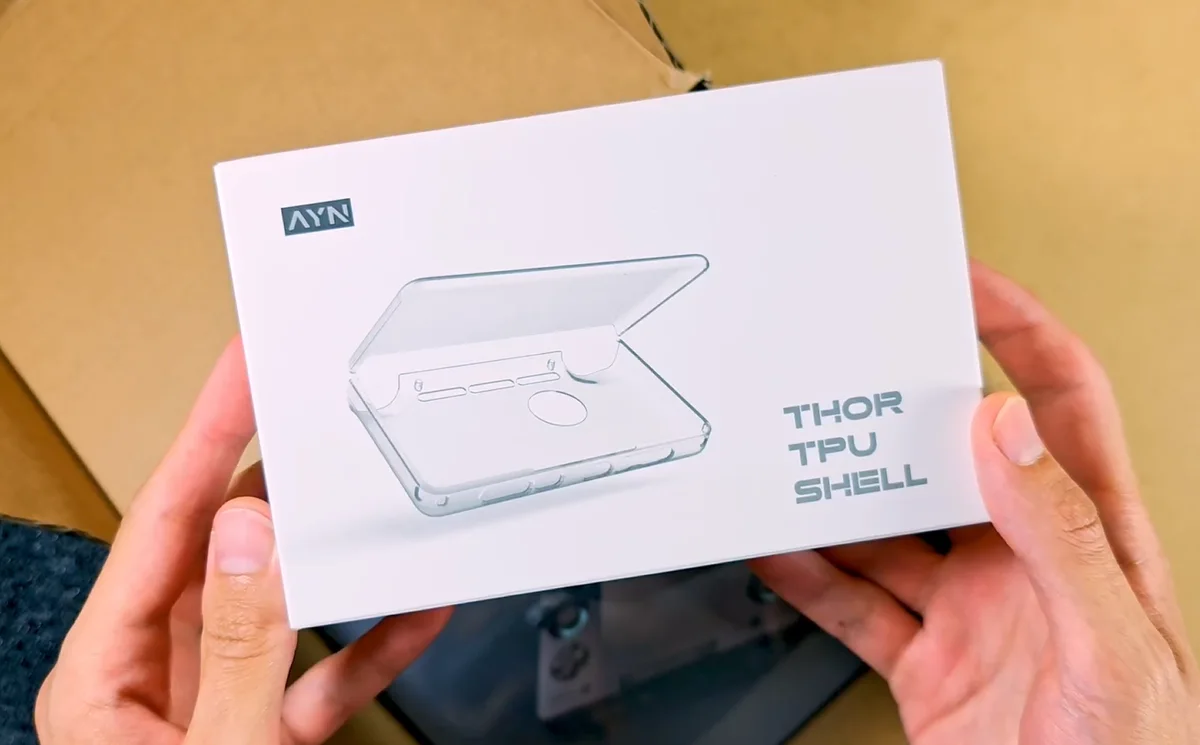
This is scratch and scuff protection, not a rugged drop case, but it does its job rather well and for now I’m keeping mine on my unit at all times.
Perhaps the best part about the TPU shell is the possibility to put your own cutouts and decals under the top part resting over the lid. This gives you the possibility of customizing your device without putting permanent stickers on it.
6. MunnyGrubbers Grip With Stylus Holder
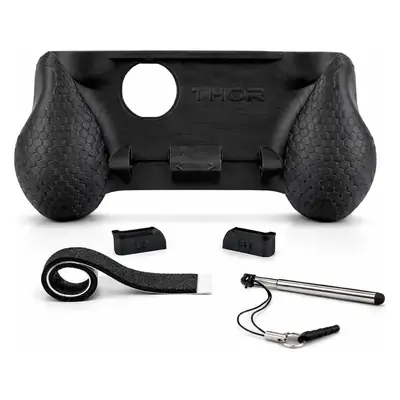
A grip is an accessory that I personally don’t feel a need for, but many people do benefit from the better ergonomics it can bring about. What it does is essentially move more of the handheld’s weight into your palms.
The MunnyGrubbers version that I found features deeper textured handles and comes with a small extendable stylus and its own storage slot. Foam strips protect the base and tighten the fit on the Thor. Not only that, but it’s also bundled with trigger cap extensions which can make the short triggers on the Thor much more pleasant to use.
AYN sells an official TPU grip in several colors, without the stylus compartment. Its simpler shape works for anyone who does not need pen storage or included trigger caps.
Note: most grips do expect a bare Thor, rather than the TPU case. This is the case with the MunnyGrubbers grip as well.
7. JSAUX HB0602 Dock
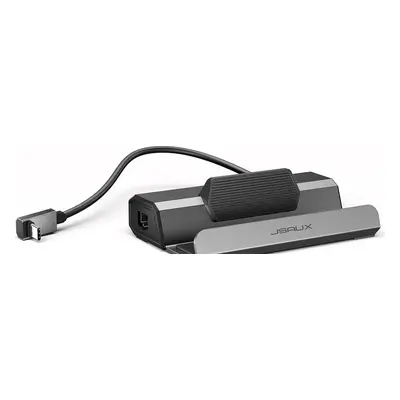
The HB0602 by JSAUX is a Steam Deck-first dock that pairs perfectly with the AYN Thor. It features two 480Mbps USB-A 2.0 ports, adaptive 10/100Mbps Ethernet, up to 100W USB-PD input, and HDMI output up to 4K120 (although the Thor supports output only up to 4K60, and 1080p on the Lite version).
The cheaper Blueendless dock that I recently got for my Steam Deck and Thor is also a nice option here. The clamshell does not sit in its slot as cleanly as in the JSAUX (the Thor has to rest on its triggers and doesn’t fit inside the dock fully with its USB-C port up), but it remains fully functional.
8. Anker Zolo 20,000mAh 30W Power Bank
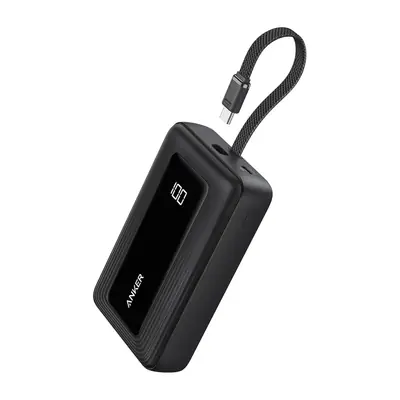
The Anker Zolo’s 30W USB-C output sits close to the Thor’s 27W charging rating, making it a perfect match with the handheld.
My Thor drew close to 25W from a USB-PD charger during my initial measurements, so you can be sure that the Anker Zolo will be able to power your Thor without any hiccups, and let you easily use it as an external battery in the charging separation mode. Higher output will not make the handheld exceed its own limit.
Anker rates the pack at 74Wh. That remains below the usual 100Wh passenger-aircraft threshold, so you can generally carry it in hand luggage without airline approval. Power banks cannot go in checked baggage, and individual airline rules can be stricter. Based on the rated capacity of this 20,000mAh power bank, you will be able to squeeze out approximately two full Thor charges from one full charge of the Zolo. A pretty good deal if you ask me!
9. An Elastic Wrist Lanyard
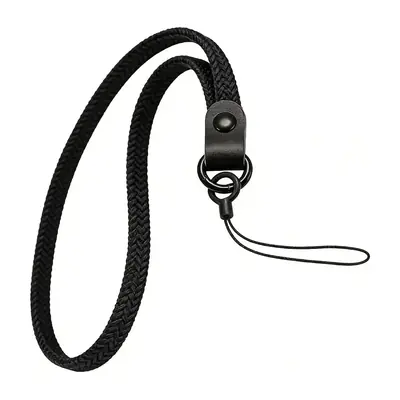
The Thor weighs about 380g and has glass on both of its halves. This probably goes without saying, but a fall will usually mean the bitter end for your handheld. A thin wrist strap can help you stop a slip from becoming a broken hinge or panel, so there is virtually no good reason not to use it.
Although the Thor doesn’t come bundled with a simple lanyard like the Anbernic RG Rotate does, AYN does sell an official Thor lanyard as an additional accessory. The item itself is relatively cheap, but shipping can make a one-item order poor value. This is why third-party options like the ones shown above will in most cases be a better choice cost-wise.
10. USB-C Dust Plugs
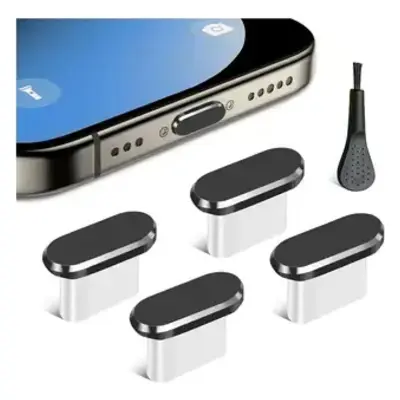
Fabric cases shed fibers, and so do your jeans. And so does pretty much everything we wear and carry around every day. If your smartphone suddenly refuses to hold its charging cable inside its USB-C port, you now know why. Dirt and lint accumulating inside.
A soft silicone cap like the ones shown here can safely keep loose material away from the connector without damaging the port, in practice giving you some peace of mind for just a few dollars. And you get a few in the box, so you don’t have to worry about losing it. Besides, it’s not that easy. They sit in the port much tighter than you’d think.
It also comes with a little cleaning brush, so you can also use it to clean out your smartphone’s charging port while you’re at it. Overall, if you own more than one device with a USB-C port on it, there is no good reason not to use these.
11. An Adhesive Stylus Holder
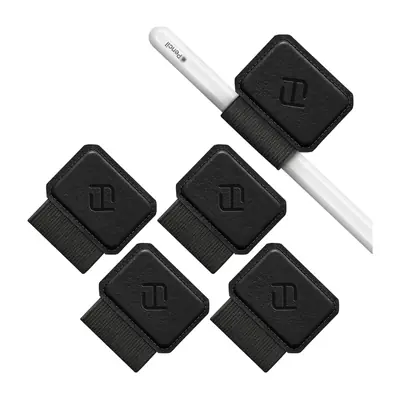
A separate stylus needs a fixed place so that you don’t lose it, and if you’re not planning to use a case or a grip with a separate stylus compartment, an adhesive loop like this is the best option you have.
The Fintie loops use a small adhesive patch and an elastic band to attach to the top of your Thor. They are also available in a few different colors and patterns. Once again, while AYN sells its own self-adhesive Thor stylus set, if you include shipping, price-wise getting the holder and the stylus separately might just be a better option.
12. 7Hz x Crinacle Zero:2 Wired IEMs
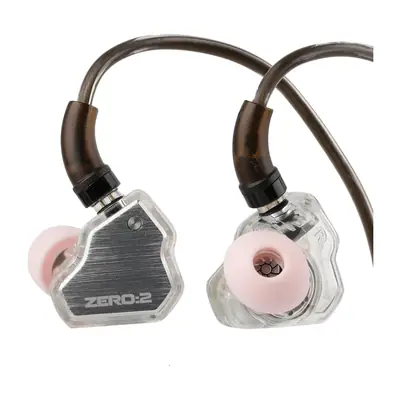
The 3.5mm jack on the Thor leaves USB-C free for charging and video output. Wired audio is only one of the great benefits of this handheld. Rhythm games, watching movies, chatting over Discord, and playing beside someone who does not want to hear the built-in speakers are all great reasons to get yourself good quality in-canal IEMs, and the Zero:2 are a pair I can really get behind.
The 7Hz x Crinacle Zero:2 use a 10mm driver, 32-ohm impedance, and a detachable 0.78mm two-pin cable. They come in silver, blue, orange, pink, and other color options, and are among the most popular and best-reviewed earphones under $30 that you can find online. For me, the only other IEMs that come close are my KZ ZSN PROs, which are a little pricier. While you’re at it, grab a pair, and you won’t regret it.
Bonus: KWS-X1 USB-C Power Meter
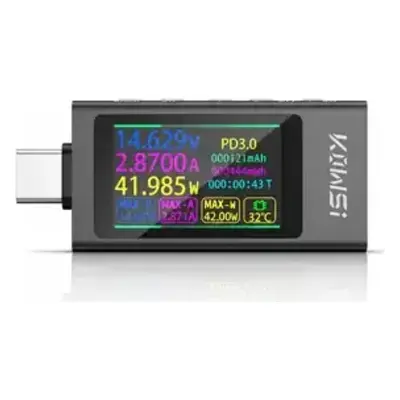
Alright, this one is only here because I wanted to show it to you, as I think every retro handheld enthusiast should have one of these on hand.
Most casual users rarely ever need a power meter. It becomes useful after a cable seems to start charging slowly, a dock drops power, or two adapters with similar labels behave differently. In a word, it’s a godsend when troubleshooting.
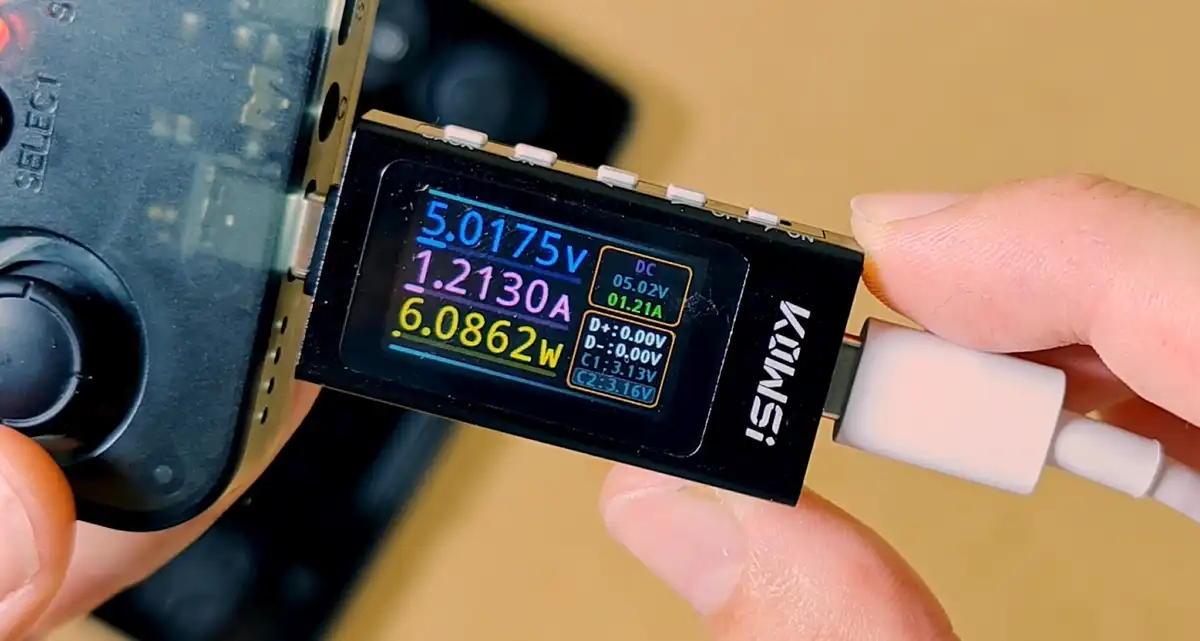
The linked meter is rated for 3.3V to 40V and 0A to 12A. Its screen shows live volts, amps, watts, elapsed time, and accumulated capacity, and is also able to display neat graphs and averages.
It can even tell you which quick-charging protocol your handheld uses, if any. It also has quite a few options hidden in its settings menu, and for about $20 I really think it’s a steal. Yet another great find.
You might also like: KWS-2302C USB-C Charger Power Tester Dongle Review
What You Probably Don’t Need – Save Your Money
Here are some accessories that might sound like a good idea for the Thor, but in reality they aren’t really that useful for most intents and purposes. These include:
- A clip-on smartphone cooler: knowing about the high temperatures the Thor can reach especially when running some more demanding games, you might be tempted to get one of these funny-looking cooler/fan attachments for it. This isn’t really a good idea. The Thor has a dedicated fan intake, heatsink, and exhaust. A clamp against the air input can easily block airflow or strain the clamshell. And putting the cooler anywhere else will do little to change the device’s internal temperatures. This is a hard skip.
- A 100W charger bought only for the Thor: AYN rates charging at 27W and my unit drew close to 25W in practical tests. Extra charger output will not force extra power into the handheld, and slower charging is preferred for better battery longevity anyway. The same goes for USB-C cables rated for higher charging wattage. If you’re getting them for the Thor, 27/30W is the practical ceiling.
- An active stylus: neither screen contains a matching active pen digitizer. This means that the Thor has no way of making use of an active stylus. Universal powered pens will still behave like regular capacitive touch accessories here, and they will not add pressure sensitivity or palm rejection to the mix.
- A Bluetooth audio transmitter or other external DAC attachments: the Thor already supports Bluetooth audio and has its own built-in DAC wired to the 3.5mm headphone jack. Thor owners have confirmed aptX HD and reported LE Audio with LC3 working on the device, so there is no reason to use any external Bluetooth attachments here. The same goes for external DACs, for most intents and purposes.
Start with the handheld protection, so the case and the optional tempered glass, add an angled cable for more comfortable wired gameplay, and then go through all of the small things that can make your experience with the Thor even more enjoyable. At least that’s my personal recipe.
Thank you for reading, and I hope you enjoy the new surge of content on the AYN Thor here on Tech Tactician at least as much as I enjoyed writing it. Stay tuned, and until next time!
You might also like: 20 Best Digital Audio Players (DAPs) This Year – Full Buyer’s Guide