

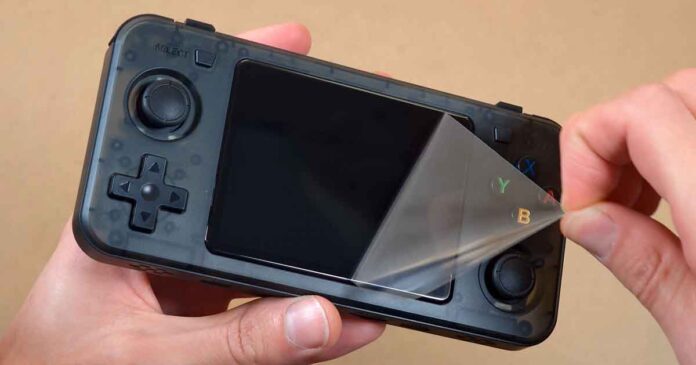
The R36H is a handheld that’s one of the more popular RK3326 emulation devices out there. Just like with other examples from the wide family of R36S-like devices and clones, it has a few interesting qualities of its own that are important to know.
Interested in the original R36S instead? Check out the review here: R36S Handheld Hands-On Review
Why you can trust us: We test all of our products according to the Tech Tactician consumer usability benchmark methodology which evaluates the product characteristics that matter to the user in day-to-day use.
This web portal is reader-supported, and is a part of the AliExpress Partner Program, Amazon Services LLC Associates Program and the eBay Partner Network. When you buy using links on our site, we may earn an affiliate commission!
First, The Specs
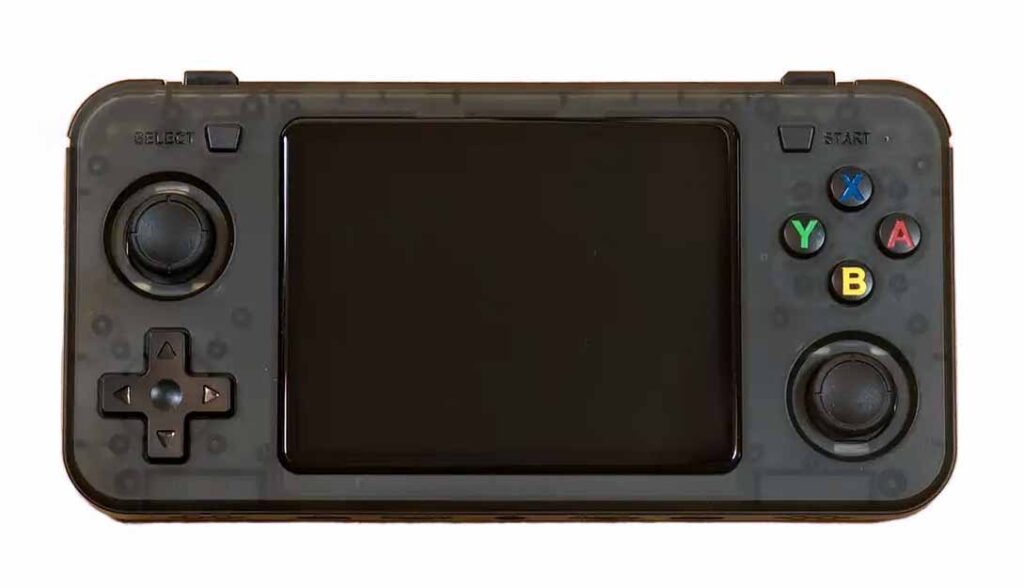
Budget horizontal Linux handheld; 3.5-inch 640×480 IPS screen, RK3326 chip, ArkOS, dual microSD slots, USB-C charging, 3000 mAh battery.
| Device Type | Linux retro gaming handheld |
| Form Factor | Horizontal shell; offset analog layout |
| Display | 3.5-inch IPS; 640×480; 4:3; 60 Hz; ~228 PPI |
| Touch Screen | No |
| Chipset | Rockchip RK3326 |
| CPU | Quad-core ARM Cortex-A35; ~1.3–1.5 GHz |
| GPU | Mali-G31 MP2; ~650 MHz |
| RAM | 1 GB DDR3L |
| Operating System | Linux; commonly ArkOS / ArkOS 2.0 |
| Storage | Dual microSD / TF slots; TF1-OS + TF2-GAME |
| Controls | D-pad; A/B/X/Y; dual clickable analog sticks; Start; Select |
| Shoulder Buttons | L1/L2 + R1/R2; horizontal side-by-side layout |
| Extra Buttons | Power; reset; volume + / – |
| Ports | USB-C charging; USB-C OTG/data; 3.5 mm headphone jack; 2x microSD |
| Wi-Fi | No built-in Wi-Fi |
| Bluetooth | No built-in Bluetooth |
| Speaker | Bottom dual stereo speakers |
| Headphones | 3.5 mm wired audio jack |
| Battery | 3000 mAh removable lithium battery |
| Charging | USB-C; 5 V / 1.5 A input listed |
| Emulation Strength | GB, GBC, GBA, NES, SNES, Genesis, arcade, Neo Geo, PS1 |
| Size / Weight | About 145x69x16 mm; ~186 g |
| Included In Box | R36H handheld; USB-C cable; manual; screen protector, seller dependent |
Unboxing & Build Quality
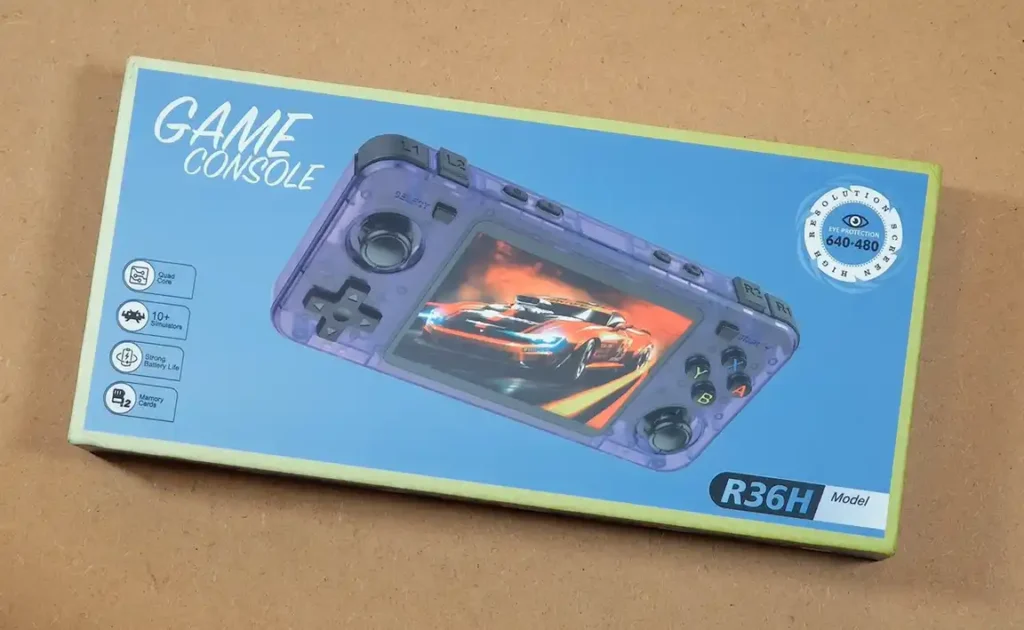
The R36H box is almost identical to the regular R36S box. The handheld is sold under the generic “Game Console” branding, and comes with a few simple accessories.
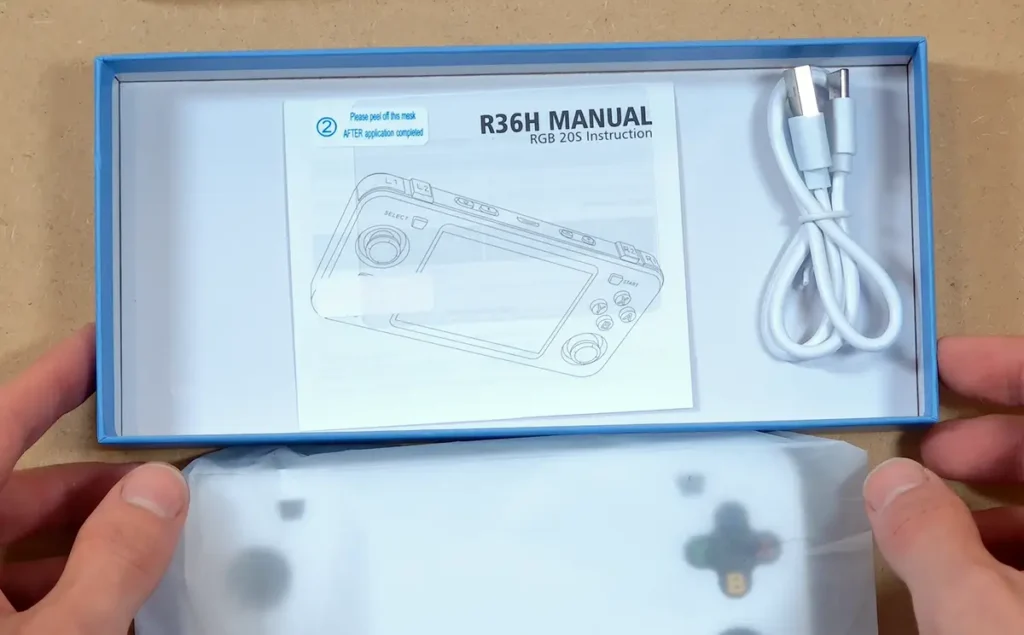
Inside the box, you can find, aside from the console and a user manual, a short USB-A to USB-C cable, and the screen protector, alongside two application wipes.
The manual, quite curiously, comes with a subtitle “RGB20S Instruction”, just like the one that comes with the R36S. That is because the original R36S, and by association the R36H, are essentially, when it comes to their origin, clones of the Powkiddy RGB20S.
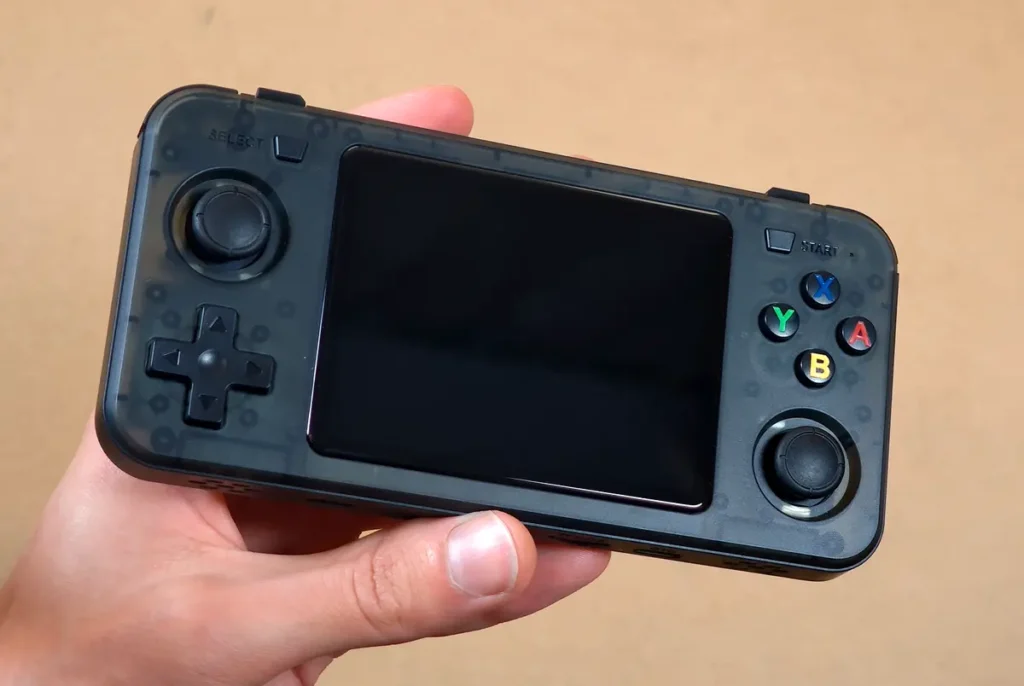
My first impressions after the unboxing were that the R36H feels much better to hold than I anticipated seeing another “slab-like” device on the product images when waiting for it to arrive.
It feels very good in the hand, and overall is made of rather thick plastic. I didn’t notice any QC issues, except for the rather sloppily placed back grips which were crooked from the start, as you can see in the image below. It didn’t bother me enough to attempt to peel them off and reapply them though.
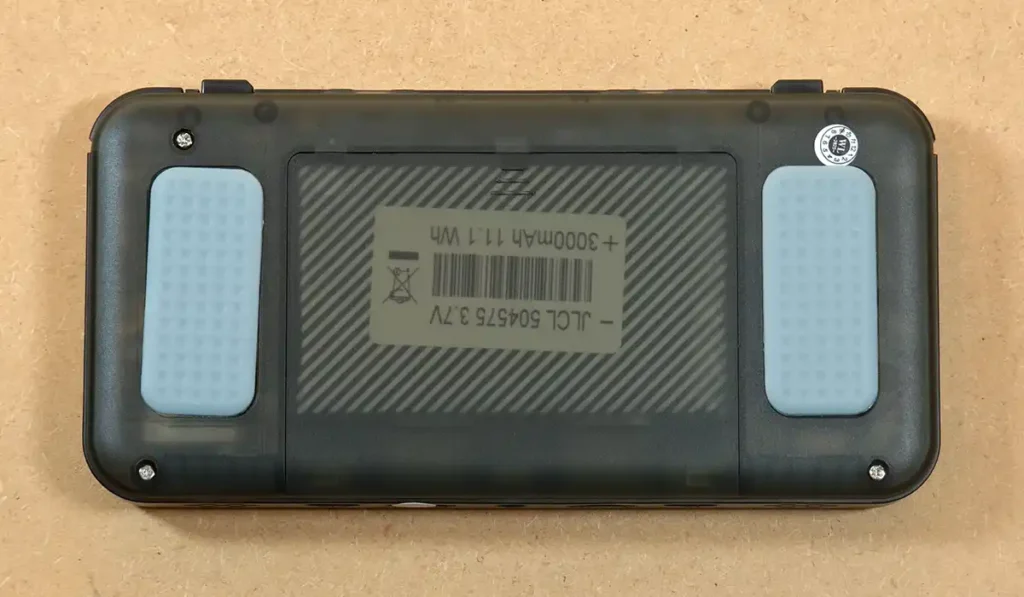
On the back of the handheld, besides the rubber-like grips, you can find the battery compartment, and four screws you can use to get to the innards of the R36H. That is essentially all there is on the rear shell.
Although the back is flat, the textured grip stickers are reasonably thick, and for me, make this device more satisfying to hold than, for instance, the MagicX One 35, which features a perfectly flat and untextured back panel.
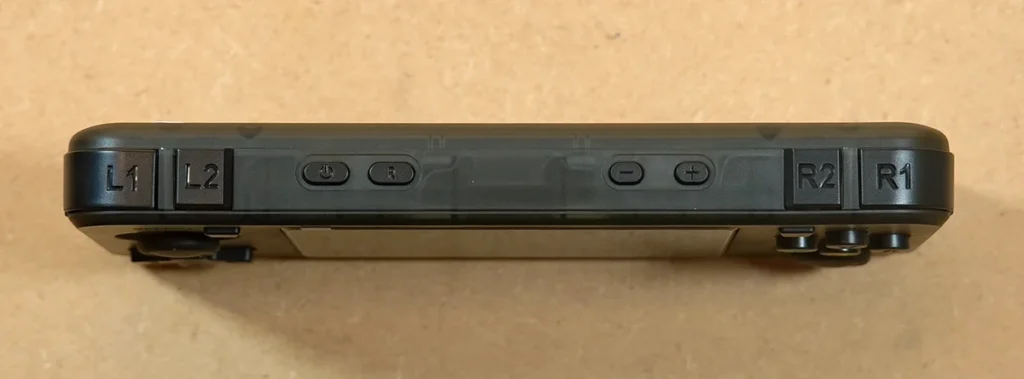
On the top, you can see the inline bumpers and triggers, as well as the volume, power and reset buttons. The shoulder buttons are less clicky than the ones on the original R36S, but still reasonably loud.
The sides of the device are flat, and there are no controls on either of them.
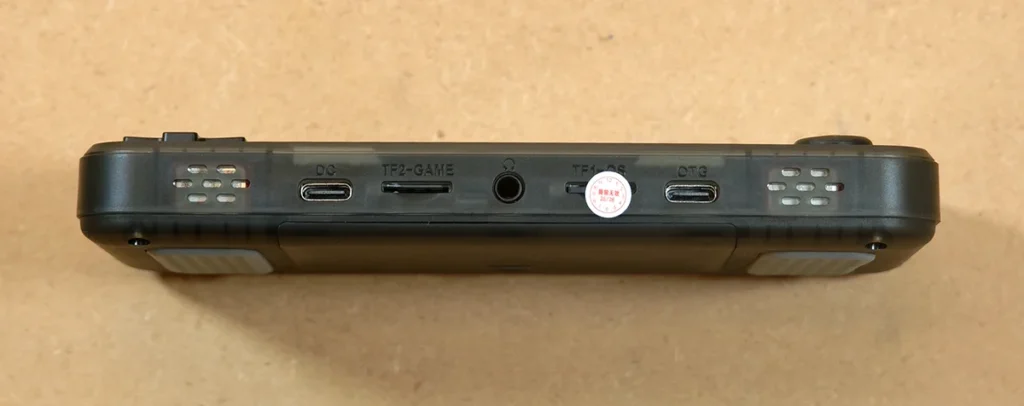
The bottom edge is more interesting, with two bottom-firing speakers, dual microSD card slots, and two USB-C ports.
As with all handhelds like this, one microSD card is used for the OS, and the second one for your games. You are also able to fit both your firmware and ROMs on one card, should you wish to do that.
The port labeled OTG is used for USB OTG/data functions, and the one labeled DC, for charging the handheld. We will talk more about the battery and charging in a short while.
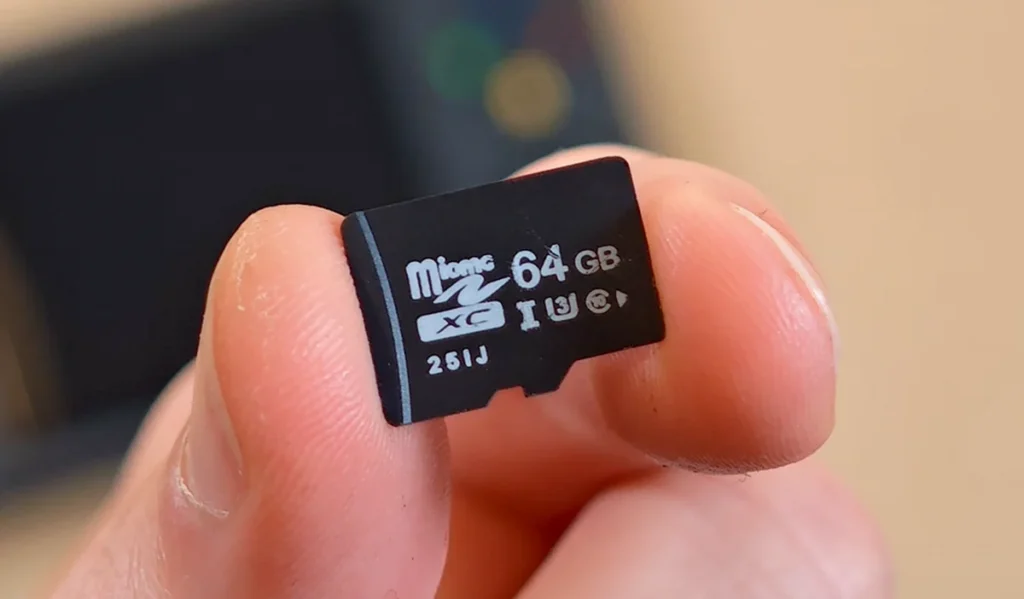
Depending on whether you’ve ordered your console with or without the additional storage and games, you might have the pleasure to take a closer look at some very low-quality microSD cards, at least when it comes to their longevity and reliability.
The cards that these devices come with are generally bottom-of-the-barrel, cheaply produced microSD cards, and the pre-made ROM sets on them often match them in terms of overall quality.
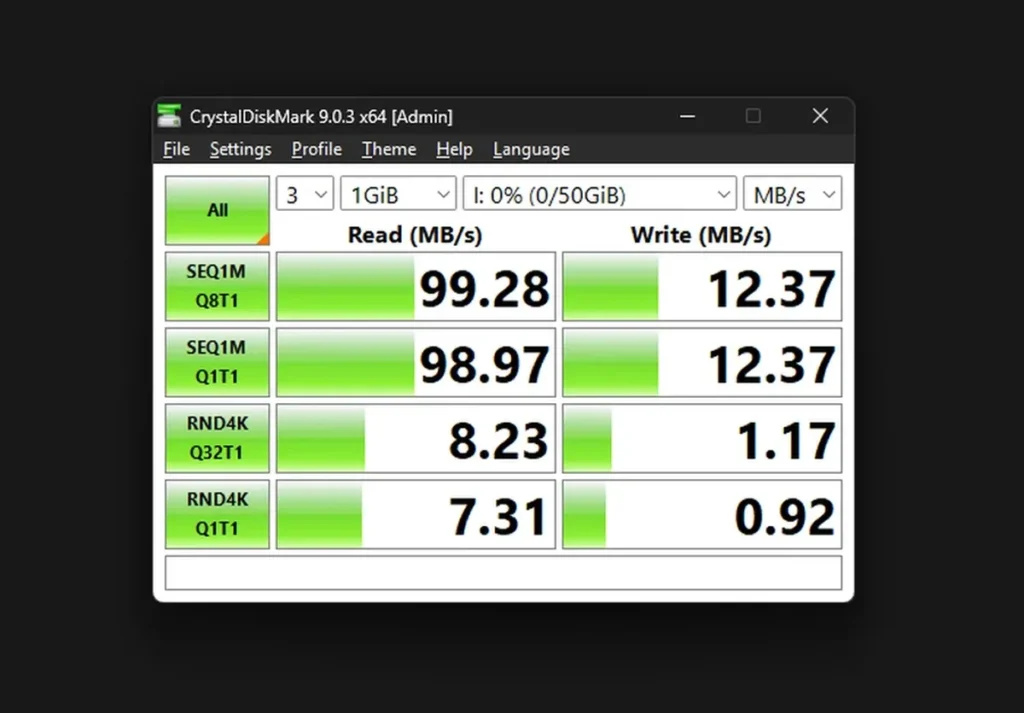
While the read and write speeds were decent, Windows reported only 53.7 GB of usable space on this advertised 64 GB card. A standard 64 GB microSD card typically shows around 59.6 GB in Windows, making this a major red flag on its own.
If you don’t want to risk facing issues with long game load times, missing saves and corrupted files, I’d advise you to pick up even a cheap known-brand microSD from a known source and use that instead. My less-than-ideal experiences with these cards as well as many horror stories from the r/SBCGaming subreddit are not to be taken lightly. For real.
R36H vs. R36S – The Main Differences
The R36H is basically a horizontal version of the R36S. Still, there are a few important differences here.
The R36H, unlike the base R36S, doesn’t feature a function button (FN). While with most firmware you can assign the function button to the select button (as was done by default on my unit), it’s always nice to have a dedicated macro key on the device.
The second difference is the stereo speakers on the R36H. The R36S featured only one mono speaker. For me personally, both devices sound very similar, especially when it comes to lower volume levels.
And that’s pretty much it. The emulation performance is effectively the same for both models. Of course, provided that we’re talking about the original R36S, and not one of its many clones.
The Controls
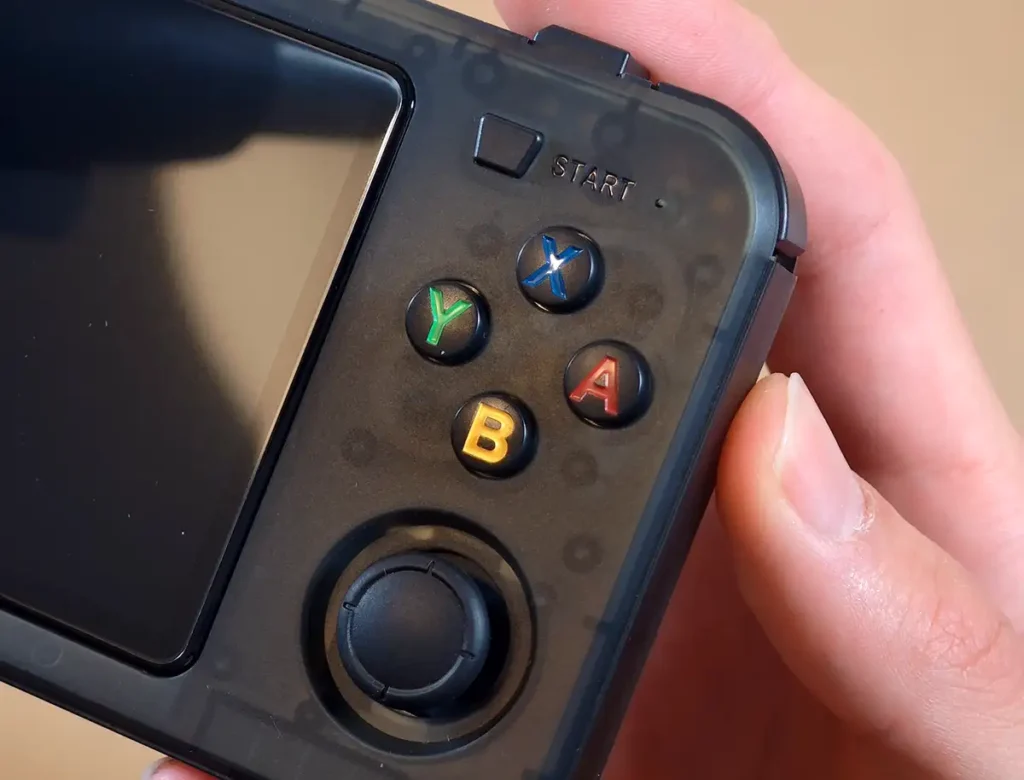
The front-facing buttons and the D-pad are overall pretty tight, and for me they feel nearly identical to the ones present on the original R36S.
This cannot be said about the Start and Select buttons, which are very clicky, but not quite as clicky as the shoulder buttons on the base R36S handheld. So, to be upfront, they are not annoying to use.
The inline triggers and bumpers on the R36H are just enough for what they are, but are also clicky, and relatively small.
The nice thing is, the L2/R2 buttons are placed a bit higher than L1/R1, so despite the inline layout they feel intuitive to use from the start.
The analog sticks are the exact same ones you can find on the R36S, and they do their job well. They can be clicked in, and they feel very pleasant to use. They also allow for once again, relatively precise movements with some practice, so in my book for the price they are just fine.
Display Quality
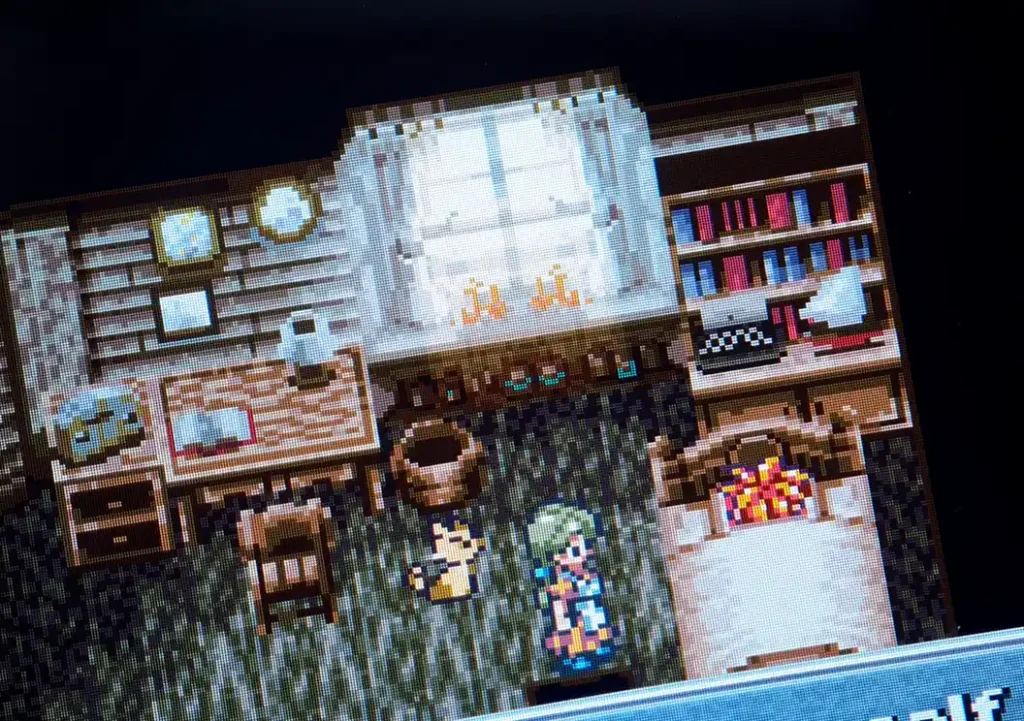
The display is definitely one of my favorite parts of the R36H. It’s clear and crisp, doesn’t suffer from any QC-related issues, and looks just great with whatever content you throw at it. In the image above, you can see a close-up of the screen. Decide for yourself, but for me it’s pretty solid.
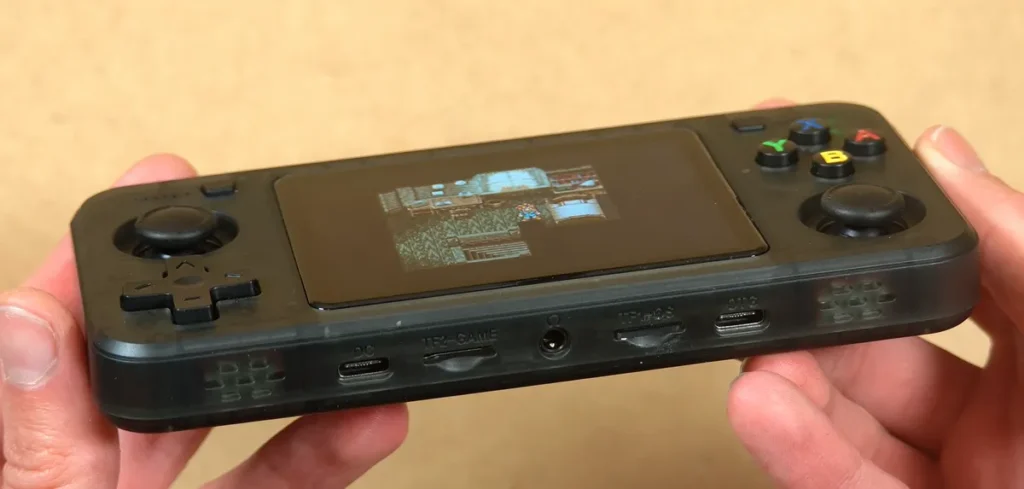
The viewing angles are also great here, as you can see above, and when displaying full-screen content the bezels fit nicely with the frame. In fact, even though this is an LCD, black backgrounds also have great depth to them on most brightness levels.
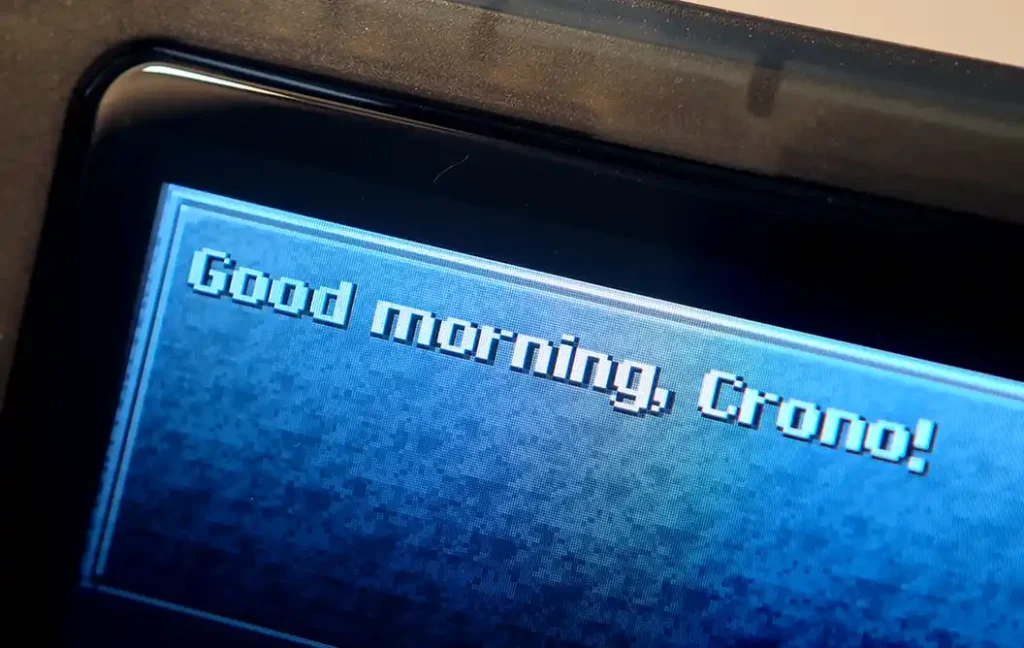
The display panel, on paper, is very much akin to the one used in the R36S. Looking at the two devices side by side I can confirm that to be true on my units, at least visually.
I think that when it comes to 640×480 3.5-inch displays, the R36H really is one of the safest bets on RK3326 devices, especially considering that at the time of writing this article, it has no known clones of it distributed online.
The Battery
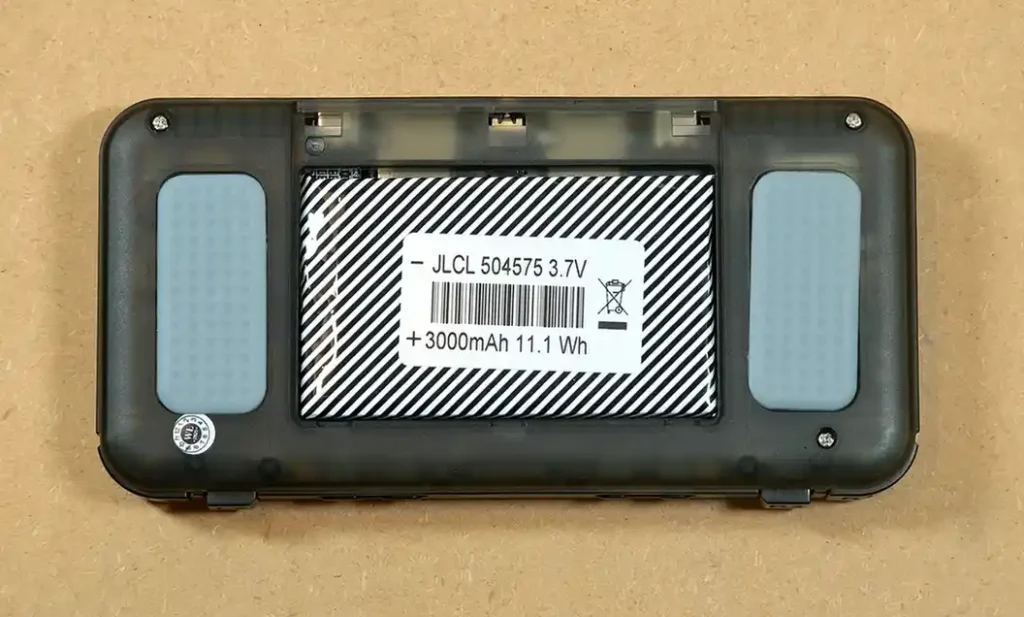
The battery used in the R36H is a 504575 3.7V cell, advertised as being 3000mAh (~11.1 Wh) in capacity.
No sticker or glue is used to keep the battery in place, as the compartment is tight enough not to let it move around inside.
The battery connects to the motherboard with a 2-pin JST plug, which you can remove by squeezing its sides, wiggling it around, and pulling on it. This can require some dexterity, as the plug is very small. Plastic tweezers can come in handy here.
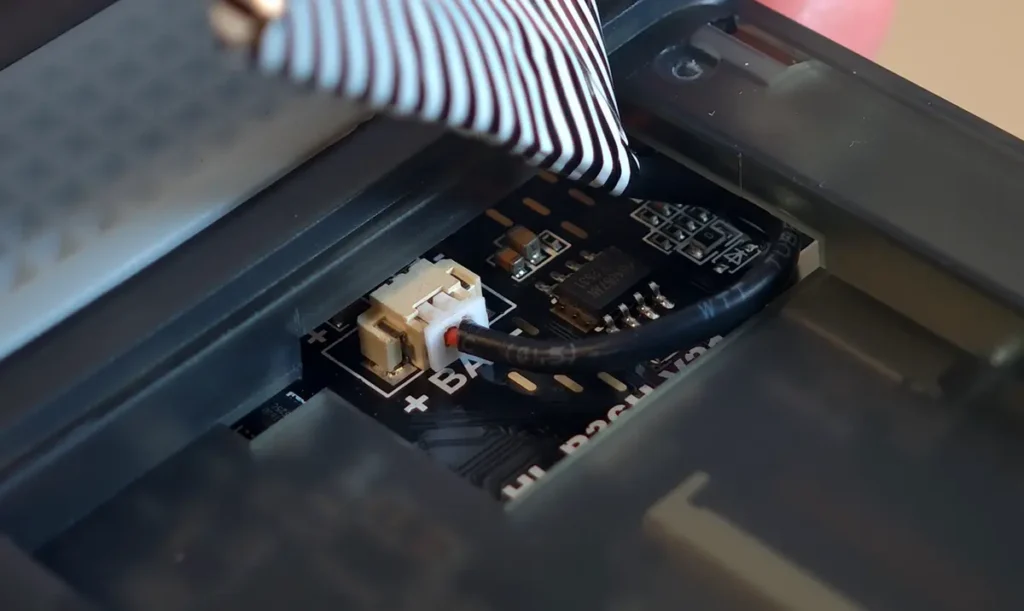
The battery replacement process is extremely simple. In fact, it’s the exact same as on the R36S, and you can see how to do it in my quick guide here: R36S Handheld Battery Replacement & Common Issues
If you’re battery-anxious like me, and you’re looking for a replacement cell already, you can get brand new 504575 batteries on AliExpress for just a few dollars with the cables and the small JST plug already soldered to the contacts.
In my testing, the battery life is maybe a little bit worse than on the original R36S which comes with a 3500mAh cell (500mAh more), but is still perfectly serviceable.
As with many RK3326 handhelds, you usually won’t have to worry about the handheld suddenly dying on you, unless you’re really into spending long hours playing games on a device of this caliber.
Software and Supported Firmware
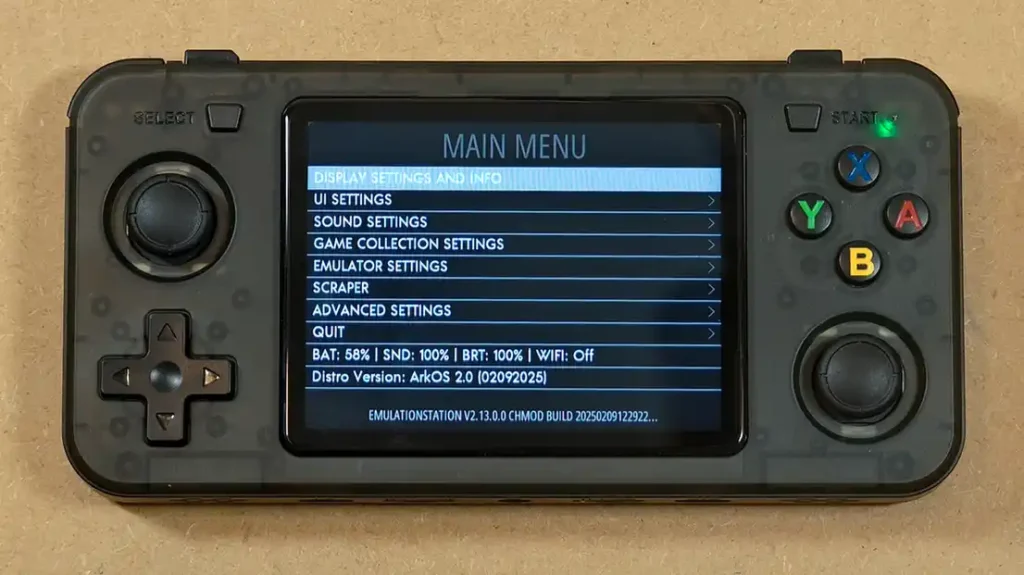
My R36H unit came with ArkOS 2.0 on it. This is a reasonably good OS, however it’s no longer maintained. After doing my initial tests I quickly upgraded the handheld to the newest build of dArkOSRE-R36, which now does support the handheld rather well.
If you want to know more about dArkOS, I suggest you give my full R36S handheld guide a quick read. Much of the information there can also be directly applied to the R36H.
When it comes to the custom firmware options you can also install ROCKNIX, or if you’re into experiments and don’t mind some tinkering, AndR36oid (LineageOS).
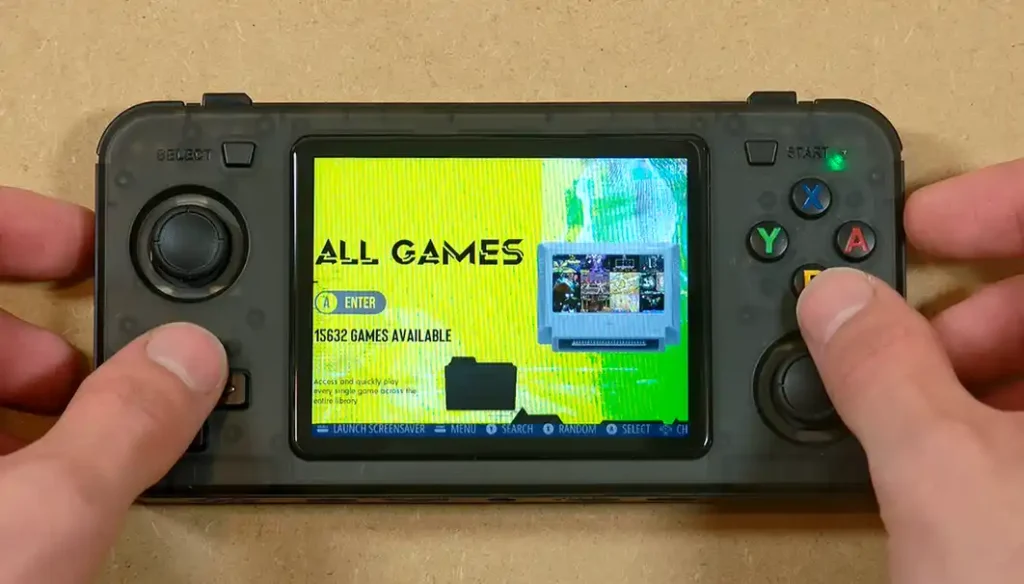
Although the R36H, depending on the seller, can come with as much as 15 thousand preloaded ROMs as you can see above, I don’t really recommend keeping them on your device.
First, the default ROM sets on these devices are usually about the same quality as the bundled microSD cards that come with them, and second, you should always use your own game backups to begin with.
Also in practice, you probably won’t find yourself playing more than a few games at a time, so I really think it’s best to avoid data clutter.
Emulation Performance & Practical Experience
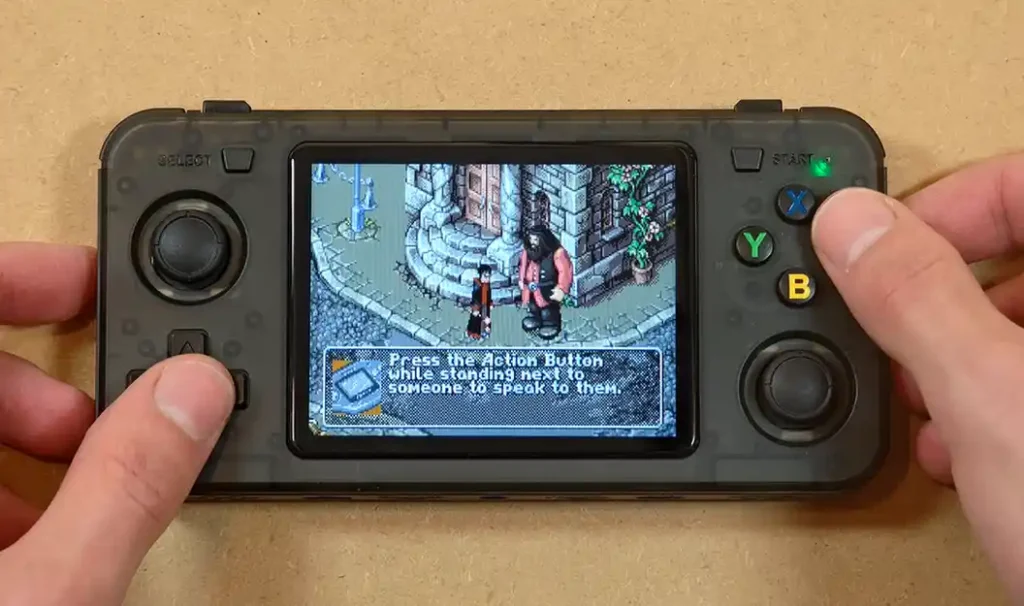
It should be no surprise that the RK3326-based devices are powerful enough to handle nearly the whole roster of 8 and 16-bit titles up to PlayStation 1. Playing some PSP games is also possible here, and with significant emulation setting tweaks you might also be able to enjoy a small part of the N64 catalog, albeit it most likely won’t be a pleasant experience.
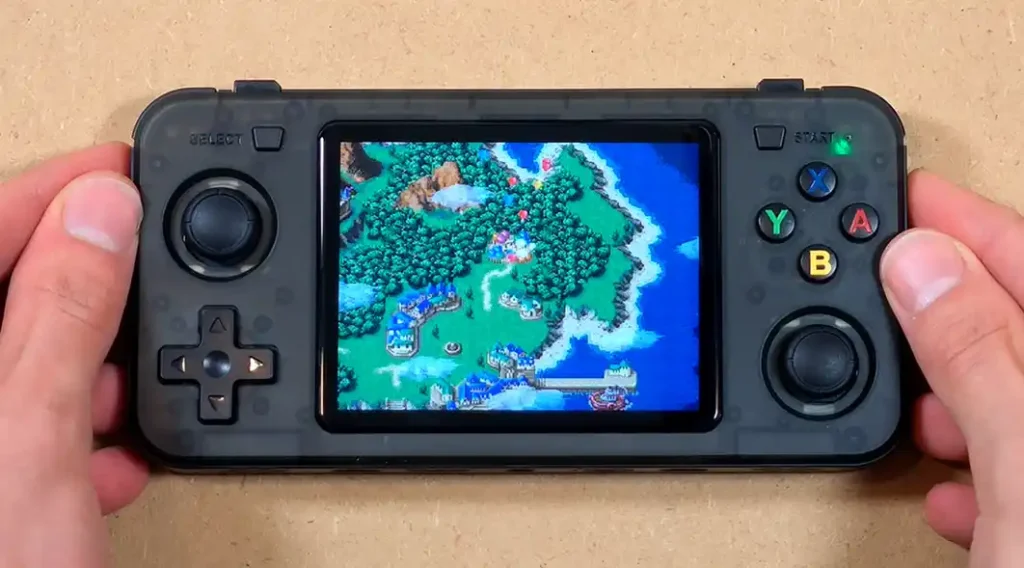
During my testing, I used the R36H mostly to play SNES and GBA titles, and as expected had no issues with performance at all.
The ergonomics were just fine, although after using the Select button as the function shortcut for a bit I really started to wish that a separate macro button was there.
Some shortcuts (for example the game save shortcut in RetroArch) can conflict with in-game menus, making them pop up every time you save, which can often prevent you from making quicksaves in a fast and satisfying manner.
The closest horizontal alternative to the R36H in the R36S family that has a dedicated function button (as well as built-in Wi-Fi and a larger display) is the R36H ProMax (R45H).
The handheld features no rumble motor, although on the earlier revision of the R36H motherboard (V20), you can install your own, provided you have the soldering skills. On the V21, the upgrade may require additional component work and should not be treated as a drop-in mod.
Let’s Look Inside – Teardown & Board Revisions
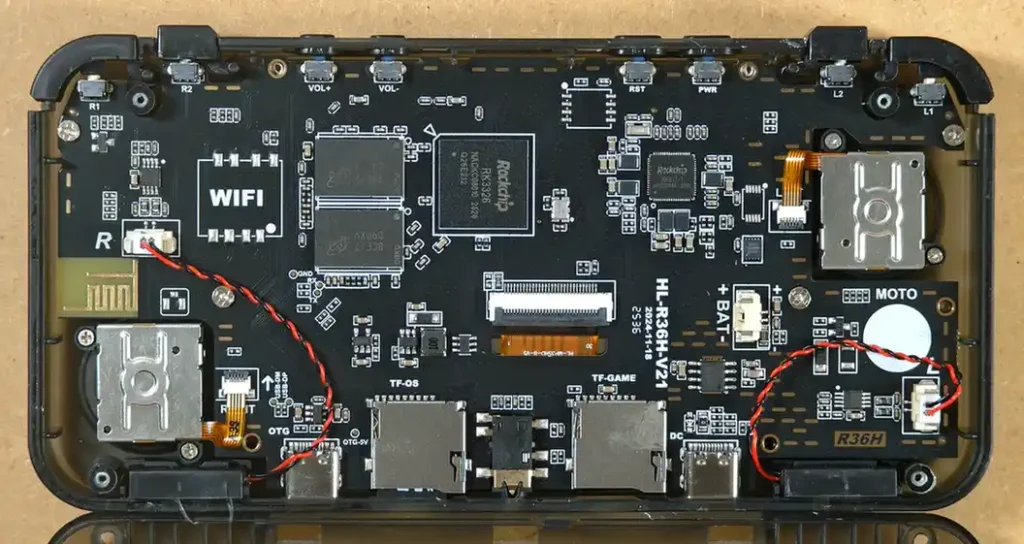
Upon removing the battery and disassembling the device, we can finally clearly see the innards of the R36H, which are, once again, very similar to those of the base R36S, albeit served in a horizontal layout. This is quite a beautiful board.
The heart of the handheld, the Rockchip RK3326 chipset is positioned near the middle of the device. Other clearly visible elements here are the two RAM chips, and the empty marked spaces ready for a Wi-Fi module and a vibration motor upgrade.
The R36H, as of now, can come with either the first or second revision of its mainboard:
- HL-R36H-V20 – the first revision features an empty slot for a vibration motor and no easy way to solder on an additional Wi-Fi chip.
- HL-R36H-V21 – the second revision (one you can see above), has a designated spot for a Wi-Fi module, and some models actually come with it already soldered on.
If you’re interested in giving your R36H a Wi-Fi module upgrade, RicoR from XNL has a great write-up on that that covers the base R36S as well.
After this very short teardown, let’s move on to my final overall thoughts on this device.
My Final Verdict and Your Alternatives
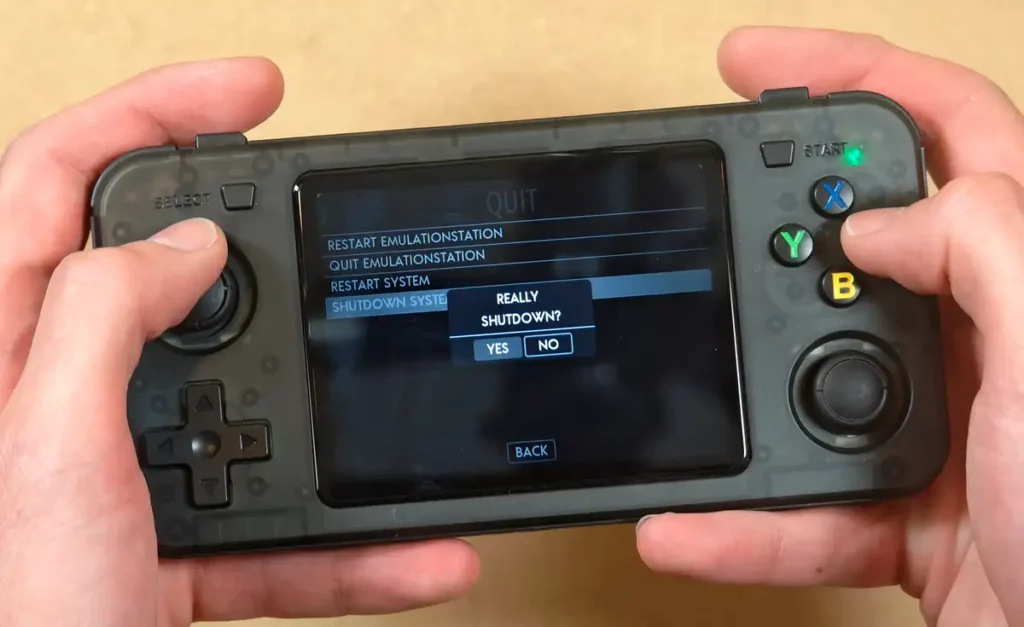
I really like this thing. Although my eyes quite understandably wander more and more towards a bit better performing and more pocketable handhelds like the Powkiddy V90S, I still grab the R36H from time to time to play some old classics.
If you’re thinking about getting yourself an affordable device that can easily handle retro systems up to the PS1 and can even bite into the PSP catalog, comes with a reasonably good set of horizontal controls AND two analog sticks, I’d definitely point you to either the R36H, or the aforementioned R36H ProMax / R45H which are well worth it for their price.
One clear advantage of these two devices over the rest of the R36S-likes is that as of now, they seem to have no clones available. This means that what you see is what you get, which hasn’t been that obvious with these devices in the recent months. That’s pretty much it!
Still hungry for retro handhelds? Check out my top list containing my favorite devices this year here: 13 Best Retro Handheld Emulator Consoles – My Personal Picks