

The Oilsky M308 is one of those devices that can be quite confusing at first. It is a tiny Android 9 digital audio player with dedicated audio hardware, a rather nice metal volume wheel, a 3.5 mm headphone jack, Wi-Fi, LDAC support, and the freedom to install any compatible Android apps you like, with Spotify and Tidal already coming with the player. On paper, it looks almost suspiciously complete.
After a few hours with it, I had already developed a bit of a love-hate relationship here. Music playback itself works much better than the rest of the system would suggest, but if you’re doing anything else, like getting around the Google Play Store, opening apps, or doing anything more ambitious, it can really test your patience.
This is still a first-impressions article, not a long-term review, so I will focus on the hardware, included accessories, software, music apps, Bluetooth, and the worrying early battery behavior rather than pretending I already have definitive endurance or durability results.
You might also like: 20 Best Digital Audio Players (DAPs) – Full Buyer’s Guide
Why you can trust us: We test all of our products according to the Tech Tactician consumer usability benchmark methodology which evaluates the product characteristics that matter to the user in day-to-day use.
This web portal is reader-supported, and is a part of the AliExpress Partner Program, Amazon Services LLC Associates Program and the eBay Partner Network. When you buy using links on our site, we may earn an affiliate commission.
First, the Specs
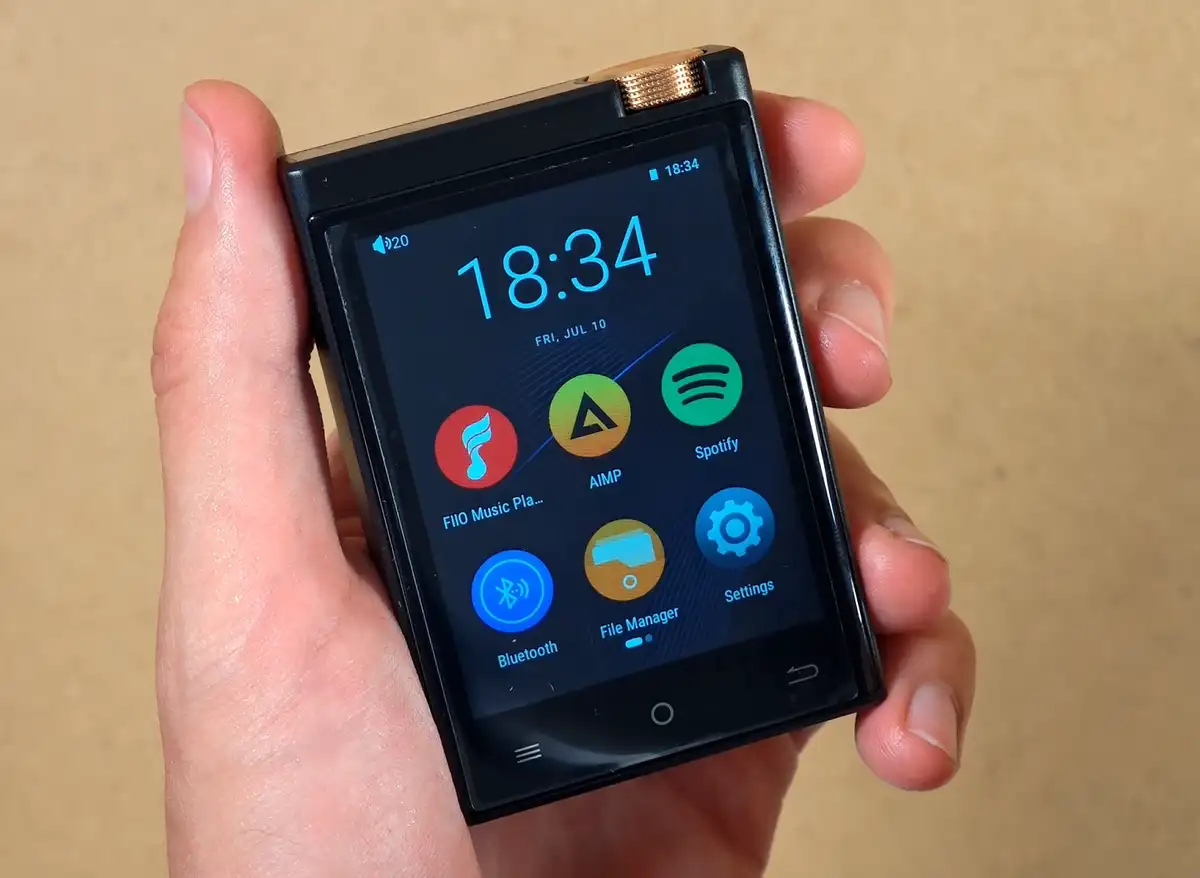
Tiny Android 9 digital audio player with a 2.8-inch touchscreen, dedicated ESS DAC and MAX amplifier, 3.5 mm output, Wi-Fi, LDAC Bluetooth, microSD expansion, physical track controls, and a metal volume wheel.
| Display | 2.8-inch IPS LCD touchscreen, 480×640 |
| Operating System | Android 9.0 |
| Processor | MTK-class octa-core processor, up to 1.5 GHz |
| RAM | 2GB |
| Internal Storage | 16GB |
| Expandable Storage | microSD / TF card slot, up to 1 TB |
| DAC / Amplifier | ESS9018Q2M DAC + MAX97720 amplifier |
| Supported Audio | MP3, WAV, APE, FLAC, AAC, ALAC, DSF, DFF, ISO, DTS; up to 192 kHz / 24-bit PCM and DSD512 |
| Gain | Low and high gain modes available |
| Headphone Output | 3.5 mm single-ended output, no balanced output, no built-in speaker |
| Listed Output Power | 0.95 V / 28 mW at 32 Ω and 1.9 V / 6 mW at 600 Ω; Oilsky separately lists a 125 mW / 32 Ω maximum for the headphone jack |
| Bluetooth | Bluetooth 4.1 with LDAC, SBC, and AAC transmission |
| Wi-Fi | Dual-band 2.4 GHz and 5 GHz |
| Physical Controls | Metal volume wheel, previous/next track control, power/lock button, and capacitive Android navigation buttons, no physical play/pause button |
| Ports / Slots | USB-C charging/data port, 3.5 mm headphone jack, microSD slot, reset point, and microphone opening, USB OTG is not supported |
| Battery | 1450 mAh, USB-C charging at 5 V / 1 A |
| Dimensions | Approximately 80.3 x 55 x 14 mm |
| Weight | Approximately 134 g |
| Included Accessories | Protective case, plastic screen protector, USB-C cable, manual, and 64 GB microSD card (depending on the bundle) |
What You Get Inside the Box
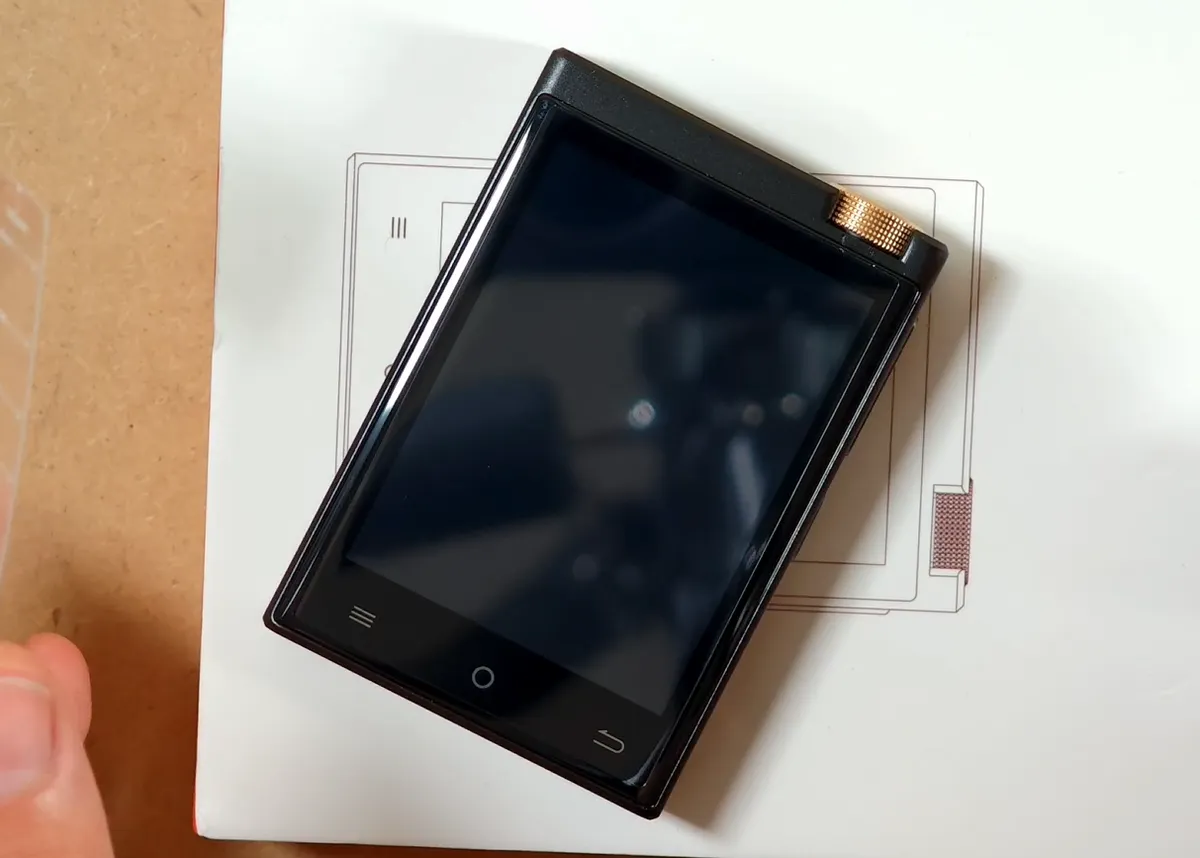
The unboxing is straightforward. You get the player itself, a short USB-C cable, the user manual available in English, a plastic screen protector, and a fitted protective case.
Whether or not you get a microSD card with your device will depend on the option you choose during the purchase.
The most popular one seems to be the 16 GB of internal storage plus a 64 GB microSD card. Together with the 16 GB of internal storage, this is why the most common listing describes it as an “80 GB” player.
The leather-like case that comes with the M308 is pretty rigid and has a nice texture to it, but it does make the device even bulkier than it already is. Despite that, I still like that it’s included here.
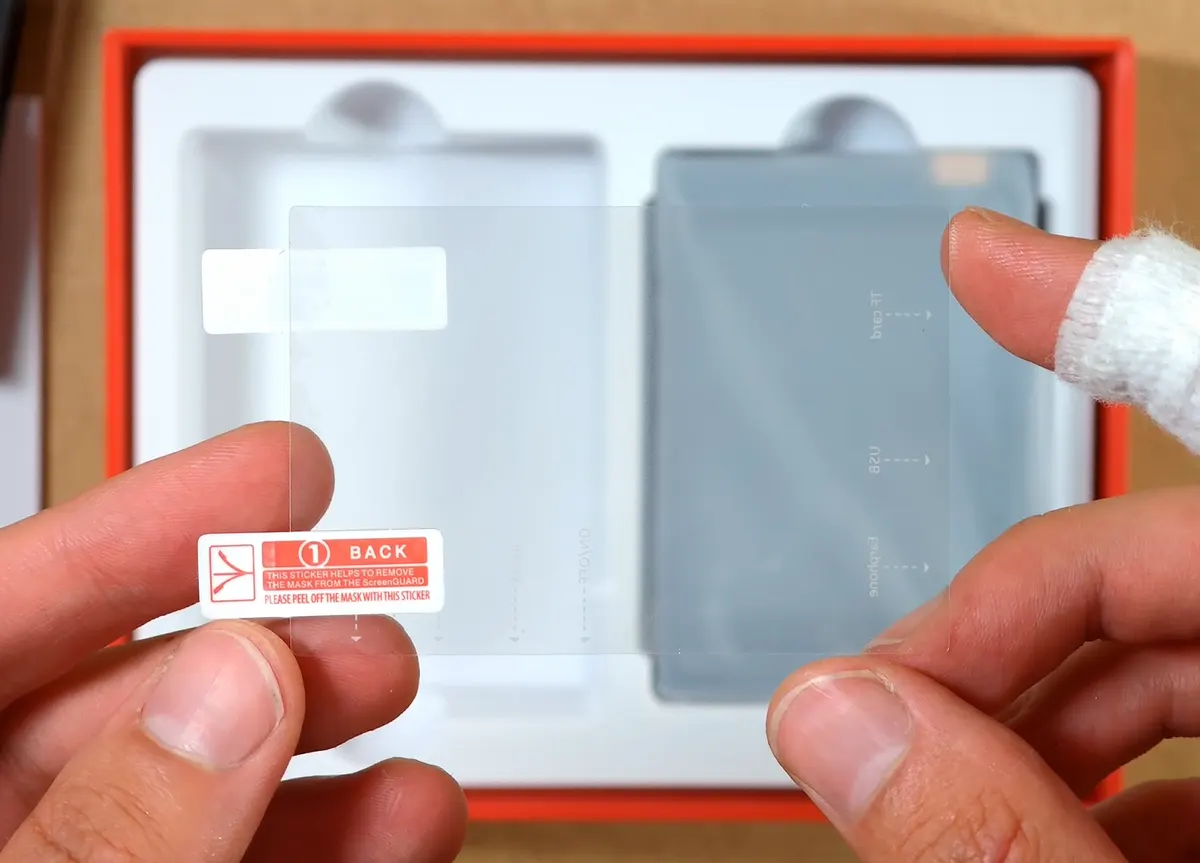
The protector is the usual flexible plastic type rather than tempered glass. Curiously, my M308 already had one applied under the usual protective foil, but it was misaligned along one edge. I removed it and fitted the spare from the box.
Build Quality, Ports & Physical Controls
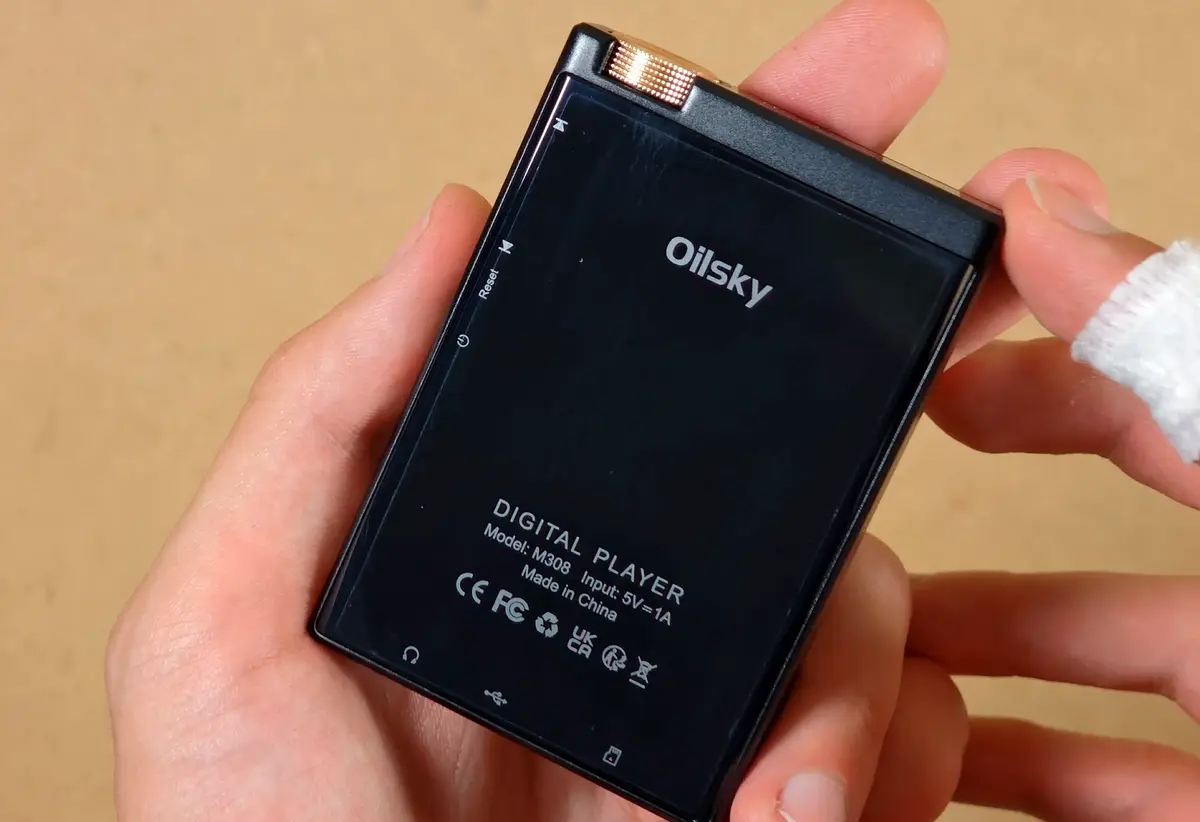
My very first impression here was that the M308 felt much heavier than I anticipated. At roughly 134 grams, it is not extremely heavy in absolute terms, but the weight is surprising when you see how small it is.
It works well with the compact body and gives the whole thing a satisfying little slab-like feel. Most of the outer frame is metal (feels very nice in the hand), the back is glossy, and the front is almost entirely taken up by the screen and three capacitive Android navigation buttons.
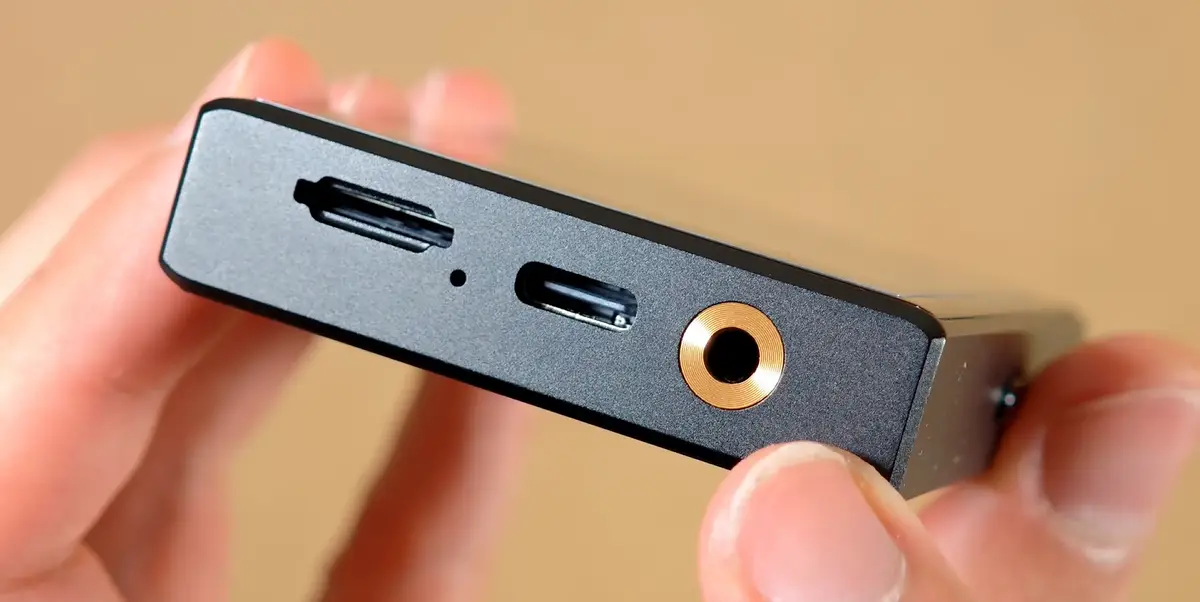
All of the wired connections are placed on the bottom. There you can find a microSD card slot, a small recording microphone opening, USB-C, and the 3.5 mm headphone jack.
The USB-C port can be used for charging and file transfer. There is no advertised USB DAC mode, and the manual explicitly lists USB OTG as unsupported.
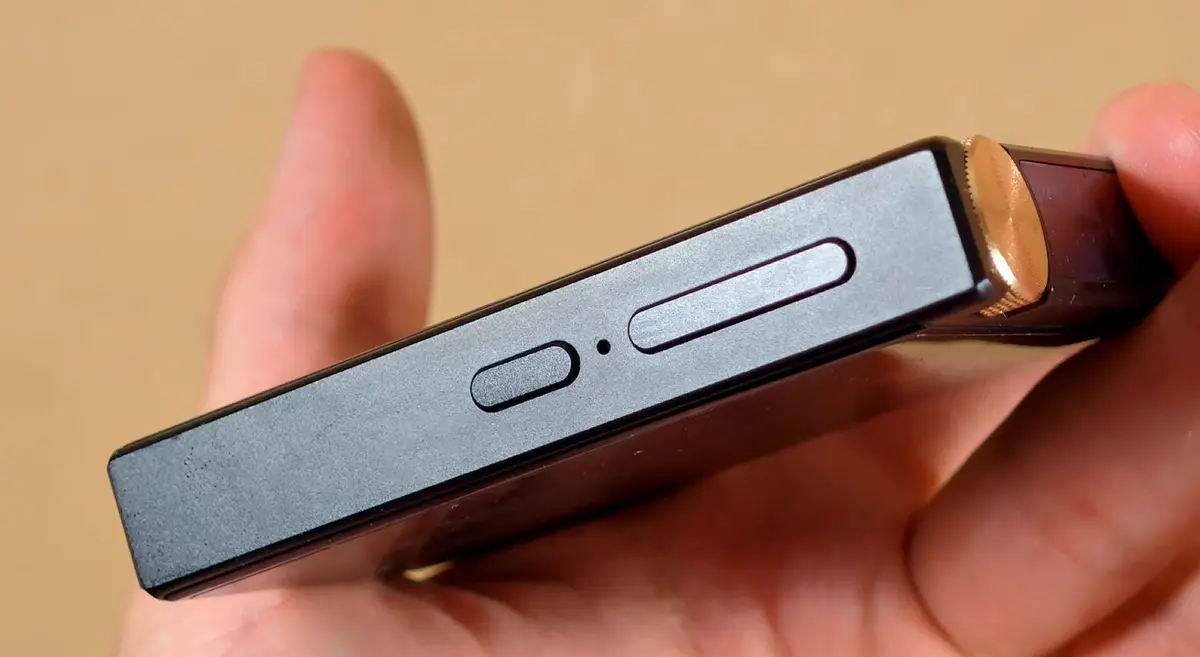
The physical track controls are useful when the player is already in your pocket, and their shape makes them easy enough to distinguish by touch. The one strange omission is a play/pause button.
You can skip tracks without waking the screen, but pausing still requires interacting with the touchscreen or your headphones (if they have a play/pause button on them). On a dedicated music player like this, that feels like a very avoidable limitation.
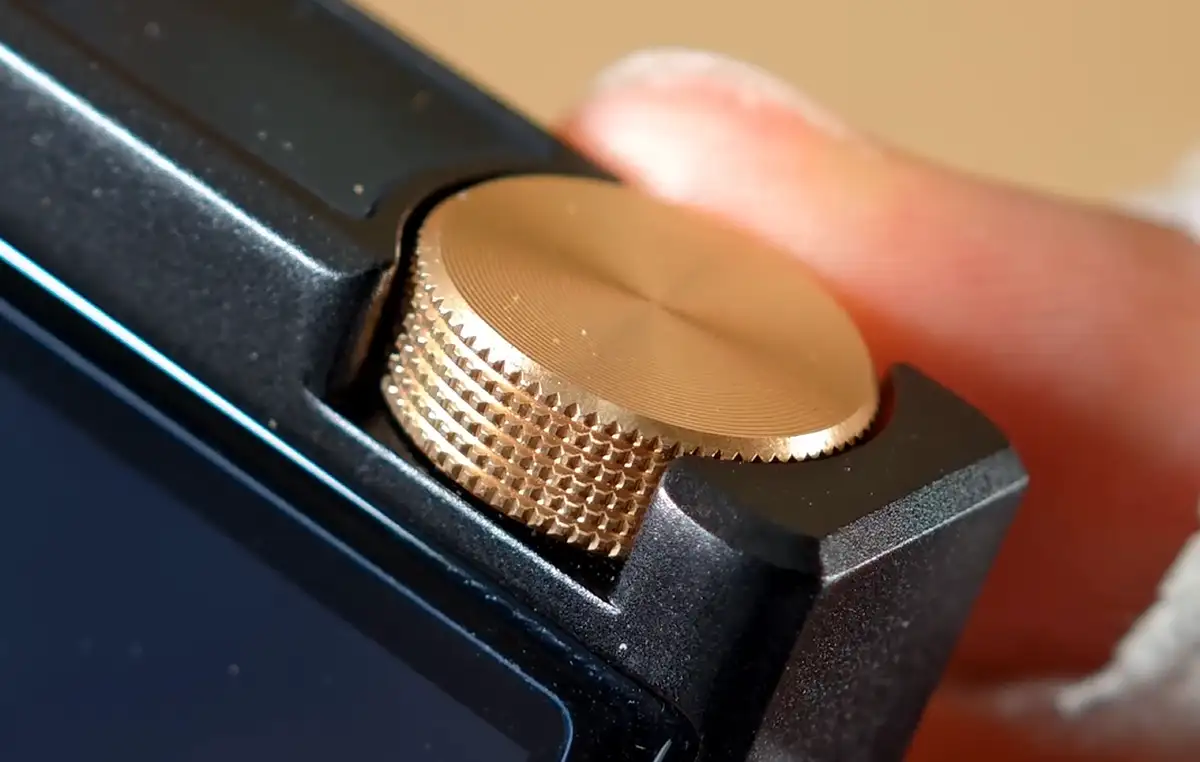
The gold volume wheel is the best-looking part of the exterior. It has a nice knurled edge and moves in clear and reasonably soft steps, although it does not press in as a button, which would have been one way the play/pause functionality could be solved here.
I also found its direction a bit unintuitive, at least when you’re using it as a front-facing slider, which is, considering the shape and design of the device, most of the time.
Moving your finger left-to-right on the front of the knob lowers the volume (as the values increase with clockwise movement), while right-to-left raises it. There is no option to reverse this behavior, which I think would be reasonably simple to implement.
Another, arguably more important thing is that getting from 0 to 100 percent volume takes a lot of small movements with this knob. And I really mean it, as you can see in the video it can be pretty annoying. Adjustable wheel sensitivity would make it considerably better.
Despite all this, it’s perfectly usable, and I really like the visual character it gives the player.
The First Boot
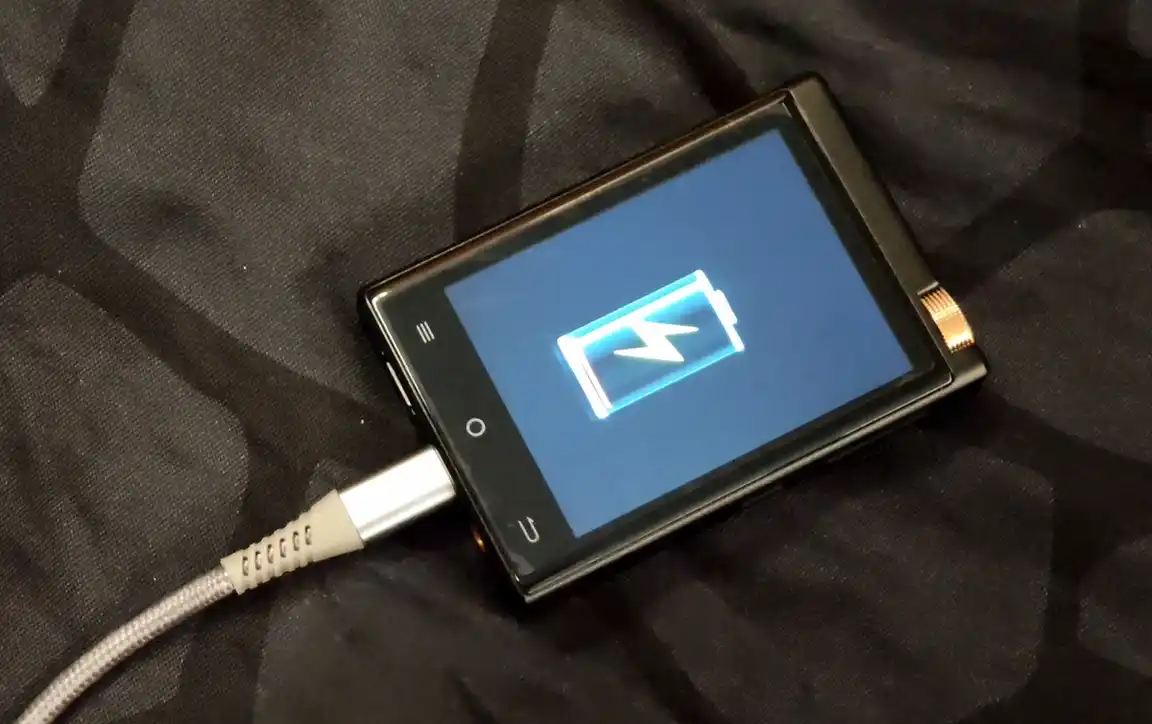
When I first attempted to boot the player, it appeared to be completely discharged. When I connected it, the display showed an empty red battery as expected. Roughly two seconds later, however, that reading suddenly jumped to 93%.
I left it plugged in for a while and it did boot normally after that, but the battery reporting inconsistencies out of the box were bizarre enough that I immediately started wondering whether the battery or its calibration were off.
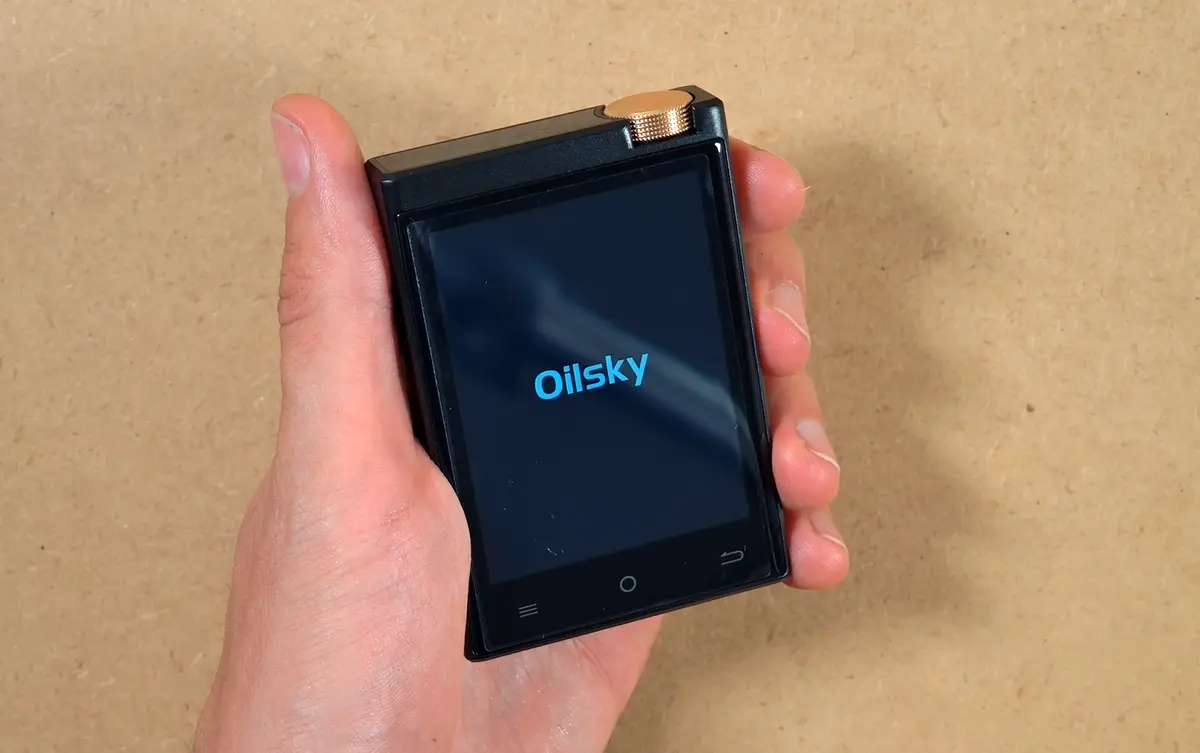
One important charging note directly from the manual: Oilsky tells you to use a basic 5 V / 1 A power source, and specifically warns against high-speed chargers.
This is a warning that also very often accompanies many of the cheaper retro handheld models, as they can also be relatively easily damaged by high-speed charging (or will heat up/refuse to charge at all), so this is one of the few cases where I would keep an older low-power charger or computer USB port around.
Android 9, The Available Settings & General Performance
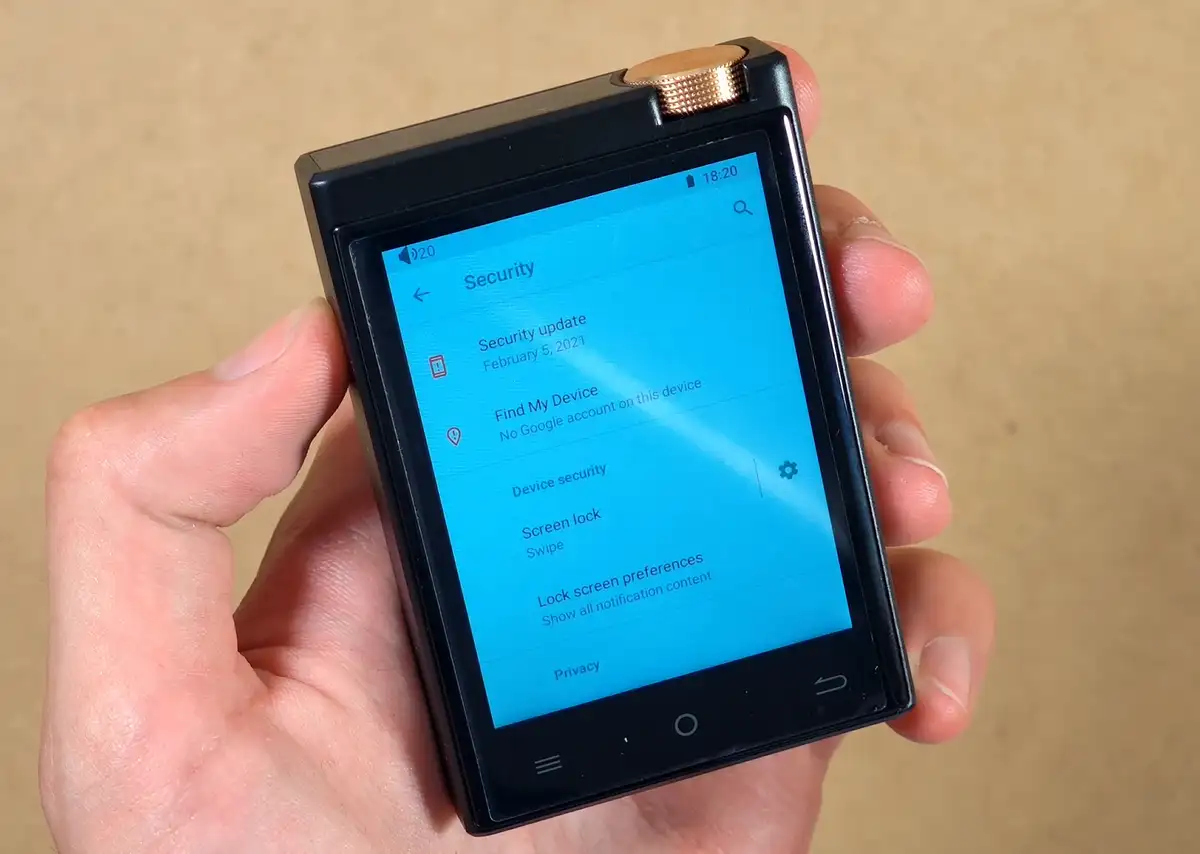
The OS here is Android 9, which is, of course, pretty dated by today’s standards. This gives you access to Wi-Fi, Bluetooth, the Play Store, APK sideloading, and access to familiar Android settings. Keep in mind that all the apps that you’ll want to install here need to support this older version of Android.
This also means that you do inherit outdated security patches. I would treat the M308 as a music appliance only, never use a primary Google account on it, and avoid signing into critical services. These are standard practices on most devices of this type.
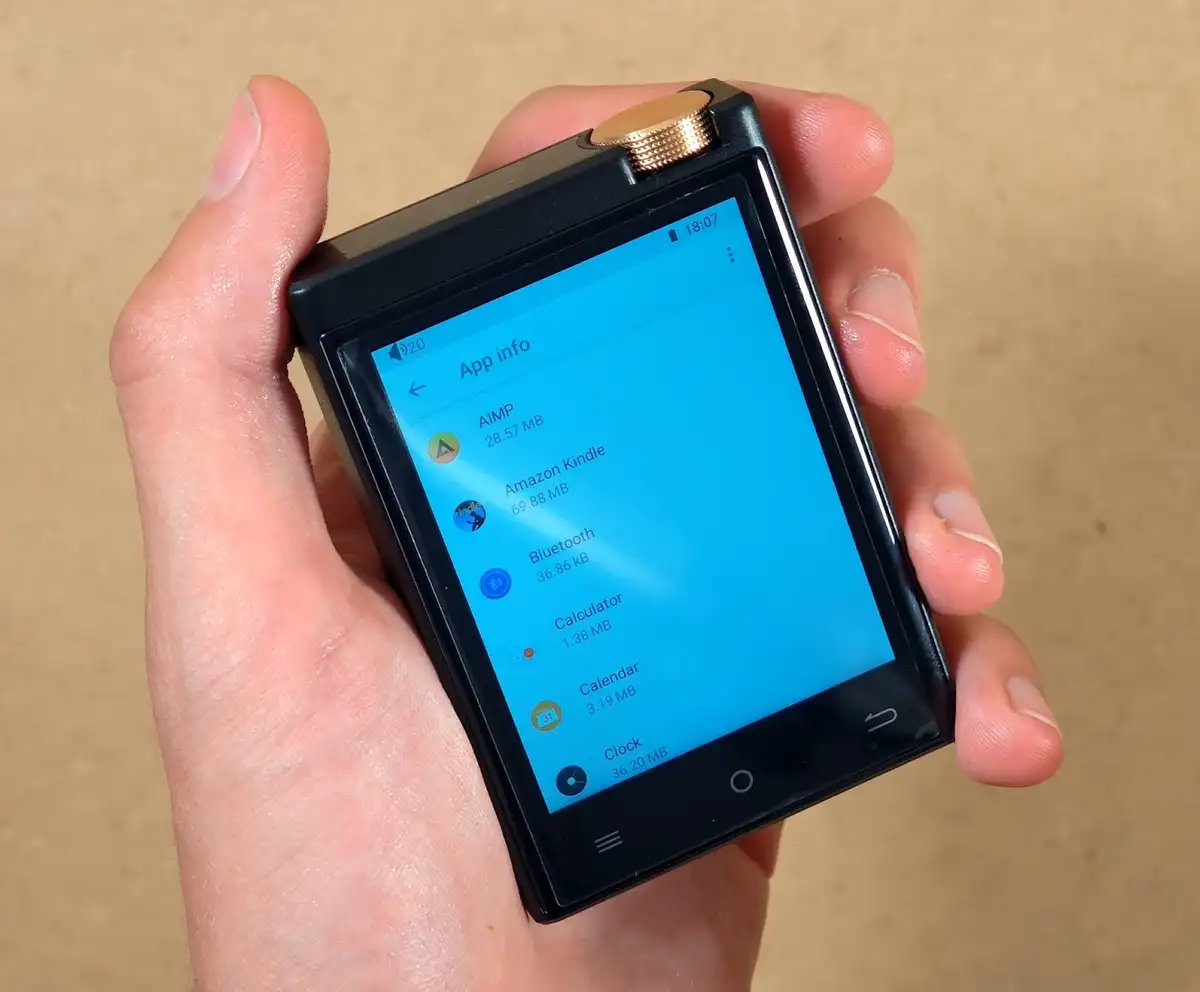
When it comes to the preinstalled apps, the M308 comes with the FiiO Music app, AIMP, Spotify, Tidal, MX Player Pro, the usual basic Google/Android components, and… an Amazon Kindle app. Hmm.
I uninstalled the latter right away. If you actually want an extremely pocketable device for books, my Xteink X4 first-impressions article covers something much better suited to that job.
There is also the stock clock, calendar, calculator, gallery, and file manager. Overall, this is a lean selection with no actual bloatware, although it’s worth noting that there is no web browser installed by default here.
Despite there being a microphone hole on the bottom, I also didn’t find a preinstalled sound recorder app on the M308.
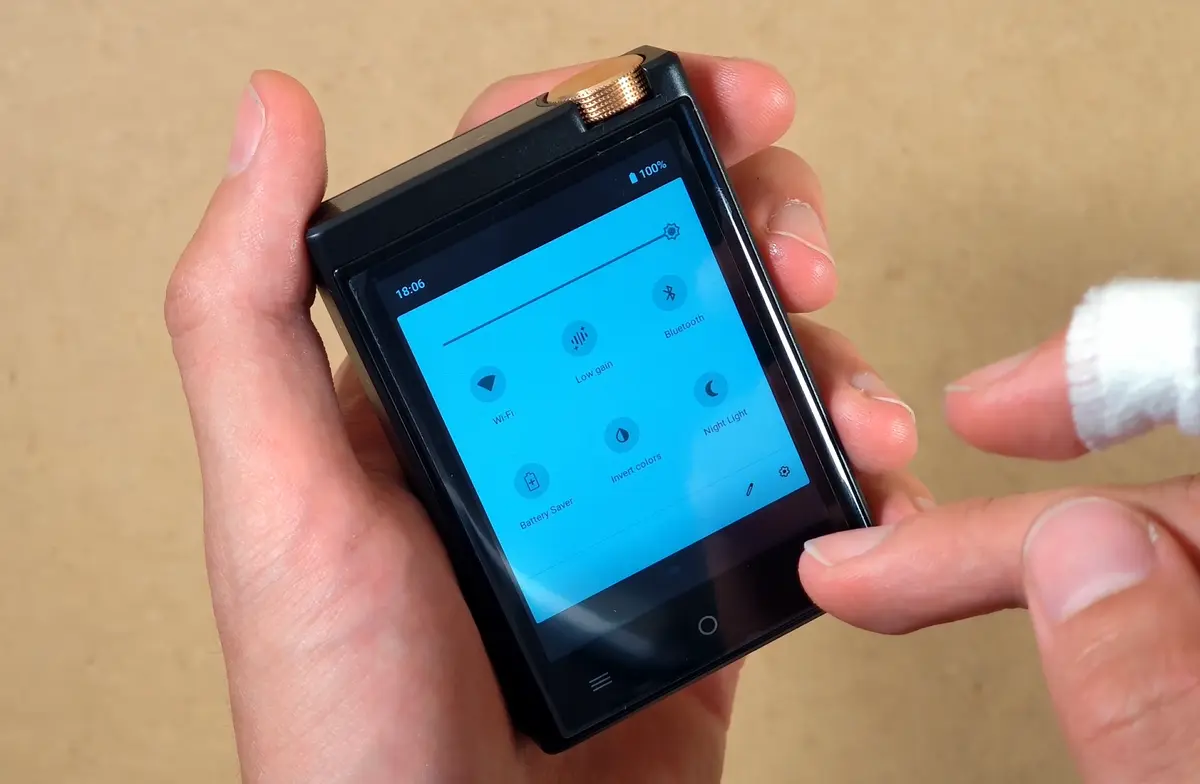
The most useful options, settings and shortcuts I found on the M308 include:
- Low and high gain mode switch – low gain for sensitive IEMs and more conservative power use, high gain for harder-to-drive high-impedance headphones.
- The basic Android battery saver – worth keeping in mind considering the small battery capacity.
- Bluetooth codec controls – LDAC audio quality modes are exposed and easily accessible.
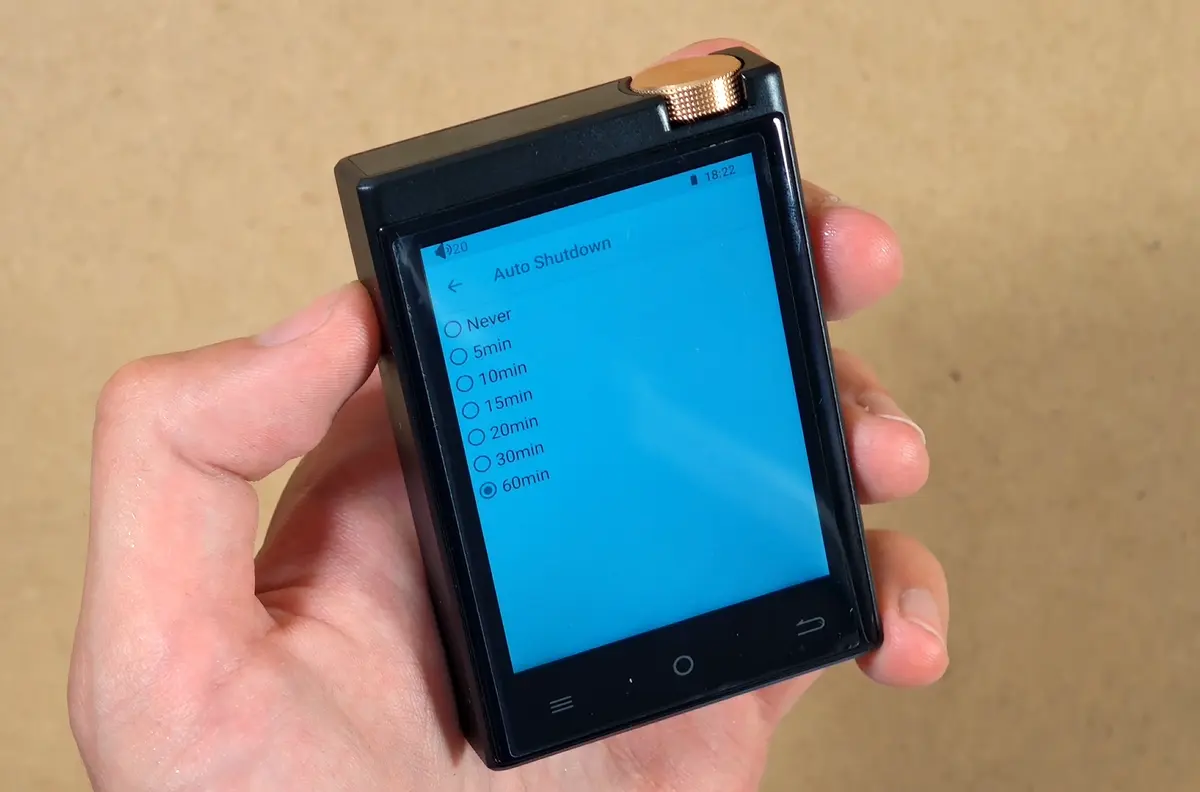
- Automatic shutdown – you can set the player to fully turn off in 5, 10, 15, 20, 30, or 60 minutes.
- Scheduled power on/off – lets you start or shut down the whole player at a specific time.
These are genuinely good to have easy access to on a player like this.
One peculiar discovery was that repeatedly tapping the build number on the M308 does not open the normal Android developer options. It launched a factory test menu instead.
From there I could briefly check the display and the device’s sensors. The player does have an accelerometer and automatic screen rotation, but does not feature a built-in speaker.
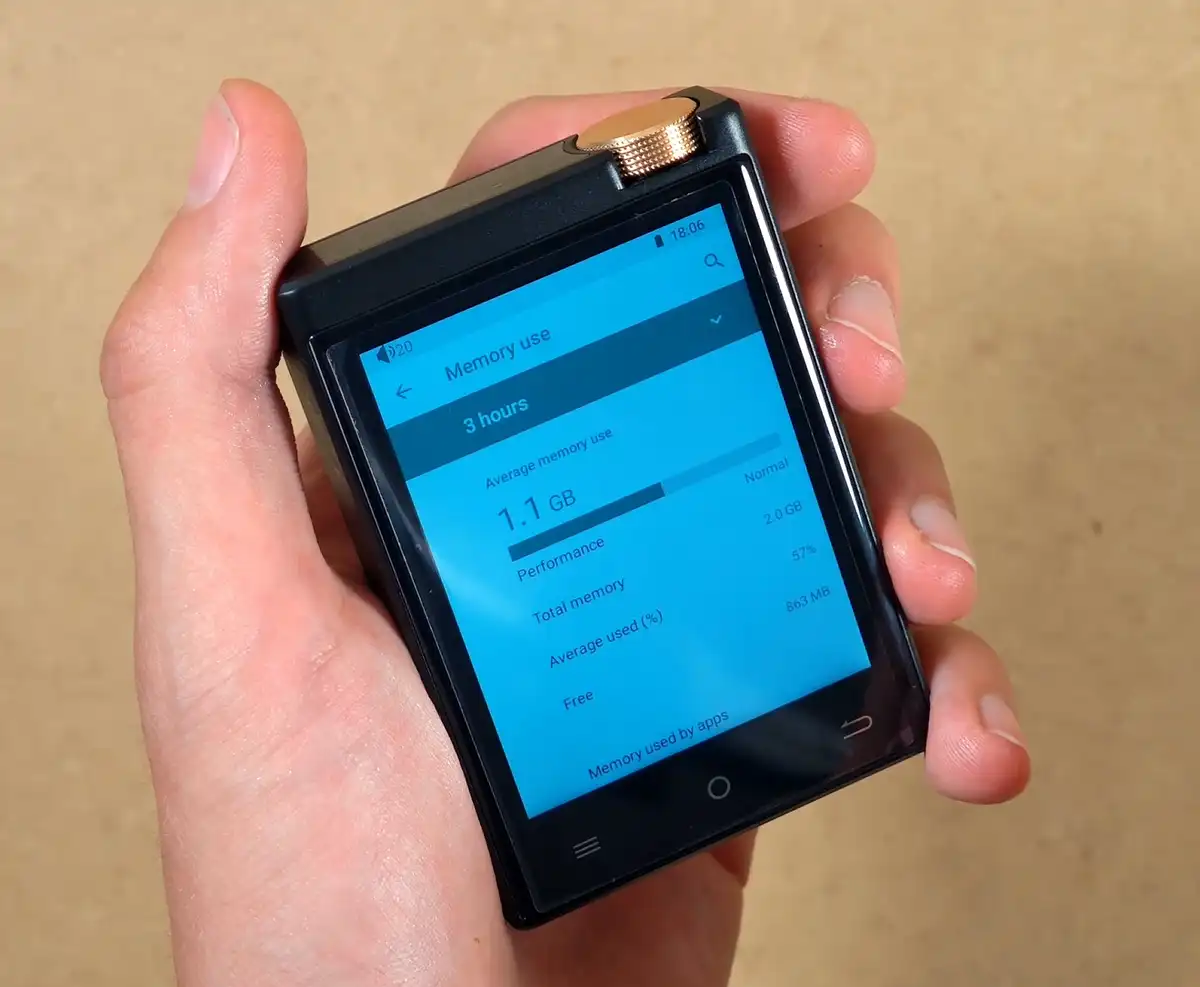
The basic system apps and file manager are quite responsive. The real slowdown appears once you start asking more from the hardware. The M308 has only 2GB of RAM, more than half of which was already occupied by the system during my testing.
Signing into Google Play took a very long time, the Play Store crashed twice on me during the initial account setup, and first modern app launches often involve visible waiting.
Still, once I got through with the Google Play account setup, luckily the experience quickly went from unbearably slow to just moderately sluggish.
You might also like: “Nextar MA933A” Clone From AliExpress – And What It’s Worth
The Display Is Just Alright
The screen quality is acceptable for a music player. Maximum brightness looks reasonable indoors, although I have not yet tested it in direct sunlight.
The backlight is not perfectly uniform, particularly near the lower edge, and this has the familiar look of an inexpensive LCD.
It is of course nothing disastrous, considering that it is a music player after all.
Web Browsing & A Little Gaming
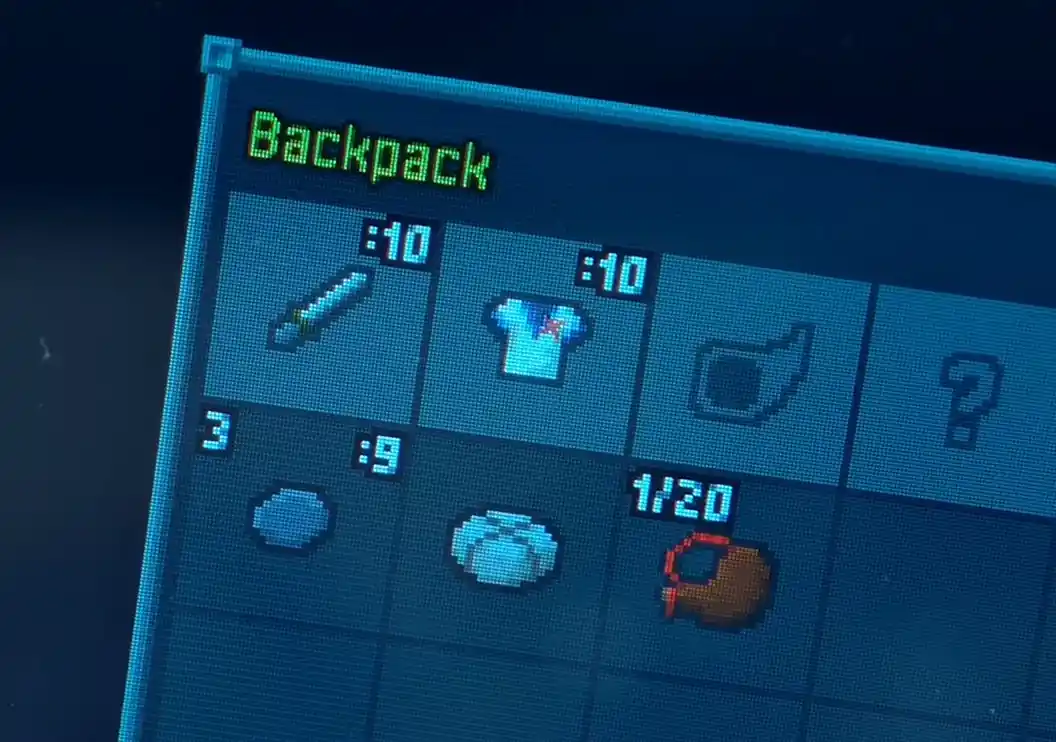
You can certainly browse the web and even run a lightweight game such as Pixel Dungeon as I did in the video, but that definitely does not mean you should buy the M308 for either of those things.
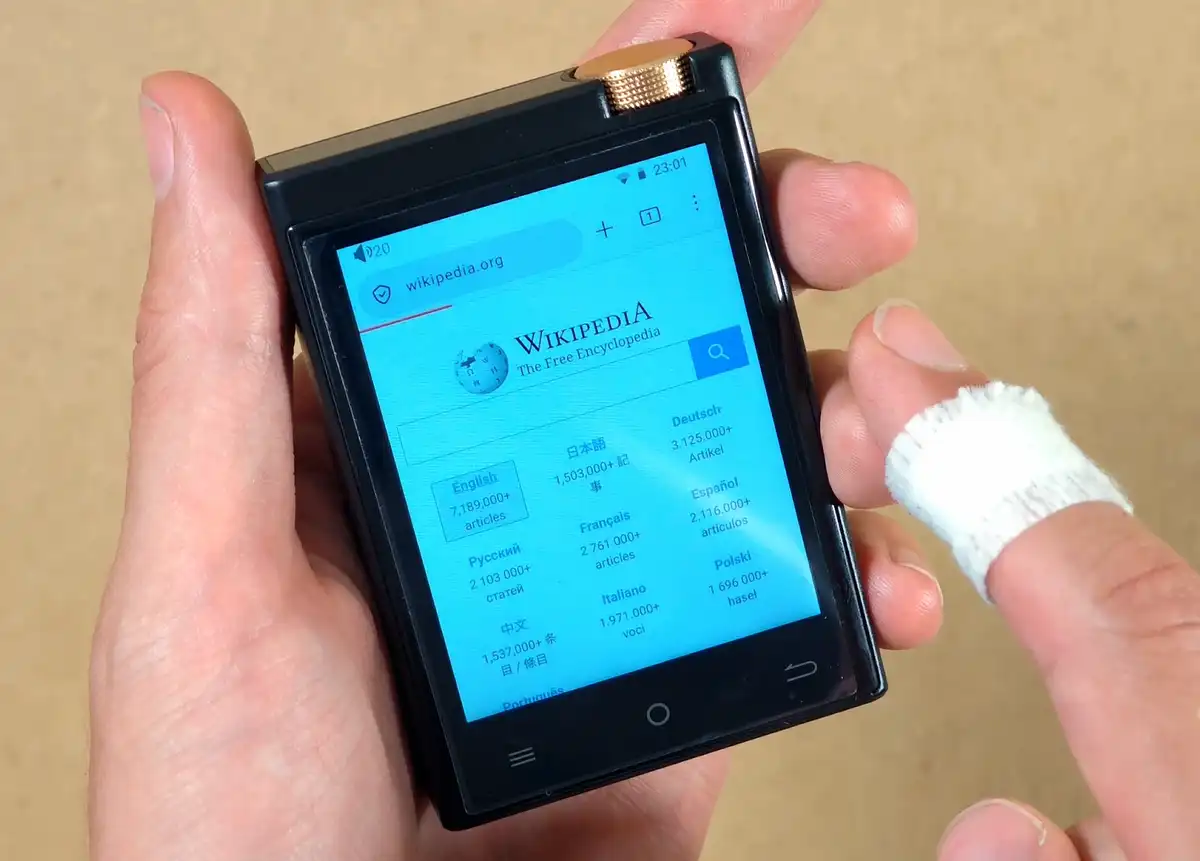
Because no browser is included, I installed Firefox on the device myself. It works, but pages feel cramped and it runs, as expected, very slowly.
Trying to install Chrome from the Play Store wasn’t possible, as the device didn’t support the latest version of the browser. You’d have to use an earlier build for that.
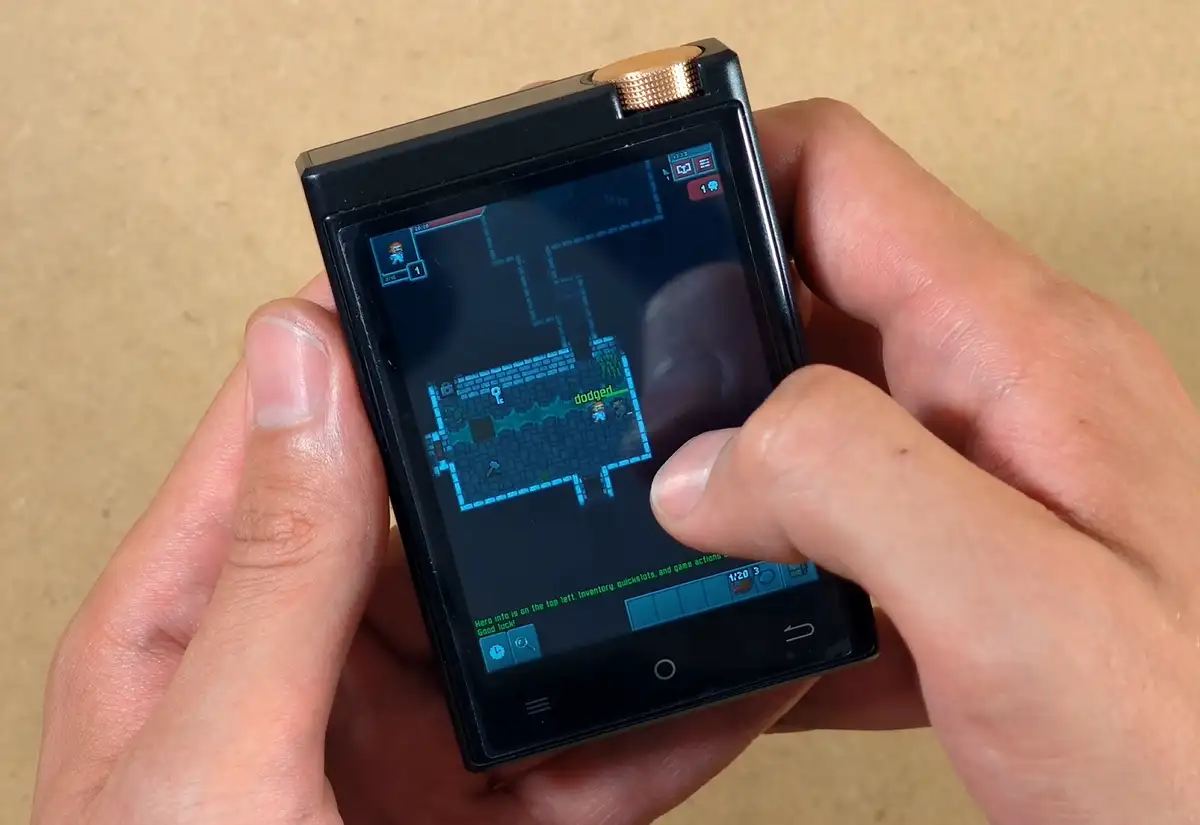
If you want to see the loading times and app behavior and loading times without a lot of cuts, I left plenty of that real-time behavior in my full M308 unboxing and first-impressions video. The short version is simple: the player is slow at being a tiny Android tablet, but surprisingly competent at being a music player.
Spotify & Local Music Playback
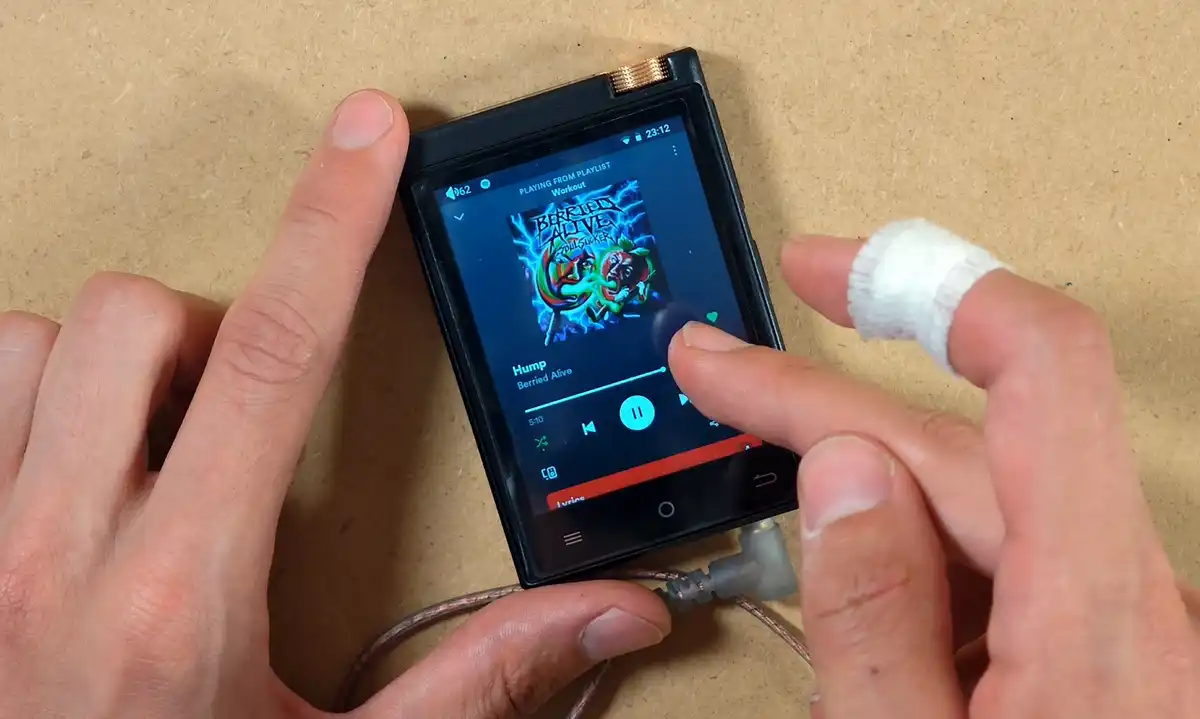
Spotify works, and this is one of the main reasons to consider the M308 over a similarly priced non-Android DAP. App startup is not quick and the interface is obviously cramped on a 2.8-inch screen, but once a track is playing, the experience becomes much more normal. Playback and library controls respond quickly, album art is readable, and I did not run into any immediate streaming problems.
While I don’t have a Tidal account to test it, I would expect the same there.
This is, of course, not a particularly good device for browsing through hundreds of recommendations or building playlists from scratch. It is much better suited to choosing something you already know, starting playback, locking the screen, and putting the player back in your pocket.
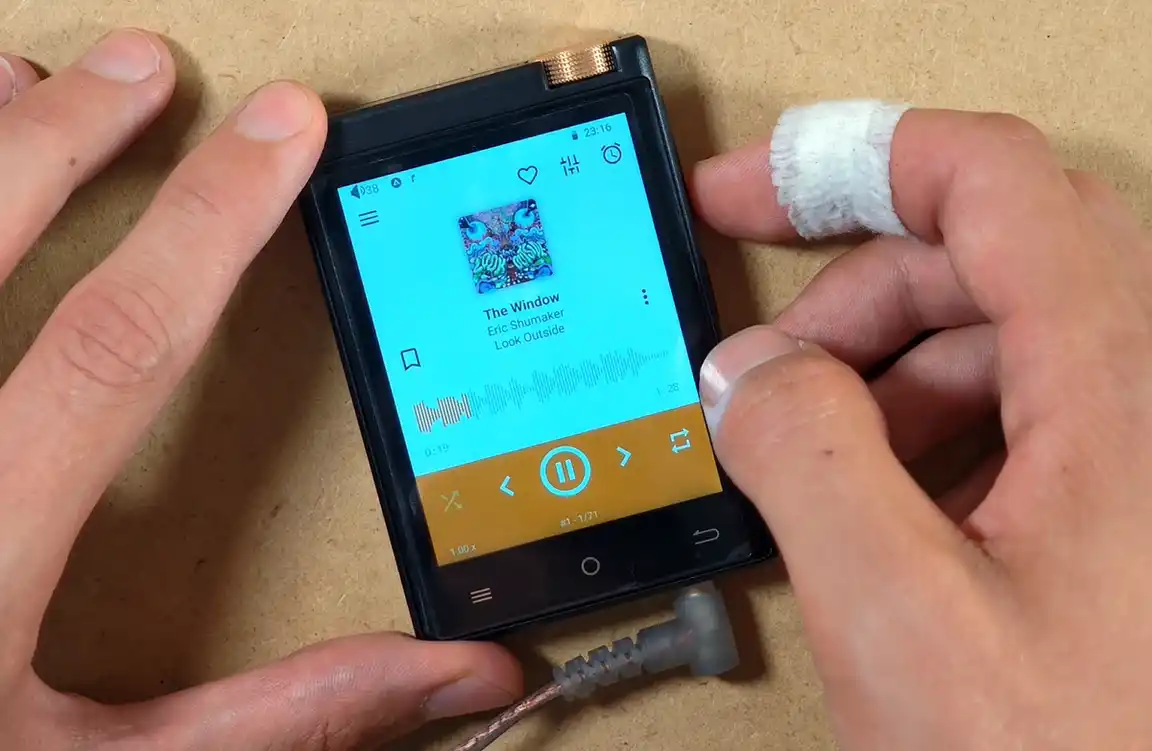
Local music playback is where the device makes the strongest case for itself. FiiO Music and AIMP, both of which the M308 comes bundled with, loaded my test tracks fast, and felt responsive all throughout my testing.
I also installed Poweramp and Symfonium on here. PowerAmp unfortunately kept throwing an error when I tried to grant it access to the microSD card, so I skipped it. Symfonium scanned the card quickly, and its library navigation worked just as well as AIMP.
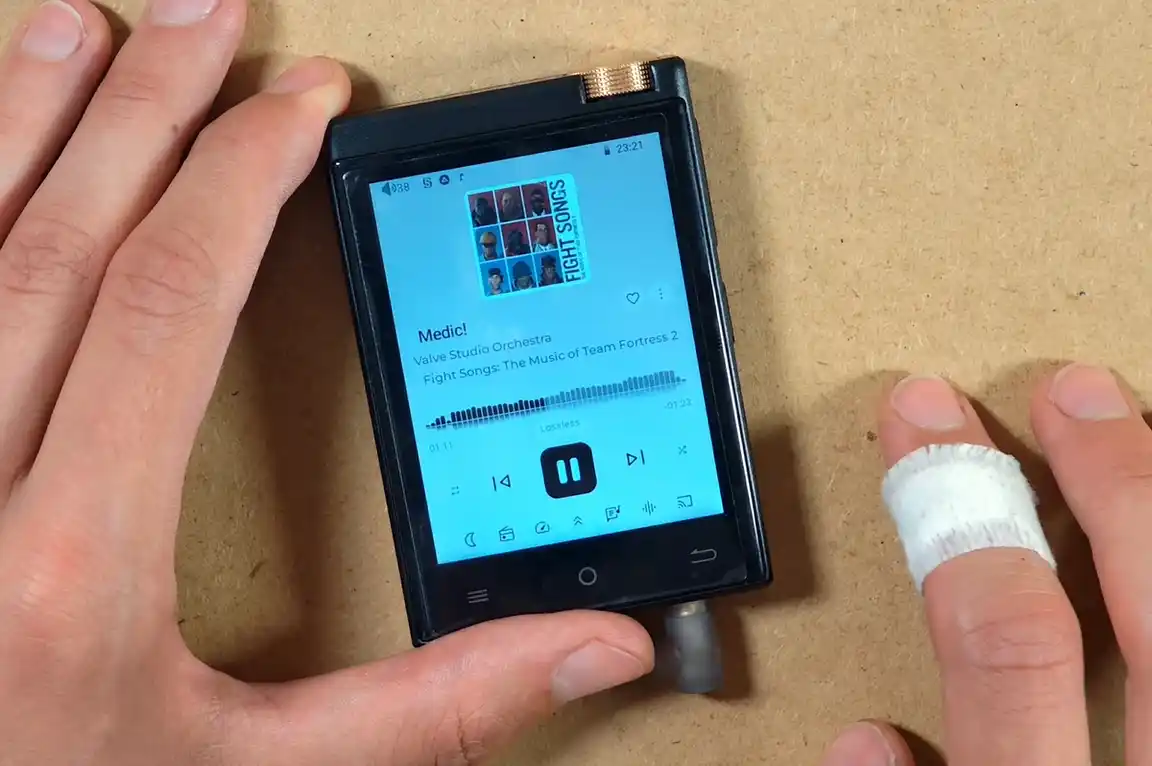
The official manual curiously suggests switching from FiiO Music to AIMP if DSD512 playback stutters. That is a rather specific admission, but it also illustrates the main advantage of Android, that is, if one player does not behave the way you want, you can simply try another one and configure it to your liking.
Wired Audio, Bluetooth & LDAC
For wired listening, the M308 uses an ESS9018Q2M DAC paired with a MAX97720 amplifier. If you are unfamiliar with what the first part actually does, my quick DAC explainer covers the basic signal path. Here you get one 3.5 mm single-ended output, plus low and high gain modes. There is no balanced output.
My initial wired FLAC playback tests were clean and, to my untrained ears, very good. The physical track buttons responded without noticeable delay, and the volume wheel still makes the M308 more pleasant than many touch-only budget players despite its quirks.
I am not an audio professional, and I have not spent enough time comparing headphones and level-matching sources to turn this into a definitive sound-quality judgment. At this stage, I can simply say that I very much enjoyed what I heard compared to my usual phone-based audio experience.
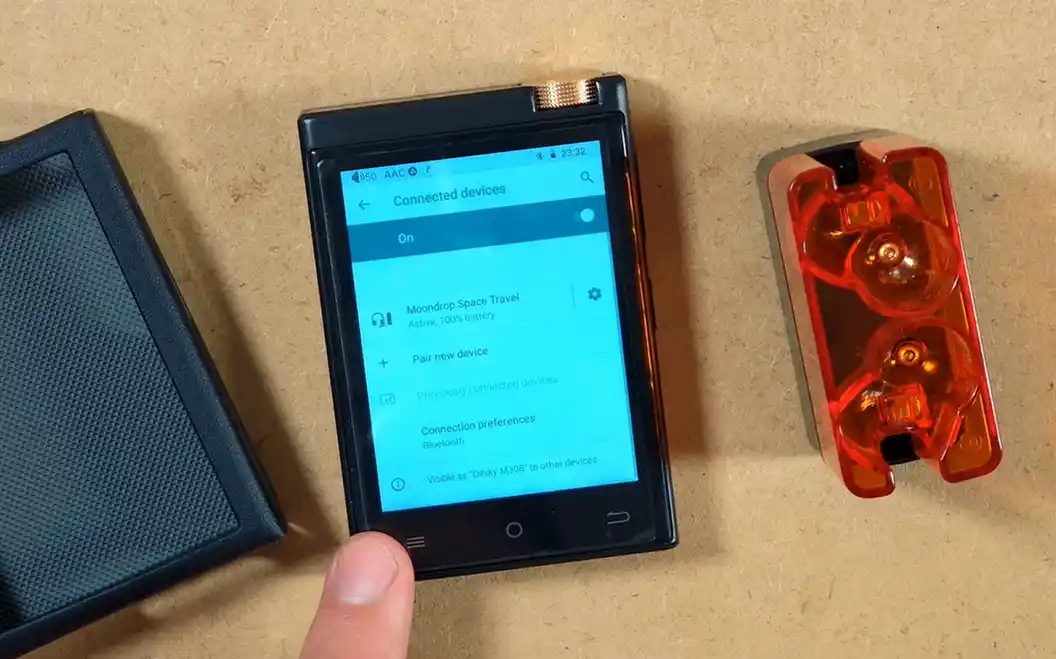
Bluetooth pairing is equally straightforward. The player supports SBC and AAC, as well as LDAC for compatible headphones. Remember that when you decide to listen wirelessly, the ESS DAC and headphone amplifier inside the M308 are bypassed. The Bluetooth codec and the electronics inside your headphones do all of the relevant work.
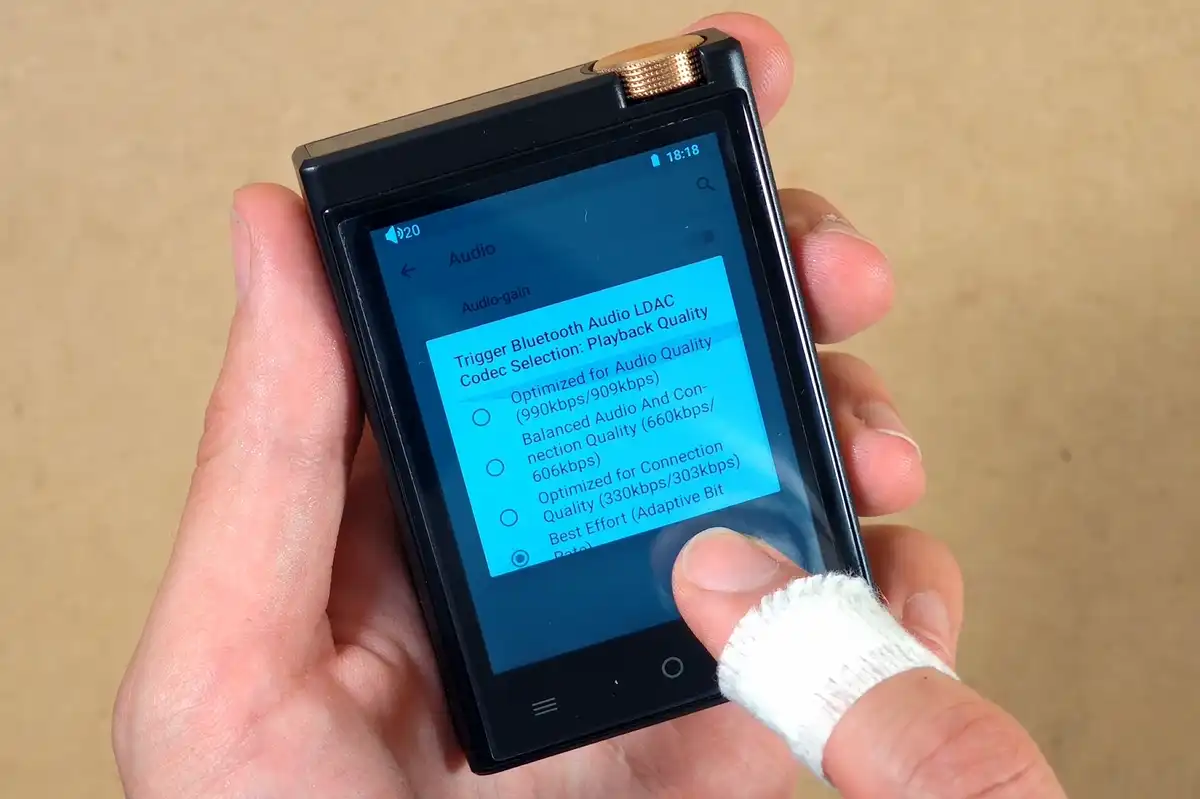
LDAC is great to have at this price point, especially if your headphones support it. The interface gives you access to switching between the usual quality-first, connection-first, and adaptive presets.
One weird thing I came across was that I was unable to change the Bluetooth codec from LDAC to AAC and SBC using the settings menu. While you usually would not do that anyway, as it is a quality downgrade, it’s important to mention here that I was not able to switch between these options during my tests.
The Battery Is My Biggest Question Mark
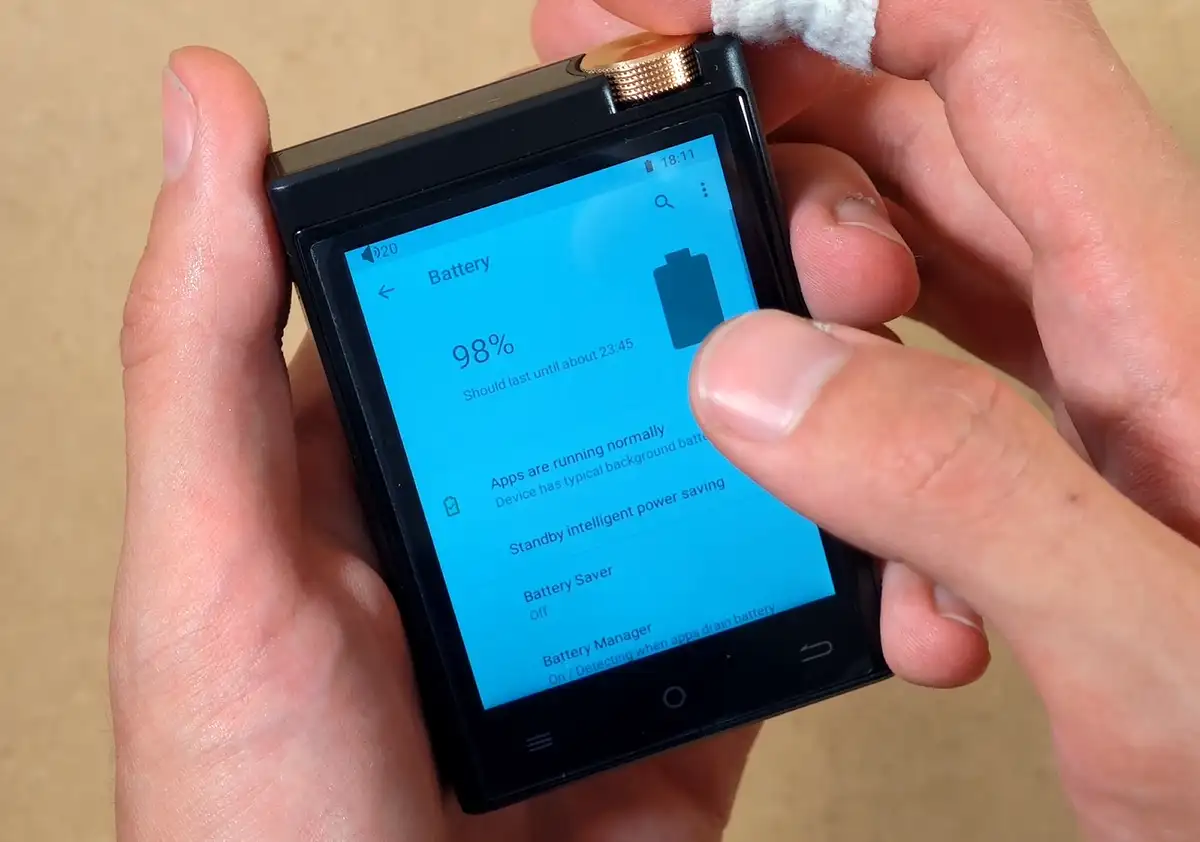
The M308 has a 1450 mAh battery. Some seller listings promise around 15 hours of playback, but I would be sceptical about this. My first testing session was spent installing apps, using Wi-Fi, keeping the display on at full brightness, and I was able to drain most of the battery in about 2-2.5 hours total.
If you’re planning to get the most out of it, I would enable Battery Saver, use the automatic shutdown timer when possible, turn Wi-Fi off when it is not needed, and avoid letting the battery sit fully discharged, as per usual. That’s pretty much it.
The Included Case & Daily Carry Potential
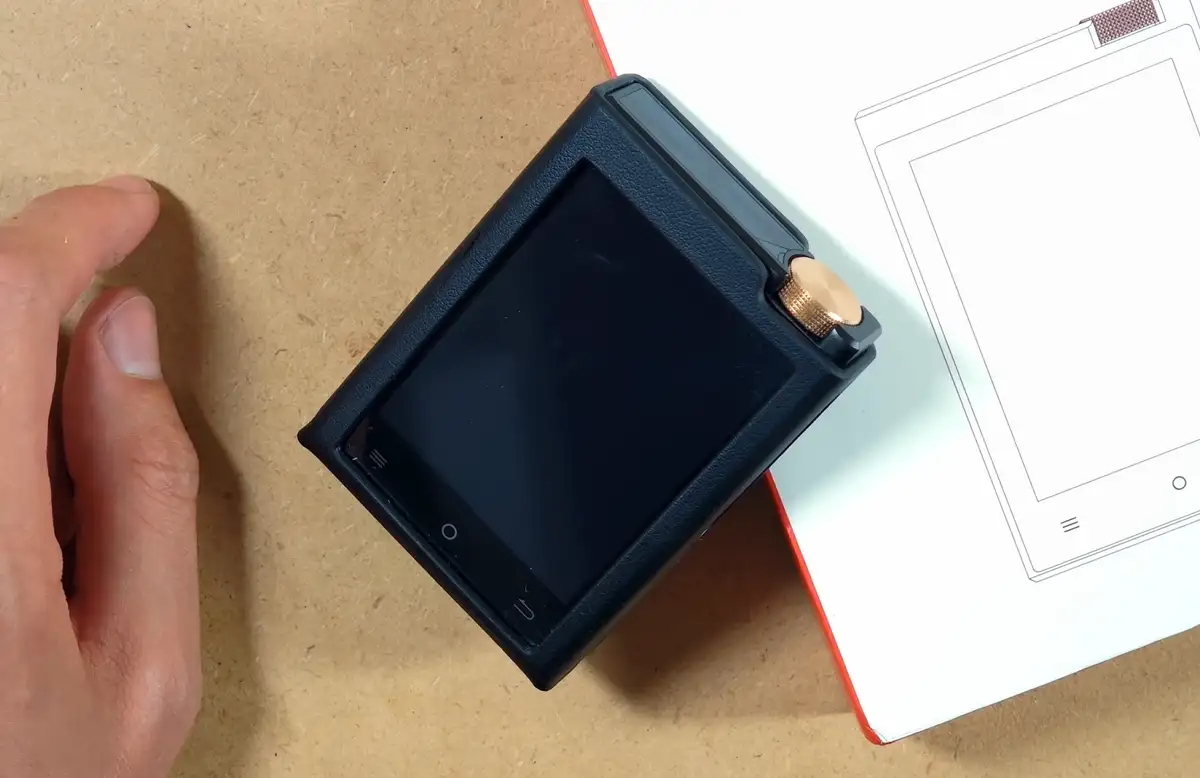
The included case is very rigid and finished with a neat faux-leather texture. The player slides in very tightly and is not going to fall out accidentally. It does add to an already slightly heavy and chunky feel, and its upper edge partly blocks the most natural one-finger access to the wheel.
You can still reach it by pressing your finger slightly farther into the cutout, but using the player without it is more convenient, at least for me.
With the case installed, this still remains a genuinely small device. The track buttons are easy enough to locate by touch, the 3.5 mm jack feels sturdy, and the whole thing occupies much less pocket space than a modern phone. This is exactly the kind of compact dedicated-gadget charm that I tend to like.
My Final Verdict
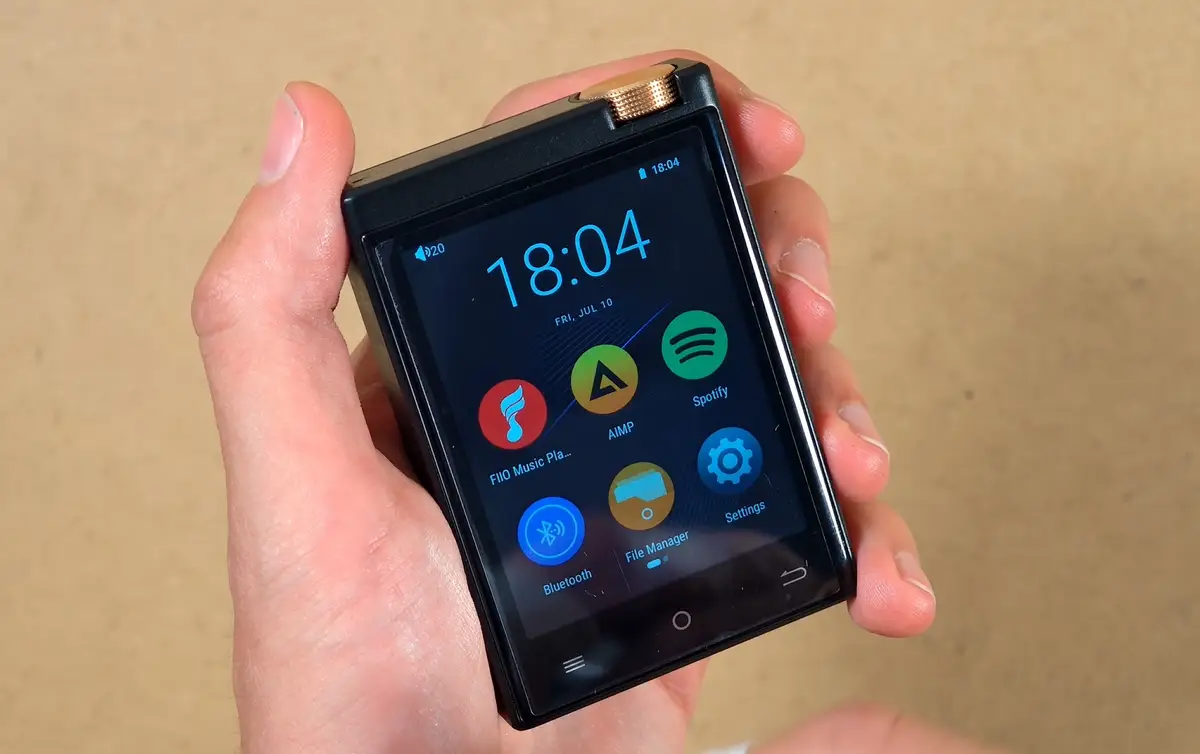
My first impression of the Oilsky M308 is very mixed, but not negative. The hardware is surprisingly nice for the money. The metal shell feels good, the gold volume wheel is distinctive, wired playback works well, and the ability to run apps like Spotify, AIMP, FiiO Music, and Symfonium all make it a flexible player.
Would I recommend that you get the Oilsky M308? Not really, at least not as a general recommendation. There are many more polished devices in my full DAP comparison guide, although very few of them combine full Android with a body this small at the same kind of price.
If you can find it for a good price, it might be worth considering if you can live with all of its small but noticeable shortcomings. If not, there are plenty of other Android DAPs to browse through. I’m going to keep it for now, and see how it goes. That’s pretty much it for now!
You might also like: DAC vs. DAC-less USB-C Adapters – Which One Do You Actually Need?