


After extensively using all three and creating several tutorials on each, I’ve put together a summary of my experience with the most popular WebUI software for locally hosted Stable Diffusion, including SDXL and FLUX image generation models. This article directly compares ComfyUI, Automatic1111, and Fooocus to help you decide which one will suit your needs best.
Updated: October 2026 – Added notes on the current development status of Fooocus (bug-fix-only support) and Automatic1111, more Forge info, and a new comparison table with Forge Neo.
Check out also: List of Free Local AI Image Generation Software
Quick Software Comparison Table
Swipe the table sideways to see all columns.
| Software | Interface | Best For | Newer Models | Status in 2026 | Links |
|---|---|---|---|---|---|
| ComfyUI | Node-based | Advanced, shareable workflowsFast and VRAM-efficient with SDXL | FLUX.2, Qwen Image, Wan, LTX-2 | ActiveNew models often on day one | My GuideGitHub Page |
| Automatic1111 | Classic tabs & sliders | Beginners who want lots of settingsRuns on 4-6GB VRAM, slower with SDXL | SD, SDXL, SD3 only | Slowed downLatest release v1.10.1 (Feb 2025) | My GuideGitHub Page |
| Forge Neo | A1111-style | The A1111 layout with newer models | FLUX.2 Klein, Qwen Image, Z-Image, Wan | ActiveContinuation of SD WebUI Forge | GitHub Page |
| Fooocus | Simple, one screen | Absolute beginnersNo manual settings tweaking needed | SDXL only | Bug fixes onlyLimited long-term support | My GuideGitHub Page |
A quick note on where these projects stand in 2026: Fooocus is officially in limited long-term support, which means it only gets bug fixes, and it won’t be getting support for newer model types like Flux. Automatic1111 is still around, but its updates have slowed down a lot (the latest release is still v1.10.1). ComfyUI is the one that gets new models and features first, often on day one. If you like the Automatic1111 interface but want newer model support, a Forge-based WebUI like Forge Neo/Classic is a good middle ground.
ComfyUI – Node-Based Interface For Advanced Image Generation Workflows
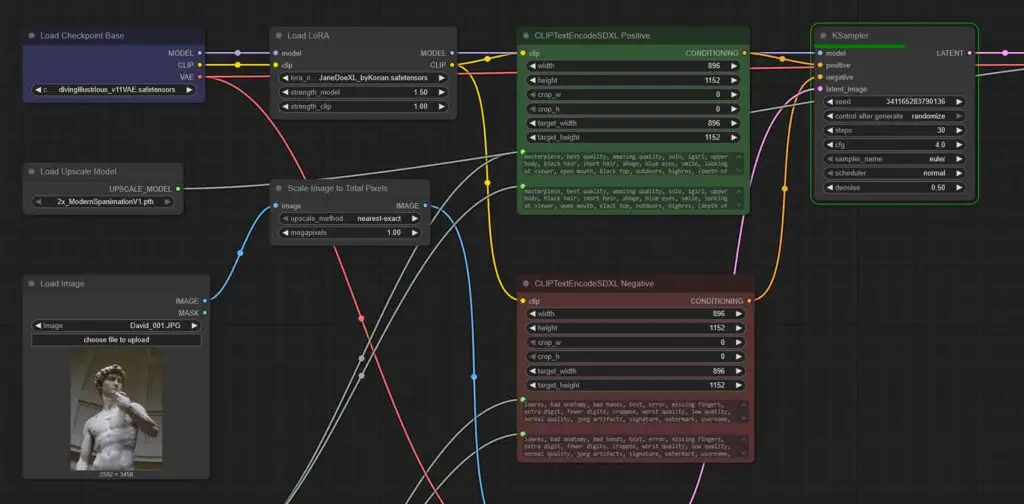
ComfyUI is undoubtedly the most advanced piece of open-source software for local AI image generation offering you a whole lot of useful tools you can utilize to customize your generations and develop easy to share and replicate node-based workflows.
The node-based interface of ComfyUI, somewhat similar to that of Blender, is one of the best features of this software, but it is also what new users often find most intimidating.
What most people do not realize however, is that the complicated multi-node workflows you often see in many places online are not at all necessary to understand when you’re just starting out with ComfyUI.
In fact, the most basic SDXL model + LoRA workflows can be achieved in as little as 10 nodes total, and once you build (or import) them once, you won’t have to modify them again unless you want to further tweak your generated image outputs.
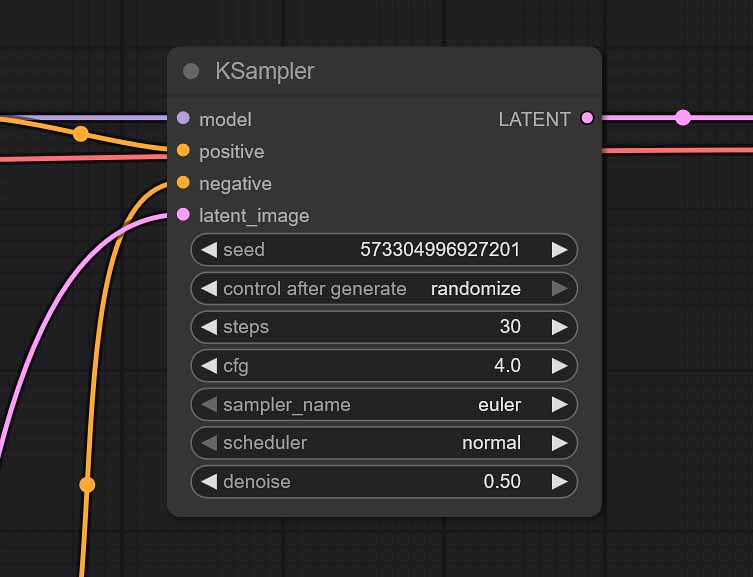
If that makes sense for you, and you’d like to try it out, you can check out my quick guide showing you how to generate anime-style images using ComfyUI, available here: Illustrious XL ComfyUI SDXL Anime Beginners Guide
Although this little tutorial is about anime-style generations, you can use the exact same methods for generating realistic imagery with models such as juggernautXL, or the likes. For these, I have another simple write-up on ComfyUI basics available here: Basic ComfyUI SDXL Workflows – No Custom Nodes
A thing worth noting is that ComfyUI can also be much faster and more memory-efficient in many contexts, especially when it comes to generating larger SDXL images. The reported difference in speed in comparison to Automatic1111 can be quite noticeable.
Still not sure if node-based workflows are best for you? Then let’s move over to A1111, which offers a similar amount of features with a software interface that’s a bit easier to stomach for newcomers.
Automatic1111 – One of The First Stable Diffusion WebUIs
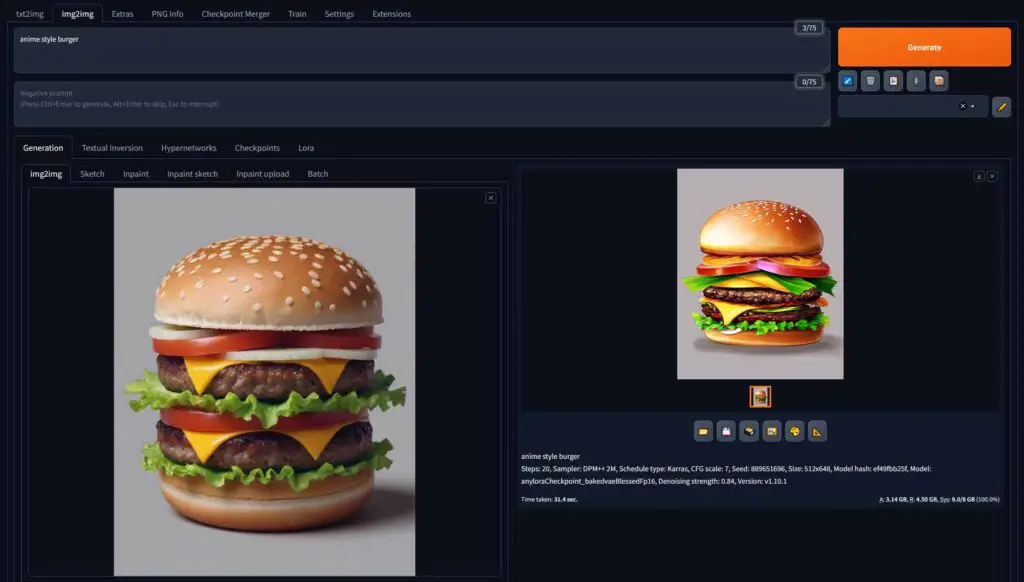
Automatic1111 was practically the first publicly available WebUI for local Stable Diffusion image generation. Since then it’s been established as one of the main go-to pieces of software for working with SD and SDXL models locally.
It has a ton of useful features, can work on systems with as little as 4 and 6GB of VRAM, and has a ton of tutorials available for it online, including a few comprehensive ones explaining all of the most important A1111 settings which you can find here on TechTactician.com.
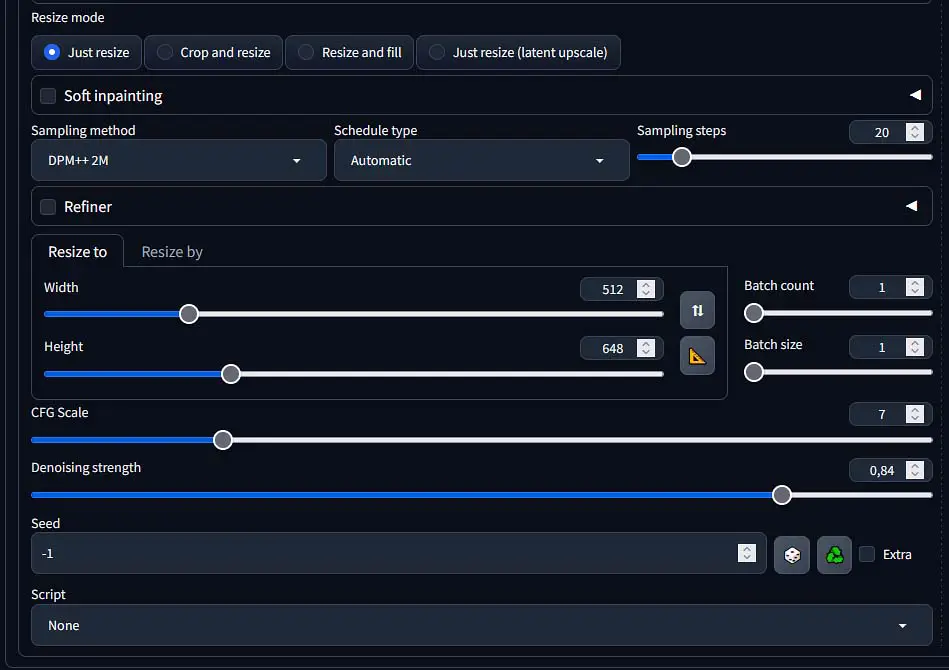
What’s also important is that this software features a well-known fork project, Stable Diffusion WebUI Forge, which expands on many concepts originally designed for A1111 and further improves image generation speed, especially on systems with lower VRAM.
As the original Forge repository hasn’t been updated in a while, today I would point you towards the newer fork of the project – Forge Neo/Classic instead.
The performance, as already mentioned, is in most cases somewhat behind ComfyUI, especially when utilizing SDXL models.
Interested in learning about the Automatic1111 WebUI? The installation process will take you just a few minutes! You can learn much more about it here: Automatic1111 Stable Diffusion WebUI All Basic Settings Explained [UPDATED]
Fooocus – The Easiest Way To Get Into Local Stable Diffusion
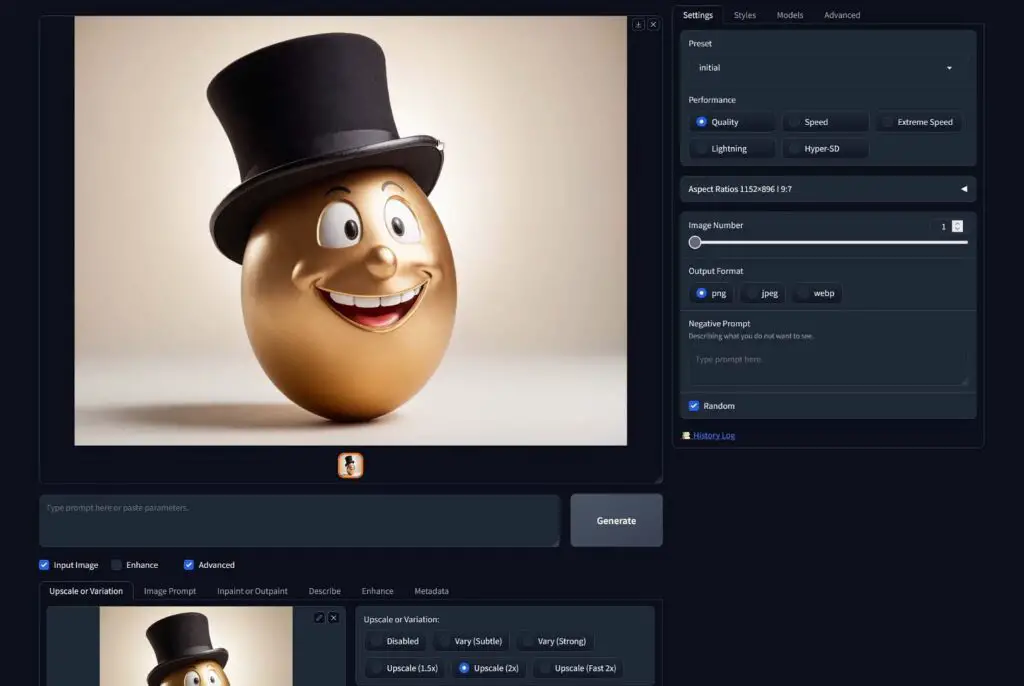
The Fooocus WebUI is quite interesting, as it’s deemed one of the easiest-to-use Stable Diffusion WebUIs available. Its sole purpose is to make generating images locally on your system with SD and SDXL models as simple and straightforward as possible, while also streamlining the software installation process.
One of the biggest pros of Fooocus is that it still lets you experiment with many of the more advanced image generation techniques such as detail inpainting using masks, outpainting, and prompting using images without making the process too complicated for new users.
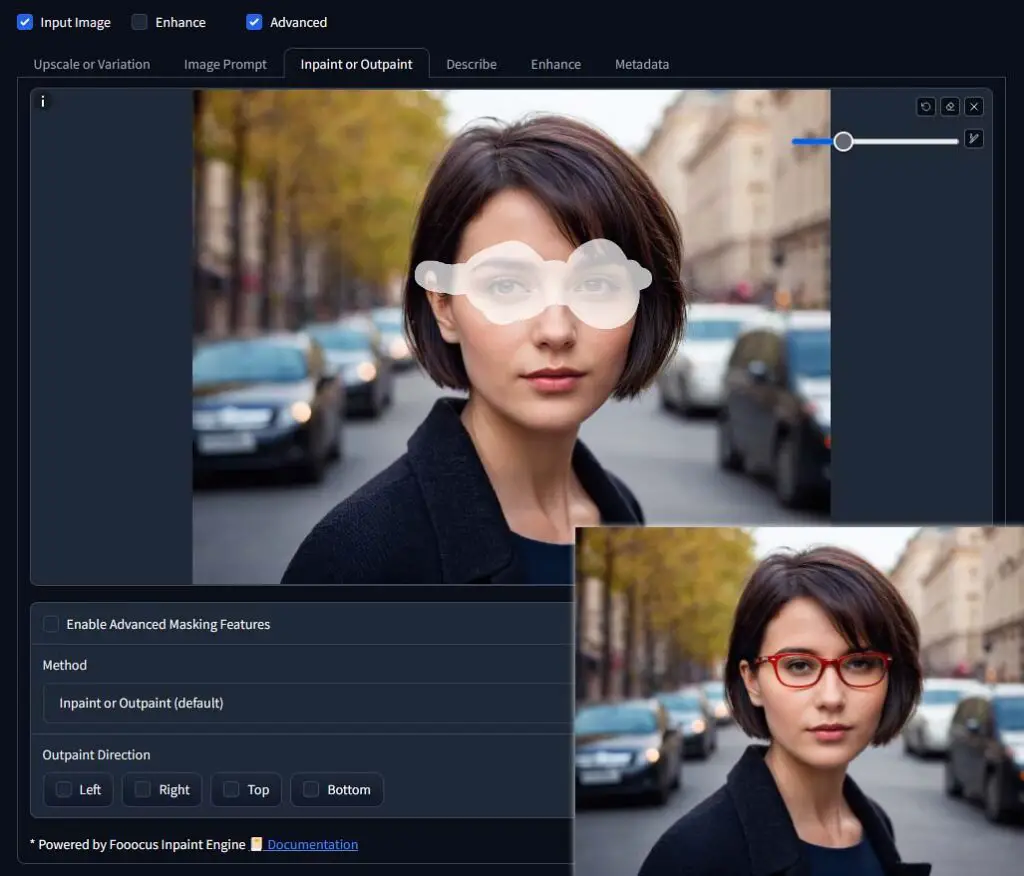
The software setup really takes about five minutes total, and if all of the other options seem too intimidating for you, this one is probably the best one to pick up.
If I got you interested, I have a full free 3-part guide for the Fooocus WebUI here on the site, which you can use to begin your journey with local AI image generation: How To Run SDXL Models on 6GB VRAM – Fooocus WebUI Guide [Part 1].
This guide is also available in a video form, and you can find it here, over on my TechAntics YouTube channel.
The One I Use Nowadays
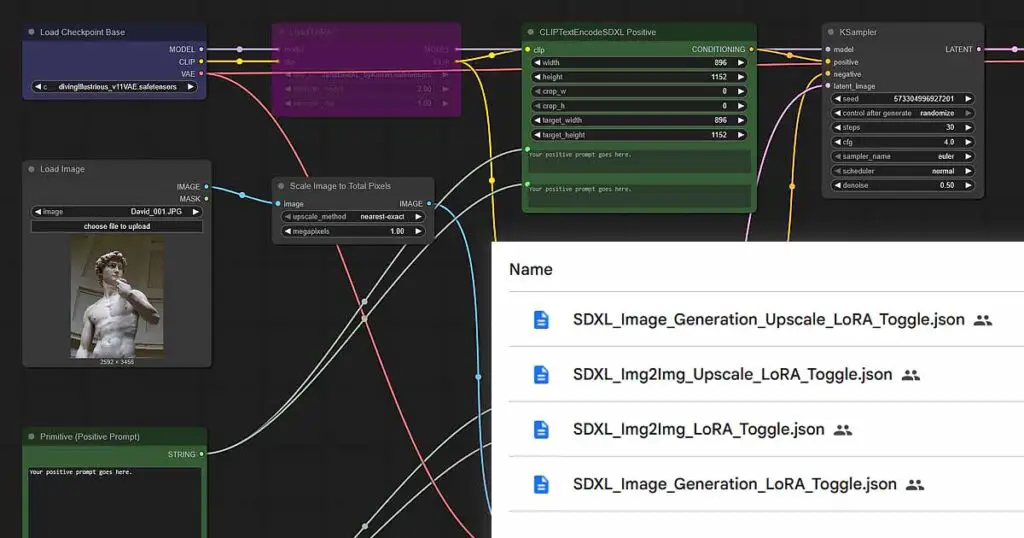
The answer to this question is: nowadays I use ComfyUI most of the time, while still occasionally falling back to A1111 and Fooocus for very specific use cases, albeit quite rarely.
I started out with the early versions of Automatic1111, then moved on to its Forge fork, and after that I pivoted to the Fooocus WebUI for a brief while, in the end settling with learning the ComfyUI node-based workflow system to both maximize my productivity when generating images, gain access to fast SDXL image generation on my 8GB VRAM GPU, and gain all the customization possibilities I now have on hand (including local video generation).
With that said, all of these programs are really fun to work with. While ComfyUI objectively offers the best and most standardized workflow management system along with a wide range of third-party extensions, both Automatic1111 and Fooocus WebUIs can also easily achieve many of the same tasks as ComfyUI, especially when it comes to basic and intermediate image generation techniques.
So, Which One Should You Choose as a Beginner?
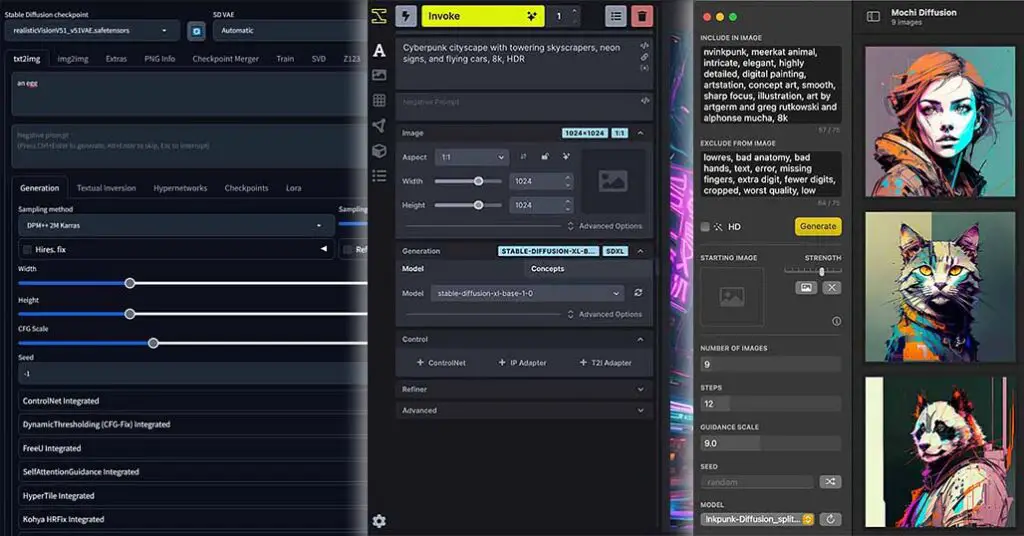
If you’re an absolute beginner and are a little bit afraid of the complexity of the ComfyUI interface and the many settings that Automatic1111 has to offer, you can safely start out with the Fooocus WebUI.
If you want to go a step beyond, and gain access to more features and more customization options right away, you can go with Automatic1111 which is still the option most beginners seem to choose.
And if you’re like me, and you’re not afraid of spending a few minutes setting up your very first simple node-based workflow (it really takes like 10-15 minutes to learn the very basics), don’t think twice and pick up ComfyUI. It’s one of the very best solutions which is bound to be relevant for many years coming forward. You won’t regret getting into it early on!
You might also be interested in: Basic ComfyUI SDXL Workflows – No Custom Nodes
If you want to learn about even more Stable Diffusion WebUI software, don’t hesitate to check my curated list of all of the local SD tools which you can find here: List of Free Local AI Image Generation Software – Fooocus, Automatic1111, ComfyUI & More
Thank you for reading, and until next time!