

I’ve been carrying the original Xteink X4 around for a few months now, so the first thing I did with the new X4 Classic (X4C) was put it right next to the X4 to see what really changed. It’s the same 4.3-inch magnetic pocket e-reader idea, only thinner, lighter and with a noticeably stronger chip inside, a larger battery, a real-time clock and an accelerometer. It also drops the USB-C port in favor of magnetic pogo pins. Below you’ll find a proper side-by-side comparison of the two, done on the newest version of the stock firmware available at the time of writing. You can also watch my full video comparison, linked above.
Short answer: of the two, the X4 Classic is, technically speaking, a more capable device, but in the practical sense, on the stock firmware, both will be reasonably similar in day-to-day use. Xteink has officially stopped making the original X4, so if you’re buying a new mini e-reader from Xteink today and don’t really need a front light, the X4 Classic is the one I’d go for. It’s thinner and lighter, it has a bigger battery and much more memory to work with (a great thing for CFW developers), and it keeps everything that made the original X4 as popular as it is (maybe aside from the “traditional” USB-C port). On the X4C, charging and any wired connection now need the included magnetic adapter, the page-turn rocker on the side is gone, replaced by single page-turn buttons on each side, and the device has no front light or touchscreen.
Why you can trust us: We test all of our products according to the techtactician consumer usability benchmark methodology which evaluates all of the product characteristics that matter to the user in day to day use. Enjoy the review!
This web portal is reader-supported, and is a part of the Amazon Services LLC Associates Program and the AliExpress Partner Program. When you buy using links on our site, we may earn an affiliate commission! The X4 Classic and the Base Stand were sent to Tech Tactician by Xteink for this review.
You might also like: Xteink X4 vs. X4 Pro – Is The Frontlight Worth It?
First, The Specs
Here is how the X4 Classic compares with the original X4, which I have been using quite a lot recently, both the stock firmware and CrossPoint.
Xteink X4 Classic vs. X4 – full specification comparison
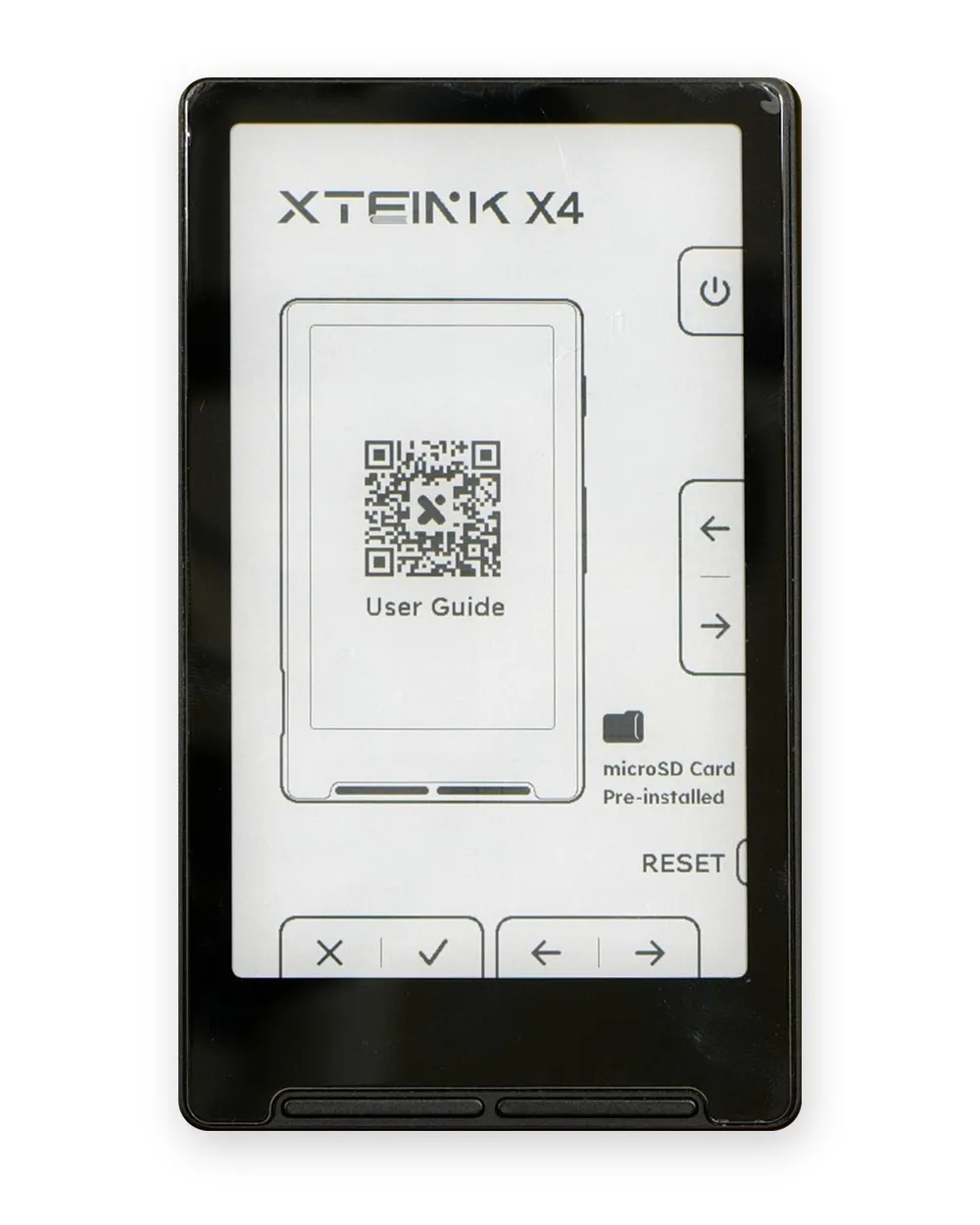
The original model with a USB-C port and a side page-turn rocker, now officially discontinued.
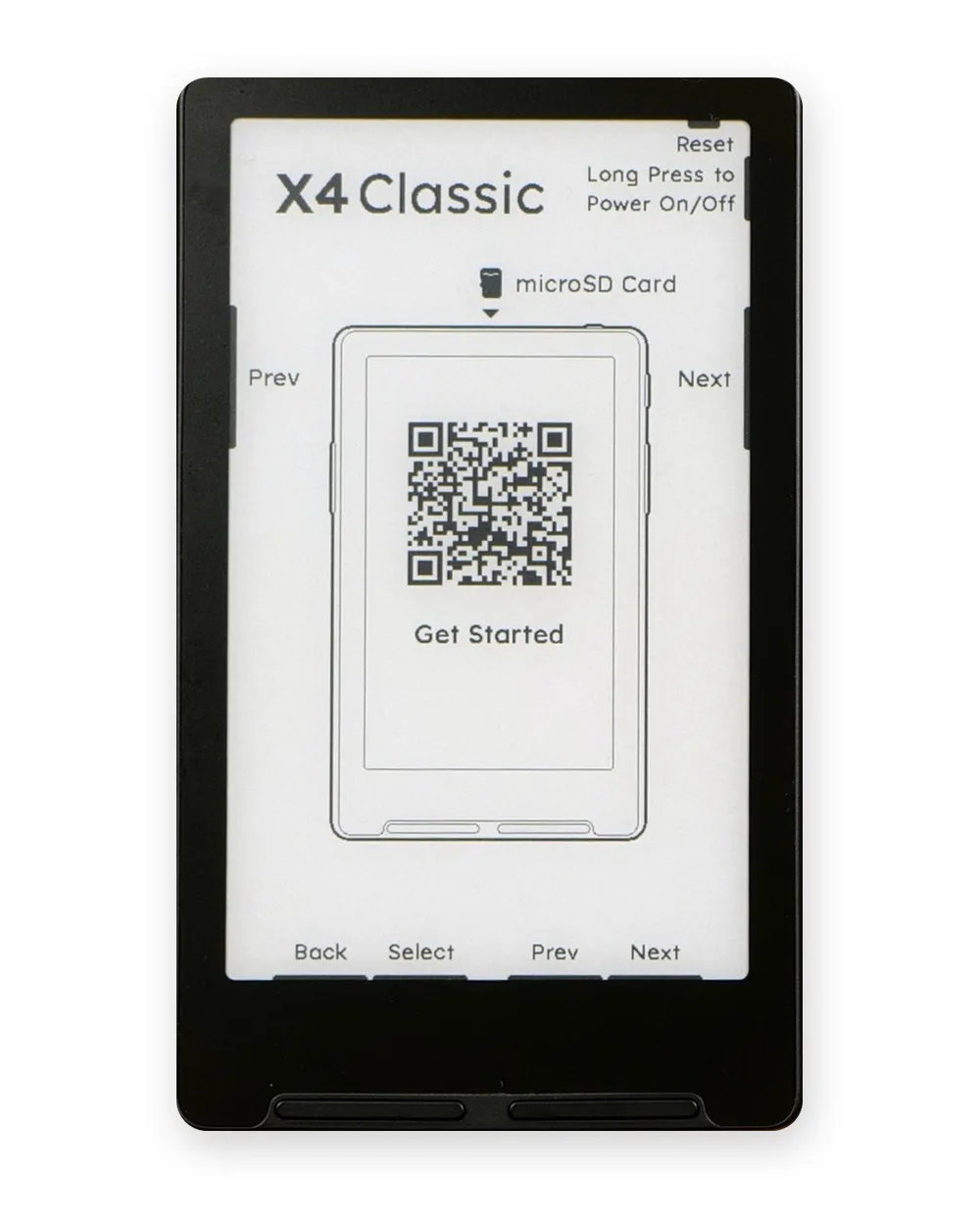
The thinner, lighter successor with an ESP32-S3, a real-time clock and magnetic pogo pin charging.
| Specification | Xteink X4 | Xteink X4 Classic |
|---|---|---|
| Display | 4.3-inch E Ink, 480 × 800, 220 PPI | 4.3-inch E Ink, 480 × 800, 220 PPI |
| Processor (SoC) | ESP32-C3, single-core | ESP32-S3, dual-core |
| Memory | About 400 KB RAM, 16 MB flash | 8 MB PSRAM, 16 MB flash |
| Frontlight | No | No |
| Touchscreen | No | No |
| Physical controls | Four front buttons + page-turn rocker on the right | Four front buttons + one page button on each side |
| Battery | 650 mAh | 920 mAh |
| Dimensions | ~114 x 69 x 5.9 mm | ~114 x 69 x 4.9 mm |
| Weight | ~77 g | ~68 g |
| Storage | microSD; 16 GB included, up to 256 GB | microSD; 16 GB included, up to 256 GB |
| Connectivity | 2.4 GHz Wi-Fi, Bluetooth | 2.4 GHz Wi-Fi, Bluetooth |
| Port | USB-C | Magnetic 4-pin pogo connector; USB-C adapter included |
| Core formats | EPUB, TXT, JPG/BMP images, BIN/XTF fonts | EPUB, TXT, XTC/XTCH/XTCZ, BMP images (MOBI and PDF only partly) |
| Real-time clock | No | Yes |
| Accelerometer | No | Yes (shake to turn pages) |
| Firmware | Stock OS; CrossPoint | Stock OS; CrossPoint |
| Magnetic back | Yes (two magnetic rings included) | Yes (two magnetic rings included) |
Xteink X4
For:
- Standard USB-C port for charging and data.
- Mature CrossPoint support.
Against:
- Smaller battery and far less RAM.
- Thicker and heavier.
Xteink X4 Classic
For:
- Much faster ESP32-S3 with 8 MB PSRAM.
- 41% more battery capacity (920 vs. 650 mAh).
- Thinner (4.9 mm) and lighter (68 g).
- Real-time clock and shake to turn pages.
Against:
- Charging and data need the magnetic adapter.
- No page-turn rocker.
A few more details about the X4 Classic itself: it comes in Space Black and Mist Gray, it launched in September 2026, and Xteink gives it a one-year warranty, which, as per usual, doesn’t cover problems caused by flashing unofficial firmware to the device. The screen is the same 4.3-inch, 480 x 800 E Ink panel as on the original X4 (about 220 PPI), and the reader opens EPUB and TXT books, Xteink’s own XTC formats and BMP images. Xteink lists MOBI and PDF as well, but notes that these may not be fully supported (depends largely on the exact file in question as well as its size).
Unboxing – What You Get In The Box
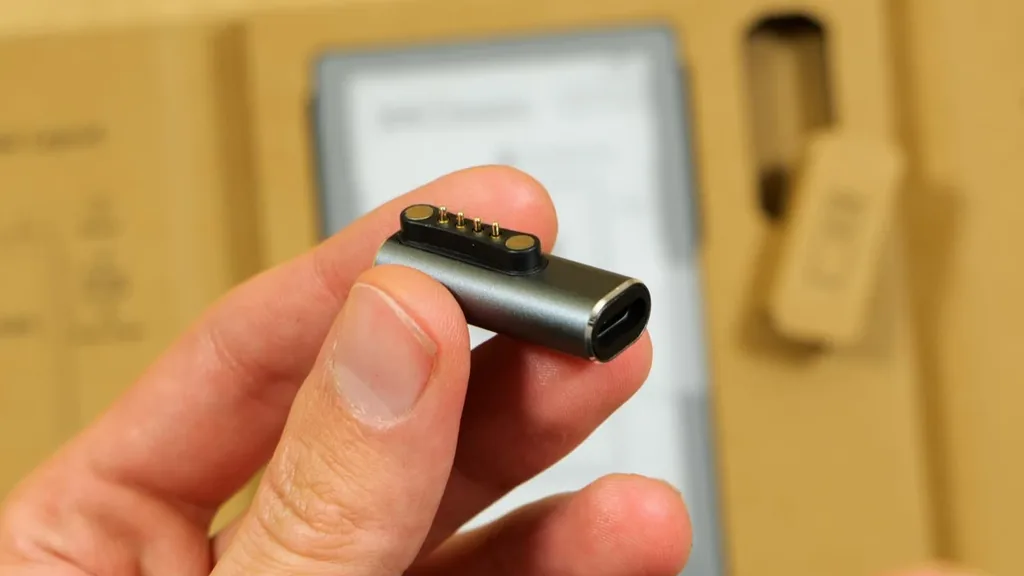
The first thing you’ll see after opening the box is the small magnetic pogo pin adapter, sitting in its own compartment. It has a USB-C port on one end, so you can plug in any USB-C cable and charger, and four pogo pins on the other end that snap onto the back of the reader. Since the X4 Classic no longer has a USB-C port of its own, this little piece is what you’ll be using both for charging and for file transfer, so it’s worth keeping track of it.
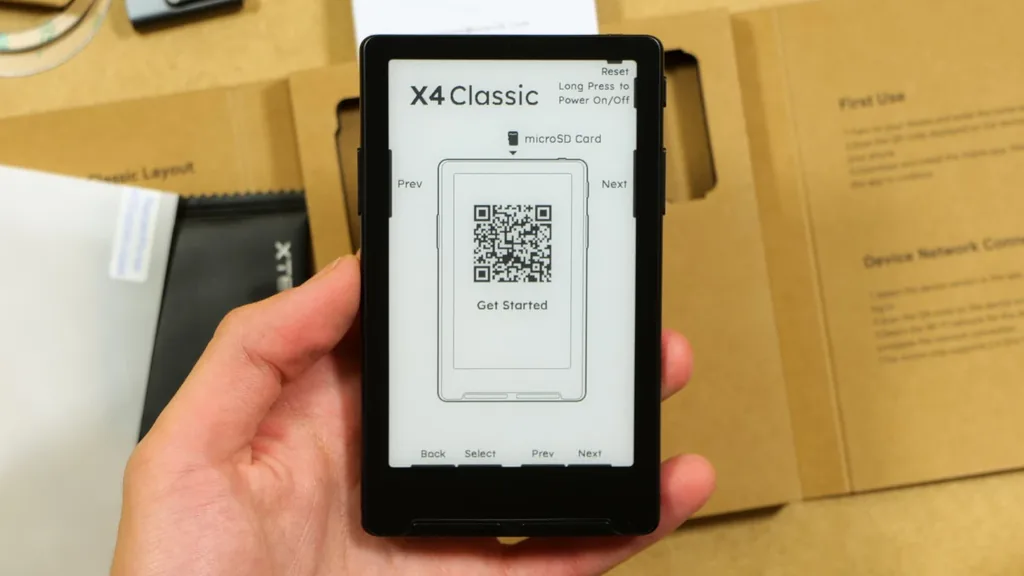
Under it you’ll find a pack of cleaning wipes and an extra screen protector, the user manual, and two magnetic rings (one white and one black), just like with the original X4. You can stick a ring onto a surface of your choice, for example the back of your phone, a drawer or a desk, and then simply attach the reader to it.
The Magnet Sits Higher Than On The Original X4
The magnet inside the X4 Classic is strong enough for most intents and purposes. I could hold the reader up just by its magnet on the very edge without it falling off. The reader also attached to my fridge rather easily (of course the effect will be much weaker if you’re using a case). What’s worth knowing is that on the X4 Classic, the magnet is positioned noticeably higher, near the top of the device, while on the original X4 it sits a bit lower, closer to the middle. If you place the ring too low on the Classic, the reader simply won’t stick to it properly.
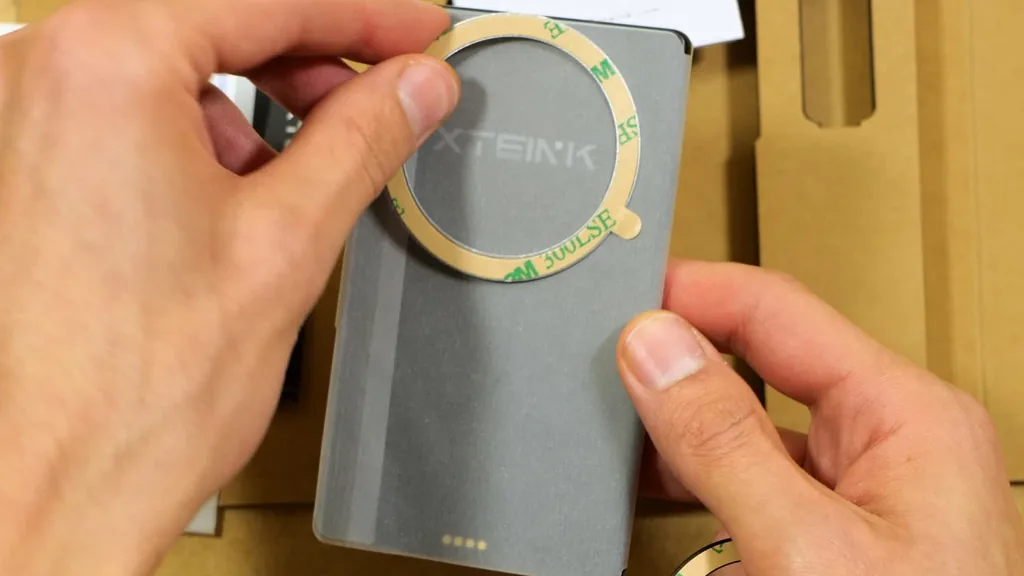
This might not matter much to you, but it still can be important if you plan to stick the reader to the back of your phone, which was one intended use of this feature. It also matters if you already have a ring placed for the original X4 somewhere (or a few of them, like I do).
The Anti-Glare Screen Protector Came Pre-Applied (On My Unit)
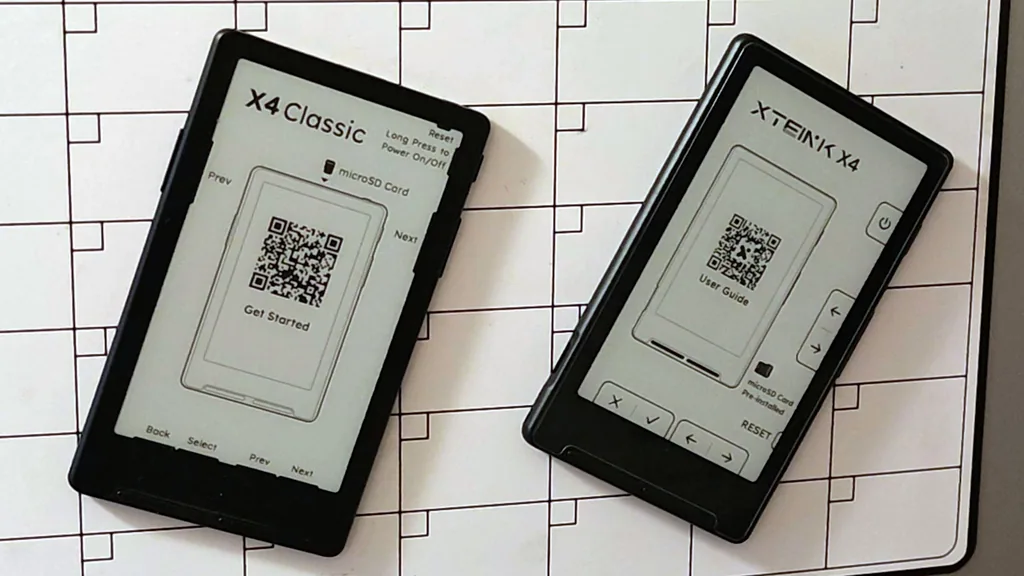
I was about to apply the included screen protector when I noticed that the X4 Classic already had one on. This one was an anti-glare (matte) protector, and the one included in the box turned out to be a spare.
Compared with the regular protector on my original X4, the difference is very clear. There are little to no reflections on the X4 Classic, even under my bright studio lights. On an e-reader that you’ll be using in all sorts of lighting (and also outdoors), I find this to be a really nice touch. You can see both protectors up close, as well as their effect on the image sharpness and overall clarity in the display section further below.
X4 Classic vs. X4 – Size, Weight And The Buttons
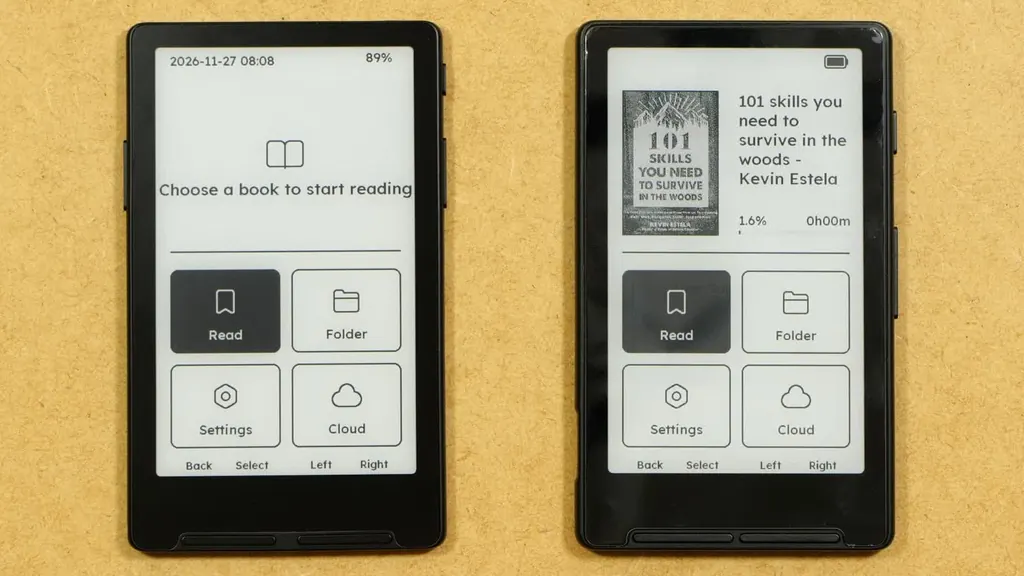
Put side by side, the two readers have pretty much the same top-down footprint. The bezels are close to the same, although a bit less pronounced on the X4C, and the screen is positioned in the exact same manner, as both of them use the very same 4.3-inch panel. You also get the same four buttons at the bottom of the front, laid out as two separate rockers.
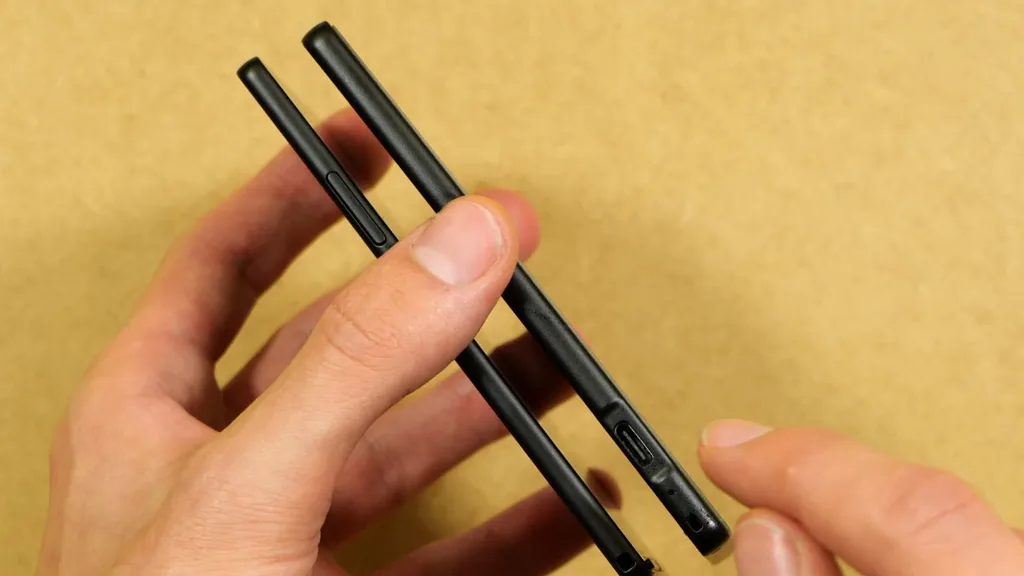
The difference shows once you turn them on their side. The X4 Classic is much thinner, at 4.9 mm against the 5.9 mm of the original, and it’s also lighter, at 68 grams against 77. You can actually feel that difference in the hand, and in my eyes it makes the Classic an even better fit for a pocket. Even though the devices look similar, the cases made for the original won’t work on the X4C, leaving a visible gap over the display, and covering important buttons.
Thinner Than Your Phone
To put the size in perspective, the X4 Classic measures 114 x 69 x 4.9 mm at 68 g. A regular iPhone 16, for comparison, is roughly 147.6 x 71.6 x 7.8 mm and weighs 170 grams. So the Classic is about as wide as a phone, a good 3 cm shorter, roughly 3 mm thinner, and it weighs well under half as much. It really does disappear in a jacket or jeans pocket, and it’s small enough to stick onto the back of your phone with one of the included rings (or without them, if your phone is MagSafe compatible), if you like the idea of a convenient two-device sandwich like this.
The Side Rocker Is Gone
The side buttons are where the two readers differ the most. On the original X4, there is a page-turning rocker on the right side, in addition to the one present in the front. The X4 Classic replaces it with a single button on each side, the right one for the next page and the left one for the previous page. The power button on top of the X4C is also a little smaller and sits a bit higher than on the original.
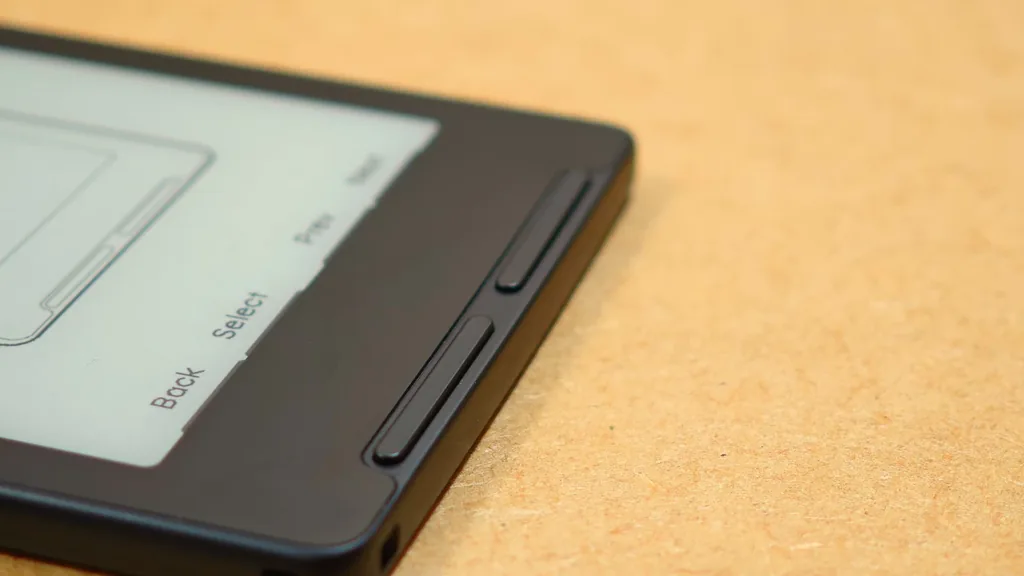
Being completely honest, this is one change I personally don’t really enjoy. I really liked holding my X4 in my right hand on the go and flipping the pages back and forth with a single thumb on the rocker in the horizontal mode, and it felt kind of “organic” to do it this way. That said, I can see why Xteink made this choice. In the horizontal reading mode, the front page-turning rocker was already there, and so the function of the side one was largely redundant. So, one could say that this is more of a “design-optimization” choice than an actual downgrade.
Pogo Pins Instead of USB-C, microSD and Reset Button
The original X4 has a regular USB-C port on its bottom edge, next to the lanyard slot. On the X4 Classic, there is no such thing (although the lanyard slot is still there). Instead, the X4C uses four magnetic pogo pins (spring-loaded contacts) on the back, both for charging and for transferring files over a cable.
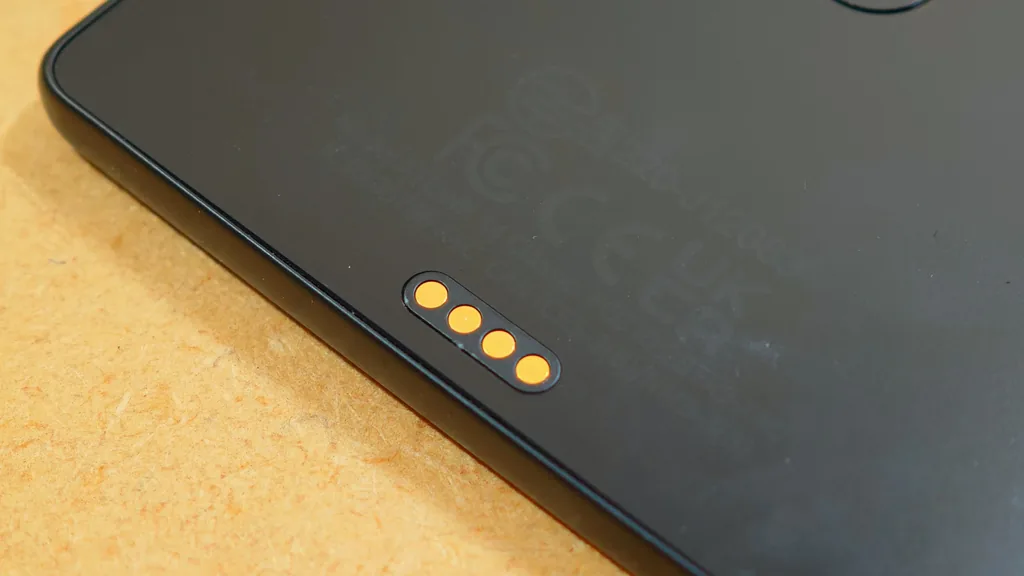
While in many cases I do prefer a standard USB-C port over pogo pins, I must say that in the world of mini e-readers like the X4 series, keeping the device as small as possible matters a lot. Dropping the port is a big part of what lets the X4 Classic get this thin, and in practical terms, I don’t think there is much room left to make a reader like this any thinner. To me, it feels like the final form of a pocket e-reader of this size. You can see how exactly the pogo pin charging works in practice further below.
The microSD card slot has also moved. On the X4 Classic, it’s on the top edge, while on the original X4 it was on the right edge, near the bottom. In the reader, there was a small 16 GB Xteink-branded card, the same capacity Xteink now lists for the original X4 (my original unit happened to ship with a 32 GB one). Back when I tested the original X4, its stock card turned out to be a reasonably good one, so I assume this one is no worse. Not that card speed matters much for small files like e-books, but it’s really nice that one comes bundled. Right next to the slot, you’ll find the reset button, which is also a little bit smaller than on the original.
You might also like: 4 Cheap MicroSD Cards from AliExpress – Speed & Capacity Tests
Boot/Wake Speed on Stock Firmware – X4 vs. X4C
The first boot of the X4 Classic was reasonably fast, taking just a few seconds (about 3.6 seconds, as I later measured). One small thing I immediately noticed is how the power button works now. On the original X4, press-and-hold actions on the power button only worked after you let go of the button. On the X4 Classic, you just press and hold, and it registers after the set time has passed, even while you’re still holding it. That can be much more convenient for many interactions.
Then I did a quick side-by-side boot test on the stock firmware, and surprisingly, the original X4 was a bit faster to turn on. Going through my footage frame by frame afterwards, the boot gap came out at roughly 1.5 seconds, which isn’t really something that you’d notice in day-to-day use, but isn’t insignificant either. This can be easily “fixed” with custom firmware, as the X4C makes use of a much faster processor, and can most probably be optimized for a much faster boot with relative ease.
What’s Inside – ESP32-S3 vs. ESP32-C3, PSRAM And A Real-Time Clock
When it comes to hardware, the X4 Classic is a major step up from the original. The original X4 uses the single-core ESP32-C3, which has only about 400 KB of usable RAM. The X4 Classic uses the dual-core ESP32-S3, which is not only faster, but also comes with 8 MB of PSRAM (extra external memory) on board. In practice, that gives both the stock firmware and custom firmware a lot more room to work with.
The X4 Classic also has a real-time clock (RTC), so it can show the current date and time on the home screen (you can see it at the top left of the Classic in the side-by-side photo above), which the original X4 cannot really do. It also means the reader can keep track of time properly in any software that makes use of it, which is a very neat bonus.
The stock firmware itself looks very similar on both readers, with the same familiar main menu, and the overall experience won’t feel very different. The X4 Classic’s settings add a few new options because of the real-time clock, and there is also a feature that lets you shake the device to turn pages, thanks to its built-in accelerometer. If you’d like to see every setting of the stock firmware on the original, I went through all of them in my original X4 impressions article.
The X4 Classic is also fully compatible with CrossPoint, the popular open-source custom firmware for the X4 series, which I’ve been using on my original X4 for a long time now. With the extra memory and processing power, I think there is a lot of room for even more software-side upgrades on the Classic, both in the realm of stock firmware, and in CrossPoint.
Just like on the original, you can also pick what the screen shows while the reader is off, for example the cover of the book you’re currently reading or an image of your own. Shake-to-flip is turned on from the reading menu or with a shortcut key, so it’s just as easy to switch off if it ever gets in your way.
Installing CrossPoint On The X4 Classic
CrossPoint added official X4 Classic support in version 1.6.5, released on September 27, 2026, as a separate x4c build. This matters, because the Classic runs on a different chip than the original X4, so never flash an image made for the original X4 or the X3 onto it. In the CrossPoint web flasher, the Classic is listed as “Xteink X4C”.
The extra memory pays off here, too. CrossPoint 1.6.5 can load regular TrueType (.ttf) fonts directly and adds a Cover Grid home screen, and both of these only work on readers with extra RAM. The X4 Classic gets them, the original X4 doesn’t. Once CrossPoint is on the device, it can also check for and install updates over Wi-Fi, so you won’t need the cable for every new release.
If you’re buying the X4 Classic with CrossPoint in mind, get it from Xteink’s own store or another official global seller rather than a China-market listing. Units meant for the Chinese market have been reported to block custom firmware, while Xteink’s “Unrestricted Firmware Guarantee” explicitly covers units bought from its website.
Note: CFW installs exchange data through the pogo pin adapter, so lay the reader flat on your desk and leave the cable alone until flashing is done.
The Display Up Close – Matte vs. Regular Screen Protector
Both readers use a 4.3-inch screen with the exact same size and pixel density, so for a quick test I took a few close-up shots of both of them on the QR code menu and put them side by side. The X4 Classic had the anti-glare protector on it, while my original X4 had a regular one applied, and below you can see exactly how these affect the overall image quality on both X4s.
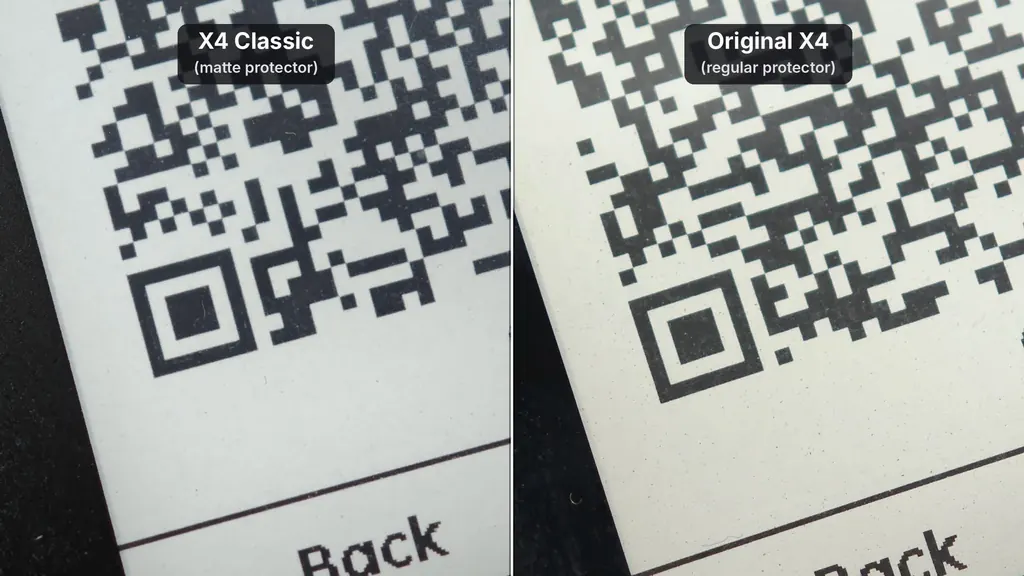
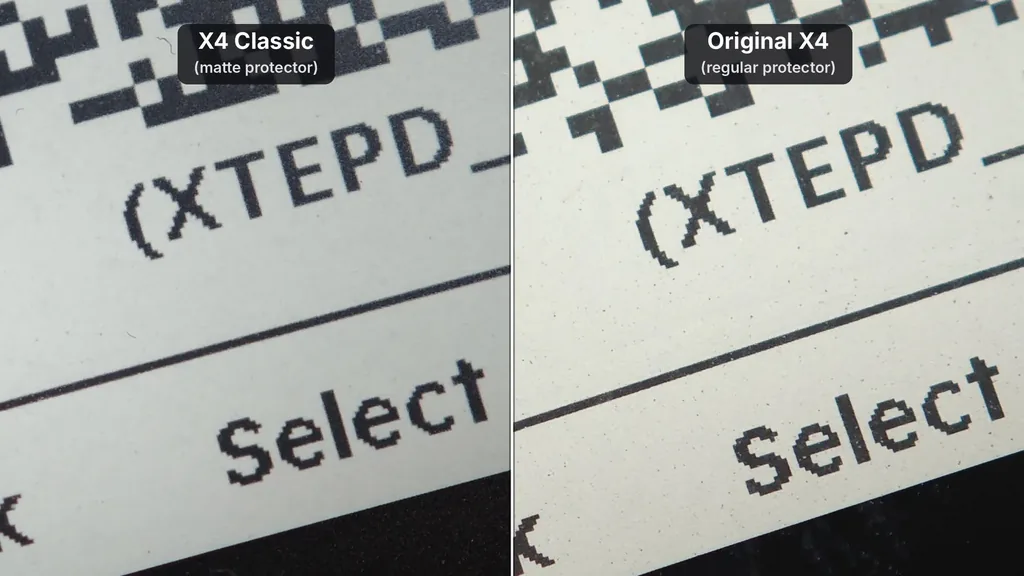
Also, as you probably already know, there is no front light and no touchscreen on either of these. That’s pretty much the main thing with the base X4 models. If you want both in the exact same form factor, take a look at the Xteink X4 Pro, which I compared with the original right here: X4 vs. X4 Pro article.
Loading Books – Is The X4 Classic Faster Than The X4?
For this test, I copied the exact same book files from my original X4’s card to the microSD card in the X4 Classic. After refreshing the book list, everything showed up as expected.
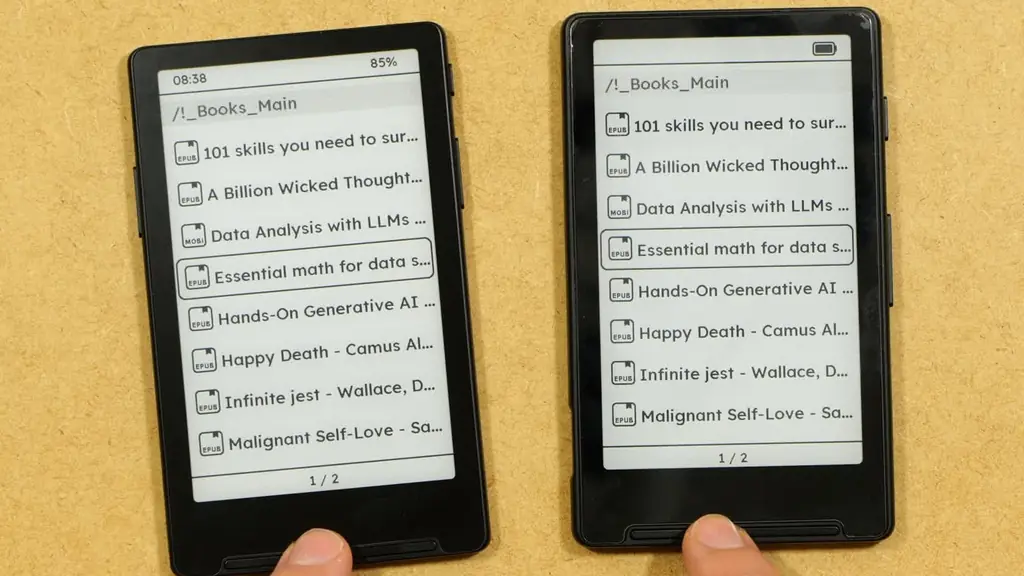
Then I opened the same book on both devices at the same time. The X4 Classic was, as expected, a little faster to load it, which I’d say comes down to its faster chip. You can also see the default font difference between the two readers here, but that is of course fully configurable in the settings, which are available on both devices in a similar way.

When it comes to flipping pages, I don’t feel there is a significant difference between the two. The usual “button mash” page-turning test didn’t really give one device the edge over another on the stock firmware. Both readers on the stock OS will also always stall for a brief second when they load a larger image or a longer chapter.
Pogo Pin Charging In Practice – If You’re Still Unsure
I know that switching to pogo pins can sound worrying if you’re used to a standard USB-C port for charging and data transfer like me. From my general experience with this standard, though, it’s not as bad as it sounds, at least for this kind of device. The adapter simply goes onto your USB-C cable, whether it’s plugged into your computer or your charger, and its pins snap onto the back of the X4 Classic. The pins are magnetic, so nothing falls off, at least not easily.
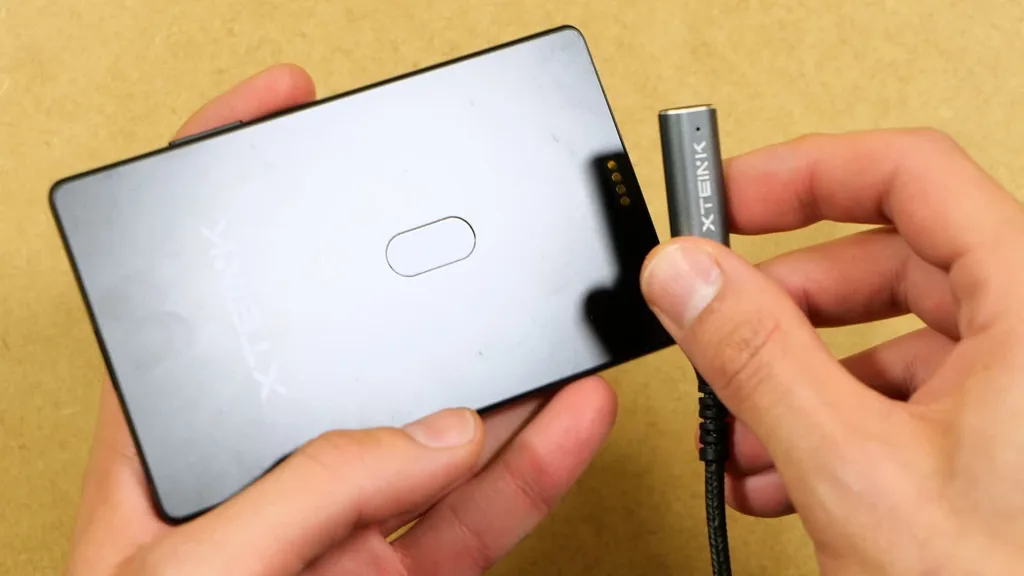
The magnet is reasonably strong, but it won’t hold if you yank the cable, so some finesse is needed here, for instance if you’d decide to lift the device up by the cable while charging (don’t do that). The pogo pin connection also isn’t made for moving around, so even if you just turn the reader over while it’s charging, it will likely disconnect.
While this doesn’t really matter for regular charging or occasional data transfer, you should at all costs avoid accidental disconnects when you’re flashing new firmware over the cable, as you could risk bricking your device this way. Just a thing to keep in mind.
The good news is that you can’t attach the adapter the wrong way. The magnets simply won’t let you, and they guide it into the correct position, so you’re safe there. While the X4 Classic is charging, a small red LED lights up on the back of the device, on the XTEINK logo.
Out of sheer curiosity, I also connected a USB power meter between the cable and the adapter. While charging, the X4 Classic took just over 2 watts (and it was at about 80% battery during the measurement).
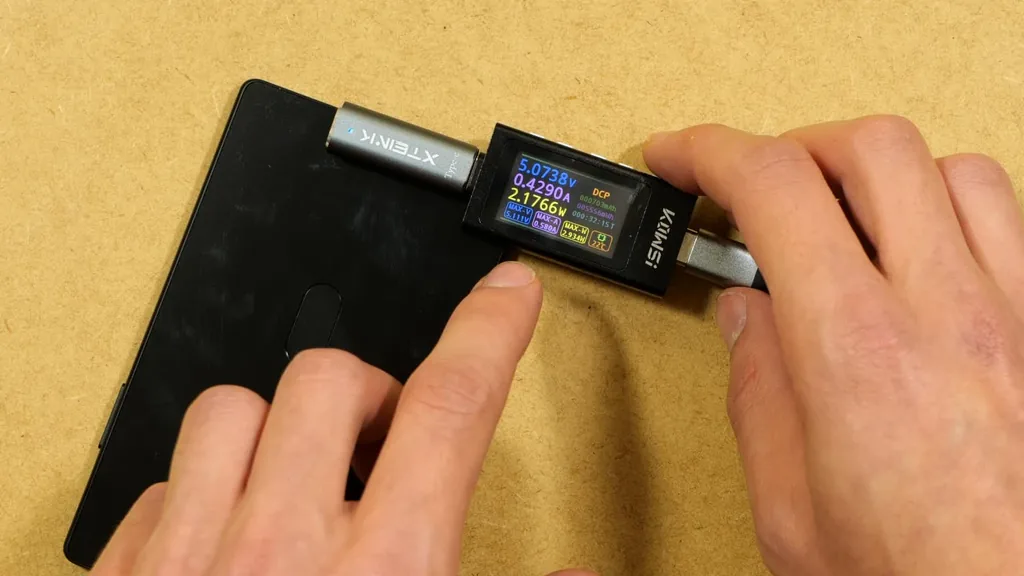
Doing some quick math, the 920 mAh battery holds roughly 3.4 Wh, so at a little over 2 W, a full charge from empty should take somewhere around two hours, with the last few percent going slower as per usual. Xteink itself quotes up to 10 days of casual reading on a single charge, which I think is a reasonable amount, considering my great experience with the battery on the original X4.
The main downside is that you need to remember to carry the adapter if you plan to charge the reader on the go. Then again, the X4 Classic has a significantly larger battery than the original X4 (920 mAh against 650 mAh), which is quite impressive considering that it’s also the lighter of the two.
Still, the battery on my original X4 has lasted me for such a long time, both on the stock firmware and on CrossPoint, that I can’t really imagine a situation where I’d have to panic-search for a charger or an adapter. With E Ink devices like this, a long battery life is pretty much standard, so I wouldn’t worry about it here either.
You Don’t Need The Cable For Your Books
The adapter is only really needed for charging and flashing firmware. Just like on the original X4, you can copy books straight onto the microSD card with a card reader, or send them over Wi-Fi. On the stock firmware, Xteink’s XT-Cloud lets you send books from your phone without plugging anything in (it’s free for now, although Xteink says subscriptions may come later). CrossPoint has its own Wi-Fi file upload page and Calibre wireless connection, and it added USB file transfer in version 1.6.0.
Hint: Stick to EPUB files where you can. Xteink lists MOBI and PDF as supported, but it also says these may not work fully, and in my experience with the original X4, a large PDF is the quickest way to make the reader struggle. Converting them to EPUB first (for example in Calibre) saves you a lot of trouble.
The Xteink Base Stand (Optional Dock)
An interesting accessory that you can get for the X4 Classic is the Base Stand, which is essentially an optional charging dock for your reader. It’s a great solution if the “naked” pogo pin charging worries you, as you can leave the stand connected to a USB-C cable and a charger of your choice, and simply dock the reader whenever you want to charge it.
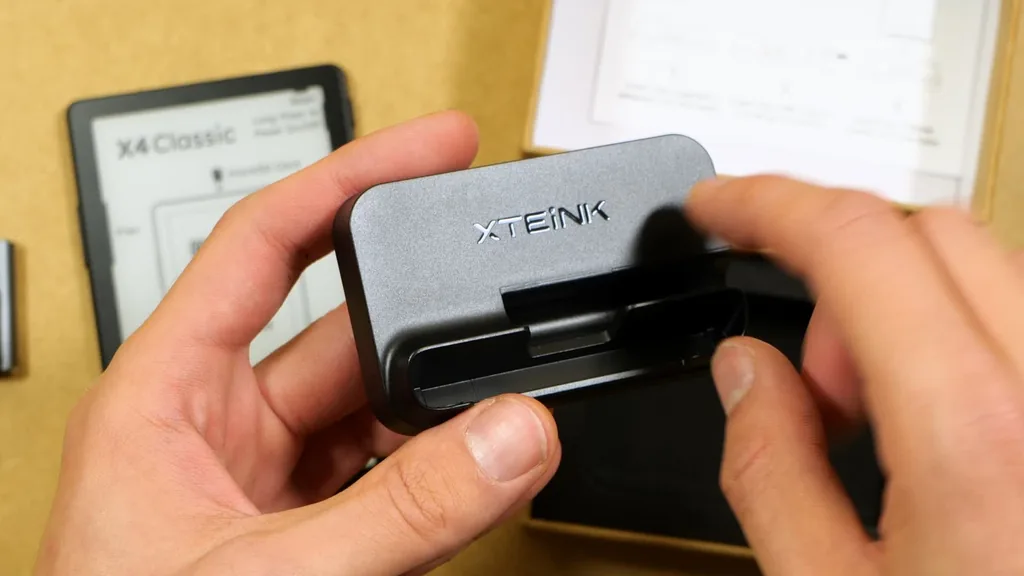
There is one important thing to know before getting it though. As the included instructions say, the dock needs the pogo pin adapter to charge your device, and by default it doesn’t come with the adapter included. So, if you plan to leave the adapter you got with your X4 Classic inside the dock, you’d probably want to get a second one to carry around with you. Spare adapters are sold on the official Xteink store (also as a set with the stand, as an additional accessory), and in other places online, including Amazon.
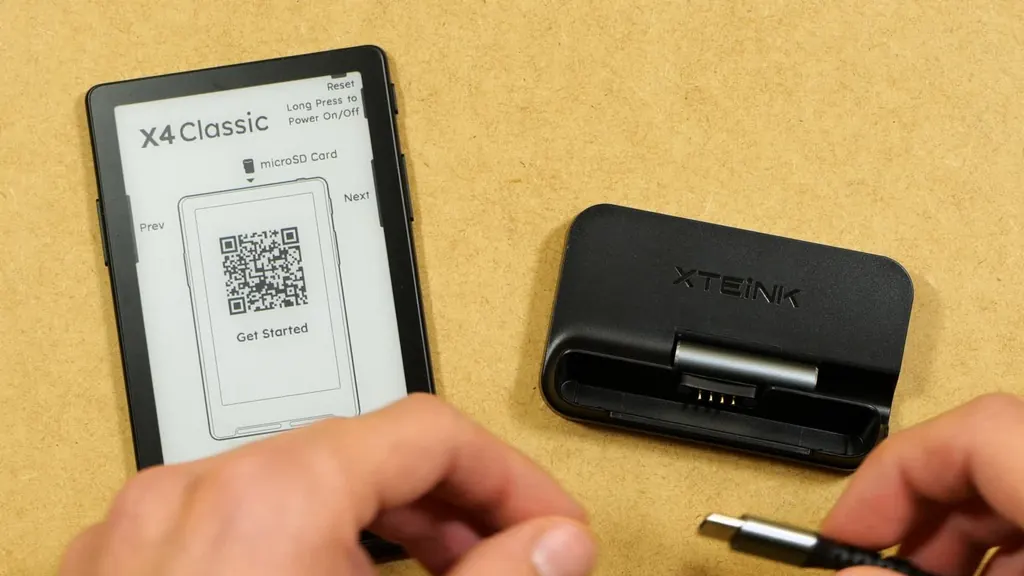
The stand is reasonably heavy, much heavier than it looks, which I really like, and it has a rubber surface on the bottom, so it doesn’t slide around on your desk. Setting it up is pretty self-explanatory. You push the adapter into the slot, where it sits very tightly, connect your charging cable to it, and place the reader in the dock.
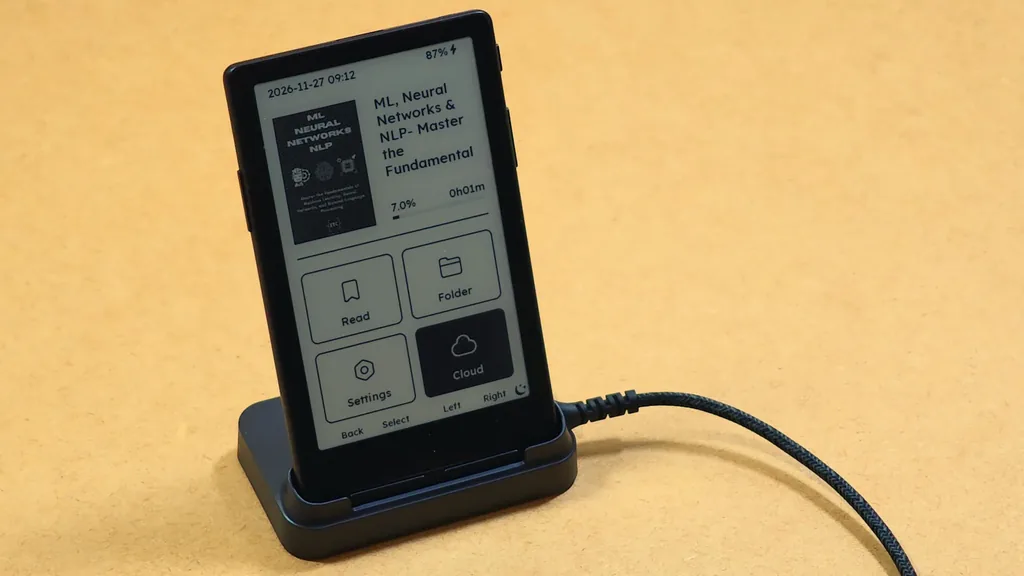
Once docked, the X4 Classic charges just like it should, and the buttons on the bottom are still accessible, so you can go through the menus without taking it out. The reader does sit pretty loosely in the dock itself though, as the only things holding it are the pogo pin magnet and the small plastic parts at the sides. Even so, I think this is a really convenient way of charging the device.
X4 Classic, X4 Or X4 Pro – Which One Should You Get?
Since Xteink now sells three closely related pocket e-readers, here is how I would choose between them.
- X4 Classic: the default pick if you want the smallest, lightest and longest-lasting button-only reader Xteink makes today, and if you are fine with charging through the magnetic adapter.
- Original X4: worth hunting down second-hand if you really want a plain USB-C port or the side rocker, otherwise not really worth considering new.
- X4 Pro: the one “all-in-one” option to get if you read in the dark or want a touchscreen, as it adds a front light with adjustable warmth and a touchscreen. It also charges through a magnetic pogo pin adapter, so the “main” trade-off is the same here.
My Verdict – Is The X4 Classic Better Than The X4?
To be honest with you, I think the X4 Classic is still one of the better choices out there when it comes to the mini e-reader niche. It is a little more expensive than the original X4 was, but you get a larger battery, a much more capable chip with a lot more memory to work with, a real-time clock, an accelerometer, and an even thinner and lighter body. With the original X4 now sold out and no further production planned, if you’re choosing your first X4 today, the X4 Classic is the one I’d recommend.
It isn’t a perfect upgrade, though. I can see how some people might dislike the switch to pogo pins, and I’m not a big fan of the rearranged side buttons myself. If your original X4 still does everything you need, I don’t think you need to rush to upgrade, especially since CrossPoint keeps getting better on both.
One thing I would really like to see is a model just like this one, but with a built-in front light. I guess that would make it a little thicker, but as far as I know, it’s something the community has been asking for quite a long time. If you’d like even more than that, with both a touchscreen and a front light, check out the X4 Pro. And if you’re after a bigger e-reader with a front light, my PocketBook Verse Pro review might interest you too.
Thanks for reading, and see you next time!
You might also like: Xteink X4 First Impressions – A Tiny ESP32-C3 E-Reader