

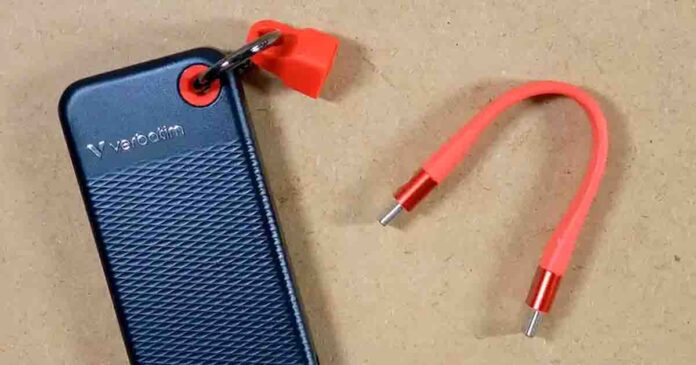
The Verbatim Pocket SSD 1TB is a tiny pocketable USB-C drive advertised to reach 1000 MB/s in both directions. My sample came remarkably close in CrystalDiskMark, topping out at 998.41 MB/s read and 923.75 MB/s write.
In my practical 50GB file-copy tests the drive was able to write at stable speed without the kind of major post-cache collapse you can sometimes see on many portable SSDs. There is also an interesting detail here, somewhat hidden behind the enclosure: CrystalDiskInfo identifies it as a Vi3000 Internal PCIe NVMe M.2 SSD. So, let’s take a closer look.
Want another small portable SSD to compare with this one? Check out my other full hands-on tests here: Kingston XS1000 2TB External SSD Review & Benchmark Tests
Why you can trust us: We test all of our products according to the Tech Tactician consumer usability benchmark methodology which evaluates the product characteristics that matter to the user in day-to-day use.
This web portal is reader-supported, and is a part of the AliExpress Partner Program, Amazon Services LLC Associates Program and the eBay Partner Network. When you buy using links on our site, we may earn an affiliate commission!
First, The Specs
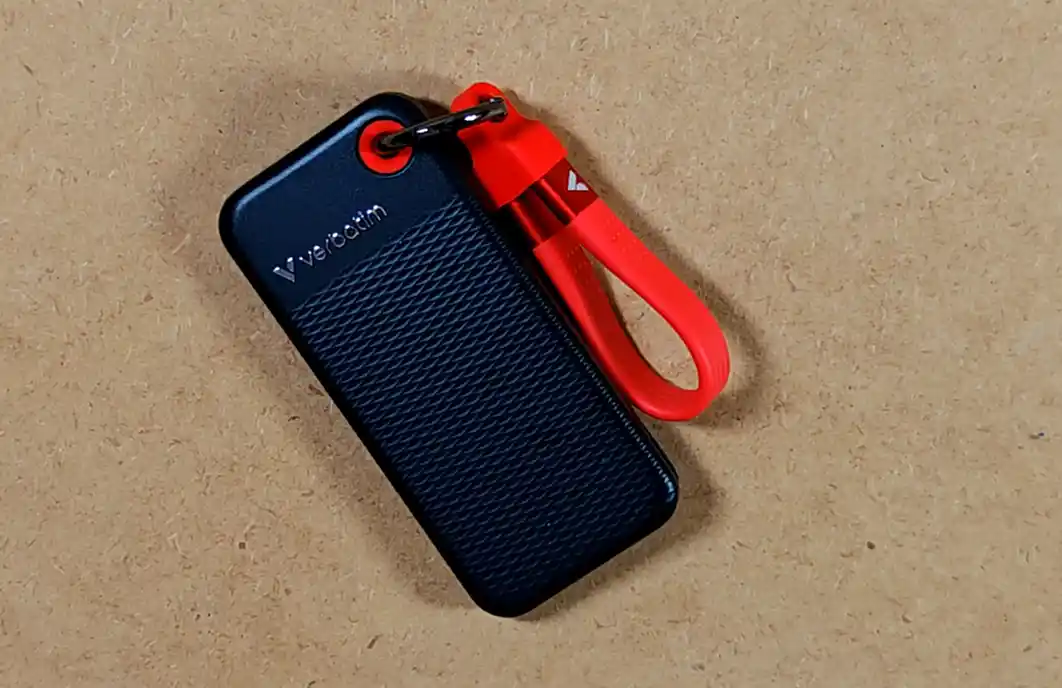
Tiny USB-C external SSD; 1024 GB capacity, USB 3.2 Gen 2, up to 1000 MB/s read and write, cable holder and light ~58 g body.
| Device Type | Portable external SSD |
| Model / Product Number | Verbatim Pocket SSD 1TB / 32192 |
| Capacity | 1024 GB; approximately 954 GiB shown by Windows software |
| Interface | USB 3.2 Gen 2; 10 Gbps |
| Connector | USB-C |
| Internal Drive | M.2 NVMe; identified as Verbatim Vi3000 1TB by CrystalDiskInfo |
| Advertised Read / Write | Up to 1000 / 1000 MB/s |
| Measured Read / Write | 998.41 / 923.75 MB/s maximum in CrystalDiskMark |
| Tested Temperatures | 32°C idle; 40°C during a 50GB file copy |
| Enclosure | Polycarbonate |
| Dimensions | ~96.1 x 45.1 x 10 mm (~3.78 x 1.78 x 0.39 in) |
| Weight | Approximately 58 g (2.05 oz) |
| Power | USB bus-powered |
| Included In Box | USB-C to USB-C cable with holder; cloth pouch; documents; Nero Backup access |
| Warranty | 24 months according to the retailer listing |
Unboxing, Size & Build Quality
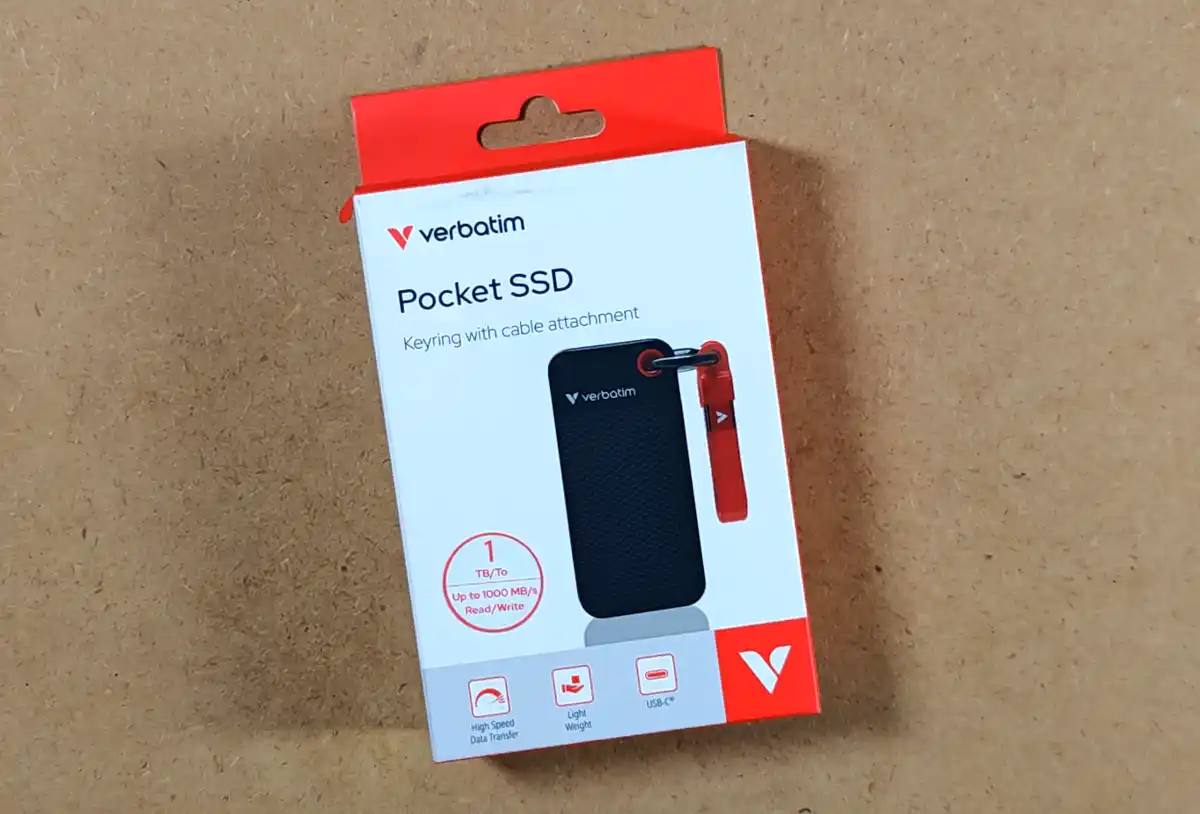
The retail package is as small as you would expect. The model tested here is the black and red 1TB version with product number 32192.
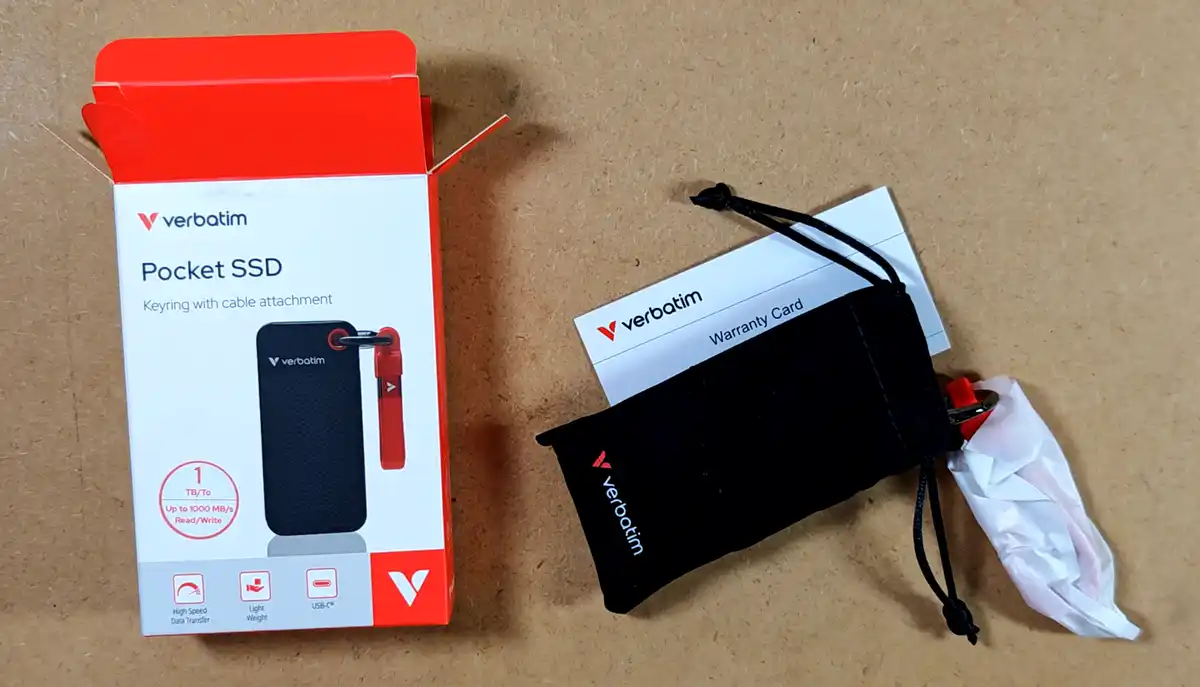
The suede cloth pouch is a nice extra for keeping the drive from getting scratched in a backpack. It’s reasonably thick and it does make the whole set feel even more premium.
Verbatim also, alongside the drive, includes access to the Windows-only Nero Backup software. You don’t need to install it to use the SSD as regular external storage.
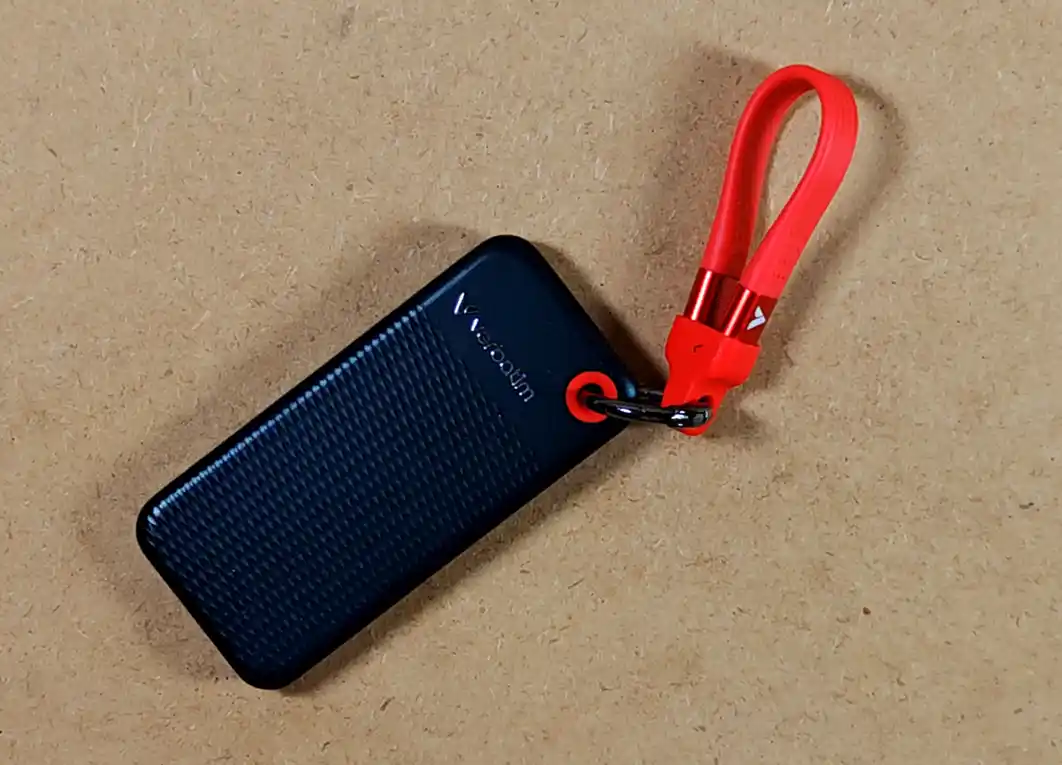
At ~96.1 x 45.1 x 10 mm and approximately 58 g, the drive is also very easy to carry around. The black shell is made from textured polycarbonate. It doesn’t feel as premium as a metal enclosure, but it is light, reasonably solid and doesn’t pick up fingerprints too easily.
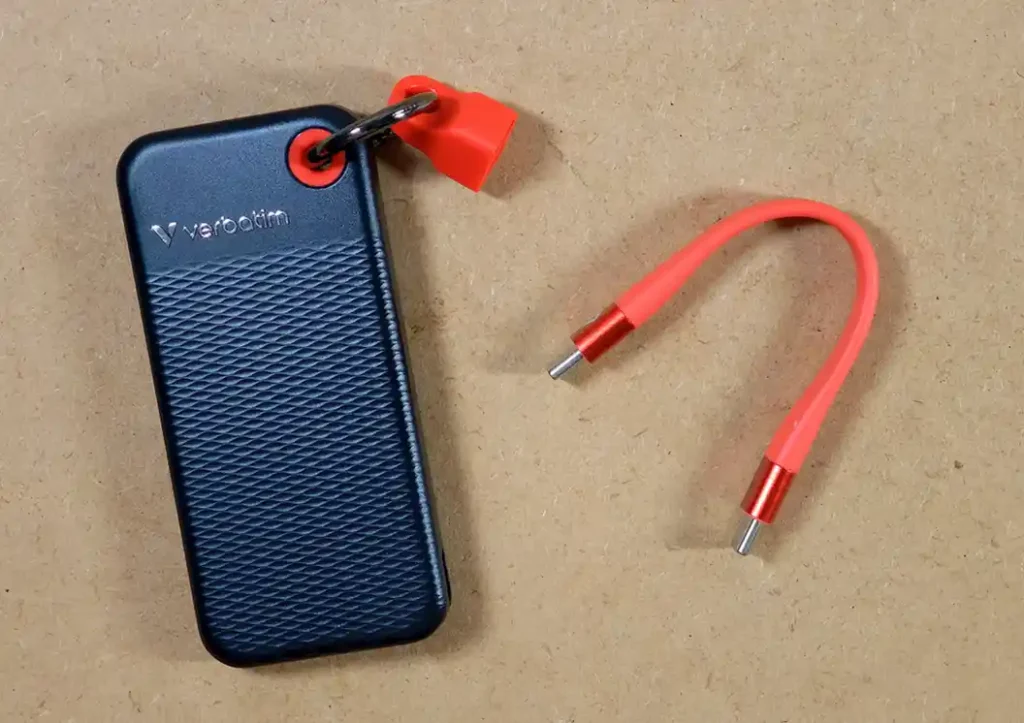
The red cable is a regular removable USB-C to USB-C lead measuring exactly 5 inches (12.7 cm) when fully extended. It feels solid enough so that I’m not afraid of using the drive while it’s dangling down from the PC, of course being careful not to damage the USB-C connector. The holder keeps the wire looped next to the drive when you are not using it, which is very convenient.
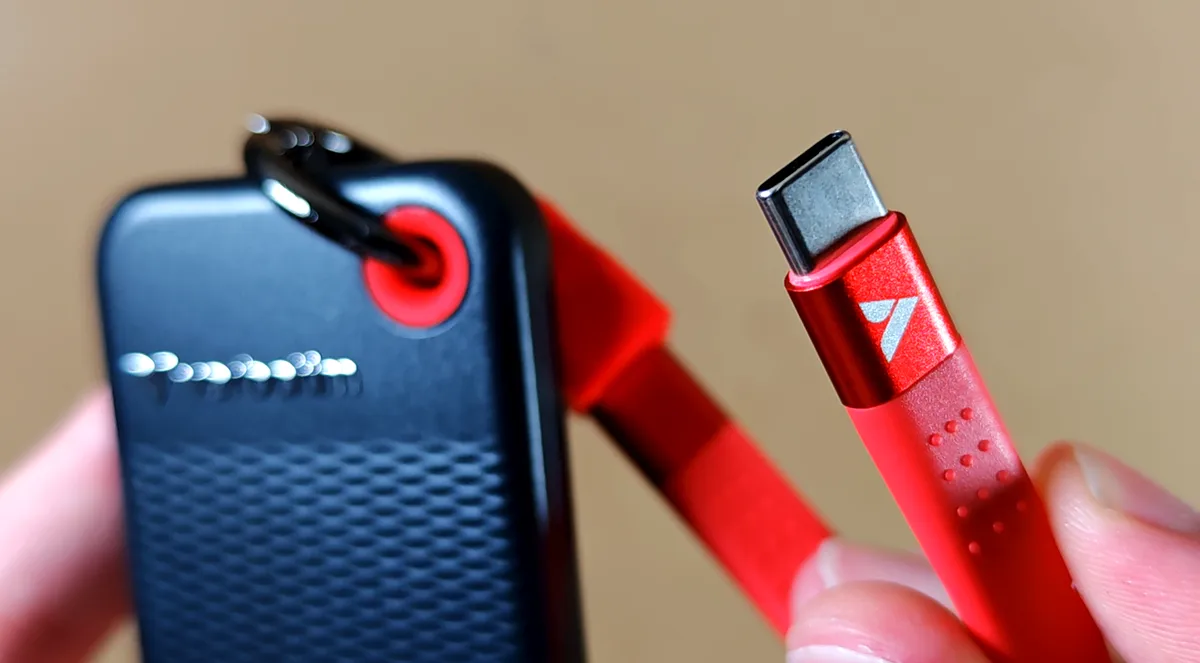
The only catch is that there is no USB-A cable or adapter in the box. If your computer doesn’t have a USB-C port, you will need a separate USB-A to USB-C cable or adapter that actually supports 10 Gbps transfers. A basic charging cable can limit the drive well below its capabilities.
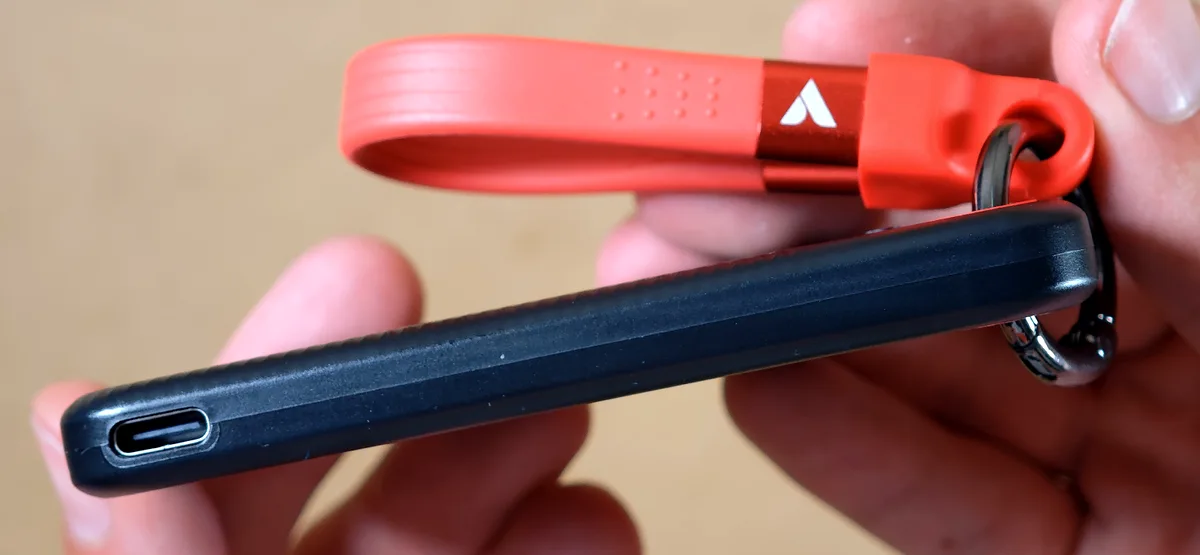
There are no buttons or other controls on the polycarbonate enclosure. There is no disclosed IP rating or a formal water, dust or drop-resistance certification for this model, so while it’s an SSD with no mechanical parts, I would still treat it with some reasonable care.
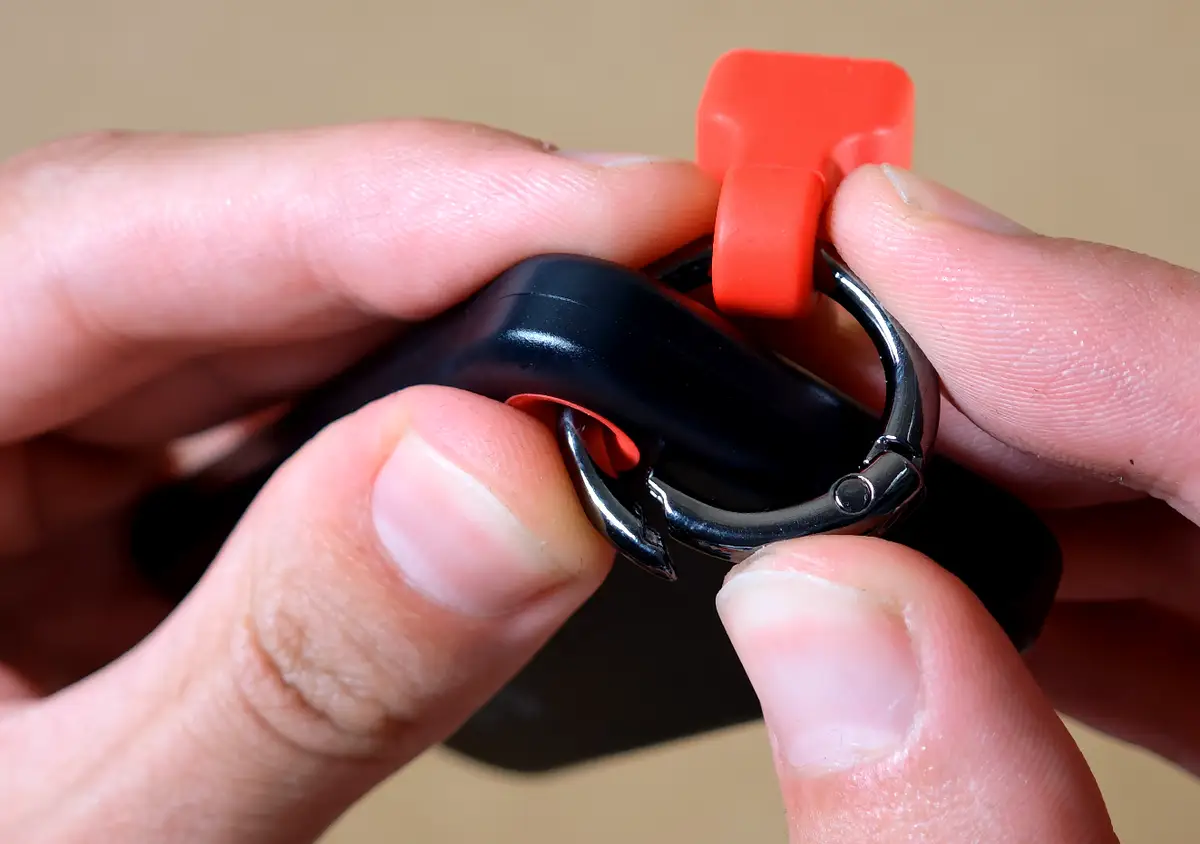
The ring attachment is pretty practical. It keeps the cable and SSD together, but you can also remove it fully when you want the drive to take up as little space as possible.
The cable sits in the rubber part tightly enough so that you can easily hang the drive by it and not worry about it falling.
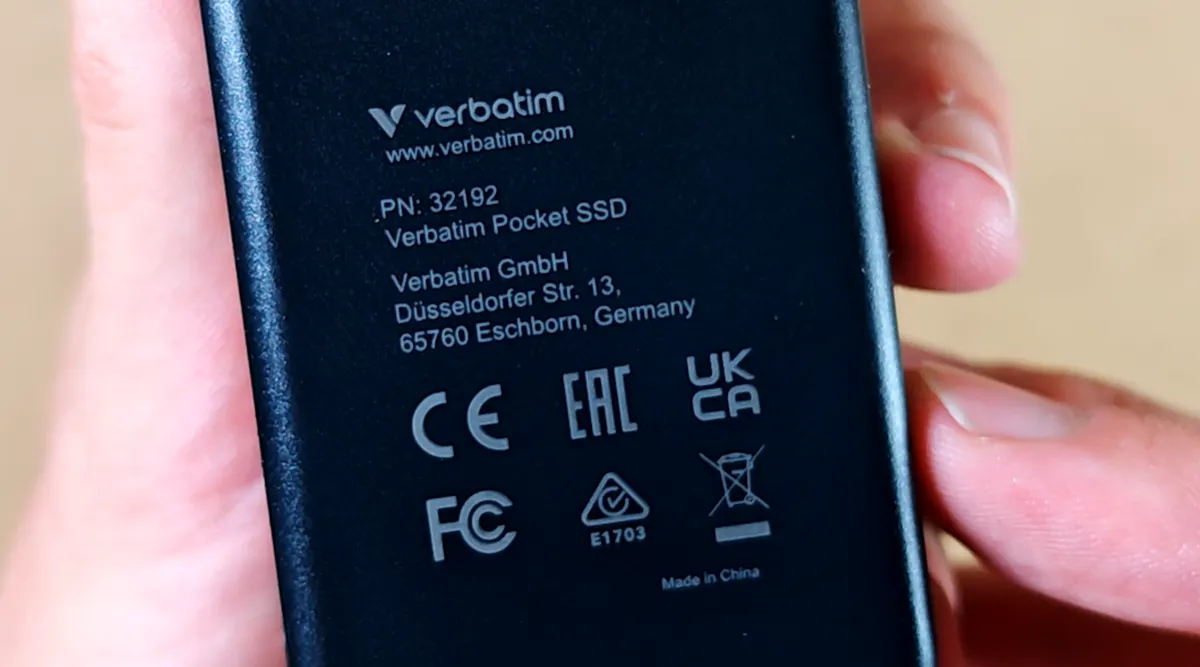
The rear panel is very simple, with the product number, manufacturer details and the usual compliance markings. There are no rubber feet or any other extra elements anywhere on the drive.
First Connection, Capacity & What’s Inside
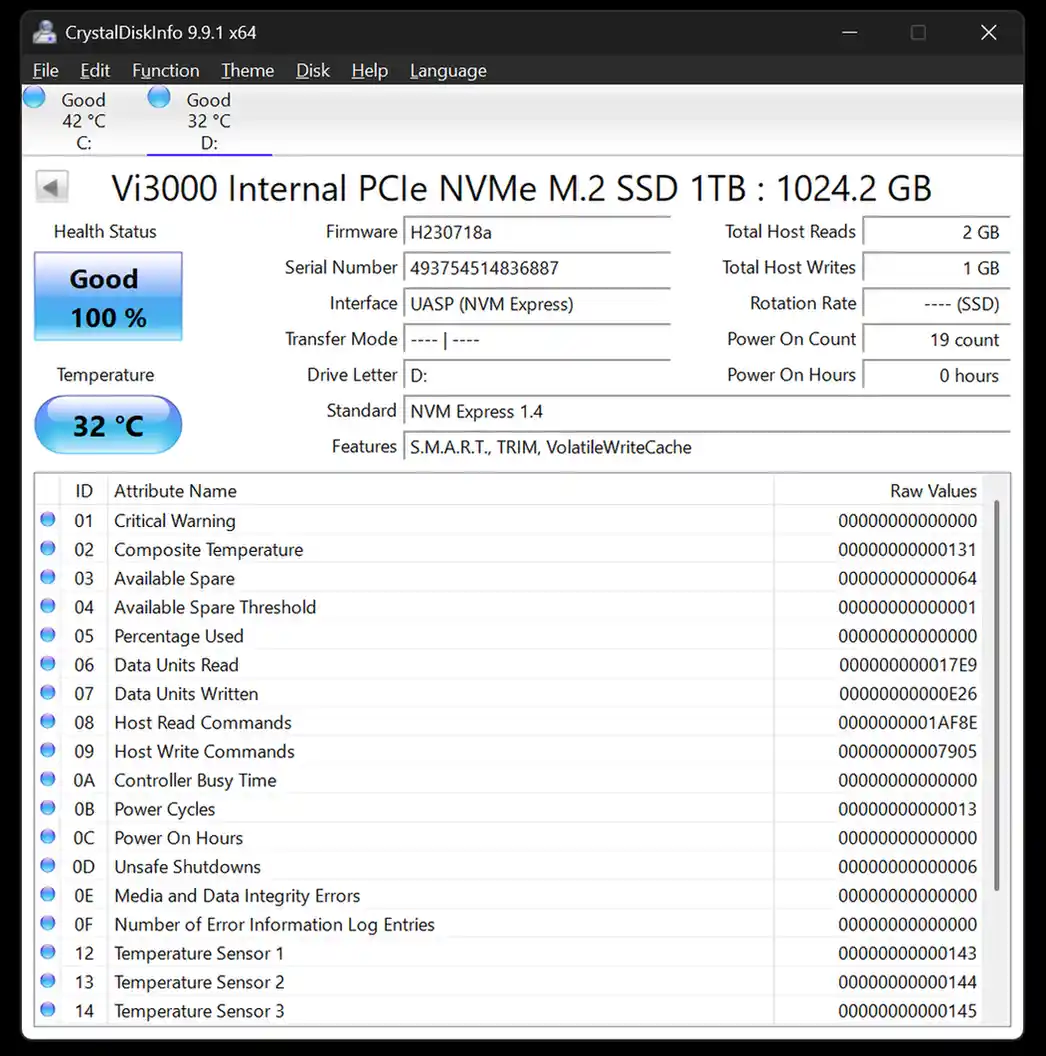
Windows recognized the Pocket SSD immediately, and the displayed its factory volume label as VERBATIM SD. CrystalDiskMark and Windows Disk Manager reported about 954 GB of usable capacity on the drive.
This is a little more space than you would usually get from many drives sold as 1TB. A 1000GB SSD normally appears as roughly 931 GiB, while this model is listed as 1024 GB and lands at around 954 GiB. The small amount of extra space is very nice to see.
Why Does CrystalDiskInfo Call It an Internal Vi3000?
The model name “Vi3000 Internal PCIe NVMe M.2 SSD 1TB” label visible in CrystalDiskInfo may look strange on an external drive, but the research trail is quite convincing. Verbatim does indeed sell a separate Vi3000 1TB M.2 NVMe SSD under the product number 49375. The serial number reported by my Pocket SSD begins with the same five digits, and Verbatim’s official Pocket SSD specification confirms an M.2 form factor.
Taken together, this strongly suggests that the Pocket SSD contains a Vi3000-family NVMe drive behind a USB-to-NVMe bridge. The bridge is transparent enough for CrystalDiskInfo to read the internal model name, firmware and NVMe health data.
I didn’t open the sealed enclosure, so I can’t confirm the exact bridge controller or whether the internal board is identical to the retail Vi3000 stick. Still, the model name, M.2 specification and serial-number prefix all fit this explanation.
The S.M.A.R.T., TRIM, the volatile write cache and NVMe health information are visible, which is of course to be expected from a device in this price range. My brand new sample reported 100% health, no critical warning and no media or data-integrity errors. All in all, a solid piece of hardware.
CrystalDiskMark Speed Test
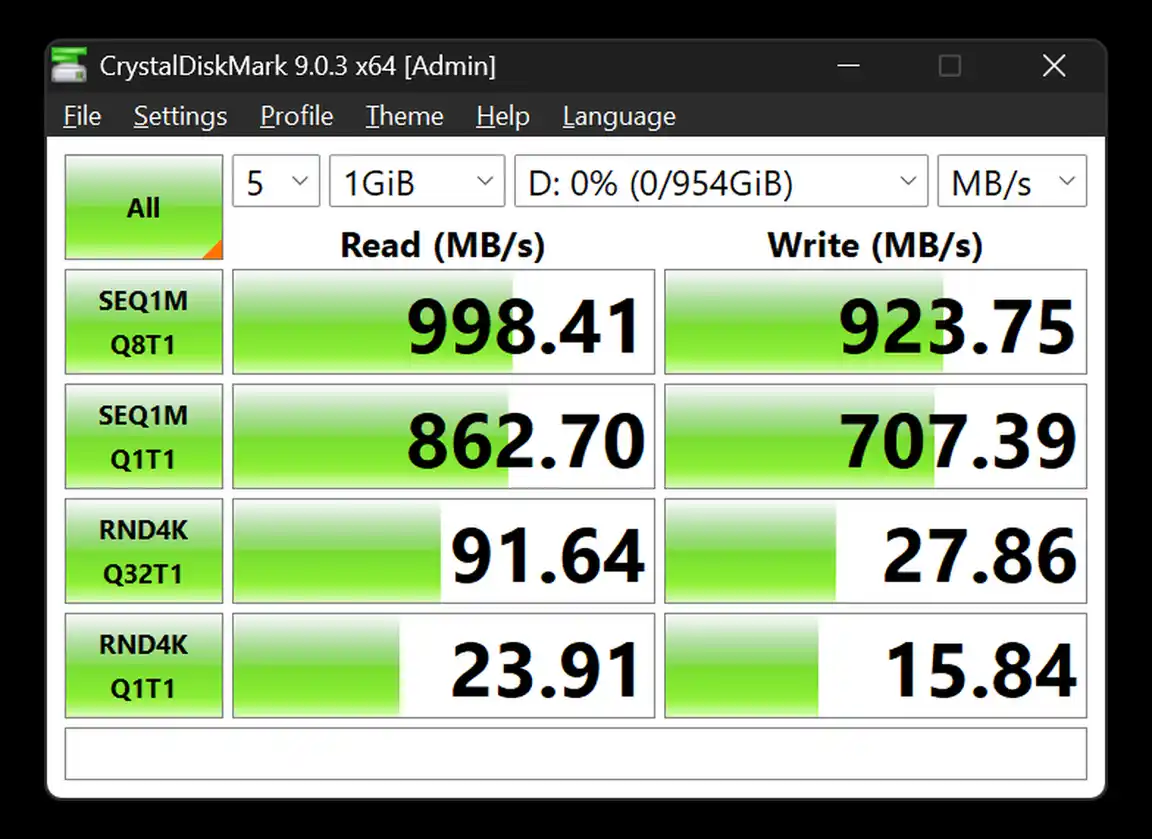
I ran CrystalDiskMark 9.0.3 with five passes and a 1 GiB test file while the drive was empty. The complete set of results is visible in the screenshot above. Let us quickly focus on the figures that actually matter here.
The highest sequential result was 998.41 MB/s read and 923.75 MB/s write. In other words, the read score is almost exactly on Verbatim’s advertised 1000 MB/s ceiling, while the write score reaches roughly 92% of it. That is a very good short-burst result for a 10 Gbps USB drive.
As usual, the other scores get lower when the queue depth drops or the test switches to small random files. That is normal, and it matters less for the kind of large video files, backups and disk images most people will keep on a portable SSD.
A 1 GiB benchmark is still too short to tell us how the drive behaves once its fast cache starts filling. This is why I followed it with two much larger practical Windows copy tests.
Two 50GB File Copy Tests
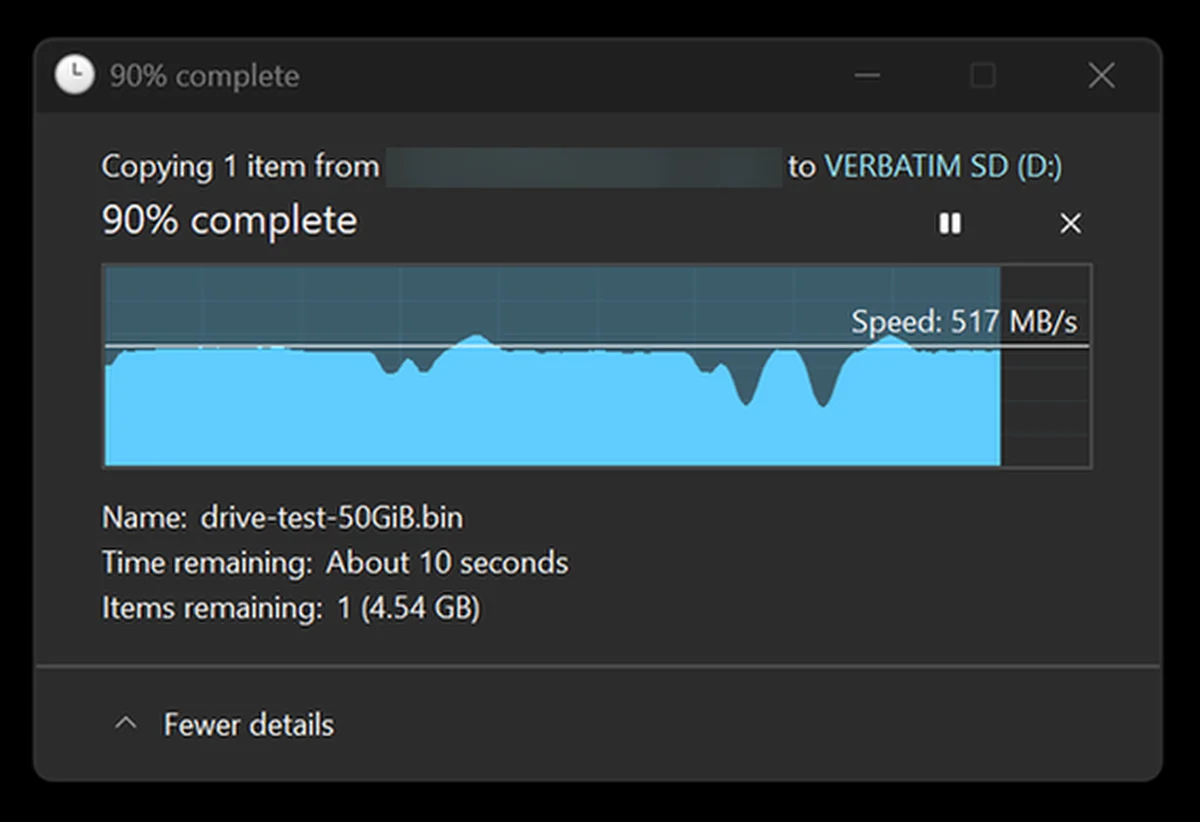
For the practical test, I copied a single 50GiB test file from a PNY CS1030 NVMe SSD to the Verbatim Pocket SSD. With the transfer 90% complete, Windows still showed the speed of 517 MB/s. The graph was mostly flat, aside from a few brief dips.
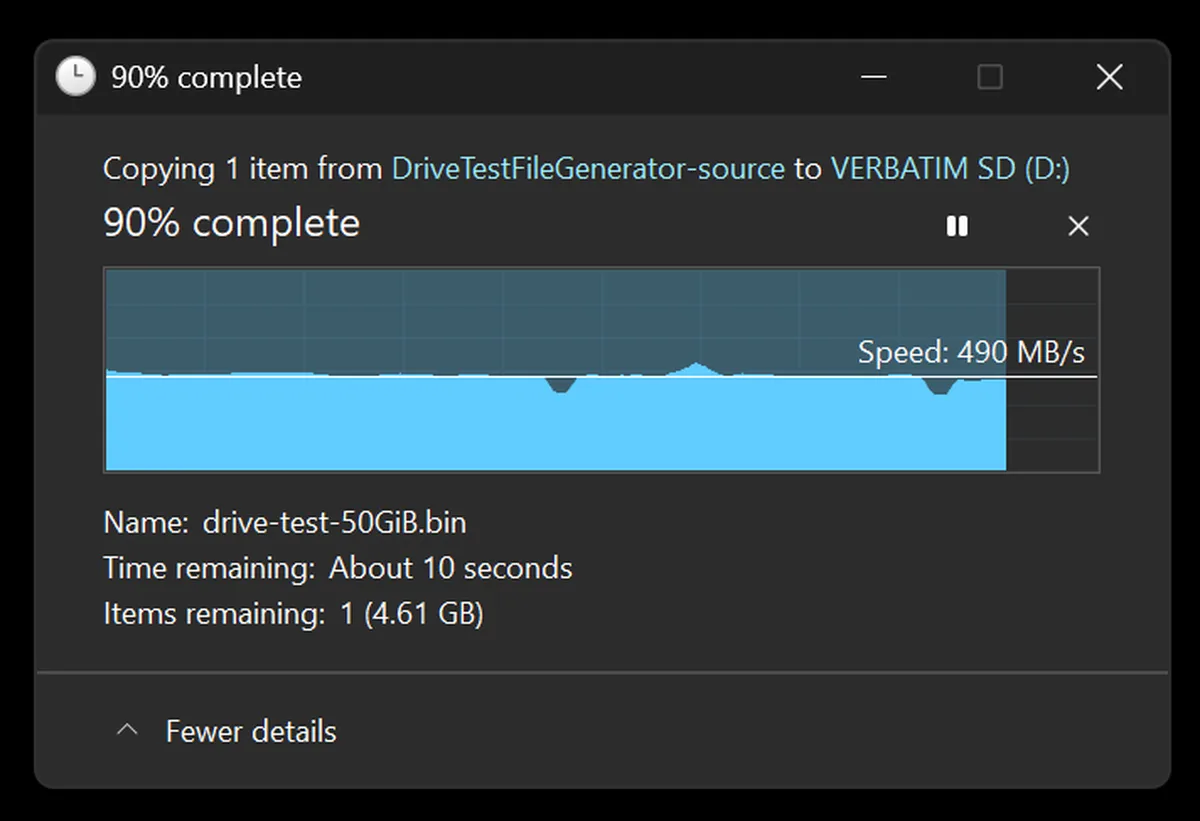
I repeated the test, and the second run showed 490 MB/s with roughly 4.6 GB remaining. These are of course snapshots rather than mathematically calculated averages, but they tell us that even after writing about 45GB, the drive was still holding close to 500 MB/s in both runs.
This practical write speed is naturally lower than the best CrystalDiskMark result, but it is still very good for moving a large backup, a game folder or a video project. I didn’t see a major cache-related speed collapse within 50GB. A much longer transfer could still outlast the available cache, so I wouldn’t extrapolate this result to several hundred gigabytes of uninterrupted writing.
Temperatures & Throttling
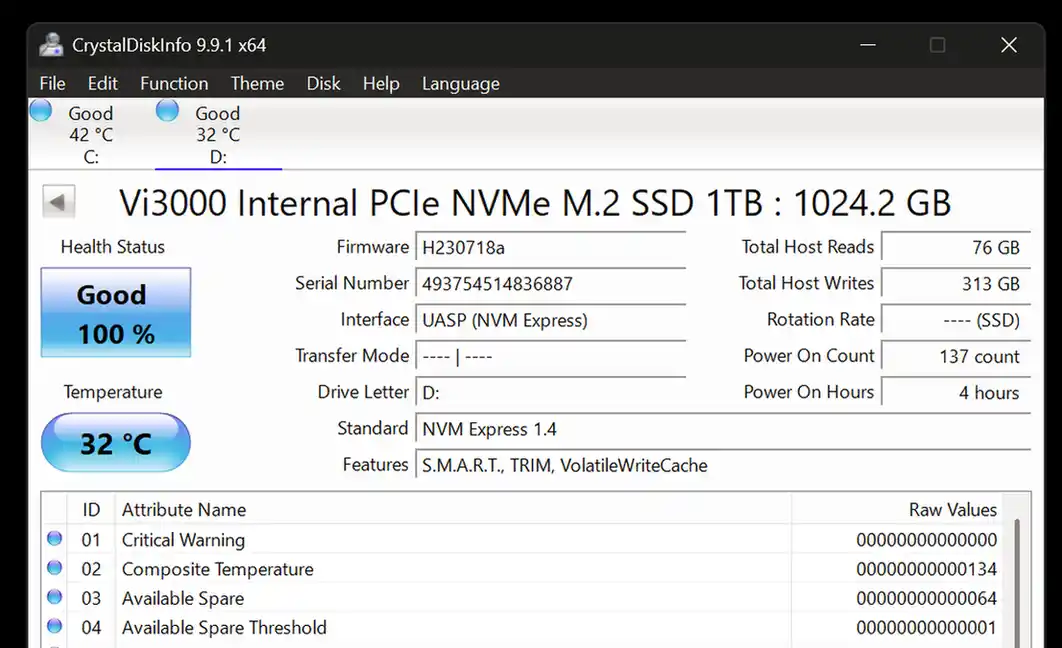
Before the long file-copy test, the internal NVMe sensor reported 32°C (90°F). That is a perfectly normal idle result for a small bus-powered SSD. Both measurements were done on a relatively warm day.
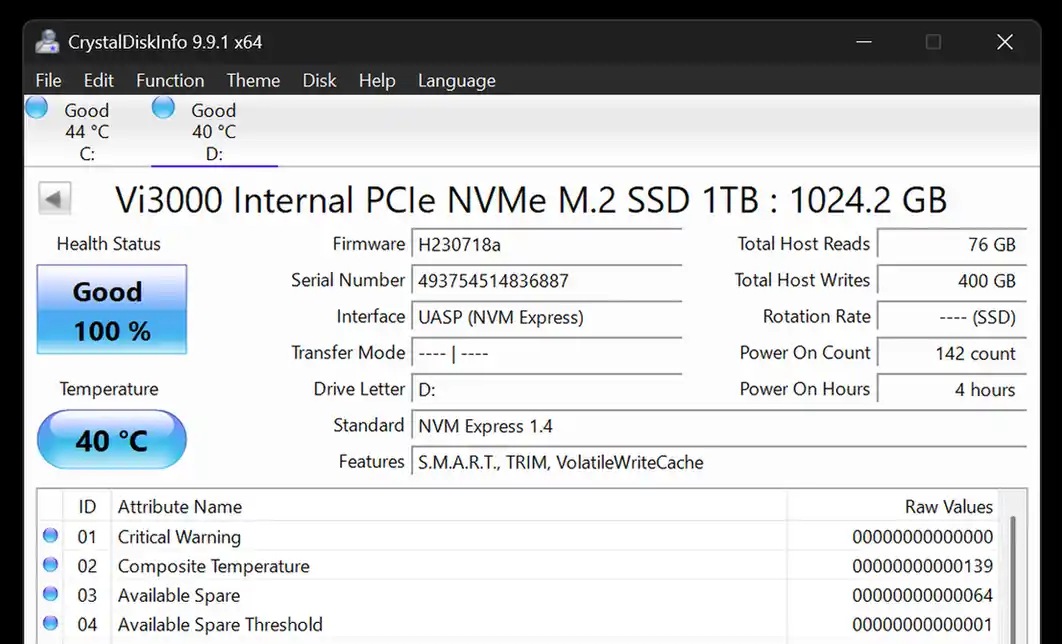
During the copy, the reported temperature rose to 40°C (104°F). The drive became warm rather than uncomfortably hot, and the transfer graphs didn’t show a lasting speed reduction that would suggest thermal throttling. Based on these tests, heat was not a concern here.
Everyday Use & Final Thoughts
This Pocket SSD from Verbatim makes the most sense as a compact drive for backups, large media files, game libraries and moving data between USB-C computers. The cable holder is one of the most useful additions I’ve seen on a pocket drive like this, the pouch is a welcome extra, and the short lead won’t leave much clutter on your desk.
To see results close to the ones from my benchmarks above, you need a USB 3.2 Gen 2 port and a 10 Gbps-capable cable, like the one included in the set. The SSD will still work on slower USB connections, but the port will become the limiting factor. The USB-C connector alone doesn’t guarantee 10 Gbps performance.
The main practical limitations are not really that significant but still important to mention. There is no USB-A cable in the box, the enclosure is made out of relatively light plastic, and the drive has no official ruggedness rating.
1TB Verbatim Pocket SSD – My Verdict
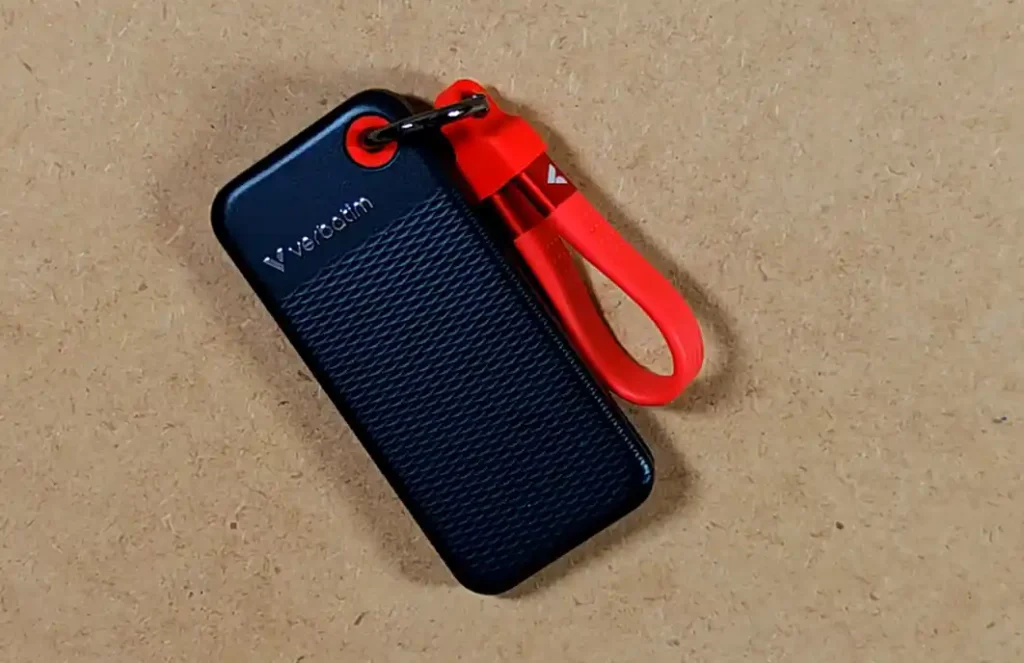
This is a very good small external SSD. It came within 1.6 MB/s of the advertised maximum read speed in CrystalDiskMark, kept consistent speeds in the large file-copy tests, and showed no excessive heat or signs of thermal throttling during my tests.
Its strongest qualities are of course the compact size, included cable holder, excellent short-burst performance and very solid practical write speed. The 1024 GB allocation also gives you around 954 GiB to work with, which is a little more than the roughly 931 GiB commonly seen on decimal 1TB drives.
I would definitely get it if you want fast, pocketable USB-C storage for everyday file transfers, backups or a portable game and media library. I would look elsewhere if you need a formally rugged drive, an included USB-A connection or proven sustained performance across several hundred gigabytes in one go.
If you want a very similar drive but from Kingston, you can check out my benchmark tests of the Kingston XS1000 2TB external SSD here. It’s an equally great drive when it comes to transfer speeds and portability, with even smaller size. That’s pretty much it!
You might also like: Toshiba Canvio Advance 2TB External HDD Hands-On Review & Benchmark Test