

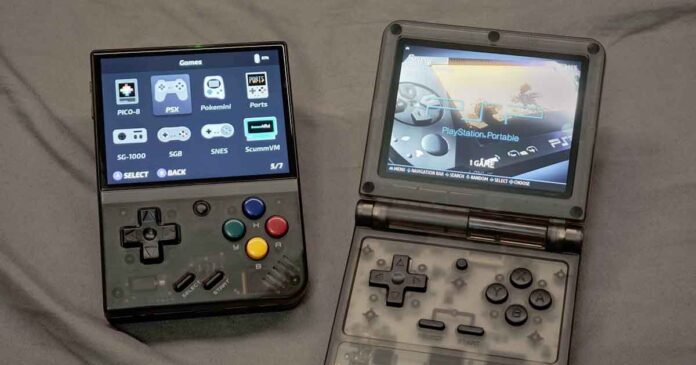
After spending considerable time with both the Powkiddy V90S and the Miyoo Mini Plus since their initial reviews, I’ve developed a deep understanding of their strengths and weaknesses. Now is the perfect time to pit them against each other in a detailed, hands-on comparison. So, without further ado, let’s get to it.
This web portal is reader-supported, and is a part of the AliExpress Partner Program, Amazon Services LLC Associates Program and the eBay Partner Network. When you buy using links on our site, we may earn an affiliate commission!
Check out our other retro handheld comparisons, like this one: Miyoo Mini Plus vs. R36S Direct Hands-On Comparison
Quick Specs Comparison
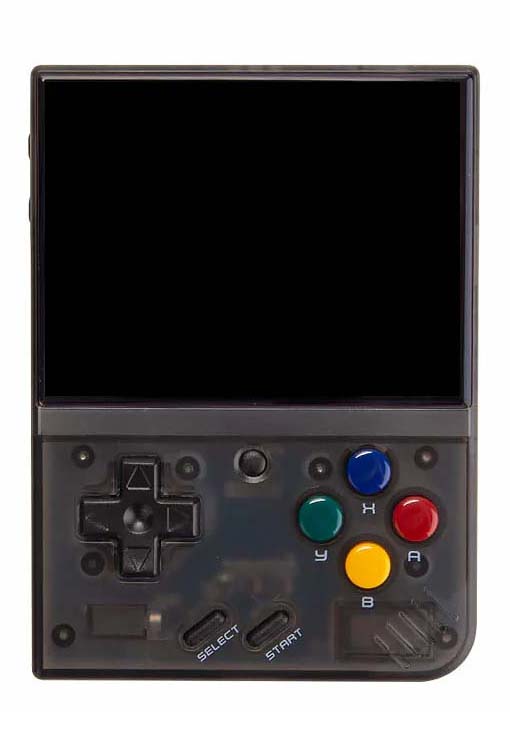
Miyoo Mini Plus
A vertical handheld with a 3.5" 4:3 IPS screen, Wi-Fi, and a huge community behind it.
Read Full Review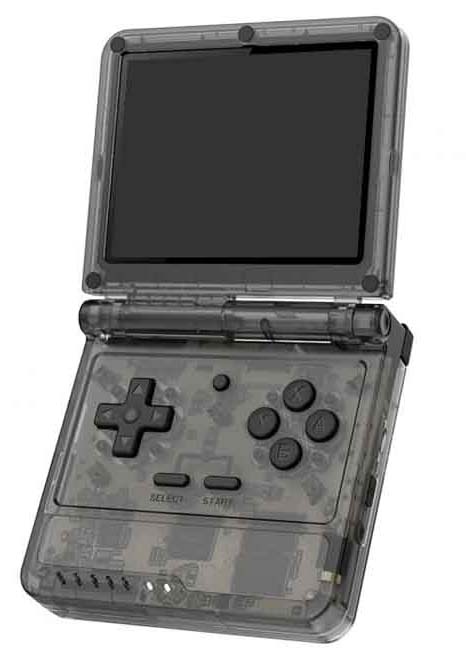
Powkiddy V90S
Clamshell flip handheld with a stronger quad-core CPU in a nostalgic SP-style shell.
Read Full Review| Specification | Miyoo Mini Plus | Powkiddy V90S |
|---|---|---|
| Screen | 3.5" 640×480 4:3 IPS display | 3.5" 640×480 IPS clamshell display |
| CPU | ARM Cortex-A7 1.2GHz dual-core processor | Allwinner A133P quad-core processor |
| RAM | 128MB | 1GB |
| Storage | Single microSD card slot. | Double microSD card slots. |
| Battery | 3.7V 3000mAh Li-ion battery (type 103665) | 3.7V 3000mAh Li-ion battery (755060) |
| Size (L×H×W) | 108 × 22.5 × 78.5 mm, ~165g | 89 × 85 × 26 mm, ~186g |
| Wi-Fi | Yes | No |
| Bluetooth | No | No |
Miyoo Mini Plus
For:
- Ultra-compact, truly pocketable form factor.
- High quality 3.5" 4:3 IPS display.
- Built-in Wi-Fi and very active community.
Against:
- Weaker dual-core CPU and 128MB RAM.
- Single microSD slot only.
Powkiddy V90S
For:
- Clamshell SP-style design protects the screen.
- Stronger quad-core CPU and 1GB RAM.
- Dual microSD slots.
Against:
- No Wi-Fi or Bluetooth.
- No 3.5mm audio jack on board.
The Displays
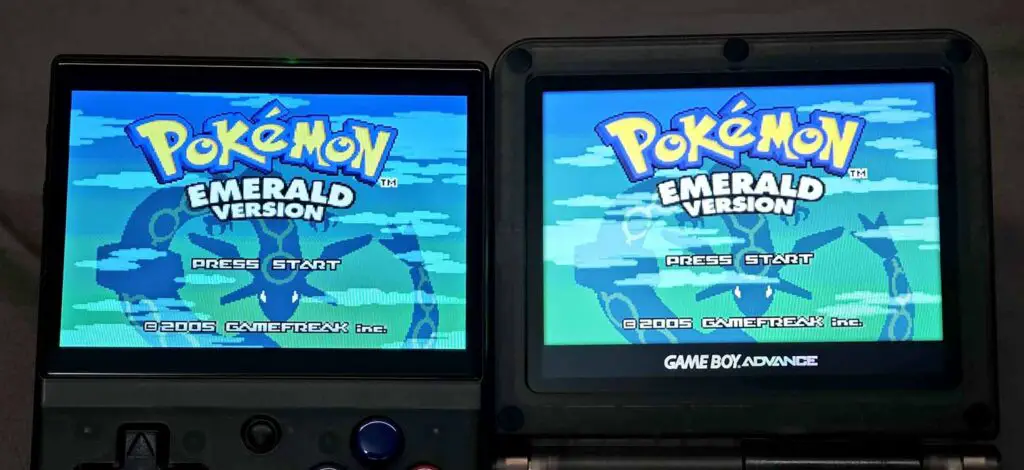
Both handhelds feature 3.5-inch IPS displays with a 640×480 resolution, which is pretty much a standard for most handhelds of this size. However, the quality of the displays is noticeably different. The Miyoo Mini Plus boasts a vibrant and crisp screen that makes games pop. You can see a few more close-up shots of it in my full hands-on review of it here.
In contrast, the Powkiddy V90S‘s screen, while perfectly functional, can appear a little bit more washed out in direct comparison. This however, will only be noticeable once you hold both of these devices next to each other. Otherwise, both of the displays are of very good quality, and are more than enough for satisfying gameplay.
Controls & Buttons
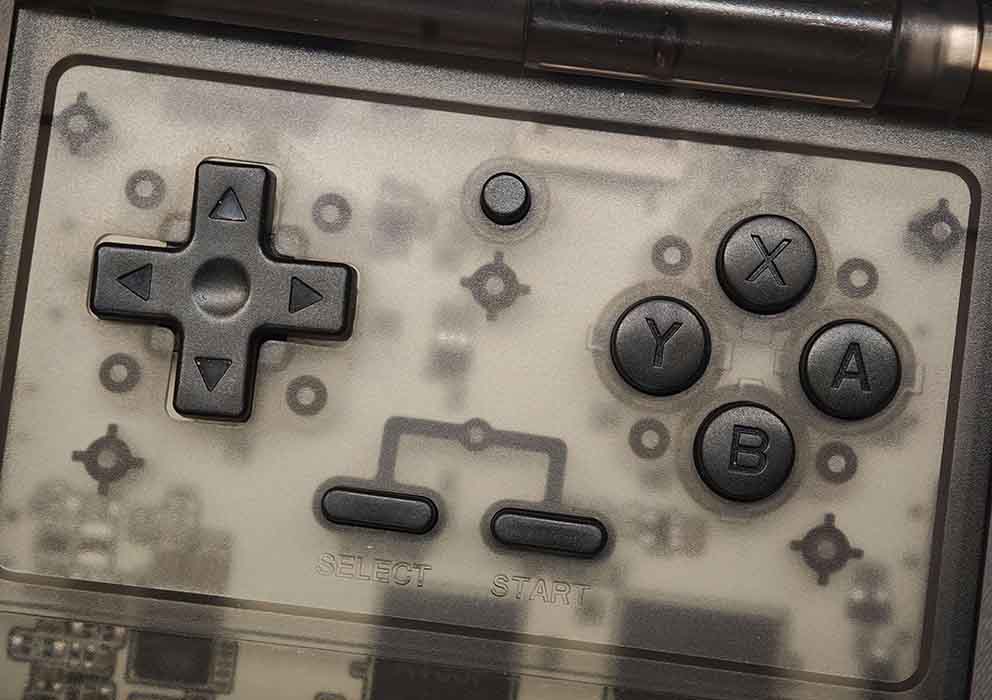
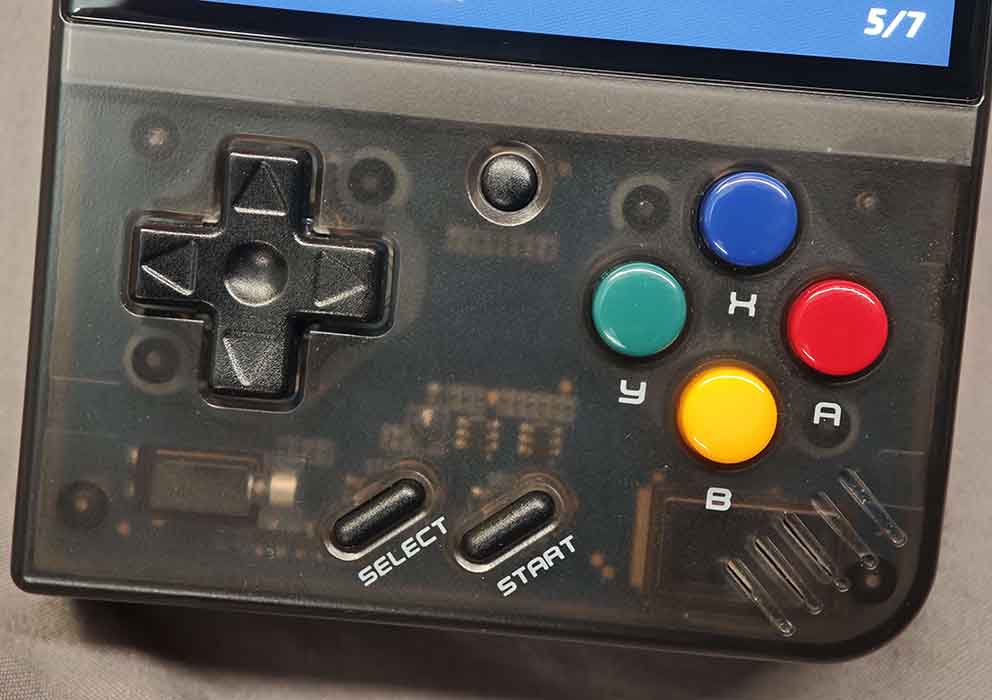
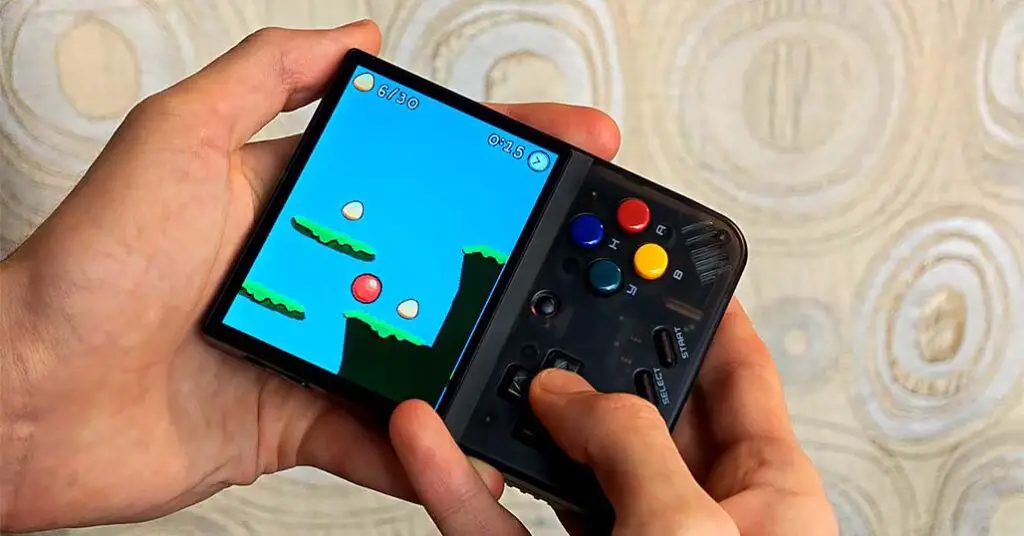
The Powkiddy V90S and Miyoo Mini Plus have very similar button layouts, but when it comes to my hands-on comparison, the controls on the Miyoo Mini feel much more pleasant to use.
The soft click of the shoulder buttons on the MMP still makes me press them from time to time just because of how great it is. On the V90S, while the controls are also of great quality, the shoulder buttons and both start and select buttons are much louder than on the Miyoo.
When it comes to the d-pad and the YXAB buttons, the d-pad is much tighter on the V90S (comparable to that on the R36S), while the YXAB buttons feel looser on the V90S than on the Miyoo.
The V90S features a clamshell design, which offers excellent screen protection and portability. Its shoulder buttons are flat on the back. The Miyoo Mini Plus, on the other hand, has a vertical form factor. Its L2 and R2 buttons are raised on the back, making them arguably more comfortable and easier to press.
Both the V90S and the Miyoo Mini Plus have volume buttons, but only the V90S has a dedicated reset button on its side. In terms of sheer comfort of use both the devices are pretty good, but for me, the Miyoo Mini takes the lead here. While both are great, the Miyoo Mini Plus does feel a little bit more refined.
Battery Types & Battery Life
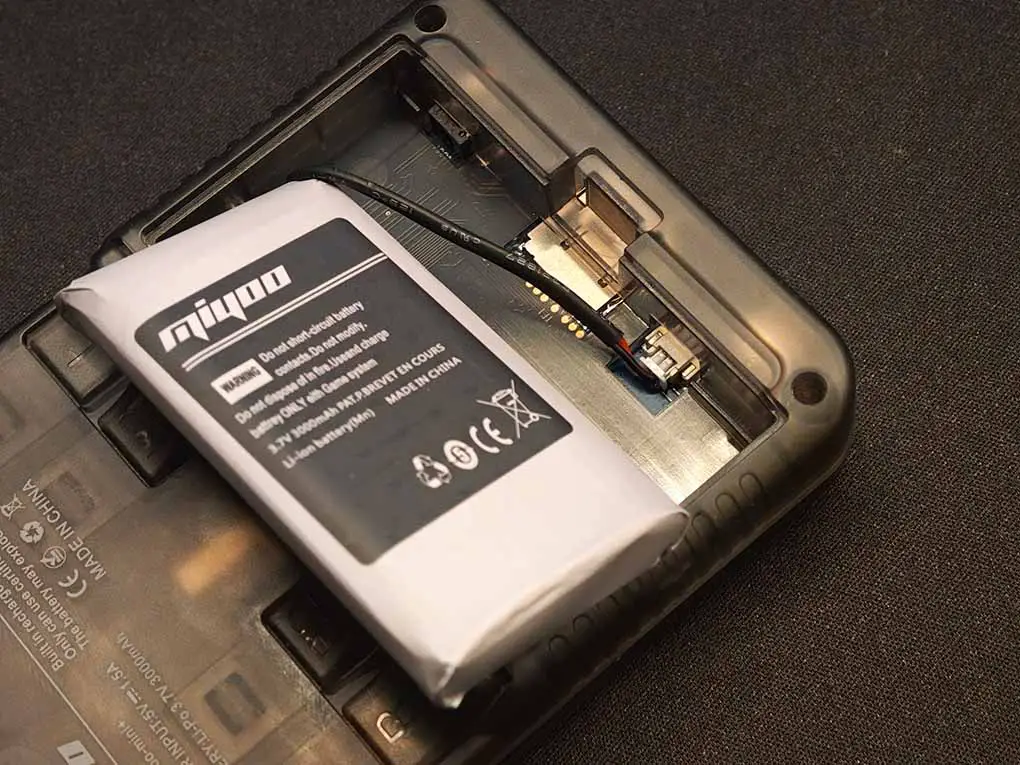
Both consoles are powered by 3.7V 3000mAh batteries, with the Miyoo Mini Plus using the 103665 cell, and the V90S, a 755060 one.
The Miyoo Mini Plus consistently gives me around 5-6 hours of gameplay, thanks to its less power-hungry processor. The more powerful Powkiddy V90S, especially when emulating demanding systems, should generally grant you a little bit less gameplay time, albeit in my practical experience this isn’t really a noticeable difference.
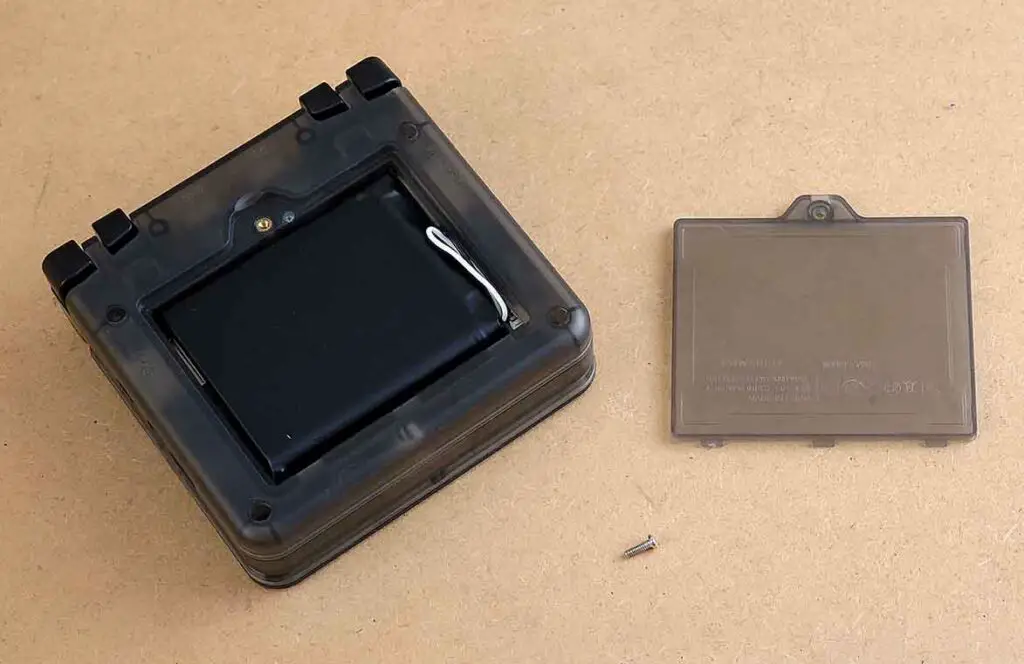
Both the V90S and the Miyoo Mini Plus make use of batteries that can be easily purchased and replaced. In terms of both of these devices, the batteries are li-ion cells of different types connected to the mainboard using a 2-pin JST plug connector. On the Miyoo Mini Plus the battery cover lid can be removed without using a screwdriver, while on the V90S it’s held down by a single screw.
If you’re interested in what the battery replacement process looks like on both of these handhelds, you can check out these tutorials with pictures and step by step instructions:
- Miyoo Mini/Plus Battery Replacement Guide – All Models
- Powkiddy V90S Battery Replacement Guide – Step by Step
Performance & Emulation Capabilities
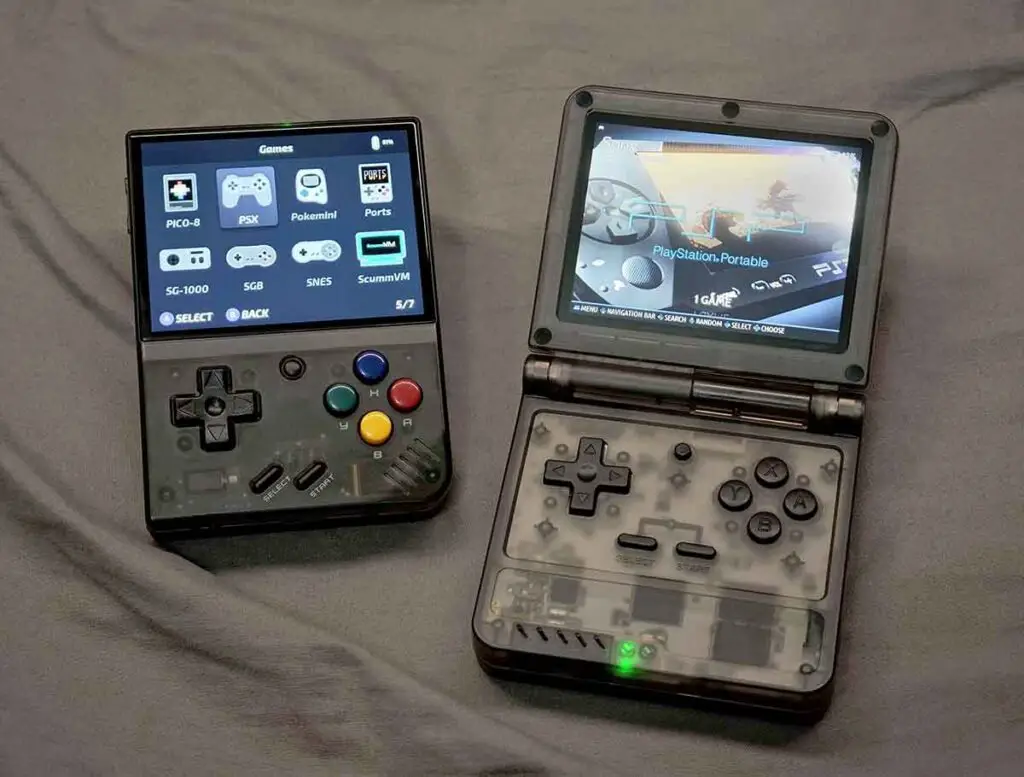
This is the biggest hardware difference between the two. The Powkiddy V90S is significantly more powerful with its Allwinner A133P quad-core ARM Cortex-A53 CPU, an integrated PowerVR GPU, and 1GB of DDR3 RAM. The Miyoo Mini Plus, in comparison, uses a dual-core A7 CPU, no dedicated GPU, and only has 128MB of much older DDR3 RAM.
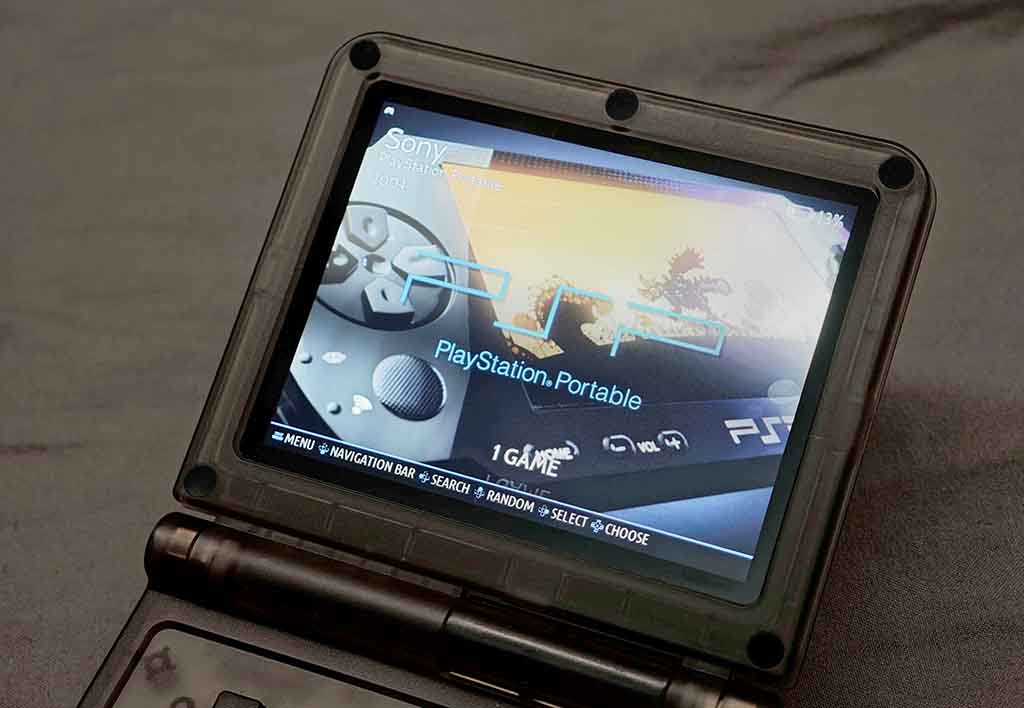
As I found in my recent review of the V90S, in practice this means both will handle systems up to the PlayStation 1 without any issues. But the V90S’s extra power allows it to run systems the Miyoo Mini Plus can’t. The V90S can competently play a good number of Nintendo 64, Dreamcast, and even PSP games (although playing 16:9 PSP games on a 4:3 display might not be the most pleasant experience you could have).
I was able to get titles like Need for Speed: Most Wanted from the PSP running very smoothly, which is just not attainable on the Miyoo even with all the optimizations at play (including overclocking the console, which is surprisingly easy). The Miyoo Mini Plus tops out at the PS1. It does that job perfectly, but that’s its absolute limit. If you want to play anything more demanding, the V90S is the better option from the two.
You might also like: Simple Miyoo Mini Overclocking Guide – In 3 Short Steps
The OS Options
While the V90S wins in terms of a better chipset, the Miyoo Mini Plus has a massive advantage in the software side of things, specifically with the custom firmware – OnionOS. It’s not an exaggeration to say OnionOS gives the device a large amount of its charm. It’s clean, fast, and has many excellent features like the Game Switcher function, which lets you instantly jump between your recent games, or the screen recorder. The whole user experience is incredibly polished and intuitive. Miyoo Mini also lets you play old mobile java games on it, using a neat third-party emulator like this.
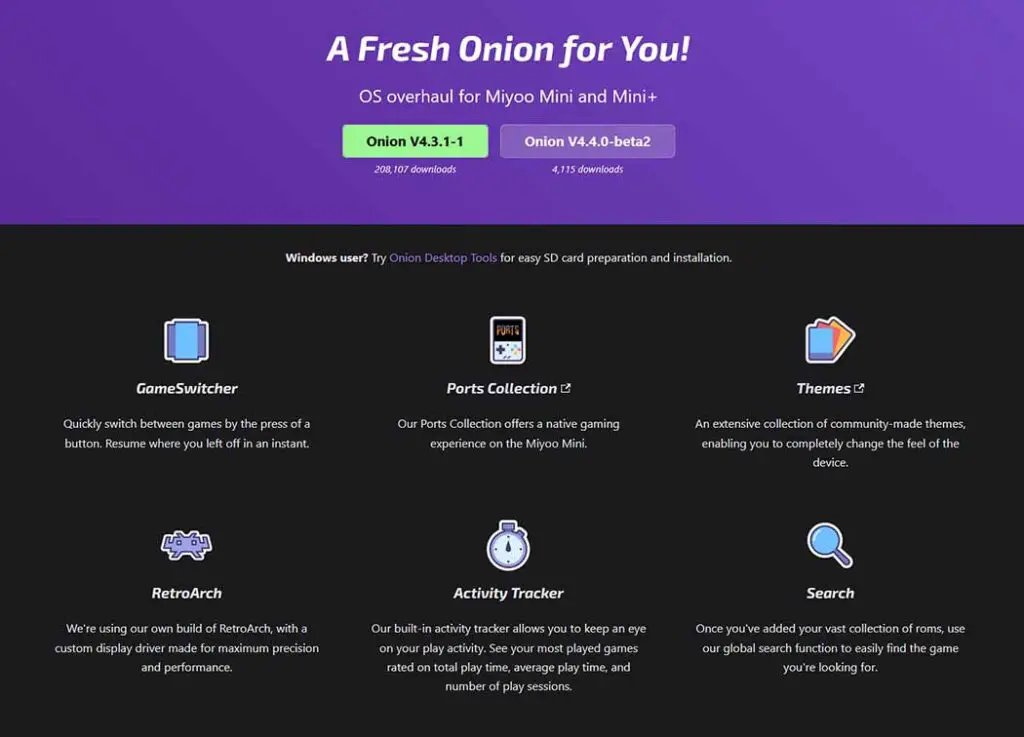
The Powkiddy V90S runs on a fork of Batocera Lite. It works as expected, and it boots into games, but that’s about it. The interface is basic and lacks many of the user-friendly features of OnionOS. The biggest problem, and a major design flaw in my opinion, is the default lack of a suspend-on-close function. On a clamshell device, you expect the system to go to sleep when you close the lid. The V90S doesn’t do this, so you have to manually save and shut down your game every time. This is a huge annoyance and impacts its grab-and-go usability.
If you want to see what the Miyoo Mini Plus with Onion OS is capable of, you really should take a look at this: 16 Miyoo Mini Tricks, Features & Button Shortcuts (Onion OS)
Quality of Life Features & Day-to-Day Use
The clamshell design of the V90S is a huge practical advantage. You can genuinely toss it in a bag without a case, and although its plastic casing is not scratch-proof, it should be better off than most handhelds with exposed front buttons. It also makes use of a dual microSD card setup, which while it can cause some confusion for the beginner Batocera users, lets you hold all of your game files on a separate storage device. Miyoo Mini Plus is a single-card handheld.
Yes, you can play old Java games on the MMP. Here is the full tutorial on how to do just that: How To Play Old Mobile Java Games on Miyoo Mini – In 4 Short Steps
Sadly, the V90S lacks both built-in Wi-Fi and Bluetooth, and surprisingly, despite it being branded as successor of the early Powkiddy V90, it also doesn’t have a 3.5mm headphone jack output on board, requiring you to use a compatible USB-C adapter for wired audio.
The Miyoo Mini Plus is lighter and feels sleeker, but you’ll want a case for it. One of its greatest quality-of-life features when it comes to hardware is the built-in Wi-Fi chip, which makes features such as RetroAchievements and remote file management via FTP incredibly convenient. It has a standard headphone jack, and its single speaker is positioned well enough to avoid being muffled during gameplay, which is also the case for the V90S. Still, similarly to the Powkiddy, you won’t find a Bluetooth module here.
My Final Verdict
So, which one should you get? After all my hands-on time with both of these, I really think that the decision boils down to a clear choice between better emulation performance and the ability to play PSP and N64 games on the V90S, and a polished user experience and stellar quality of the controls and overall design on the Miyoo Mini Plus. That is of course, if you’re not leaning towards the V90S already because of its clamshell design. So in short:
Choose the Powkiddy V90S if: Your top priority is performance, and you prefer the clamshell pocket form factor of the device. If you want to play more demanding 3D systems like the Nintendo 64, Dreamcast, and PSP, the V90S is your only choice here, as Miyoo Mini Plus can’t really handle these systems at playable framerates.
Choose the Miyoo Mini Plus if: You want a better quality of the controls and sleeker device design, as well as a seamless software experience with sideloaded Onion OS. If you primarily play games from the PS1 era and older, the Mini Plus is one of the best devices out there. If you want a little bit more power in a similar form factor, as well as two analog sticks on board, you can check out my recent write up on the R36S, which you can find right here: R36S Handheld Game Console Hands-On Review
You might also like: 7 Best Handheld Emulators to Play PSP Games This Year