

Browsing the collection of user-uploaded videos on VK without being registered and having an account on the platform is still possible, although it works best if you use more than one search route. VK Video now also operates on its own domain, vkvideo.ru, alongside older vk.com/video pages, so the best approach this year is to search both. With the changes to the VK website interface and mobile app, which made the old “unsafe videos” search checkbox inaccessible, alternative video search methods without login are still useful. Here is what you can do.
Updated May 2026: VK Video now also operates on vkvideo.ru, so the search examples have been updated to include both the newer VK Video domain and older vk.com/video URLs. External search engines can still help find indexed public videos, but they cannot access private, deleted, login-only, or non-indexed content.
3 Video Search Methods That Should Still Work
If you want to browse VK videos or search for specific videos without creating a VK account, it is still possible to do so to a certain degree. The important thing to know is that VK video pages can now appear under both the older vk.com/video structure and the newer VK Video domain, vkvideo.ru.
The first method is the most straightforward: using VK Video’s own public search, which may work without logging in depending on your browser, region, and the type of content you are searching for. The second method is the one which you’re most probably interested in, as it uses Google, Bing, or Bing-based search engines to search indexed VK and VK Video pages directly, which sometimes include filtered “unsafe” age-restricted content. The third method uses third-party video search sites, which often rely on similar external search indexes.
You can skip the first method and go straight to the second one if you want broader coverage, if native VK Video search does not load properly, or if you are looking for public pages that no longer appear in VK’s own search results.
You might also like: How To Effectively Search For Telegram Groups & Channels
Method #1 – Native VK Video Search Engine
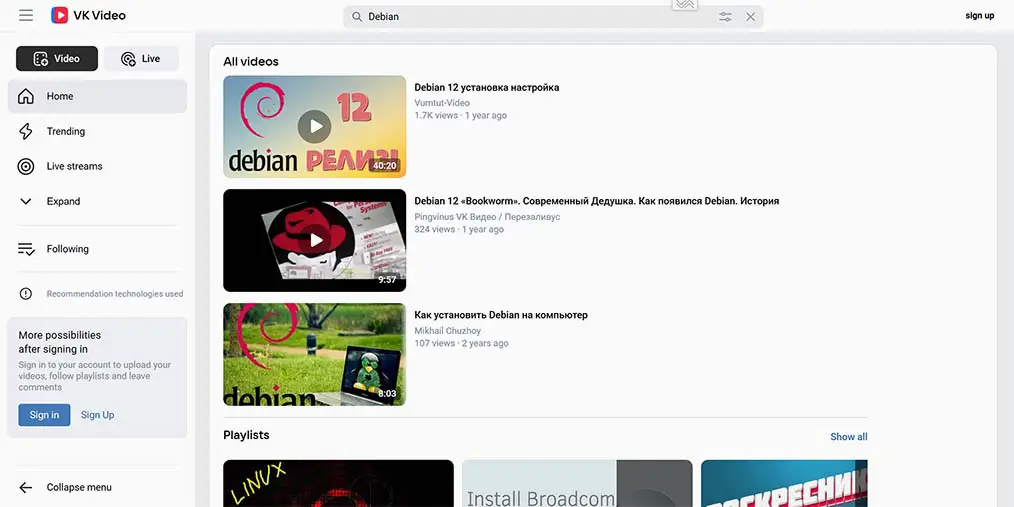
This is pretty straightforward and you might already know it: the internal, native VK video search engine is accessible to all the users visiting the site, even the ones without an account. You can use it to search for video content, and browse through the VK video collection.
It’s also worth keeping in mind that VK Video now operates on the standalone vkvideo.ru domain, alongside older vk.com/video pages. So, if you’re trying to use the native search route, you may want to try VK Video directly through vkvideo.ru first.
Mind that using this method, you still won’t be able to find all the videos that are deemed and marked as “unsafe” by the VK video search filter, and depending on your browser, region, and the current VK interface changes, the search results may also vary a little bit. This isn’t the case with the next two methods on the list, so let’s move forward.
Method #2 – Google Search Site/Intext Query Option
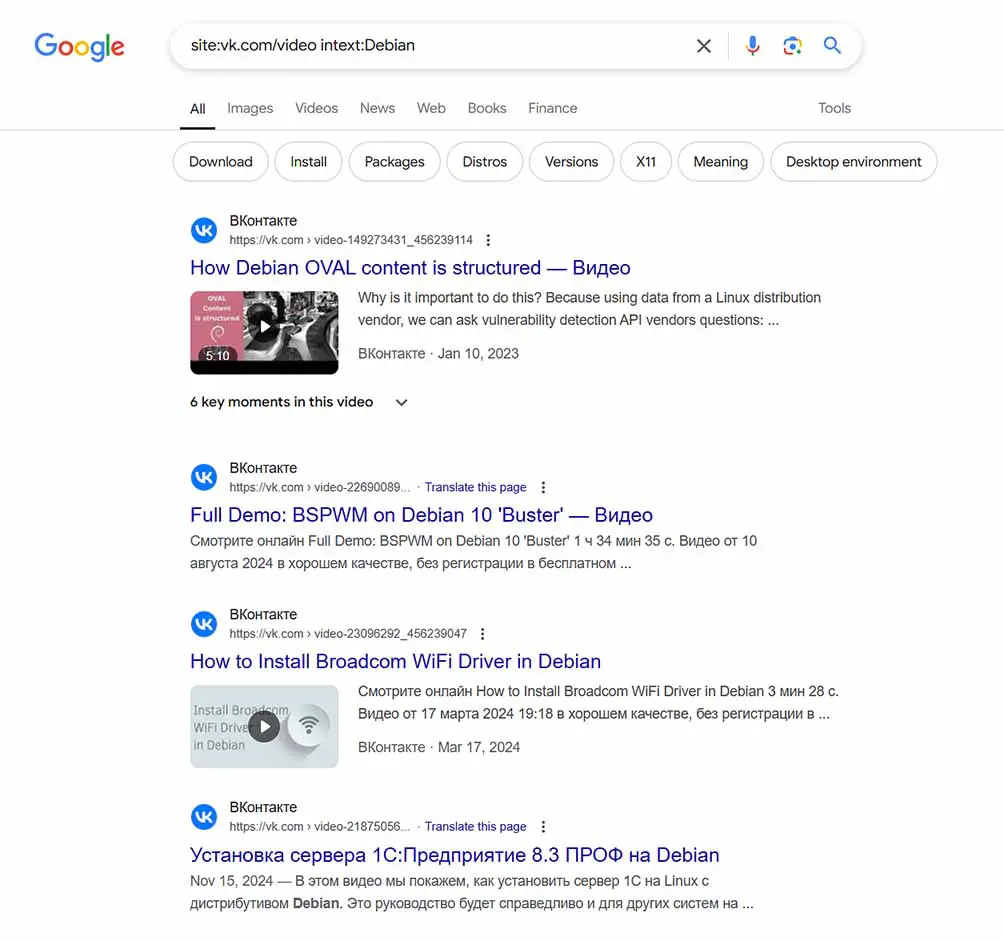
Using Google advanced search operators is one of the best ways of searching for videos on VK without using the internal VK video search engine.
While this method is still one of the best available methods of searching through VK video content outside of the native VK search engine, it has some disadvantages.
First, Google does not index all of the videos on VK, so you won’t be able to find every single video containing your chosen keywords that way. Second, the Google search results most of the time do not contain previews or sufficient summaries for you to be able to tell whether or not a given video is of interest to you.
To search for VK videos related to your chosen keywords using Google, you can use the following queries using advanced search operators:
- site:vkvideo.ru intext:words you want to search for – Using this query you can directly search indexed VK Video pages on the newer VK Video domain.
- site:vkvideo.ru/playlist intext:words you want to search for – This can help you search indexed VK Video playlist pages.
- site:m.vkvideo.ru intext:words you want to search for – A search across the mobile version of the newer VK Video domain.
- site:vk.com/video intext:words you want to search for – Using this query you can directly search the older indexed VK video titles and descriptions.
- site:vk.com intext:words you want to search for – With this query you can do a broader search, not limited to the video pages themselves.
Appending “m.” to the beginning of the domain address like “m.vkvideo.ru” can also grant you some different search results, browsing through the indexed mobile pages instead.
The “intext:” operator will show you all the Google-indexed pages that feature any of the words that you specify after it in the page body. You can also use the “allintext:” operator to search for pages that include all of your specified words.
Yet another option is to use the “intitle:” and “allintitle:” operators, if you want to restrict your search just to the page titles. Keep in mind that this way you may skip some results that feature your desired keyword in the page body, but not in the video/page title.
For now, this is the best available method of circumventing the native VK video search engine limitations, allowing you to search for VK and VK Video pages that have already been indexed by external search engines. It is not a complete archive, though. This method will not help with private videos, deleted videos, login-only pages, or pages that Google and Bing have never indexed.
Important Note: Some of the search operators shown here (namely the “site:” operator, and the base “intitle:” operator) will also work in a similar manner on Bing, as well as on all Bing search index based search engines such as DuckDuckGo. As the Google and Bing site indexes do differ, it’s often beneficial to try your search queries on both the search engines to uncover more results.
Method #3 – Third-Party Google-Based Search Engines
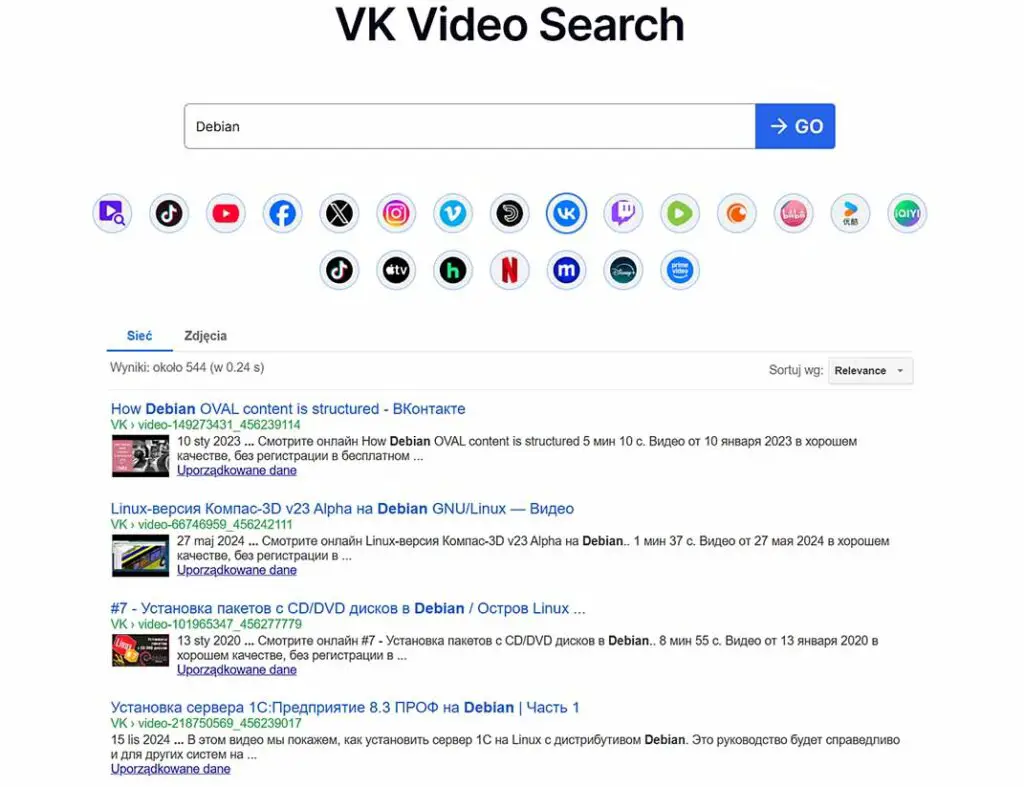
The third method is very similar to the previous one, as it simply involves using third party search engines such as videosearch.io to look for VK videos including your given search keywords. The search results on these can sometimes slightly differ from what you can find with your Google-fu custom search query magic, so it’s not entirely pointless to try them.
Still, truth be told, many of the other third party video search engine sites either mirror, or slightly modify search results pulled either from Google or from another search engines, and they often come and go, oftentimes being plastered with different kinds of unrelated ads. Therefore, I’m not really keen on linking other sites of this type here. Still, for now, videosearch.io does its job pretty well.
What About “Unsafe” Filtered Videos? – VK Search Changes
Well, the thing is with the recent VK safe search changes, searching for content deemed “unsafe” by the site, which is according to VK mainly adult content, has become pretty difficult for both the site users, and the spontaneous visitors.
The safe search filter button used to filter out the less savory video content is gone from the VK user interface, and while no such videos have been removed from the platform, they are no longer searchable form both the native VK website and in-app search engine.
There used to be two extensions developed by VK Next—one for Mozilla Firefox and one for the Chrome browser—that restored the search page switch, allowing users to search through filtered content; however, these extensions have stopped working following the platform’s latest changes. Author’s edit: Removed the links to now-defunct extensions that are no longer available in the respective browser add-on stores (July 9, 2025).
As the disappearance of the safe search filter button is no longer just a frontend, interface change, and the filtering mechanism is no longer available on the server side, it really does seem that this feature is now gone for good.
Currently, the only viable way of searching for such videos on the site regardless of whether you have an account and are logged in or not, is utilizing the Google/Bing search methods as well as the third-party search engine search methods mentioned above.
Once you get to a page containing videos that you like, you can continue your search for content directly on VK by diving into similar suggested content, as well as user profiles of the people posting the clips.
You might also be interested in: How To Browse TikTok With No Account & Without The App