

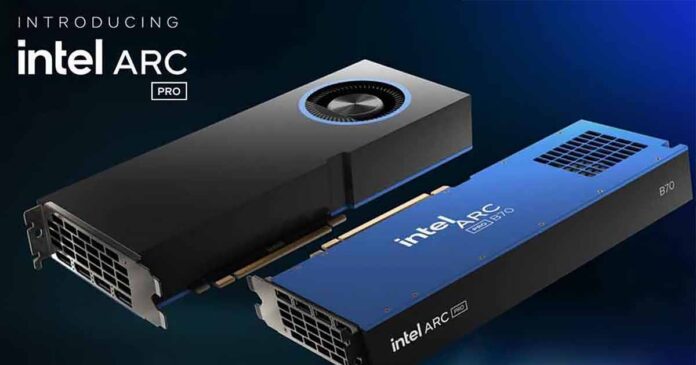
Here is a practical comparison of the Intel Arc Pro B60 and B70 for local LLMs, image and video generation, and single- or multi-GPU local AI workloads.
For less expensive consumer Arc options, see my Intel Arc B580 and A770 local AI guide.
You might also like: 14 Best High VRAM GPU Options This Year (Consumer & Enterprise)
This web portal is reader-supported, and is a part of the Aliexpress Partner Program, Amazon Services LLC Associates Program and the eBay Partner Network. When you buy using links on our site, we may earn an affiliate commission!
Intel Arc Pro B60 vs. B70 – The Specs Comparison
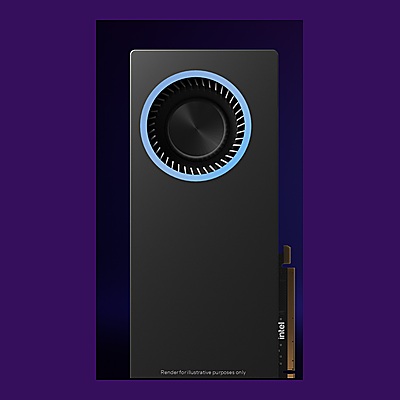
Intel Arc Pro B60 24GB
The scalable 24GB option, with 456 GB/s bandwidth, 20 Xe-cores, 160 XMX engines, and PCIe 5.0 x8 electrical connectivity in an x16 physical slot.
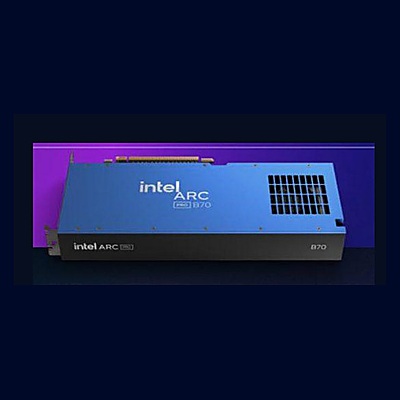
Intel Arc Pro B70 32GB
The stronger single-card option, with 32GB VRAM, 608 GB/s bandwidth, 32 Xe-cores, 256 XMX engines, and native PCIe 5.0 x16.
| Specification | Intel Arc Pro B60 | Intel Arc Pro B70 |
|---|---|---|
| GPU architecture | Xe2 / Battlemage | Xe2 / Battlemage |
| Manufacturing process | TSMC N5 | TSMC N5 |
| VRAM | 24GB GDDR6 | 32GB GDDR6 |
| ECC support | Configurable | Yes |
| Memory bus | 192-bit | 256-bit |
| Memory bandwidth | 456 GB/s | 608 GB/s |
| Xe-cores | 20 Xe2-HPG | 32 Xe2-HPG |
| XMX AI engines | 160 | 256 |
| Ray tracing units | 20 | 32 |
| Peak FP32 | Up to 12.28 TFLOPS | 22.94 TFLOPS |
| Peak INT8 | 197 TOPS, dense XMX | 367 TOPS, dense XMX |
| PCIe support | Gen 5.0 x16 physical, x8 electrical; PCIe 4.0 backward compatible | Gen 5.0 x16 native |
| API support | DirectX 12 Ultimate, oneAPI, OpenCL 3.0, OpenGL 4.6, OpenVINO, Vulkan 1.3 | DirectX 12 Ultimate, oneAPI, OpenCL 3.0, OpenGL 4.6, OpenVINO, Vulkan 1.3 |
| Media encode/decode | AV1, HEVC, H.264, VP9 | AV1, HEVC, H.264, VP9 |
| Board power range | 120W-200W total board power | 160W-290W; Intel-branded card is 230W |
Intel Arc Pro B60 24GB
For:
- 24GB VRAM and 456 GB/s bandwidth.
- PCIe 5.0 x8 electrical link helps dense systems.
- Interesting for scalable multi-GPU Intel AI builds.
Against:
- 8GB less VRAM than the B70.
- Lower bandwidth and much lower peak compute.
Intel Arc Pro B70 32GB
For:
- 32GB VRAM and 608 GB/s bandwidth.
- Better single-card option for 30B-class LLMs.
- More headroom for image, video, and multimodal workloads.
Against:
- Higher power and cooling requirements.
- Native PCIe x16 requires more careful lane planning in dense multi-GPU systems.
At First Glance
The Intel Arc Pro B70 is going to be the better option if you want one GPU, one workstation, and the fewest VRAM compromises. It gives you 32GB of memory, more bandwidth, and much more raw compute than the B60.
The Intel Arc Pro B60, on the other hand, has only 24GB of VRAM per card, but it is still very capable, significantly less expensive than the high-VRAM alternatives from the competition, and can become especially interesting in planned multi-GPU setups.
Neither one of these should be treated as a simple drop-in replacement for CUDA-based NVIDIA hardware and its much broader software compatibility. Intel cards will in general be more geared toward those of you who are willing to check the model, backend, operating system, driver, container, motherboard, and exact board design before spending money.
While Intel’s GPU driver and AI software ecosystem is developing rather quickly, it’s still not at the same maturity or compatibility level as NVIDIA’s CUDA.
The Hardware Difference Is Bigger Than The Names Suggest
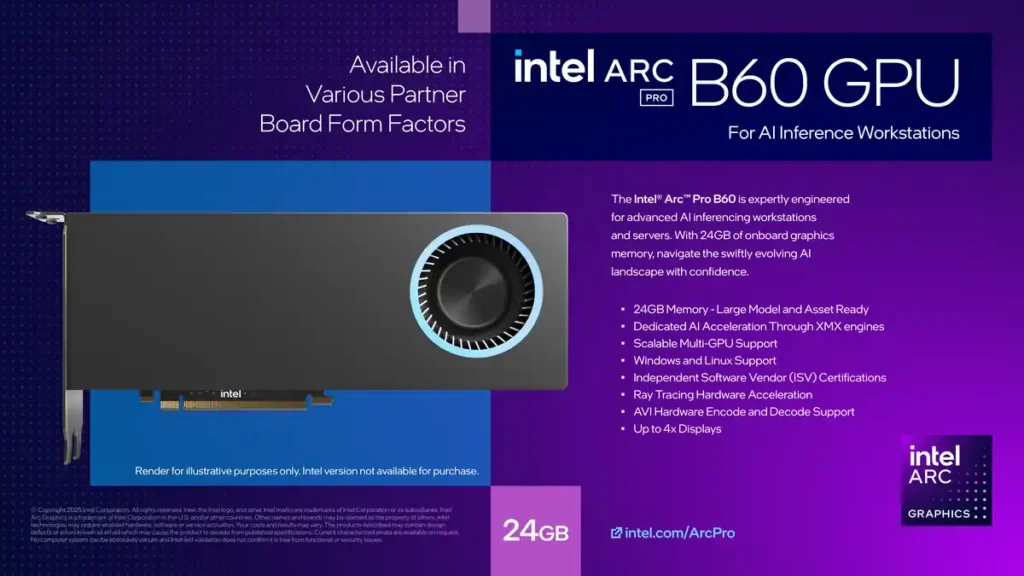
Intel’s official Arc Pro B60 specifications and Arc Pro B70 specifications very quickly reveal that the B70 is a significant upgrade in terms of hardware and raw compute.
The B60 has 24GB of GDDR6 VRAM, a 192-bit bus, 456 GB/s bandwidth, 20 Xe-cores, 160 XMX engines, and a PCIe 5.0 x8 link. That is already plenty for many local LLM and image-generation workloads.
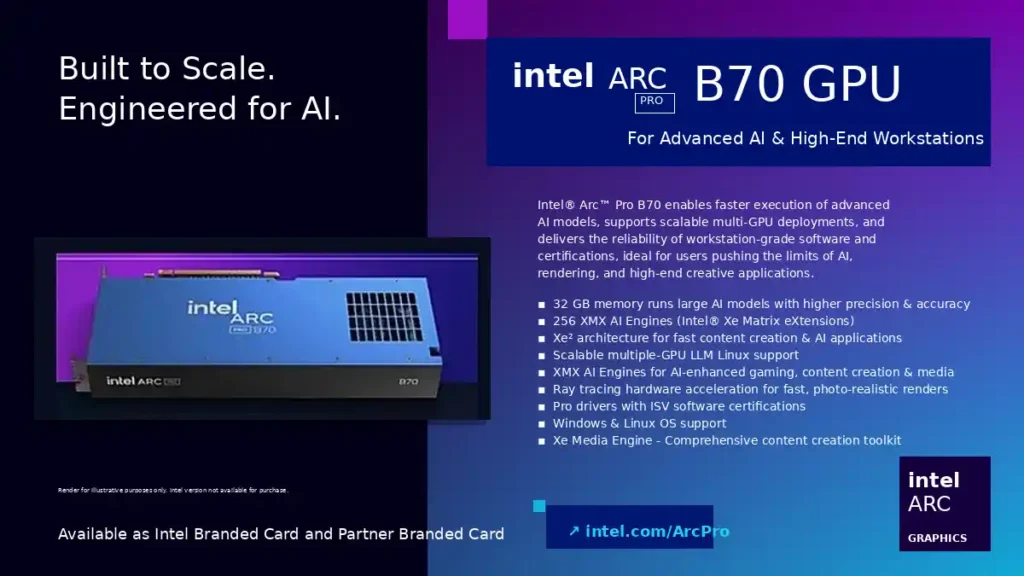
The B70 moves to 32GB of GDDR6 VRAM, a 256-bit bus, 608 GB/s bandwidth, 32 Xe-cores, 256 XMX engines, and native PCIe 5.0 x16. This means much more memory, a wider bus, much stronger listed compute, and better single-GPU headroom.
The B70 has 33% more VRAM than the B60, 33% more memory bandwidth, 60% more Xe-cores, 60% more XMX engines, and roughly 86% more listed peak FP32/INT8 compute. Of course, in practice, you will not see that full speed increase in every workload, but the difference in listed theoretical computational power is very significant.
For context, and as a familiar reference point, the old NVIDIA RTX 3090 discontinued back in 2022 is still one of the most common reference points in local AI because it has 24GB of VRAM and very high memory bandwidth. The B70 does not beat it on bandwidth, as the RTX 3090 sits at around 936 GB/s, but it does offer 8GB more VRAM, ECC support, and what’s important to mention, is in general less expensive than many refurbished 3090 units.
The catch is that most local AI workloads don’t reward spec sheets equally. A model you run, regardless of its type, can be VRAM-limited, bandwidth-limited, kernel-limited, backend-limited, or simply unsupported on your hardware.
That is why software support matters more here than it does in a normal gaming GPU comparison. And this is exactly the next important point that has to be made here.
You might also like: NVIDIA GeForce 3090/Ti For AI Software – Still Worth It?
Supported Software Backends
With NVIDIA, the usual assumption is that “CUDA just works”. With Intel Arc Pro and its surrounding software ecosystem, that assumption cannot be made.
You need to know whether your exact workload supports a usable Intel path: XPU, SYCL, Vulkan, OpenVINO, oneAPI, Intel Extension for PyTorch, vLLM XPU, llama.cpp, or Intel’s LLM Scaler stack. These are not interchangeable magic switches. They are different runtimes, APIs, frameworks, and serving paths, and support varies heavily by application.
To give you a concrete example, one of Intel’s most serious current local AI paths right now when it comes to large language models is the Linux-first stack built around Intel LLM Scaler for vLLM, pinned Intel LLM Scaler Docker images, the Intel XPU vLLM container route, and the Intel oneAPI toolkit.
That is good news if you want a proper Linux inference box. It is not good news if you expected every CUDA-first GitHub project to work out of the box. The situation, as you will see below, is similar with most AI image and video generation workflows.
So, in short, both the B60 and B70, much like the B580 and A770 can be very much reasonable picks with good price per gigabyte of VRAM, provided that your software stack is already Intel-compatible or you are willing to build around Intel’s supported routes.
This is also why community setup resources can be really helpful here. This Intel GPU setup resource thread on r/IntelArc, the documentation of the open-source OpenArc project, Hugging Face Gemma guide for Intel GPUs, and the official vLLM GPU installation documentation are really worth reading if you are planning a serious Intel local AI build and want to see what exactly you’ll be dealing with software-wise.
Workflows, Benchmarks, and User-Reported Data
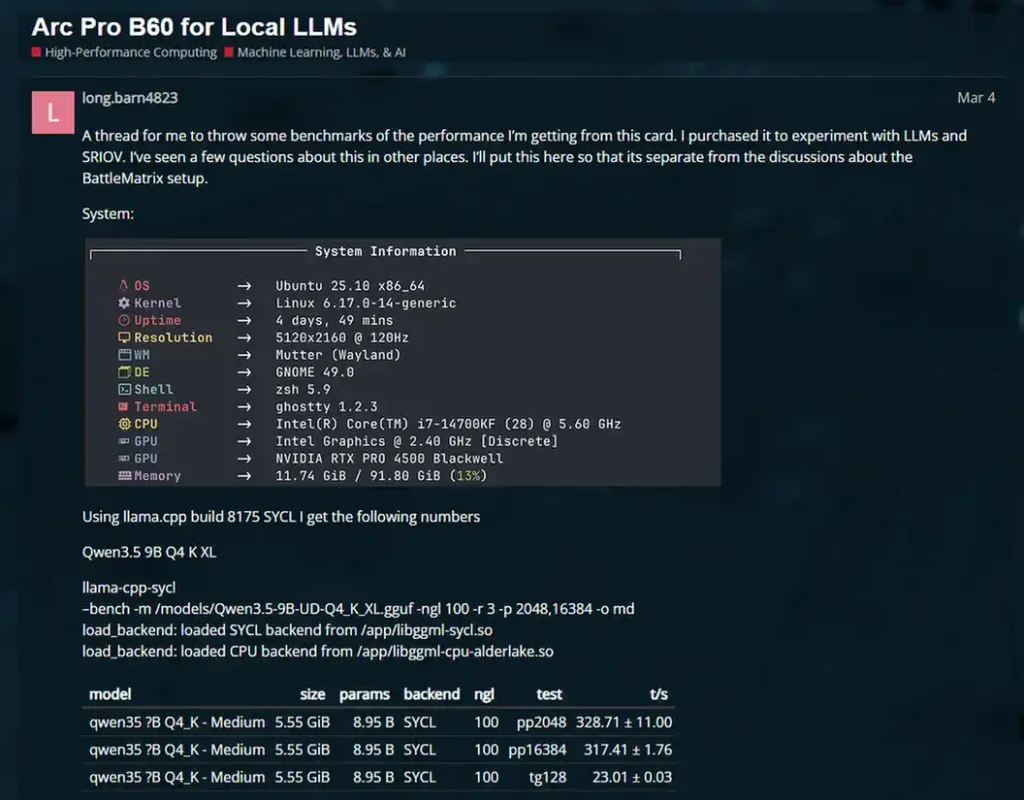
A note on benchmark data: Treat all of these community-sourced numbers as workload-specific, not universal card rankings. Token speed changes with the model, quantization, backend, driver, OS, context length, prompt length, output length, and whether the test measures prompt processing, token generation, or full end-to-end latency. Always consult the linked sources if you need more detailed information.
Local LLM Inference
For local LLMs, the B70’s extra 8GB matters most when you are near the memory limit. Wanting to run a 7B, 8B, 12B, or 14B quantized model should not be the sole reason for you to buy the B70. Both cards can handle these model classes if your software supports an Intel-compatible backend and the chosen quantization, context length, and KV cache fit in VRAM.
The real difference can show around larger 20B-35B models, longer context, multimodal models, batching, and fewer compromises around quantization. This is where the 32GB on one card can be functionally much more useful to you than the 24GB on another.
On both cards, Intel’s LLM Scaler stack is worth watching because it is built specifically around Arc Pro B60/B70 GenAI workflows and connects to frameworks such as vLLM, ComfyUI, SGLang Diffusion, and Xinference.
There are already quite a few useful community examples out there. Bibek Poudel’s Arc Pro B70 Qwen3.6 27B setup writeup shows a way of efficiently running a coding LLM on newer Intel cards using llama.cpp with both Vulkan and SYCL backends achieving 22 tokens per second with the latter.
On the Level1Techs forums, user long.barn4823 reported around 17.8 t/s with llama.cpp Vulkan and around 23.0 t/s with llama.cpp SYCL on one Qwen3.5 9B Q4_K run. You can take a look at the rest of the data here.
Another B60 benchmark by Reddit user FortyFiveHertz, that you can find over on the r/IntelArc subreddit, reported speeds up to 77 t/s in LM Studio with Vulkan on a Qwen3-30B-A3B MoE quantized model.
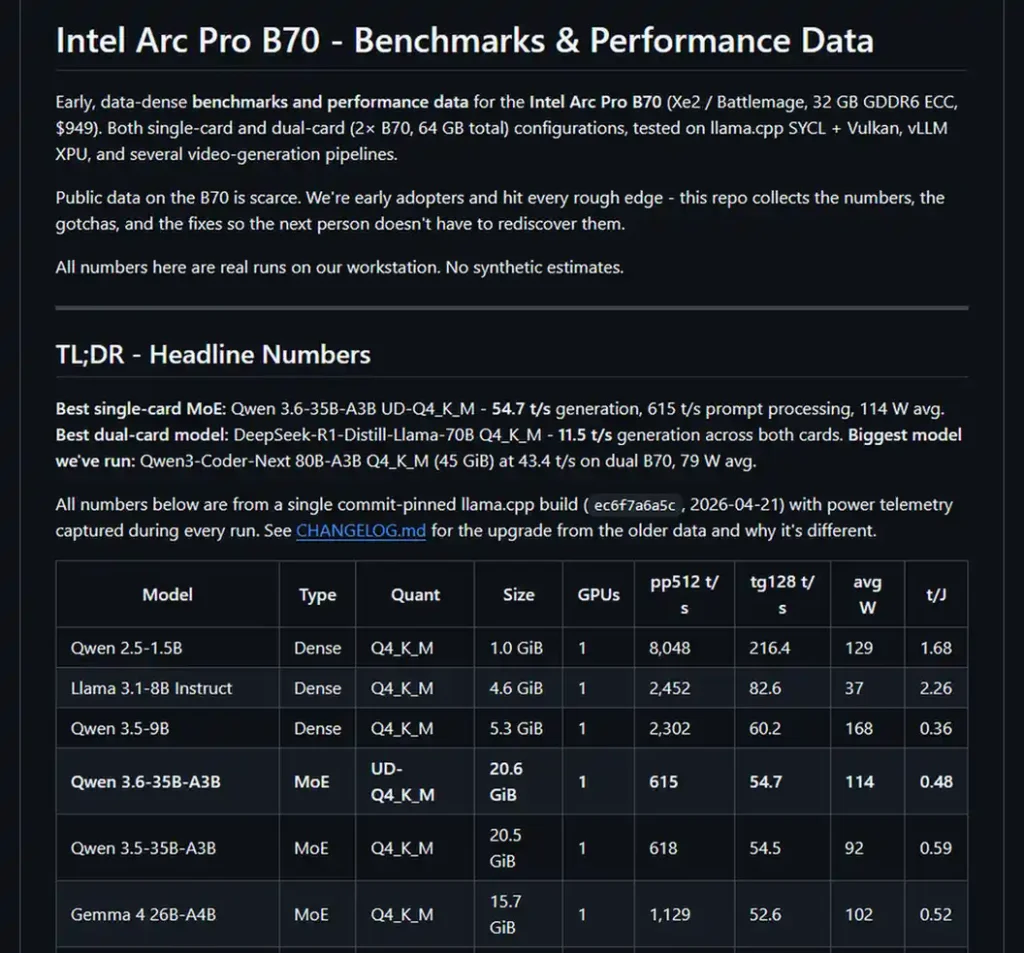
You can also find many B70 benchmark results across various model sizes and quantizations in PMZFX’s dedicated GitHub repository. This is one of the absolute best resources to look into when it comes to the local LLM performance on this card.
If you’re interested in benchmarks geared more toward larger-scale LLM inference with vLLM and tensor parallelism, embeddedllm has a great resource on that, with a benchmark done using a 4x Intel Arc Pro B60 workstation.
You can get an idea of how fast a certain t/s value is in practice using my LLM token output speed simulator here: LLM Tokens-per-Second Generation Speed Simulator
Image Generation
For local image generation, the B60’s 24GB is already a serious amount of memory. SDXL, Anima, Flux workflows, advanced ControlNet-heavy setups with auxiliary models, image editing workflows, and smaller specialized models can fit comfortably on this card when the software path is compatible.
In the FortyFiveHertz B60 benchmark, FLUX.1-dev Q8_0 at 1024×1984 and 20 steps reportedly landed around 6.50–7.02 s/it. Treat that as a useful reference point, not a universal B60 speed figure, because ComfyUI performance depends heavily on the backend, driver, workflow, custom nodes, model format, and exact settings.
The B70 with 32GB of VRAM becomes more interesting when factors such as larger canvases, refiners, several models loaded at once, larger image batches or future larger image models come into play. If you expect your workflows to handle multiple large model files at once or rely heavily on switching models, the B70 simply gives you more headroom. It also becomes a better choice when it comes to local AI video generation, as models such as Wan or LTX can consume significantly more VRAM, depending on settings and workflow.
For Intel-specific ComfyUI coverage, this Civitai article on Arc Pro B70/B65 for ComfyUI by ccollins is worth reading. It shows in a very concise way how Intel GPUs, even with their still maturing software/driver ecosystem can be very much worth it for anyone interested in getting into local AI image generation.
You might also like: Beginner’s Guide To Local AI Image Generation Software
AI Video Generation
AI video generation with models such as WAN or LTX is much less forgiving than text generation or basic image generation both in terms of memory usage and the raw compute needed for reasonable generation speeds. Resolution, frame count, model size, attention memory, temporary buffers, and backend support are all things that factor in here.
The B70 is the more sensible option for larger video-generation attempts, newer multimodal workflows, and pipelines that can exceed 24GB. More memory gives you more room for larger models, less aggressive quantization, higher resolutions, longer clips, and temporary buffers.
The Bottom Line
Choose the Intel Arc Pro B70 if you want the better single-GPU local AI card. Its 32GB of VRAM, higher bandwidth and stronger compute make it the more practical choice for larger LLMs, heavier ComfyUI workflows, multimodal models, and local AI video experiments.
Choose the Intel Arc Pro B60 if you want a cheaper 24GB Arc Pro card and you’re sure that your local workflows won’t demand more memory, or, potentially, if you’re planning a budget multi-GPU Intel workstation. The VRAM density for scalable Linux-first AI builds is one of the important advantages of this card.
If you’d like to see even more raw data, Puget Systems’ Arc Pro B70 review is worth reading if you care about workstation behavior outside local LLMs (with Adobe After Effects, DaVinci Resolve, etc.), as these cards are still workstation GPUs, not cards aimed specifically at local AI hobbyists.
You might also like: Hidden VRAM Hogs – How to Free Up GPU Memory (Local AI & Gaming)