


When using popular diffusion models like base Stable Diffusion or SDXL, there are many different ways to construct your prompts. One of the most popular ways to craft your prompt when it comes to models specifically fine-tuned for anime-style image creation is booru-style tagging, which we’re going to talk about here. This guide explains exactly what it is, and how it differs from natural language image generation prompts.
You might also like: Beginner’s Guide To Local AI Image Generation Software
What Are “Booru Tags”, and What is “Booru” Anyway?
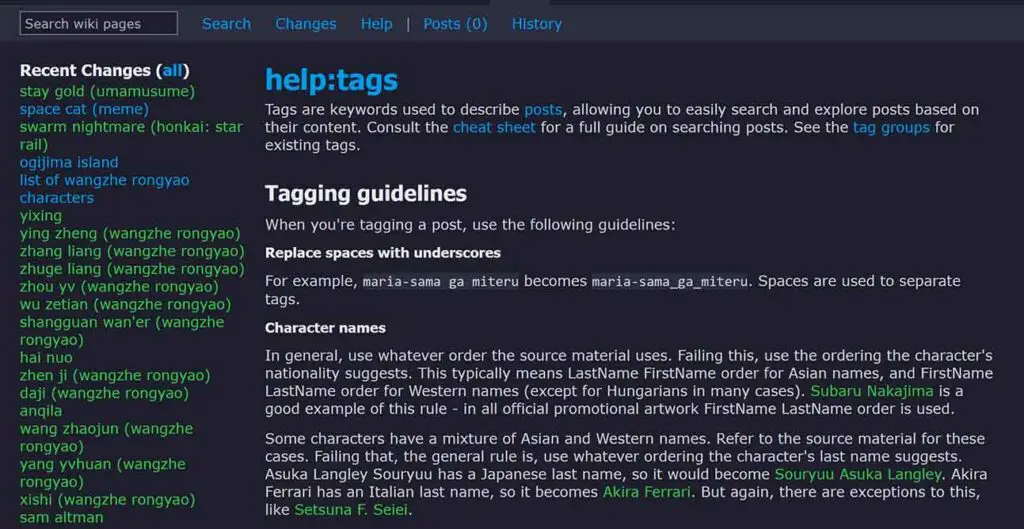
The so-called “booru” sites are an example of simple image board websites that host massive collections of anime and manga-style artwork (such as Danbooru, Gelbooru, or Safebooru). Unlike image galleries with category-based image organization, these sites rely on a highly structured, community-driven tagging system to categorize the visible elements on the images.
The contents of images on booru sites are mostly fanart of different anime and manga characters. A word of warning: many of the “booru” sites contain rather large amounts of unsavory material you might not want to view at work, so keep that in mind. If you don’t want to get subjected to this kind of content, sites like Safebooru are your best bet.
When we talk about “Booru-style tagging” in the context of Stable Diffusion or SDXL, we are referring to the practice of using these specific, standardized keywords from a chosen booru dictionary, separated by commas, rather than writing a grammatical sentence in your prompts or image dataset LoRA training/model fine-tuning materials.
If you want to see how exactly the booru tagging systems work, you can take a look at how Danbooru lays out their tagging dictionary rules, which are the base of many SDXL-based checkpoints such as Illustrious XL.
Booru tags are generally categorized into many specific types, which the AI models based on booru image descriptions learn during training. Some of them include:
- General Tags: Describes objects, actions, and attributes (e.g., 1girl, blue_hair, sitting).
- Character Tags: Specific fictional characters (e.g., hatsune_miku).
- Copyright Tags: The series or franchise (e.g., vocaloid).
- Artist Tags: The specific art style of a known creator (e.g., carmine_(artist)).
- Meta Tags: Information about the image quality or year (e.g., highres, absurdres, year_2026, and so on).
Because models like NAI (NovelAI), Illustrious XL, and many SDXL fine-tunes are trained directly on huge datasets scraped from these image boards, the model understands the image based on these distinct keywords more than the relationship between words in a sentence.
Note: On Booru sites, spaces in tags are replaced by underscores (e.g., purple eyes becomes purple_eyes). Booru-style training strictly associates the specific string “purple_eyes” with a single visual concept, preventing the ambiguity and color bleeding often found in natural language prompts. It is best practice to maintain this format when prompting. ComfyUI with the Autocomplete-Plus extension should automatically display all of your tags with underscores as regular tags with spaces, as you can see below.
Natural Language vs. Booru Tags with SDXL Models

This question is asked surprisingly often when it comes to anime-style SDXL fine-tunes. The very first base SDXL 1.0 model was trained with a heavier emphasis on “Natural Language” captions. This means you could type a prompt like: “A high quality photo of a woman with red hair standing in a futuristic city.”
However, the community has largely shifted away from the base model for anime-style image generation. Some of the most popular SDXL anime fine-tunes, such as Pony Diffusion V6, Animagine XL, and Illustrious XL have been heavily fine-tuned on Danbooru datasets.
That’s exactly why these models will respond the best to booru-style tags, but will also work to some extent with traditional, natural language prompts like you would use with the base SDXL models, as well as various realism-oriented fine-tunes of SDXL. When it comes to those, the natural language prompt formatting will in most cases be preferred, unless the creator of the fine-tune states otherwise.
If you are using these specialized anime checkpoints, Booru-style tagging is superior for two main reasons:
- Token Economy: You don’t waste token limits on “fluff” words like “the,” “is,” or “with”. This can make your prompts much simpler and easier to rearrange for different variations.
- Precision: Natural language can be ambiguous. The tag pleated_skirt will always refer to a very specific visual element concept in the training set that the model recognizes instantly.
If you try to use natural language on a model trained on tags, the results can often suffer from “bleeding” concepts or the model partially ignoring your instructions. Conversely, using tags on a model trained for natural language (like base SDXL) may result in disjointed images, as the model’s text encoder simply doesn’t have the info it needs to refer to the tags you put in your prompt.
Remember to always check the model card descriptions on Civitai, HuggingFace, or other sites you use to source your models from, to see the preferred prompting style.
The General Anatomy of a Booru-Style Prompt + A Simple Example

Writing a Booru prompt is less about grammar and more about stacking data points. While the order matters less than in natural language, a structured approach helps with consistency and editing. These tips will work pretty much with any anime-style SDXL model that was trained on standard booru image-tag pairs.
Here is a standard structure for an SDXL anime prompt that you can refer to when planning out your work:
1. Quality/Score (Prefix) [For many anime SDXL fine-tunes, this is really important]
masterpiece, best quality, During training, images are categorized into “buckets” based on their community ratings on source image boards. To make sure that during inference the model will draw from the higher-quality part of the dataset rather than the lower-effort pool, you should prefix your prompt with specific score/quality triggers.
Note: Many model families, such as PonyXL-based models are trained with different quality/score tags, and in case of PonyXL, you would use tags such as “score_9, score_8_up, score_7_up, source_anime,” here. You can usually easily check the recommended way to prompt a checkpoint on its official download page.
2. Subject and Identity (The specific character or subject in the image. If it’s not a particular character, you can use the 1girl/1boy tags alone)
1girl, hatsune_miku, vocaloid, solo,3. Physical Traits
teal_hair, twintails, long_hair, blue_eyes,4. Attire and Accessories
white_shirt, collared_shirt, neckerchief,5. Background and Framing
indoors, sunlight, depth_of_field, upper_body,The Final Example Prompt String:
masterpiece, best quality, 1girl, hatsune_miku, vocaloid, solo, teal_hair, twintails, white_shirt, collared_shirt, pleated_skirt, indoors, sunlight, upper_bodyOf course your main prompt should in most cases also be accompanied with a negative prompt containing image elements you don’t want to see in your final generations. These should also be constructed in the exact same way.
In most Stable Diffusion WebUI frontends like Automatic1111 or ComfyUI, you can use parentheses (tag:1.1) to increase the weight of a tag or set of tags, allowing you to fine-tune which elements appear most prominently.
You can see the example image created using this prompt and the Diving-Illustrious XL checkpoint above.
If you want to know what the absolute best models you can use to generate anime-style images, take a look at this list that I recently made: 8 Best Illustrious XL Anime Model Fine-Tunes Comparison
Tag Autocomplete Options for A1111 and ComfyUI

Memorizing tens of thousands of tags would be pretty hard, and taking a guess each time you construct a new prompt and think of a new element you want in your image is really counter-productive. Luckily, there are tools that can help you immensely in that regard.
There exist two neat extensions available for both Automatic1111/Forge and ComfyUI that connect your interface to the Danbooru database, offering autocomplete suggestions as you type.
For Automatic1111 / Forge WebUI: You need the Booru Tag Autocomplete extension. Once installed, when you begin typing a tag (e.g., “white_…”), a dropdown menu will appear showing valid tags, their post count (popularity), and even color-coding them by type (character, copyright, general). You can find it here: DominikDoom/a1111-sd-webui-tagcomplete.
For ComfyUI: If you are using the node-based workflow, you should install ComfyUI-Autocomplete-Plus. It functions very similarly to the A1111 version but is integrated into the node text boxes. It works exactly the same by showing you the popularity and category of each of the tags listed. It’s available here: ComfyUI-Autocomplete-Plus.
How To Find The Right Tags (Interrogators and Wikis)

If you have a concept or object in mind, but don’t know the “official” corresponding booru tags for it, there are a few rather nice tools you can use besides installing one of the autocomplete solutions that I’ve mentioned above.
1. Using Taggers / Interrogators
If you have a reference image and want to know exactly which tags the AI associates with it, you can use an image interrogator. WD14 and DeepDanbooru are widely used deep learning-based taggers that analyze an image and outputs a list of Booru-style tags with high accuracy (with the WD14 being more recent and accurate). These can be used within the A1111 WebUI or ComfyUI, or installed and used separately.
For those utilizing ComfyUI, the ComfyUI-WD14-Tagger by pythongosssss is the standard implementation. This custom node allows you to run various tagging models (like wd-v1-4-vit-tagger) directly within your node workflow to reverse-engineer prompts from any input image.
The WD14 tagger is also available via its web version here. If you’d like to use DeebDanbooru without installing any of the Stable Diffusion WebUIs, or any other software on your system, you can also access it via HuggingFace spaces here, or self-hosted by its author, here.
2. Danbooru Wiki
The Danbooru Wiki is the go-to place if you just want to browse through all of the tags most anime-style models were trained using. If you are unsure what a tag like “doyagao” refers to, searching the wiki will not only define it, but also show you examples. Once again, beware: very little of the contents on the popular booru sites are actually fully SFW. For more information, refer to this: Danbooru Wiki: How to Tag.
3. Tag Explorer Tools
There are also a few third-party tag visualizers that allow you to browse tags by categories, alongside visualizations of the concept represented by the chosen tag. Some of those categories are for instance “gestures”, “postures”, “composition”, etc. These can easily help you expand your tag vocabulary, and are a really nice place to seek inspirations for your new generation. One of the best tools available when it comes to that is TagExplorer.
You might also like: 6 Sites Like Civitai – Best Alternatives Available