

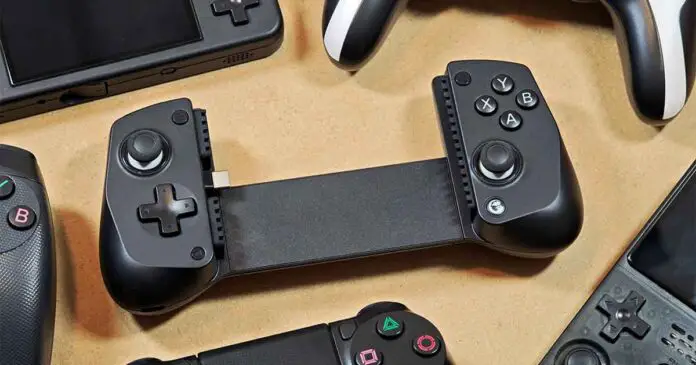
Among the many popular telescopic clip-on game controllers for smartphones and tablets, the GameSir X5 Lite is one of the most affordable ones. While its quality is much higher than I expected from a device in this price range, it certainly does have a few quirks of its own. Let’s take a closer look at it together.
Want to see more telescopic controllers similar to this one? Take a look here: 14 Best Clip-On Controllers for Retro Mobile Gaming (Android/iPhone)
This web portal is reader-supported, and is a part of the AliExpress Partner Program, Amazon Services LLC Associates Program and the eBay Partner Network. When you buy using links on our site, we may earn an affiliate commission!
Quick Specs Table
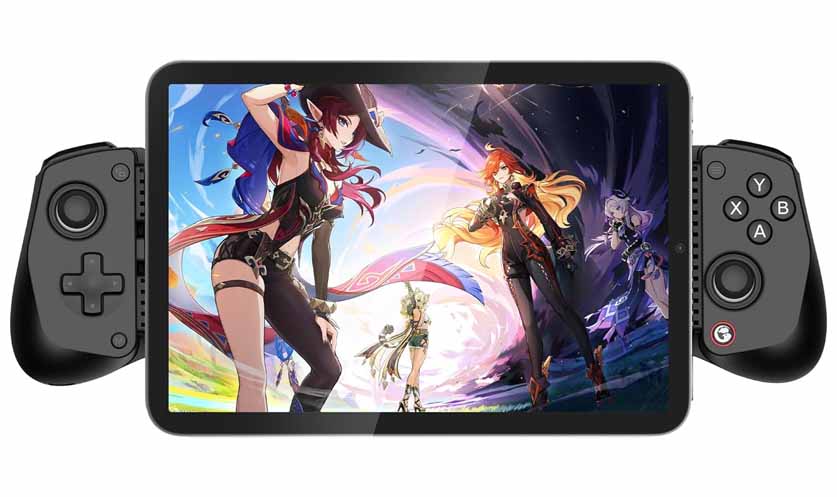
A lightweight USB-C mobile controller with Hall Effect sticks, pass-through charging, and support for larger phones and tablets up to 213 mm wide.
| Compatible Platform | Android & iOS |
| Connection | Built-in USB-C wired connection |
| Compatible Device Length | 105–213 mm / 4.13–8.39 in |
| Sticks | Hall Effect sticks |
| Triggers | Membrane triggers |
| Buttons | Membrane ABXY buttons and membrane D-pad |
| Turbo Function | Yes |
| Charging | USB-C Pass-through charging |
| Software | GameSir App support (optional) |
| Grips | Laser-engraved textured grips |
| Dimensions | 196.7 × 88.3 × 46.2 mm / ~7.74 × 3.48 × 1.82 in |
| Weight | 135.4 g / 0.30 lb |
Unboxing & First Impressions
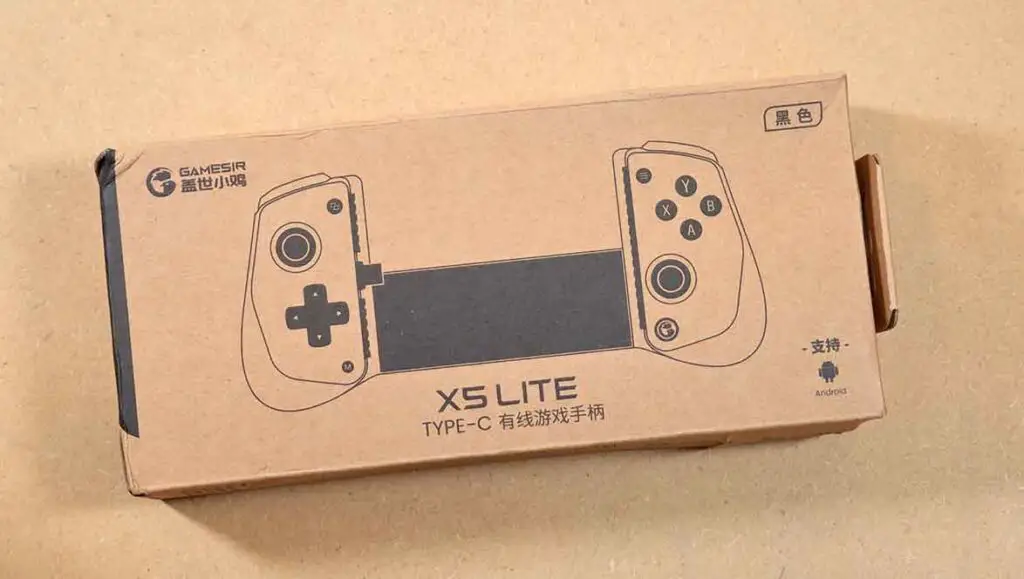
One of the first things I noticed about the GameSir X5 Lite out of the box was how lightweight it is. This however, doesn’t make it feel flimsy. There are no parts in the entire build that creak, bend, or rattle, which is always one of the first things I notice especially when dealing with less expensive controllers like this.
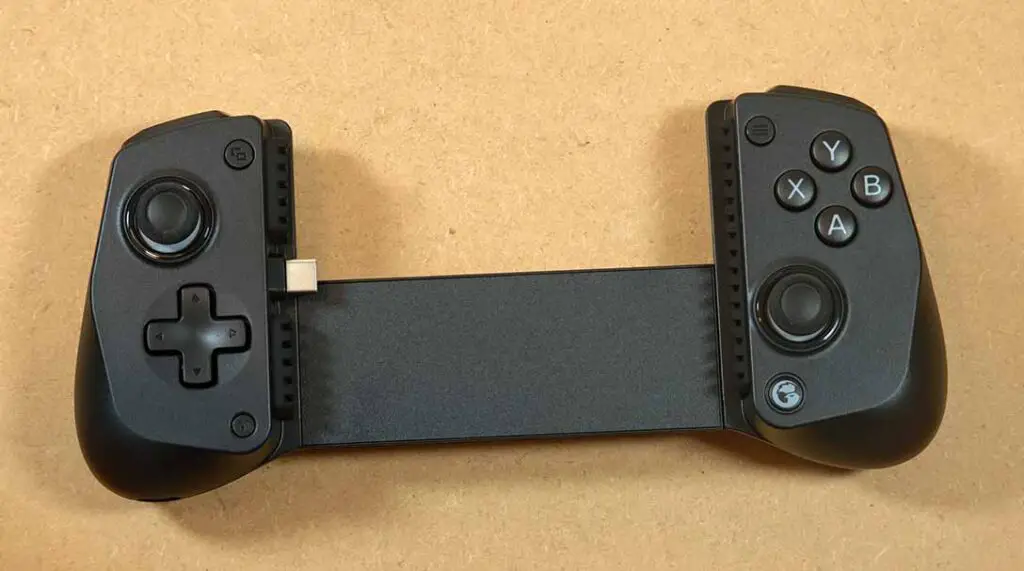
The USB-C connector on the left side of the device is designed in such a way that it can easily bend up and down so it can more easily fit in devices of varying thickness. While it’s certainly the most damage-prone part of almost every clip-on controller like this aside from the telescopic bridge, on the X5 Lite it doesn’t feel like it’s going to easily break.
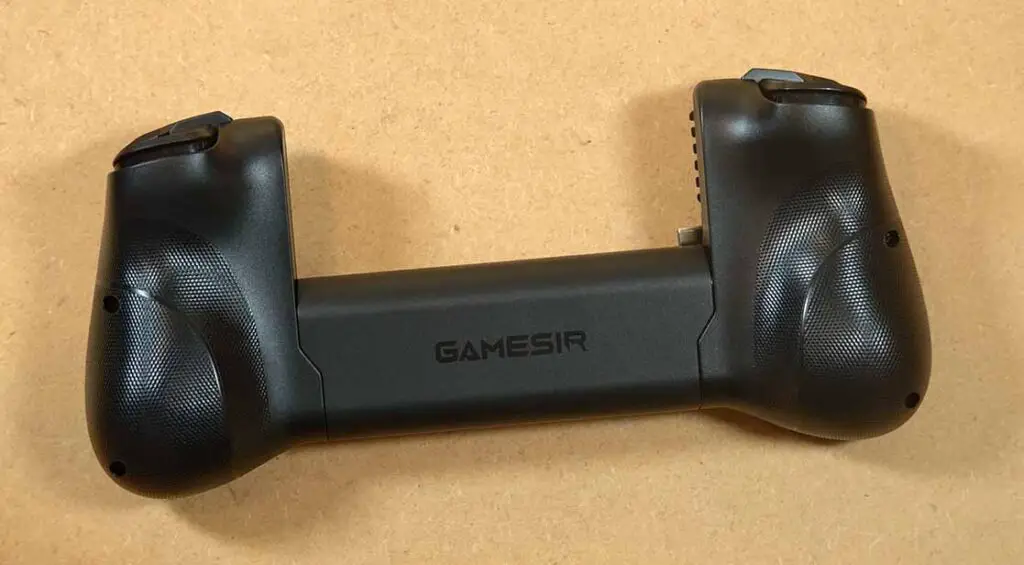
The spring mechanism is reasonably tight, and has more than enough force to comfortably hold even a heavier mobile device without you having to worry about it falling out. On the inside you can find silicone pads that further protect your phone, and allow it to be seated more firmly when it’s connected to the controller.
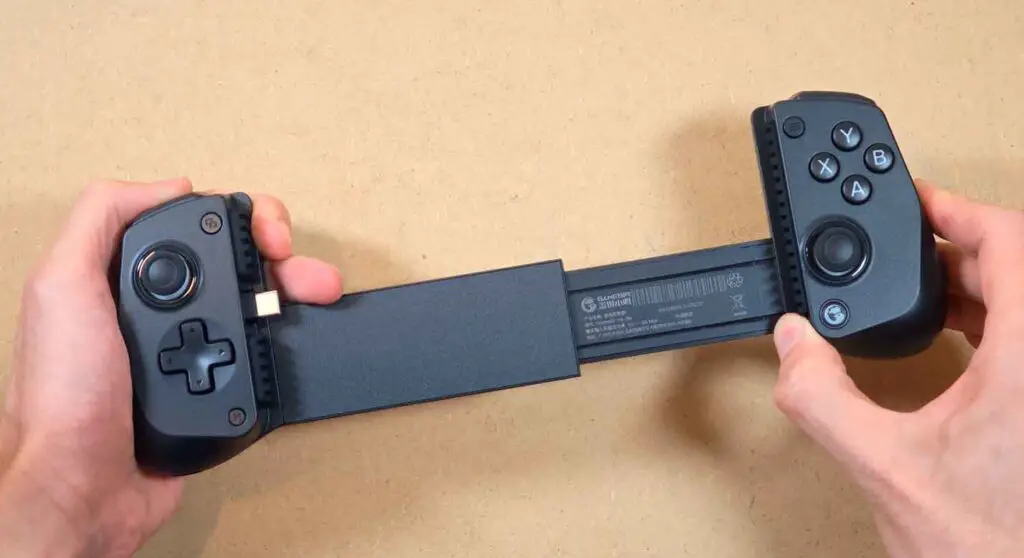
Talking about the ergonomics, the textured grips feel really good in hand, and they allow you to comfortably rest your middle or ring fingers on the back of the device when gaming. When it comes to the overall design, I was very impressed here.
On the bottom of the left grip you can find the second USB-C port, meant to be used for pass-through charging.
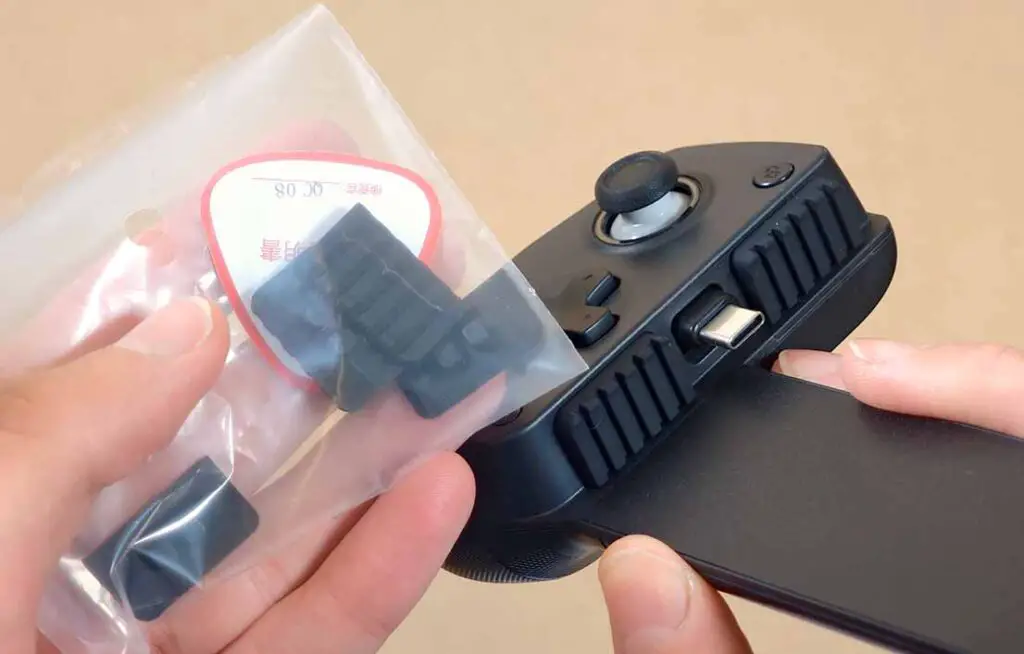
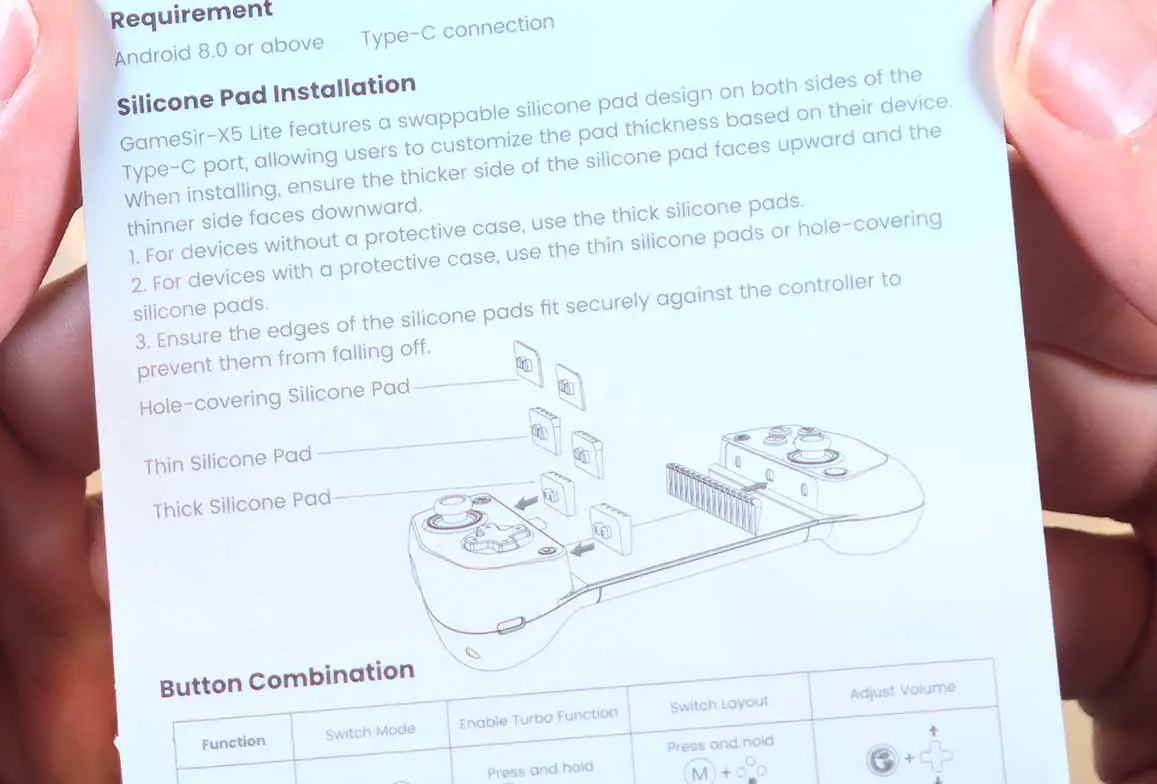
Inside the box, besides the X5 Lite gamepad itself, you will also find replacement silicone pad inserts that you can use if you plan on using the controller with smartphones inside thicker cases. Replacing the default inserts with thinner ones will allow the USB-C connector to be fully inserted even if it would not fit at first. This was the case for my Xiaomi 15 Ultra in the rigid Nillkin case (a brand that I very much recommend). Swapping the inserts with thinner ones allowed me to fit the phone even with the case attached.
Other than that, this is a very simple device. Although its build quality is satisfying considering its price, you won’t find advanced features like haptic feedback motors or gyroscope like you would find on for example the GameSir G8 Plus, or the Razer Kishi V3 Pro.
When it comes to the portability factor, this is definitely one of the devices you can easily throw into your backpack without sacrificing much space. Just be sure not to damage it during transport.
Build Quality and The Buttons
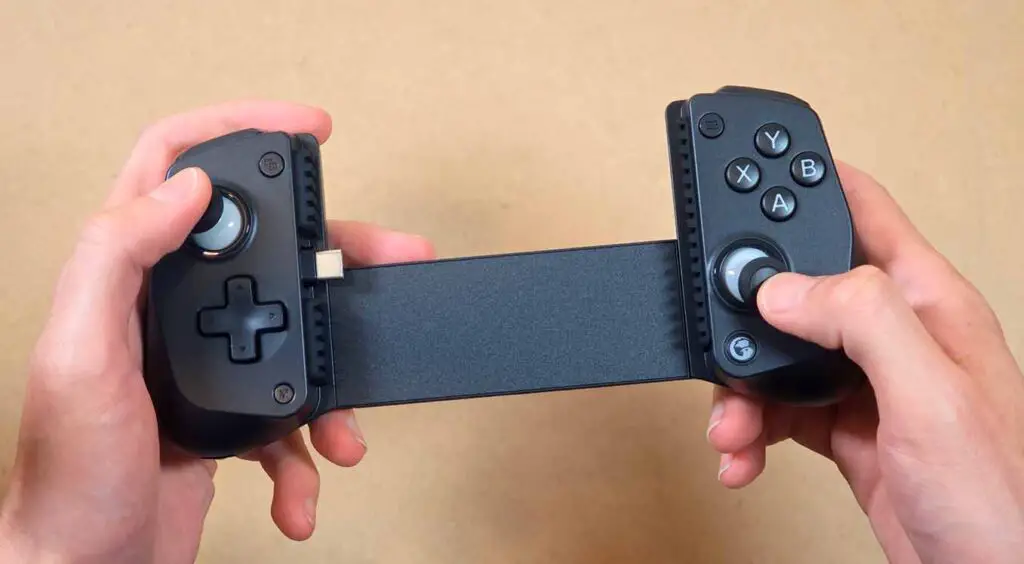
The GameSir X5 Lite features all-membrane front buttons, Hall Effect analog sticks, and regular, non-analog triggers. If you’re worried about unwanted clickiness, almost all of the controls here are really quiet and feel soft and still responsive. Only the bumpers do have some audible click to them. There is no noticeable wobble on any of the buttons, and they all feel nice and reasonably tight.
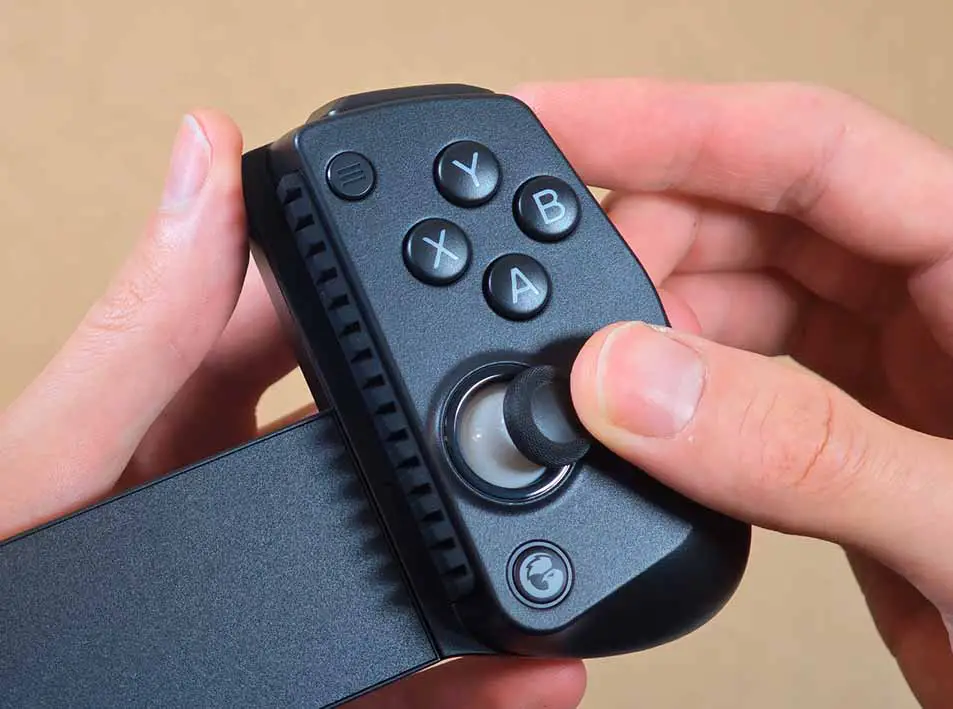
The Hall Effect analog sticks are very comfortable to use despite their size, and they didn’t show significant dead zones in my tests. A small issue is that due to their size, the analog sticks can be pretty tricky to use if you’re playing games that require many precise inputs. Though I was able to “RP walk” without much trouble in most tested games, the experience with more granular aiming in games that require it can be less than optimal here.
While I appreciate adding the textured cap edge on the sticks as they add a bit of grip which is always helpful on smaller thumbsticks like this, I couldn’t help but notice that they do tend to accumulate dirt rather easily.
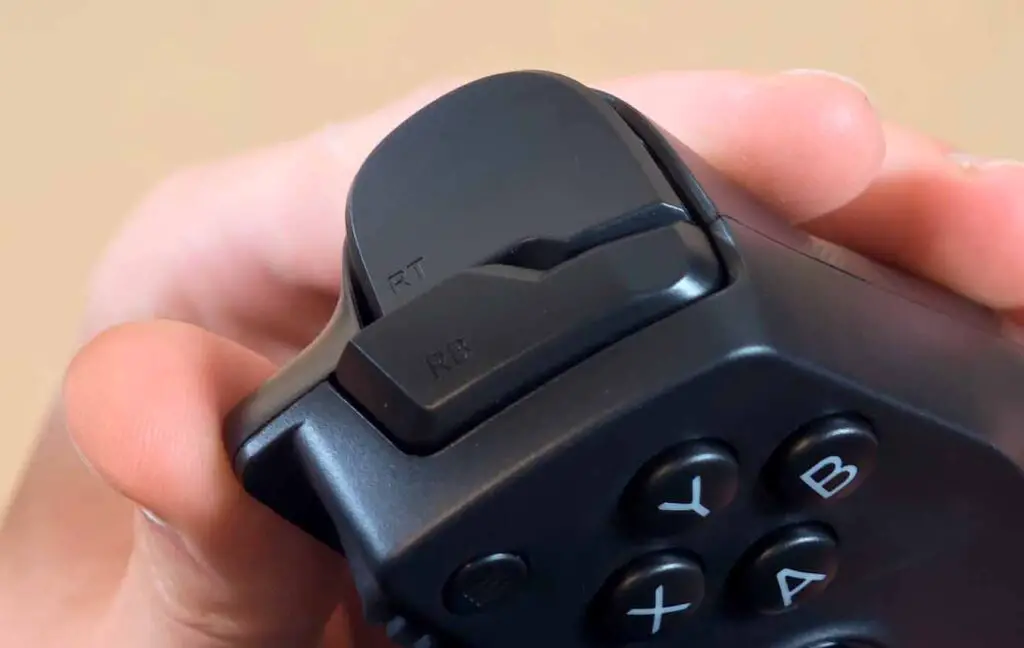
The D-pad is recessed in the middle and also very responsive, although on very rare occasions it can miss diagonal inputs. ABXY buttons also felt very nice to use, but I do wish they were a little bit tighter.
Overall, I had little to no accidental inputs with those, and quite a pleasant experience when it comes to both retro and modern games. Quite understandably though, this would not be the best choice for competitive gaming, as you might expect from a device like this.
Quick Button Sounds Showcase
Here is a very quick demo of what all the buttons on the GameSir X5 Lite sound like (unmute the video to hear the sounds).
The only controls that could be considered loud are the bumpers and the analog stick presses. Keep in mind though, that they do sound much quieter in real life compared to the video, where the sounds were recorded up close and heard in isolation.
You might also be interested in: 12 Best Horizontal Retro Handhelds This Year (16:9, 4:3, 3:2)
Phones With Large Camera Bumps – Xiaomi 15 Ultra
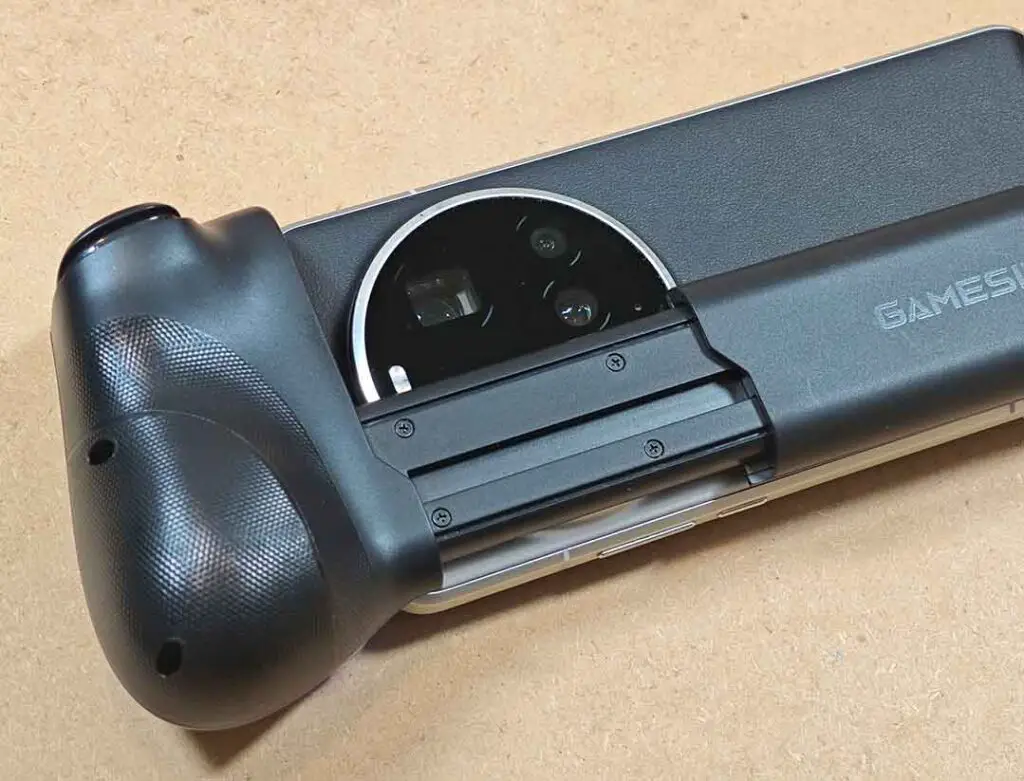
When initially fitting my Xiaomi 15 Ultra on the X5 Lite, the large circular camera bump was getting caught onto the telescopic part of the sliding rail, and the USB-C port of the phone wasn’t able to make full contact with the connector on the X5 Lite. Carefully pushing the phone slightly away from the bridge easily fixed the issue.
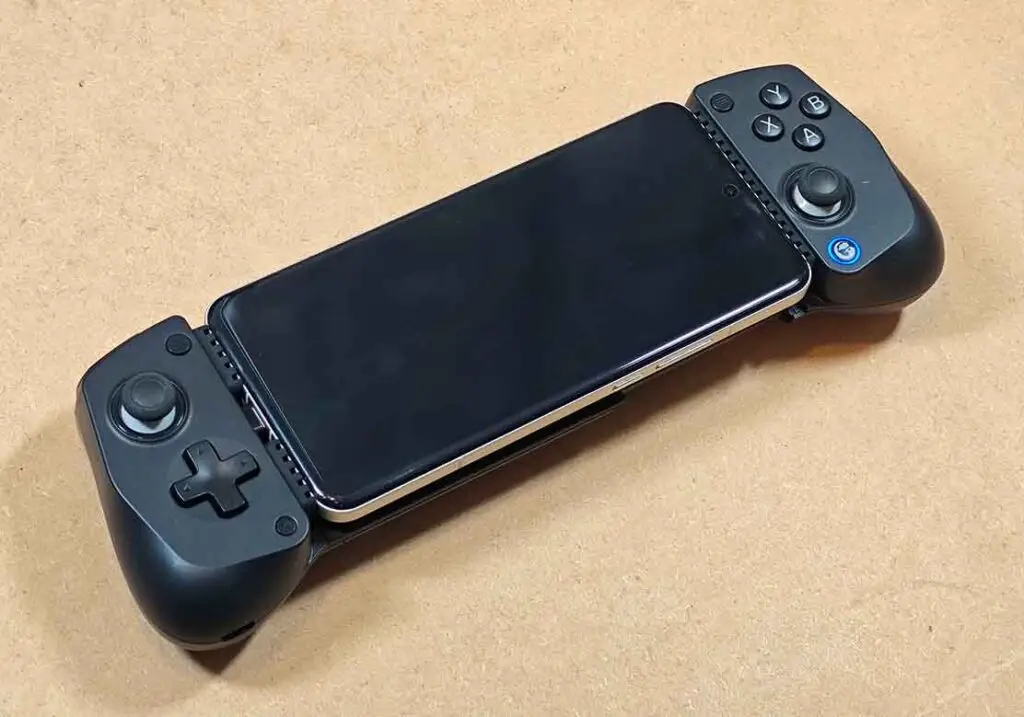
Although after figuring this out this didn’t pose any real issue when gaming, as the USB-C port can adjust itself a bit vertically for the very purpose of fitting such devices, it’s still important to note that phones with larger camera bumps might require that one extra step when mounting them inside the controller.
In those cases the fit might not be perfect, with a bit of free space between the smartphone and the bridge. Other than that, the controller will be fully functional, and you won’t have to worry about your phone falling out at any point.
Tested above with the Xiaomi 15 Ultra and below with the Xiaomi 14, the X5 Lite should be able to accommodate most similarly designed smartphones.
What About Tablets? – Max. Device Size
While the GameSir X5 Lite is advertised for use with smaller tablets (the grip can extend for up to 213 mm), it won’t fit most “regular” sized tablets like the Xiaomi Pad 5. As you can see on the video above, the maximum extension range of the X5 Lite isn’t really that impressive in practice.
Smaller tablets though, like 7 and 8-inch devices, will have a much better chance of being compatible with this controller (in theory, it should support devices with displays up to around 8.30 inches). Foldable devices like the Samsung Galaxy Z Fold smartphones can also work great here.
The Second USB-C Port and Pass-Through Charging Speed
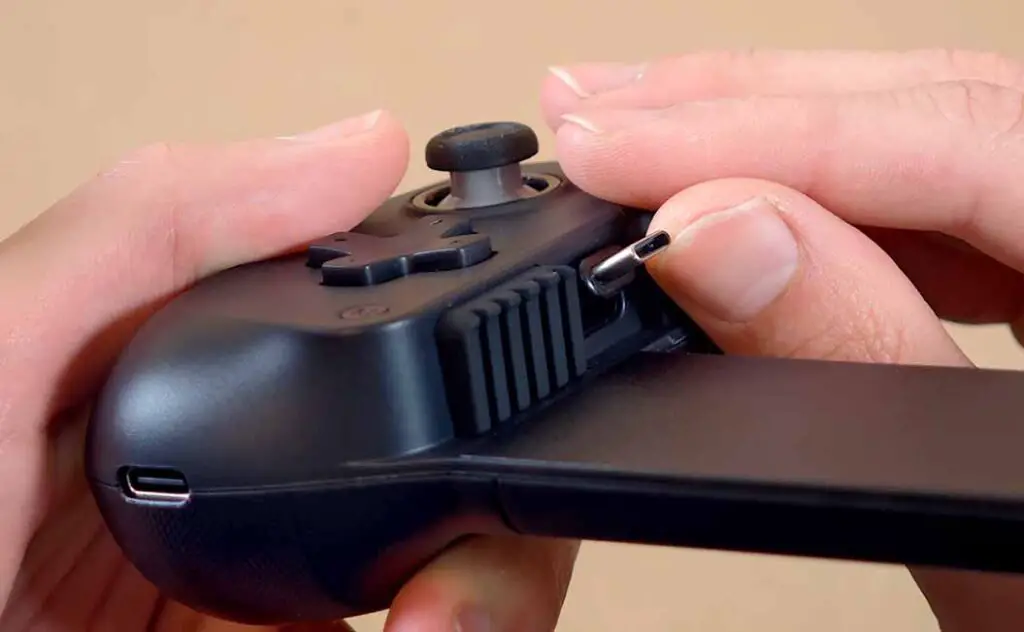
The USB-C port that you can find on the bottom of the left grip is used solely for pass-through charging. It cannot be used for connecting the gamepad to your PC, or for wired gameplay.
During my tests with a USB-C power meter, I found out that the Xiaomi 15 Ultra using a third-party PD charger was only able to pull a little over 5W, while when the phone was charged directly, it easily reached 14-15W.
In theory, the controller is designed to take 5V 3A maximum power input, however in practice all your pass-through charging will be limited to ~5W.
So, the conclusion is that the X5 Lite does not support fast pass-through charging. If you’re playing more demanding games, you might face a situation where your smartphone will discharge a little bit faster than it can gain power from the 5W input.
On the other hand, slower charging usually means less heat and less strain on the battery, so looking at it that way there might also be a sunny side to this.
You might also like: KWS-2302C USB-C Charger Power Tester Dongle Review
The Android Gaming Experience
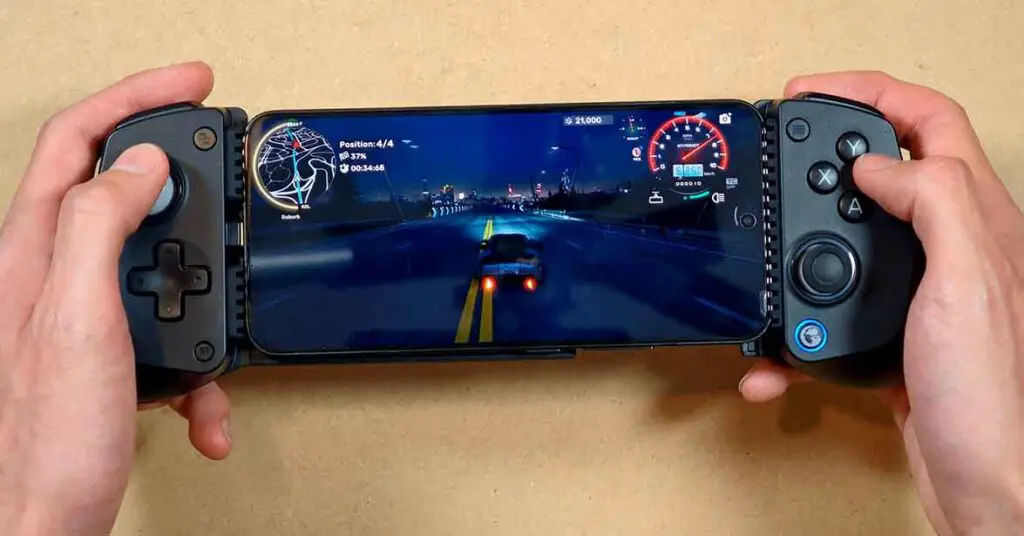
I’ve tested the GameSir X5 Lite with the Xiaomi 15 Ultra and the Xiaomi 14 both with cases and without them. This way I gained quite a bit of understanding on how convenient this controller really is to use on two devices with differing sizes.
In the attached images you can see the smartphones used without their protective cases on. Leaving the cases on was possible only after exchanging the silicone inserts for thinner ones, which allowed the USB-C connector to reach the USB-C ports of both smartphones.
Among the games I tested were Zenless Zone Zero (there also exists a special ZZZ edition of the X5 Lite), Azur Lane, and CarX Street. Aside from that, I’ve also briefly tested a handful of emulated titles ranging from simple SNES games like Chrono Trigger, to various titles from newer consoles like PS1 (using DuckStation) and PSP (via PPSSPP).
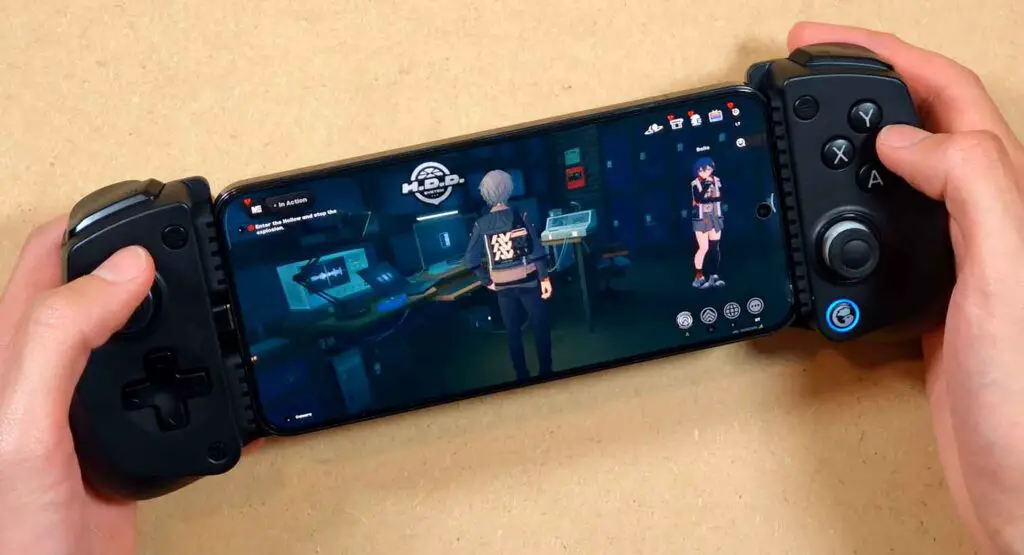
Overall, the experience was enjoyable, and even with longer gaming sessions (for me, around ~1h) I didn’t feel any fatigue or discomfort. The grips are really comfortable even after some time, and the low weight of the device is also a great bonus.
The controller also in practice does support iOS devices, however there have been reports of the optional GameSir app support being pretty limited on Apple devices. I haven’t been able to test this myself.
The X5 Lite will also work with your PC, your Steam Deck, or any other USB-compatible device, however there is a catch. As the controller doesn’t have wireless capabilities, you’d have to rely on a male-to-female extension cable like this for the connection.
I wouldn’t recommend that though, as the movable USB-C connector, no matter how well-designed, is still one of the parts of this controller that are most prone to mechanical damage that could occur when moving the cable around when gaming.
There is no haptic feedback motor on the device, however the vibrations from the phone can easily be felt through the grips. Playing games that require smartphone gyro controls is also perfectly serviceable here, even though there is no gyroscope on the device itself.
GameSir X5 Lite With GameNative
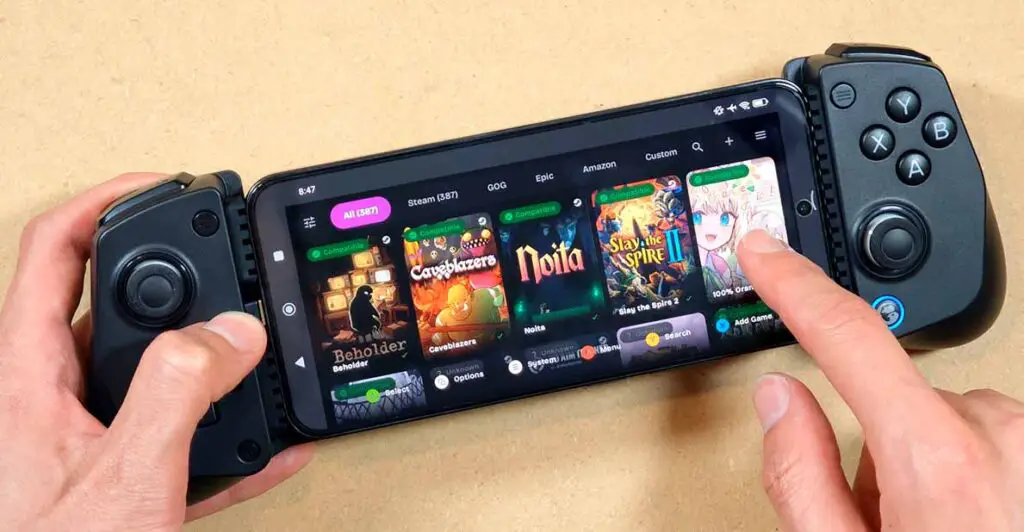
While everybody is quite understandably testing the X5 Lite with an app coming directly from GameSir, that is GameHub, I decided to go against the grain, and play around with GameNative instead.
GameNative, much like GameHub, allows you to play many of your PC games on your Android devices. Connecting your Steam account with the app is just like logging in to Steam itself, and in practice the whole pipeline from installing the app to downloading your first game from your Steam library can take you as little as a few minutes. Best of all, the app is completely free.
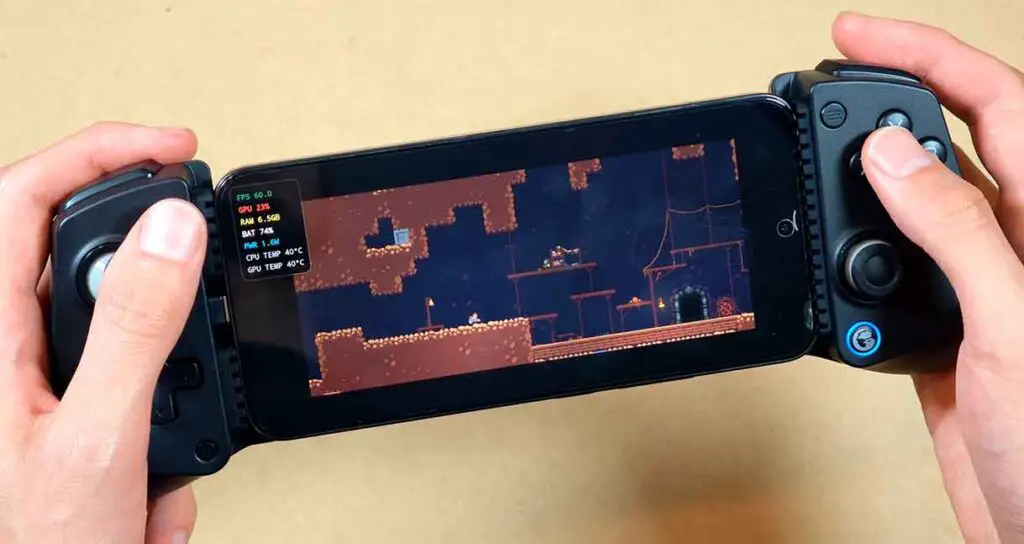
The GameSir X5 Lite worked remarkably well with GameNative, although I didn’t find a way to set the left analog stick to emulate the mouse cursor in the app settings (which is obviously not an issue with the controller). This however wasn’t a real problem, as using the touchscreen for occasional mouse inputs isn’t that annoying in games with controller support.
Overall, having tested games such as Caveblazers, Magicka 2, and a few other simple titles with controller support I’ve had a really enjoyable experience. Using the X5 Lite as a PC game emulation controller on Android is yet another great use case for a device like this.
Button Shortcuts and Hotkeys
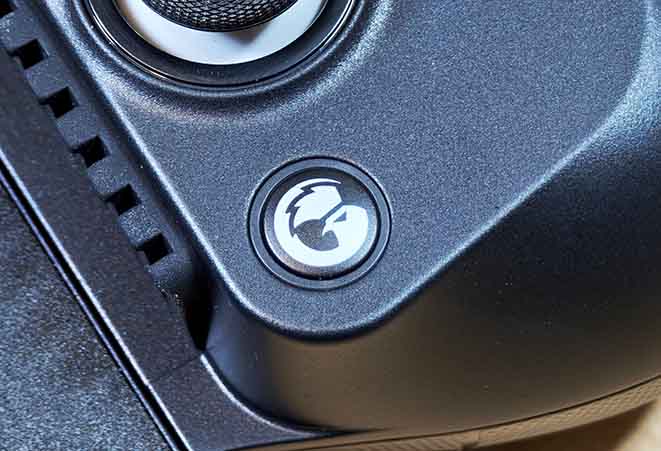
Holding the select and start (view and menu) buttons together will switch between different compatibility modes, that is different ways that the controller presents itself to the device that it’s connected to. If the controls at first don’t seem to work for you even though the controller is connected to your mobile device, first try cycling through different modes to find one that will click.
Switching the controller layout from Xbox to Switch is done by pressing the “M + A” button combination for two seconds.
Another useful key combination on the X5 Lite is short pressing the “M + [your selected turbo button]” combo. This will activate the turbo mode on the selected button. The mode change is indicated by the change of the LED color from the default blue to red. Turning off turbo for a button works in the exact same way. To clear all turbo settings, hold “M + GameSir button” for 2 seconds.
Lastly, adjusting the game volume can be done by pressing the GameSir button (the one on the bottom right) and using the top and bottom D-pad arrows to adjust the setting. This can be very useful if your particular smartphone has its volume rocker in an awkward place when used with the X5 Lite.
The GameSir App
The GameSir app is really bare-bones. It allows you to:
- Test your inputs.
- Change your control layout from Xbox to Switch.
- Adjust the way the D-pad behaves (4-way vs. 8-way controls, otherwise known as cross key diagonal lock setting).
- Adjust the dead zones of both joysticks.
- Update your controller’s firmware.
- Consult the digital version of the instruction manual.
- …and for some reason access a large and loosely organized “library” of links to Play Store games that feels more like an afterthought than anything else.
The thing I noticed about the app when having it installed for a while during my tests was that its background battery use data sourced from the default Xiaomi utility was, as you can see in the image above, pretty high. In fact, it was even higher than the power usage of the game I’ve been playing.
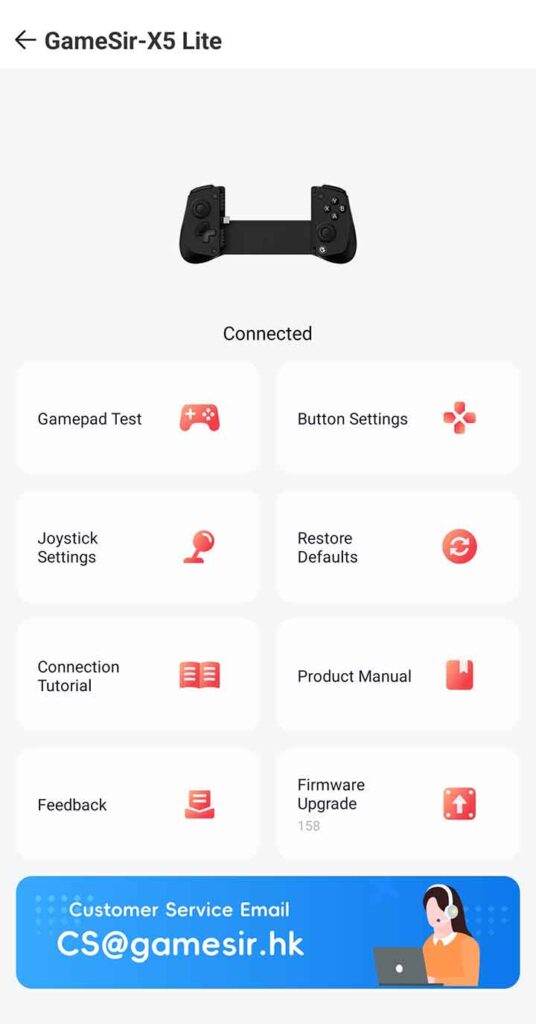
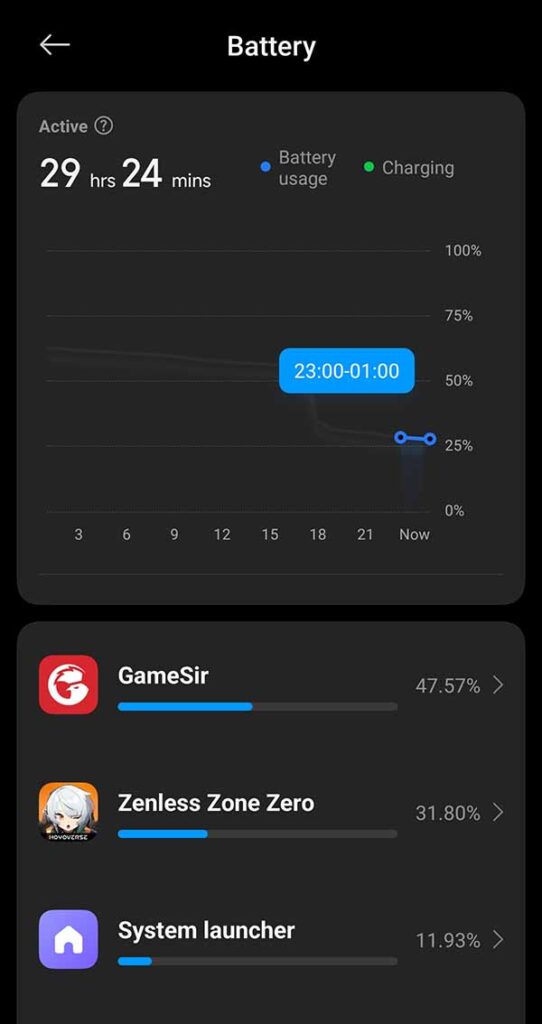
Answering a question that many of you might have, especially after reading the info above: no, the GameSir app is not needed to make use of the X5 Lite, although if at any point you need access to features like said deadzone adjustment or firmware updates, you will temporarily need it for that.
So, Was It Worth It For The Price?
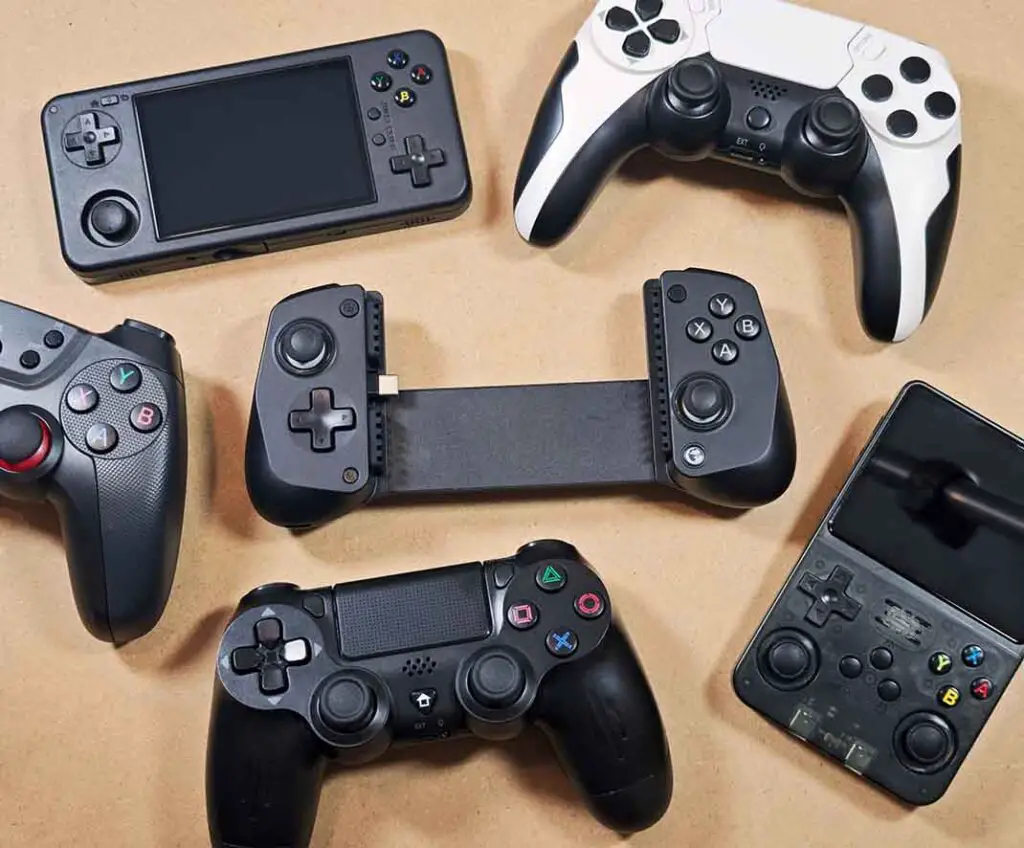
I’d definitely say so. In terms of build quality, the GameSir X5 Lite doesn’t have any real downsides, except for maybe not having analog triggers on board being an issue for some people. While it is missing features like haptic feedback and a gyroscope, these are what your phone already has on board.
Throughout my time using the X5 Lite I’ve come to appreciate its small form factor. As I own a sizeable collection of retro handhelds and have quite a lot of practical experience with controllers, especially when it comes to retro gaming and emulation, I was very content being able to give my smartphone physical controls that don’t feel overly bulky and are not tedious to use.
All in all, I think the GameSir X5 Lite is an excellent clip-on controller for the price, and doesn’t compromise on what a device of this type should be the best at: ergonomics, control quality, and portability. If I were you, I would seriously consider getting one if you’re on a tighter budget.
If you’re still unsure, you can also check my master-list of the best telescopic controllers for smartphones and tablets. Until next time!
You might also like: Data Frog PS4 Wireless Bluetooth Controller Clone – Hands-On Review & Test