

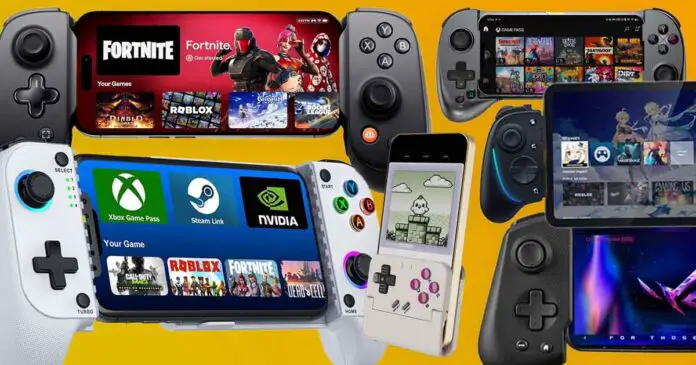
Here is a list of clip-on telescopic game controllers for your smartphones and mobile devices that includes options compatible with Android and iOS, and is based on our handpicked curated collection of devices that have quickly gained popularity in online retro gaming/emulation and Android gaming communities. Let’s get to it!
You might also be interested in: Data Frog PS4 Wireless Bluetooth Controller Clone – Hands-On Review & Testing
This web portal is reader-supported, and is a part of the AliExpress Partner Program, Amazon Services LLC Associates Program and the eBay Partner Network. When you buy using links on our site, we may earn an affiliate commission!
Quick Top Picks
Device Compatibility – Hardware & Software
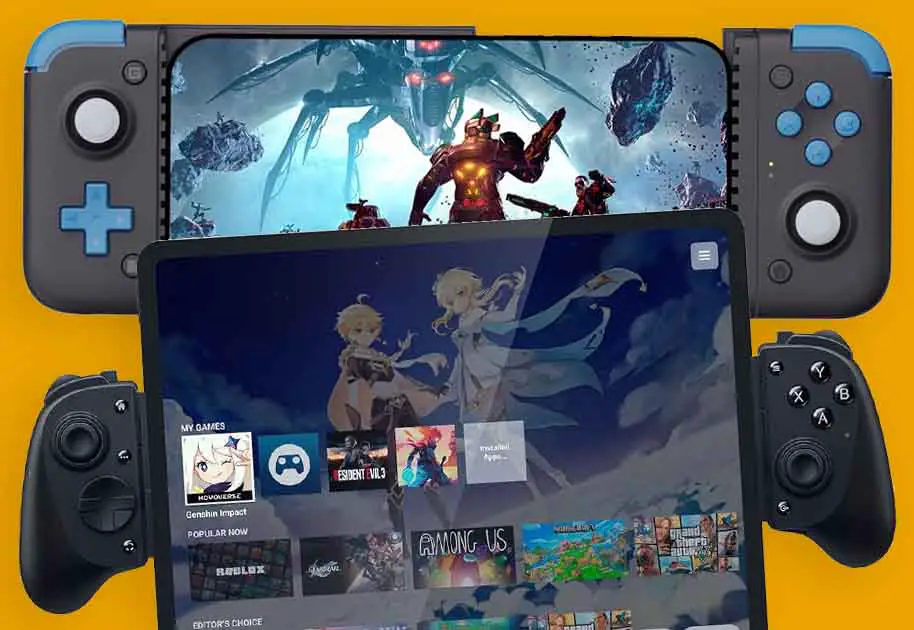
There are two compatibility factors to consider with most of those devices. The first thing is platform support (Android vs iOS, and sometimes minimum OS versions) and the second, physical fit (phone size, camera bump, and whether you game horizontally or vertically).
Many controllers support iPhone only via USB-C models (iPhone 15 and newer), while some Bluetooth controllers may work across platforms but lack official iOS support or app features. Most devices on this list support both Android and iOS, unless explicitly labeled otherwise (e.g., [Android only] / [iOS only]).
The second one has to do with your mobile device’s size. While some of the controllers here can even be used on smaller tablets, few of these are designed for comfortable vertical play that you might want for example if you’re a fan of NDS/3DS, or retro arcade bullet hell titles. If you own a “regular” or “Note” sized smartphone, all of these devices will fit just fine. If however, you’re planning to game in a vertical setup, or on a tablet while using these, be extra mindful of the specs here.
Some of these controllers will also prompt you to use a dedicated app to unlock more features and settings tweaks beyond the generic controller capabilities that you’d be limited to without it. These often include control remapping, profiles, key macros, and more.
If you want to make use of the apps that these controllers utilize, you need to also keep in mind the OS versions these will work on. For instance, some companion apps/features require newer OS versions (and some advanced features may be Android-only). Check minimum OS requirements for the specific controller/app.
Wired vs. Wireless – USB-C / Bluetooth
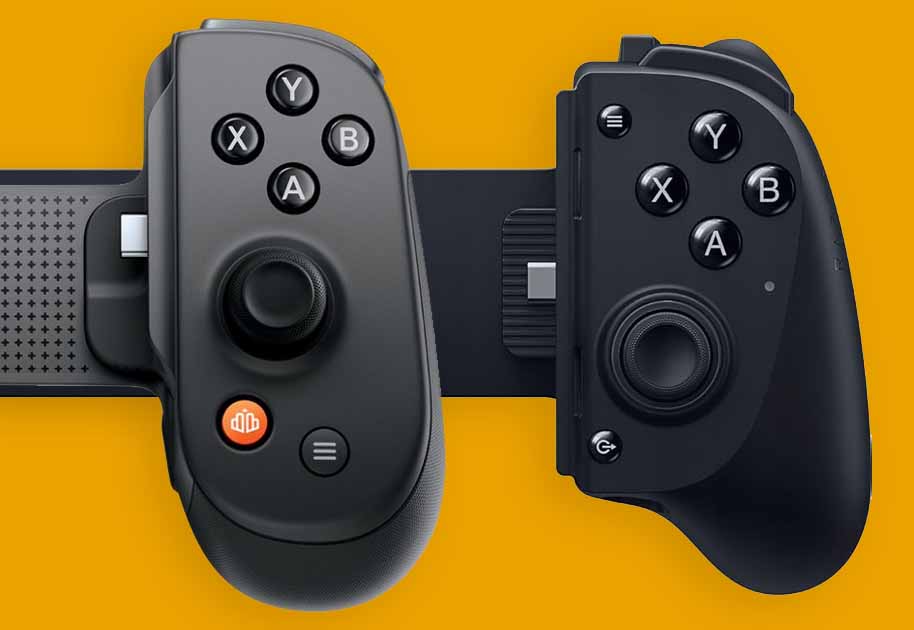
To keep things simple, the main thing you need to know before choosing between a wired and wireless connection of your controller to your mobile device is that it affects the input latency.
Keep in mind that while we use the term “wired” here, most of the time it refers to either a movable or fixed USB-C connector on the side of the clip-on telescopic mechanism that connects directly to your mobile device from the side (direct plug via the telescopic bridge). In other cases, it can refer to the controller being able to function as an actual wired controller (for instance with your PC or video game console), using a longer USB cable.
Wired USB connections will typically always be more reliable and respond faster to key presses, even though, if you’re not particularly sensitive to input lag and/or you don’t play say, competitive Android shooters you might not be bothered by that difference which can be rather small.
When it comes to Lightning, not many devices actually have versions that support it, with exceptions like the Backbone One that also ships in a version with a Lightning connector. This will matter mainly for iPhone 14 and earlier, as iPhone 15 and models above make use of USB-C connectors.
With that said, many of the controllers on this list can support both wired and wireless gameplay, so if you settle for one of these you will always have the choice of picking either of those connection modes. Let’s get to our list, to help you choose the best one for you.
14 Best Clip-On Controllers For Android & iPhone
1. Backbone Pro
- Wired USB-C connection support.
- Compatible with both Android & iOS.
- Features full-size analog sticks.
- Pass-through charging and 3.5mm headphone jack.
- Control remapping via the optional Backbone App.
- Expensive compared to its rivals.
- No haptics.
- May be too large for you if you’re looking for a more portable solution.
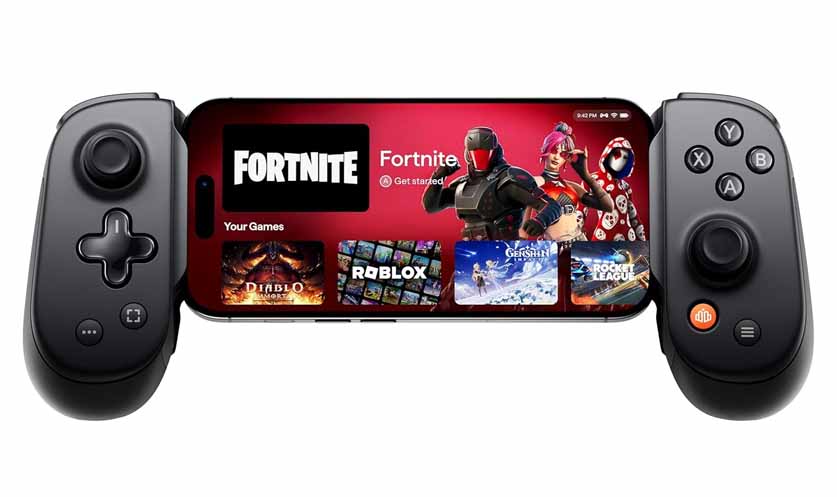
Backbone Pro is one of the most popular and at the same time most pricey and reliable clip-on controllers, that is compatible both with Android and iOS devices (USB-C only, no Lightning version!), supports both wired USB-C and wireless gameplay (with up to 40 hours of battery life), and features full-size analog sticks. It also lets you utilize pass-through charging, and has a 3.5mm headphone jack on board. It won’t however fit most tablets as a grip, and with tablets will rely on an OTG cable connection.
It comes with magnetic adapters that help you ensure that the controller will fit on your phone with, or without the case. Another neat feature here are the two custom-function back buttons that you can map according to your needs. The only thing missing here is haptic feedback. Sadly, you won’t get any kind of rumble functionality here. The Backbone Pro and One rely solely on your mobile device’s vibration motor.
The Backbone Pro, much like the Backbone One which is up next, lets you use the controllers as they are, or install an optional app that allows you to do game management, button remapping and analog stick calibration, access their free Play on Any Screen feature, and finally, update your controller’s firmware.
The app also features an optional subscription service with additional features like extended game management and game streaming, none of which are required to utilize the actual hardware to the fullest.
2. Backbone One
- Retains great build quality and button feel.
- Compatible with Android & iOS.
- Also works with tablets.
- Comes in USB-C and Lightning versions.
- Pass-through charging and 3.5mm headphone jack.
- More lightweight and smaller than the Backbone Pro.
- Doesn’t support wireless gameplay.
- No haptics.
- No full-size analog sticks on board, no Hall Effect triggers.
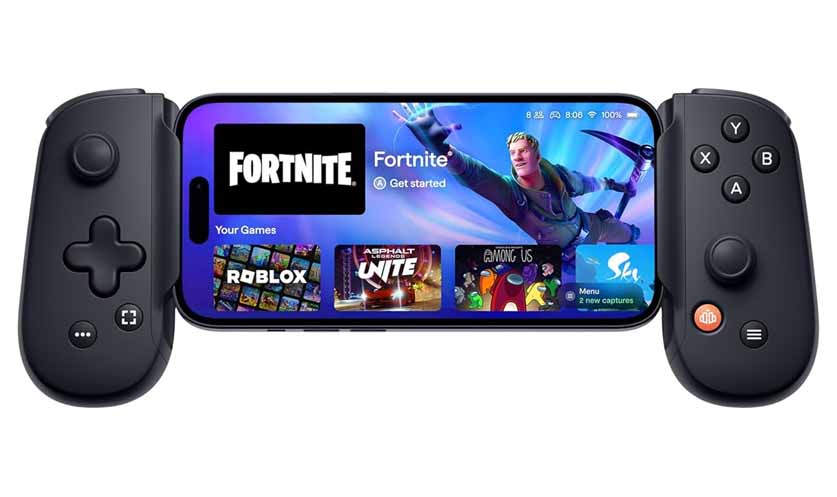
The original Backbone One is a much more affordable, cut-down version of the Pro controller. While it doesn’t support wireless Bluetooth connection, it is compatible with both Android and iOS devices, but this time is also available in a Lightning version, unlike the Pro. Just like the Pro, it also works with tablets, albeit only via an OTG cable, not using the grip. The option for pass-through charging is here as well.
In comparison to the Backbone Pro, it uses smaller analog sticks, uses standard mechanical triggers in comparison to the Hall Effect triggers, and is overall a much smaller device. Its 2nd generation version comes with the magnetic adapters, and audio jack, that the 1st gen misses. Make sure that you’re getting the second iteration if you do care about these features. The One, much like the Pro, is also missing haptic feedback capabilities.
Of course, as it doesn’t support wireless gameplay, the Backbone One does not feature an internal battery. All of the Backbone App perks, including game streaming and settings tweaks remain the same here.
3. Razer Kishi V3 Pro
- Full-size analog sticks.
- 4 remappable buttons (2 mouse-click back buttons + 2 claw-grip bumpers).
- USB-C connection, fits tablets up to 8″ (and XL up to 13″).
- USB-C pass-through charging plus a 3.5 mm headphone jack.
- Sensa HD haptics support on Android/Windows (in supported games).
- Razer Nexus app for button remapping and firmware updates.
- Still pretty expensive for what it is.
- Haptics features aren’t supported on iOS.
- Wired USB-C only – no Bluetooth on board.
- No RGB lighting in comparison to the Kishi Ultra.
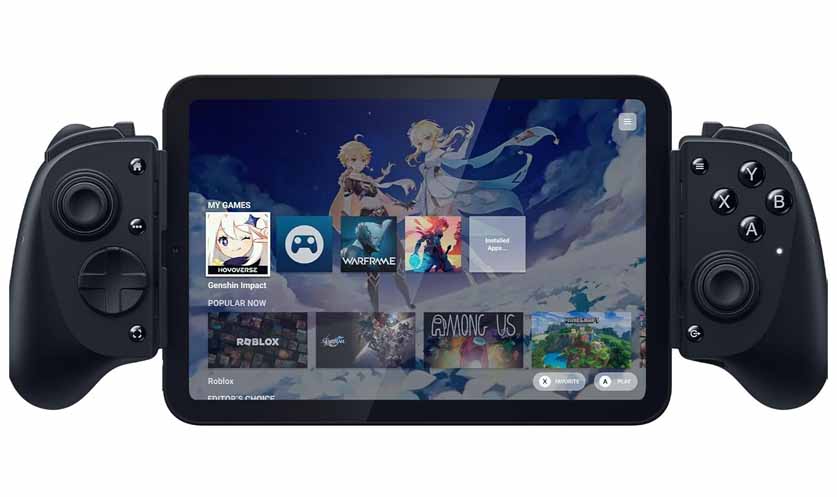
The Razer Kishi V3 Pro is the direct upgrade, and the successor to the Razer Kishi Ultra (up next). It supports Android and iOS devices, and can be used with tablets up to 8″. It also features an XL version, which can support even larger tablet devices, up to 13″. The device doesn’t support wireless gameplay, and relies solely on its low-latency USB-C connection.
Being similar in size to the Backbone Pro, it features full-size analog sticks, and similarly to its competitor, it has an optional app, the “Razer Nexus Game Launcher”, that you can use to remap the controls and update the controller’s firmware, and get access to the virtual touchscreen control mapping utility. Moreover, you can also use the Kishi V3 Pro as a wired controller for your PC.
In comparison to both of the Backbone devices, the Kishi V3 Pro has one great advantage – a high quality haptic feedback motor with the support for the Razer Sensa audio-to-haptics feature. Mind that the regular V3 and not the “Pro” version, lacks this functionality, and that the haptics engine of the V3 Pro doesn’t seem to work with Apple products. There is no RGB lighting here. As a nice bonus, it comes with interchangeable stick caps in the box.
4. Razer Kishi Ultra
- Frequently goes on sale since the release of the Kishi V3 Pro.
- USB-C wired, supports tablets up to 8″
- Pass-through charging, 3.5mm audio jack, Sensa HD haptics.
- Configurable Razer Chroma RGB lighting.
- All of the downsides of the Kishi V3 Pro.
- Doesn’t feature the additional M1/M2 grip buttons.
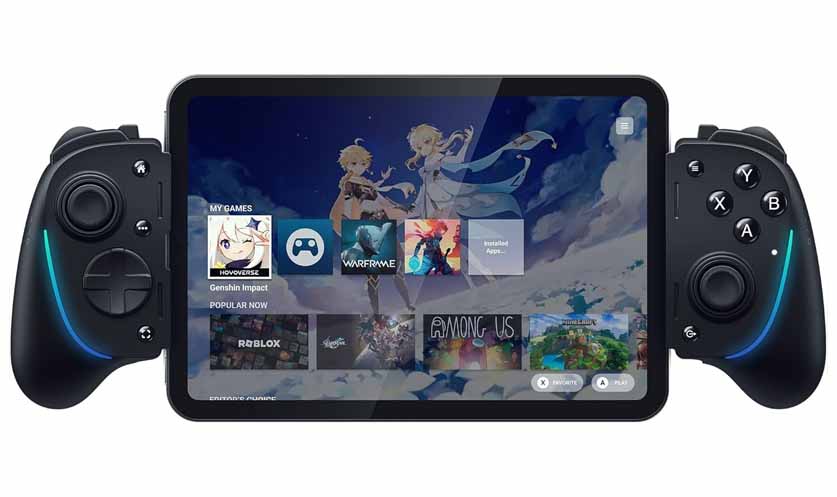
The older Razer Kishi Ultra is very similar to the V3 Pro, with some small differences to keep in mind. It works via a USB-C connection just the same, doesn’t give you the option for wireless gameplay, and supports tablets up to 8″ without having a larger XL version available.
Compared to the V3 Pro, the Kishi Ultra lacks the additional reprogrammable M1/M2 buttons on the handles, and doesn’t come with replaceable stick caps. If you like Razer’s RGB lighting, the Kishi Ultra has RGB LED system on board, which you can easily customize to your liking. Both controllers include a 3.5mm headphone jack and support USB-C pass-through charging.
5. SCUF Nomad [iPhone/iOS Only]
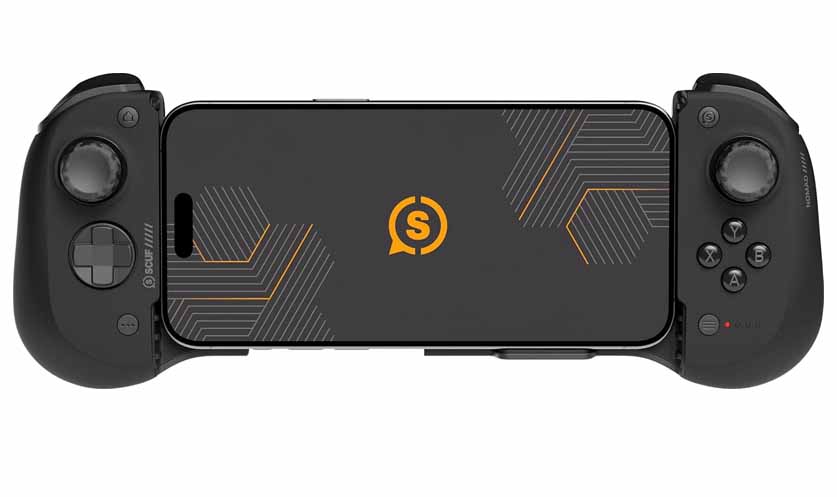
- Hall Effect analog sticks.
- A product made specifically for Apple devices.
- Two extra rear paddles for custom mapping.
- No option for wired connection.
- Not compatible with Android devices.
SCUF Nomad is an iPhone dedicated clip-on controller that works solely with iOS devices (iPhone 8-17), and is not compatible with any Android phones or tablets. It will also work with most regular-sized cases up to the iPhone 16 Pro Max and 17 Pro Max, which might require you to remove your case to use it. For its price, it offers Hall Effect analog sticks with interchangeable tops, two rear paddles that can be customized and remapped, as well as a comfortable ergonomic grip.
Nomad doesn’t give you the option of wired use, and instead relies solely on Bluetooth connection. The device’s 600mAh battery offers up to 16 hours of battery life, and on the front panel you can see an LED battery life indicator.
You can use the SCUF App to calibrate the sticks and change their sensitivity, as well as remap controls. The app, just like with the previous controllers isn’t mandatory, however not having it installed will make you miss out on some features like the aforementioned rear paddle remapping.
6. GameSir G8 Plus (Bluetooth & MFi USB-C versions)
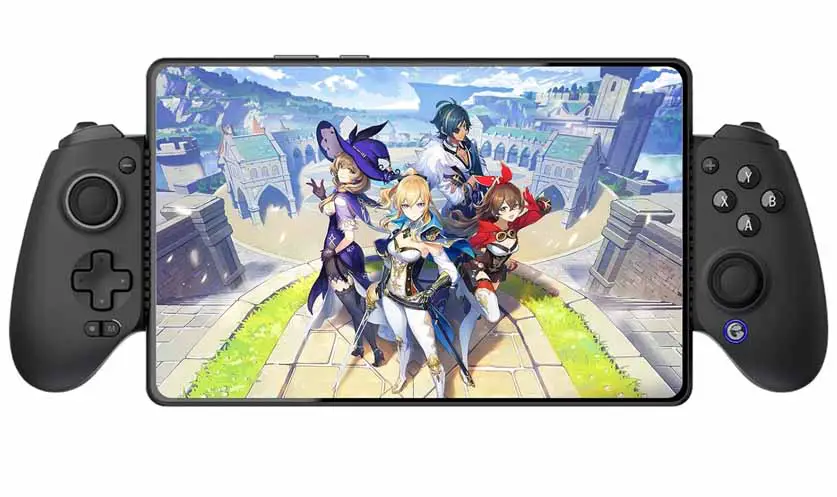
- Hall Effect sticks and analog triggers.
- Comes in two versions: Bluetooth & MFi/USB-C.
- Dual asymmetric rumble motors.
- Apple-certified product (the MFi version).
- You have to choose between the BT & USB-C version.
- No audio jack on the Bluetooth version.
GameSir is a strong player on the mobile game controllers market, as you might infer from quite a few devices from the company that have made it onto this list. The GameSir G8 Plus is one of their flagships, and at the same time one of their top products in this category.
Right off the bat, please do take note of the fact that there are two versions of this controller: a wired, USB-C one (GameSir G8 Plus MFi), and a wireless one (GameSir G8 Plus Bluetooth). While the first one uses a movable USB-C connector, the second one relies on the BT connection.
Unlike the Backbone Pro which gives you access to both connectivity options on one device, here you have to make a choice. On phones/tablets, the Bluetooth G8 Plus connects solely over Bluetooth. The USB port is used primarily for charging, and wired mode is for PC (per GameSir).
The MFi (USB-C), and the Bluetooth version differ only in a few places, where the wireless one is a little bit heavier, featuring an internal battery rated for 12 hours of gameplay, and the wired one being an official Apple-certified product. The wireless version can also connect to Apple devices, albeit it’ll only be visible to them as a standard game controller. The Bluetooth version also lacks an audio jack that is present on the MFi. Both editions make use of Hall Effect sticks and analog HE triggers.
Both controllers feature dual asymmetric rumble motors. Both of them also use an ultra-wide bridge that is able to stretch from ~125mm to 215mm, allowing them to fit tablets like the iPad Mini (or other devices up to around 12″). Their main control layouts, as well as two extra remappable buttons can be freely customized using the GameSir App.
Interested in standalone retro handheld emulators instead? Don’t miss out on this: 12 Best Retro Handheld Emulator Consoles This Year – My Personal Picks
7. GameSir X2s
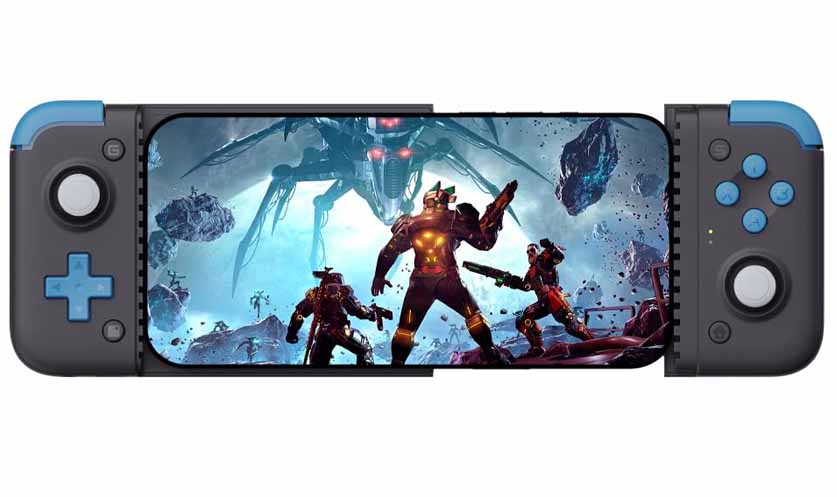
- Hall Effect sticks and analog triggers at a budget price.
- Flat design without protruding grips that many people look for.
- Lacks a 3.5mm audio jack.
- No vibration motor.
- Triggers with relatively short travel.
The GameSir X2s can still be considered a great budget clip-on controller option. It’s a wired USB-C device without wireless capabilities, that works with Android and iOS devices, and can easily be used in standalone mode with your PC. Even though its one of the cheaper devices on this list, it still features Hall Effect analog sticks and analog triggers, and has a toggleable turbo mode for selected buttons.
It can also easily fit even bigger phones (with the bridge stretching from 110 to 168mm). Although GameSir also used to have an older wireless model named GameSir X2 Bluetooth, it’s an entirely different device, with different design and specs.
With many of its advantages, come some limitations mostly dictated by its lower price. It lacks a 3.5mm audio jack and features a charging-only USB-C port, and it has no vibration capabilities. Regardless of that, if you prefer a more “flat”, pocketable design without large protruding grips, this is one of a few devices that provide just that.
8. ASUS ROG Tessen [Android Only]
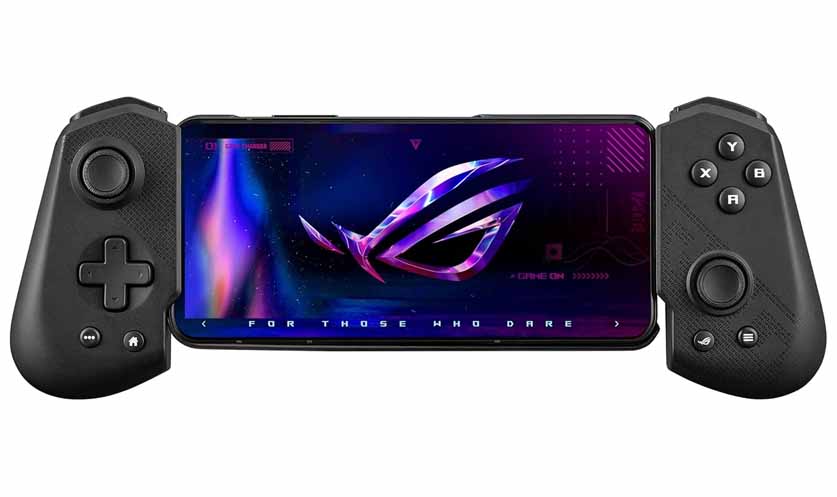
- Foldable design makes it extra pocketable.
- Two programmable rear paddles.
- RGB lighting.
- Great build quality with metal bridge & rubber standoffs.
- Locked down to the Android OS.
- Doesn’t support wireless gameplay.
- No Hall Effect analog sticks (features HE triggers).
ASUS ROG Tessen is another premium controller that, although less expensive than the Backbone Pro, presents an amazing feature set including programmable rear paddles, RGB lighting, and a convenient foldable design for transport. The ROG Tessen is an Android-only device, and cannot be used with Apple phones/iOS, or directly with a desktop PC. Moreover, it also doesn’t work wirelessly, relying solely on the movable USB-C connector for phone connection and power.
Its portable factor is a great bonus, and its build quality with aluminum bridge and rubber support pads is another great advantage, but with it being locked to the Android ecosystem and not supporting wireless gameplay it can seem a little bit locked-down in comparison to the other contenders here (excluding the iOS only SCUF Nomad).
What’s a bit surprising here is that despite its price, the ASUS ROG Tessen doesn’t feature Hall Effect analog sticks, instead using Hall Effect sensors only in its analog triggers, and relying on simple ALPS analog joysticks. The foldable design is one of its strongest sides, especially if you plan to carry it around, for instance in your backpack.
9. ShanWan Q133XL
- Very affordable.
- M1-M4 buttons for custom mapping.
- Hall Effect analog sticks.
- Build quality reflecting the price.
- Bluetooth-first device, no convenient USB-C dock.
- Using the ShanWan mobile app isn’t really the best in terms of user experience.
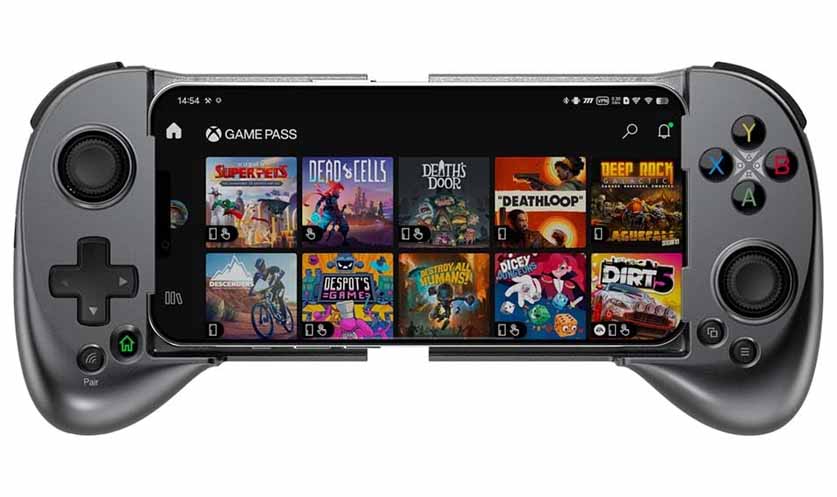
The ShanWan Q133XL is a rather interesting option from a relatively unknown brand. It comes in both PlayStation & Xbox control layout design versions, as well as a few different options when it comes to the front panel looks. It’s a wireless-first device, but it can also work in wired mode, although it doesn’t feature a convenient movable USB-C dock for that.
It claims up to 25 hours of battery life, and to utilize Hall Effect sticks. You can also easily connect it to your PC and choose between the PS/Xbox input modes. It also has 4 macro buttons available for remapping, although the ShanWan mobile app available both for Android and iOS that you are supposed to use for that isn’t really of the best quality.
A word of warning here. There are a lot of iterations of the ShanWan controllers from the Q series, and it’s reasonably easy to get them confused. These can work with Android and iOS, however there are different versions available for each of the systems (and some claim to support both). Check the version/model before ordering, as they can be very similar to each other.
While this one is very much an affordable option (even more so if you decide to get it from AliExpress), its build quality does reflect that, with all of its parts being plastic, and the device being rather lightweight.
10. 8BitDo Ultimate Mobile Gaming Controller
- Hall Effect analog sticks and triggers.
- Great build quality and price.
- Comes in simple black & white designs.
- No rumble on board.
- No audio jack.
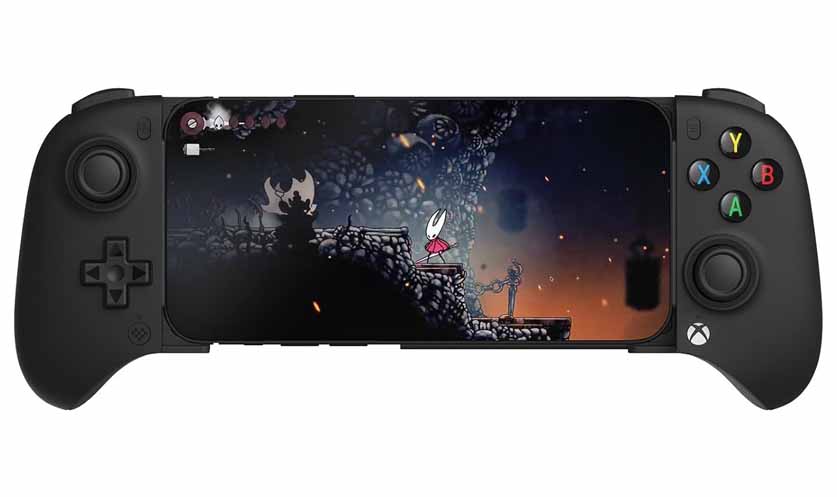
The 8BitDo Ultimate Mobile Gaming Controller recently reviewed by Linus Tech Tips, is compatible with iOS and Android devices using Bluetooth, as well as a PC via a wired connection. It features Hall Effect analog sticks and triggers, supports phones up to 170mm in length (so it can fit at least some smaller tablets), and comes with black and white variants with the Xbox control layout design. The only thing that it lacks is a vibration motor, and an audio jack.
The optional app that this one uses is the 8BitDo Ultimate Software V2. While you can use the controller without it, once you install it you can adjust the thumbstick and trigger deadzone and range, and remap the buttons. This option from 8BitDo is of great quality, and quite surprisingly, its price doesn’t exceed $50 as of the time of writing this article. Pretty good choice overall!
11. GameSir X5 Lite
- Very affordable.
- Direct USB-C connection.
- Hall Effect analog sticks.
- Supports pass-through charging.
- Fits devices up to 213mm length-wise.
- No 3.5mm audio jack.
- No analog/Hall Effect triggers.
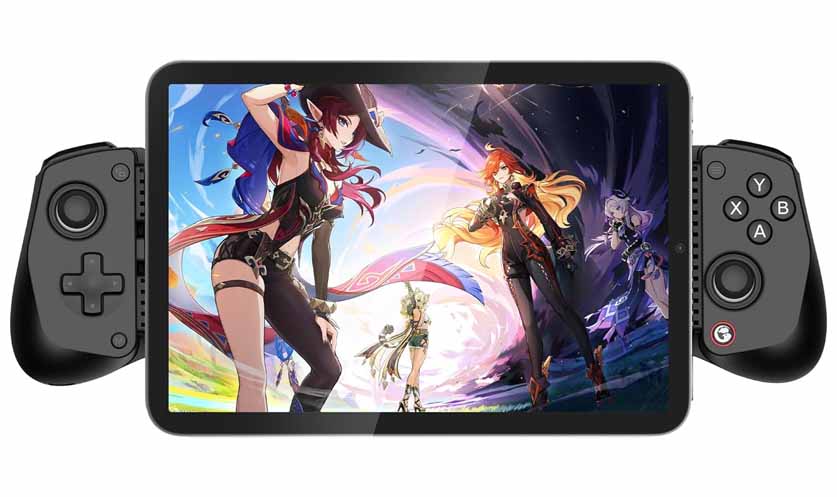
Here comes another great option from GameSir, that is the GameSir X5 Lite. Similar to the G8 Plus, it supports both Android and iOS devices, but this time, it comes in one version that is USB-C only. Its bridge can accommodate devices up to 213mm in length, and so, it will fit most modern smartphones and smaller tablets like the iPad Mini and the Lenovo Legion Y700 without any problems.
The X5 Lite features Hall Effect analog sticks, but it uses regular non-analog membrane triggers. Other than that, it supports pass-through charging, is fully supported by the GameSir app, but sadly, compared to the USB-C version of the G8 Plus, it lacks an audio jack. Considering it’s much more affordable than most devices on this list (even more so than the GameSir X2s), it’s a very interesting pick when it comes to budget telescopic controller solutions.
12. Mocagen MC1
- Yet another budget-friendly device worth looking at.
- Hall Effect analog sticks.
- Dual vibration motors.
- Built-in turbo mode shortcuts for selected buttons.
- Simple and rather tasteful RGB lighting.
- No wired (USB-C) connection, Bluetooth only.
- Lacks an audio jack & pass-through charging.
- No dedicated app for in-depth controls customization.
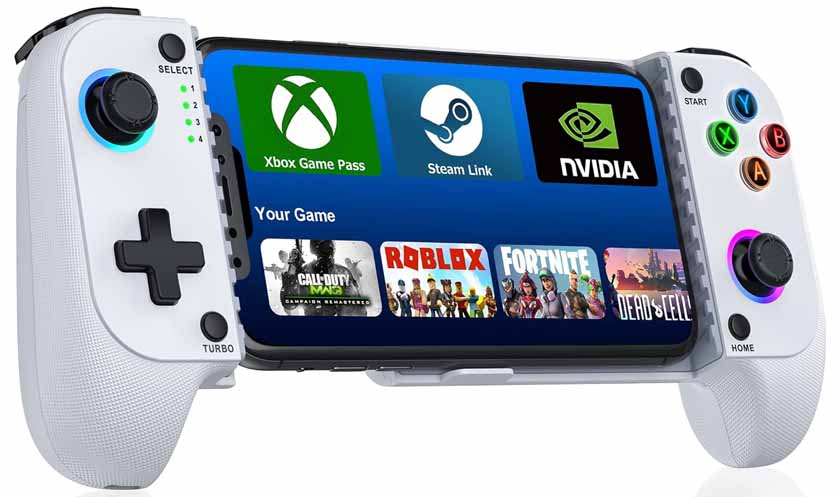
This one is kind of a hidden gem. The Mocagen MC1, compatible with Android and iOS, is a Bluetooth-only mobile controller that prioritizes phone case compatibility and portability. Unlike the GameSir X5 Lite, it does not fit tablets (only stretches up to 170mm in length) and lacks a physical USB-C connection, meaning it does not support wired low-latency play or pass-through charging.
Featuring Hall Effect thumbsticks as well as dual vibration motors, it also has a simple LED lighting in place. It does not have a 3.5mm headphone jack or pass-through charging for your phone, and is not able to function as a powerbank. It must be charged separately via its own USB-C port, granting you roughly 15 hours of play.
Unlike most other devices on our list, this one does not have an app you can use for remapping, and instead simply presents itself to all compatible devices as a generic controller, leaving you with little software-side customization options outside from third-party apps. To compensate for that at least a bit, it lets you access a 3-level turbo function on selected buttons using a few preset key combinations.
With its price being in the same range as the X5 Lite, it’s another quality device that we can easily consider to be very much worth considering when it comes to its price-to-value ratio.
13. GameSir Pocket Taco
- Unique, aesthetic design.
- Perfect for on-the-go retro gaming.
- Includes silicone pads for screen protection.
- The form factor has its limitations – no analog sticks, limited functionality due to less screen space available.
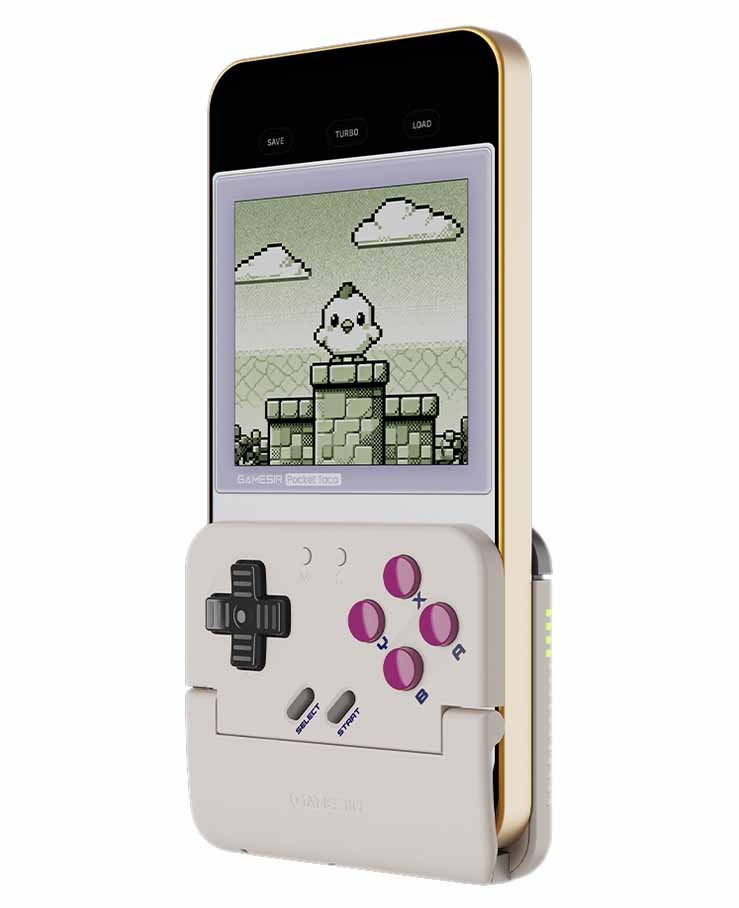
This one is special! The GameSir Pocket Taco is the only true vertical clip-on controller on this list. Its form factor makes it really unique in the category, as it’s meant to be fixed onto your phone kind of like a clamp, with silicone pads protecting the screen from damage. It can support both Android and iOS devices, via a wireless Bluetooth connection.
The Pocket Taco also has neatly positioned flat triggers on the back, convenient battery level/status indicator, and will power down automatically once it’s taken off your phone and folded. It also has full integration with the GameSir app for button remapping and other settings tweaks. With its small size and negligible weight (62.2 g / 0.14 lbs), it’s one of the coolest pocket controller gadgets you can get, if you tend to emulate and play vertical retro titles on your smartphone.
14. Bonus: 8BitDo Zero 2
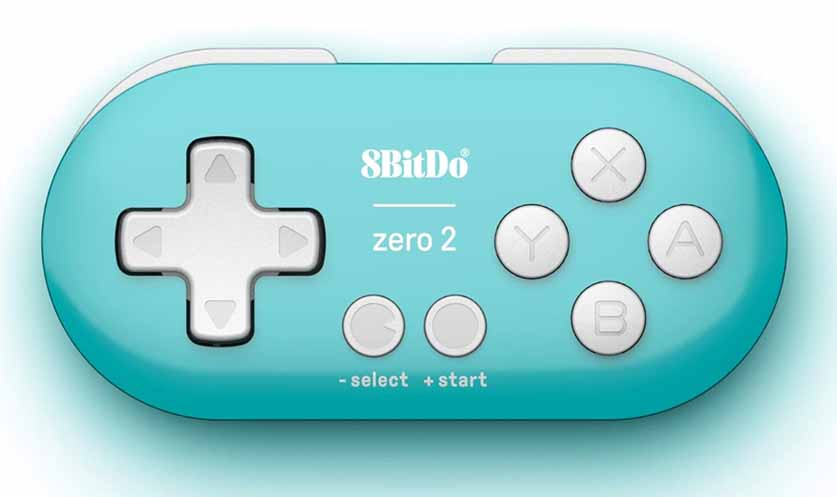
- Incredibly small, can fit on a keychain.
- Great quality & responsiveness despite the form factor.
- Can be pretty useful for many non-gaming tasks.
- No analog sticks (D-pad only).
- Only 1 layer of triggers (L/R).
The 8BitDo Zero 2 is a nice little device to conclude our list with, and it’s quite different from the ones that you’ve seen up to this point. Compatible with Android, Switch, iOS/MacOS and Windows, it works as an extremely small, pocket-sized wireless Bluetooth controller. Although it does feature a USB port, it’s used for charging and firmware updates only.
If you need the portable factor above everything else, and the lack of full-size controls and analog sticks doesn’t bother you, the 8BitDo Zero 2 is a great device to go for. It’s also very much popular among tablet users for non-gaming tasks, such as a remote for Anki flashcards or as a shortcut tool for digital painting apps like Clip Studio Paint. Note: the older batches come with a micro-USB connector, while the newer ones feature a USB-C one.
If you’re searching for an alternative that’s just a little bit bigger, you can also take a look at the 8BitDo SN30 Pro, which features two Hall Effect analog sticks.
You might also be interested in: 10 Best Mini PCs For Emulation This Year – Here Are My Picks