


Broadlink’s RM Mini 3 and RM4 Pro get compared all the time, mostly because they can look pretty similar on paper: both are small Wi-Fi universal remotes, both can bring older appliances into a smart home setup, and both work with Home Assistant. But in actual day-to-day use, this is not really an “old model vs. newer model” choice nearly as much as it is a simple IR-only vs. IR + RF decision.
If all you want to do is smarten up a TV, an air conditioner, a soundbar, or an IR-controlled fan in one room, the cheaper RM Mini 3 may already be enough. If you also want to clone 433 MHz RF remotes for things like certain blind motors, outlets, switches, or fans, then the RM4 Pro is the one that starts making sense.
I have already covered the newer model in much more detail in my Broadlink RM4 Pro hands-on review and the separate quick setup guide for Home Assistant. Here I want to focus on the practical buying decision: when the RM Mini 3 is still enough, when the RM4 Pro is actually worth paying more for.
Why you can trust us: We test all of our products according to the Tech Tactician consumer usability benchmark methodology which evaluates all of the product characteristics that matter to the user in day-to-day use.
This website is reader-supported and is a part of the AliExpress Partner Program, Amazon Services LLC Associates Program and the eBay Partner Network. When you buy using links on our site, we may earn an affiliate commission.

A compact IR-only Wi-Fi blaster for TVs, air conditioners, soundbars, set-top boxes, and other standard infrared-controlled gear.
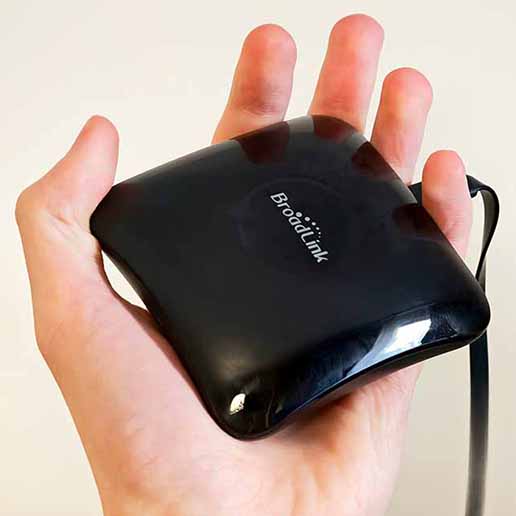
A more capable Broadlink hub with IR plus 433 MHz RF support, making it the better fit for mixed-device smart home setups.
Read the hands-on review| Specification | Broadlink RM Mini 3 | Broadlink RM4 Pro |
|---|---|---|
| Remote Types | IR only | IR + 433 MHz RF |
| IR Support | 38 kHz infrared | 38 kHz infrared |
| RF Support | No | Yes, 433 MHz fixed-code remotes |
| Rolling Code RF | Not applicable | No support |
| Wi-Fi | 2.4 GHz | 2.4 GHz |
| Home Assistant | Supported | Supported |
| Initial Setup | Broadlink app required | Broadlink app required |
| Accessory Support | No HTS2 support | Supports Broadlink HTS2 sensor cable |
| Best Use Case | TV, AC, soundbar, projector, IR fan | IR devices plus compatible RF blinds, outlets, switches, or fans |
| Value Proposition | Cheaper, simpler IR hub | More flexible all-rounder |
Broadlink RM Mini 3
For:
- Usually the cheaper option by a clear margin.
- Enough for most IR-only setups.
- Small, simple, and easy to place in one room.
- Good fit for TVs, air conditioners, and soundbars.
Against:
- No RF support at all.
- Cannot replace compatible 433 MHz remotes.
- Less room to grow in a more advanced smart home.
Broadlink RM4 Pro
For:
- Handles both IR and 433 MHz RF devices.
- Much more flexible in mixed smart home setups.
- Better choice for compatible RF blinds, switches, and outlets.
- Supports the optional HTS2 temperature and humidity sensor cable.
Against:
- Costs noticeably more than the RM Mini 3.
- RF support does not include rolling-code remotes.
- Overkill if you only need basic IR control.
The Main Differences – RM Mini 3 Lacks RF Capabilities
The RM Mini 3 is a simple hub for IR (38KHz) controlled devices. In other words, it is made for the most common kind of remote-controlled home electronics: TVs, set-top boxes, soundbars, projectors, many air conditioners, and similar gear that uses infrared.
The RM4 Pro also supports most non-rolling-code 433 MHz RF devices. In practice, that means the RM4 Pro can fit into a wider smart home setup, especially if you have older RF blinds, switches, sockets, or fans that you want to bring into your smart home ecosystem.
Then there is also the pretty major price difference. The RM4 Pro is roughly twice as expensive as the RM Mini 3, so in many cases if you know you don’t (and won’t) have any compatible RF devices that you want to control using your smart home setup, you can easily save some money by settling for the cheaper hub.
Regardless of which Broadlink device you choose, their dedicated manufacturer app is always required to pair your new remote control hub with your network. In the case of Home Assistant though, you will be able to ditch the app after the initial configuration, and rely solely on the HA interface to clone and automate your remote commands.
If All You Need Is IR, the RM Mini 3 Still Makes a Lot of Sense

If your goal is to control a TV, AC unit, soundbar, LED strip controller, a fan, or any device that already uses a standard infrared remote, the RM Mini 3 is a great choice for that. Home Assistant officially supports the RM mini 3 via the Broadlink integration, and its setup process is almost exactly the same as the setup process of the RM4 Pro.
The RM4 Pro becomes the better buy the moment your smart home stops being purely IR-based, or if you suspect that this will happen in the near future. This is especially true if you already have some devices that are controlled by 433 MHz fixed-code RF remotes.
This could include some RF-controlled blind motors, plug-in outlets, light switches, or fans. Once those enter the picture, and you know that you want to use them in your smart home setup, the RM Mini 3 stops being a candidate entirely, because it simply does not have the radio hardware for the job. The RM4 Pro does.
Broadlink explicitly states that the RM4 Pro does not support rolling-code RF, which is the kind of system used by some more security-sensitive devices like blinds, gate, garage doors, and so on. This is a thing to keep in mind if you were thinking about cloning some remotes that make use of this technology. In that case, those rolling-code remotes will not work with the RM4 Pro.
The HTS2 Sensor Cable for the RM4 Pro
The RM4 Pro also has one extra accessory path that the RM Mini 3 does not: the Broadlink HTS2 temperature and humidity sensor cable that will enable the device to report additional data back to your smart home ecosystem.
While I would not buy the RM4 Pro for that alone (in the vast majority of cases using a separate temperature & humidity sensor makes much more sense), it’s still a meaningful difference if you want a hub that does a little more than just relay remote commands.
The Home Assistant Broadlink Integration
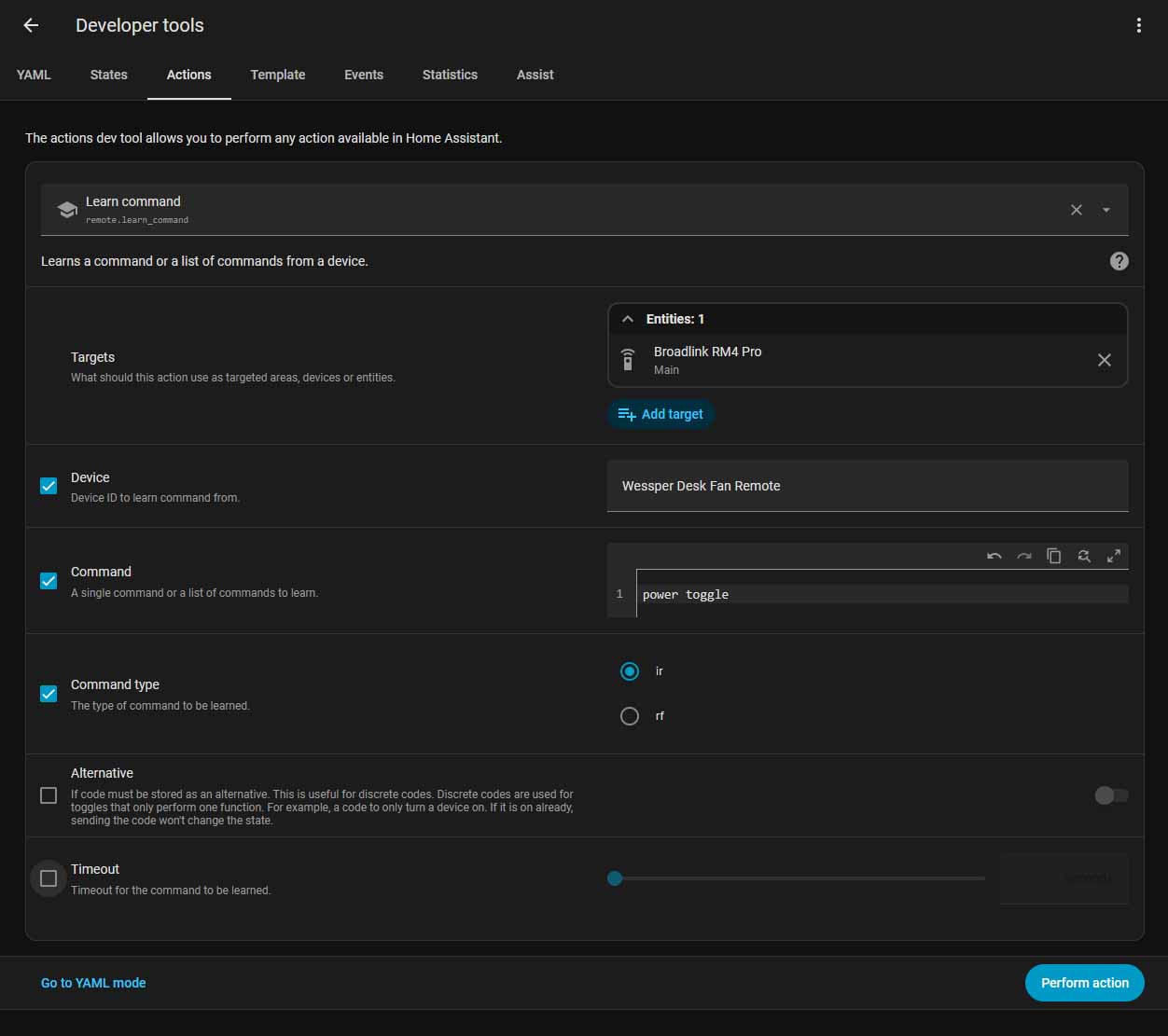
Home Assistant officially supports both the RM Mini 3 and the RM4 Pro under the same Broadlink integration. That also means the overall workflow with both of these is very similar.
You still need the Broadlink app for the initial network onboarding including “unlocking” the device by changing one setting in the device’s options menu. After that, you can use the devices fully locally, and control them solely from Home Assistant.
From there, command learning is handled through Home Assistant’s remote.learn_command action, while command playback uses remote.send_command. For IR use, that workflow is effectively the same kind of experience – the same actions are used, and the command cloning process is identical. The main difference of course is that the RM4 Pro can also learn RF commands where supported, while the RM Mini 3 doesn’t have the hardware required to do that.
IR Coverage Range on Both Devices

On the IR side, these two are much closer than the pricing might suggest. Broadlink’s own documentation puts both the RM Mini 3 and the RM4 Pro in the same basic IR class: 38 kHz infrared, multi-directional transmission, and roughly 8 meters of typical range. That is why I would not say that the RM4 Pro is a meaningful upgrade in terms of IR reach by itself.
In real use, coverage depends much more on where you place the hub, whether it has a reasonably open path into the room, and how much your setup benefits from IR bounce off walls and ceilings. So the practical takeaway is simple: for TVs, AC units, soundbars, and similar same-room gear, both are usually “one room, one hub” devices, and the RM4 Pro earns its higher price mainly through RF support, not because it is clearly a stronger IR blaster.
How to Tell if Your Remotes are IR or RF
If your remote has an emitter diode, it’s most likely an IR remote. A quick way to check for infrared light is the phone camera test: point the front of the remote at your phone’s camera and press a button. If you see a flashing light on-screen, the remote is sending IR. This is only a screening test, though, because some phones filter IR strongly enough that it may not show up clearly.
Another simple check is behavior: if the remote only works when aimed at the device, it is probably IR. If it still works when you do not aim it, or when the front emitter is covered, it is more likely using RF, Bluetooth, or another non-IR method.
So, In Short…
- Get the RM Mini 3 if your setup is IR-only, your budget is tight, and you mainly want to automate a TV, AC, soundbar, projector, or IR-controlled fan in one room.
- Get the RM4 Pro if your setup includes compatible 433 MHz RF devices, or you already know your smart home ecosystem is heading that way.