

The Anbernic RG Rotate is finally here, and it is one of the more unusual retro handhelds I have recently tested. It is a compact square Android handheld built around a rotating 3.5-inch 1:1 display, hidden front controls, and a pocket-first form factor.
After my first few hours with it, despite a few issues, I started to understand why early impressions have been so positive. The rotating screen works very nicely, the buttons feel good, and the whole device has the exact small dedicated-gadget charm that I pursue.
You might also like: Anbernic RG Rotate Battery Replacement Notes, and Are Handheld Retro Emulators Worth It?
Why you can trust us: We test all of our products according to the Tech Tactician consumer usability benchmark methodology which evaluates the product characteristics that matter to the user in day-to-day use.
This web portal is reader-supported, and is a part of the AliExpress Partner Program, Amazon Services LLC Associates Program and the eBay Partner Network. When you buy using links on our site, we may earn an affiliate commission!
First, the Specs
Compact Android 12 retro handheld with a rotating 3.5-inch 720×720 square touchscreen, Unisoc T618 chip, 3GB RAM, 32GB storage, Wi-Fi 5, Bluetooth 5.0, and a 2000 mAh battery.
| Display | 3.5-inch IPS touchscreen; 720×720; 1:1 aspect ratio |
| Chipset | Unisoc Tiger T618 |
| CPU | 64-bit octa-core; 2× Cortex-A75 @ 2.0 GHz + 6× Cortex-A55 @ 2.0 GHz |
| GPU | Mali-G52 @ 850 MHz |
| RAM | 3 GB |
| Operating System | Android 12 |
| Internal Storage | 32 GB eMCP |
| Expandable Storage | microSD / TF card expansion, up to 2 TB |
| Controls | D-pad; A/B/X/Y; Start; Select; function/home button; power; volume + / – |
| Shoulder Buttons | L1/L2 + R1/R2; includes swappable higher L2/R2 button set |
| Wireless | Wi-Fi 5; Bluetooth 5.0 |
| Audio | Single rear-firing speaker; USB-C 3.5 mm adapter support |
| Extra Features | Six-axis gyroscope, vibration motor, FOTA wireless updates, streaming, online multiplayer, keymapping utility |
| Battery | 2000 mAh Li-polymer battery |
| Charging | USB-C; 5V / 10W |
| Materials | Polar Black: aluminum alloy + ABS plastic; Aurora Silver: aluminum alloy |
| Size / Weight | 80x80x21.6 mm; Polar Black ~167 g; Aurora Silver ~204g |
| Included In Box | RG Rotate handheld; USB-C cable; manual; screen protector; lanyard; high shoulder buttons; gift box |
What’s in the Box?
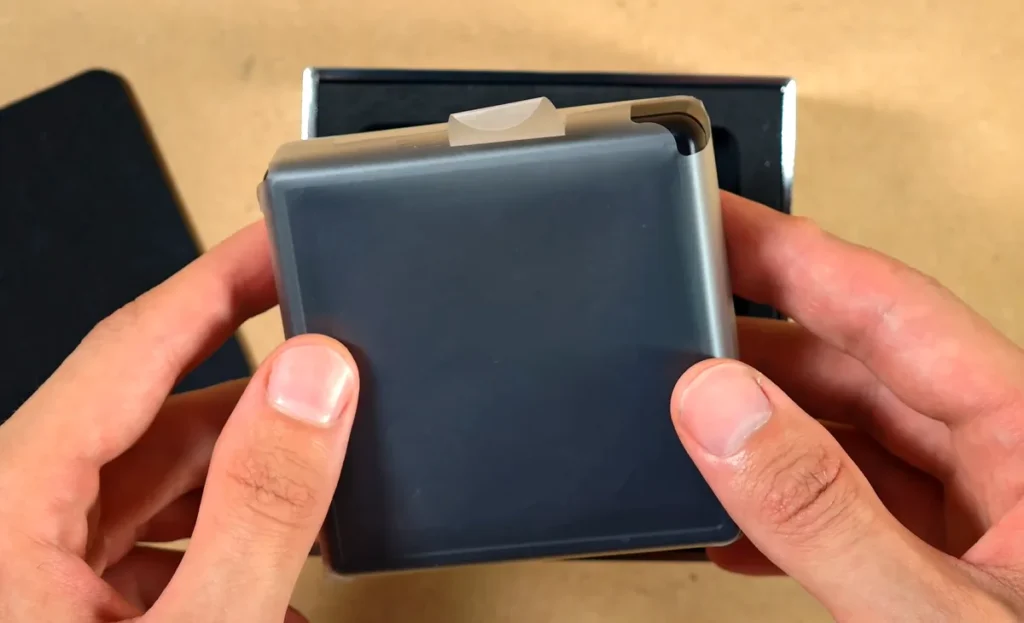
The unboxing is simple, but not disappointingly so. The RG Rotate sits in the box with the usual protective wrapping, and underneath it you get the small accessory bundle. There is also a little branded thank you card inside, which is always nice to see.
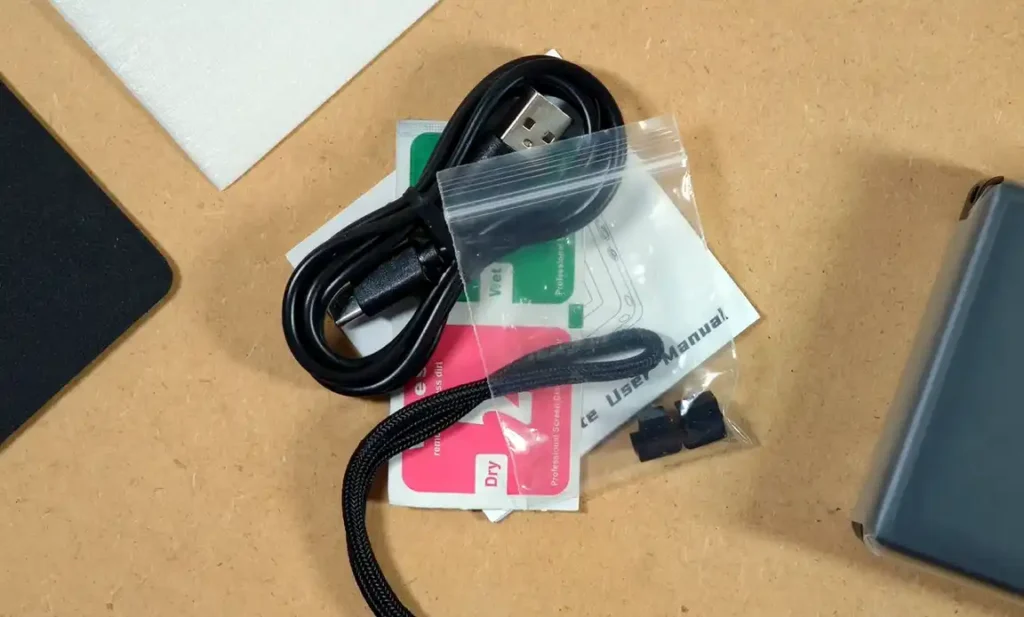
The accessory bundle includes a short USB-C cable, instruction manual, lanyard, wipes, and a screen protector kit.
The more interesting extra is the pair of L2/R2 shoulder buttons. These replacements are taller, and are meant to be an alternative for the lower-profile inner shoulder buttons, giving you a little bit better grip and more tactile feel for the inline back controls.
Applying the Screen Protector
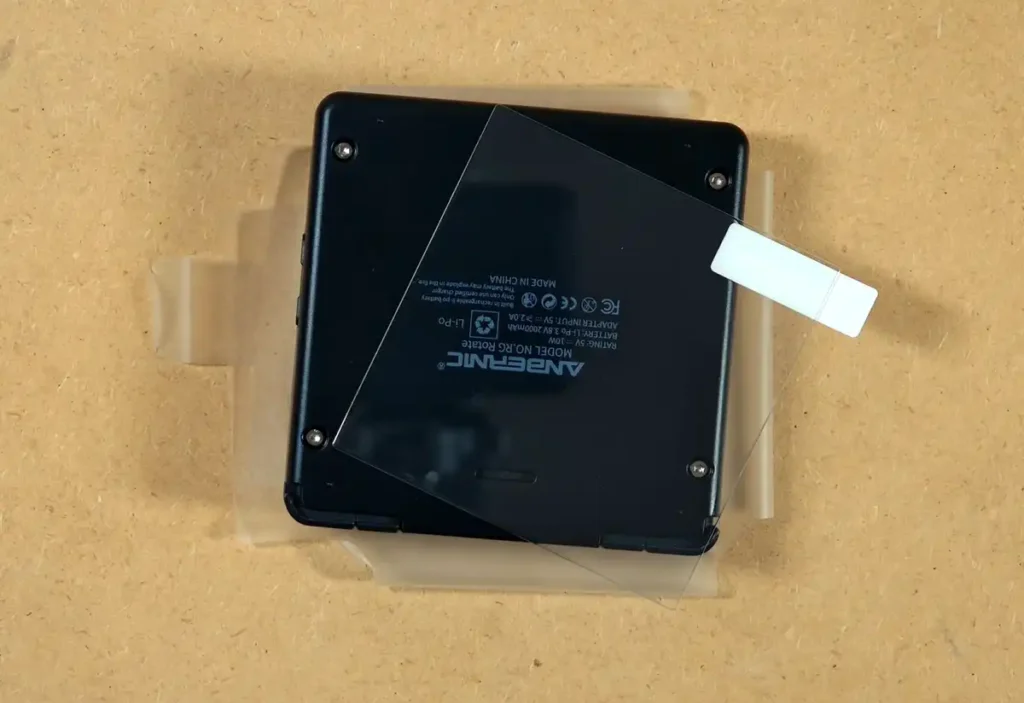
With a device this pocketable it definitely makes sense to protect the display right away. This is why the first thing we’re going to do is apply the screen protector. If you’re already familiar with the process, feel free to skip ahead.
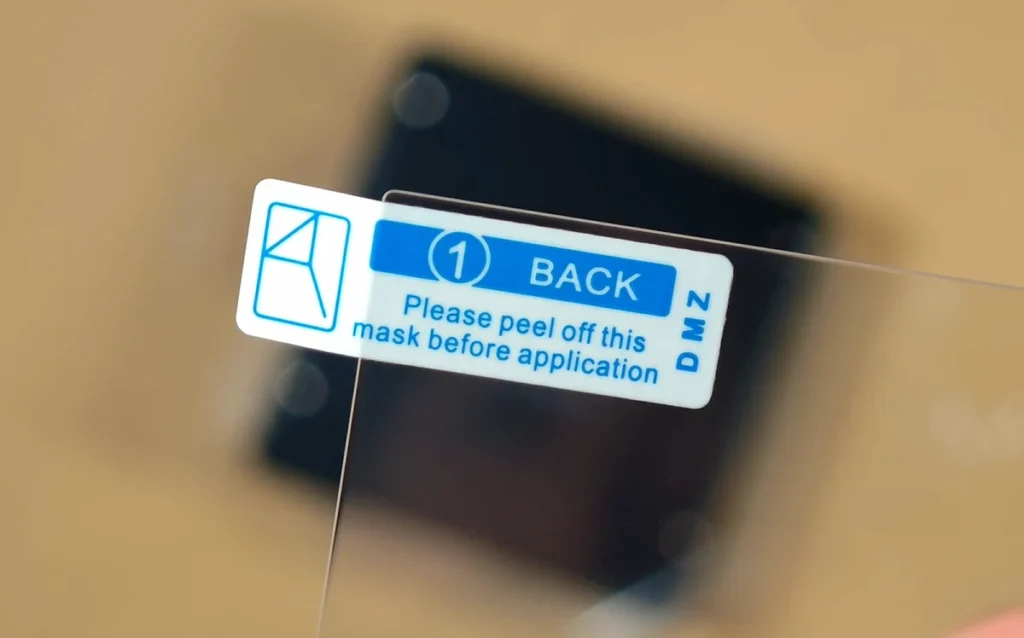
The protector itself is relatively simple to align because of the small size and the square shape of the display panel. The more careful hinge method is still the safer way to do this, but for me the quick approach was enough to get it fitted with a reasonable level of precision.
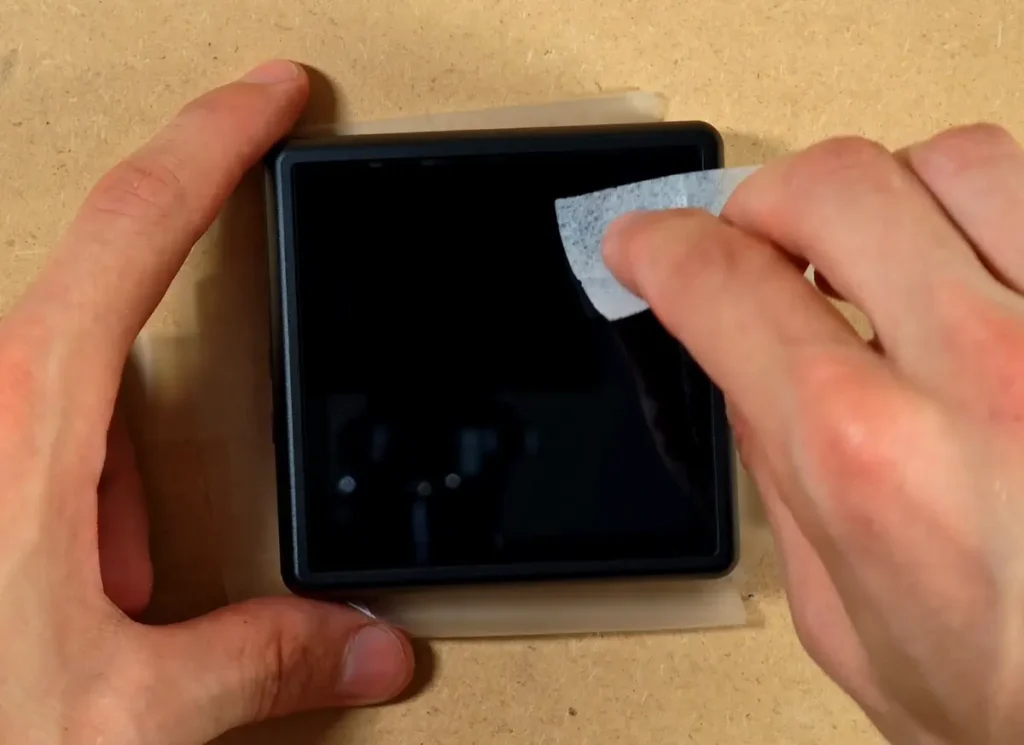
After cleaning the display using first the wet and then the dry wipe and making sure there is no dust underneath, you can gently lower the protector onto the display surface. Make sure that it’s properly aligned.
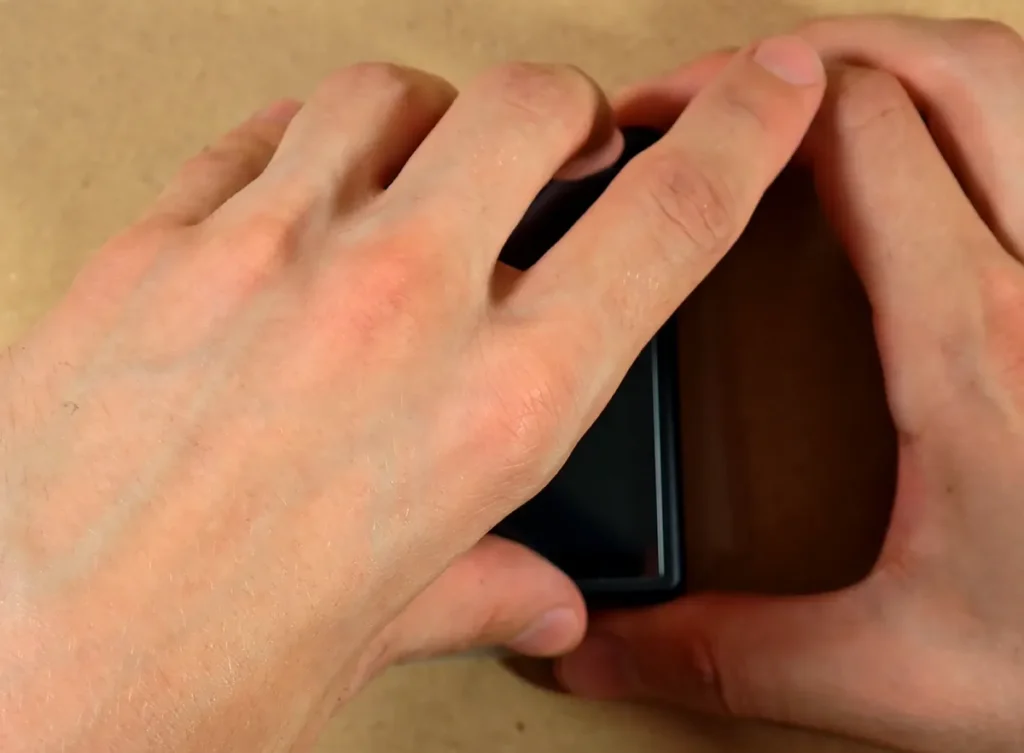
Most of the air under the protector should disappear within a few seconds, and smaller air bubbles that might appear underneath can be pushed out with a microfiber cloth or a small squeegee.
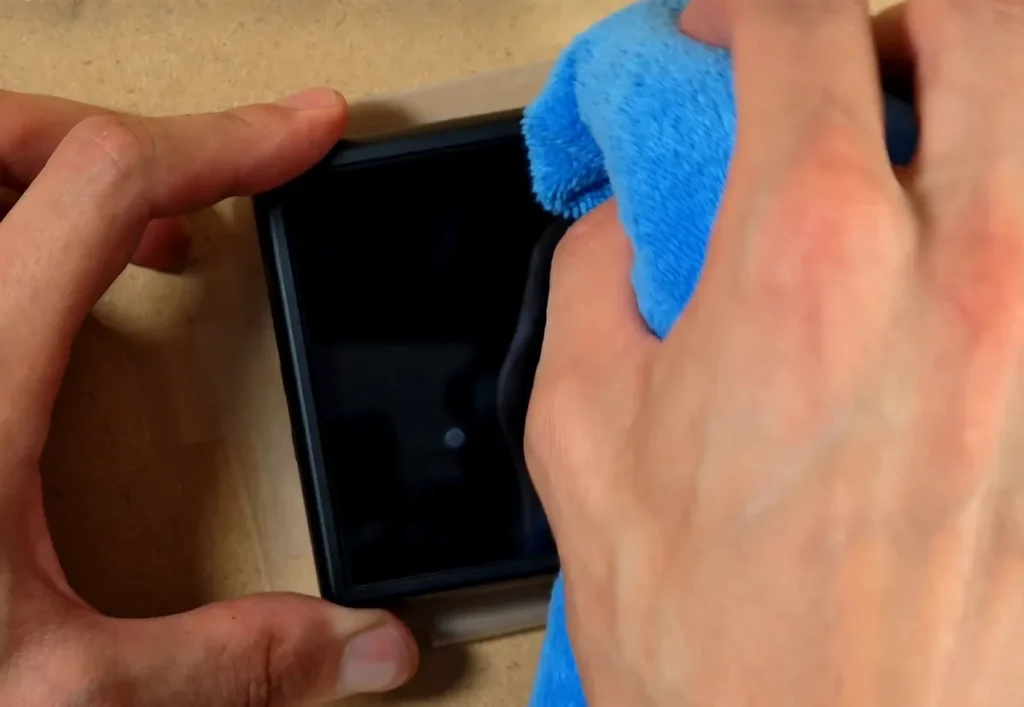
And just like that, you have the screen protector applied. If for one reason or another you’re interested in getting the screen protector separately, these are readily available both in the official Anbernic store, and over on AliExpress.
The Rotating Screen, and the First Flip
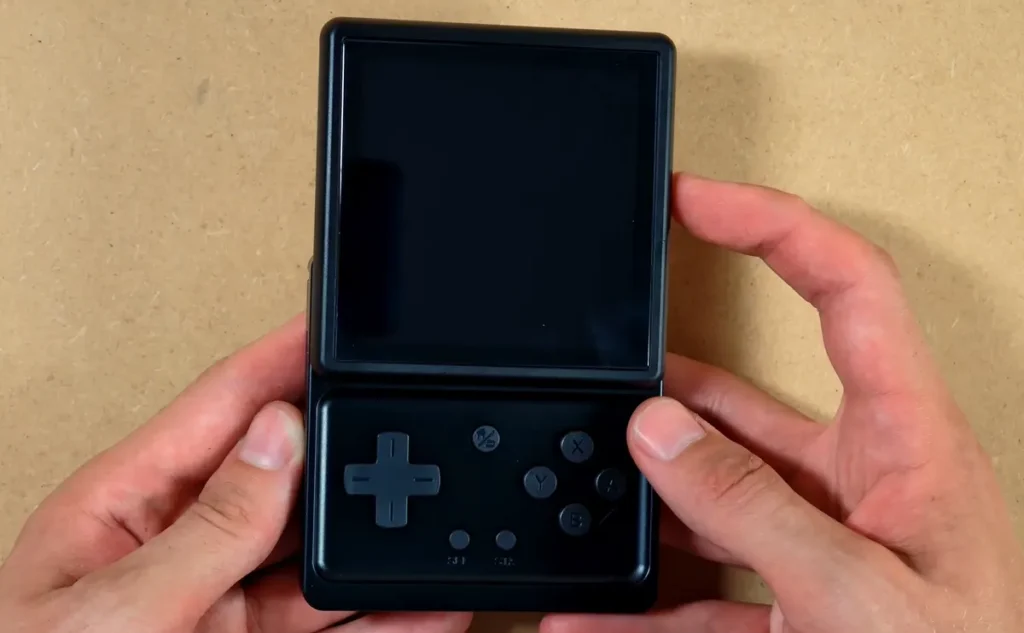
The rotating mechanism is likely one of the main reasons this device exists, and it makes a strong first impression. It does not feel loose, vague, or toy-like in the bad sense of the word. The display rotates into place cleanly and with much more force than I anticipated. The action also has quite a bit of resistance, but it doesn’t make it hard to open it using just one hand.
The mechanism feels like a real part of the experience rather than a gimmick glued on top of a generic Android handheld, which is exactly what I wanted to see. Overall, the mechanics of the “flip” feel very well thought-out.
Closed, the RG Rotate looks like a small and moderately thick square slab. When opened, it essentially turns into a vertical handheld with the controls positioned underneath the screen. It might seem unusual, but in the end it makes sense rather quickly once you actually hold it in your hands.
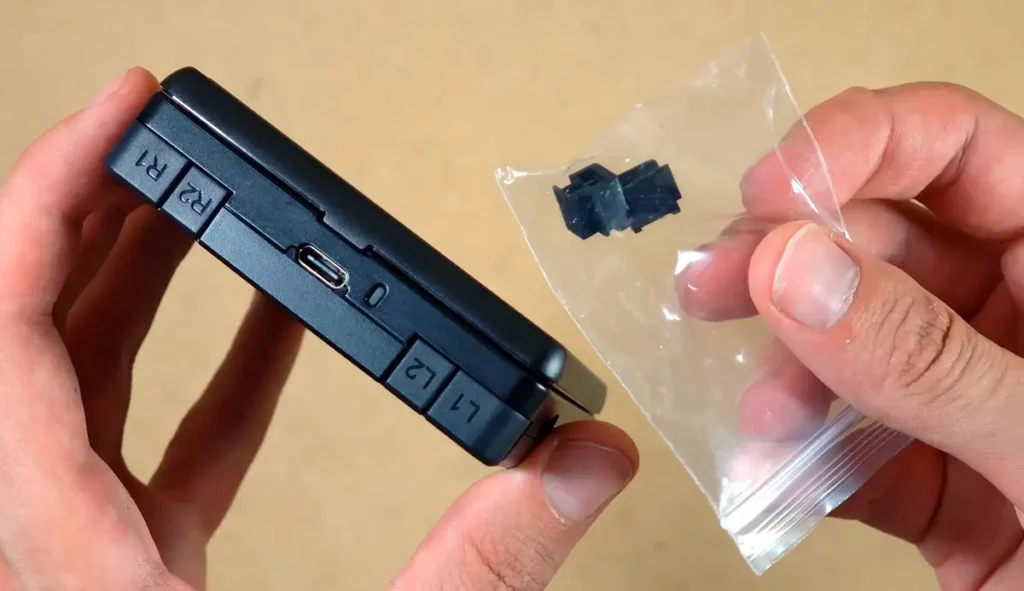
The included replacement shoulder buttons are a nice addition here. The default inner L2/R2 buttons keep the back more compact, but they are also less pronounced. If you want to find them more easily by touch, the higher replacements are probably worth trying.
For me, I didn’t really find a good reason to replace them right away. To put them on you have to open up the back of the device, so for now, I decided to leave the default ones be.
Ports, Buttons, and the Shell
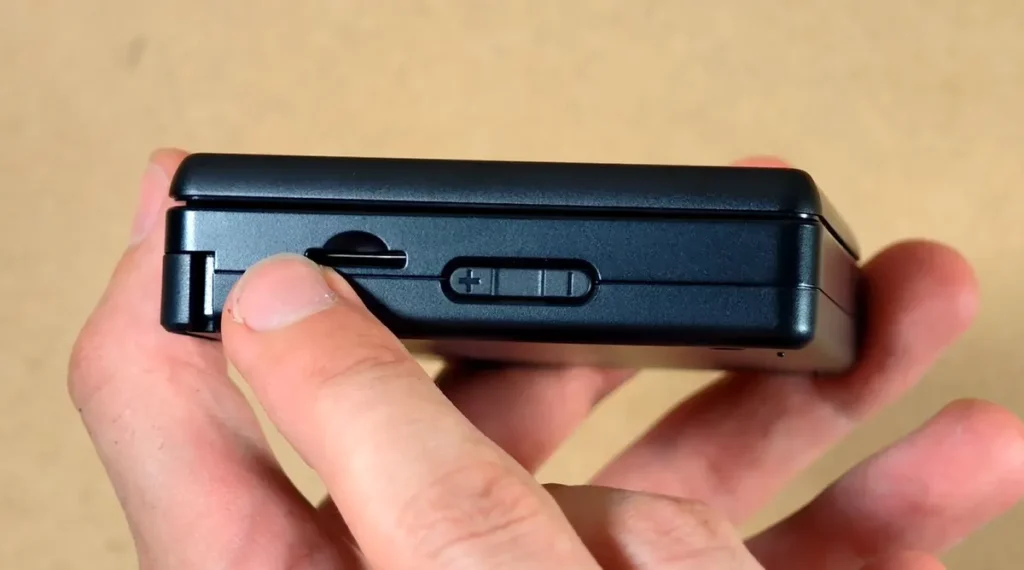
The left side of the device contains the microSD card slot and volume controls. The volume rocker is split into two press points, with a small gap in the middle. That’s pretty much it.
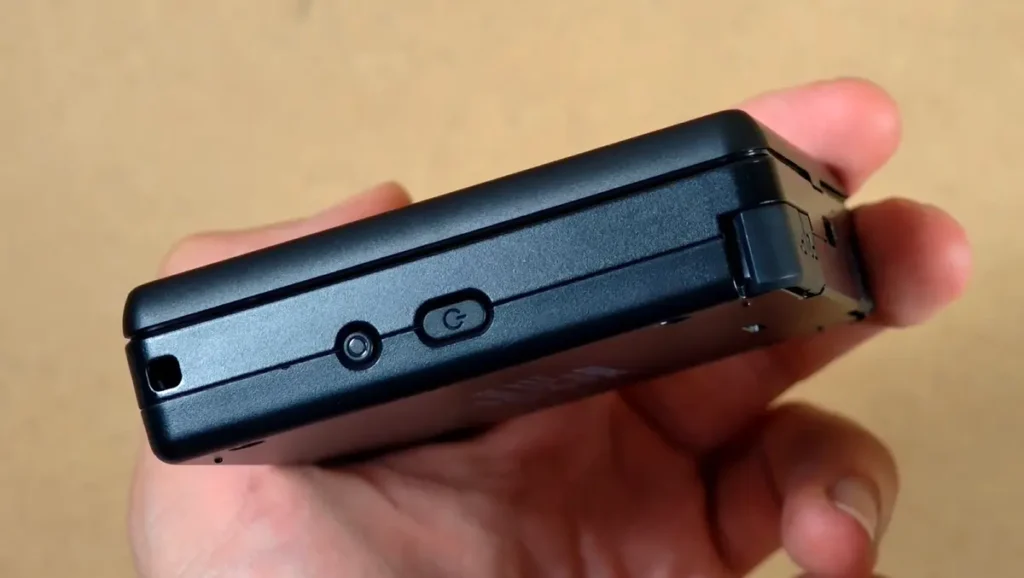
On the other side, you get the lanyard slot, a power button, and the function button. The function button is a nice feature here, as it lets you switch into Anbernic’s game-focused RG Launcher, or a custom game launcher of your choice.
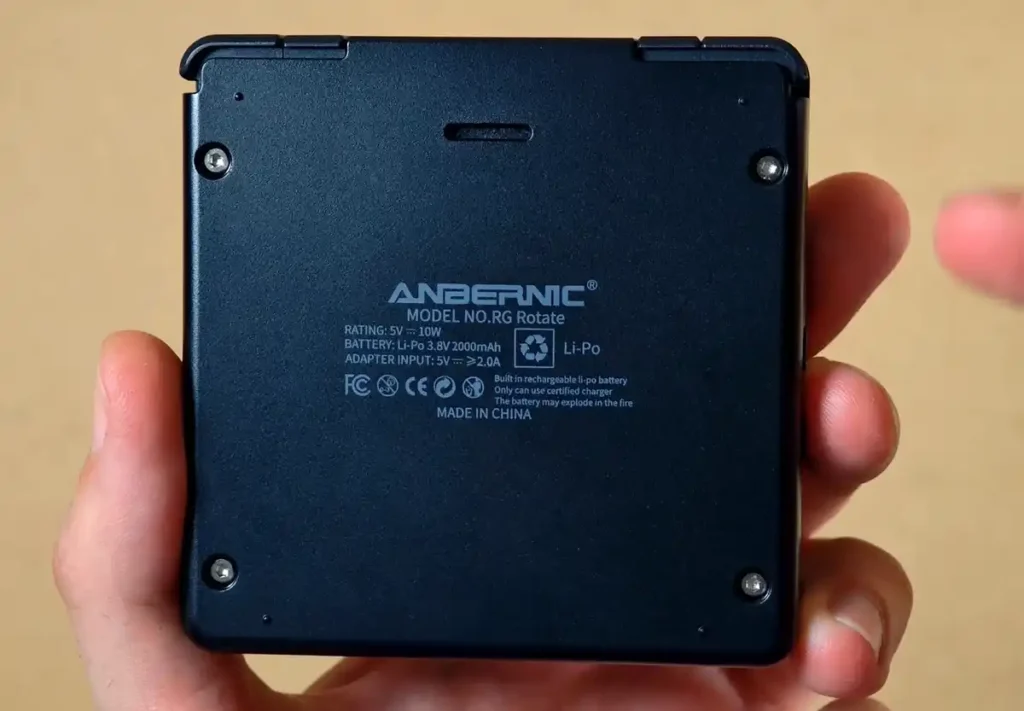
The back of the unit is almost completely flat, apart from the speaker cutout, screws, raised shell details, and printed model information. Despite Anbernic’s official spec sheet listing stereo speakers, the RG Rotate features only one single rear-firing speaker.
Those small raised bumps should in theory help a little when the device sits flat on a desk, so the speaker does not get completely blocked. In practice, they don’t really do that much to make the audio situation a lot better.
You can hear the speaker audio samples both when the device is lying flat and lifted up in my main unboxing video.
The one missing port that immediately stands out is the headphone jack. There is no built-in 3.5 mm audio port anywhere on the RG Rotate, which feels like a missed opportunity on a compact retro-style device like this which could rather easily act as a pocket digital audio player.
Bluetooth and USB-C audio are still available, although the latter requires an external DAC dongle to work, as the RG Rotate lacks the internal hardware routing needed to pass analog audio directly through the USB-C port.
I’ve tested this L-shaped one from ESSAGER and it works without any problems, but with just a little bit of background noise. It’s pretty convenient as it doesn’t add an additional cable to your setup, and fits well on the back of the RG Rotate shell.
Wondering what kind of DAC you need? You can learn more about that here: DAC vs. DAC-less USB-C Adapters – Which One Do You Actually Need?
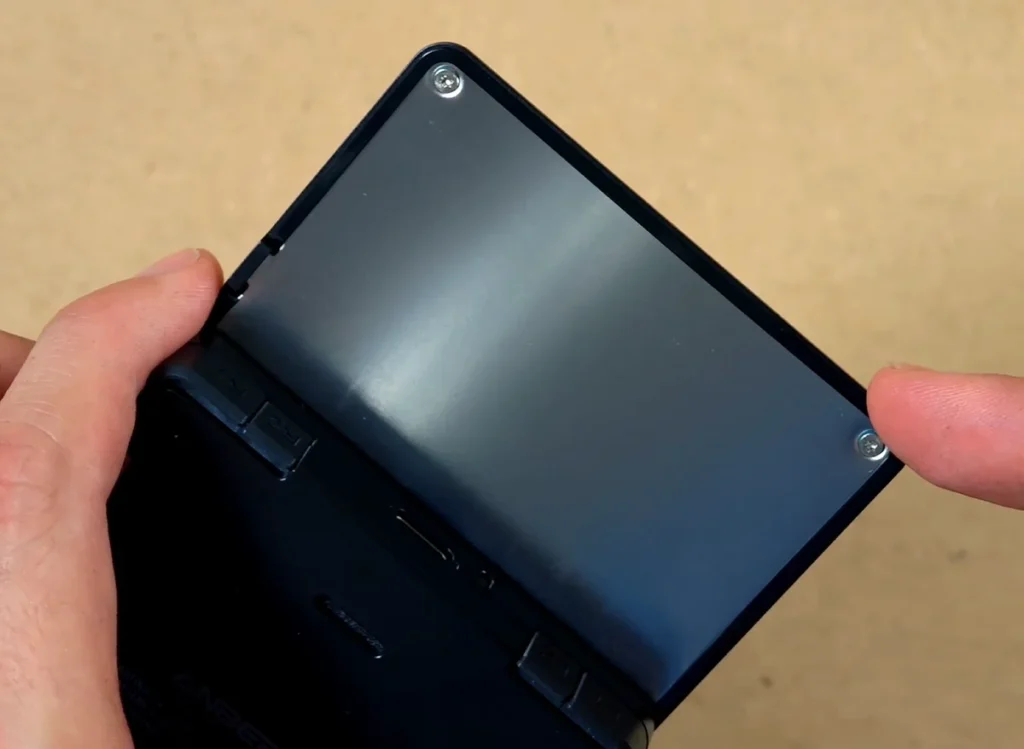
There are also visible screws on the display section itself. I won’t be opening this part right now, but I do appreciate that the construction does not look completely sealed. For battery-related notes, I already have a separate piece that you might want to check out here: Anbernic RG Rotate Battery Replacement – What We Know So Far.
The Controls Feel & Ergonomics
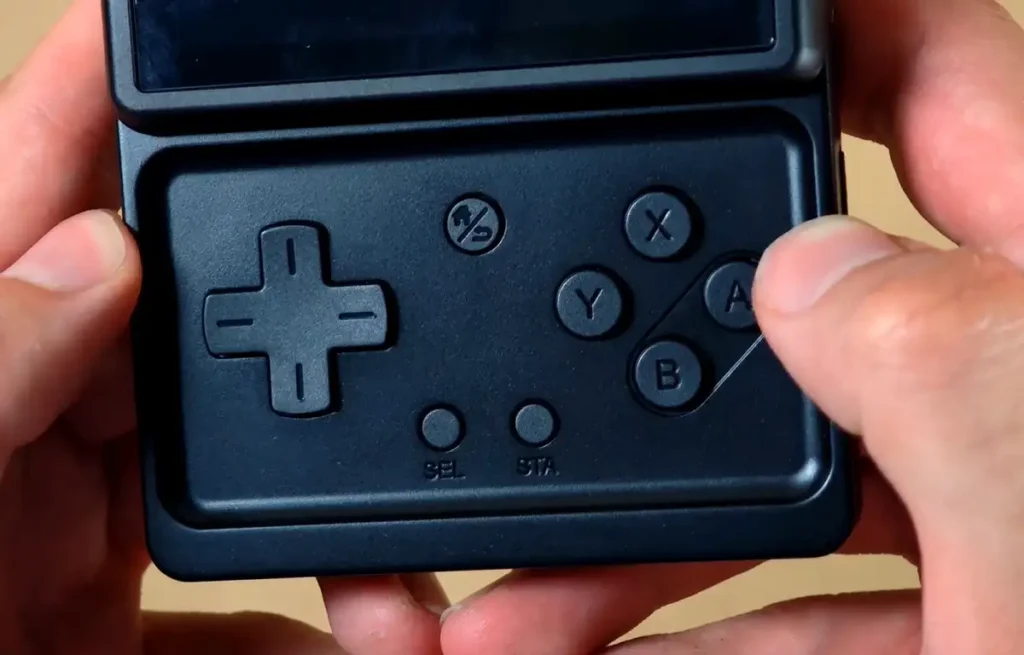
The buttons are one of the more pleasant surprises here. The D-pad and ABXY buttons have a satisfying tactile click which I think is best comparable to the original PlayStation Vita, and they feel much more premium than I expected from a device like this.
The start/select buttons and the small center home/return button are much more clicky and louder than the main controls, but not in a way that would be unpleasant. Compared to, for instance, the triggers on the R36S, it’s a night and day difference. The front layout is also much more comfortable than it looks in the photos. The recessed area surrounding the main set of controls gives the thumbs a clear place to sit, which I very much enjoy. Overall, the ergonomics of the device are on point.
You might also like: Buying a Used PS Vita for Homebrew – What You Need To Know
The Shoulder Buttons
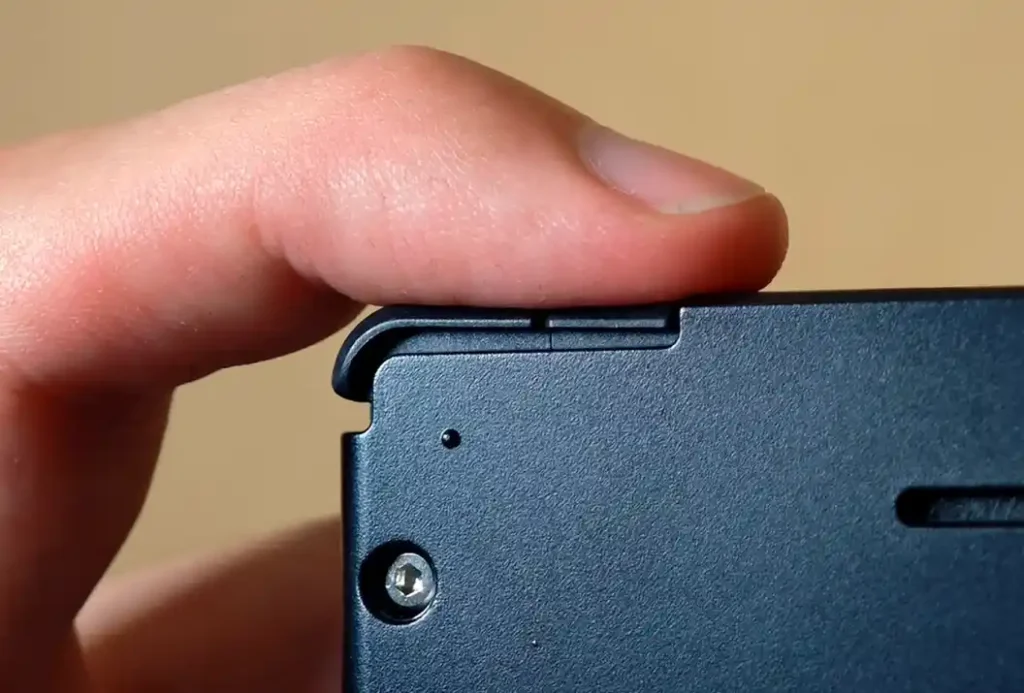
The shoulder buttons are simple clicky digital switches. For the kinds of systems that make the most sense on this screen, that is perfectly fine. They feel reasonably good to press, but the triggers do assume a certain angle past the initial switch activation as you can see in the image below. This is purely a cosmetic issue and shouldn’t affect normal device use at all.
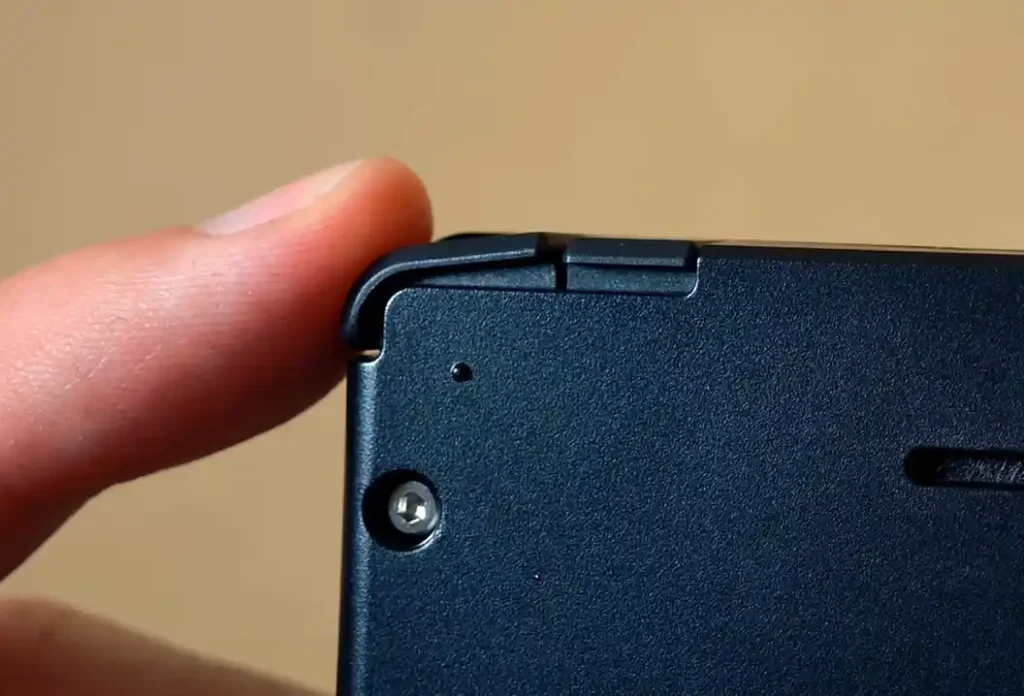
The real question is whether the flat inline buttons are good enough for practical use, especially when the screen is open and your fingers are blindly feeling around the back. This is largely a matter of preference. Luckily if you’d prefer a more tactile approach, the aforementioned taller replacement L2/R2 buttons are included in the box.
Device Setup and FOTA Updates
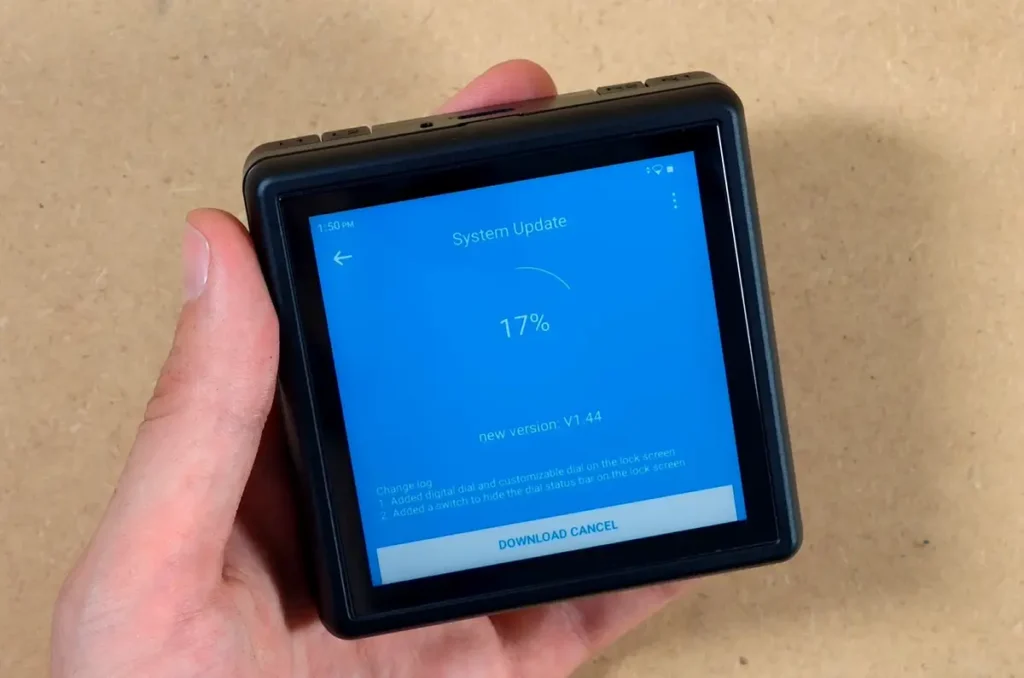
The first step with the RG Rotate is the standard Android device setup. Select the language, connect to Wi-Fi, go through the initial system steps, and then optionally update the handheld to the latest firmware version.
What’s rather nice is that the setup wizard doesn’t ask you to log in to your Google account to use the device. This step is entirely optional, and you can go through with it if you want to make use of the Google Play services at any point. The RG Rotate supports FOTA wireless updates, which lets you upgrade the firmware without relying on a PC connection.
If your update seems to hang and stops around 84%, you might not have to worry just yet. For me it got stuck at a few values close to that for quite some time (roughly 10-15 minutes) despite a good Wi-Fi connection, and then proceeded to finish the update normally.
Unfortunately, the first update also leads me straight into the first concern.
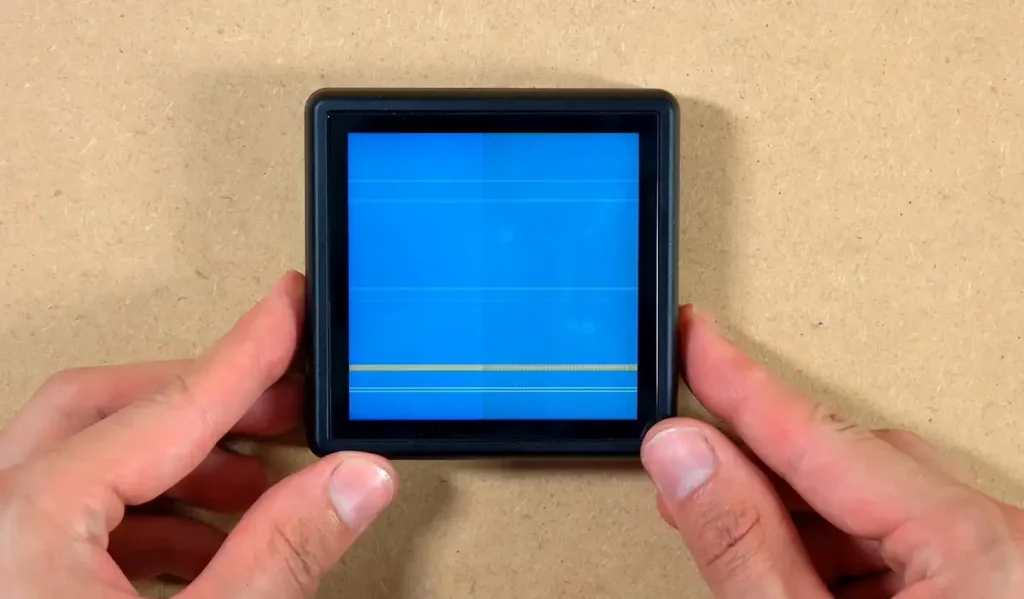
After doing the first FOTA update, my RG Rotate seemed to hang at the glitched-out update screen that you can see above. Neither pressing buttons nor flipping or closing the device did anything to make the situation better. After a few minutes the situation seemed to resolve itself, but it has still left me with a sense of unease, which led me to…
The Display Flicker Issue – That Went Away on Its Own
After the update, the display started to show noticeable flicker, interestingly only on grey and greyish parts of the interface. It was especially noticeable on certain UI backgrounds, including the stock launcher’s default wallpaper. And yes, it was visible to the naked eye.
The strange part is that after a few restarts the flicker seemed to get largely reduced, and after I left the device turned off for about two hours and then turned it back on again it disappeared completely.
While I’m quite happy that I didn’t end up having to return the device or replace the display panel I still do not know whether this was a temporary software issue, a panel/ribbon-cable issue, or something triggered by the firmware update process. Because the issue disappeared, I cannot identify the cause with confidence.
Android 12 and the Default Apps
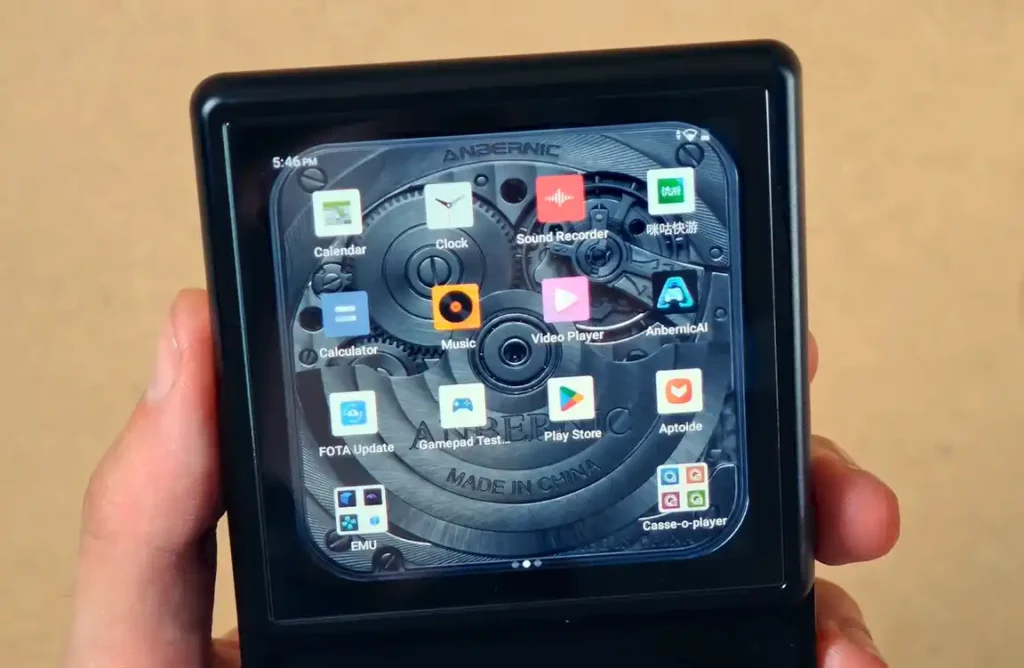
The RG Rotate runs Android 12, so the core experience is familiar if you have used any Android gaming handheld before. You get the Play Store, the usual Android settings, Wi-Fi, Bluetooth, browser access, system apps, and Anbernic’s own extras.
There are also a few apps that feel more optional than essential. Anbernic AI is present, a separate app store (Aptoide) is there, and then a few media apps here including a music player, a video player, and the additional Casse-o-player, which is a retro-style music playback app with a lot of different pre-installed skins that fit very well on the square display of the RG Rotate.
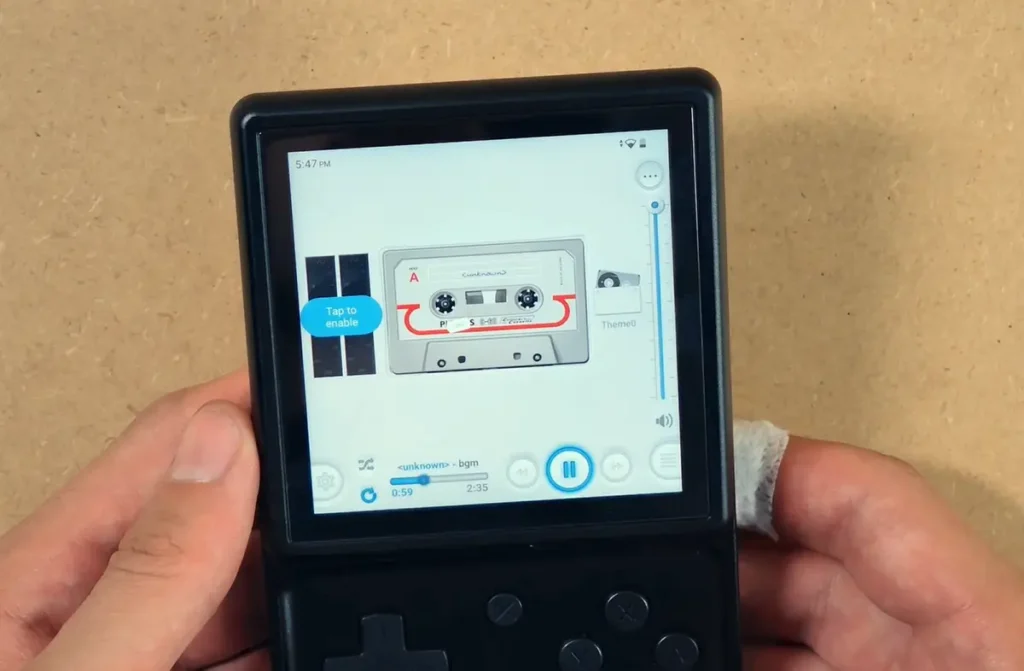
Thankfully, most of the extra apps can either be disabled or removed, so you can do a bit of cleanup here when it comes to these.
The quick settings panel also includes some handheld-specific options, including display orientation settings, the game launcher toggle, as well as the keymapping utility shortcuts. Here you can also quickly switch the controls layout/system identity between the Xbox and NS modes.
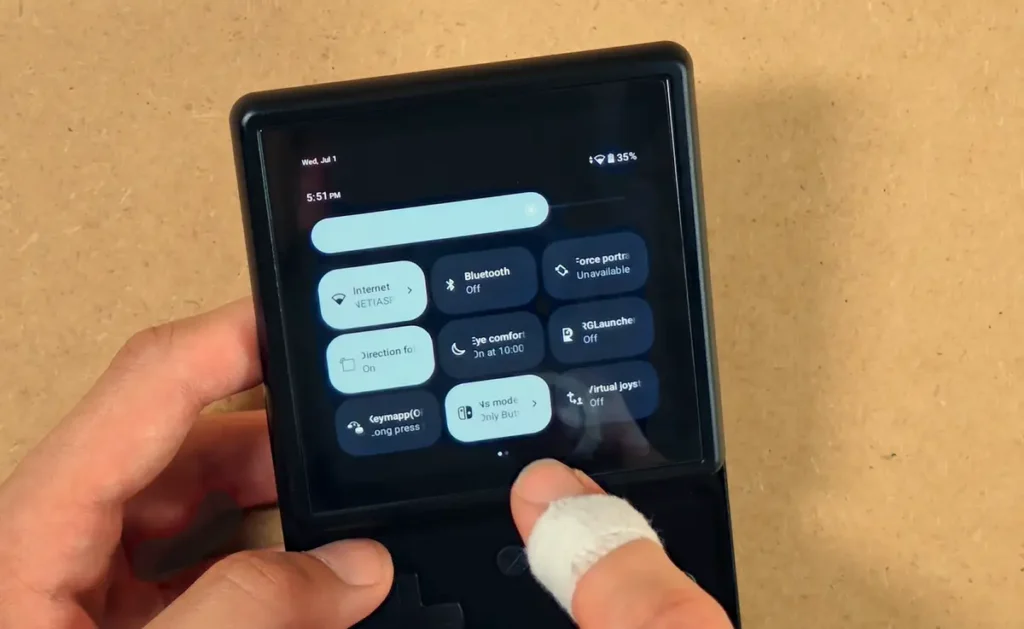
During my first few hours, I experienced a few crashes and automatic device restarts that may be related to Google Play services. I’ve noticed a few people online also mention these kinds of issues. These seemed to subside when I turned off the Wi-Fi connection. Still, I hope this will get addressed in some of the future firmware updates.
If you’re interested in the custom firmware options for the Rotate, there is some possibility that the GammaOSNext, which already features functional releases for many major Anbernic devices could come to the RG Rotate in the future. If it does, it might further contribute to polishing the software side of the handheld.
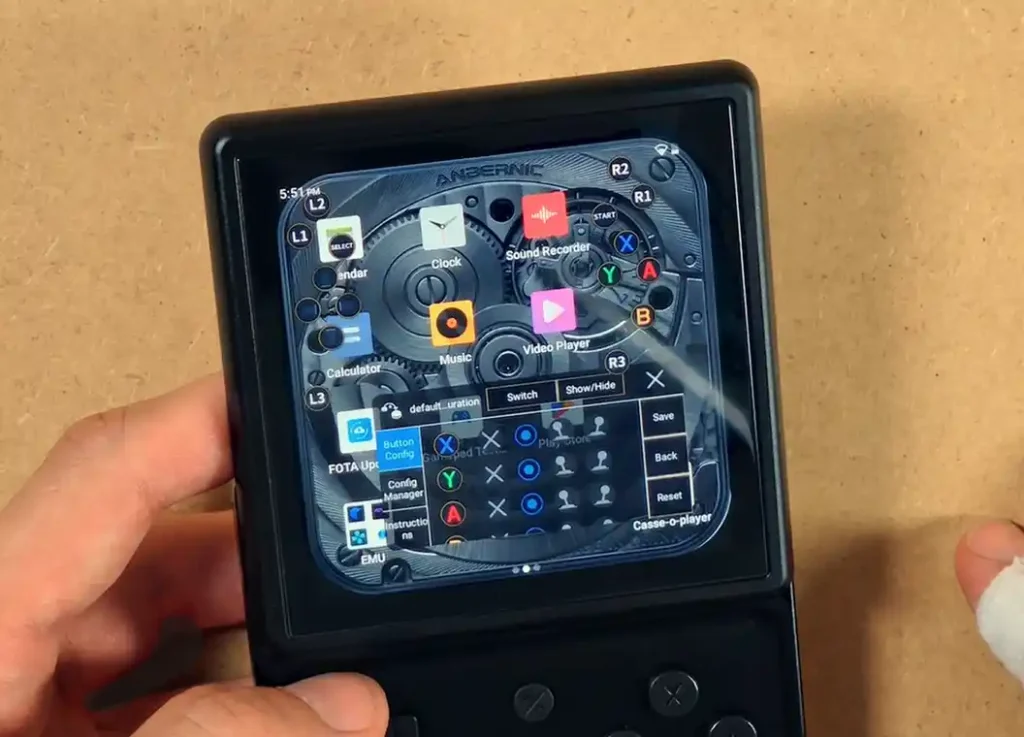
The keymapping utility that I’ve already briefly mentioned is one of the more useful tools bundled with the Anbernic firmware. It lets you place virtual touch points and map them to the physical controls on the device. This should help with Android games that do not support controllers natively, and it’s very nice to have on hand.
One of the now almost archaic handhelds that featured this kind of tool out of the box was the original GPD XD, which I remember very fondly.
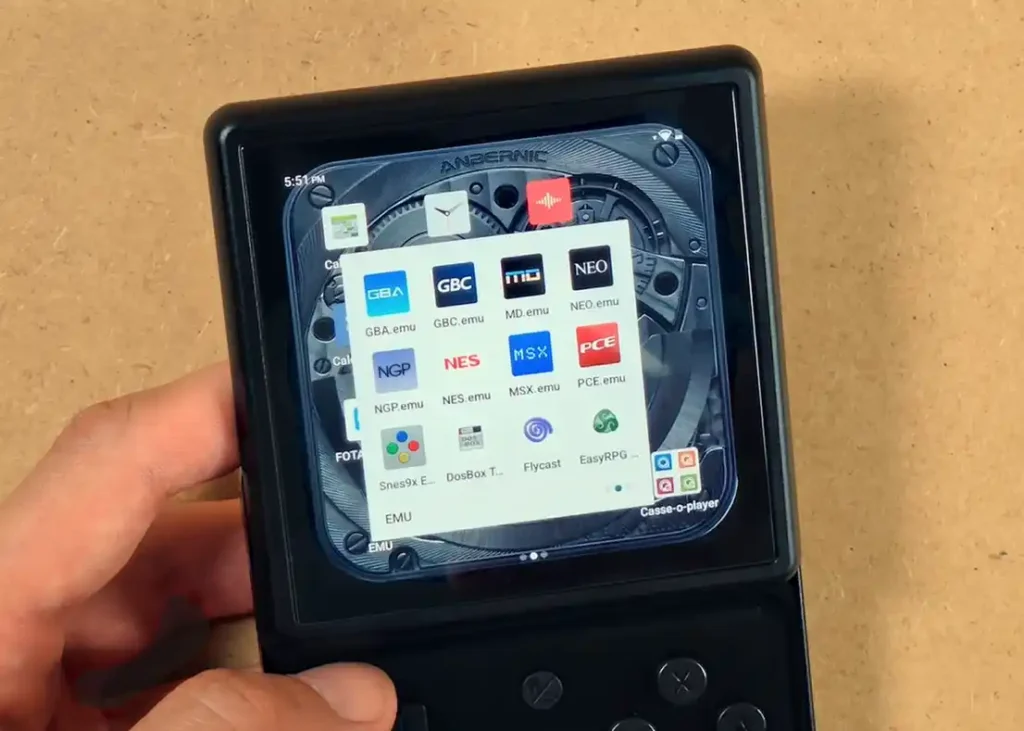
The RG Rotate also ships with a set of pre-installed and pre-configured emulator apps. Personally, I usually prefer installing and configuring my own emulator versions and managing them myself, but regardless of that this can be very useful for those of you who want to skip that part and have the device ready to go out of the box, of course, without pre-loaded ROM files.
The Anbernic approach here is different from some of the more popular Android handhelds, where the user is expected to set up almost everything manually. A good example of such a device is one of the dual-screen handhelds getting a lot of traction lately – the AYN Thor, which comes with a clean Android install with the AYN overlay, without any emulation software pre-installed. The other popular example is the Retroid Pocket 6, which also comes with no pre-configured emulation software on board. This is a reasonably common practice.
The RG Launcher
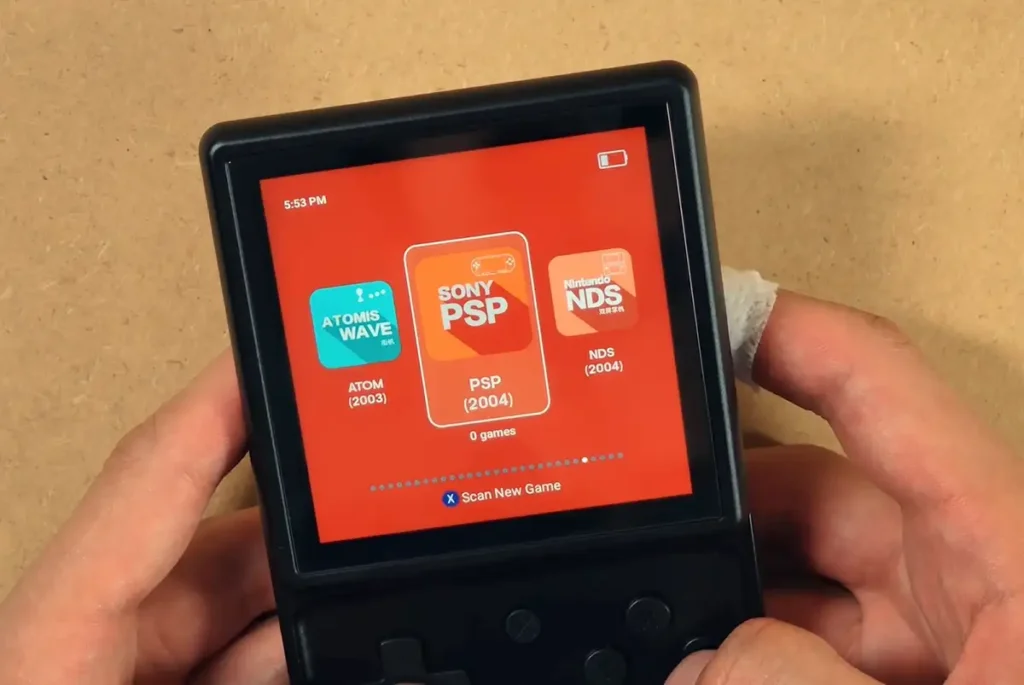
The RG Launcher is Anbernic’s gaming frontend, and it is accessed by long-pressing the function button. Using it you can freely switch between the base Android launcher view and your game collections.
The launcher expects your game files to reside on the TF card when scanning. I didn’t find an option to source the ROMs from the internal storage, but it might be hidden somewhere deeper within the settings. I, myself, will most probably swap the RG launcher for RetroHrai somewhere during my later tests.
The interface itself is simple. You can scan for games, adjust a few media options, change basic theme settings, and choose which emulator categories appear. It is not a fancy modern frontend, but it should be more than enough if you just need quick access to your games.
The one thing worth knowing is that RG Launcher effectively takes over as the active launcher when you enter it using the function button. To come back to the default Android launcher, you can press and hold the button again, or deactivate the launcher by using the toggle in the system tray.
What the Square 1:1 Display Is Actually Good For
The 3.5-inch 720×720 panel is the defining feature of the RG Rotate. It is also the thing that makes it much more specialized than a regular 4:3 or 16:9 handheld.
This screen is of course not meant for PSP, widescreen Android games, or emulating consoles that expect a more traditional horizontal layout. These systems will leave you with black bars on the top and bottom of the screen. You can use various software overlays or image stretching methods to mitigate that, but understandably, it’s not an ideal solution.
Where the RG Rotate becomes much more interesting is with systems and games that actually suit the 1:1 display by default. PICO-8 is the cleanest match here because it is natively square. Game Boy and Game Boy Color are also strong fits, as their 160×144 image is close to square, even though it is not exactly 1:1.
Some vertical arcade games, puzzle games, and even many Android titles will also work well here. I’ve also noticed a handful of people playing dual-screen NDS games on the Rotate, although this is again a pretty niche use for a 1:1 display.
If you want to browse through some more universal retro handhelds, my best retro handheld emulator consoles list is the resource I’d recommend you to check out. The RG Rotate is a niche device, which certainly will not be perfect for being an emulation all-rounder that can handle the most retro systems out of the wide selection of Android-based handhelds available on the market these days.
Closed Mode, Daily Carry Potential & My Verdict
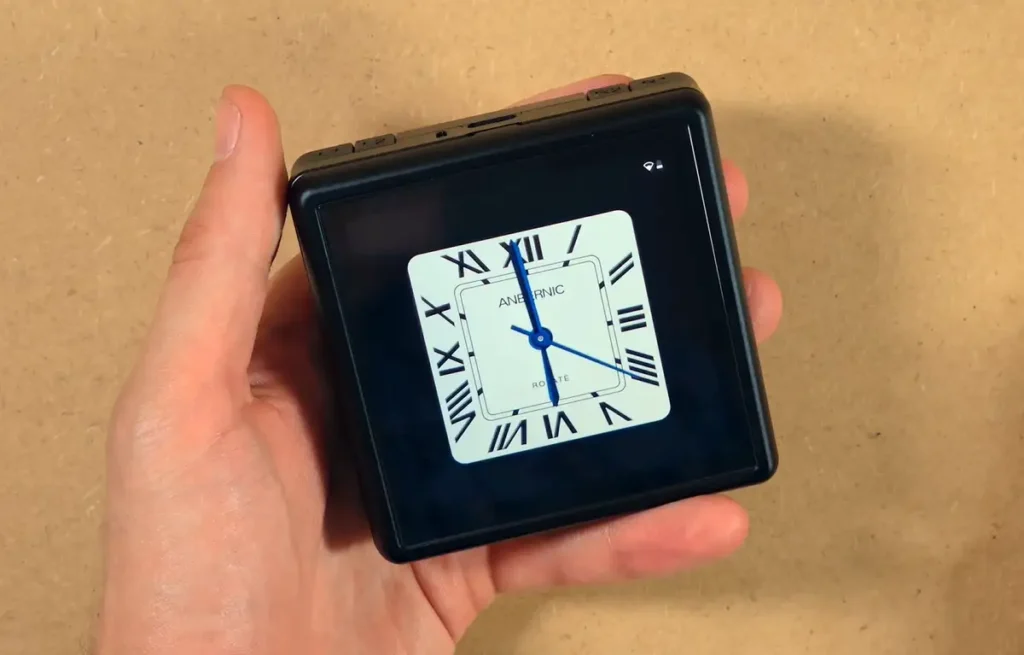
Once closed, the RG Rotate becomes a small square with the controls hidden and the display exposed. It is not thin like a phone, but it is compact enough to feel much more portable than a smartphone. Seeing a device like this with actual mobile phone capabilities in the future would be very interesting.
My only issue when it comes to this form factor is that oftentimes after taking it out of my pocket I found myself fiddling with it a bit to grip it in the right orientation so I can easily open it with just one hand. It’s hard to do if you don’t develop a habit for feeling where the shoulder buttons are while the device is still inside your pocket.
The customizable clock on the lock screen which appears for a few seconds after you close the device also gives it a little desk-gadget personality. It’s just another interesting use for the square display.
Overall, my first impression of the Anbernic RG Rotate is in short very much positive, despite the few worrying signs of lack of polish on the software side (and perhaps some QC issues regarding the display).
The physical concept works better than I expected. The rotating mechanism feels satisfying, the shell feels solid, the buttons are good, and the square screen is a very interesting idea for both traditional and less traditional applications.
At the same time, I can’t really ignore the few issues I faced. If the software gets updated over time and the screen issues don’t come up again, this could very well become one of my favorite pocket emulation gadgets just because of its form factor. If the issues return, it may end up being more of an interesting experiment than something I would recommend without reservations. That’s pretty much it for now.
You might also like: 13 Best Retro Handheld Emulator Consoles In 2026, and MagicX One 35 Hands-On Review