

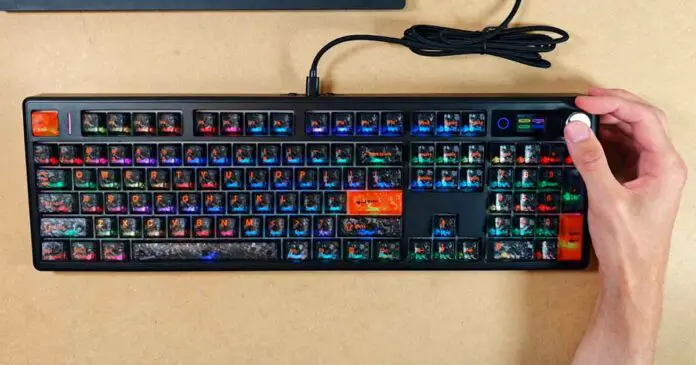
The review unit here is the black translucent keycap version with the SeaSalt Silent switches, but the keyboard is also available with Creamy Jade linear switches. Let me share with you all of my in-depth thoughts about the EPOMAKER TH108 V2 PRO after using it as my main keyboard for the past week.
Why you can trust us: We test all of our products according to the Tech Tactician consumer usability benchmark methodology which evaluates all of the product characteristics that matter to the user in day-to-day use.
This web portal is reader-supported, and is a part of the AliExpress Partner Program, Amazon Services LLC Associates Program and the eBay Partner Network. When you buy using links on our site, we may earn an affiliate commission! The product sample for this review was provided to Tech Tactician free of charge.
Quick Specs Table
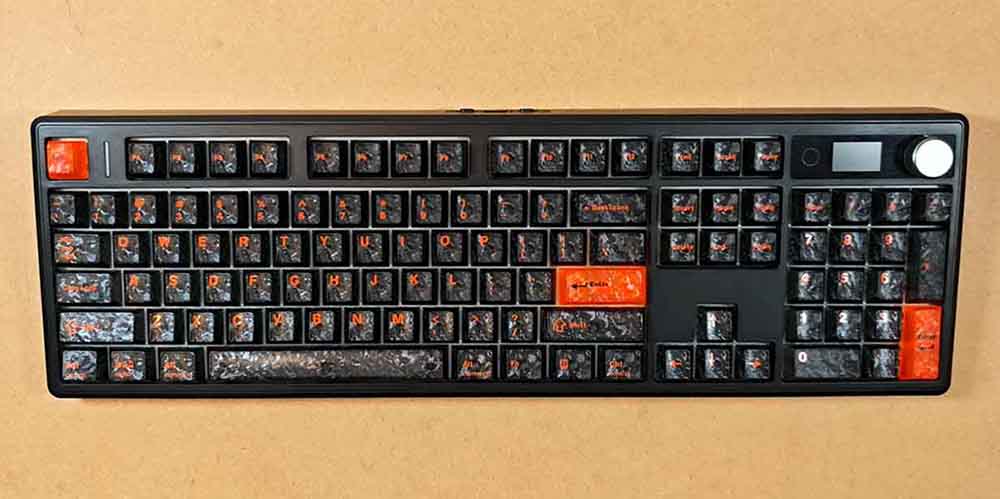
A full-size hot-swappable tri-mode RGB mechanical keyboard with a color display, aluminum knob, gasket mounting, south-facing LEDs, and Windows/Mac/Android support.
| Model | EPOMAKER TH108 V2 PRO |
| Number of Keys | 104 keys |
| Knob Material | Aluminum |
| Mounting Style | Gasket mount |
| Case Material | ABS plastic |
| Plate Material | PC |
| Stabilizer Type | Plate-mounted |
| PCB Type | 3/5-pin hot-swappable PCB |
| Connectivity | Type-C wired, Bluetooth, and 2.4G dongle |
| Anti-Ghosting | NKRO |
| LED Direction | South-facing |
| Polling Rate | 1000 Hz in wired and 2.4G modes; 125 Hz in Bluetooth mode |
| Battery Capacity | 10000mAh |
| Compatibility | Windows / Mac / Android |
| Software | Epomaker online driver |
| Dimensions | 447.37 x 140.72 x 43.95 mm |
| Weight | Around 1.5 kg |
What’s In The Box?
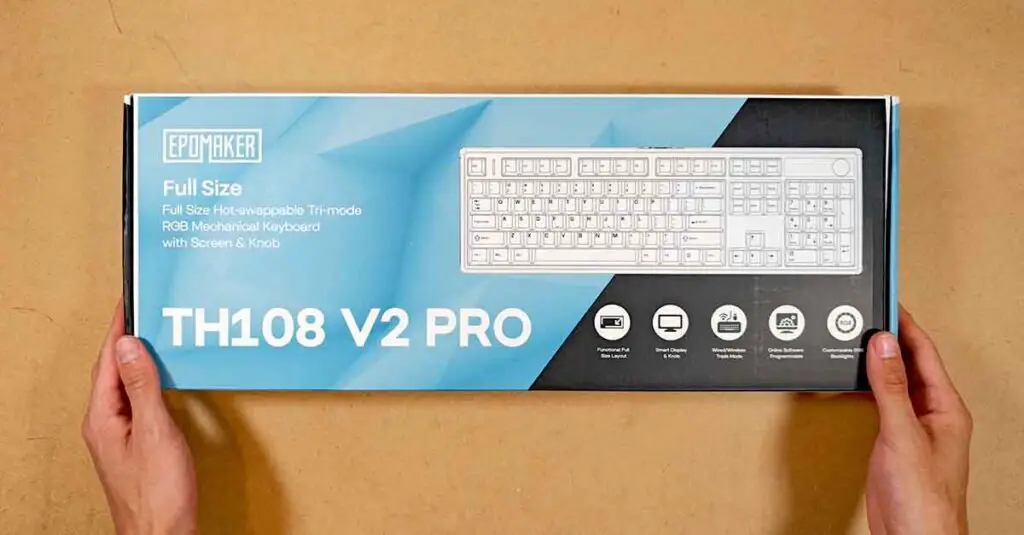
The unboxing experience of the TH108 V2 PRO was on-point. The keyboard is well-protected inside the box, and all of the accessories are hidden beneath the top part of the box you can see on the image below.
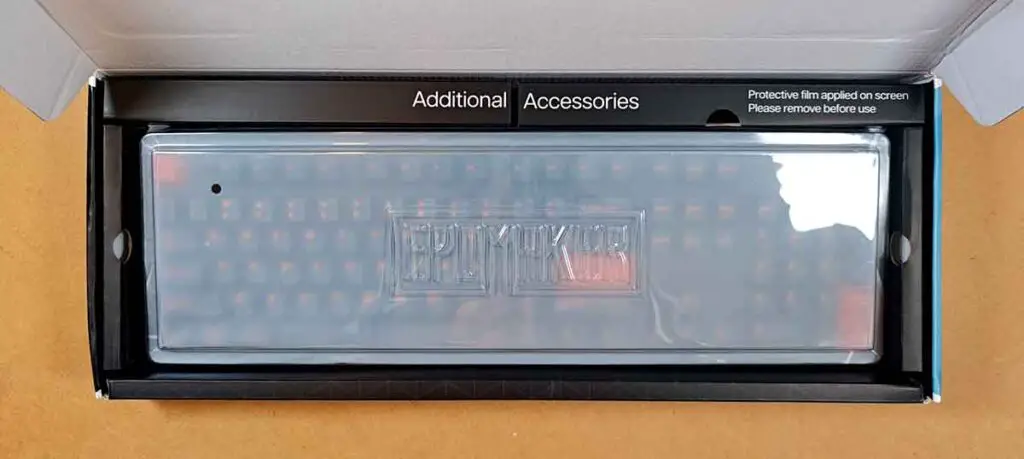
The keyboard comes with a packaging cover which, although is meant for transport safety, you can also use as a temporary dust protection. Other than that, this is pretty standard packaging.
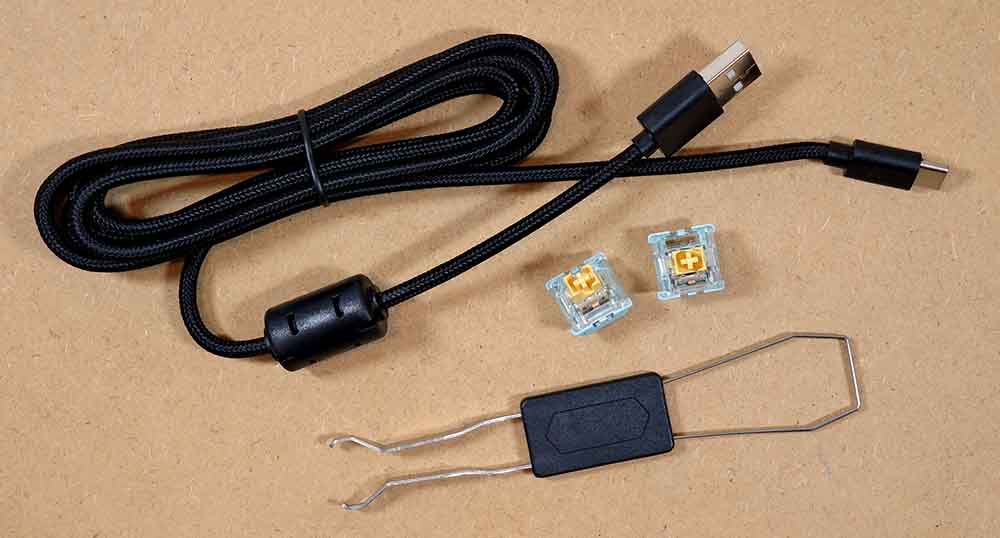
Inside the box, aside from the TH108 V2 PRO, you will find a summarized multilingual manual/product card, a dedicated USB-A to C cable, two extra switches, and a standard tool for pulling keycaps and switches.
Design and Build Quality
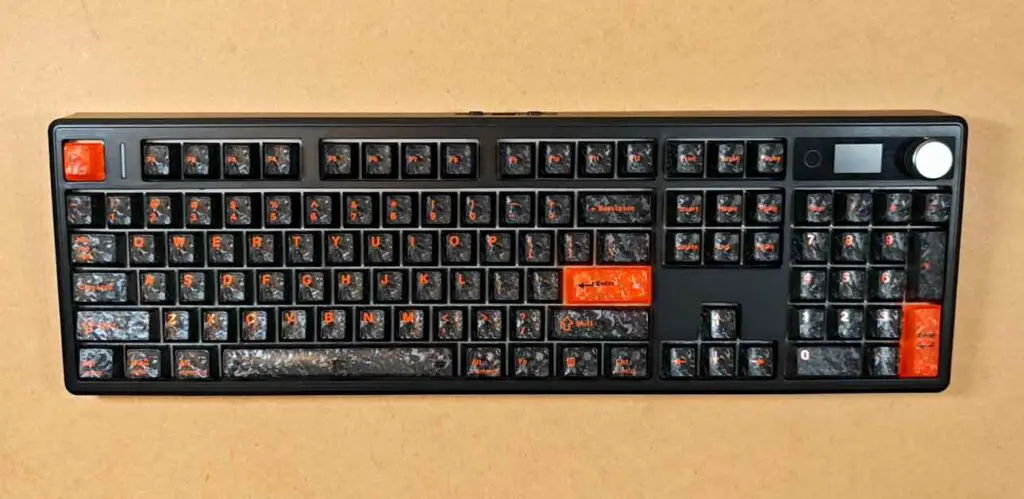
The case material is ABS plastic, but it doesn’t feel cheap, and there is little to no significant case flex on any part of the keyboard. None of the PBT keycaps feel wobbly or are seated incorrectly, and the Spacebar, Enter, Backspace, Shift and Numpad 0 keys are well stabilized.
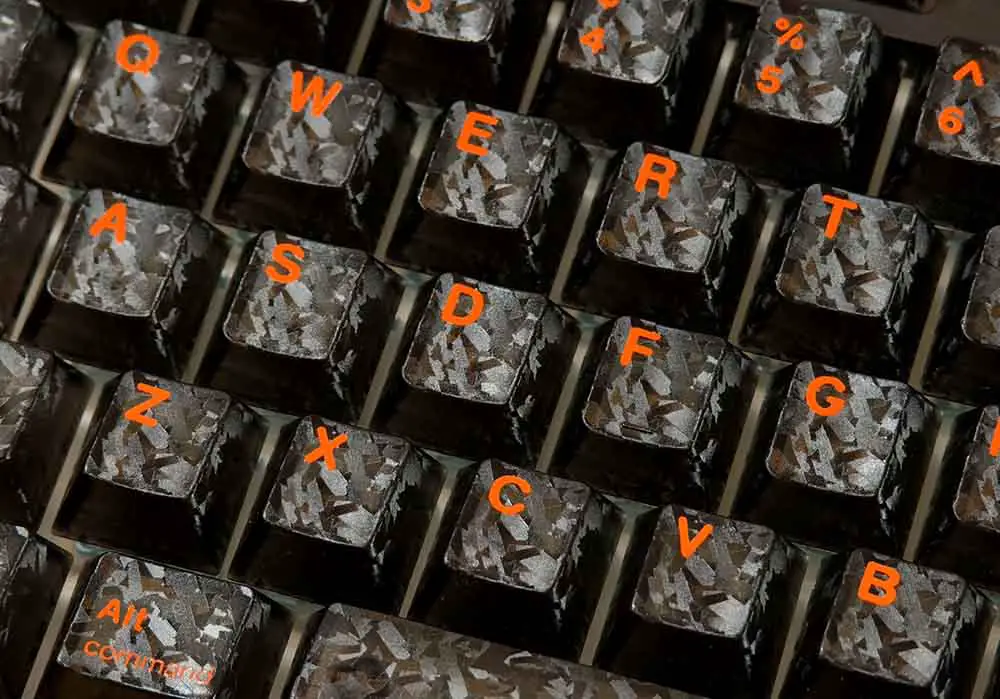
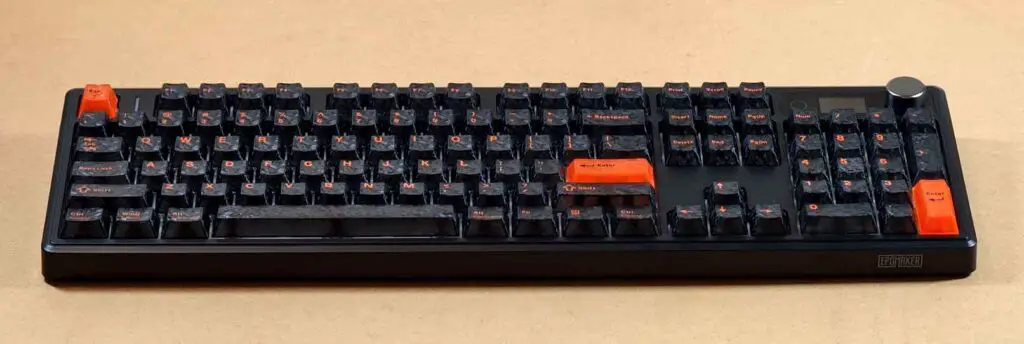
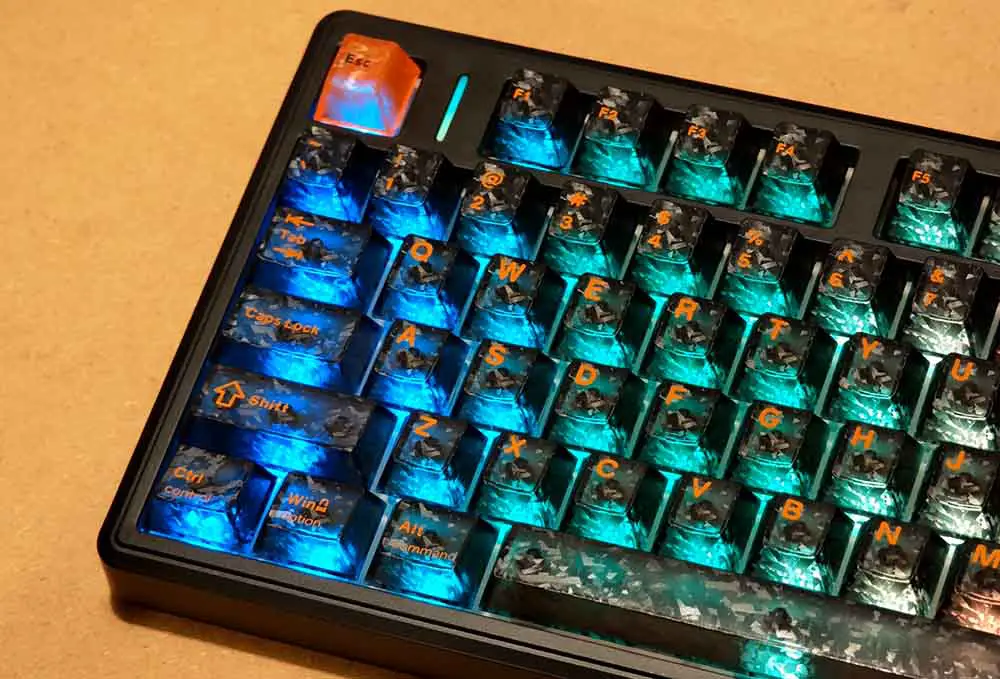
The keycaps, as you can see on the images below (and even better on the images showcasing the LED backlight) are translucent and textured.
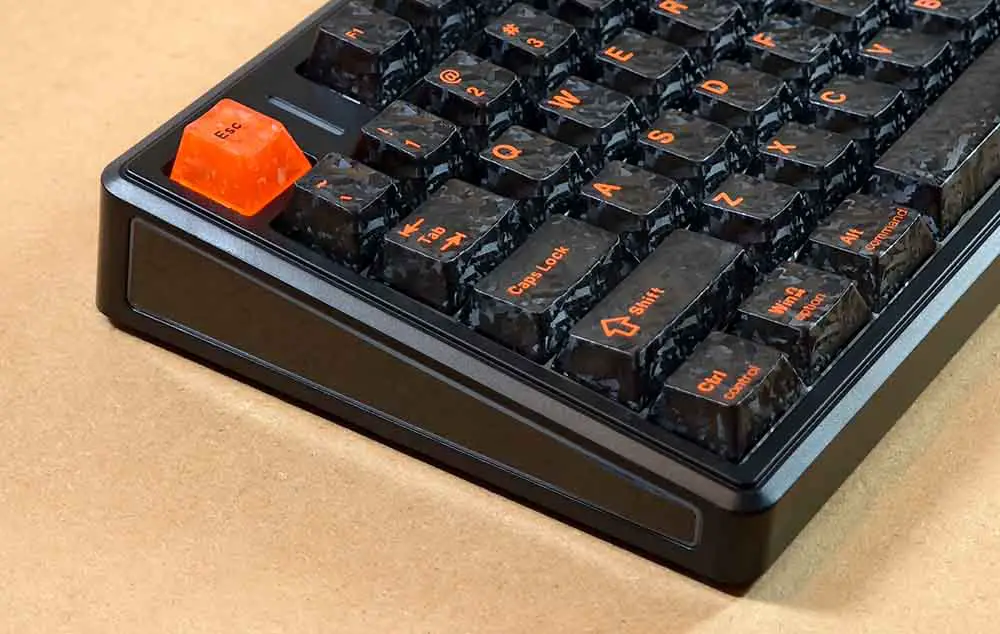
The keyboard is angled just a tiny bit even without the bottom feet extended. On the left and right sides you can see the additional LED panels that work independently of the main key backlight.
The weight of the keyboard is about 3.3 lbs / 1.5 kg, which is about what I would expect from a standard wireless keyboard of this caliber. Although the casing is fully made out of ABS plastic, it feels sturdy enough not to worry about it breaking.
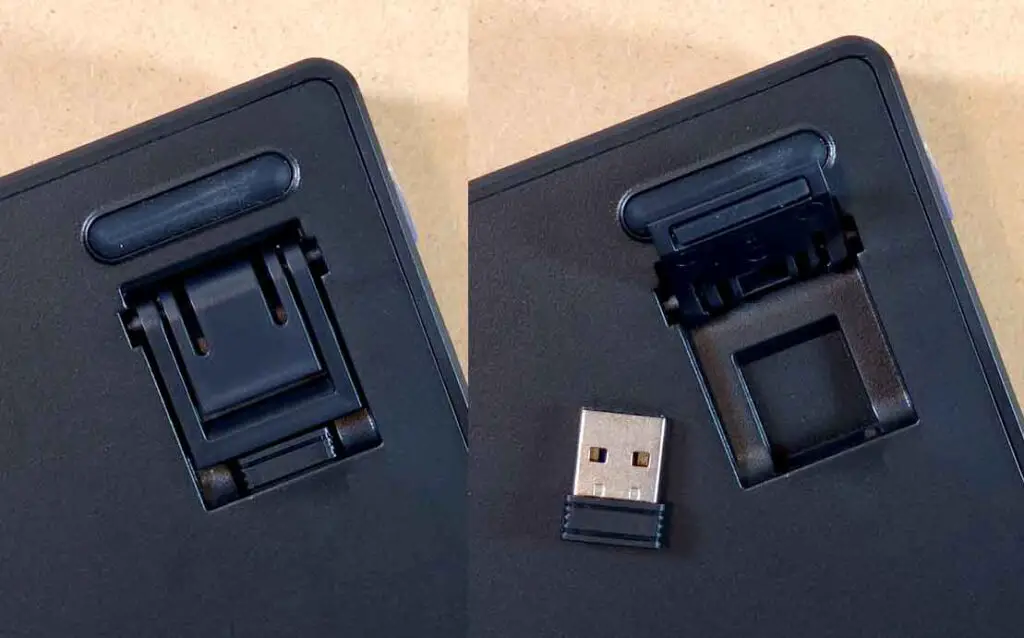
On the bottom of the V2 PRO you can find a set of two nested plastic feet that you can extend to adjust the typing angle. Underneath the left one, in a small compartment, you can find the dedicated 2.4 GHz receiver.
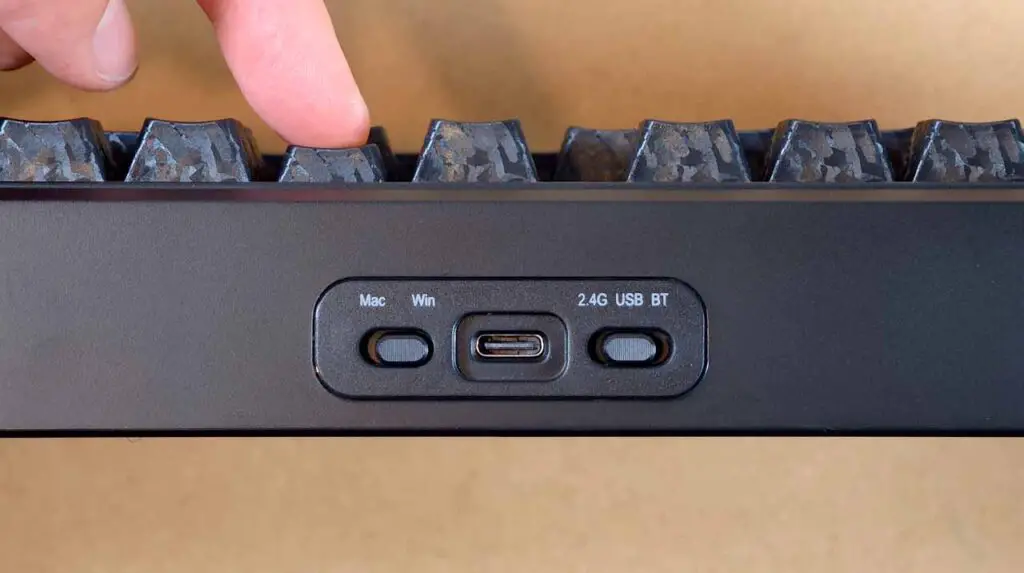
The USB-C port alongside the connection mode and OS select switches is located in the back, in the center point of the casing. The port itself is recessed a bit, which makes using angled 90-degree cables (like this one that I used during my tests) very easy and can help you save a little bit of space on your desk.
Now is a good time to mention that there is also another keyboard in the V2 PRO series, namely the EPOMAKER TH80 V2 PRO, with a 75% layout and a very similar build and design. If you prefer this kind of form factor and you want many of the same core features present on the TH108 V2 PRO, it’s a good model to take a closer look at.
SeaSalt Silent Switches and My Typing Experience
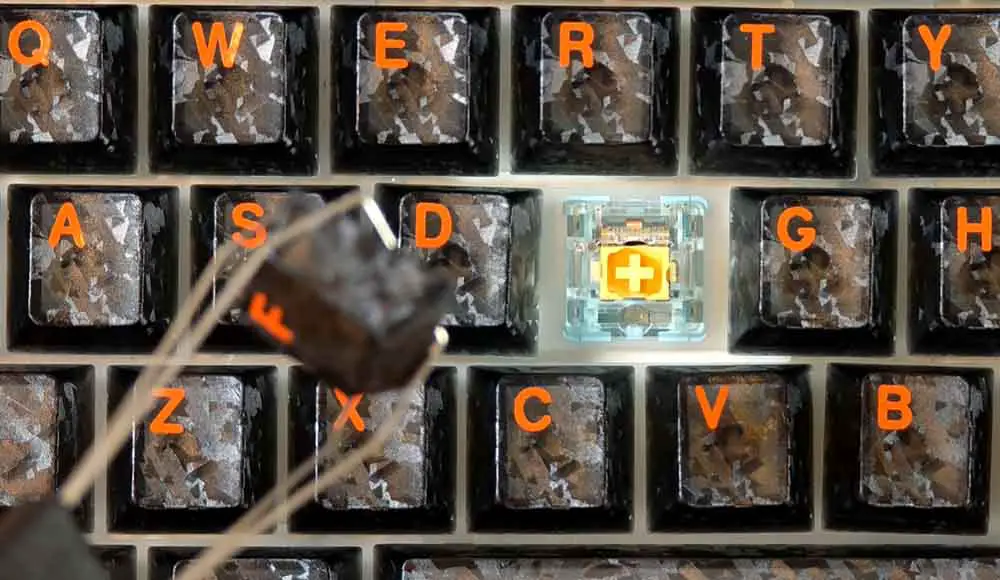
The pre-lubed SeaSalt Silent linear switches present in my review unit are very satisfying to type on, albeit as their name suggests, they are not of the “clicky” kind. Despite that, as I’ve already mentioned, typing with them is very satisfying, and their muted sound is very pleasant to hear (scroll down for the sound demo). You can also get these switches separately over on Amazon, for about $20 for 35 pieces.
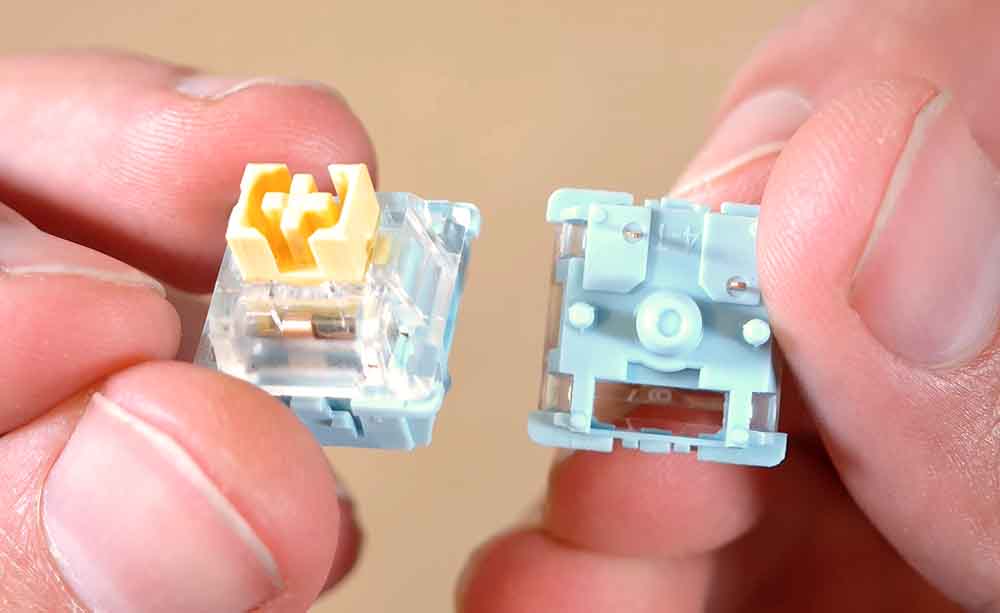
Their advertised total travel distance is about 3.5±0.4mm, with the pre-travel being equal to around 1.8±0.4mm. In practice, I found them to be a little bit shallower than the ones on my Keychron K10 Max, but still not within the realm of the super tight and low seated switches from various gaming-optimized keyboards. The bottom-out feel of the keys is very soft and consistent across all the keys.
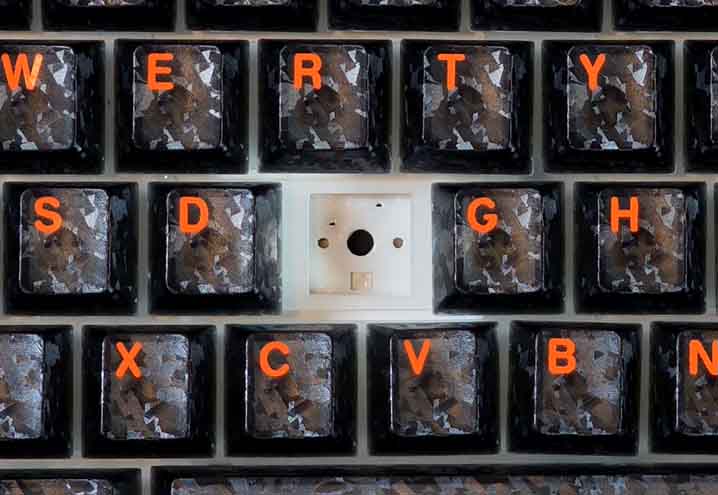
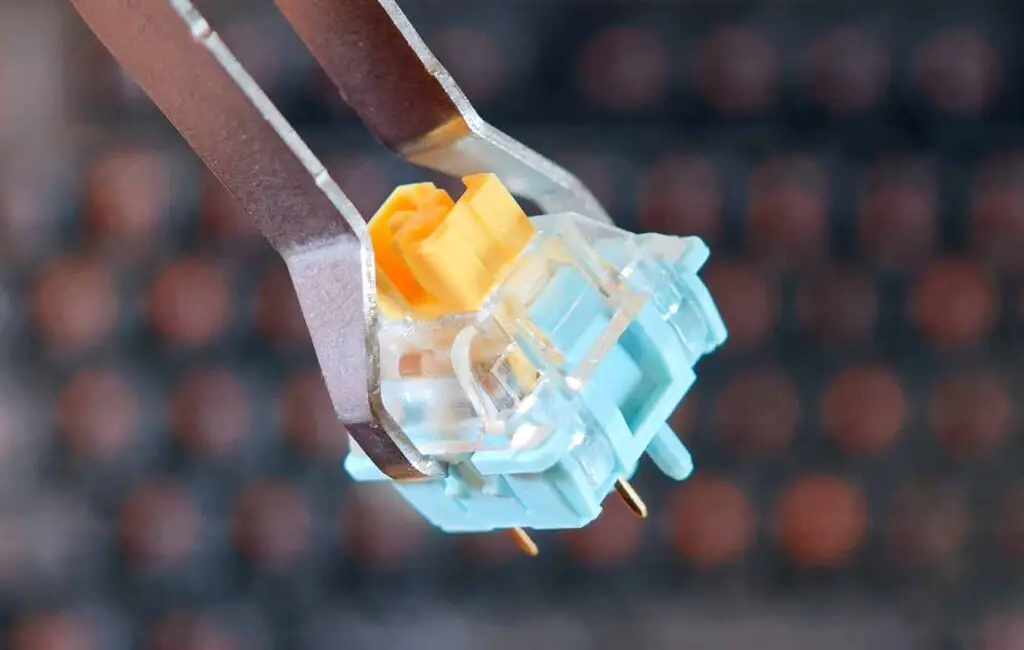
Both the switches and keycaps are very easy to remove using the included standard tool. The hot-swappable PCB takes 5-pin mechanical switches, so the stock Sea Salt Silent or Creamy Jade switches can be replaced without soldering. It’s also compatible with 3-pin options, if you’d like to use those.
In conclusion, a great experience for those of you who value smooth and reasonably quiet typing. If you want a more audible, thocky linear switch feel, you might want to check out the second variant of the TH108 V2 PRO with the Creamy Jade switches instead.
Let’s get to the part that probably interests you the most, that is the audio test.
Typing Sound Test – Audio Examples
Here is the quick sound demo of the TH108 V2 PRO keyboard with the SeaSalt Silent switches. The microphone was placed at a medium distance from the keyboard and above it, and no audio isolation or editing was done on the input, to simulate what you can actually hear when sitting in front of the unit and typing.
In short, very quiet and satisfying thock-y feedback without any loud clicks regardless of the typing force thanks to the well-designed padding responsible for the muted sound.
The Knob and Built-in Display
When it comes to the built-in display and the knob, they do work as intended. The quality of the display is enough for the navigation throughout the settings menu and for the GIF animations you can upload to the keyboard (more on that in a short while).
The knob can be used either in media control mode in which turning it adjusts the audio volume and pressing mutes the output, or in the menu display control mode for accessing the keyboard settings. You can switch between the two modes using the Fn + Knob Press key combination.
By default, the display will show you the keyboard’s battery level, as well as the current date and time and the state of special keys such as Caps Lock or Num Lock.
The display shows the status of Win/Mac mode, wired/2.4G/Bluetooth connection, Win key lock, Caps Lock and Num Lock, while the screen-control menu lets you adjust RGB settings, view your uploaded GIF animation loop, and change the display language between Chinese and English. It also gives you access to quick key brightness and RGB animation speed controls.
Although the keyboard has media control buttons that you can access via the Fn button shortcuts, there are no media button shortcut indicators printed on the function keys themselves.
RGB Lighting & Keycaps
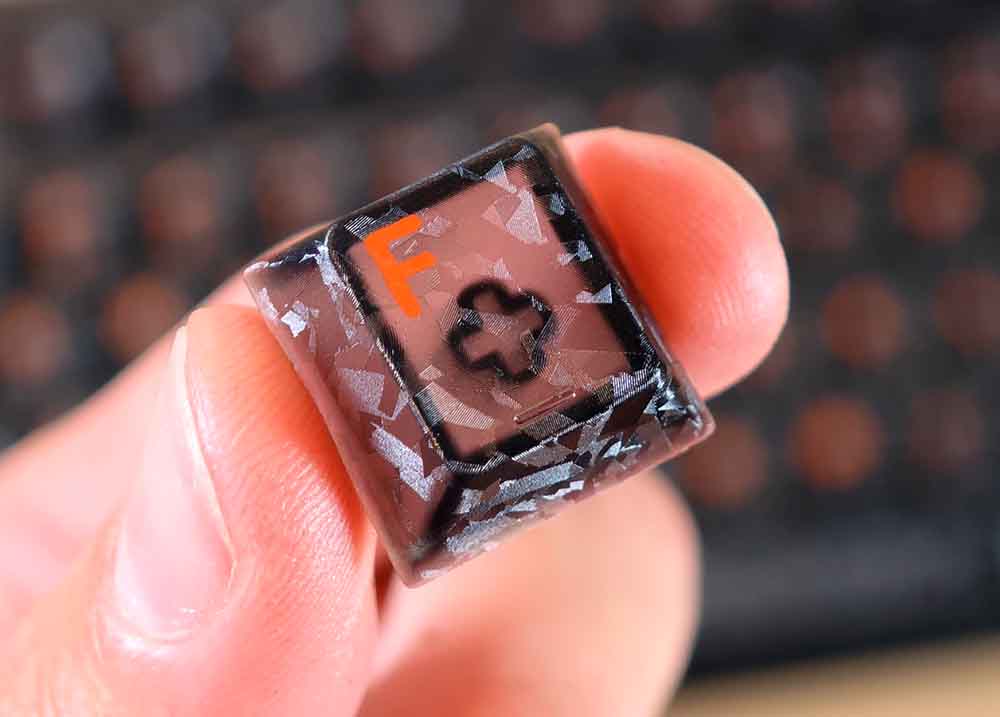
As I’ve already mentioned, the keycaps on the TH108 V2 PRO are translucent Cherry profile plastic PBT keycaps with south-facing per-key LED backlight. They have a certain texture to them that you can feel when you trace your fingernail on their surface, one that for me was pretty pleasant to the touch.
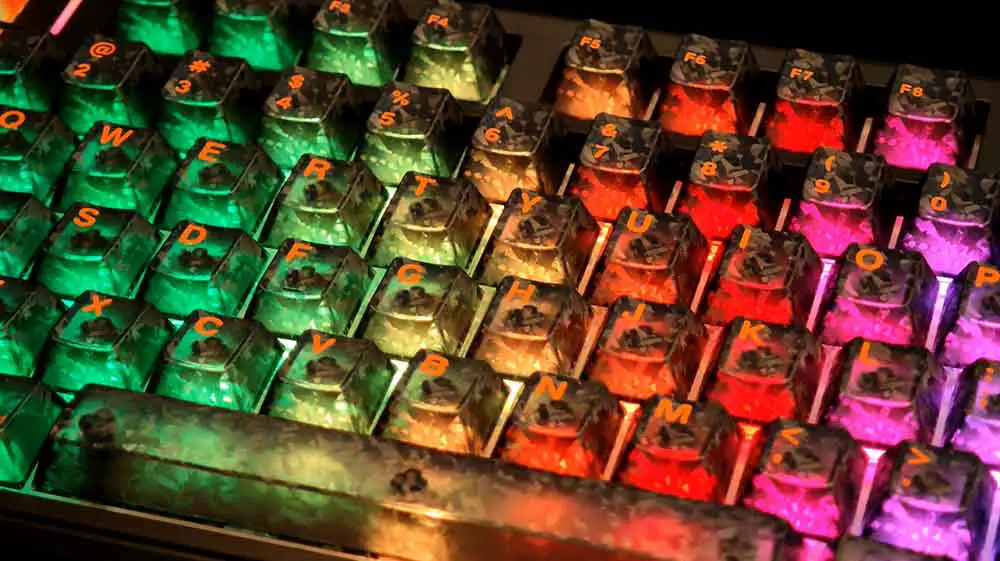
When it comes to the backlight quality, the texture of the keycaps makes the look of the keys very interesting, in fact, very much comparable to the edited product images you can find online. The south-facing LEDs make the keyboard look great from the front, and while it still looks good from above, you will notice that the backlight only covers the bottom of the keycaps.
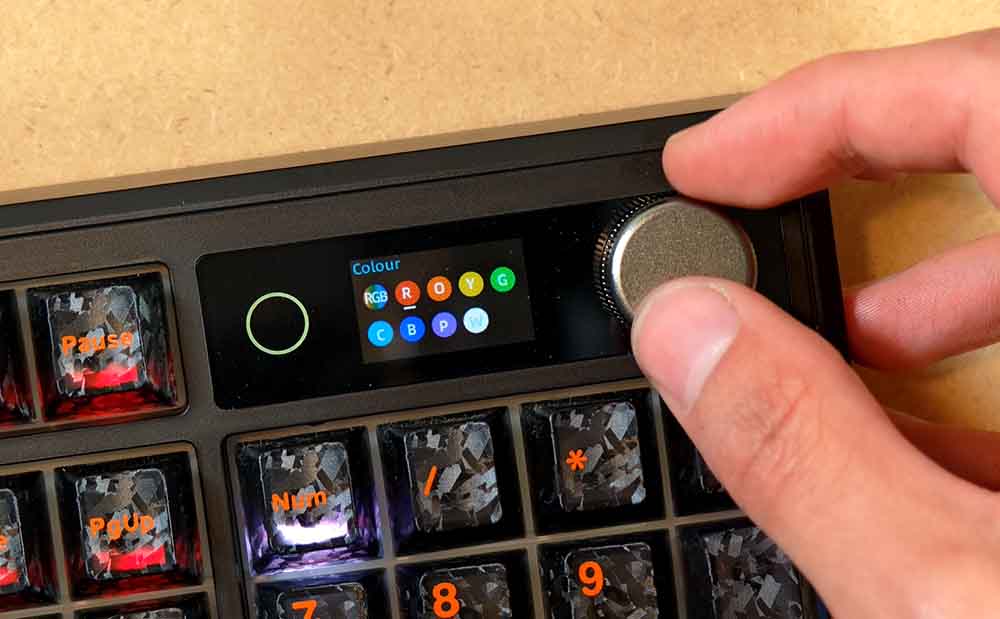
You can quickly turn off all of the LEDs on the board using the Fn + Backspace key combination, or toggle the small LED light strip next to the Esc key, circular light next to the display, and the side edge RGB accent panels separately using custom hotkey combinations laid out in the user manual and below. The light from the side panels does bleed onto the keycaps, so I tended to leave them off during my tests.
One software design choice worth mentioning here is that through the display menu you can access only the main key RGB settings, while for the fine-tuning of the additional RGB elements you need to rely on the hotkey shortcuts.
You have nearly full control over the light effects customization for all of the backlit parts of the keyboard, and there is also a possibility to set a solid backlight color for the keys in all of the effect modes, including the key-triggered ones.
Overall, the backlight colors are very nice, the translucent keycaps do their job, and the LEDs on the highest brightness level are bright enough to be clearly visible in a reasonably well-lit room (and in studio lighting conditions, as you can see below).
Here is a full demo of all RGB backlight modes/presets I tested on the EPOMAKER TH108 V2 PRO:
The Key Shortcuts and Light Indicators
There are quite a lot of shortcuts or key combos that you can access with the use of the Fn key and various keys on the V2 PRO. These are grouped into media and system controls, Mac controls, wireless pairing controls, backlight controls, and light/screen indicators, with some overlap with what you can do using the built-in display.
Here are all the shortcuts that I verified to be working on the TH108 V2 PRO:
Connectivity: Wired, 2.4 GHz, and Bluetooth
You have three different connectivity options on the V2 PRO: wired USB-C connection, 2.4 GHz connection using the included dongle, and the standard Bluetooth connection (supporting up to three paired Bluetooth profiles). After successful Bluetooth pairing, you can switch between the three paired Bluetooth profiles using the Fn + Q/W/E key combination.
While the latency using the Bluetooth connection is quite understandably higher than when using the keyboard wired, it’s still perfectly serviceable. I also found both the 2.4 GHz and BT connection to be stable and reliable over the time of my tests.
EPOMAKER Upgear Software & QMK/VIA Support
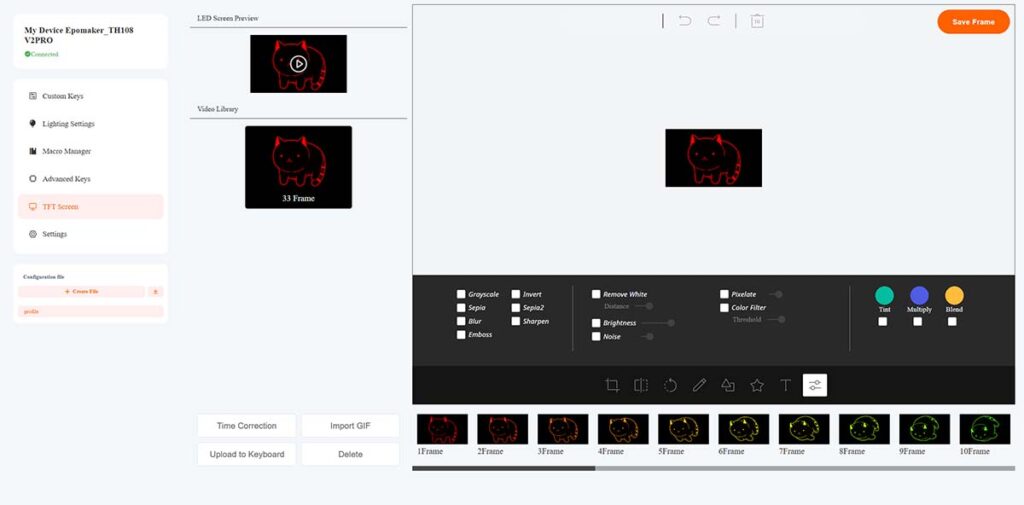
The TH108 V2 PRO lets you further customize your experience using the EPOMAKER’s dedicated web-based driver (also called Epomaker Upgear). This means that you don’t have to install any software on your PC to tweak your keyboard’s settings, which is always a great plus.
From the web app you can remap keys, record macros, tune lighting, and personalize the screen with GIFs and images, as well as synchronize the keyboard’s on-board clock and date with your system time, all of which are features that I’ve verified to work with my test unit. Here you can also access per-key RGB customization, which also works very well.
While the software does feel a little bit rough around the edges, it works and serves its purpose. Using it you can also update the keyboard’s firmware, should a new version come out at some point.
The TH108 V2 PRO is not compatible with the open-source QMK/VIA firmware, although the smaller, TH80 version of the V2 PRO can be used with VIA upon uploading a custom .json config file which you can get from the EPOMAKER support pages. Such a file is missing for the TH108 variant.
Daily Use Throughout My Tests + Gaming
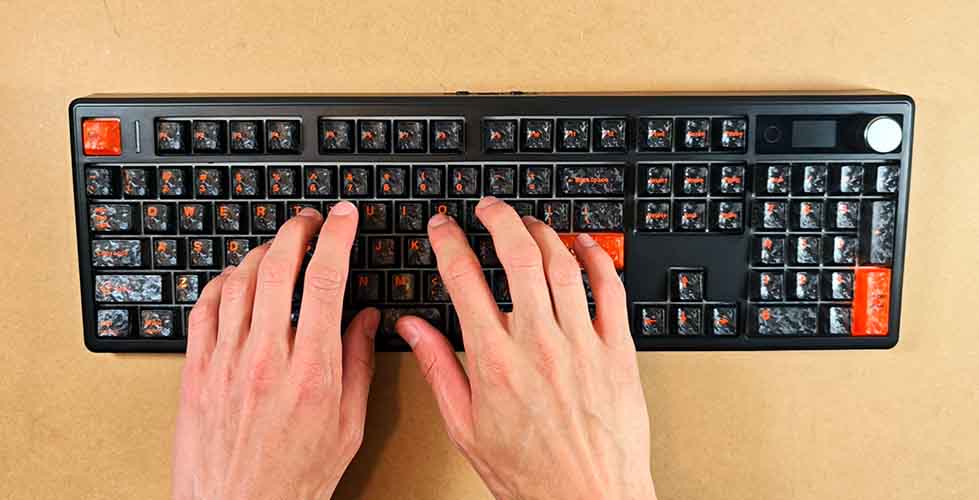
Having fully switched to the TH108 V2 PRO for the week before finalizing this review, I have to say that my overall experience has been very satisfying. As this was one of my first keyboards with silent switches, I really did enjoy the feel of the keys. Aside from the silent switches, the padding is also done very well here, effectively giving you a very quiet typing experience while still delivering reasonably satisfying key action.
If you’re looking for a mechanical keyboard that won’t disturb your coworkers or roommates in a small working space, the TH108 V2 PRO with the SeaSalt Silent switches is really a great pick. All in all, I found it to be very pleasant to use for both productivity-related tasks and gaming.
When it comes to gaming, although this keyboard is not a dedicated Hall Effect gaming model, it also works really well. Having played a few matches of Apex Legends and about one hour of Cruelty Squad, I didn’t find any issues I would have to bring up here, which is what I would generally expect from a keyboard in this price range.
Also, the entirety of this review has been written using the V2 PRO, as I tend to do with any keyboard I review.
If you’re looking for a keyboard specifically geared towards competitive gamers in a similar form factor, take a look at the EPOMAKER HE108 featuring 8K polling and 0.005mm adjustable actuation.
Battery Life and Charging
While I haven’t used the keyboard in wireless modes long enough to see significant battery drain or wear, the 10000 mAh cell inside the V2 PRO should last you for a reasonably long time even when using the built-in RGB backlight.
One thing worth mentioning about the TH108 V2 PRO is that it charges even when you are actively using it over the wired USB-C connection, so you can continue working or gaming while topping up the battery. While this might have some implications for the long-term battery health, only time can tell and I’ll be happy to update this review should any issues come up.
When the keyboard is in wireless mode, it lets you check the exact battery percentage level by using the Fn + Enter key combo, which will display the current battery charge on the number keys.
My Final Verdict – Is It a Worthwhile Pick?
The EPOMAKER TH108 V2 PRO is one of those keyboards that strike me as easy to recommend to anyone looking for a quiet full-size mechanical keyboard with strong wireless flexibility, a satisfying typing feel, and a few neat extras like the aluminum knob and built-in display.
Of course it’s not perfect, the software still feels a little rough around the edges, and the QMK/VIA support would be nice to see, but the core experience with this model is very much on point compared to its similarly priced competitors. For productivity, quiet shared spaces, and casual gaming, in my book, the TH108 V2 PRO is absolutely a worthwhile pick.
For more info about this and the other Epomaker keyboards, be sure to join the EPOMAKER Discord community. There are many topics discussed in there that you will not find in other places online, and the community is very helpful overall.
You might also like: GameSir X5 Lite Hands-On Review